











![[Introduction to Computer Vision] 4. Camera Calibration](https://i.ytimg.com/vi_webp/rHYFqx87wvE/maxresdefault.webp)










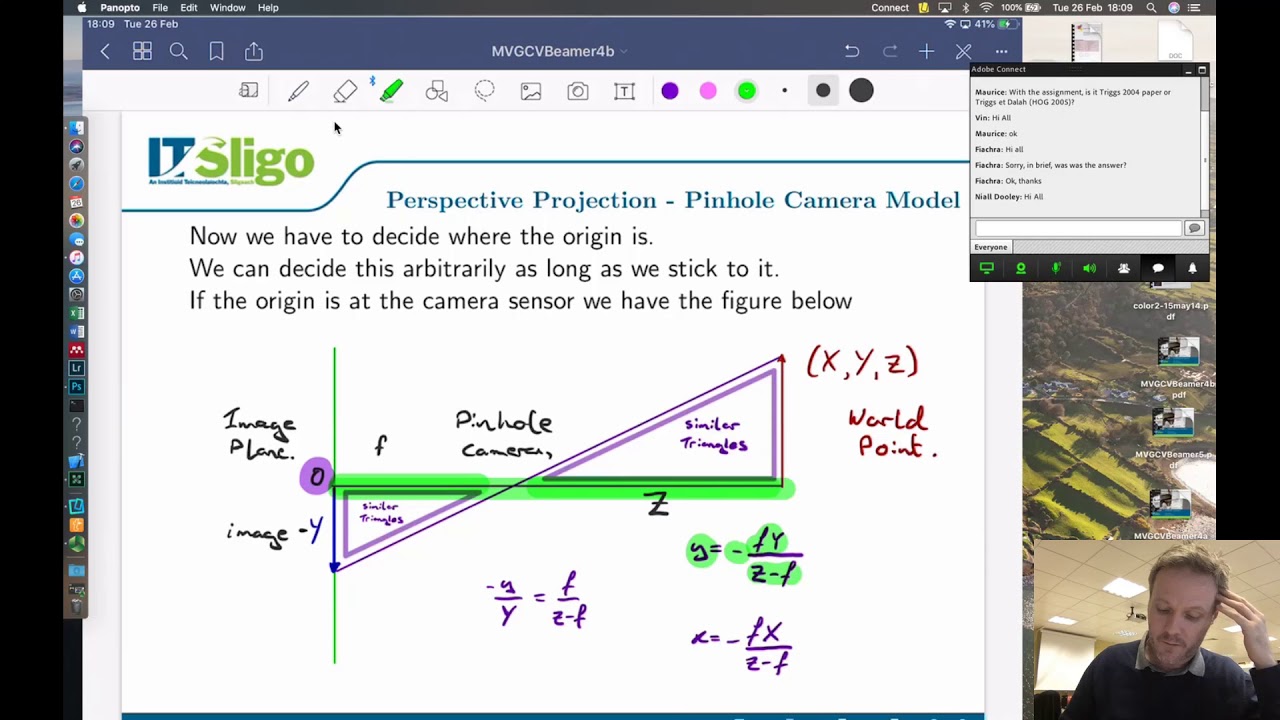
This lecture demonstrates how to project 3D world points onto a 2D image plane by multiplying the camera intrinsic matrix (K) with the extrinsic camera parameter matrix (M_ext) and the world point coordinates. The extrinsic matrix is composed of the vehicle-to-world transformation (rotation about z-axis by 30 degrees, translation [4, -4, 1]) and the camera-to-vehicle transformation (rotation about x-axis by -120 degrees, translation [0, 1, 2]). The world-to-camera transformation is obtained by inverting the camera-to-world matrix. The K matrix is defined with focal length 300 and principal point at (150, 100) for a 200x300 image. After projection, the result is normalized by dividing by the third coordinate to obtain the final 2D image coordinates.
Computer Vision: 3D to 2D Projection with Camera Matrices
Added:okay so um we want the same thing uh we want to do something similar to what we did before namely we want to project our point by multiplying the k matrix times the external camera parameter matrix times some world point and this is the first three rows of the world to camera 4x4 matrix so i wrote it like that and as before uh we'll find it easier to compute the uh camera to world uh transform and take the inverse so the uh camera to world transform is given by the vehicle to world times the camera to vehicle okay so looking at the first one let's say the vehicle to world that is composed of a rotation matrix from vehicle to world and of course the um uh trans the translation of the vehicle in the world so if i look at the rotation of the vehicle with respect to the world i see it's just a rotation about the z-axis of the world so i can write this as r z of 30 degrees and going back to the lecture on 3d rotations you can see that this is a cosine of 30 a minus sine of 30 sine of 30 and cosine of 30.
and the translation of the vehicle origin in the world i said was 4 minus 4 1.
that's transpose all right so let's go ahead and start making a matlab script to do this so i'll say rotation from vehicle to world is cosine and i'll use the cos d form of this which takes degrees and sine d so that's cosine minus sine sine and cosine and then of course 0 0 1.
the translation of the vehicle's origin in the world is 4 minus 4 1.
so that i can put those together to make my 4x4 matrix of vehicle to world it's going to be our vehicle to world t vehicle origin in the world and then zero zero zero one okay so the other piece we need is the camera to vehicle transform so let's go back to this image here we can see that the camera is rotated with respect to the vehicle by just a rotation about the x-axis so the rotation from camera to vehicle is rx and then um the the amount of rotation is if i started with the world z pointing up um it actually rotates minus 120 degrees the origin of the camera with respect to the vehicle is 0 1 2.
so let me go ahead and put that into the matlab script so the rotation matrix about the x-axis is going to be um given by uh cosine of minus 120 minus sine of minus 120 sine of minus 120 and cosine of minus 1 20.
the translation of the camera's origin with respect to the vehicle is 0 1 2.
so the 4x4 matrix from camera to vehicle is rotation from camera to vehicle translation of camera origin with respect to vehicle and then zero zero zero one okay so now i'm ready to go ahead and composite those by multiplying to get the camera to world i can do that by taking uh cam or vehicle two world times camera to vehicle okay and then of course i'm going to need to take the inverse of this because what i really want is world to camera now i can extract the external extrinsic camera parameter matrix from the world to camera um let's see i'm gonna need a k matrix um and i said the k matrix let's see here um the image is 200 high by 300 wide focal length of 300 okay so um focal length 300 uh middle of the camera i'll assume is cx so that's 150 middle of the camera in the y direction would be 100 okay so that's my k um i can project um the points onto the camera by multiplying k times m e x t times a p world okay so i need to define p world and actually i have four points in the world that i want to transform it's easiest to just do these all at once so i'm going to create a matrix of points where each point is a column in this matrix so the points are zero zero zero one zero zero one zero one and zero one zero zero zero zero zero and then the the last row the fourth element of every point is a one because they're homogeneous points okay so every column here represents a 3d point so if i multiply this times pw it will transform all the points finally i need to divide through by the third element of of the result and i can do that by this case i i have to do it one row at a time there might be an easier way to do this but the first row i take every row every every column on that first row and divide by the corresponding element on the third row i can also i should also do that for the second row and i can do the for the third row as well so that makes sure that the third element is a one here and that should be it so then i can display my points and let's go ahead and run that so i ran that and i got these points as being projected onto the image just to wrap this up i can create an image of these points i'll just create a synthetic image of size 200 by 300 and for every point every one of these four points i will calculate the row as uh i need to round to the nearest integer like that take the column um and then i will just insert that into the image at that point and then i'll show that okay run that okay so now i have um oops i'm sorry i made a mistake here this should be two and one right so the the y value which is my second value is actually the rows and the first first element x is the columns okay so now i have my resulting image as you can see i have points here here here and here
Up Next
Python 3D Software Renderer: Build from Scratch with Pygame & NumPy
@CoderSpaceChannel
451.4K views•2022-05-14

Introduction to Secure Multiparty Computation with Yehuda Lindell
@fhe_org
7.7K views•2021-02-04

HTTP Requests Explained: GET, POST, PUT, DELETE
@codecademy
103.1K views•2021-10-07

Enigma Machine Mechanics: WWII Encryption Explained
@JaredOwen
13.2M views•2021-12-11
Related Study Plans & Knowledge Roadmaps
Structured learning paths in Computer Science