

![Quello che NESSUNO ti ha MAI spiegato in #POKEMON - MEW GLITCH [Perché c***o funziona? - Ep. 1]](https://i.ytimg.com/vi_webp/p9JPXR-ZUtA/maxresdefault.webp)
![[ أصول البرمجة ] 1- شرح الذاكرة ( RAM ) والمؤشرات ( Pointers )](https://i.ytimg.com/vi_webp/As0e5-oi8lo/maxresdefault.webp)


![#6 [C++]. Hàm Trong Ngôn Ngữ Lập Trình C++ (Update 2025)](https://i.ytimg.com/vi/ZX4-KJQvlyk/maxresdefault.jpg)






![[C언어] 포인터, 예제로 이해하기](https://i.ytimg.com/vi/jp4baoiTir0/maxresdefault.jpg)





![[SO] Memory Leaks y Valgrind](https://i.ytimg.com/vi/fSyqPD_xp1o/maxresdefault.jpg)
A pointer in C++ is a variable that holds a memory address, enabling indirect addressing where you access data through its address rather than directly. Pointers use the address-of operator (&) to get a variable's address and the dereference operator (*) to access the value at that address. Pointer arithmetic automatically adjusts for data type size, allowing efficient array traversal. Pointers are essential for dynamic memory allocation using new/delete, polymorphism through arrays of pointers, and smart pointers (shared_ptr and unique_ptr) for automatic memory management. Key pitfalls include creating pointers to vector elements (which become invalid when vectors reallocate) and forgetting to clean up dynamically allocated memory.
Understanding Pointers in C++: A Comprehensive Guide
Added:Basic C++ syntax, variable declarations, and fundamental data types (int, float, char).
The conceptual understanding of computer memory (RAM) and how data is stored at specific addresses.
The difference between pass-by-value and pass-by-reference in C++ functions.
Dynamic Memory Allocation in C++ using 'new' and 'delete' operators, and managing heap vs. stack memory.
Implementing fundamental data structures such as linked lists, binary trees, and graphs using pointers.
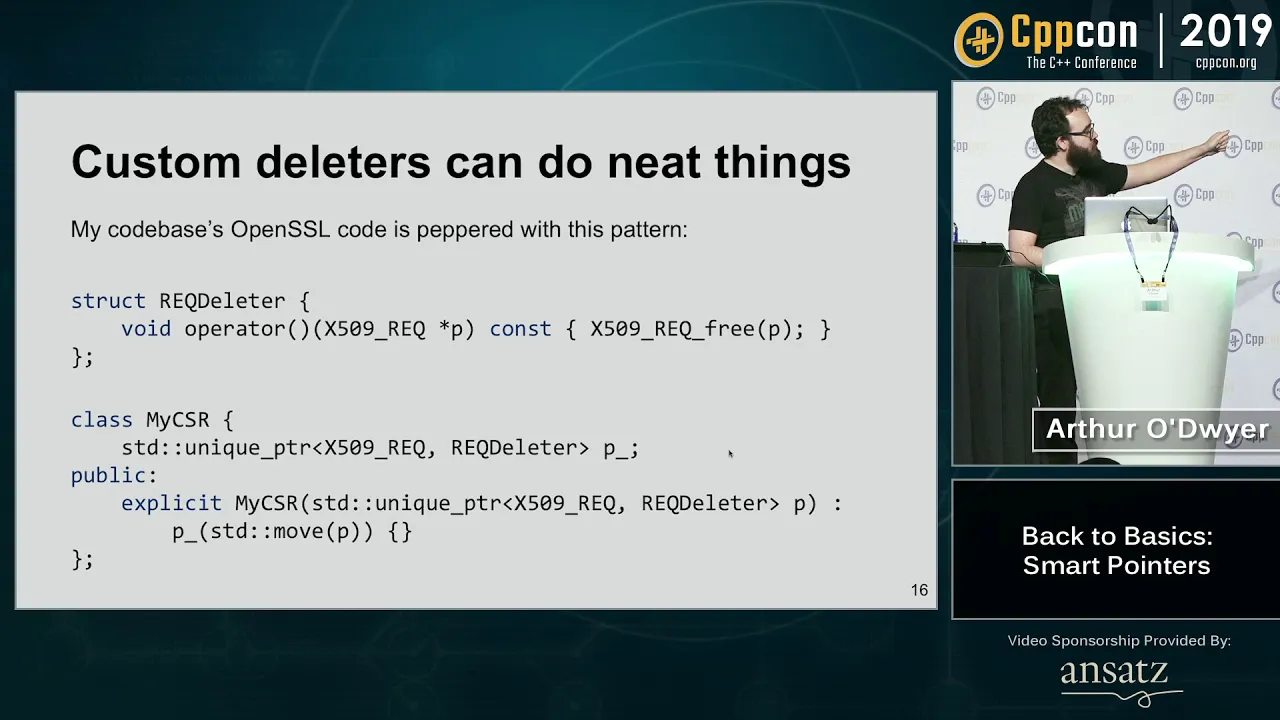
Advanced memory management techniques using C++ Standard Library smart pointers (unique_ptr, shared_ptr, weak_ptr) to prevent leaks.
Understanding function pointers and their application in callback mechanisms and event-driven programming.
Using memory debugging tools like Valgrind to identify and resolve memory leaks or segmentation faults.
575.9K views20Klikes41:55Original Release: 2018-09-29
hello and welcome to something a little bit different for me I'm going to be talking about a specific feature of the C++ language pointers and I felt there was a need to do this video because on discord and on YouTube and very email I've been asked quite a number of questions about people's code that doesn't work and invariably the problem seems to lie with a misunderstanding of how to use pointers in the first place so this is a little video I can use to excuse the pun point people in the right direction and if they do have any problems with pointers in my video output to date I've never really targeted a specific audience and I'm trying not to with this video either so it doesn't really matter if you're a beginner or intermediate and maybe there'll be something in this video that will be novel to you and even for the non C++ programmers out there I'd still really recommend watching it because pointers are fundamental regardless of which language you're using it just could be that other languages are hiding the fact that pointers are being used so let's get started by asking the question what are pointers unfortunately there is a very very simple answer to this question a pointer is just a variable that holds a memory address I repeat a pointer is just a variable that holds a memory address if you'd like this video give me a thermo nee kidding there's actually a lot more to it but fundamentally it is really that simple I'll start by just introducing the basic syntax but fundamentally it's important to know that whenever would working with pointers were working with memory and so here I've drawn some random access memory some RAM and I've got a column which represents the addresses so this is the location in RAM and a column that represents the value at that specific location I've not populated any values just yet so let's assume in our program we have something along the lines of int a equals five we've asked the compiler to make sure that our program will have enough memory to store a variable called a and give it the value 5 now we know that variables of different types have different sizes will not worry about that too much here and so just to calm down the masses let's assume that all the values are 32-bit when we write something like this in our program we don't really have any control over where it goes in memory and we don't care either because what we care about is that we can represent that location in memory through this variable named a so let's say the compiler has gone unused memory address location 102 which will stay is a and it's given it the value 5 so loosely in our program wherever we see the variable name a what we really mean is go to somewhere in RAM and look up address 102 which corresponds to a and return the value 5 so to all intents and purposes the variable name disappears and this situation is known as direct addressing where we take a symbol and it directly corresponds to a location in the RAM now as discussed a pointer is just a variable that holds a memory address so in our simple system here let's create a variable type pointer and we'll call it be just as it did with the integer the compiler will go and somehow structure our memory so that B is stored somewhere in it so let's say here B is stored at address 104 we've had no control over that it is where it is but the value B holds is going to be a memory address so we could declare it explicitly B equals 100 for example 2 the value goes to 100 what I'm trying to demonstrate here is lose absolutely no difference between the two things a pointer is just a variable that holds an address in memory it's very rare that will actually set the value of a pointer explicitly and numerically like this instead it's more useful to use the location of an existing variable in the program as the value that we give to the pointer and C and C++ provide something which is the ampersand symbol which behaves like get the address of a variable so here we've said our pointer B we want to set its value to be the address of wherever a is stored so in this case we can see a is stored at address 1:02 so the value stored in point of B is 102 now that we have a location in memory that stores a value which represents a memory address to a different location we've implemented something called indirect addressing and so whereas we had an operator that allows us to get the address of a variable we can have an operator that allows us to get the value at that address so let's create a third variable int C but I want to get the value from the location pointed to by B and in C and C++ that's the Asterix operator confusingly not multiply in this case but this means get to the value at so we want to get to the value at the location pointed to by B so how will this be interpreted well the compiler will have created the symbol C somewhere in our memory for what we're saying is please get the value at the pointed to location of our pointer B so we'll look at the value of B which is 102 in this instance and we'll use the value of B as an address of the actual value we're interested in so this 102 points to a effectively which is what we've set up here and we'll get the value 5 we have indirectly set the value of C to a using a pointer B and that really is all there is to pointers as I've stated and I will state many times in this video they're just a variable that holds a memory address but even in this simple example we've started to see some confusing syntax we've introduced two new symbols now the address of symbol furry North but we've started to use the multiply Asterix to represent get the value R and I think it's this usage of additional symbols that makes pointers quite confusing to those that haven't seen them before and in fact it gets even more confusing because there is no variable type called pointer as we'll see in the following practical examples it's important that the compiler and the programmer know what type of information the pointer pointing to so we have to include the type somewhere in our pointer definition but clearly we need to include something else because this is now saying that B is just a type integer no difference a and C well in C and C++ to say that this is a pointer to an integer we include the asterisk symbol again so we can read this as saying please create a variable that holds a memory address to another variable that is an integer and sometimes you'll see it written out like this and sometimes you'll see it written out like this both are valid but tut-tut C and C++ we're using the same symbol again to represent something else so now it represents please declare me as a pointer and here it represents please get the value pointed to by this pointer and when it's not in the context of pointers it means multiply fortunately as long as you get into the habit of thinking methodically about how pointers are constructed you won't get yourself into too much trouble it's quite important that pointers know what type of data they are pointing to and this is why so let's assume we're now working with one byte per location in our memory address so 8 bits we know that in a C and C++ program more or less all the time an int is going to be a 32-bit value so our compiler will go and allocate some memory for variable a but it'll take up four locations so let's assume it sticks it here at location 100 our a 32-bit variable will take up four locations in RAM that's just to note thisis a 0 a 1 a 2 and a 3 if I create a pointer again so int star B equals the address of a and this time let's assume that B has been created somewhere else in memory it's given the value 100 if I were to increment the pointer so B equals B plus 1 giving me the value a hundred and one is not that useful because now I'm 1/4 of the way through an int is typically more useful to the programmer is to move in a whole int step so incrementing the pointer by one like this is really the same as saying B equals B plus the size of in bytes of an integer which is the same as saying B equals B plus four on our system so our original B value pointed to the memory that represents this integer if we increment it once we then start to look at the memory that represents the next integer and this is quite useful but before we get ahead of ourselves let's look at some practical examples I've created here an absolute bird bones program to help explain the basics of pointers and I'm going to introduce pointers by first talking about arrays so here I've created an array of 10 integers called some array I'm not even bothering to initialize it and the reason I've chosen to use an array is that in this situation the compiler will create an array which is contiguous and this means that the memory that will be used for this array will be complete and whole there'll be no gaps in it nor will there be any obstructions there'll be a single solid block of memory allocated to implementing this array in this case it's 10 integers and we know that integers are 4 bytes so we would expect 40 bytes of memory uninterrupted to represent this array here I've created two pointers we can see the integer and the asterisk symbol indicating that I'm creating a pointer of type integer I call this one location 6 and I'm going to point this pointer at element 6 of the array that we've created so standard array notation here grabbing the 6 location in the array and I want the address of it so there's the address of operator and I've done exactly the same another pointer this time going to location 0 which is the start of the array I'm now going to do something little strange I'm going to display the value of the two pointers and also the difference between them let's take a look well here we've got two numbers and the difference between them is 24 location 6 is 24 larger location zero but the difference is just six will this make sense if we've got six positions in contiguous memory apart from each other and each one of those positions represents a four byte thing in this case an integer then we've got 24 bytes difference between the two locations and this is exactly what we saw is the difference between the two numbers but when we subtract location 0 from location 6 as pointers it returned the difference in this case in whole integers which was 6 which is fair enough now I'll run it again this time we'll see the numbers are different but they still differ by 24 and the only reason I'm showing this is to emphasize that you don't really have that much control over where things go in memory when it one last time again different numbers and the difference is 24 so the fundamental distinction to make here is that the memory addresses work on a per byte basis but the pointers themselves will they work in a space defined by the type of object that they are pointing to in this case an integer we see that we declare a pointer by including the asterisks at the start and we've used the address of operator to get the address of something in this case it happens to be location 6 in this array now I notice some of you that may have gone well over your head but persevere because I'm going to show some other examples and I'm also going to show situations that can catch out the unwary programmer and I hope by the end of this video it will all sort of gel together and you'll start to get the bigger picture I'm now going to give our array some values so I've given it 10 values which is just multiples of 3 and I want to demonstrate different ways of accessing the same data I'll get rid of this here we're using the address of operator of a location in the array in this case it's the zeroth location we want the very beginning of the array well arrays don't have any precursory information attached to them so the zeroth element is really the start of the memory that was allocated for that array which means we in fact don't even need to do this we can simply say that our location P location 0 equals some array because some ray is in fact a pointer in disguise and you can see no red lines the compiler is quite happy to accept this however I'll just put that back for clarity let's display the contents of the array just to prove that it works well let's look at different ways of doing the same thing now we know a thing or two about pointers we know that some array is just a pointer it's P location 0 so this should output a memory address 10 times since we know some array is the same as the zeroth location of the array we can use pointer arithmetic to add an offset to it so in this case I'm going to add the I value so we'll take the zeroth location of our array pointed to by some array and we'll add 0 1 2 3 4 to it let's take a look oh we can look at the numbers this time and we see that they differ by 4 each time conveniently the size of an integer so if that's our memory address we should also display the value so I'm going to put in just some friendly text but this time we want to get the value at that location so some are a plus I but if you remember the value of operator is the asterisks let's take a look and this time we can see it is now displaying the contents of memory at that location yet we've not indexed it like an array at all don't forget a pointer is just a variable that holds a memory location so here is that variable and we're incrementing that variable and displaying the memory location but we're using the value of operator to return the value stored at that memory location we can do similar things in a slightly different way we know P location is the start of our array so let's output that value and we'll also output the data stored at that location as we've just done so here we've got the address and here we're using the value of operator to return the value but this time I'm going to increment our pointer each iteration of the loop let's take a look and as expected we see the memory addresses and the values at that memory address I'm just trying to demonstrate the flexibility you have with pointers and pointer arithmetic let's just briefly examine why pointers may have a reputation for being more complicated than they are let's consider the same example as we've just seen but this time instead of it being an integer I'm going to use a type char and instead of an integer array it's a well it's an array of chars it's a string hello all then the type change we can see everything is just the same and as we did in the very first example I'm taking two pointers to two locations and I'm going to display them let's take a look so we're printing out what the string is we've got two memory addresses in this case they're only three apart and it says the difference is three and that's because a single char is a single byte that makes sense but let's see what happens when we take these casts out of the location values well we start to see something a bit weird we see the two strings but we see fragments of them in fact location three starts from the third element of the string a location zero clearly starts from the beginning of the string and this is very confusing let's say we didn't actually initialize it as a string we just initialized 10 bytes of char and now we run it we know things are just getting worse here what's going on and that's because when you see chars and pointers of chars it's very common that you're actually inferring a string and so there's quite a lot of operators amongst many functions across C and C++ that expect to see pointers of type char representing strings and so they do string specific things so in this case this char star location 3 is being treated just like a regular string that's why we're not seeing the value of the address here unless we explicitly cast it to an integer so just a little bit of a trap for new players some functions are expecting pointers and will behave differently depending on the types of pointers they receive now for something a bit different I'm going to create an object some object the object has two fields x and y and i've declared that x and y be initialized with these values a3 a2 a1 a0 in hex i don't really care what the numeric value is here I'm more concerned about the hex symbols being used because we're going to use the debugger to look at how this object is moved around in memory if we wanted to create one of these objects in our program the easiest way is to simply declare it and if we wanted to create an array of them well we'd stick a value at the end this is really basic stuff and when we do this we have actually created this memory and what's called the stack it's known at compile time what is required here so the compiler can go and deal with it all for you let's just take a look quick look at that running but I'm going to use the debugger so I've run to the line and what I can see I may try and zoom these windows so they're a bit more clear for you but when we create the object each some object we can see that the pointer value has become populated and we can take the pointer object and drag it onto a memory window and actually have a look at the memory and so we can see here that our simple structure of two types of integers is a 0 a 1 a 2 a 3 B 0 B 1 B 2 B 3 and we'll see that repeated 10 times it's exactly what we needed I got a little curious at this point and decided to add in a constructor because I wanted to test what's the compiler actually going to call the constructor of the object let's take a look so I run the code grab my pointer bring it over to the memory window and we can see yes it does in fact whilst it's allocating all of those objects for that array it's calling the constructor because now we see C 0 C 1 C 2 instead of A's and B's now this is great if we know in advance how many of the objects were going to need but what if we don't well instead of using the stack allocation will allocate on the heap instead and we'll need a pointer to do this here as we've seen throughout the video so far we've created a pointer and this pointer is going to point to the zeroth element of our array of 10 some objects and that's because the new keyword will return a pointer we don't know where the OS is going to put this array but we need to know where the start of the array is so it makes sense that we have a pointer that represents that location in memory because a pointer is just a variable that holds an address in memory and so this is quite a useful technique for runtime allocation of memory well let's take a look how these objects get constructed we run the debugger you can see right now my pointer has no specific value if I drag it over to the memory window it's it's undefined we can see the debugger has returned a pointer and given us the memory address value and that the data pointed to at that address is what we expect it to be so far so good nothing is any different however whenever we request memory from the operating system at runtime it's really really really really good practice to give it back so we have to clean up after ourselves but fortunately we know where the object starts in memory and we can call the delete operator because we have a pointer that points to the start now let's get all meta let's make things really complicated what if I wanted an array allocated at runtime and it was an array of pointers rather than a of objects we want to get a pointer to the start of an array of pointers and we're going to create using the new keyword just our pointer objects so these are 10 memory addresses being created now rather than 10 objects so let's take a look at how this gets constructed let's run it and we'll drag the pointer over to the memory window and we see CD CD CD oh dear right it's not quite done it in fact what it has done is allocated enough memory for 10 pointers because it's not constructed the objects we need to do that individually CD is one of the cryptic values used by the visual studio debugger to say hey I've not been allocated yet instead of CD we can force it to use a value 0 in this case now I prefer this notation to say please initialize my memory alter zeros so this time if I graphically object over to the memory window we can see it's initialized it all to zeros as requested there is an alternative to this notation which is to use an open and close parenthesis I don't like this as much because it looks like it should be a function call that's why I prefer the explicit curly braces so now I have a pointer to an array of pointers for each element of that array I want to create a new object so let's take a look drag over the pointer to the memory window we can see our zeros so the first one gets allocated second one gets allocated third one gets allocated but these aren't seasoned DS that you were looking at before or A's and B's these are in fact memory addresses in their own right because don't forget piece some object is a pointer that points to an array of pointers and pointers are we all know this now all sing-along pointers are just a variable that holds a memory address in situations like this the clean up also becomes more complicated too and I'm going to sort of emphasize it's important to clean up after yourself so once you've done some stuff you then need to individually erase all of those objects the overall array delete this one will only delete the array of pointers but the objects themselves still need to be deleted individually there we go much better now you may be asking yourself why on earth would I need to do something completely as bonkers as this and well one of several valid answers is polymorphism now if you haven't got a clue what that means that could well be the topic of another video or at least go and have a look at my code at yourself role-playing game series we used polymorphism a lot to implement that game and if you haven't got as far as polymorphism in your programming journeys just yet don't worry about it you might pick up a thing or two in this very simple example really really briefly polymorphism is the ability for one object to behave and look like another so I've created a very simple object here called some base object and it's got one method which returns a string that identifies what the object is I'm going to create an additional two objects that inherit from this base object and they override the same method so sub object a will identify itself as sub object a and I had a very similar sub object B so a base class-based object and two subclasses of that class called sub object a and sub object B instantiating any of these objects is very simple there's the base object we'll create a variable called our base likewise for the two sub objects and here I call identify yourself on all three objects let's take a look perfect each object has identified itself let's suppose I want an array of objects and I want to iterate through that array one by one and get them to identify themselves well I can create an array of ten base objects and create a loop that loops through all ten and cause the identify yourself function and if I quickly run that we'll see we get ten base objects very good but how do I set one of the objects to be one of the sub objects so let's pick object three here and I want to force that one to be object a now object a is a subclass of the base objects that that's legitimate that's why the compiler is not complaining but the wrong identify yourself method is called we might be able to fix that by adding in a virtual keyword which tells the compiler that if I am subclass and any of my children happen to override this method please call the child's method instead let's take a look and it doesn't work and that's because our object crucially asked some base object it doesn't matter whether it's a child object or not the array only consists of some base object what we want really is a structure that allows us to have a mixture of base objects object AIDS and object B's all in the same array and like the compiler intelligently work it all out as to which method should be called on which object let's get rid of this and bring in our pointer to an array of pointers in this case it's an array of pointers that represent our base object I'm only doing five of them and as before I'll get all five of them to identify themselves now we're using pointers now instead of actual objects so we need to change from the period symbol to this arrow symbol and just before I get slammed for really bad practice I'll also clean up after myself so I'm going to loop through all five and delete the individual objects and then delete the overall array of pointers so after I've allocated my array I then need to create each of the objects individually I need to do this five times one two three four and we'll have a mixture so we'll say that one's going to be B that one's going to be B we'll keep that one as a at the end and we'll have base object as well so now I've got three different types of object being created in a single array all of these objects implement an identifier self function which means that these sub objects can have any kind of crazy implementation and additional functionality that they want as long as they provide an identify yourself function it will all be okay so let's run this and here we can see our array only consists of one type of object the base object yet individually those objects are unique and this is a really powerful tool in object-oriented programming what we have avoided is the need to manually try and work out what each type of object is say for example having a big if statement or a switch block or something similar through the use of pointers the compiler and executing subsystem is capable of just sorting it all out for us perfect now I'm getting a bit long in the tooth and I'm aware that arrays aren't very popular the moment people prefer to use vectors instead but exactly the same thing applies we just add the new elements to the back of the vector so they identify yourself function will use an auto for loop and will also do something similar for the clean up code it's important to remember that when you're deleting a vector all you're doing is deleting the outside container you're not freeing up the memory internally so I do want to go through all of the elements of the vector individually and delete them what's interesting about this loop is the introduction of the address of operator here and in this instance it's referring to pass by reference normally when you would iterate through a loop without this operator a would contain a copy of whatever is in that vector we don't want that we want the actual thing that is there we want a pointer to the location in the vector so we want the address off so any changes we make to the actual data in the location where we expect it to be and not a copy of it and once we've deleted all of the elements individually will clear the vector let's just have a quick look through the debugger at this and see what happens I've got the vector here the size is set to 5 it's got five things in it and each one of those things is a pointer to an object I'll expand them there and as we go through each iteration we can see that the pointers are being invalidated each time but what we haven't done is change the size of the vector even though we've deleted the elements the size is still the same so the vector contains nothing now all of our memory has been cleaned up but the vector itself still exists so we'll call the clear function to get rid of all of the structure that represents the vector so you might be thinking why is he banging on about vectors well let's just simplify the situation completely I have a vector with just an object in no pointers at all now I'll put the object in in fact I'll put a bunch in but I'm not creating pointers or anything of the sort one of the most common problems I've identified with people's code is that they are doing something they shouldn't be doing and that is creating pointers to elements of the vector and this is completely legal to do so you can see here I'm creating a standard pointer to base object pointer to vector element and I'm taking the address of particular location in the vector and this is really really really really really really bad please don't do this guy's it's not very often in a video I say you should or you should not do this but this is one of these things you should not do never do this this is bad and I think the confusion starts because a lot of newer program is treat vectors just like their arrays and they are not here I have some RAM starting at zero going off to whatever 16 gigabytes a ram consists stuff from lots of different programs so this area might be used up by the operating system and this area may be used up by some of the programs that are running there might be nothing in this area and then we've got another area here with something else some other program disk God why not and then I've got to make it here we've got chrome using up well whatever's left when we asked the compiler to create an array for us say int a 10 what we're saying is please go and find a block of memory for us that's contiguous and return the starting address of that location so for example it finds maybe the first available block of memory that it can which is here so if that is for example location 80 it goes to 120 assuming we're working in bytes 40 bytes 10 integers if we requested a whole bunch of integers say many thousands that couldn't actually fit anywhere in RAM it would fail you'd get you'd get an exception vectors are quite deceptive because they look like arrays so I could have a vector that stores int and the first time we pushed something back to the vector it stores it in RAM so that's very easy and we know that we can access that as B 0 that's a bit too similar to an array for my liking fine as we add things to the vector we add more and more things to the RAM and we can keep accessing them because we're assuming the vector is contiguous so we get up to a point I don't know 8 whatever it's fine but now we've run out of space if we try to push back into the vector another integer it can't do it but it has to remain contiguous that's what a vector should do so what happens is the vector become sensitive to this and says well I'll just relocate my entire contents to somewhere where I can be contiguous so on the ninth iteration it will take all of the contents here find some space for it maybe it puts it here copies it all over and adds the additional new element and this is why it is bad to have a pointer to the element of a vector because the pointer originally pointed to the eighth element here and that stored whatever address was necessary to represent that element but all of the contents of that vector have now moved but our pointer still points to this original location it doesn't point to the data it thinks it's pointing at anymore simply because our vector has grown what's even worse is it's very possible that the data in this original location has remained untouched and still looks valid so actually identifying that something has gone wrong could be a very tricky bug to trace down in short never create a pointer to the element of a vector you can do it it is legal and if you are in full control of everything that's going on in your program for example you may only be creating the vector once at the start of your program and never touching it again then you know you can think about it but on the whole I would suggest don't so far we've looked at the very basics of pointers we've looked at pointers and arrays we've looked at getting the addresses and the values of certain locations in memory we've looked at doing pointer arithmetic and we've looked at the role pointers play in polymorphism we've also seen some things you should be wary of when using pointers and that whenever we create memory dynamically using a pointer we need to be responsible for cleaning it up or else the system will simply run out of memory unlike other programming languages see in C++ does not have what's called a garbage collector something looking for objects that no longer have an owner and more recent versions of the C++ standard have provided mechanisms to help address this and these are somewhat confusingly called smart pointers and I'm only going to briefly talk about smart pointers here smart pointers have been introduced to imply the concept of ownership of memory that is allocated and there are two fundamental types that you'll see most often in C++ code and the first one is the shared smart pointer which allows multiple things to access the data that is pointed to personally I'm unsure about smart pointers they do have their uses and they can be quite convenient but I don't like anything that encourages the program and not to think about what they're doing I like the fact that when using pointers you have to be responsible for allocating and deallocating your own memory it makes you think about the journey the data takes through your program smart pointers alleviate that need to think about it you still do need to be cautious using a smart pointer but the idea is when everything is done using a particular piece of memory it will delete itself and it just doesn't sit right with me the idea of encouraging the programmer not to have to think about things as you can see I've bought in the struct that we use towards the start of this video some object and I'm going to create a shared pointer and it's quite wordy should point it and it's a template so we need to give it the object and we'll call it SP some object one and we need to use the command make shared which is effectively similar to our new command and against template so some object and we don't have anything to pass into the constructor of the object right so that has is the equivalent smart point to equivalent to just doing new and a pointer fine and if you're being really modern about it you wouldn't have the using namespace STD at the top of your program and it would be twice as long what I'm going to do is fake some scope in the program by using some curly brackets and we're going to have a look at the behavior of a shirred pointer as it goes in and out of scope so we'll create an object within the bounds of scope one here and we'll create a second pointer that points to that object in scope two let's use the debugger to see what happens so the objects has been created and we can see here SP some object one has some data that looks like our object associated with it trouble is with a smart pointers they don't look as simple as regular pointers so if I grab the pointer and drop it in the memory window we can see our C 0 C 1 C 2 D 0 D 1 D 2 etc perfect if we look at the control block of the smart pointer we can see another variable uses that tells it's been used once we've now entered scope 2 and we're going to create a second pointer that points to the same location the same object nothing new has been created in memory but the number of uses has doubled the smart pointer is now aware that two things are pointing to this location in memory as we leave scope 2 we can see the uses has decreased it's gone out of scope this object has been removed from the stack and as it's been removed its destructor has been called and that has decreased the count the same thing now will happen as we go out of scope 1 the uses will go to zero and when that happens the memory that is pointed to by the smart pointer is deleted and we can see here in the memory window it's all been set to all DS which is a debug visual studio speak for deleted memory so as a programmer I've not really had to think about deleting and cleaning up my own memory it does it for me as things go in and out of scope there's a second type of smart pointer called the unique pointer and this means only one thing can have access to the object and in fact it's so smart that it won't even let you compile things that invalidate the rules it has to follow so here I've created a unique pointer to our object instead of make sure does it was before it's now make unique and as I did before we go into a second level of scope I try to point a second unique pointer at the same object and the compiler doesn't like it at all it's not that you get the most sensible of error messages but you can tell something is wrong it's now going to force me to think about well hang on ownership has to be transferred here only one thing can point to the object in this case you would use the Move command which stops it being owned by one unique pointer and transfers the ownership to the second one well have a look again with the debugger and see what happens I've executed the first line which has created the object and created a unique pointer to that object dragged over to the memory window and we can see the object certainly does exist there I'll now execute the next line which will transfer the ownership of the object from the first unique pointer to the second unique pointer and we can see that the memory has remained unchanged nothing has become deleted but you piece some object one is now set to empty it doesn't point to anything whereas you piece some object to now points to the original object as we go out of scope for the second time there is no further transfer so at this point the data should be deleted and we can see indeed it has because only one thing is allowed to own that object when it is created uniquely and so there you have it I think I've covered all of the most basic uses of pointers in C++ and we even had a quick look at smart pointers there is no code for you to look at on the github this time but if you found this video useful please give me a big thumbs up could we have a chat on the discord have a think about subscribing and I'll see you next time take care oh and just before I go a pointer is just a variable that holds a memory address
Up Next

53:55
C and C++ Compilation Process: A Complete Guide (54 Mins)
@MikeShah
92.7K views•2021-06-03

87:26
Introduction to Secure Multiparty Computation with Yehuda Lindell
@fhe_org
7.7K views•2021-02-04
67:12
NES Emulator Part 2: 6502 CPU Implementation in C++
@javidx9
461.1K views•2019-08-24

19:25
Enigma Machine Mechanics: WWII Encryption Explained
@JaredOwen
13.2M views•2021-12-11
Related Study Plans & Knowledge Roadmaps
Structured learning paths in Computer Science
computer-science
Container Runtimes: Namespaces, Cgroups & Go
01Linux Systems & Go Programming Foundations
02The Core of Isolation: Chroot and Filesystems
03Linux Namespaces: Process Isolation
+ 3 more learning modules
32h6 modules
Explore Roadmap
computer-science
Building a CHIP-8 Emulator: Rust & CPU Basics
01Computer Architecture Foundations (Bits & Bytes)
02Rust Programming for Systems Development
03CHIP-8 Virtual Hardware Specifications
+ 2 more learning modules
32h5 modules
Explore Roadmap
computer-science
Building BitTorrent: Go, P2P & Concurrency
01Go Fundamentals & Concurrency
02Networking Foundations & P2P Architecture
03Bencode Parsing & Torrent Metadata
+ 3 more learning modules
26h6 modules
Explore Roadmap
computer-science
Actor Models (C++ Concurrency & Lock-Free)
01C++ Multi-Threading Foundations
02Thread Pools and Task Scheduling
03Atomics and Lock-Free Queue Design
+ 3 more learning modules
45h6 modules
Explore Roadmap