













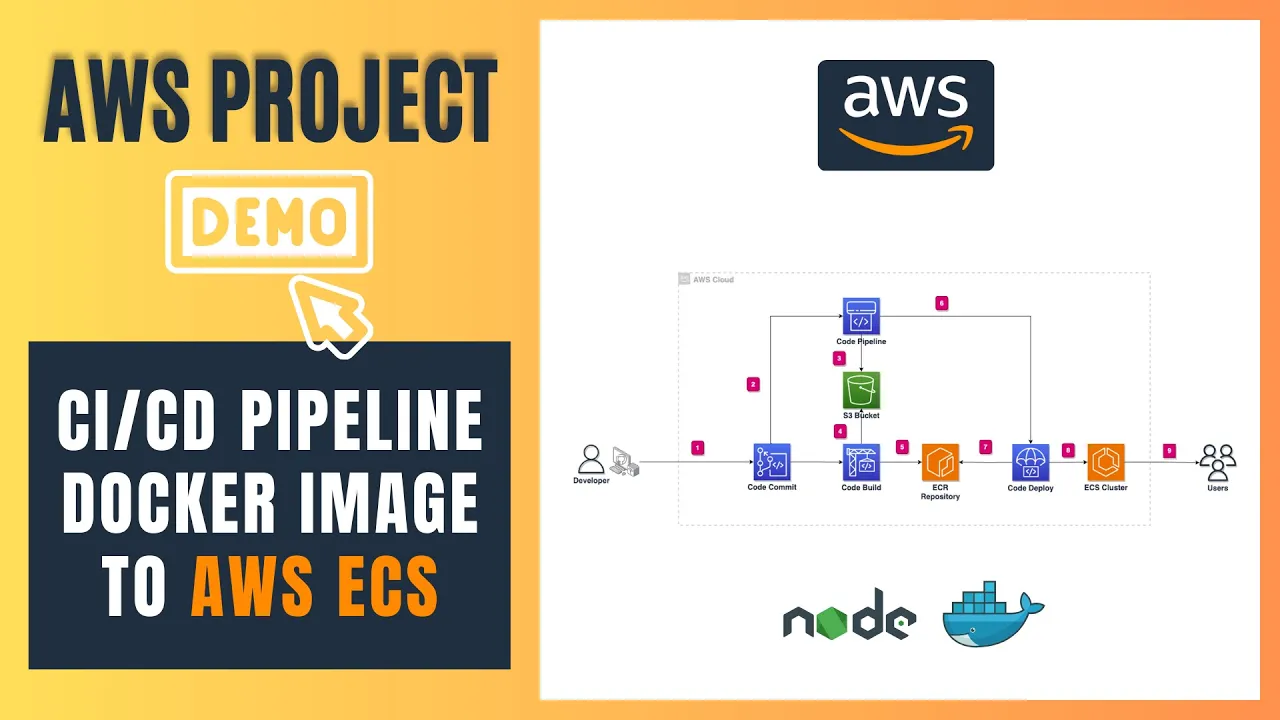





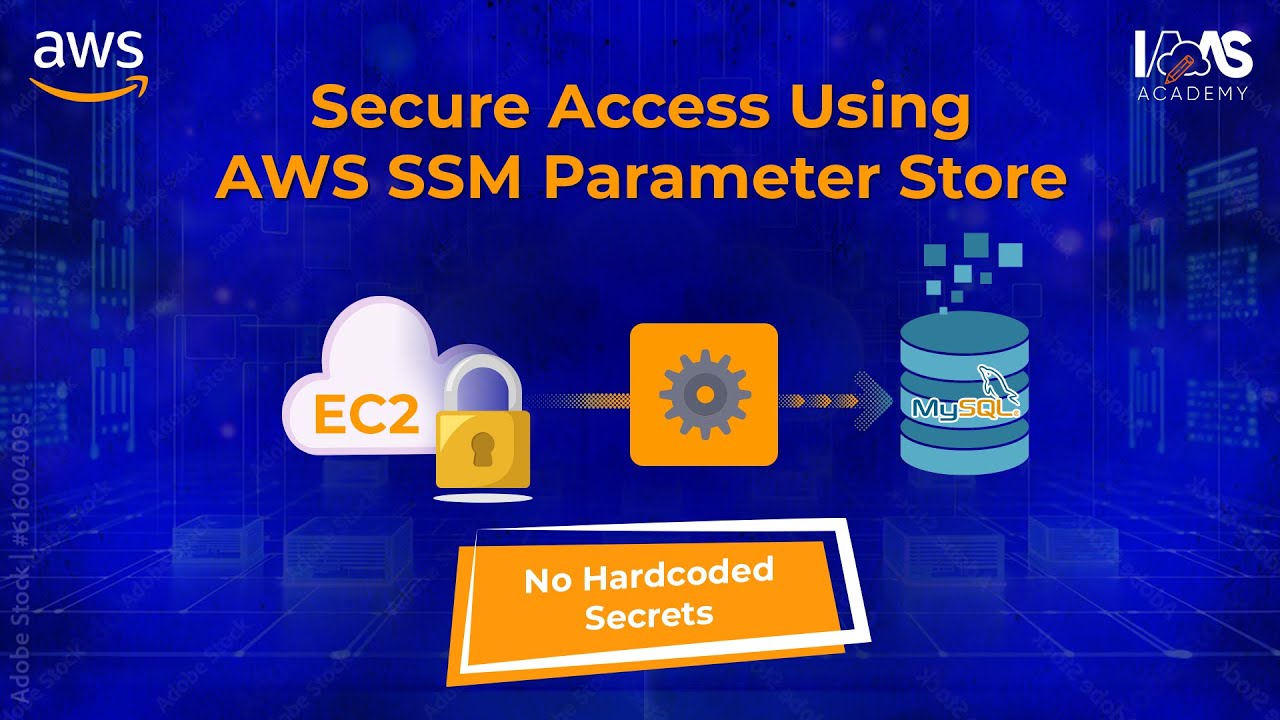

AWS ECS (Elastic Container Service) is a managed container orchestration service that organizes workloads through a hierarchical architecture: Cluster (top-level grouping), Service (manages task count and availability), Task (running container instance), and Task Definition (configuration template). The deployment workflow involves pushing Docker images to AWS ECR (Elastic Container Registry), creating Task Definitions specifying container configurations, launching Tasks for testing, and deploying Services for production. For multi-service communication, AWS ECS Service Connect enables seamless inter-service communication using namespaces, allowing services to discover and communicate with each other via DNS-like endpoints. For external access, Application Load Balancers route traffic to Target Groups containing ECS tasks, with health checks ensuring only healthy instances receive traffic, and path-based routing directing requests to appropriate services based on URL paths.
Master AWS ECS: Deploy FastAPI with Docker & ECR | Fargate Guide
Added:hello programmers so what I got over here is that AWS ECS service I'm going to give you a comprehensive tutorial uh with short videos everything will be implemented practically before that we will be having a flow so that you will understand what are its prequests what are its components and how those components are interl why this service is very uh useful for uh big companies such as Netflix Uber Amazon Apple whatnot right uh don't worry I'm going to give you everything uh I will be having implementation practically u in the GitHub and you will find the GitHub repo in this uh series of channels something like that okay so that being said let's see what we are what we have over here so we will be having a different prequest and side by side I'm going to give you the scenario what uh the prequest and what are the components and then quickly give you a glance how those things want to work for example over here we have AWS ECR that is required and that is a must prequest to understand the ECS I'm going to give you the glass bacterial experience on that second thing how actually uh the ECS work I'm going to give you the flow what is cluster how that cluster is linked to the service what is service what is Task what like how those things interconnected with with each other something like that don't don't worry I'm going to give you all the glance and everything what is Task definition a lot of people get confused between task and the task definition don't worry I'm going to give you this one this particular scenario as well and they get confused even between task and Service as well so don't worry uh that will come into the the uh the series of videos okay then definitely we will be having a practical uh experience a practical uh coding challenge I would say uh coding project where uh I'll show you that how to launch a dockerized uh users API that is I'm creating on Python and definitely you can create your Django application sorry any application for example nodejs and something like that you can take that doer file don't worry I'm going to give you the uh GitHub repo so that you will follow all the steps one by one based on the series for example this is the series one so I'll be creating a branch series one and then everything will be there so you can follow along with that and then uh you can have clear understanding what I'm trying to say uh lastly that how those multiple services will be communicated so I'll be launching one more service saying that uh um book service or user service something like that now uh we will see then we will see that how we can SSH into multiple services and trying to Ping to the other service from uh different service right uh we will understand the most important topic that is a how actually the application load balancer work we will see that what is Target groups what are what are the heal checks on that what is Target how to resolve different problems that 404 heal checks and something like that we will see that how route based working uh how the um path-based uh routing works and something like that we will be having multiple scenarios currently I have those many series but in future I'll be having U all the Practical um implementation in this particular Series so please do subscribe to to my channel and then we will be having all the series there and GitHub uh repo in the almost all the series of the videos that will be really short I'm trying to making all the videos less than uh 10 minutes something like that so that being said stay tuned and let's get started creating a new repo on GitHub so that you will be having access to that repo and we can start building that on that let's get started setting in the project okay so I went to the GitHub first and then AWS ECS um uh compr and see tutorial and then I'm going to don't worry I'm going to update that one later on just quickly want to wrap that up so Python and that will be available for all the people there okay so let me quickly go and just um go over here bit clone okay so I got that one so let let me go inside quickly all right so this is done now let me quickly go and and creating on one of the first um series that is like U um this first I would say first brch that is um let's check out hyphen B I would say first is uh related to um creating a service okay so just one by okay I'll do like this see series one okay if that makes sense so yeah let me go inside and quickly create uh a folder here that is called Services inside that Services I'll be having a Docker file and then second file will be um app.py third file will be requirements.txt cool now I've already have a code on that so I don't don't want to waste your time because I just wanted to show you that how these things work okay so let me quickly grab that uh so that uh we can focus on the stuff which we we actually have to write so if I go here then quickly uh check it now I just wanted to delete this one I'll share it you why I deleted that one okay second point is that I need to have a Docker file um which is sorry um which is this one uh don't worry I'm going to give you why uh what are all components in that in inside that Docker file and something like that 1 is requirement.
txt file and yep let see here so yeah we got the docker file now nothing fancy I have I just have user um apis all the Cent operations Nothing Fancy on the fast API that's it you can create nodejs exactly the same way which I created like that second point in the docker file I just you know uh expose the port on 901 I can create a expose Port but yeah that's fine um so that is exposed and then everything is required and installed you can follow and create a same Docker file uh something like that but the most important point please do add this line why because this line adds a cur I'm going to tell you in the upcoming videos that uh if you want to do SSH into it something like that so you need to have this particular file okay and that's pretty much it in the next video we will run this one using Docker compose and we will try to uh push that one on uh ECR and we'll see how we can conclude that one thanks for watching all right let's try to run this project before that I just need to create one more folder over here saying that user / API and try to drag everything inside this folder and here I'll be creating one file called talker compose DOL file and we'll try to run that one the version uh is 3.8 and then we'll just have not like this but services and that Services user API build this one now let's let me try you know launch building this one okay so we don't have anything here so CD because I have to go inside that first Services then now if I hit doer build up validating uh must be string which one is talking about okay sorry my bad so this is the one it should be string um okay so that is string and then let me quickly go and build it main file okay so let me check what oh so this is not. P that should be uh main.py so if I go now and run it or you can do one thing like go here and change this one that's it to main to app and then it should work yep so that is working now that is working on Port 90001 so if I go here Local Host 90001 yep so that is working fine if I go here and do yes we got all the API here now the thing is that uh Second Point what all you have to do is uh actually I'm going to give you uh in the next video that how we can deploy down this particular thing to ECR and let's see how it goes so stay tuned if you haven't subscribed until now please do subscribe because all the videos uh will be uploaded every week I would say so please do subscribe thanks for watching so programmers uh we have already the users which is running fine the thing is that now in this video we will see that how ECR works so ECR is nothing but uh Docker container registry whatever the images we are testing building locally we just need to save that image somewhere and that we will save in the repo so how ECR is maintaining that one is that ECR is responsible for creating repo inside that repo there will be multiple taxs and using those taxs we will be assigning task definitions and something like that that in inside the ECS service so that's pretty much it so the thing is that as as we get the docker Docker image uh running locally we will push that one to ECR and then that will be used by uh the task definition and that c uh uh that is helpful for creation in the ECS tasks and that's how it works so keep it simple now the thing is that let's start uh trying building that one so if I go in the in the console let me quickly grab that um okay so this is what I have so here if I go and type users API just need to create a REO like this okay so you created that tripo go inside view push button and go here paste it it should be logged in first second I need to build this one now I'm using Mac OS and uh whoever using Mac or Linux you can follow this one if you have Intel based chip or Windows user you can use this one if you are using Mac silicon Bas so you need to run a command like Docker build um something like this so hph iph platform Linux amd64 something like this once you done that one now you need to tag that image and go over here and just see this one I'm dealing a Docker push P this repo uh push into this repo with this repo name and tag attach the tag is letters okay so if I'm going here testing that now I go back refresh this just need to check quickly yeah being uploaded um yeah so should be there in minutes yep boom so that's how we can have our e image there that's pretty cool yep so thanks for watching let's see in the next video let's see how actually the ECS work what are its component okay so you have already know uh that uh one thing that is the ECR and you already pushed the image to ECR right so the image is already there now there will be a one thing called task definition okay that task definition what is Task definition I'm going to tell you later on the second point will be a task okay third point will be a service I would say uh just a service okay and the fourth point is the cluster okay now how you have to you know see this one is that one thing is this task is dependent on this task is dependent on the task definition okay and this service is dependent on the task then only that will be run and this cluster is dependent on these three thing okay now how the flow works is that in the next slide I'm going to tell you why it's like dependent on each other uh the flow will be like you will be creating a cluster um that cluster will be having uh this cluster will be having for example uh multiple Services into it and one service will be having multiple tasks and the task is dependent on the task definition and the task definition will be having all the configuration of the image of the image which you mention in the ECR so that is the flow so cluster cluster will be having multiple Services there right so multiple Services that's one service and then there will be one more service over here service two will be having multiple tasks related to and that task will be having like okay I have to run this the user image I ran right so the next service will be dependent on right okay could be that is like books API service right so I'm creating books API service will be which will be having two tasks running and that one each task is running different image which is this one right so one cluster can have multiple services and one service can have multiple task and that's pretty much it okay now in the next uh U scenario I'm going to show you that what is Task definition in the real time scenario so that you will understand how to configure that one how to test that one and then you will be having clear picture Okay so stay tuned and please do subscribe to my channel if you haven't already thanks for watching okay let's understand what is Task definition task definition is nothing but how you want your Docker image to run and that's it so what will be the port uh for that doer that was export uh exposed inside the docker file something like that how much CPU memory you want to give that particular container to run um and all sorts of stuff so and which image you want to use that is related to ECR okay so now you might be connecting the dots saying that okay you already pushed that image to ECR right now you are creating a task definition of like how you want that one to run right so the first step as soon as you IM as soon as you push that image to ECR first thing you have to create task definition now let me quickly go and create task definition where you can find task defition that is that is inside the ECS service go over here cluster don't requir that is a task definition and create a new task over here now create a new task with a name called users because we are creating user service API so launch type is the AWS foret please select that one because we don't have to manage the infrastructure everything will be configured by or managed by AWS I would say yes this is the Linux instance remember I created like to TOS platform Linux AMD so this is the one I was talking about else I would have selected something else but yeah yeah keep it that simple now you can select anything smaller something like that 0.25 so I'm just keeping for uh testing purposes that should be launched quickly so I just I'm just creating that one there now the task role uh you can create a new task role uh whatever you want but I've already uh created just one uh role and we'll be assigning uh that role to both task role and task role task execution role to both right um so just uh you know uh if you don't create anything like if you create none this will be automatically be created so just leave that one as of now uh create a new one as soon as that was created come back to this one and then just select this one is just task uh execution role so what inside that role is I'll just quickly show you is um it has ECS task definition role so all the configuration you have to add over here so if you are creating a task definition role with different name what all policies should be inside is that Amazon is a task execution role policy so that that needs to go to uh inside that one inside the role task role yeah I do understand that is there a tax execution role policy but yeah you can add in both whatever you prefer that is required Amazon SSM full access as well or you can you know restrict that one based on your requirements this is the most important Point enable execute command so that is I'm going to tell you why that is important so just uh add that one via this add permission in line and then ECS execute command please do add that one there as well second point is that allow policies yes you can add all the farget ECS policies there for all the resources and everything so I just I just created one role and assign that role to both like task role plus task execution role and that is the most important part second thing is that now the container details which I was telling you that we have to configure over here so now you just write like useri I'm just keeping consistency now we'll go back to ECR here right so here I you need to go inside that one and see you have to copy this particular URL if you go back and paste it see this URL comes like this users API cool and latest so it's we are telling that hey use one of the image that has a latest tag so if you deploy that image one more time so it will be like Dash and that this will be uh uh old and then the new will be having a a new tag called Data so every time uh we are launching that one we are telling thaty every time use the latest version now that was exposed to 901 if you do remember if I go and show you see here so this is the 90001 that was exposed there so you have to expose there that one right so I'm of I'm going to give a naming Convention as of now the port name as well uh as exactly the same which I'm giving the service name okay uh so over here you don't have to worry about anything plus please do you know check this one use loog collection so that you will understand what's going on behind the scene now don't worry about those stuff and uh monitoring stuff and everything just create that one okay so the task definition has been created right the so container and everything now the second point what you have to do is go and create a task so what is Task and uh everything we will see in the next video thanks for watching in this video I would like to cover three points directly okay one point is a task second service the third one is cluster so that in the next video I'm going to directly give you uh practical scenario how to configure that one so the task is nothing but just run the task definition which you created and that's it for example you created like a doger composer up right in your local machine and that that was run running fine right so you just ran that task for particular time just one time so if you want to run that service the task definition whichever whichever you configur in the docker container just need to tell the service I just wanted to check one time that whether my task is running or not okay that task is running fine so uh to create task we need to have a service first uh no we we need to have a cluster first so we can do that one as well uh so and second point will be like the service okay so what is service so service is a collection of tasks right so service will be responsible for maintaining task okay if something goes down and one task is not running it will automatically launch the next task so it is related to the management how your service is running so the service will be maintained by AWS because you remember we selected AWS forget launch type so all the services inside uh uh the in one of the cluster will be maintained like that so the third point is what is cluster cluster will be having multiple services in it and one service will be having multiple tasks in it okay so so let's quickly go and create one cluster like this and then I'm going to create a Bookshop now remember you have to create one default name space so what is name space that I'm going to tell you in later on so put exactly the same name space of your cluster whatever the cluster you have don't worry I'm going to tell you this one later on uh what is name space and everything so just create a monitor and uh just use this one guys please don't skip this one please please do write default name space SI Bookshop okay so let's quickly create it and it will be created soon as soon as it will create the task uh sorry the cluster we can first try to create one task okay so what I'm going to do uh I'm going to uh go with go and creating one task okay so to check whether my task is running fine or not okay if you want that task to run continuously and you don't have to bother about maintaining it and everything then you can configure the task in into one of the services okay so let's let me go and try to show you that how you can create Port okay so let's get started by creating first the task C both are services and task so now you have to say that run a new task go inside this one launch type you I don't have to provide any like um create any capacity provider that's fine I have to run individual task so if I go over here what it does is like hey um I found one user API task definition which I've already created over here so it automatically pull that task definition into the the task right so that's how it linked it second point the task group if you want to add something like that so I'll just keep it like users users uh API uh something like that that's fine and nothing fancy okay so uh that's pretty much it I think so so if I'm going to networking networking should be fine you can keep it simple um container overrides now that's all good uh that's pretty much it so if I go and uh create this one so what it does is it will uh launch one of the service and that will be that will keep running we uh that is like just for testing purposes that okay my task is running fine and then if that is running fine just check that box and we are good to go right so just need to wait yep so that is running fine so if I go into the task what all you have to do is like uh go to network binding here and then if you open this one and then select docs and see your task is running fine so that's pretty much it you are successfully deployed your first task now let's see how we can bind that task to multiple services or just one service will be having multiple task so hey guys U please do delete whatever you are creating because it might charge you a lot but uh that is forget it won't charge you a lot like $2 USD and something like that so just is for to stop it as soon as stop it it will delete everything see this one now the thing is that you have to create the service um inside the service we will be having multiple task let's see in the next video thanks for watching right let's create one complete solution that is how we can deploy a simple dockerized application to ECR then we how we can create task definition followed by task service and a cluster and try to run it so this scenario we be having complete tutorial so that you will understand what I'm trying to say so let's go with the coding first uh so I'll just go and go back one step back over here so I'm at the root level so here what I'm going to do is like I'm going to create one more folder called books I have an API um here API right so here I'll be having uh three files quickly I'm going to drag and draw because I don't have to waste your time over here so here if I go back and paste it so what I got is books Docker so this time I'm running the books on Port 9,000 okay same I've wrot put it down the same thing you have to add the Cur uh installation everything in the docket file Main same functionalty as the user um user I just wanted to delete this one quickly I deleted that uh requirement.
txt has the same functionality but inside this one I just need to add saying that this time I have to run uh books API that is there on not on 9,000 but two but the 9,000 right so if I go and quickly run Docker compose build and check it all right it's stalling everything okay so if I go back and instead of this one I'll just check onp 9,000 okay so 9,000 is running fine all the books and everything and this one is like um running on Local Host 90001 now we have to um you know push those things on AWS Cloud uh why the the functionality which I was talking about so how to do that one so first step as soon as you created that one first step okay you have to push that one to ECR right so go to ECR let's see whether we have ECR repo there for that one or not so I don't have that one right so I'll just quickly create that one there for books books API is there now just create this one boom okay so that was created now if I go back here I've already I think logged in so um okay so I just need to go to books first and then first check whether I can successfully loged in yes I logged in now the second thing is that I have to build that one so Docker build so this time I have to give a tag called books so that was given and third time is like give a tag to that image quickly given the tag and the fourth thing is just push it okay so you already push that one till the time it pushes that code into the ECR what you do is like go and create a new uh service inside the cluster which you already have over here so create a service here launch a capacity provider select that one now if you select this one you will be seeing the another task definition oh task definition you haven't created my bad you have to create first task definition right um so first go and create a task defination right now here you need to write h books books user API and select the same thing ISS Tas execution role here you have to write books and now if you go back here and just refresh this you can see that is there now select that Tas definition select the latest image on that now this one was export to 9,000 right so here I you you can just type books API Port name yeah keep it simple and just run it right so we push the image to ECR we um created a task definition Second Step third defin third step is create the next service the other service inside the same cluster so if I go here and then create I don't have any service okay the other service the books one so I'm just going to go here and select the family type here see this one I'm going to I'm going to get two things okay two Das definitions which is which are already Rec config this time you have to create books now books you have to select here now uh don't worry about those stuff and then just create it okay now just try refreshing it yep so it will be launched so the guys you have to understand that if something is not working it won't uh it take a lot of time so you can quickly understand something is going wrong okay so if um like for instance for in my case it takes like uh less than a 2 minutes something like that to launch those two Services uh I prefer I would say like that but let's see it's like keep going on and on and on so if I go in check it so here if I refresh the task not yet created um refresh that not yet created refresh this um okay so let me check whether that was there or not yes it is there the T definition is there okay so something is going wrong so you can go and check what's going wrong here that was not running but let me check any desired status no why so what's going on so here let me quickly check tasks running tasks I think is here Services what's wrong I no let me quickly delete this one I don't know I'll just wait for some time so that's a good example I would say U that you can understand what's going on um only one is running it's it's really weird so let me quickly delete this one and check what's going on yeah so that's how you can rectify the problems let me quickly delete this and double check the task definition okay so task definition is there um yeah so what one more thing what you can do is uh you can select the task definition and say that deploy and create a service over here from here directly okay now it automatically fulfills everything there so just type books May here service can you don't require that those things and I think that's pretty much it and then just create this one okay so that is is still in uh deletion mode so yeah so that's how you need to understand that how uh scenario works so if you deleted one of the services and you can't create a new one with the same one it is saying that you have to wait for some time because the service which you recently created that has to delete first uh so uh just wait for some time till the time it get deleted um now it will show you a message over here that here is that it will be deleted soon so what I'm going to do is like uh here I'm going to select it back deploy create service and um it's the nameing fine but here I'm going to give a different name called books API V1 something like that uh so or else just need to quickly check yes that was deleted so the thing is that you don't requir V1 over here just take that off and then create one yeah so it will be created soon just try refreshing that yeah so it's provisioning I don't know what went wrong last time but this time it seems to be working fine just keep refreshing this one and just check this tab that it's in in progress so now if you go inside and check task it should be there right so try refreshing this again and again yes so that was running actually yeah that was running now go inside and go Network binding and like hit this one now if you typ dos yes that is there right yeah so that's how you will be having two Services running in a cluster that is a Bookshop cluster now the second point is that um we will see how those two Services can communicate with each other what is the scenario so how we can do that one so there is a solution which is like really tough in the next video I'm going to show you that how you can uh let uh of two services communicate with with each other with the scenario of like scenario plus the Practical overview and everything right so I'm quickly going to uh delete those two services for now uh so that I'll be creating a new one right so let me go and stop it and thanks for watching hi programmers so in this video I'm going to show you that how different Services of a cluster can communicate with each other so using this solution you can let the other service which is from other cluster can communicate with the other services which is from another cluster something like that so don't get confused so keep it simple how we can let uh the services communicate with each other so that is the scenario we going to imple start implementing it so before that let me quickly give you a flow diagram so that you will understand what I'm trying to say okay so what we did was U we created a simple um right this this cluster right so that that that cluster will be having service a and service V in our case we have had us user API and the second one was the books API correct now it will it has one like different task running right so the tasks are running fine and everything now AWS has given one of the best solution that is like ECS service connect so what it does is like we have to enable ECS service connect which is something like this saying that okay um I have to configure number of services to start communicating with each other via a name space so that name space is nothing but um a prefix sorry a suffix that is saying that if you are inside that name space then all the services inside that uh name space can start communicating with each other how so don't worry I'm going to give you that scenario as well so as soon as you configure a container uh or I would say a service saying that hey utilize this service connect what it does behind the is it will launch an agent where it will launch an agent inside this particular container okay so you are configuring there inside the uh service itself so whatever the containers will be inside uh the service it will be having that agent that agent will be having the name space which we are defining uh inside the uh service connect so that agent will be responsible for maintaining all the networking on behalf of you so you don't have to worry so the end point will be like how you can start communicating with the other services is something like that for example service a needs to commun communicate with the service B so what you have to do is that you can open a terminal of service B and then go inside the terminal let me um go inside the terminal here uh the terminal will be inside the terminal you can find uh you can perform any curl operation and then hit that uh service a via something like HTTP colon slash service name dot okay service name do name space and whatever the path you have so in our case that path is related to users and something like that as soon as you hit this one you will get a a pining option to your Contender saying that yes that is accessible right so that's how the communication will be done inside the ECS uh uh service um inside the ECS uh cluster with multiple Services I would say okay now let's see practically how we can do that one uh you might have remember that I previously told you that at the time of creating the cluster for example if if I go quickly here and then show you that if I'm typing something here T TT something like that this particular thing is automatically be populated here right so this is the nothing but that uh cluster is sorry name space is being created for that clust so it's saying like hey if you are mentioning that name space within a service then all the services can enter communicate with each other so now you can see this name space over here previously we have created a Bookshop right so Bookshop same exact name was created or not we will see over here so if I go and yes that was created here right so now that cluster already has a name space at the time of creating a new service we will attach that name space how let's quickly do it so first I'm going to create a new service create users over here you I'm going to type users API now inside the service connect you have to turn on the service connect here client and server you have to select then only it will give you a endpoint something like U uh something like for example I'm going to share you here so the end point will be like HTTP forward slash and the service name do name space and whatever the URL path you have had um sorry the um the port number right the sorry port number is 9,000 whatever the port number you have had so in our case so HTTP for slash service name was so very you can find the service name the service name I was talking about is um if I go back on the cluster here so inside this cluster so whatever the service name I'm creating here that service name like for example books dot uh books hyph API dot the name space is book shop right which is this one here and the container for that Bookshop which was I was talking about the container for this this Bookshop will be there right so now you have to go inside and let's start creating that one now if I go I was already creating yeah I was already creating that one now the thing is that see as soon as I select the client and server it already populated and pre- selected the books shop name space now over here you have to add a port like where like on what port it want Expos to so user API so that Discovery name you can put that one as optional field but yeah so Discovery name and the name is space you have to add over here based on this one only you can go and you know hit that API or make this service available for the other services something like that so same thing user API dot the name space which I was talking about that was uh book uh this one but not the NS one but this one right so and it was exposed to 9,1 correct and that's pretty much it you don't have to do anything else apart from this one so just create this one a new service now create a new service same like that one but this time we are creating books now here books will be created on books API service like this this time I'm creating a service connect here already populated that Bookshop and that is case sensitive so make sure that should be having the same like all over case if you provided upper case so it's up to you but I prefer lower cases because um you know most of the URL comes in the lower case right so I'm selecting books books API selecting um books API not NS that was something else previously created now 9,1 9,000 not 9,1 in my back that was that was running on 9,000 right so that's pretty much it and then just create it and just try refreshing it so user is being uh user service is being created just try refreshing it yeah so book service is also being created now um but how to test that one so I'm going to tell you in the later video that how we can test that one bya the sshing into it what we have to do what role we have to add and everything okay so let me quickly try refreshing it because I wanted to show you the end point which it will give us so that that using that endpoint we can try to communicate with the other services right so if I go here configuration and see this is the endpoint I was talking about so it formed the endpoint exactly the same HTTP service connect so users hyphen AP and books shop 90001 so that's how you have to connect that one right the one which I was talking about like how we can SSS into it and check it that one first of all I'm going to quickly go and try uh I'm going to delete this one I those I don't require that okay so if I open on that one let me quickly check whether that is running or not um that is running on which one was that uh sorry I'm going to go over here t definition and then and for binding here so that is there 90001 but let me check yeah so that those are working fine 91 is working fine so it should the other one is that should work now the agent which I was talking about see this one ECS service connect agent that was the one which I was talking about uh that will be injected directly which is which this one I was talking about right automatically inside the uh container and that's how the other service now if I show you the other service see this one the books you know if I go inside this one go inside the container and show you see those two it is taking to those two container because that is the agent is nothing but slight lightweight container itself right so that was already there yeah so that's pretty much it both services are working fine in the next video we will test that how we can test that service on uh and how we can uh utilize that one using SSH okay so stay tuned and thanks for watching in the previous video we have already seen that how we can uh let the services to talk to each other using the AWS uh ECS service connect Service uh feature I would say now the thing is that we will test whether that is working fine or not in this video okay so first of all we have to SSH into those or one of the service I will try going into both and we will test uh we will try to Ping or call the apis of the other service from the terminal of that so how you have to do that one go to vs code please for me inside the vs code go to the AWS configure and select over here the ECS service and you can see that ECS service has that one cluster and one cluster has multiple Services running if I'm selecting one of the services it shows that that container is running fine just right click this one and see run command in container or open Terminal hey I can see those two options but those options are not available as a clickable something like that why because at the time of creation the uh creating the ECS service you have to like add a execute command enabled so how to do that one then only that service will be available right so now just type AWS ECS update service command so AWS ECS update service Hy cluster Bookshop Bookshop why Bookshop see this one Bookshop is the cluster name that cluster name service name what service I want to add execution command is this one the user one and the region whatever the region I have to add enable execute command and I have to tell the service hey forcefully re-update that one so just now the thing is that before hitting that one now if I'm showing you this one see this one is like that is in active State the user API one as soon as I hit that one this will be redeployed one more time like this now if I go and refresh this see this one started in progress now the second thing is that see now if I go down see enable execute command happens to be true now if you go and check the rle which I was talking about here so ECS task roll so execution task roll so you have to add this particular Command right then only that will be uh that that service will be having uh permission to you know allow that uh service to run in the terminal all right now you just need to wait for some time let me quickly go and try checking that one now so till the time that runs I'm going to go press q and then try running one more time but this time I'm going to select different service that is not users but this time we be it will be having books so telling the same command hey unable the execution enable execute command okay so let me go and just yeah that is done now if I try refreshing those two yep so it will take some time again now if I go yeah those two are in progress first one R successfully uh why uh showing the second one because the previous one was the old one and it was just draining that one just deleting the instance so soon we'll be having just one-onone and both are running fine see oneon-one okay now just keep refreshing that one now if see user API is working fine now if I go back to vs code here and try refreshing this one first right click this one now I'm getting the open Terminal okay just hit it open Terminal like that yes okay so you already got now type curl hit enter you should see this command if you are not seeing this command that's why I was telling you that inside this Docker file when you are pushing that one you should need to say that Docker file at the time of running please do install install curl inside your ECS fargate instance so that you can ping to the other service right now I've already here now let's see what uh we can do so we have had like if I'm going here and then 9,000 right so books was working on 9,000 so if I go back um so type curl and then uh select let me quickly check yeah both are working fine so let me go in the books go to configuration and networking select this endpoint and try to try to hit that one space c/ users sorry books one yeah book not one I haven't created the book and everything yeah but it's pointing that hey that is that is pinging to other service that's how you can communicate to the other service now if you are you wanted to check other service to communicate with the other one no problem so just trying to refresh that one quickly uh yeah so that is there start running yes so this one is books okay now curl same thing uh but this time uh we have to get the URL which is there for users which is this one configuration and select this one and then select books sorry uh user because I'm inside the books yep so that's how you can start intercommunicating with the services that's that much simple um I couldn't find the document and everything but this is the scenario which I was uh telling you about so guys please please uh follow all the instruction which I have given you until now until this 8th video I think so yeah so and you will be having on all understanding how you can intercommunicate and something like that in the next video I'm going to show you that how application load balancer work and we will see the entire scenarios running both application working fine and how to how rout play is working and everything works behind the scene so yeah so that is AWS ECS service connect feature which is very helpful for let the uh Services communicate with each other so if you do like this particular video please do subscribe to my channel that keeps me motivated please do like just wanted to share you one more point is that uh if you go and just Google saying that YouTube um programmer some something like that and then I don't know whether that works or not but uh or you can go to my GitHub link and then uh the one which I was talking about was um yeah so I'm going to add the uh YouTube link over here as well but okay so one of the best video how to like how to install Docker on AWS ec2 because that was one one of the best popular videos which was R fine so that is my YouTube channel if I go inside this one yeah so this is the one which I was talking about guys just letting you know that over here most of the people haven't subscribed to my channel so I'm like very keen to know that uh if you could subscribe to my channel I need your motivation guys over here I need more sub subscriptions so that I can U give you as much as stuff I can okay so please do subscribe and do let me know if you have any questions thanks for watching promise so in this video I would like to show you that how ALB work that is application load balancer and what exactly it is okay so in this scenario for example we have already uh been working on the books API right so um book service so for example we have already have that Bookshop right that book shop that has one service called book service right uh that has that API there right now now uh somebody is hitting get API at 10:00 a.m. that that user one is hitting hey give me all the books whatever you have inside the Bookshop at 10: a.m. user two is coming at the same time okay at 10 a.m. and trying to hit this one what about multiple users like 10: a.m. multiple user hitting that same git uh API so what might happen is that this task will be crashed saying that know I don't have capacity that much capacity to you know handle those many request so how to resolve that particular problem that will be resolved by application load balancer nothing but like this is like how you can distribute traffic intelligently using the application load balancer you can achieve that one so how application load balancer will resolve this problem is that now if that user for example we have uh multiple user user 1 user 2 user 3 user 4 and Dot do dot user n they wanted to hit that AP PI right so that will be going via the ALB first and that ALB will be having responsibility to diverge the traffic on that service that has running that task one whatever the task uh that service running on that is a get service for the books right now if this one and two this this one and two service has that capacity it will diverge that traffic to task one if multiple users are hitting in the same time like for example 10 10: a.m.
multiple user are hitting that one it will replicate this task one more time that is called Auto scaling behind the scene and then it will redirect that traffic to somewhere else okay based on that one it will like all the services will be available for all the users and that's how we can maintain the traffic and that's how we have to have ALB before our tasks so in the next video what I'm going to do uh we have created books uh and users uh Services right I'm trying to attach uh one of the service I'm trying to attach ALB to both Services let's say and then we will see in the next video how we can um hit that um API sorry the URL that is ALB URL and like this and try to get the uh same U inst whatever we want uh we will hit the same URL but different path to get the uh different service okay so the ALB will be having just one end point one end point and that will be redirected via the uh different Service uh I would say path parameter something like that we can do that one so in the next video we will attach uh the ALB to the multiple services in our existing e ECS Services let's see how it how let's see how it works right in the previous video we have seen what is ALB and how ALB works and uh how we can configure those stuff but before start implementing or attaching ALB to ECS we need to understand some key factors that is different terminologies uh for for you know to let you understand how ALB works and what component it has okay so ALB has a Target group and what is Target group let's see with an example so we already configured uh a task right so the task is nothing but running the books API one of the task is running the books books API right that task is running in the sense like somewhere in the easy to instance correct am I right so that E2 instance could be anything windows or something like that that is a machine that that task is running inside a machine that's it okay one more task will be running somewhere in the US California or like in India something like that so we need to we need to say that how we can uh use this task as a group okay so that the ALB will be responsible for diverging diverging the traffic based on the traffic loads and something like that now what tra the target group does is it creates a group related to the the service for example I can create a books API Target Group which will be having all the machines the ec2 instances which are running the tasks here like that and all I'll be having one more Target Group which will be having all the users which are those users users related task here now ALB come comes over here and ALB will try like distrib rute the traffic based on the conditions that is called Rule so those rule will be assigned inside the ALB don't wor I'm going to show you how what are those rule because this is something different service and this is something different service so what rule we have to assign inside the AL so that the traffic will follow in that way so in the next video now we will try you know assigning uh launching uh I would say creating ALB and creating one target group for books API or let's say creating uh Target group for users as well and we will try you know uh by default redirecting the ALB traffic to Books Okay and see let's see how it goes let's start creating an ALB and multiple uh Target groups to attach our books API and users API tasks into it so what you have to do is just type load balancers here go inside and create a new one create a new load balancer called it could be books API ALB should be internet facing ipv4 select that one select uh all the subnets over here okay so Security Group I'm creating the by default one make sure that Security Group will be having uh inbound uh 8 Port 80 selected okay now over here uh yep so HTTP Port 80 by default I have to assign that one so create Target group so if I go inside the target group and let me quickly check whether I have Target group yes I do have Target group so I'll just quickly delete those first oh currently is being used by some other one so what I'm going to do is like I'm going to create um uh new Target group here yeah so it's like just users keep it simple so user was exposed on 90001 correct yep so that's pretty much it so here see the h x is like forward slash only okay um so I'll just keep it that from for slash uh and just create a Target group you don't have to select over here anything no no don't select anything just create a Target group and leave it okay now go back and create one more Target group that is for books and same thing here you have to assign 9,000 and same HX is protocol that one is this one now yeah so that was created again now if I go and check yes two your two target groups were created now if I go back here just refresh this select let me go and create books first okay so I'm telling like hey ALB whatever the ALB port at is being routed so books Target group will be triggered now that's pretty much it uh so that was assigned see this one so that was internet facing Security Group this one is attached and listening port to listening and routing to the books Target group creating the load balancer that load balancer was created now if I'm going back to the service here let me try deleting those Services because you can't attach the lb to them like that so let me quickly delete those uh don't get confused on this one because that was already being used so I'm going to quickly delete those two now it should be deleted easily oh currently being used by The Listener that's fine I just need to delete that one DB then that's fine so I'll just keep it as it is so let me quickly go try refreshing this okay so I think should be fine if I go and check CFN cloud formation whether it's being deleted yeah it's being deleted you just need to wait for some time because those services are being deleted or else you need to create a different name okay so let me create with different names select uh books first just give books service name service connect you have to select again same thing here books API books API and then books api. NS this one that was running on Port 9,000 and here you have to select the load balancer now selecting load balancer use yep that was the container I was looking for use existing load balancer with the load balancer which was just created which is this one now listener is use existing listener go to listener Port HTTP ad0 use the existing Target Group which I was talking about books so what it is telling like hey hey I'm creating this service okay that service will be running on 9,000 port and everything uh in the load balancer I'm creating that attaching that load balancer there inside that load balancer I'll be telling that load balancer if you hit that one there uh uh p8 by default it you should go to books Target group now I'm just creating that one for Target group now just keep refreshing that one now here if I show you in going inside uh books refresh it it didn't create anything load balancer yeah so if you see the resource map that is a new feature it will show you the flow see this one it's like it's trying to create hey whatever the HTTP you are hitting that one that will go to the rule that is directly being redirected to the books uh Target group that books Target group will be having all the tasks related to B books okay so now I don't want this uh try refreshing it it's it is being launched so in the meantime I'll just quickly refresh that one because that is being launched right so um it's been created same thing you can do for the other Service as well but I don't want to miss that one just quickly want to show you this thing but it takes time let me quickly refresh that okay um okay so if I go to check yep see this one that is being provisional so that is already being launched now if I'm going via this one see this one if I'm selecting this now Target group see this target group is like being bed to 9,000 which is normal that's fine it's checking hell check whether he check is working fine or not um I don't think so H check will go with the he the one but let's see how it goes but yeah okay so yeah that's what find let me quickly show you here task definition task and uh Network binding if I go here and select loocks yep that is there right now the thing is that see the H check got failed the error okay so we need to understand why it got failed okay so I'm going to recreate the service and tell you why this particular service is being failed so that you will be having clear picture that how ALB again works okay in the next video all right guys in the previous video we were getting an unhealthy Target group then that's being said we our service was uh showing that service is not available because the ALB is keep pointing to the Target group and it was not ring anything that's why the service got failed so what all of we have to do over here is that we need to check our apis first so what all apis we have so if I'm talking about books I have slash books slash books SL books everything SL book okay now if I go back to the Target group the target group I created books but see the path for the heal check is Route One like path slash directly select slash route I don't have like just slash route as an endpoint over here so ALB is trying to hit directly slash route and it's telling that hey I can't find that one that's why it's like failing so the thing is that what all you have to do is go into your target group edit it whatever the end point you have in my case I have/ books save it I created that now that's fine I don't have to change any ALB now create a new service that service just go inside this one creating books books API uh service connect let connect to this one port is this books uh books API 90001 sorry 9,000 not1 for this one now in the load balancer you have to select the load balancer and existing load balancer you have to select which is this one um as existing listener which is HTTP a now as soon as I'm selecting books see this one is like forwarding the traffic to slash book previously it was SL forwarding to you know just a slash you just need to edit that one and just create it and you are good to go now so the second point is that you have to assign uh I would say you have to register uh the other uh user group for that ALB because it's currently not being registered but let's see how that thing works over here so if I'm going here keep refreshing it first we need to check whether that service is being launched so serviceing being created and then once that is being created Al ALB will be responsible for you know hitting that Target um which is this task okay so it's still being provisioning so that's why you are not seeing anything here as soon as if as soon as you hit or um that is being provisioned so I'll just quickly refresh that um so as soon as that application starts running you will see see not this one but this one H checks and everything should be working fine so keep yep so see this one is initializing which means that application already launched the ec2 instance which I was talking about uh as a Target so let me quickly quickly go and check see this one is now healthy this time so it's like that that is being pointed to the slash now if I go back over here slash this one hit it it's not showing me anything because it is being loaded so if I go here and type now books hit it yeah books not found so that's how we can you know uh redirect traffic something like that now the second thing what you have to do is assign a new load bancer with the traffic controls like with the rules and everything how you can do that one based on the path for example I'll be having one more Target group right so for example here I just looted down SL books and one but that is being by default redirected to this one but I have to assign some rule based on the path parameter it should redirect the traffic to different Target groups how we can do that one so let's see in the next video thanks for watching what I'm going to do is that I'll be launching one more Target group that is empty Target Group which I have I think already created it doesn't have anything so this one it doesn't have anything right now just created a single Target group as an empty now I'll be going in inside the user Target group and assigning a load balancer to it so I think I can just click this one assign to the existing load balancer click this one and then it will ask like what close B you want to attach I want to attach that one okay so um that's fine if I go inside and check a role I create a new role over here saying that okay if that is books sorry if that is users select next condition should be um path it should be like users and all the stuffs apart from that I have to assign like that okay so users should be there and here you have to select the user Target group 100% traffic you have to redirect there and select next and you have to give the uh priority for that just one and done create user so see this one is being redirected but the default one is still being redirected to Books Okay so for example now if I go back to this one and hit it still it's being redirected to that one but if I go to users now and select this one service is not being there so oh one second so because service is not there definitely so if I go and just quickly create that service um users users connect and users users um that is 9,000 and U here I have to select a load balancer load balancer is a uh application load balancer and listener is HTTP listener use existing group that is this user and/ user see this one I'm selecting the SL user because in my API that is already there as a slash users okay so created that just wait for some time yeah so it's being provision so just yeah I definitely need to wait for some time okay so let me try refreshing this okay now I'm going to tell give you a beautiful view see this one now hey the traffic HTTP the load balancer is being redirected to those two traffic okay but based on the condition if SL user will be there in the SL path then only it will be directed to users uh uh Target group and user Target group will be having targets inside of the users service which are those these one these one so it's still it's being provisioning so if I refresh that so if I go back over here and then select one of the service um here here and uh sorry not right so I'm here just refresh this that is still being proing so so just wait for some time um okay so load balance say yep so both are running fine so this one see so it's being redirected to users and users and everything so now if I hit it now see this one user not found and if I'm hitting this one hey that is being redirected to books because that is that is that is set as a default one now if I'm selecting at like conditions if I'm going back and uh refresh this one two rules are there so I'm selecting this one trying to edit this rule like this telling that hey whatever the traffic you are coming that should be redirected to um once again whether I have a Target group mty oh mty is being used by other groups so I'll just create a new Target group mt2 so mt2 is being is it's there now so it doesn't have but any Targets in it right so I'll just create that one quickly now refresh this and say that mt2 okay so now the default is being redirected to Mt which which doesn't have anything now if I hit this one see this one it's like temporary unavailable but still the users is available now if I'm going back to this one create a new role saying that books next addition condition adding over here and here I'm going to add books as Aztec is very important over here by the way uh next books you have to select to redirect the traffic and then the priority is second next create that one now hit it just need to wait for sometime I think so yep so that's that so that's all so we have learned a lot until now we have created different Services uh we have understood how we can launch everything inside the ECS I hope you found that this particular series is uh helpful if you do please do subscribe because I have invested like months to you know uh make this beautiful series for you guys so that uh we will be having good understanding please do let me know if you have any U question and everything and yes I'm going to provide the GitHub link and everything in future uh if you want to follow me or something like that so I'm having program.com website will be launched soon keep looking through this website and I'll be posting the blocks there so you'll be having blogs everything keep looking into the description and you will be having all the content there so yeah thanks for watching and do let me know please don't sub forget to subscribe to my channel that will help me a lot thanks for watching have a good one bye-bye
Up Next
Deploying Machine Learning Models with FastAPI, Docker, and AWS ECS: A Step-by-Step Guide
@ShawhinTalebi
81.9K views•2024-05-18

Triumph of Orthodoxy Icon: Byzantine Art & History Explained
@BenCallan
2.1K views•2024-08-06

FastAPI vs Flask vs Django: Choosing the Right Python Web Framework
@TechWithTim
302.5K views•2024-05-26

Game of Thrones Opening Credits: A Cinematic Analysis
@gameofthrones
46.3M views•2011-04-18
Related Study Plans & Knowledge Roadmaps
Structured learning paths in General & Interdisciplinary Studies