





![Daniel Voigt Godoy - Fundamentals of PyTorch [IndabaX SA 2021]](https://i.ytimg.com/vi/cHfhFsqgC7w/hqdefault.jpg)



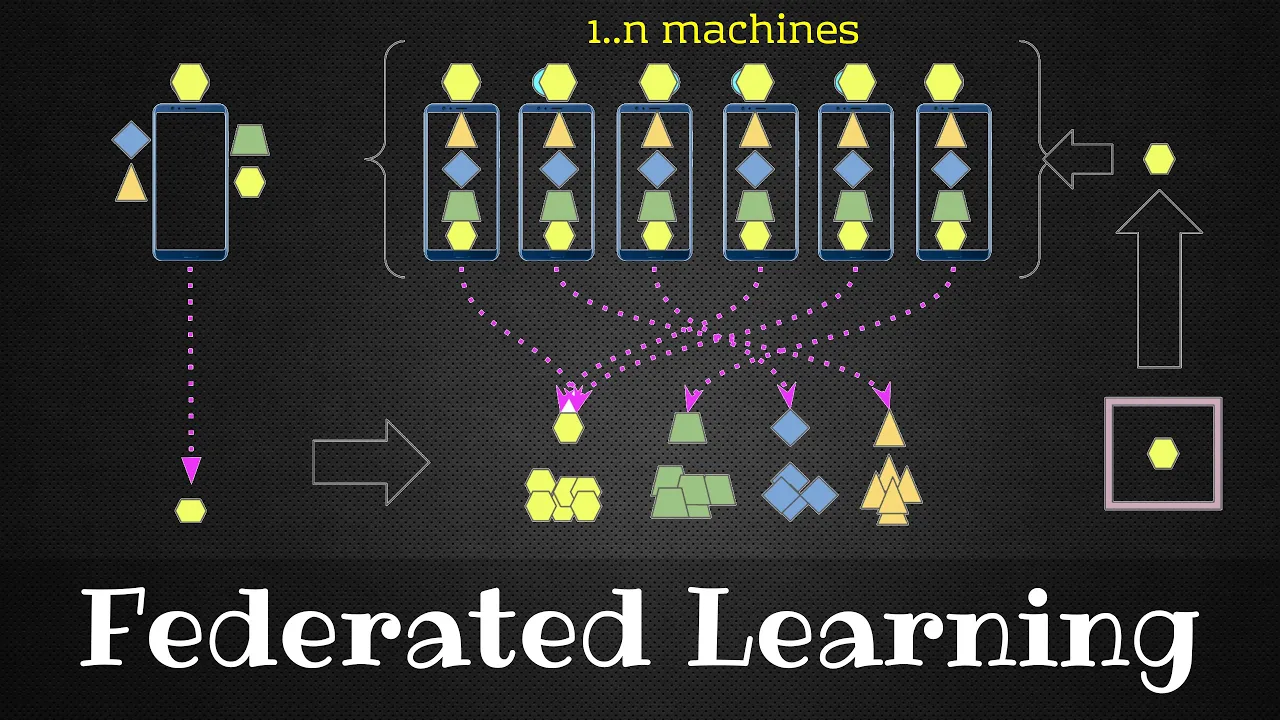




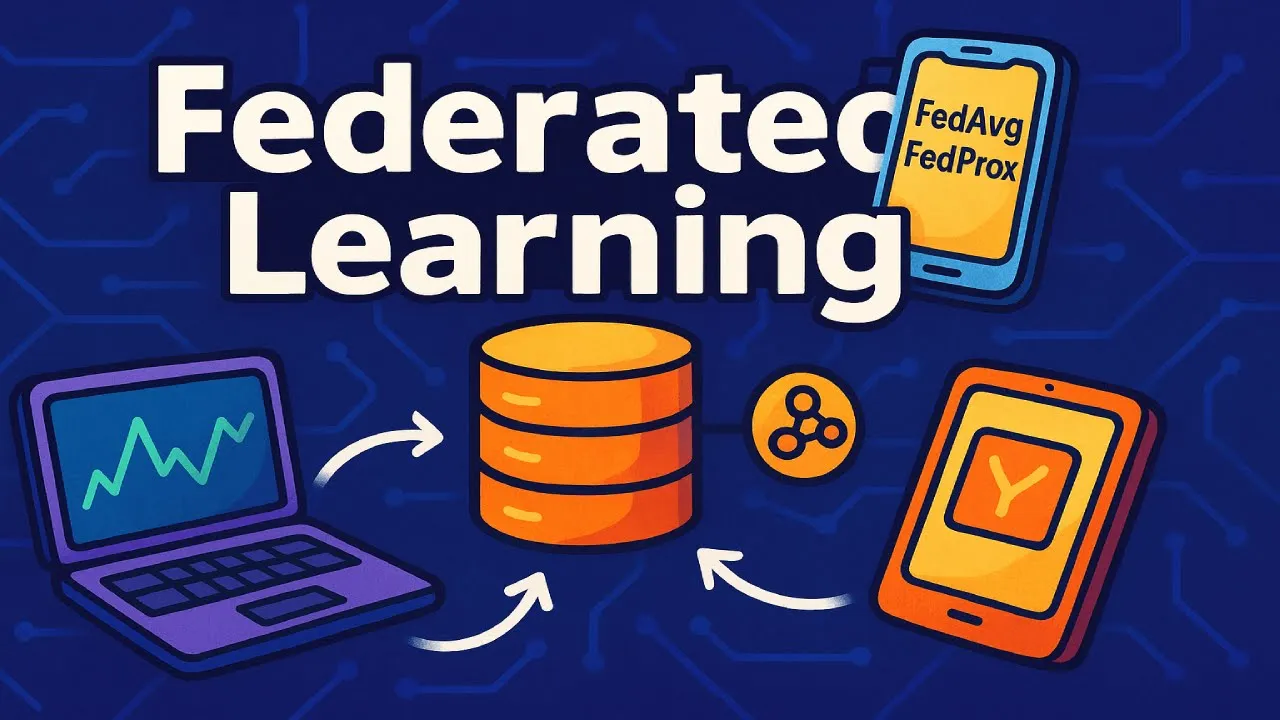


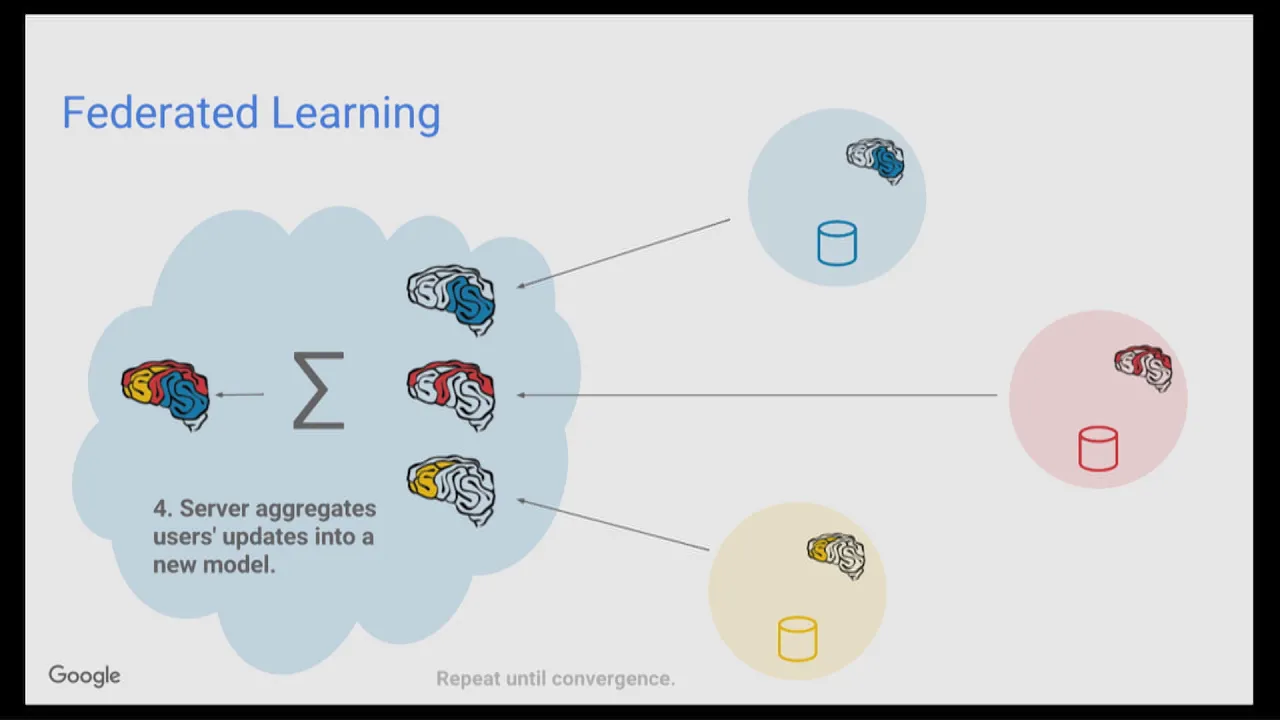
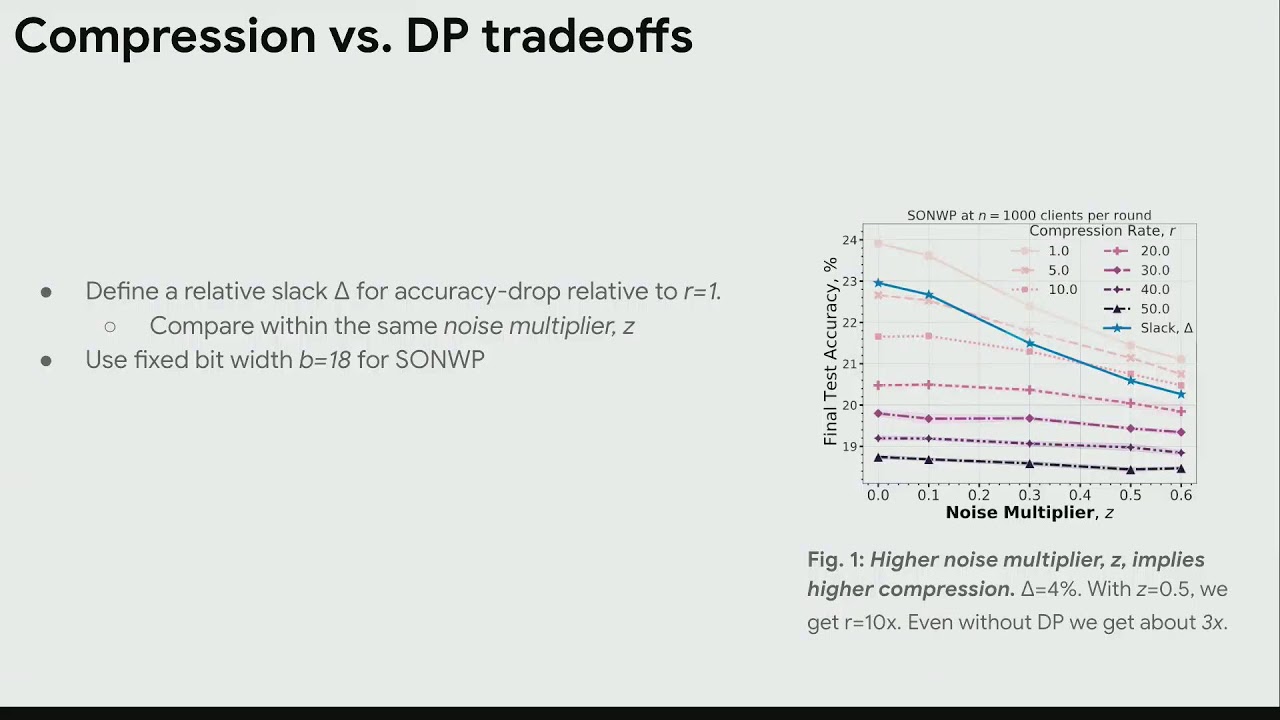






This tutorial demonstrates how to transition from centralized machine learning to federated learning using PyTorch and the Flower framework. The key steps include: (1) implementing a centralized PyTorch model with training and evaluation functions, (2) creating a Flower client that implements get_parameters, fit, and evaluate functions to handle distributed training, (3) setting up a Flower server to coordinate multiple clients using FedAvg strategy, and (4) computing weighted average metrics across clients. The tutorial shows that federated learning achieves comparable accuracy to centralized training while preserving data privacy.
Federated Learning with Flower and PyTorch: A Step-by-Step Tutorial
Added:Fundamental understanding of deep learning workflows, including training loops, backpropagation, and loss functions.
Proficiency in PyTorch for building, training, and evaluating neural network models.
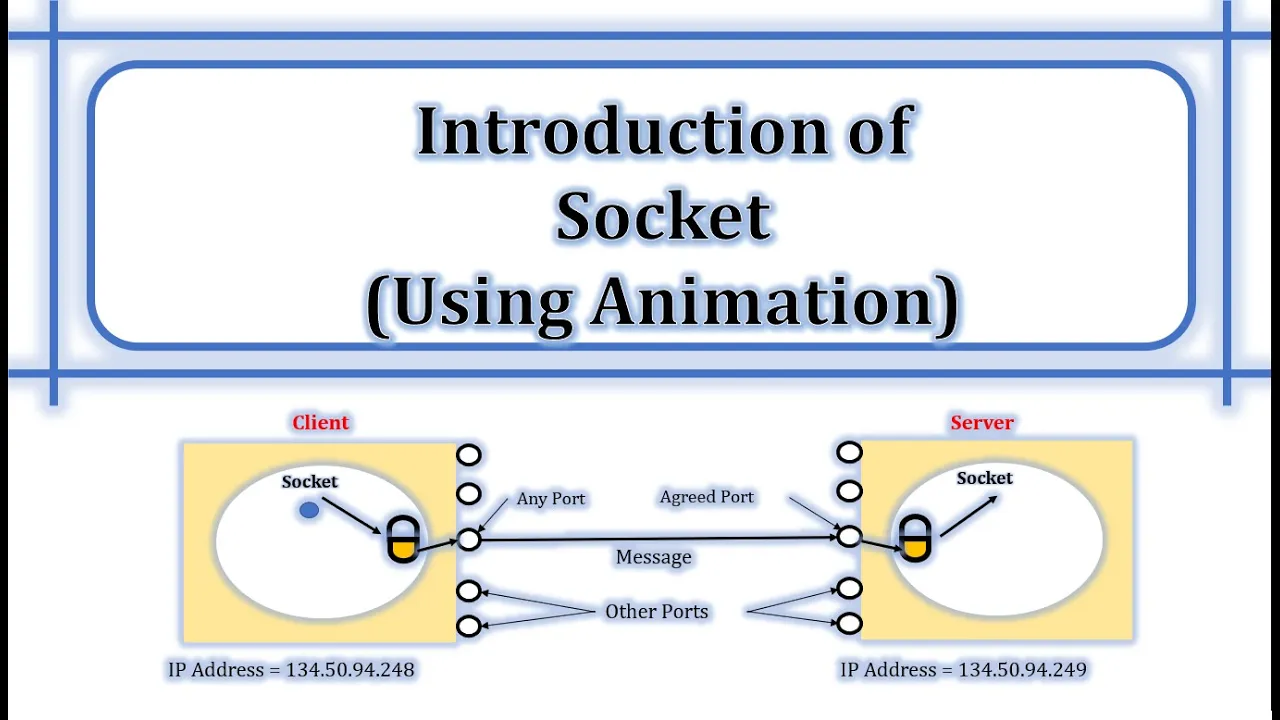
Basic knowledge of client-server network architecture and socket communication concepts.
Familiarity with the theoretical concept of Federated Learning and how it differs from centralized machine learning.
Exploring advanced federated aggregation strategies beyond FedAvg, such as FedProx, FedOpt, or FedMA.
Implementing privacy-preserving techniques in federated systems, including Differential Privacy (DP) and Secure Aggregation.
Addressing non-IID (non-independent and identically distributed) data challenges and client drift in federated networks.
Scaling and deploying Flower-based federated learning to real-world edge devices, such as mobile phones (Android/iOS) or IoT devices.
14.6K views152likes20:16Original Release: 2023-08-08
hi everyone and welcome back to this new installment of the flower tutorial series last episode we looked at a very simple example using tensor flow and today we're going to focus on a similar example but writing our code using pytorch so first it's important to realize that pytorch is quite more verbose than tensor flow so the centralized part of the implementation is going to take a bit more time to write uh that's why we're going to speed it up because we want to focus on the Federated part of the implement if you want to follow along this tutorial you will first need to install uh well flower then torch and torch Vision as [Music] well there we go so once the installation is done I'll go ahead and create a new file centralized py and this file will contain everything um related to the centralized learning so this is just the py to code that we put in a separate file to make it cleaner and this is not relevant for Federated learning so I'll probably speed that P up um and catch you guys afterwards all right so now we should have everything ready for the centralized case so here we first Define the net so this is just the model architecture then we Define a few functions the train function um is just to train the the model for a given number of epoch on a given uh train set and there is the test function uh which evaluates the function and computes the loss and accuracy of the model on a given uh test set and finally some utility functions uh to load the to actually sorry return the data loaders for the training set and the test set and also to return the the model with also converted to the correct device and so this uh should be enough uh to train the model uh in a centralized way and we can see here I've just written um a few steps where we train the model for five E box and then test uh test it and print the results all right so if we go over to the terminal now if I do uh python centralized so it should first yeah download the data it should be quite [Music] quick all right okay nice so now we have our loss and accuracy so accuracy is not excellent but for 5 box uh it's pretty good especially because The Cypher 10 uh task is quite hard um so yeah this is for centralized training and now once we have all those functions we can actually start writing the code for our client so if I create my Cent py so the first things we're going to import are actually from the centralized uh file so we'll do from centralized I'm going to import so load data load model and then train and test that should be all we need from there and then obviously I'm going to import flower so flwr and I'm just going to import as FL to make it shorter during um um when I write it okay so the first thing we are going to need um for this client file is a new function called uh set parameters and this is just going to be a utility function um to give us the same kind of functionality we had with tensor flow where with tensor flow we could just update the weights easily uh in P TCH this is not uh written by default so we had to we have to write it by ourselves and so this function will take a model um as a parameter and then the parameters we want to set to the model and so um this will actually return the model itself I'm just not going to put the typing here to make it more simple okay so the first thing we're going to do is create a parameters deck which is going to be um so the input model State deck the state deck contains some information about the layers uh of the model as keys and then uh as values it should be the parameters but we actually want to update those parameters so what we're going to do is to only take the keys and to associate them with the new parameters and then to create the state dict itself it needs to be an ordered dict or sorry dict um and the only thing we need to do so we're going to use the same key so I'm going to write it like this so it's a bit easier to follow so we're going to take the keys and values from the parents dict and we're going to associate it each key to the value converted to a torch tensor so we also need to import torch [Music] here uh torch and also um [Music] um ordered yeah move that down okay so now we have a valid State dat and we only need to load it into our model so load load State de and we're going to set the option strict to true because the models uh should always be of the same dimensions and should contain the same layers okay so that's good um yeah we can even return the model I don't think it's necessary to actually return it so we can pass uh the object itself to the function okay so now that we have this set parameters utility function uh if we want to upd update the weights of the model we can just so well first we're going to Define our Ro model so in this case it's going to be r model okay and then um we can also download the data so train direct test Lo data here we go okay and now say we want to update the model we can just do set parameters then give our net and then the new parameters we want to set it and this is going to be very useful in our flower client okay so flower client is going to be a subass of fl. client.
NP client there we go and just as in the tens of example we're going to first Define get parameters function which takes just a config as argument and in this case we can't just to model do get parameters because this function is not implemented um in pytorch we need to return the parameters manually so we first convert them and pass them to the CPU in order to be able to convert them to uh NP and then this is just using the um this T di um [Music] 10 all right so we're accessing the state dict of the model that we Define here and then um we're only taking the values which correspond to the parameters of this model of this state sorry and converting them to nump arrays and uh returning this as a list all right so this function is done and then we can focus on the next one which is going to be the fit function which takes parameters and config we actually ignore the config because we don't need it and in this function what we do um is we set the parameters to um the parameters we just received from the server you can actually do net equals um and then train um [Music] I'm just going to train it for one inut by default we could do more but um then it takes a bit longer in here um we're going to just return get parameters and we need to pass into the config which is empty in this case then the length of the train loer so train right um oh sorry um data set actually and this last one is if we would want to return a metric in this case we don't return anything because we don't compute The Matrix in the train function so this should be good and finally the evaluate function which takes parameters as well in config the only difference here um I'm actually going to remove this uh net equ because it shouldn't be um NE necessary right and here so we're going to do very similarly we set the parameters given by the by the server um and we update the model with it and then instead of train we're going to test and test returns loss and accuracy test and then net test loader all right note that those um uh variables net and test loader are defined globally which is not necessarily the best practice it's just to show quickly how it would work but here we could have an init function for the client where we actually pass in those models um those this model and those uh data sets right and here we're going to return it's uh so first the loss uh then the length of the test loader data set and finally the metric is DED and this time we actually calculated the accuracy so we can return this okay now we should have everything need for um our uh client to work uh in order to start it we can just add the f client start by client in this case um we actually use the numpy client wrappers so here and here to make it a bit simpler uh maybe we'll do a tutorial later on talking about the differences between the the row flower clant and the numai clant but this is out of the scope of this uh tutorial um okay and then we just need to pass in the client we want to use in this case it's the flower client we Define well all right so if we start this client it will try to um it will start of the nump C and try to connect to this address but now uh at the moment there is nothing at this address and this is why we need to create the server uh py file which is going to be very basic I'm just going to import flower as FL and then just um server. start server and here the server address it's actually going to be 0.0.0.0 8080 this is just so other machines on the same network can access uh This Server as well but in my case we're just going to be using the we're going to start the CLI and the server on the same machine so it doesn't matter too [Music] much right um and for the strategy we can use strategy fed average I'm going to use fed average with uh default parameters all right so now we should have everything I don't know if I've missed any Imports here um I mean we we're going to try and see how it goes so on this left terminal I'm going to start the server we go and then here I'm going to start one client and the other so here okay oh I guess yeah there's a typo obviously hopefully it's the only one um [Music] here all right let's check in quickly and see how it goes so again we start the server and then clients okay so now they're connected establish a connection the server actually requested initial parameters from one of the clients and then sent back uh those parameters it initialized uh to uh the other client as well um and then it was able to start the fit round with those parameters to the client um run the training locally sent back their um the resulting parameter to the server then the server Aggregates them so after this fit round and it sends back the aggregated weights to the the two clients which then run the uh test function the evaluate function and send back the results to the server and this ends the first round and then they start uh this whole process again so we've only have uh three rounds um so it should be quite quick uh it's not going to be comparable to the centralized results because we have less rounds but here we can see that the um the loss function the loss decreases quite a bit and so one thing that you might notice here is that we don't actually have uh the accuracy displayed and this is something I didn't touch upon on the last tutorial but I will quickly go through it now so the first thing we're we're going to need to do uh here is actually to modify our uh server file um we're going to add a function going call it weighted average um because we actually need to Pro um to provide a way for our strategy to know what to do with the different uh results it's going to um receiving those metric dates because anything can be passed uh in the metrix dictionary so here um we're first going to uh use this so um n examples times M accuracy c n example is going to be from Matrix and M as well Matrix okay and and then we're going to list the examples [Music] here Matrix and finally we can just return uh so we're going to return it as a dict with accuracy being the sum of the accuracies over the sum of all examples all right now we just need to pass it to our strategy um and the argument for the strategy is going to be evaluate uh Matrix agation function and right okay perfect so that should be it now if I set up the server again and my two clients we going to run exactly the same um workload except that now we're going to have at the end uh the metrix it's going to be just the weighted average of uh the metrix from the two clients okay so now it should finish quickly it's in the last round of evaluation perfect and now we can see uh the accuracy and it's actually quite comparable to what we had in the centralized case I think we had 49 um if I remember correctly okay nice so there you have it um this is everything you need to go from centralized to ferate with by torch this was a very uh quick and early example there's a lot more to it and we'll try to release many tutorials um to go through more topics and go more in depth on certain subjects as for now be sure to subscribe to the channel and especially tell us uh what you would like to see next and one thing I wanted to touch upon as well um was to go over the GitHub Roo it's very important for us that you uh give us a star on GitHub note that on the website here we have this button but it does not automatically start you actually need to press here afterwards and this is also very important for us to be able to see uh the community grow and to be able to understand better the uses and the needs of the community yeah that's it on my side see you guys [Music]
Up Next

6:51
PDMS Microfluidics Tutorial: Preparing a Test Pattern
@mitocw
41.1K views•2013-11-15

12:54
Triumph of Orthodoxy Icon: Byzantine Art & History Explained
@BenCallan
2.1K views•2024-08-06

9:49
FastAPI vs Flask vs Django: Choosing the Right Python Web Framework
@TechWithTim
302.5K views•2024-05-26

1:42
Game of Thrones Opening Credits: A Cinematic Analysis
@gameofthrones
46.3M views•2011-04-18
Related Study Plans & Knowledge Roadmaps
Structured learning paths in General & Interdisciplinary Studies
general-studies
Elevator Engineering: History, Physics & Cities
01From Hoists to Safety Brakes: The Dawn of Vertical Lift
02Hydraulic vs. Traction: The Engineering Physics of Elevators
03Modern Speed, Safety, and Algorithms
+ 2 more learning modules
12h5 modules
Explore Roadmap
general-studies
Rubber: Material Science, History & Geopolitics
01Origins of Natural Rubber & Mesoamerican History
02The Chemistry of Natural Rubber & Vulcanization
03The Geopolitics of the Rubber Boom & Colonization
+ 2 more learning modules
12h5 modules
Explore Roadmap
general-studies
Containerization: Evolution, Logistics & Trade
01Ancient Trade & Bulk Cargo: Amphorae to Barrels
02The Industrial Revolution & Cardboard Packaging
03The Containerization Revolution: Malcom McLean
+ 2 more learning modules
12h5 modules
Explore Roadmap
general-studies
Textile Tech: Evolution, Labor & Global Impact
01Pre-Industrial Textiles: Handloom & Cottage Industry
02Mechanization: The Spinning Jenny to the Power Loom
03The Factory System & Global Labor Transformation
+ 2 more learning modules
10h5 modules
Explore Roadmap