






![[QSAR with python: w3-4] linear regression in scikit learn](https://i.ytimg.com/vi/7U-jvyYP_Ec/maxresdefault.jpg)



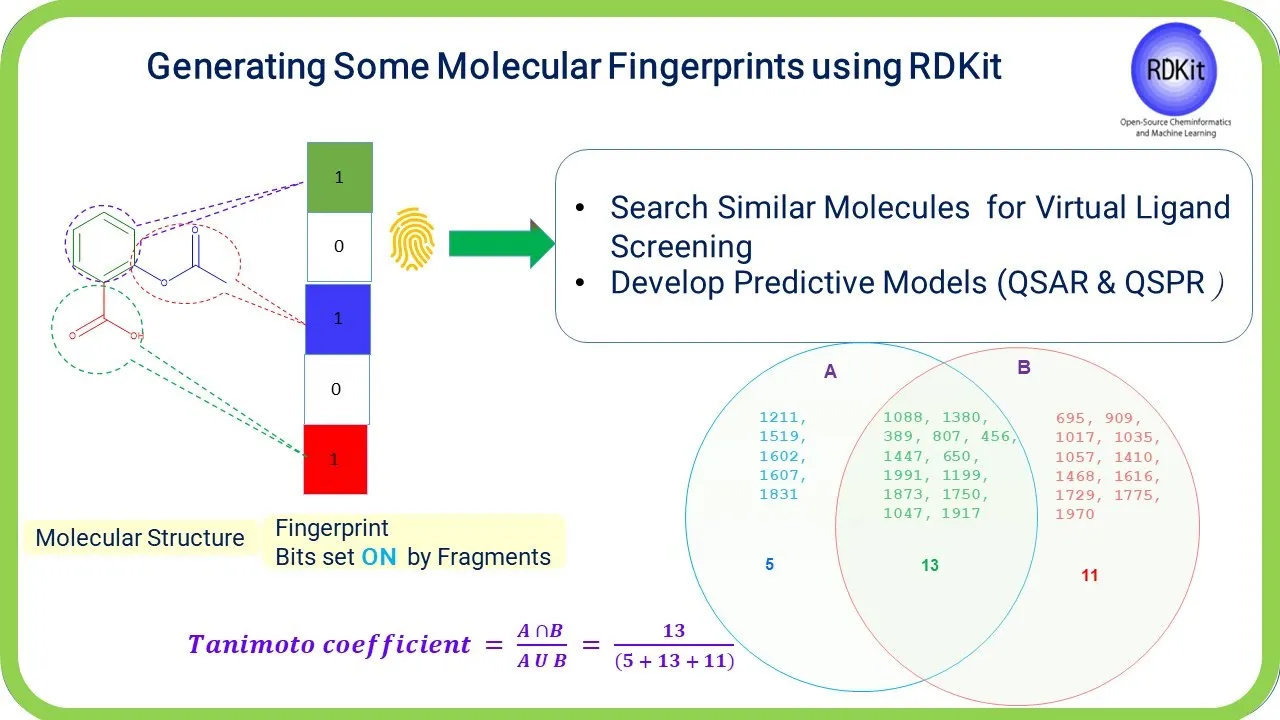




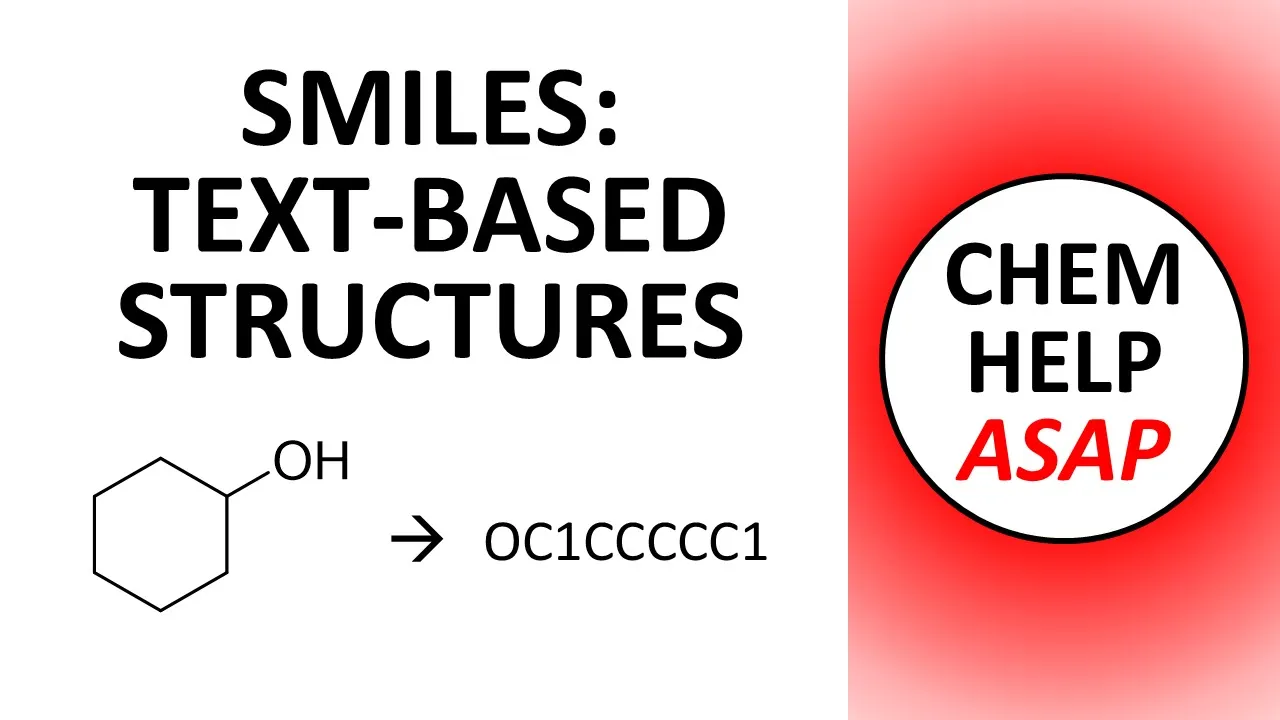
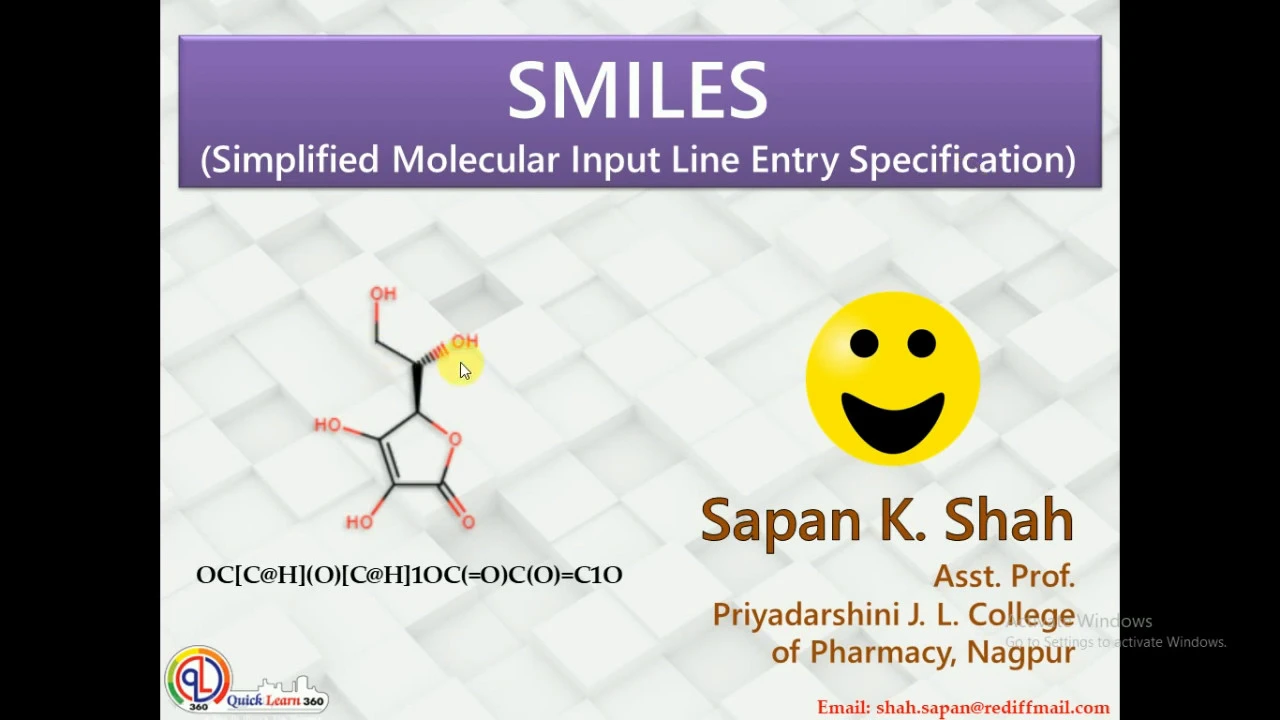
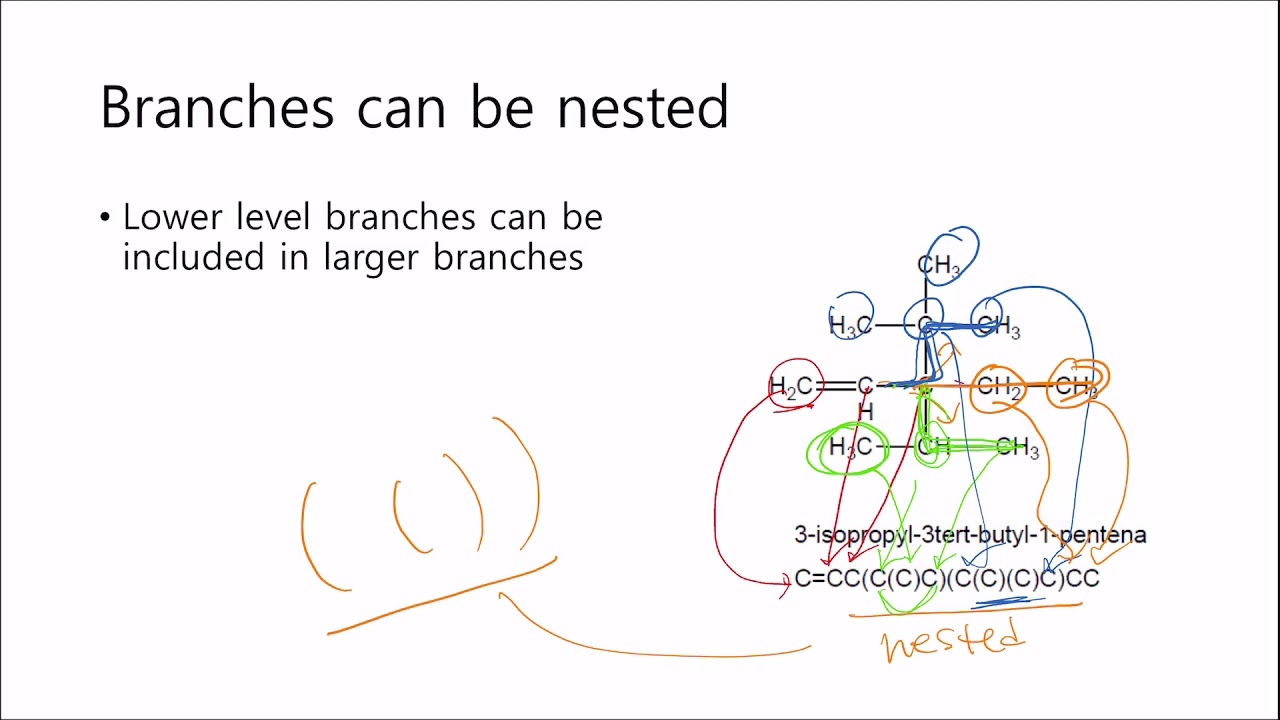
Organic molecules can be efficiently represented as strings using SMILES notation, where atoms are denoted by chemical symbols and bonds by specific characters (single bonds default, double bonds with '=', triple bonds with '#'), enabling easy storage and manipulation; RDKit library transforms these SMILES strings into molecular objects that can generate various fingerprint representations (such as Daylight fingerprints, Morgan fingerprints, and others) which convert molecular structures into binary vectors suitable for machine learning applications, with different fingerprint types capturing distinct aspects of molecular topology and enabling comparison through similarity metrics like Dice coefficient.
Molecular Strings and Fingerprints with RDKit | Materials Informatics Tutorial
Added:Basic organic chemistry concepts, including molecular structures, covalent bonds, and functional groups.
Fundamental Python programming skills, particularly working with libraries, data structures, and basic array manipulation.
The conceptual definition of SMILES (Simplified Molecular Input Line Entry System) as a text-based chemical notation.
Core machine learning vocabulary, specifically understanding what a 'feature vector' is and how algorithms require numerical inputs.
Building Quantitative Structure-Activity/Property Relationship (QSAR/QSPR) predictive models using machine learning libraries like scikit-learn.
Implementing molecular similarity searches and chemical space clustering using Tanimoto coefficients and RDKit algorithms.
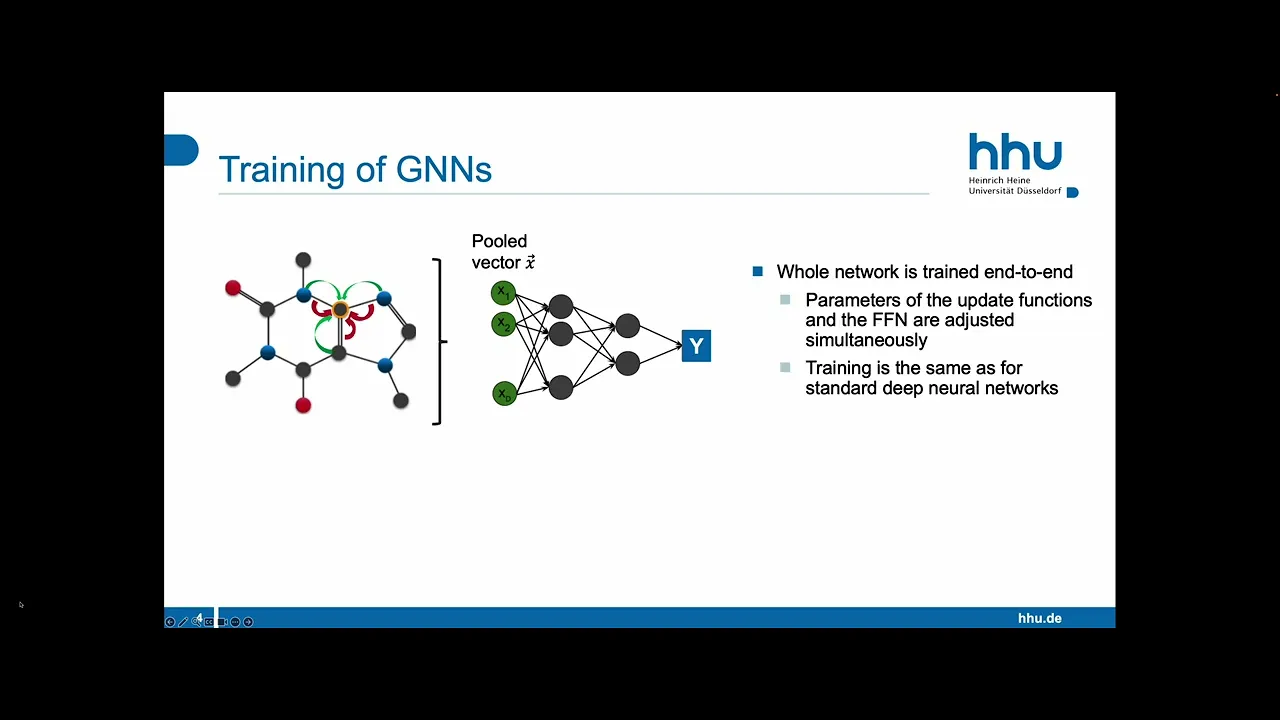
Exploring advanced deep learning molecular representations, such as Graph Neural Networks (GNNs) and transformer models like ChemBERTa.
Applying virtual screening workflows to search large chemical databases for potential drug candidates or novel materials.
13K views241likes17:25Original Release: 2022-01-23
okay for this video we're going to show you how to do molecular strings right how do you represent a molecule with strings and how do you do fingerprints based off of them and we're going to do that using the rdkit rdkit library okay so kit i don't know who developed it unfortunately on this one but it is open source kim informatics software and this tutorial comes to me from oles isaiah at carnegie mellon so special thanks ola thank you for making this one possible um because this is outside i'm not an organics guy so i appreciate his help in uh pointing me towards this tutorial that he put together and we're going to walk through it together and see how this can be used to be a feature representation tool for organic molecules primarily okay just like before in the last example since this is a work tutorial you can find this on the github under the worked examples folder and if you go to the rdkit tutorial this is the stuff that ola sent us so again special thanks to him this is an ipython notebook and it does have a couple special dependencies so i actually made a special environment for rd kit that i'm going to go ahead and open up okay so here we are um we've got it fired up in jupyter notebook and again it's not my tutorial so bear with me as we kind of go through this but rdkit can do lots of things it uses smiles it can turn things into sdf that's a type of data format for storing data okay they start out with an explanation of what smiles is it's a very simple way to reflect a molecule because it's just a string of letters so you have your atoms and your chemicals that get represented by the chemical symbol with a capital letter they often ignore hydrogen you have your bonds single bonds don't get displayed double bonds you use an equal symbol triple bond use the pound signal quadruple get the dollar sign symbol it says atoms that are bonded must stand nearby ring structures are written by breaking each ring at an arbitrary point although some choices will lead to more legible smiles than others to make a straight non-ring structure as if it wasn't a ring and adding numerical ring closure labels to show how rings connect back together right that's kind of the idea behind it arrow mass erms arrow arrow massity is commonly illustrated by writing the constituents bcn ops atoms in lower case forms respectively and for side chains representation of atomic groups branches are used so again i'm not an expert in this it's been around for a long time it has now been updated by several different models but it is still widely used the benefits again is that it is easy to write it's easy to store because a whole molecule is just a string of letters which is not going to be very big but the downside it doesn't have 3d information and one molecule can have multiple smiles i mentioned this in our last video that it uh that's just a downside to it which i think has been fixed with selfies okay so you do need to have the rd kit uh library so you need to install that i think i did a conda install for that it's easy to work with from that we're going to grab the following things we're going to well first we're going to get pandas and then from rdk we're going to get kim pandas tools and data structs okay it's going to grab those first thing that he does in this data set is he grabs the data set right so he says data panda reads csv the full data set we can take a look at that if you'd like the data set itself in this csv folder is i don't know a few thousand or a few hundred long and it has a bunch of smile strings representing molecules and then it has some sort of target properties associated with them and in this case i don't remember if that was glassy transition temperature or something else but it could be anything right it could be any label that we want to do our machine learning on later but what was important was the molecule right so yeah whatever these things are they've got some additional columns of information but here's the smile strings you see for a bunch of different molecules they've written out the smile strings okay so he goes ahead and reads that in now you've got it and then he takes a look at the heads of the first five entries and you can see the yeah it's got a smile string it's got these other columns okay so then he does my one smile string he grabs an individual one of those but he's grabbing the first one in the list one in the zeroth position grabs it so he's going to grab just one of those from the smiles std column so he's grabbing just this text right there that's what he's grabbing and then he says print it out and sure enough there it is well what can you do with that string this library has some cool stuff like check this out you can do my one mole object mole object type of object in this library that they've created right uh by doing chem dot mole from smiles right we have the smile string but we want the mole so there's a function there's a method here that is mole from smiles we need to send it that one smile and then sanitize equals true and i don't know what that is i assume it's something to help in case there's a problem in the smile string or something like that but let's go ahead and run it and it's created the object now this mole object when we ask it it'll tell us what type of object it is it is an rdkit.chem.rdchem.mole object that is what it is a specific one made in this library and then you can actually plot these things out right it went from that smile string and now it's showing you this crystal structure that's one of the things this library can do that's fantastic that's really really great you could store it in this tiny little string of text and yet it knows that that's the molecule that it corresponds to that's really great okay and then you can do chem dot mole to smiles and you can send it that mole object and turn it back into smiles right so here we go we turned it back into smiles which is what it came from you can see whether if it changed at all it looks the same to me i don't think it changed at all so if there was a sanitization step it doesn't look it had to change anything for this one okay then it can do this one chem dot mole to inchi key what does that stand for it's like international chemistry key or something like that it is a it's an ascii text right it's a bunch of ascii that is a specific uh think of it like a bar code for every molecule every single chemical or molecule out there has its own uh international key associated with it and so this has a conversion tool to actually pull that out and sure enough here it is it's whatever that is that's the key the international key for this molecule if they didn't want to use strings notation okay um it tells you the number of atoms it says you know from that my one mole object it has a method that says get number of atoms right that method returns 21 that there's 21 atoms in that thing so pretty slick and now we can start to create our first fingerprints so fingerprints are a way of vectorizing right creating a feature vector in this case it's a two-dimensional one it's a 2d array of information which represents this molecule maybe it's i think in this case it actually shows their positions the xyz positions of these things of the different atoms right i think what they show i'm not very familiar with this so forgive me on that one right from rdkit.com you can import all chem so my one mole object 3d equals chem.addhs right so it's going to add the hydrogens right so you're going to send it that mole object you're going to add the h's because remember by default it just leaves those off because it's usually easier to see the structure without them so great we will add the h's now when we show it there they are all of the h's are now accounted for that were missing from this structure before right you can see it's the same structure they've added the edges they had they had to make it a little bigger in spots so you could see it but it's the same structure the same connectivity anyways okay um and then you could do uh again here's showing that that fingerprint again right this is the fingerprint this is showing the xyz positions of all these things did it have it didn't have the h's before but now that we've added the h's and we asked it to do it look they've included the h's now and their xyz positions okay and you can read more about those uh there's some good wiki articles on these different um tables right this one for example from wikipedia on on what these representations actually are again you can write this to an sdf file it's a way of storing information it's a data file essentially so they do it's inside the chem module they do sd writer they write this object with this specific name so now you've stored all that information in some sort of file if you want on your computer to pull it up later they write it and then they close that file when they're done there is something here that only works for linux linux so we're going to skip that then they've got some information on how to work on this with pandas because remember this had some pandas tools so we're going to do data small equals data.head 40 copy so it's just going to grab the first 40 entries of that big old spreadsheet that we had which had however many entries we're just going to grab the first 40 is what this is doing so let's take a look at it here they are it's the first five of 40 now then okay from rdkit.chem module we're going to import pandas tools okay pandastools.add molecule column to frame data small so we're going to send it this small data the 40 and we want the smiles column to be the smiles data and the ro mole to be in the mole column right so this is going to create a pandas data frame with those things in it so now let's take a look at it when we look at this data frame this is what we see you see that it had the smiles column it had this stuff from before actually plus this rom has this molecule next to it so this is really slick we went from having a comma separated value sheet which had just a string and who knows what that molecule is to now in pandas inside python we can actually see this with the molecule right next to it for the first five how slick is that very very cool tool to work inside of pandas right with this okay it says important to know r o mole is not a column with pictures it's column with mole objects that gets represented as pictures so it's not like yeah these aren't like jpegs getting put in there it's still the mole object it just creates that image when we do this when we have it show it okay um and of course you could do that manually right that same sort of thing could happen manually but why not use the tool that they built for you it's easier okay okay and it says why do we need to do a manual way some mole objects in memory could be hard so sometimes it's useful to perform the calculations of interest on the fly fair enough you could do calculations right so this is calculating n atoms the number of atoms without storing the mole object so they're going to say in the data small in the number of atoms column we're going to make a new column in that data frame it's going to be equal to data small we're going to send it the smile string and then we're going to do this lambda function where we actually get the number of atoms from the mole object in real time so sort of list comprehension there that lambda function we're pulling it in real time to calculate the number of atoms and now when we show it um yeah i didn't see it first because it's clear over here at the end but the number of atoms have now been appended we have a new column for number of atoms great so that worked and then drawing a mole grid has another function here so from artikit.com we can import draw and then you have draw moles to grid image we're going to send it this data small data frame dot rm mold the column with the armals all right and it's going to be able to draw these things so we tell it to do that and sure enough it creates a grid of all these different molecules in our set pretty rad pretty powerful um okay then we come down to using molecular fingerprints right so right now all we've done is we've shown you uh smiles a string representations with smiles and how to go from that string to actual things that look like objects right but we haven't actually done any fingerprints how do you actually say that is this the best way to represent the molecule because you could just give it the smile string and that's a start but it's maybe not the best way because the whole smile string that doesn't take into account what things are like near neighbors which are probably the ones that are going to be mattering right near neighbor interactions and so you can do that with fingerprints right and there's a bunch of different types of fingerprints there's the arty kit fingerprint it says this is a daylight daylight like fingerprint based on hashing molecular subgraphs there's atom pairs topological torsions max keys morgan circular 2d farm core on and on there's all these different types of if you remember from our composition-based feature vector we had magpie we had jarvis we had anton olenix there's these different ways this is like the same thing there's different ways of generating fingerprints and it tells you a little bit about some notes about them but you could read more to learn a bit more if you wanted in any case we're going to say my this mole object equals data small rml in the zero position and in the one position so that's going to store into the same object twice they're going to store the zeroth value and then the one value i guess so it has one mole object stored into it okay then it says this fingerprint right is the object now we're creating is going to be chem.rdk fingerprint we're going to send it that mole object max path 7 fingerprint size 512. so i'm not familiar with how fingerprints work in great detail but i knew that it starts with an atom in the structure if we go back up to our molecules it picks one of these points and it says if i sort of expand a ring around one of those points sort of like we saw with the graph networks what sort of things are present there and so i imagine that the passive is telling you how large of a ring to look around it but again i'm not very familiar with it but you could look into the documentation and see what these arguments are that you need to pass to it and how that would change things but this is going to create a fingerprint and that fingerprint is what we would then be able to use for machine learning so here we actually see it's saying this fingerprint and it says yes it created a fingerprint um and then you say we'll turn it into a string and there enough check it out there is our vector we now have a bigger long vector which is however many characters that is i don't know if that's the 512 probably that's probably 512 since that's the size we asked for we created now a unique custom vector which has zeros and ones which represents that molecule that's a custom fingerprint right that we could use for machine learning pretty slick right check it out they take that same thing they turn it into a numpy array so you can see it just a little more cleanly right oh yeah sure enough here we go the path length variable that i told you 0 1 2 3 right as you pick a position and you start to move further out it's essentially saying how many steps can you take away from that when you consider what things are near by a given atom okay so that's that's your what your path length is doing okay here's the morgan fingerprint so this is a slightly different one this is the morgan fingerprint we're going to get morgan fingerprint using this mole object we're going to send it an argument of 2. i don't know what that is i assume it also has to do with path length but yeah circular radius 2 as opposed to 0 or 1 or something i imagine that's what that has to do with so some of this obviously you don't want to you need to go to the documentation and see what their specific arguments are but how great that you've got a library like this that allows you to generate these representations right these fingerprints which could be useful for making predictions okay and then they uh see get morgan fingerprint as bit vector right and you can see it as bits so it's turning it into zeros and ones again data structures dice similarity this fingerprint and this fingerprint those are the same right this fingerprint is the same right because they're just comparing two things so the similarity should be one right and then they suit dice similarly this fingerprint and that fingerprint did they def i don't remember defining of that fingerprint they must have let's go back and see where that was this fingerprint ah and that fingerprint oh yeah so it was slightly what was the difference oh these were two different numbers i see i thought those were the same thing okay good they did they did store them in a slightly different thing so those are two different mole objects they sold into this object and that object they compare them now and from the uh first fingerprint tool that they use when we look at the comparison uh they're very similar right those two vectors are very very close to one another 98 as opposed to 0.98 as opposed to one so they're quite similar right but now let's compare this fingerprint and the morgan fingerprint see how similar they are not not close at all so it is a unique representation these different fingerprint techniques are unique they're different right and maybe some are better than just like matt toveck and jarvis and oleonic some are better or worse for different applications you can imagine trying out a bunch of these different representations to figure out which ones are better and which ones are worse okay it says what does the bit mean from rdkit.com import draw we have our mole we create a mole by sending it a string um they create a dictionary by fingerprint all chem get morgan fingerprints as bit vector we're going to send it that mole radius to bit info by number of bits 512.
um let's see let's just run this okay then it says morgan fingerprint svg it actually shows you uh in svg so support uh vector graphics right what these things are rdk svg molecular similarity this is like remember when they did that dice similarity where showing the overlap this is a way of sort of representing that overlap in a graphic to show how similar these things are what things they have in union right which ones are in the same set as opposed to not in the same set so pretty slick stuff i'm going to probably stop here because it's outside of the stuff i understand about this and i think we've gotten the point that this is another powerful tool for forming representations where the hard work's already been done for you because there's libraries like this rd kit right which makes your life really easy and once you've got this array back up here once you've got your array this is now the input to your machine learning model right for this individual one and you'd have to do this for all the ones in your training set but now we have a tool to do that and that's the important bit here so we will jump back to our next video which is going to be on actually starting to construct some models with all this we're going to talk about linear versus nonlinear models and then get into metrics after that okay stay tuned
Up Next
24:48
Computational Drug Discovery with Python: Predicting Molecular Solubility
@DataProfessor
41.2K views•2020-04-16

12:54
Triumph of Orthodoxy Icon: Byzantine Art & History Explained
@BenCallan
2.1K views•2024-08-06

9:49
FastAPI vs Flask vs Django: Choosing the Right Python Web Framework
@TechWithTim
302.5K views•2024-05-26

1:42
Game of Thrones Opening Credits: A Cinematic Analysis
@gameofthrones
46.3M views•2011-04-18
Related Study Plans & Knowledge Roadmaps
Structured learning paths in General & Interdisciplinary Studies
general-studies
Elevator Engineering: History, Physics & Cities
01From Hoists to Safety Brakes: The Dawn of Vertical Lift
02Hydraulic vs. Traction: The Engineering Physics of Elevators
03Modern Speed, Safety, and Algorithms
+ 2 more learning modules
12h5 modules
Explore Roadmap
general-studies
Rubber: Material Science, History & Geopolitics
01Origins of Natural Rubber & Mesoamerican History
02The Chemistry of Natural Rubber & Vulcanization
03The Geopolitics of the Rubber Boom & Colonization
+ 2 more learning modules
12h5 modules
Explore Roadmap
general-studies
Containerization: Evolution, Logistics & Trade
01Ancient Trade & Bulk Cargo: Amphorae to Barrels
02The Industrial Revolution & Cardboard Packaging
03The Containerization Revolution: Malcom McLean
+ 2 more learning modules
12h5 modules
Explore Roadmap
general-studies
Textile Tech: Evolution, Labor & Global Impact
01Pre-Industrial Textiles: Handloom & Cottage Industry
02Mechanization: The Spinning Jenny to the Power Loom
03The Factory System & Global Labor Transformation
+ 2 more learning modules
10h5 modules
Explore Roadmap