












![HOW TO MIX BACKGROUND VOCALS [BGV]](https://i.ytimg.com/vi/NdNPRBmI_As/maxresdefault.jpg)


This tutorial demonstrates how to create suspense-themed background music for visual novels using FL Studio 20, covering the process of selecting appropriate piano sounds (such as intimate piano libraries with low-fi characteristics), constructing dissonant chord progressions using diminished chords and velocity variations, layering atmospheric pads with sine waves and filters, designing basslines with phrygian modes and distortion effects, adding distorted guitar textures with cabinet simulations, incorporating percussive glitch elements, and applying reverb and equalization to build a cohesive suspense atmosphere through strategic instrument routing and automation.
How to Produce Visual Novel Suspense Music in FL Studio 20 - Tutorial
Added:Basic navigation of the FL Studio 20 interface, including the Piano Roll, Playlist, and Mixer.
Fundamental music theory concepts for creating tension, such as minor scales, dissonant intervals (e.g., tritones, minor seconds), and suspended chords.
Understanding the basics of MIDI sequencing and virtual instrument (VST) routing.
Elementary knowledge of spatial audio effects, specifically how to use reverb, delay, and equalization (EQ) to build depth.
Audio implementation techniques for visual novel engines, including looping mechanics and dynamic audio transitions in engines like Ren'Py.
Advanced sound design methodologies, such as granular synthesis and glitch processing, to create custom eerie textures.
Mixing and mastering strategies for background music (BGM) to ensure frequencies do not clash with voice-overs or sound effects.
Hybrid cinematic scoring, which involves blending traditional orchestral arrangements with electronic ambient elements for higher production value.
2.5K views101likes53:17Original Release: 2021-01-13
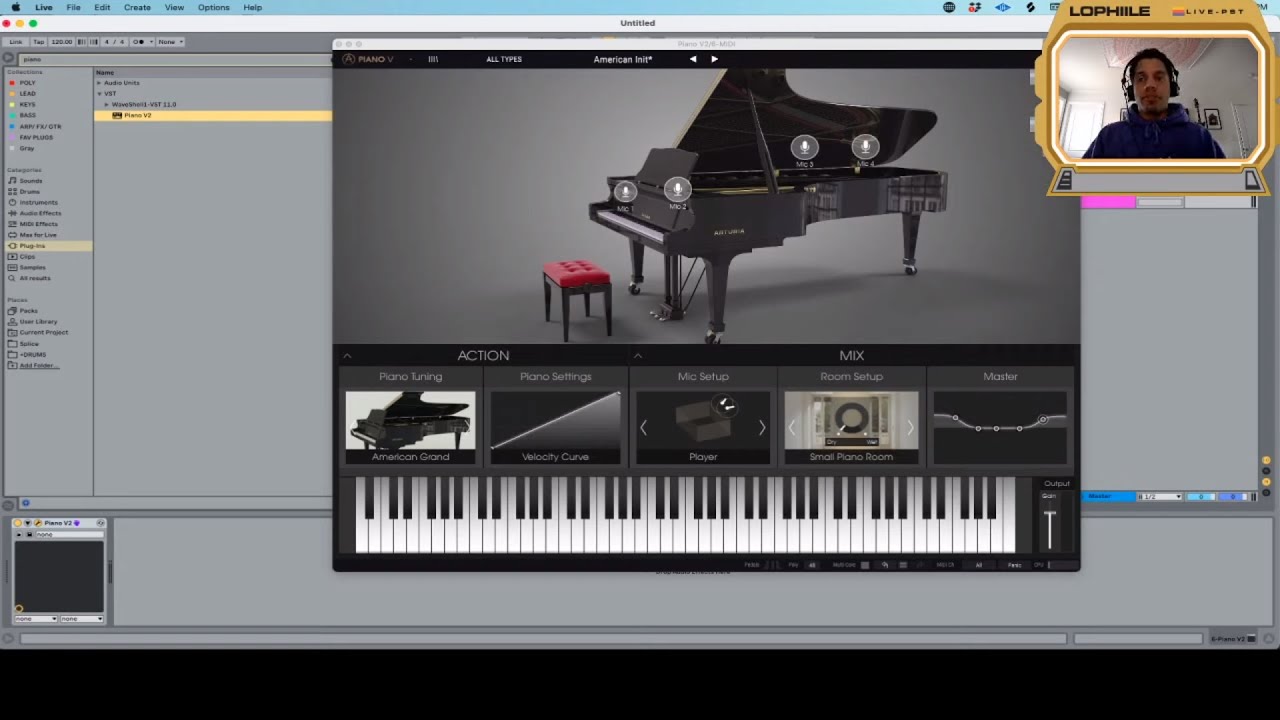
hello and welcome to another episode of how to visual novel background music this is outman and this is part two um this one will be making a suspense theme last time i made a like a happy summer day afternoon dialogue thing and it wasn't commentated because i was in a i was in a coffee shop and it was noisier than here so i apologize for that i think from now on i'll be recording voice and yeah let's get started let's make some visual novel music uh for this one i'm gonna go with uh with a piano i'm gonna start with them like some some some um some clusters and i need um a specific piano sound that uh that is harsh and badly quote unquote badly recorded that sounds like it has like an echo to it um the the best one for me was a a library called intimate piano it's a small contact library so i think i'm gonna just go with it um i don't know what it is libraries free i think it's here there intimate piano i think i'll go with the normal uh bank it sounds really beautiful but you can make it sound like it's a little it's i think it's uh it's good for making like like low-fi low fire pop music and that sort of stuff because it i think it's a little like each note is a little detuned so it kind of sounds like that uh like that tape effect it sounds really cool especially when you um do like diminished uh clusters like it does have that uh that cool effect to it so i'm gonna go with the intimate piano you can find it i don't i can provide a link uh in the description if if i remember at least so if i'm going to use contact for more than only the uh the piano i'm going to have to split it into a into midi alright so this one is going to be a piano and i'm going to output the contact to um input 0. so now this one has input 0 by default and it's going to read from contact right so um to keep it simple i'm going to go with c minor and i'm going to use lots of diminished um lots of diminished chords so expect um like notes that are out of the uh out of the scale basically all right so um i think i'm going to start with the root note so keep it a little slow maybe maybe around 1 32 all right so [Music] i'm gonna make it a little longer i think [Music] right [Music] right perfect and i'm going to keep it at that let's see all right so [Music] let me i think i'll go with c5 maybe yeah just keep [Music] right and um if you're going to do it like a simple c minor chord you go like this what i'm going to do is i'm going to remove the third and i'm going to diminish the fifth so it's gonna sound something like so it's already a little creepy sounding which is good i'm gonna make it like a little um a little like a little variation in velocity so it's going to be louder the more it goes and i'll probably remove the uh the first instance of the so it's gonna sound something like this maybe a little louder all right [Music] maybe add a little lower f sharp [Music] now maybe do a little um like offset the note a little bit just to make it sound a little um uh realistic in a way just a little bit to give it a little flam effect with the f sharp [Music] all right [Music] yeah i think i'm gonna keep the all the notes [Music] yeah this sounds cool [Music] yeah maybe uh clone everything then i'll start with i don't know what i want a lot of variation so i want it to be a little static because that's how suspend that's what suspense is basically because if it's yeah because if there's a lot of information it's not suspense anymore it's a it's a thriller [Music] probably make it like maybe like change resolve here yeah that needs to be more spicy [Music] [Music] maybe [Music] [Music] all right something like that all right so i'm going to uh use the mixer here and uh the little batch function uh you don't need it but if you have like many instruments and you apply a batch function it will basically one of one of the batch functions will um output each instrument to its own stereo stereo output without you messing with this because it's a little crappy the way it works but the batch functions are pretty cool split instruments router to first not this one yeah this one it's actually that's funny it means that each instrument that is brought to the first output will be routed to a separate one and for now i don't need it but it's it's a cool feature to have for now i'm just going to use this uh um this thing this processing thing that takes each output from the instrument itself to a mixer insert so it's going to be now the piano here so it's it's kind of cool yeah if you have like a keyboard keyboard uh i forgot the name of it what is it called this one what is it called yeah this thing if it bothers me a little bit in the mixer because if you press s just to play a note because i don't have a midi keyboard right now um it uh it solos out the uh the instrument anyways um i'll add a little bit of reverb i think i'll just go with the like fl native stuff maybe like the convolver and use an impulse response that's how i find myself applying reverb anyways like most of the time all right sounds cool but i'm going to change it i'm going to go with the chamber maybe to add up to the uh to the effect of suspense maybe choose a scene for the piano so maybe this is happening in a um like a library you know like some i don't know some urban fantasy stuff so um door closed back let's see what i really like about this piano is that it has like it has penny symbol by default it's not too hard when you uh like when you play with the with your keyboard the note velocity is usually uh i forgot the value of it but it's it's usually in the upper side so about like a hundred maybe yeah just like the default velocity this one i think this is a hundred yeah 80 like 78 yeah and that um and the velocity curve for the entire piano is pretty cool it's always soft it's pretty nice [Music] yeah anyways i'm gonna miss a little bit with the equalizer take off a little bit of the uh the high end i usually do it uh squared because i think if i did this it would be a little cpu intensive because it's it's not a like a hard cut i don't know how they optimize this these stuff but i i usually just go or you can choose a hold instead of doing a deal the boomer way you can just use a hold like so it didn't work anyways uh jesus anyways [Music] yeah to add a hold you have to add another point so there's no point basically [Music] sounds fine i think i'll add a uh a pad to it like i'm going to use my good old friend 3 x oscillator and i think i'm going to stick with sine waves maybe i'll maybe go with the sauce and filter them later when i made the the 3xoc song video i was uh yeah i forgot that the these um this one had a lower mix mix level and i was very confused at first and then i i just find out late all right so um give this a little fine tuning to the uh to the left this one a little just a tiny bit not that's too much make this one a little stereo this one a little stereo all right you can you can also uh uh use the hq uh saw wave but i'm not gonna do that and i think i'm going to play with the adsr a little make it uh make it sustain more like like this apply the filter i apologize for the noise never be neighbors with a carpenter i'm going to use the low-pass x2 i think this is uh enough now for the pad i think it's just going to follow along with the piano nothing [Music] [Applause] special [Music] [Music] so [Music] uh [Music] yeah make it a little obfuscated and assign it to some some mixer track i'll avoid these uh because of uh the way the routing works if if i added the pad here and then decided to add another instrument i'll be i i prefer to keep them uh sequential so uh if i add a new instrument i add it to the second second track instead of like just messing around at it to the third or fifth or whatever so i keep a few slots empty for the uh so for the potential uh contact instruments any um any output similar to to the ones used in contact so i'm going to add the pad here again make it a little slow yeah i don't think i'm gonna need reverb i'm gonna make it look a little this is basically stereo separation so if it makes it don't don't 100 it but i use it a lot to out pronounce things in the mix even if they're a little quiet up like perceivably quiet they can be heard if you separate them because there's a lot of hit room for them to express themselves yeah so it's like a like just a texture i may replace one of these with the with a noise [Music] oscillator let's see [Music] sounds good to me i'm going to go with uh with a little base now it's too loud i'm just going to go with a single saw bring it down i have the best filter there is this one yeah it's gonna need a little oh mono phrygian sound [Laughter] yeah when the when you when you just use it when you just use your keyboard and the mode is always major you can you can start if you start with the with a c [Music] you have c major if you want for example a minor you could you should with an a so this is a a minor if you want to go afraid you should start with a if you want to go lydian start with an f [Laughter] anyways bass this one is going to be spicy [Music] right so [Music] sounds decent enough i think i'm going to take up i think i'm going to add a little sub bass so so [Music] sick now for the base i think i'm gonna add a bunch of effects to it yeah i'll do that what i'm going to do is i'm going to uh send the bass to the second 22nd channel it's going to be a little bass glitch thing of all i'm going to take all the sub bass out of it and a little bit of the bass as well again i'm just going to use uh fl plugins for now so let's see blood overdrive yeah sure [Music] cool yeah i think i'm going to move this one down to uh filter the overdrive automation clip for the volume all right so now i have uh to do a little bit of automation it's going to be easy i need to bring the base back but for now i'm going to keep the uh only the uh wet signal of the effects and yeah i'm planning to do it is to add a little bit of each effect at the end of each uh like each second bar i guess yeah just give it a and make you know make random variations to give it some some character like so so all right and i'm going to bring back the base now so so [Music] [Music] something like this um i think i'm gonna go with a little like cheap sound found guitar um let's see um if you notice i have like the the prefix 32-bit the project name which signifies that this is uh this should be opened in a 32-bit fl studio um i think that uh fl the image line deprecated the sound from player and it's unusable but i um i had one like from before uh fl 20 or fl 12 it's old i just added the dll and it works so yeah which is the best cell phone player ever there's nothing like it and i'm still using it so i hope you find a way to use it as well this is it all right let's see [Music] i have a sound font folder there you go these are like random things from the left like the best decade and more uh you know what i'm just gonna go with dark wave and use the uh the guitar instead because everyone has it i think that's the best way maybe a strat maybe uh i don't know you know what maybe a classical but distorted it's gonna sound neat oh yeah that sounds cheap all right [Music] i'm gonna go up and down like so maybe a little tacky [Music] uh [Music] do [Music] me [Music] [Music] yeah perfect which effect should i apply i'll just go with heavy distortion and then i'll use a cabinet and then a little bit of reverb so i think i'm going to go with the wave shaper maybe yeah [Music] it sounds good to me and i'm going to go with one of the impulse responses available in fl as well [Music] [Music] maybe a little more grit i'm going to use a limiter because obviously i'm seeing uh some some peaks this is a guitar hoes uh um classical master limiter i just usually go with zero maybe like some other number but uh yeah just they're free by the way so just get it uh put it zero and then go crazy [Music] yeah it's acceptable for a for the sound i want i'm gonna go with another convolver and this one is gonna be for a reverb eq maybe a delay [Music] [Music] so [Music] [Music] [Music] yeah sounds good i think i'm gonna go with uh some now some percussive elements maybe some glitchy um drums or something like that [Music] i think everything is going to benefit from having drum speakers up to make the levels a little more all right i think i'm going to go with the uh with the drums from brake tweaker they already have a lot of glitchy samples that are pretty cool all right right so [Music] so [Music] so [Music] uh yeah basically i reversed it then uh made it exactly one beat so it's going to end as soon as this one begins to give it a little continuity effect this one sounds neat [Music] au5 i'm not gonna go with those now [Music] [Music] so right i'm gonna go with with kicks [Music] [Music] yeah let's see how it sounds contextually [Music] [Music] it's too punchy for this kind of this kind of music [Music] yeah we need to adjust the hold you can play the uh instrument as at whatever length you want so i think that's what i'm gonna do here but it cannot do it as a note because a note like this this is this has a infinite length uh so you have to specify your length so [Music] i think all of this is gonna go to a bus just just these four and gonna pass them pass them through a maybe of a spring reverb [Applause] so foreign four [Music] [Music] [Music] how much time 48 minutes i think i need to stop [Music] all right one last thing i'm going to separate this so i'm going to clone it then use the cloned uh pattern have the names correct and then you go and do a split by channel so we have bass back bass bad piano and guitar so now i know which one to go with first i don't know i might go with the piano because [Music] might make this version a little bit [Music] different right yeah you can you can add another pad maybe like a a softer one that could go underneath all of this that sound i think it'll give it more body as for now all right so the effects are going up here [Music] [Music] so [Music] do [Music] [Music] all right [Music] so i guess that's it for uh for this one um the next one is gonna be uh i think maybe an emotional theme or um i don't know maybe a comedy or a mischief those are pretty difficult for me to make but i try to try my best to make them anyways um stick make sure to stick around for the next one and um i'll see you maybe in two three days maybe tomorrow i'm not sure well thank you for sticking around and see ya
Up Next

62:19
Liberating From Destructive Attachments | Law of Attraction Tutorial
@Andrea.Schulman
9.1K views•2024-08-04

12:54
Triumph of Orthodoxy Icon: Byzantine Art & History Explained
@BenCallan
2.1K views•2024-08-06

9:49
FastAPI vs Flask vs Django: Choosing the Right Python Web Framework
@TechWithTim
302.5K views•2024-05-26

1:42
Game of Thrones Opening Credits: A Cinematic Analysis
@gameofthrones
46.3M views•2011-04-18
Related Study Plans & Knowledge Roadmaps
Structured learning paths in General & Interdisciplinary Studies
general-studies
Elevator Engineering: History, Physics & Cities
01From Hoists to Safety Brakes: The Dawn of Vertical Lift
02Hydraulic vs. Traction: The Engineering Physics of Elevators
03Modern Speed, Safety, and Algorithms
+ 2 more learning modules
12h5 modules
Explore Roadmap
general-studies
Rubber: Material Science, History & Geopolitics
01Origins of Natural Rubber & Mesoamerican History
02The Chemistry of Natural Rubber & Vulcanization
03The Geopolitics of the Rubber Boom & Colonization
+ 2 more learning modules
12h5 modules
Explore Roadmap
general-studies
Containerization: Evolution, Logistics & Trade
01Ancient Trade & Bulk Cargo: Amphorae to Barrels
02The Industrial Revolution & Cardboard Packaging
03The Containerization Revolution: Malcom McLean
+ 2 more learning modules
12h5 modules
Explore Roadmap
general-studies
Textile Tech: Evolution, Labor & Global Impact
01Pre-Industrial Textiles: Handloom & Cottage Industry
02Mechanization: The Spinning Jenny to the Power Loom
03The Factory System & Global Labor Transformation
+ 2 more learning modules
10h5 modules
Explore Roadmap