









![[ОБЯЗАТЕЛЬНО ПОСМОТРИ] Go #24. Работа с файлами с помощью модуля os. Лучше, чем ioutil](https://i.ytimg.com/vi/4ug7ape04fo/maxresdefault.jpg)




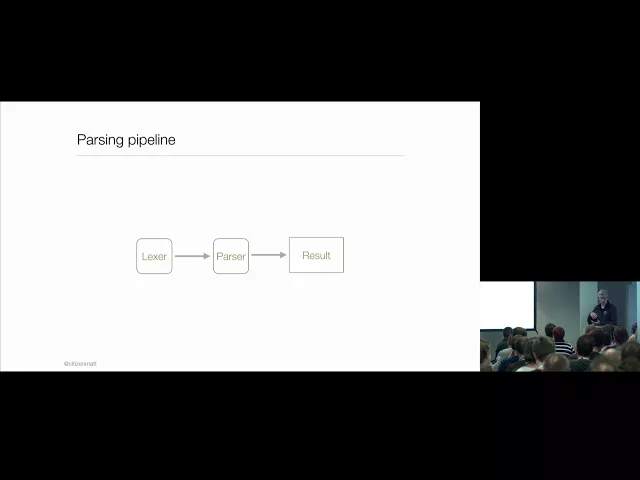











Lexing is the process of breaking raw text into meaningful tokens (like operators, numbers, and parentheses) using a state machine approach, while parsing converts these tokens into an abstract syntax tree (AST) that represents the program's structure; this two-step process enables flexible text file parsing that can handle various formatting like spaces, tabs, and line breaks while correctly identifying logical units in the input.
Go Lexer and Parser | Saving and Loading Picture Trees | EP 20
Added:Proficiency in the Go (Golang) programming language, specifically working with structs, pointers, slice manipulation, and custom types.
Fundamental knowledge of tree data structures, hierarchical relationships, and basic tree traversal algorithms.
Understanding of basic File I/O concepts in Go, including reading from and writing to files using the 'os' and 'io' packages.
Conceptual awareness of compiler design phases, specifically the distinction between lexical analysis (lexing) and syntactic analysis (parsing).
Implementing custom Abstract Syntax Tree (AST) evaluators or interpreters to render or process the loaded picture trees.
Developing advanced error-recovery strategies in parsers to handle malformed files gracefully without crashing.
Optimizing lexer and parser performance in Go using buffer pools ('sync.Pool') and minimizing memory allocations.
Comparing custom-designed DSL (Domain Specific Language) formats against standard serialization protocols like JSON, Protocol Buffers, or custom binary formats.
1.3K views22likes1:02:07Original Release: 2018-02-16
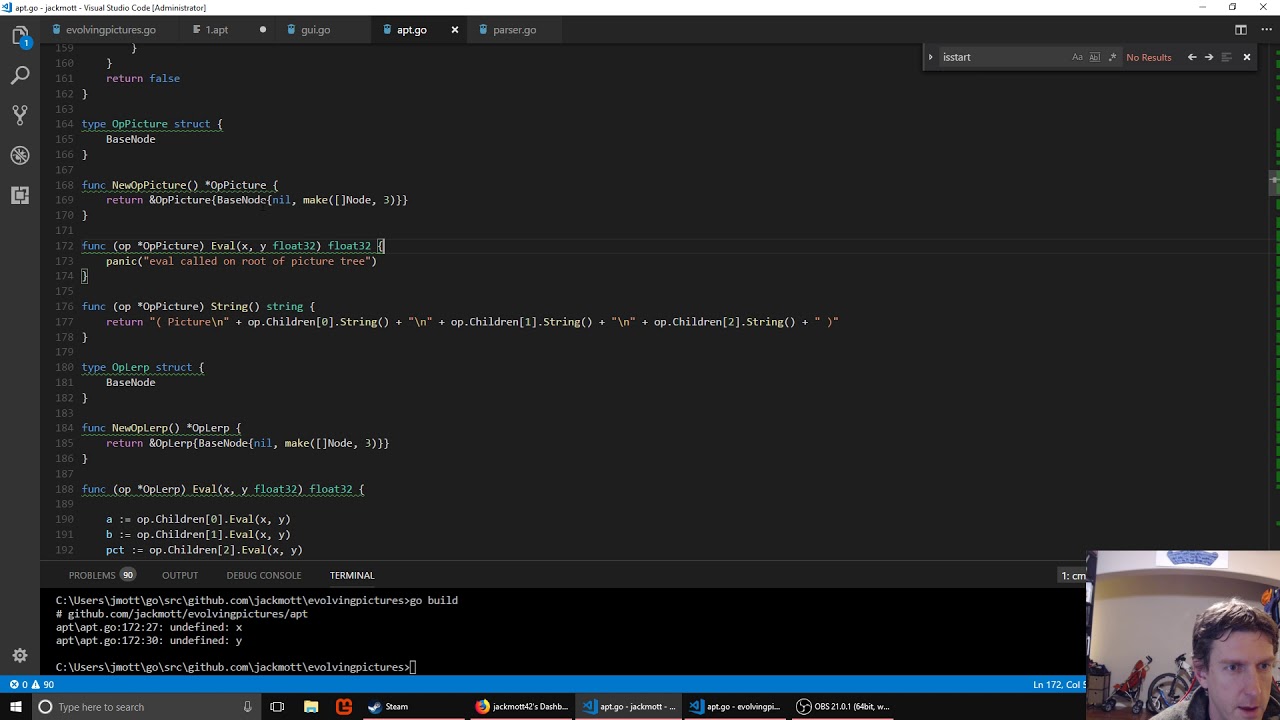
we'll welcome everyone to episode 20 of games with go where we will be saving our abstract picture trees to a text file and then parsing it back in and being a thing of the loaded back into a from a text file into an app step abstract picture tree and render it again so for a while now we've been able to take our picture trees and output them in text form and we've used this Lisp like syntax which is very easy to parse that's one of the main reasons we reused it that's what we can be able to do is save this to a text file which will let us save pictures we really like and it'll also let us be able to edit this by hand if you wanted to like maybe you like the picture except you wanted more red in it go in here and edit it by him and then load it up and see how it looks and this is gonna be a cool episode because once you understand how to do parsing and how to work with abstract syntax trees which we've been doing already you're well on your way to being able to do things like create create your own programming language or your own the scripting language yeah that lets you it's pretty empowering so it's gonna be cool stuff so first step is we need to actually save this to a file so we can load it up again so the way we're gonna do that is we're gonna we're gonna say if you if you've loaded up a large image like this and you want to save it we'll just hit s and that's gonna save it to a file it's the first thing we're gonna need to do Oh before we start that there is a bug I noticed after yesterday's episode right from the last episode in the alert operation two things one the type for oppler at some point got separated from the rest of functions so just to organize it better let's cut the off flirt type and put it down here with the other alert functions and the bug is here when we're printing it we are not printing it properly that should be 0 1 & 2 so that we print all of us children yeah I think that was it is it eval correct yeah evals correct okay well I guess one of their notes the homework ideas I had if anyone tried number two I think number Q is actually impossible or it would require passing an array a new array for every node which wouldn't be faster so uh don't do that one if you haven't already okay so saving our pictures let's go down through our main function where we get the keyword state so we're getting the keyboard state right here and the only thing we're using that for is to detect if someone's hit escape to close it to save we want to also have the previous keyboard state so we can see if someone has pressed the S key and it let go otherwise pressing the S key is gonna fire lots of times and save the thing lots of time so we don't want to do that so just like we have keep track of the previous state for the mouse we're gonna do it at the keyboard as well and we need to actually make a new array of bytes think this is array of bytes so UNH which is the same thing I think and this should be the same link as keyboard state and then we're just gonna copy it so we'll loop through the keyboard stay we can just say the that's quicker yeah and then we'll bring this loop down to the end of our game loop and copy it there so that happy beginning of each loop we'll have the previous state here and then SDL manages the keyboard state array and it's gonna update it right here when we call poll event okay so now we can detect the s key being pressed and then let go and so we're gonna want to check through that in the zoom state so zoom States here so we're gonna say if keyboard States scan code s is not being pressed and previous keyboard stage is being pressed then we're gonna want to save so let's make let's make the function for saving and the other thing we'll need is we'll need our zoom state to also have a copy of a tree associated with the image because we don't right now so let's go up to the top and add a student tree what's a point to a picture and then here we'll set it this is an inside of our loop where we check for a right quicks will say state zoom tree equals pick trees eye and we don't need to print it anymore we're about to save it okay so now we're gonna make a function - oh we need to when we set the state in the first time I give Anil for the picture tree as well okay now we'll do our save function which will accept a picture tree and we gotta save it to disk which we've never done any writing to disk before I don't think so let's do it now we're gonna need a package called IO import or IO you tell and that is imported like so io / io util we're also going to end up needing the OS package let's go back down to save tree okay so we need to have some scheme for saving wrists we're not gonna pop up a file dialog and ask for a file name at this point so what we'll do is we'll just say that the the first time you save it an image it's gonna save it as one apt for abstract picture tree and the second time it'll be two and so on and we can actually look in the file system and see like what the biggest apt is saved so far and just save it with one plus stott so to do that we need to get a list of all the files in the current directory and that's pretty easy [Applause] as always check for errors we'll say the biggest number we have so far zero will iterate through all of the files try this files is an array of file infos and one of the things you can get from a file info is its name so that's the file name and we'll check to see if oh we need a new class here so a new package too important as a package strings which has some handy string utilities so let's say if strings dot has suffix so what this does is you give it a string our filename and a suffix you want to check for and it'll check to see if this string hat ends with this string so if it has the suffix then we want to see what number is in front of it so we'll say number is strings that trim suffix number and what this will tell us is this will give us a string that has this suffix removed from the end of it ok so this will give us everything before the apt and if we want to take that string let's call this number string and try to turn it into an integer and again let the import a package go back to the top there's a package called string conversion which has handy string conversion functions so we'll call string conversion a e2i which converts a string into an integer or errors if it can't convert the string into an integer so if air is not equal to nil let's say if air is No so if there was not an error then if the number we got is bigger than the biggest number so far biggest number equals that number suffix of an X okay so what this is gonna do is go through all the files in the current directory check each of them to see if they're apt files get the text that precedes the file extension try to convert it to a number if it is a number check to see if it's bigger than the biggest number we've had so far so at the end of this we'll get the biggest number and if there is an error if someone has a non numerical AP apt it's just gonna ignore it and that'll be fine okay so now that we have our biggest number we can make our state name and we'll use string convert again and go backwards this time we'll go I to a which turns a number into a string and we'll take the biggest number plus one and then we'll add dot apt to the end and then we need to create that file and for that you can call OS dot create and give it the file name and that's going to create a file handle for us and again check for air will use defer make sure that file gets closed and then to write to that file we can call F printf which is like the print line functions we've been using but will write to a file instead of to the console so we give it the file handle and then we just call a P dot string which is a function we already have that turns picture trees into this stream we see down here so that will get written to a file instead of the console when we save alright so that should all work now if we haven't made any mistakes so let's try it so we'll pick an image we like maybe this one we will hit s and here we go you can see it if you have V s code you can see the new file if not you can close the program and list the directory so we've got one apt and we've got our string there alright so that's the easy step saving it to file now we need to be able to parse this and turn it back into the national data structure and we want to make it flexible enough that we can you know have spaces in here carriage returns or tabs and have it all still work right we don't want it to be too picky and have to look exactly like we out better because if humans edit it they might introduce different spacing and stuff and that should be okay okay so the job of parsing stuff from text files into data structures it is pretty tricky the way it's there's various approaches to doing it what some people do is use external tools where you can describe your language in a special language of its own and then the program will output a parser for you now we're gonna do it by hand because the point of this stream is to learn so first thing we're gonna do we're gonna make we're gonna have a bunch of functions for doing the parsing and we're gonna keep it part of the abstract picture tree package because it is gonna it naturally goes along with it it's gonna be using it it's gonna be building an abstract picture tree but we can organize things by creating a new file in our apt folder alright we can give it a new name but we can still put package apt at the top and then it'll be as if these are all in the same file as far as the compiler is concerned but it may be a little bit better organized as far as we the humans are concerned so this is just one way you've one option you have and organizing your code if a package starts getting huge and you try to having a hard time finding stuff then you can split it up into multiple files however you want so we're gonna do that we're gonna put all the parsing related stuff in here okay so parsing is usually broken up into two steps step one is called lexing and what lexing does is take the raw text you have that might look something like this and break it up into tokens where each token is one logical unit that you're interested in in the text file so in this case are the kind of things we're interested in are things like the parens we're gonna want to see all the written characters open and close we're gonna want to see all the operator names like lerp and plus divide simplex noise right we're gonna want to have those all grouped together [Applause] and we're gonna let's do the X's and Y's and the numbers right like we've got those constant floating-point numbers in there and so the idea of lexing is to take your your messy text file and turn it into just a list of these logical units right so this would be like an array or a linked list just one after another and that helps break up the problem of parsing which can be really it can seem daunting so instead of having to worry about it all at once first of all you worry about is just how do I break up this text into a list of things I'm interested in right and if your language had comments or something you can ignore those and not even bother putting them in your list of looks things and you ignore all the whitespace we ignore the tabs and your the carriage returns unless those are important to your to your language okay so how do we do that how do we do the lexing so when you're going through these files you typically are going in different states like at the beginning now you might be looking for your first open paren and after you've found an open paren then you're looking for an operator and after you've looked at an operator you may be looking for an open paren again and so on if you see a number then you need to start going into a state reader reading in a floating-point number so you're transitioning from one state to another based on what you find in the file as you as you go along through it and that concept is known as a state machine so often you want to create some kind of state machine where you can easily transition from one state to another as you find new things in the in the text file so one clever way to do that which I have completely ripped off from Rob Pike who has a great talk on how to do lexing on YouTube I'll put this link into chat you can you can watch this later he explains it really well and our lecture is gonna look a whole lot like this a little different but not not much so this all comes from him the lexing part the parsing will have to do on our own after that but it's not hard so the basic idea starts with this you have a state function which is a function that takes in a lexer and i'll show you what that is in a minute and it returns another state function so I don't think we've seen this before in in the stream but we are creating a new type called state function and that type is a function you can you can do that you can make types that are functions and it's a function that has to take in a pointer to a lecture and it has to return another state function so we can make multiple functions that are state functions right like this would be [Applause] these would both be state functions because they both take in lectures and return different state functions you just have to satisfy the signature defined here and that means you are a state function so that's the heart of it so what is a lecture the lecture is just a data structure that basically keeps track of where we are in the text so we're gonna have our input which is a string and that'll just be the entirety of the file we're loading in in this case we're gonna have the current start position in this input string of the current token so whatever token we're working on start will point to the beginning of it in the input string right so if we see a number all right starts gonna be like right here and when we get done start will still be right there then we go to the next token position will be the actual character we're pointed at at the moment in the string right so we're gonna tend to keep incrementing that by one to look at the next character over and over occasionally you might want to back up to width is the width of the current character that we're looking at we're gonna be supporting Unicode which means some characters are multiple bytes and width will let us keep dropping back and then we're gonna have our tokens which is going to be a channel and this is going to be cool because what we're gonna do is as we get tokens instead of just putting them into a list in waiting until we're done to begin parsing the tokens into an abstract syntax tree we can actually have the lexer running on a separate thread or a separate go routine spitting out tokens as it gets them and the parser can start parsing on another thread at the same time and it turns out you can do that without even making the thing a more any complicated than it would be like you get free multi-threading to some degree I'll be see it's not a big deal for files this small but it's fun that we can do that okay so what is a token this is a very typical structure for a token you're gonna have some kind of type indicator indicator right is an open print is it a function name is it a number and so on and then a value which is a string so for instance we might call all of the operators we might call these operator and then the string the value we're gonna put in here would be the actual name of the operator we found so when we have our list of tokens we're gonna know exactly what everything is and exactly what string it can taste that will make the final parsing step much easier so a token type is just going to be an enum and enums are a little bit bizarre to define and go first you make a type alias for an int so token types will be int then you make a series of constants and you use the magical iota to say that you want this to be zero the next one to be one the next wouldn't be two and so on so open friend we're gonna have close friends our operators and our constants constants are going to be different than all of our other operators because we have to parse them as numbers so we're gonna keep track of them separately okay this is the basic structure how are we gonna kick it all off let's make a function call it begin lexing and it'll take in the entire file as a string and when it's done it's gonna return a node because the lexer is also going to kick off the parser at the same time and when everything's done we'll get back a note so let's make our lexer object so the input we have an S we're gonna initialize our tokens so I don't know if I've shown this syntax very often for Struck's but if you don't want to have to provide all of them in order you can provide the name colon and then the value so we're not gonna prune or not gonna provide all of them a lot of these just going to be 0 so I don't have to bother so tokens need to initialize we can make a channel it'll be a channel of tokens and we're gonna make it a buffered Channel I'm just gonna give it a thousand that might be overkill there we gonna hundred it doesn't matter much what this means is that the lecture can keep putting tokens into the channel even if the parser hasn't pulled them out yet if you did not make this buffered then once the lexer put something in the channel it would pause before I could put another one in until the parser had taken it out so my buffering at the lexer can keep zooming along even if the parser were lagging behind okay then we're boy to going to have a run function for our lexer so this will be a function attached to the lexer call them run and this is kind of where the magic happens so we're gonna say for state so we've got kind of a magic loop here what the loop does is it sets state equal to some starting state function we're gonna give it right one of these and it's gonna keep loop looping as long as state is not equal to nil and each time through the loop state is going to equal the state it get back gets back from the current state when we pass in the current lexer so this is how we go from one state to another right so if we start this with a state function that's looking for an open paren then when that completes it's going to return a new state which might be looking for an operator and it's gonna go again and when that's done it might be looking for a paren again and so on so we need to figure out what the first that first something is so we're gonna make a our first state function when we're all done with the loop we are going to close close the channel so let's make our first state function so this will be one that basically starts looking for the first token to grab so I'm gonna call it the term in token it takes an elixir that returns a new state function this is going to loop and each time through the loop we want to grab the next character in the string see what it is and decide what to do with it so in order to grab the next function or at our next character we want to have some some helper functions so we're gonna do a whole series of helper functions here and break this hard problem up into lots of small easy problems first will be next this will be built onto the lexer lectures our receiver and it's going to return a room a rune is a go type that just defines a unicode character it could be a multi bite character so we're gonna look to see if the current position in our lexer is greater than the length of the input so if we try to call next and we're and we're now past the end of the file we'll set the width to zero and return e o f + EO f we're gonna define we haven't defined that yet just says negative one that will be our special signal that we're done we're done with coal okay otherwise we want to get the current character so there's a special package utf8 we'll need to import that let's do that though unicode slash utf-8 so we'll call utf-8 decode decode rune and string we're gonna give it a string give it a slice of our string that starts at the current position of the lexer all right so we're taking our string and getting a slice that goes from the current position to the end and decode rune and string gets the next rune in that input which might be multiple bytes in that string and it also returns the width of that room so we said we're setting the width and then getting the room getting the character and then we need to update the position by adding the width that we just got and they're gonna return that room okay so now we've got a function we can call to easily get the next character which updates our lexer when we do it something else we might want is the ability to backup sometimes you try the next character it's not what you've expected to need to back up and do something else so you back up by the width of the current room another function we're gonna want is an ignore function this is how you can like go further along in the input without actually storing anything this is what you might do with with whitespace characters for instance so we update the start position of the current room to the current position right because we're not gonna take the current stuff we're looking at as part of the next token it's just we're just skipping it and finally for now we're gonna have a peek which lets you look at the current character without advancing the lexer so we're gonna use that same decode route and string but without doing all this updating of the position okay that's a good start let's go back to our determined token function so we're gonna use a switch statement let's say R is equal to L dot next so we're getting the next route and we're gonna look at what it is so let's think about the possible things that could be it could be whitespace it could be an open print it could be a close friend could be start of a number it could be the end of a file or it could be is it could be an operator right it could be the next thing we find as an operator what do we think it's gonna be an operator so we need some more helper functions again so we need to check be able to check to see if a room character is whitespace open print and close print or easy that does it right there we also need to check if something is a number so let's do the whitespace and number helper functions so the whitespace should be pretty easy we'll just say funk funk is whitespace takes in a room returns a bool and we need to check three cases that I know of maybe four so this would be a space a new line in a tab and maybe we should also check for a carriage return is that a /r so maybe we when you look for that right so these are all characters that are white space that we just want to ignore and is white space ball tell us that's what we've got and then the other one we might want is whether we are a number and for that we want to check if R is greater than or equal to the zero character and R is less than or equal to the nine character or R is a minus or R is a plus so if if we see a character that is a zero through nine or a minus or a plus then we might be looking at a number so that gives us those so if we imagine what we're going through this we're looking to see if we have white space and we skip it we're looking to see if we have parens and we're looking to see if we have the starts with numbers so we can pretty much assume that if we have not found any of these things or an end-of-file that we must be reading in an operator that's all our language has right it's got operators prints and numbers so we can assume that if we haven't found any of these then we're reading it an operator that has to be a bomb okay so what do we do in each of these cases the whitespace case is easy we just ignore it okay chat asked what about a dot four is number of floating points good question we should probably rename this I guess it's possible that a human could enter a floating point number like this uh yeah you're right we should we should allow a dot so we'll say our equals dot to check for different numbers I'm still gonna call it is startup number because that's really what really connect okay so white space we use our handy ignore function which will advance the start pointer in the lecture in the case of our in the case of our we're ready to actually spit out a token so let's make another helper function to spit out tokens we're gonna call that Amit Amit will tell the lexer go ahead and spit out a token that's going to take a token type and spit one out so we're gonna take the tokens Channel and write to it a new token we'll say the token type is whatever we pass in then we take a slice of the input from these start integer to the position integer and then we'll update our start to the position very mitigate tokens we're gonna move on to the next one and something interesting to note here the way we're using these slices slices of the string is that like these tokens don't actually have a separate string they are just pointing to a region of our original input string so we're not actually making any copies of that data at all so it's really good with memory or just we're just passing around slices of the strings we're not making any copies which is especially good when you're working with garbage collection because you don't want to allocate memory because then you have to collect it okay so that can emit so to handle this we just held that emits open print and here we just al not emit close print simple okay is startup number is harder because now we have to parse a number so this is going to be our first first time when we have a new state function so we're gonna want elects a number so we're gonna return a new state function we don't we don't call it we just return the state function that needs to run next and this loop is gonna run it so let's go ahead and set this starting started cooking right so you guys we're only giving it the name of the function here right that's our function pointer and it gets called here so the first the first state function will get called is determine token if it sees a number in the input it's going to return a new state function so that'll get set here go through the loop again call o again so we're going to need Alec's number function let's loot their function okay so how do we do this so now we're gonna need some new helper functions and we're gonna call them accept and accept run and they're gonna take in a string Tartabull so what does this do it that's right Oh strings need to import strings let's go to the top strings plural okay it takes a string of characters and checks to see if the next character in the lexer exists in the string we passed in if it does it returns true if it doesn't it backs up cuz remember it just called next so if it doesn't exist it backs up it returns false so it's a way to say is the next input one of these things or not so we can say something like this we can say L dot accept plus minus or decimal point and what that will do is if there is a plus minus or decimal point it will pull it in to the current token and advance the position pointer if not it doesn't just it stays where it is I think we can say digits one two three four five six seven eight nine and now what we want is something like accept so we're gonna copy except we wanted to accept sort of multiple times in a row like here we're just looking to see if it started with a plus minus or a period now we want to pull in all the digits we find so every every however many times we can call next and keep getting one of these digits we want to keep accepting so to do that we just turn this into a for loop and this does not return a boolean it returns nothing so it's going to keep advancing through the lexer next next next as long as it exists in the string of valid characters and once it does it we break out and back up so the first the first character is not part of the number we put it back on the lecture so now we can call accept run on our digits now because this could be a floating-point number once we've run out of digits to accept then we will want to see if we can accept a period and if we do accept a period if that's what was next then we pull in digits again right because a floating-point number could be something like like that so you're gonna pull on the 1 2 & 3 then except run would stop then you check see okay did we get a did we get a period if so then more digits and the way this is written right now someone could enter a number like this and it would accept it but that's okay because we will be checking that eventually another way to there's always a trade-off like how much checking do you want to do in the lexer versus the parser sometimes it doesn't matter it probably takes more experience than I have to decide that intelligently okay what's okay yeah so we're gonna have a special case here so we think we have a number because we had a plus/minus or a period at the start but there is one case from we'll have a - at the start when it's not a number and that's our - operator right so we need to check for that so we're gonna check to see if the input if the entirety of the input right so we go we've done all all this accepting but if all we got was a - right we're taking the slice from the start to the end after all this accepting of things and all we get is a - then we know what we actually got it was just an operator the - operator in this case otherwise we should have an entire number now and we can omit it as a constant and then when we're done lexing a number we can go back to the determine token state and then the final case is if we get a operator oh we think we're at an operator because it hasn't been anything else then we'll want to return a new function state our new state function Lex op we're gonna use the accept run again and so we expect our operators to be upper or lowercase characters or the plus minus divided star symbols and there could be numbers in it as well so we'll give the plus minus divide multiply and we'll do the whole alphabet and then uppercase and then the numbers that should be everything so this will just pull in however many characters there are in a row that match one of these all right so as soon as it hits white space it'll stop or a paren it's gonna stop and then once it's done that we can beam it the operator and then go back to what determining the next token is that we need to return ok what's left okay begin lexing that's where we all started so we've we've made a lexer but now we actually need to run it so we're going to use a go routine so the lexer would not be running in a separate thread or separate go routine going through this loop going through all its states and emitting tokens to the channel so well I'll probably not want to do is go on to parsing so the parser will take just D tokens for now let me get an error because our parse function doesn't exist yet let's make it let's do funk parse takes a little chin of token call it tokens and that will return a node at some point we'll just return nil for now we're not gonna have time to parse tonight but we should have time to see if we have next things so what we want to do is loop and get a token from the channel so the okay variable tells us if like that if the channel has been closed and there are no more tokens available we'll get not okay otherwise we should be able to [Music] print the value put a comma between them okay so that should print out our tokens if we get them what's the problem here cannot use L dot next oh it should be index room okay so now all we need to do is tell our program to load up these things somehow so we'll go back to evolving pictures go and go down to our main function then somewhere in here we're gonna get command-line arguments so we're gonna pass in what file we want to load as a command-line argument when we start the program and you can get at those by calling OS args this returns a slice of string so this is the command-line arguments and whenever you get arts all languages are like this when you get the command-line arguments the first argument is always the program's name itself so what you're really looking for is the second one so we're gonna see if we get a command-line argument all right so if the length of this is greater than one because the first one's always the command itself then we've got a command-line argument and we're gonna want to do we're gonna load our thing from a file so we'll say when you load things for the file you typically get them typically get them as bytes we're gonna use I util again to read a file the same way we did to write one with a file name and that will be the argument the second argument article so if we have an error we will freak out and then we can make our bytes a string by just casting the bytes to a string and then we can say again lexing our string and then we will just return oh [Music] okay I think that will fire it all off let's see what happens we're gonna pass it they make sure I haven't added any unexpected stuff in here okay so I'm running evolving pictures go and giving it the one command-line argument one apt so let's see what we got it looks like it might have worked we kind of made it hard to read so let's fix that let's just make this print instead of front line all right so it looks like we've got our tokens everything's broken up into a list our numbers were separate friends are separate and our function names are separate but it also looks like this is running forever so let's see why that's happening something is going forever and ever and ever let's go to the parser never got here or it would have panicked hmm oh yeah here's a problem so we're getting to end-of-file we are not returning nil so we need to return nil because that tells our loop right here to exit which will then close the channel and then things should actually stop so let's give it a try all right there we go so we got to the point where we had no more tokens and panicked which is what we that's what we want for now all right we've got the almost exactly at 9 o'clock we have next our input we've broken it up into a an array of tokens and surprisingly this was the hard part turning this into our abstract picture tree again is pretty easy and so next episode we'll do that and once we've turned it back into an abstract picture tree then obviously it makes it when we're ready to render it cuz we already know how to render those any questions about that about the stuff today there's some pretty there's some new stuff today we have the types that define a new kind of function we have a kind of weird recursive function loop here so if there's any questions let me know or if you have questions about previous episodes anything at all by the way this this case we have here where we can potentially accept something like that as a number we will catch this in the parser it's at some point we're gonna take the value in our token which will be this and try to turn it into a floating-point number and we'll get an error at that point so that's okay all right looks like no questions from chat no no homework stuff tonight because we're gonna be going straight from from this to the parser next time and the parser won't take very long so we'll have to think of a maybe other things we could add to this tomorrow like the second half of tomorrow so if anyone has any ideas feel free to type them into chat or let me know on Twitter there's lots of possibilities with this so that is it for tonight thanks everyone for watching
Up Next

14:23
Food Science: How Probiotic Fermentation Creates Sauerkraut
@cincinnatimuseumcenter
12.7K views•2021-04-15

12:54
Triumph of Orthodoxy Icon: Byzantine Art & History Explained
@BenCallan
2.1K views•2024-08-06

9:49
FastAPI vs Flask vs Django: Choosing the Right Python Web Framework
@TechWithTim
302.5K views•2024-05-26

1:42
Game of Thrones Opening Credits: A Cinematic Analysis
@gameofthrones
46.3M views•2011-04-18
Related Study Plans & Knowledge Roadmaps
Structured learning paths in General & Interdisciplinary Studies
general-studies
Elevator Engineering: History, Physics & Cities
01From Hoists to Safety Brakes: The Dawn of Vertical Lift
02Hydraulic vs. Traction: The Engineering Physics of Elevators
03Modern Speed, Safety, and Algorithms
+ 2 more learning modules
12h5 modules
Explore Roadmap
general-studies
Rubber: Material Science, History & Geopolitics
01Origins of Natural Rubber & Mesoamerican History
02The Chemistry of Natural Rubber & Vulcanization
03The Geopolitics of the Rubber Boom & Colonization
+ 2 more learning modules
12h5 modules
Explore Roadmap
general-studies
Containerization: Evolution, Logistics & Trade
01Ancient Trade & Bulk Cargo: Amphorae to Barrels
02The Industrial Revolution & Cardboard Packaging
03The Containerization Revolution: Malcom McLean
+ 2 more learning modules
12h5 modules
Explore Roadmap
general-studies
Textile Tech: Evolution, Labor & Global Impact
01Pre-Industrial Textiles: Handloom & Cottage Industry
02Mechanization: The Spinning Jenny to the Power Loom
03The Factory System & Global Labor Transformation
+ 2 more learning modules
10h5 modules
Explore Roadmap