













![Do Modelo TO BE para a Automação - um repensar sobre o processo [Webinar gravado]](https://i.ytimg.com/vi_webp/1pLJfBRCkjw/maxresdefault.webp)

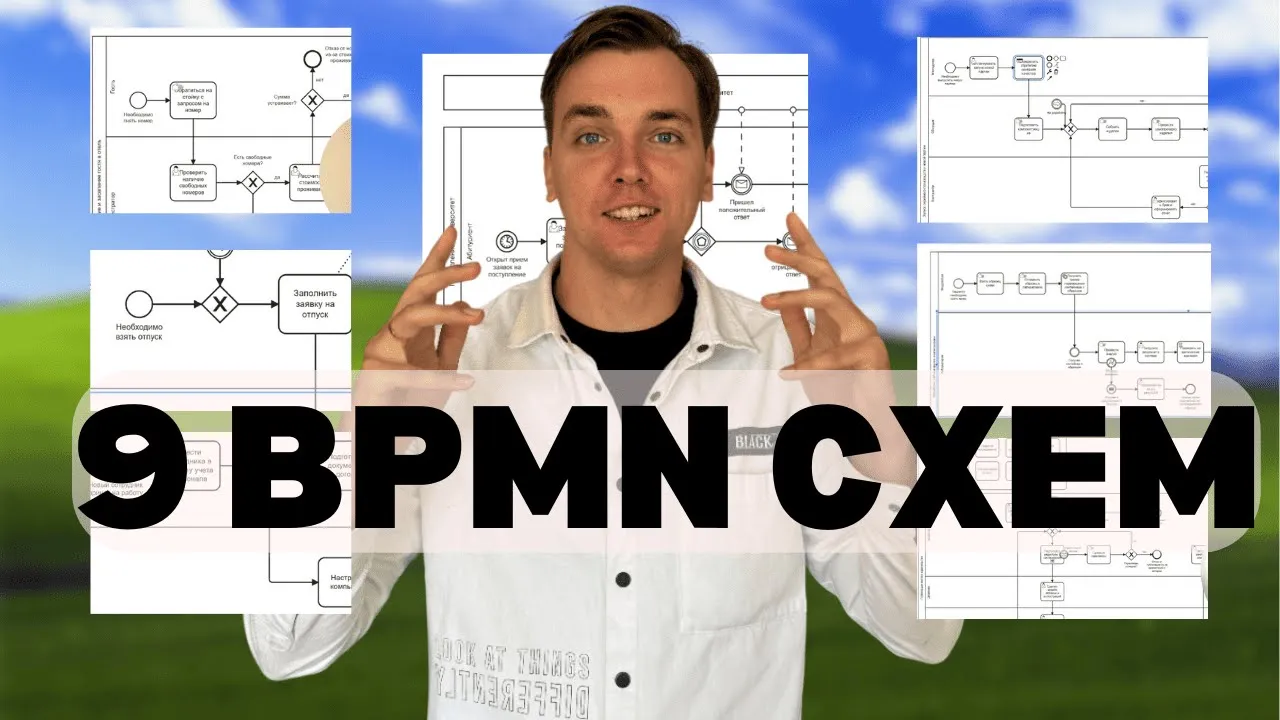
Business process mapping is a systematic approach to documenting organizational workflows using standardized notation (BPMN 2.0) to achieve clarity, identify inefficiencies, and enable optimization. The process involves gathering information about activities, stakeholders, and business rules, then visualizing them using pools (representing entire processes), lanes (representing departments or individuals), tasks (rounded rectangles), events (circles), and gateways (diamonds) to control flow and decision points. Tools like Bizagi Modeler facilitate this documentation, enabling organizations to create, publish, and optimize workflow diagrams that support internal audits, employee training, compliance requirements, and ultimately drive operational efficiency through automation.
Bizagi Modeler BPMN 2.0 Tutorial: Business Process Mapping
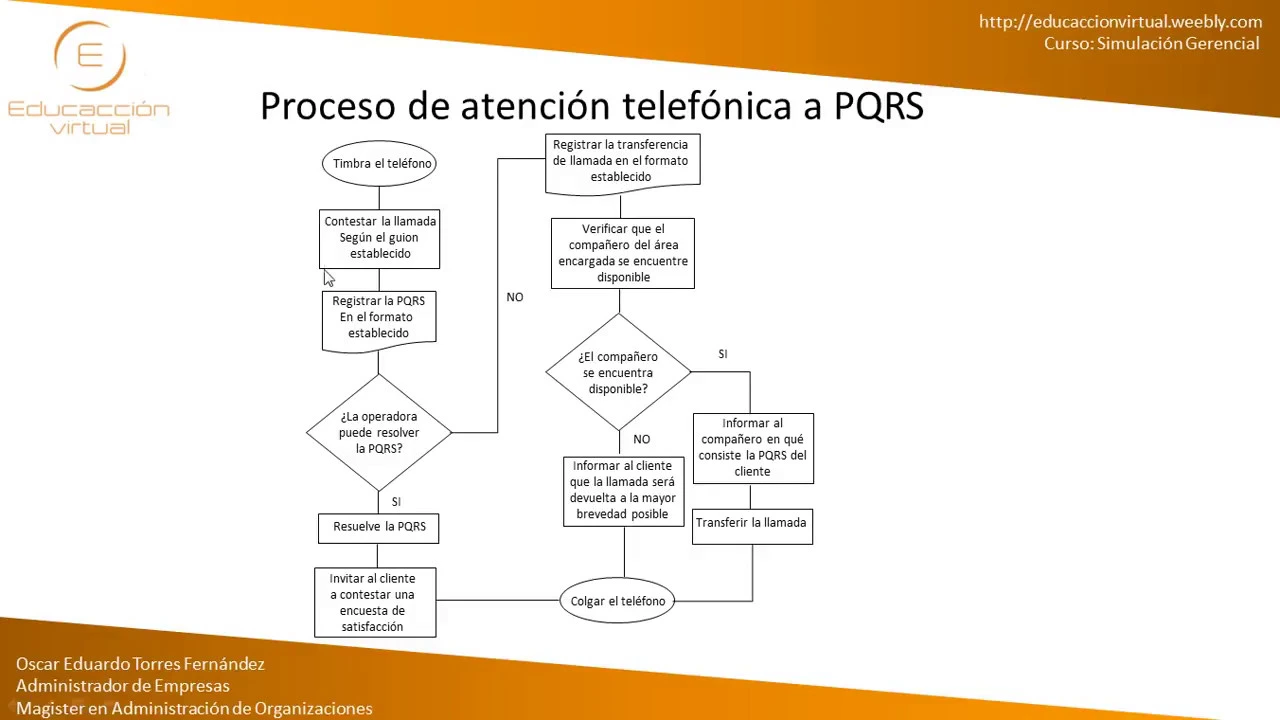
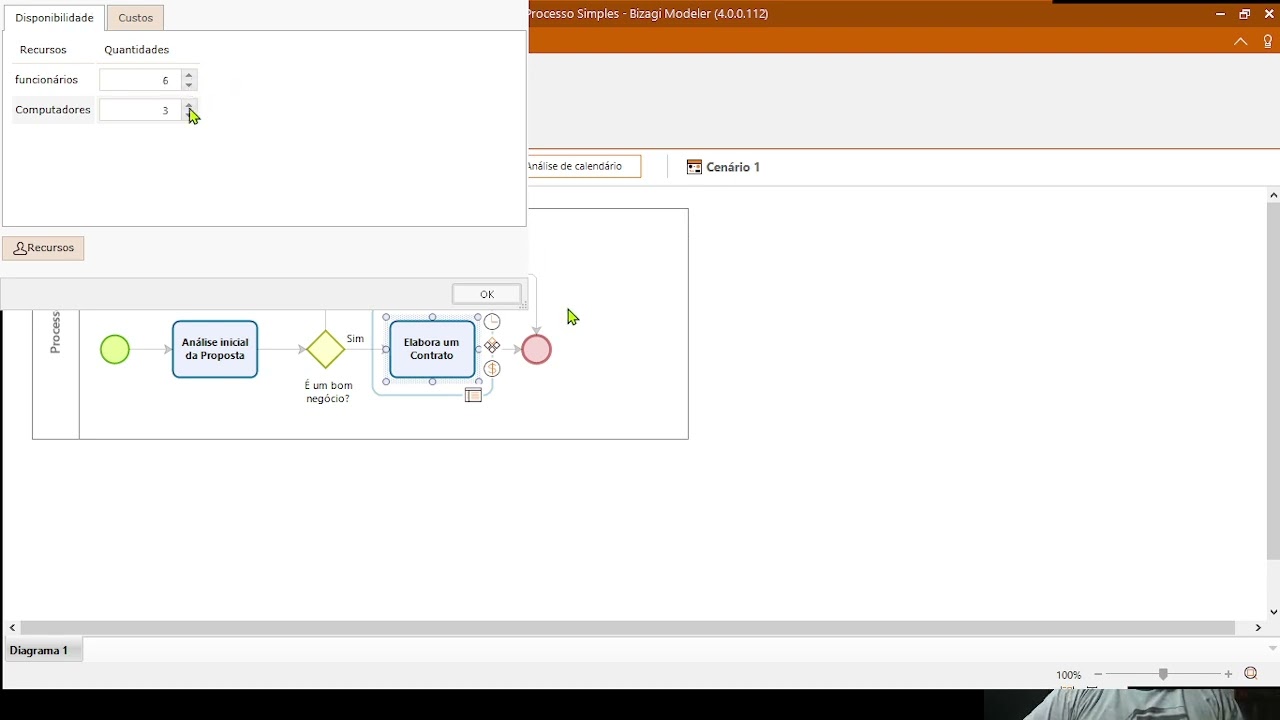
Added:welcome to business process mapping tutorial we will identify and improve the business process with the help of business process mapping tool but before we start let me give you a quick introduction of what the business process is all about so if you see here on your screen you can see this is a typical business process which has various activities and start and stop event and i will let you know what is the standard and how we have to map this process but before that let me clarify a few concepts here so what is the purpose of process mapping so there are various reasons why we should have it but some of the common reasons that i am mentioning here is we need to have clarity to see what we are doing how we are doing it and why it is done in that way so that's the reason we will be able to find the best way to do that then we will have a better understanding of the operations and increase the efficiency and productivity together with this we will have a detailed understanding of our business processes so we will have the understanding of all the activities involved in this and we will be able to [Music] identify the irrelevant activities or redundant activities so that will help us to reduce the complexity and once we reduce the complexity in the processes it will help us to optimize the business process once the business process is optimized then we can automate the business process with the help of any business application and erp system or any other system now there are different standard processes also available or best practices available so we will be able to map that we will be able to find the gap and then we might do the re-engineering of our business process so once we do the re-engineering we'll be able to see the gap that how we have been doing it and how we can do it in the new system these are some of the common aspects or common purposes of the process mapping let us move to the next step and see what are the uses of processes once you have the business process mapped and you have visualized the process and once the process is documented how it will help us it will help us to do the internal audits in a more efficient manner in a better way and it will also help us to standardize the processes across all the departments or across other group companies or companies and it will create a benchmark for the business processes then it will also help us to do the training of our employees be it a new employee or the refresher courses or workshops it will help us to visualize the process and do the training of employees improving the business process we have also seen why we do it and we also improve the business process while we if we want to improve the business process we can have the business process first documented and then we can optimize it or improve it and then sometimes it is a requirement of compliance also com regulatory requirement is also there so when you have the qms in your in at your workplace and when you you want to have the iso certification also so you need to have compliance you need to have the business processes in place it will also help you to do communication it will help you to communicate in a better way when we are talking about the business processes so these are some of the uses of business processes so where do we find business processes business processes are of course everywhere in our business so we can find the business processes everywhere we have the core business processes like sales order processing purchase order processing and then all these processes will be having sub processes there are various repeated activities that we do every day in our business so this is what the process is all about but how we do the process how we map the process or how we visualize the process or how we document the business processes the best way is to take this as a project so your buy in is crucial you have to be part of this project and you need to make sure that you spare your time to uh draw the business process or to get those all ideas to brainstorm to document everything so best way to document any business process is to map the business process so we can start with core processes instead of doing all the processes on one go we can start with core processes and then one session one entire process this means that if you want to document one process one business process in one session you must complete that process don't leave it in the middle and do some other work complete this process and then only you close this task so we will be following swimlane flowcharts there are various methods to do the business process mapping but most common and most effective and most popular is swim lane flowchart so we'll be following swimlane flowchart and i'll show you what is that so these are in the swimlane flowchart we are following the business process model and notation which is bpmn and this is the global standard and currently the global standard is bpmn 2.0 so i'll explain you that as well but these are the symbols that we'll be using in next slides i'll show you and in the tutorial also i'll show you how these all options are being used how these are how these parts are being used in the business process so bpmn is a trademark of omg which is object management group so they have developed the business process modeling and notation standard and the current standard is bpmn 2.0 so what is there in the bpmn 2.0 right now you can see this blank screen i will show you the process that how a standard process can be drawn and what are the standards as per bpmn 2.0 the first white box that you will see this is called the pool so consider this pool as a swimming pool if you see a swimming pool looks like this as a rectangular shape inside the swimming pool we have the swim lanes so this is called the swim lane one and swim lane two so these swim lane one and swim lane two can be we can say it for example if this pool is a business process and these two are the departments so if we see this this particular complete pool or this complete pool is the business process and this lane is called the department or the person who is doing certain activities so this is how we name it so this is called pool and these are called lame so when we talk when we draw the business process or we when we map the business process we can always name it like the pool and first lane second lane or we draw the lanes then inside the lane we have a task task is a rounded rectangular shape symbol this is called task this is called event a circle is called event right now this green circle means the start of the event which means that the event will start and the event will end in the process there is a start event and there is an end event and of course when we have the arrow that will mark that will show us the flow of the process the direction of the process so this is called the flow and then this particular diamond shape is of course we are using this for the decision point and all this but we say it gateway there are different type of gateways which are being used in this which are which we are using inside the business process and gateway is helping us to split the tasks or to run the parallel tasks again the flow will be flowing like this and through gateway we can have the yes or no option that i'll explain you when we will be doing the process flow in the software so this is the way we do the process so this is a simple process that explains you what is the pool what are the lanes what is the event start event and end event and what are the tasks and what is the gateway and what is flow so these are standard terminologies that will be using across the business process mapping so how to start of course we cannot simply start the business process until we understand what is the business process so we have to gather the information we have to understand where we will start and where will we end and then we have to see who will be the key people involved in this process and then we will sequence the actions who will do the activity first and who will do the activity last and then the business rule of course we might be having our policies in place our business logic in place so those rules will be incorporated into our business process and then we will review and streamline we will review it together we will understand that where we need to improve the business process and then we'll streamline and lastly we will use this as a base to automate we will see what can be automated and what can remain manual so this is how we will start it but before we start let me show you the bpmn 2.0 this is the uh poster that i'll be sharing with you the link will be provided to you so you can see here these are the activities the rectangular shape is called activities and this is task transaction or event base or call activity so you can see the terminologies and details here the task could be of different types it could be centers receive docs user task and manual task flow is also mentioned here the sequence of flow default flow or conditional flow and if you see here gateways also so gateways are different type of gateways are here parallel gateway is there inclusive gateway exclusive gate gateway complex gateway and event based gateway and then we have the process flow diagram which i have shown you also here this is called the collaboration diagram and here also it is mentioned pool and lane and you can see all the activities within the process and here it has mentioned the swim lane swim lane 1 slimline 2 and there is a pool inside pool inside lane there is task so you can also understand from this particular diagram and then there are events so events are explained here so i'll be usually following the same events activities gateways and then of course conversation and coherence but we will be using uh these this diagram and we'll be using these symbols now how to do that of course we have understood that we have to use the different activities and gateways and events and then of course the flow of that but is there any way to do that is there any tool to do that yes of course there is a software we have been using various software in fact uh i have chosen bizaji which is one of the best industry leading business process mapping and modeling ah tool so we can search bizaji it's b i bizet agi once you search it you will land to the home page there are various tools that bizarrje is providing but we'll be going to business process modeler so if you go here to platform so here in platform you have business process modeler or pizzagi modeler so here is platforms and here is bizaji model so we will be clicking on bizarre modeler and you will see here what this says that it is a free intuitive and collaborative business process mapping software used by millions of people across the globe and it enables us it enables the organization to create and document business processes in a central crowd repository to gain the better understanding of each step and identify process improvements opportunities to increase the organization so how it works it work helps us to create interpret and optimize the workflow diagrams using bpmn and then we can publish it using pdf excel or wiki and then helps us to improve the organization efficiency collaboration and details all the benefits that we have already discussed about so how you can start it you can just simply click on start for free it will ask you to create the free account i already have created the account i will be just signing in once we sign in you will be signing it with your user id and password which is provided to you which is which you created in this first step here i'll be signing in once i sign in it will automatically download bazaji modeler we'll wait for this to begin as you can see it has started downloading we'll just wait for the download to complete once the download is completed you will follow the installation wizard just follow the step-by-step installation wizard and once the installation is completed you will be able to open bizagi modeler so this is the the bazaji modeler once you come to your screen you will see the bizarrje modeler like this of course all the menus on top are same you can save the process flow diagram you can send and publish and then you can print the diagrams and how to draw the diagram this will be automatically the moment you create a new diagram for example if i click here new blank module so it will create a first process here as i mentioned that the first process is the process one which is process name suppose i give it a name and we can name the business process here i must say here for example recruitment process so this is the recruitment process here we will draw the recruitment suppose we want to recruit an employee or we want to do start the recruitment process in a company so how i will start as i mentioned these are the events and this is the task and this is the gateway and this is stop event and then this is the flow sequence of flow and these are the lanes and processes so if we want to draw another process together with this so we can draw the process through the pool but one pool is already there we can put the lanes inside the pool i will just simply click here and bring it and drop it here the first lane within pool is here now we'll bring another lane here for example if two departments are involved in the recruitment process so we'll be adding another lane here now you can see here these are two different lanes here one will be suppose this will be the department head or i can say it functional department head and here i will say suppose hr department now in a typical business process in a typical recruitment process we see that the functional department will initiate the process so once the process is started we will draw an event here i'll just maximize it so event will be started a process will be started here now suppose if this process starts without the start of any other process or without the start of any other event if i click right click here it will show me event type it can be triggered based on a timer suppose any process that starts its can start with a specific time for example on a certain date or time a specific activity has to be done automatically so on that specific timer it will run that event it will start that process but in this case it is not like that we will start the process manually by ourself and what will be the first activity in this process we will do the staffing plan so staffing plan will be created by the functional department and functional department will make this plan ready before the recruitment process starts so once this particular process once the staffing plan is provided and there will be different list of the staff that is required so based on that now the new activity will start and this activity will be job opening now of course this job opening will not be done by the department head it will be done by the by the hr department so that's the reason we will move this activity and will bring this to hr department so hr department will be starting the activity based on the staffing plan so based on staffing plan he will open the job the moment job will be opened there will be job applicants who will be applying for the job so we will get the job applicant review so this will be the activity or he will receive the job applications receive job applications when he will receive he will shortlist based on the criteria which is provided to him and then he will send the shortlisted candidates list to the requisition department so he might do a review application he will do this first screening maybe and finally he will call for the interview call for interview and there might be he might to conduct the interview here and based on interview there are there are applicants which are selected so the next process next next activity will be that hr department will send the job offer and now you can see that the process activities are increasing after the job offer we might send the job we might send the appointment letter and once the appointment letter is sent the recruitment process will be completed here but as we can see here once the recruitment process is completed the entire process will end here definitely but it has to start another process also which is employee onboarding we'll right click here we will do the message here which will send the message to another process or we can together with this once the appointment letter is accepted it will do the multiple events here i will just show you that so it will close this particular process and at the same time it will start another process called onboarding so i will name it employee onboarding and this will be in fact a sub process again so i can transform to sub process which means that hr department will again start employee onboarding process here so this will be a sub process here and here we will mention here gateway type it will be parallel event based gateway so once employee will be once the applicant will confirm the job appointment letter then employee onboarding process will start and the process will end so these are the activities based on our general understanding we have done now we will start optimizing it once we discuss that interview must not be conducted here it must be conducted before some other activities or what will happen for example when we receive the job applicant will he send all the review applications to to this or when we will review what will happen next so once the review is done there might be the rejection also so we might say here selected so if it is selected so the he will do the call for interview if selected is yes then the interview will be called if selected is no so he will again receive the job applications so we can do it in this way as you can see if the as per the review if the functional department has selected the applicant so he will be calling hr department will call the candidate for interview otherwise if it is no he will receive more applications or he will send more applications now you can see this is the simple process here we can again look for other parallel gateways event-based gateways depending upon how you draw the process so there are various uh processes as i mentioned if i start this process if i go to employee onboarding i can edit this sub process again from here let me save this process first so you can save it on cloud also or you can save it in your documents locally we will edit this process right click here it is saving right now so right click here employee onboarding and sub process edit sub process now as you can see this sub process is employee onboarding and inside this sub process we will have again lane which will be hr department and there might be other as well so hr department will start this process but the process will not start as a new process it will be based on some event so it will be uh signal that will be coming from the application from the first recruitment process so based on that the first activity will start he will assign the tasks to other departments or he will create employee onboarding so employee onboarding is a process that will start through the system through the hr module so this is what he will do and then there will be other activities that we can list it down that we can draw but i have mentioned you only how to draw the process here we'll go back here to the diagram one which is again if i go here edit sub process so i can go back to understand this process so we can name this also it will be suppose it is recruitment process and this one is suppose employee onboarding because these both processes are linked together so if i want to understand what is the onboarding process i'll right click here and edit sub process i'll be able to see it that this process has started as a signal from the recruitment process that employee has been appointed and he has accepted the appointment he has accepted the job offer and he has been appointed the moment he's appointed then these activities will start now if you see here on onboarding there are various other departments involved suppose one department will be the administration department and there will be the training department suppose or we can say it's suppose i t department to just simplify it i'll just show you that when the onboarding process will start there is a gateway that i'll add here and what is the purpose of this gateway as i mentioned that it is not only to split the activities it is sometimes used to start the multiple activities together suppose administration department has to apply for the visa and get get the visa and id department has to arrange the laptop in a typical scenario we will not go into the details whether the visa is approved or rejected or whether he got the visa or did not get the visa that we will see later and then there might be some induction program depending upon all this once everything is arranged and for example after arranging the laptop they will create user id and details and we might include the employee also as a lane here so we'll add employee as well of course based on brainstorm we will do this now as you can see it's not either this or this we have to do these both things we have to do these both activities as a part of this process so we'll right click here gateway type as you can see there are two type of gateways one is parallel gateway and then is inclusive gateway if you see here inside this there is a circle as i mentioned that circle means an event and then is event based gateway and then is exclusive event based gateway parallel gateway and complex gateway we will start it as a parallel gateway parallel gateway means that these two activities will start in parallel and the moment these two activities are completed then the next process will next activity can start now suppose hr department needs to confirm his or needs to do the induction so induction will be only done once post visa is ready once the employee is on board suppose they will also do another activity which will be pick up from airport and once this is done he will join the office once he will join the office then we will be able to do this next activity now next activity cannot be immediately started after this next activity will be started once the user id password is created and once this person has joined the office and then only will be able to do the induction here and this is again the parallel gateway so parallel gateway has started here every activity has completed and it has merged here again so it will start here split here and then it will merge again here once all the other tasks are completed then the induction will start once the induction is completed the process will the onboarding process will complete here now you can see here based on this you may not find it correct then we can start discussing on this we can start improving the process we can add various gateways here the events here the message here tasks here now suppose if induction task is a manual task so you will do here task type is is this user task manual task script task this is a user task if this is getting the visa this is again a manual task here arrange the laptop suppose this is again a user task here create user id and password suppose this is a user task here now those tasks which will be automatically triggered by the system there is some script also suppose which will be create onboarding spores if we create onboarding this is a user task but this is this will trigger the script so it will be a script task so it will automatically create the tasks for all these these tasks will be automatically created get the visa arrange the laptop based on the create employee onboarding task so this will be a script task and here also this is he has to report the joining suppose and this will be again a user task these are the activities that might be done within the system or outside the system so we can then choose how to automate this how to add other activities what are the missing activities suppose i t department has to register the user on the attendance management system they have to register his id whether it department should do it or hr should do it so we can discuss on it and we can then optimize it so this is how we can draw the business process once the business process is drawn now if you if i talk to you about the recruitment process now this process doesn't tell you that how the staffing plan will be done who will do the staffing plan what will be included in staffing plan what will not be excluding stuff where the job opening will be done who will do that where it will be published so based on the process we can make the standard operating procedures i'll show you that as well that once the standard operating procedure is made how we can use that standard operating procedure as a base let me open that for you so i created one sample sop for recruitment so if you see sop for recruitment there are standard reference has to be provided of course the title of that and the company name you can use the formatting by yourself so these are five first five points we are mentioning the objective and the scope what is the scope of this particular sop and who will who is responsible to maintain this and who is accountable to implement this and then abbreviations some of the abbreviations will be here and then the procedure now if we see in procedure we have mentioned the first 6.1 is the staffing plan and then in staffing plan you can mention the details that what is the staffing plan and who will do that so as i mentioned that staffing plan must be provided by head of department for an entire year at the beginning of the year with the designation employee designation of employee job description salary details and skills required so and of course maybe the date on which so based on this hr department will update the staffing plan in the hr module so this is the step if you see the procedure the first step is this and based on this first step if you see we made the process here so first process was first step first activity in the process was that staffing plan so staffing plan has to be done by whom we have seen it here then the job opening so job opening must be based on the staffing plan based on the plan and recruitment date the job opening must be created in recruitment option in hr module of erp of course now we have the software which will help you to to do the job opening so we can do the job opening and we can mention here now see the next activity is job opening so similarly all the activities can be explained here all the activities which are here if we feel that we need to make an event here if you think that some of the activities are redundant activities or not value non-value added activity so you can remove that and once these activities are removed accordingly you can update your business process you can update your standard operating procedure also now of course this is sop we mentioned at one place that we have to have the business rule as well now suppose if you have an applicant who is your internal employee so will we allow him to apply for the job or not this will be defined in our policy so policies has to be defined here based on the policies this will be mentioned this will be this will help you to make this process again make the changes in the process if for example we are hiring from employees relatives or friends do we have that policy so how to incorporate that policy here in the process and how to update this particular sop with reference to that now if you see here i have added few points related to onboarding procedure also so if you see onboarding procedures so induction and training who will do that now we have mentioned here induction so induction process will start if we see here employee onboarding so induction will start but what is there in induction whether it is an online system where the induction plan will start what trainings are included what presentations are included what employee has to read what employee has to sign everything can be mentioned in an sop as you can mention here that email account details so what is the induction i t department will send the welcome email on his personal email which will contain the user id and password for the it systems that will include the following email account details learning management system details every staff employee shall give the access to lms which will contain the company information quality policy objectives and literature describes a user so then the erp details self-service details all this and then the training will have the sop training on job training i.t system training and so on so this is how you can write the sop along with the business process so business process will help you to visualize the process entirely and it will help you to optimize it will help you to improve it will help you to communicate with the people about the process that you are talking about hope this particular video has helped you to understand the business process and to understand how we can use bizarre software to model our business process so see you next video take care and goodbye
Up Next
n8n vs Make.com vs Zapier: A Comprehensive Comparison for Automation
@jonocatliff
25K views•2024-12-23

Triumph of Orthodoxy Icon: Byzantine Art & History Explained
@BenCallan
2.1K views•2024-08-06

FastAPI vs Flask vs Django: Choosing the Right Python Web Framework
@TechWithTim
302.5K views•2024-05-26

Game of Thrones Opening Credits: A Cinematic Analysis
@gameofthrones
46.3M views•2011-04-18
Related Study Plans & Knowledge Roadmaps
Structured learning paths in General & Interdisciplinary Studies