















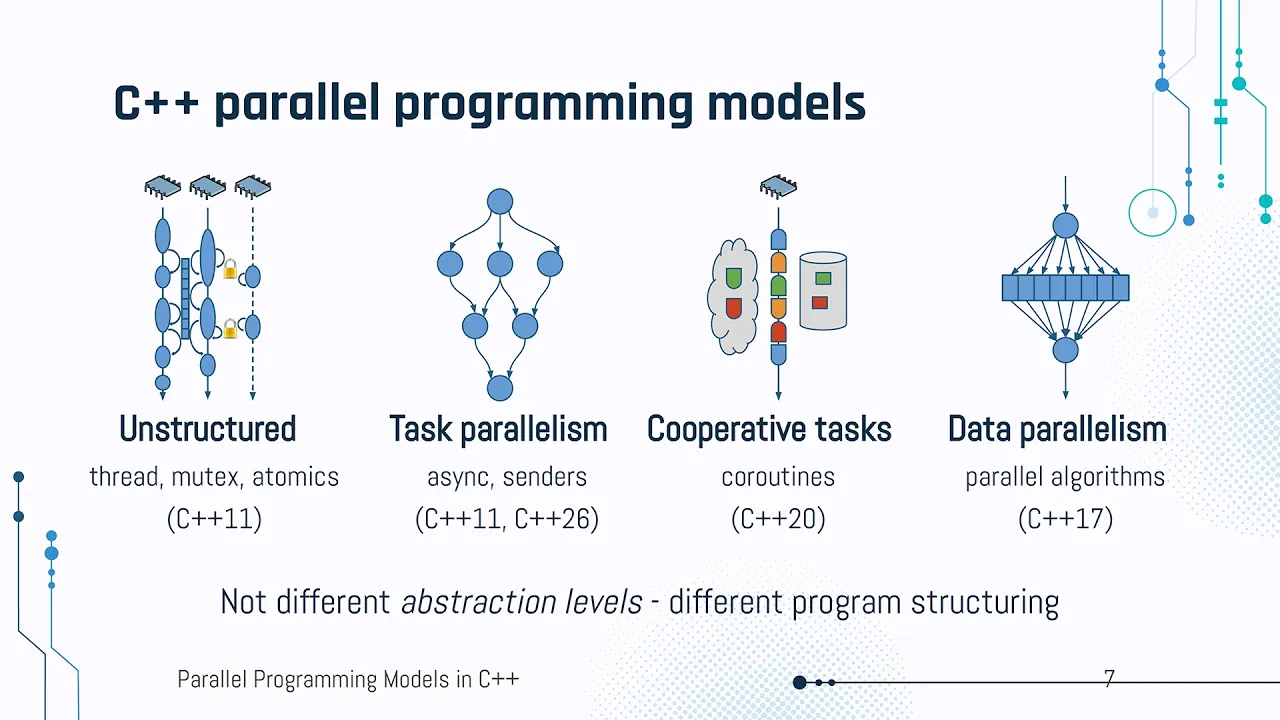






Multithreading in modern C++ (introduced in C++11) enables multiple parts of a single program to execute simultaneously on different CPU cores, unlike multitasking which only switches between tasks rapidly; this allows developers to create more efficient applications by dividing workloads into concurrent threads, such as using background threads to fetch and cache weather data so user requests can be served instantly rather than waiting for API responses.
Introduction to Multithreading in Modern C++: Build Your First App
Added:Proficiency in basic C++ programming, including control structures, functions, and object-oriented concepts (classes and objects).
Familiarity with the C++ Standard Template Library (STL), especially containers like std::vector and memory management concepts.
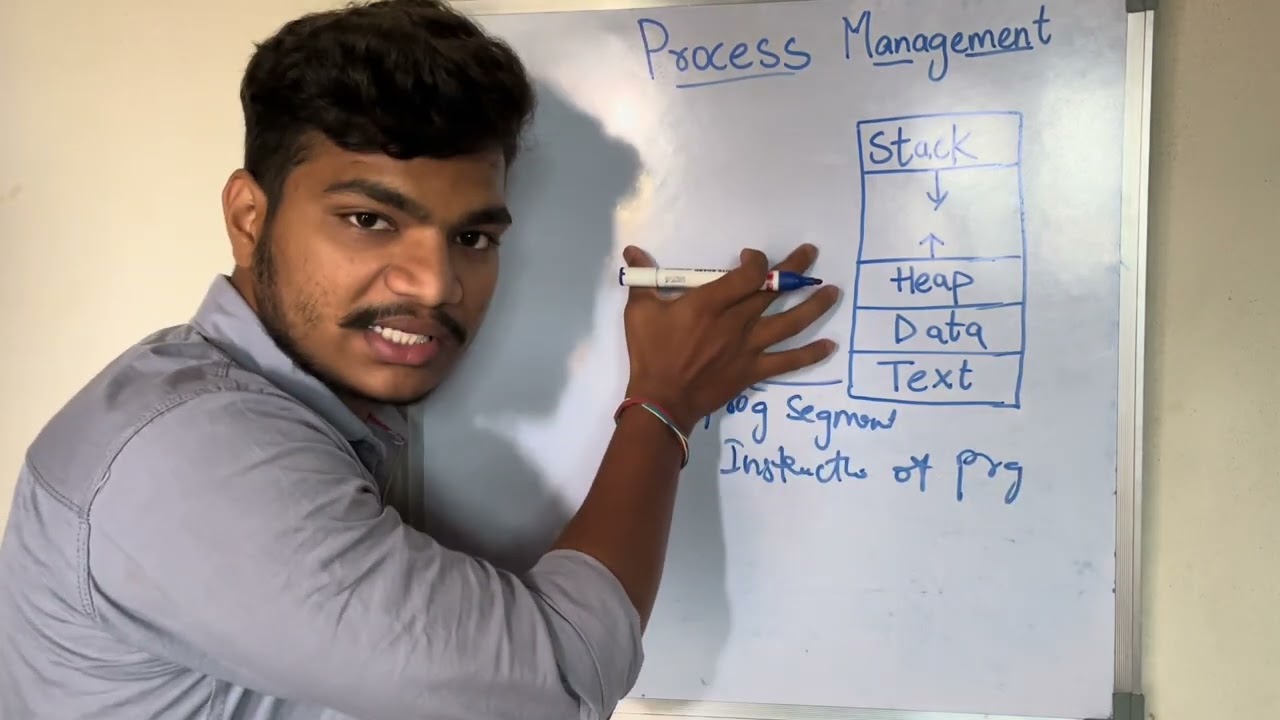
A foundational understanding of how operating systems manage processes, execution flow, and the distinction between stack and heap memory.
Basic knowledge of modern C++ (C++11 or later) features, such as lambda expressions and auto-type deduction.
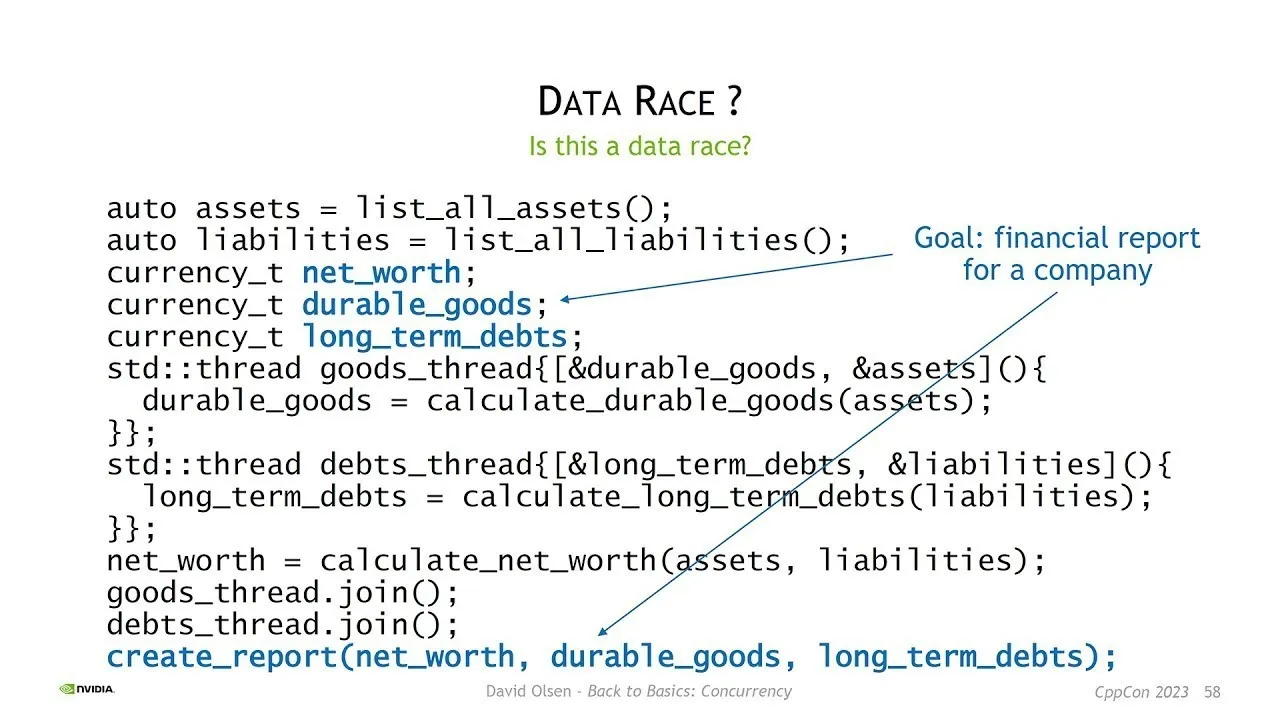
Mastery of thread synchronization mechanisms, specifically utilizing std::mutex, std::lock_guard, and preventing data races.
Implementing advanced coordination between threads using std::condition_variable to handle producer-consumer scenarios.
Transitioning to task-based parallelism using asynchronous C++ features like std::async, std::future, and std::promise.
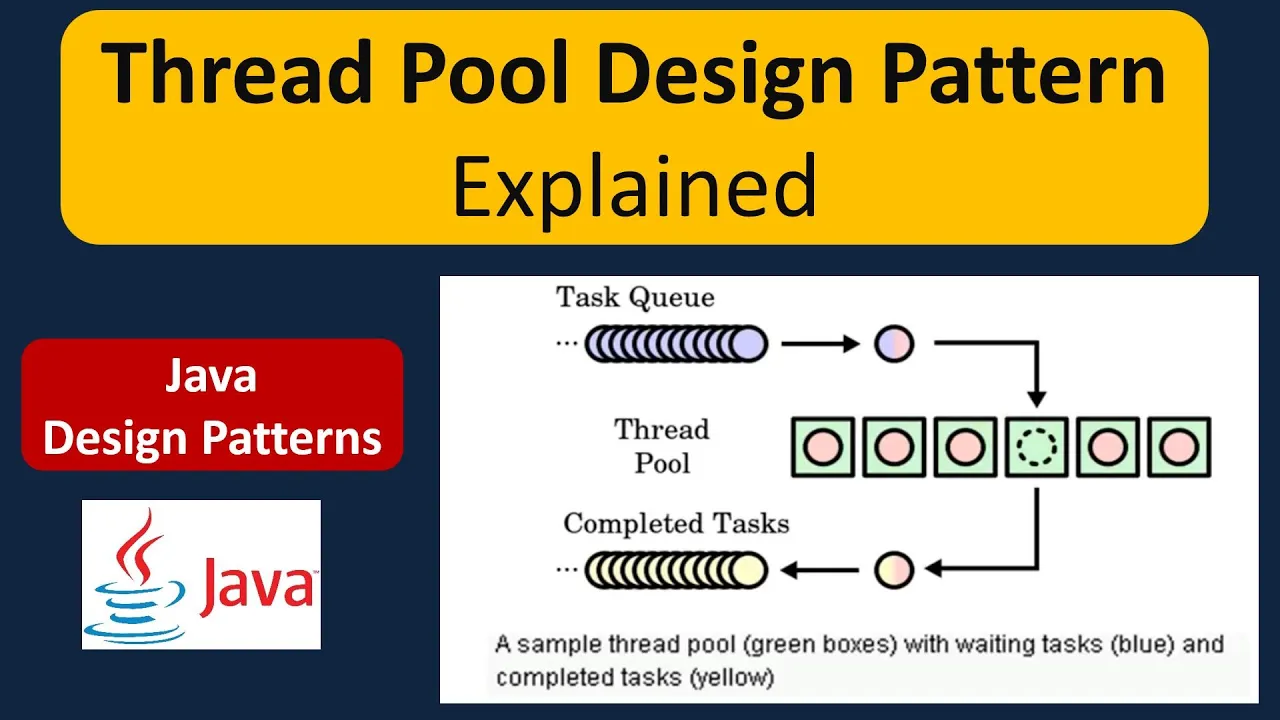
Designing and implementing a reusable Thread Pool to efficiently manage thread lifecycles and resource allocation.
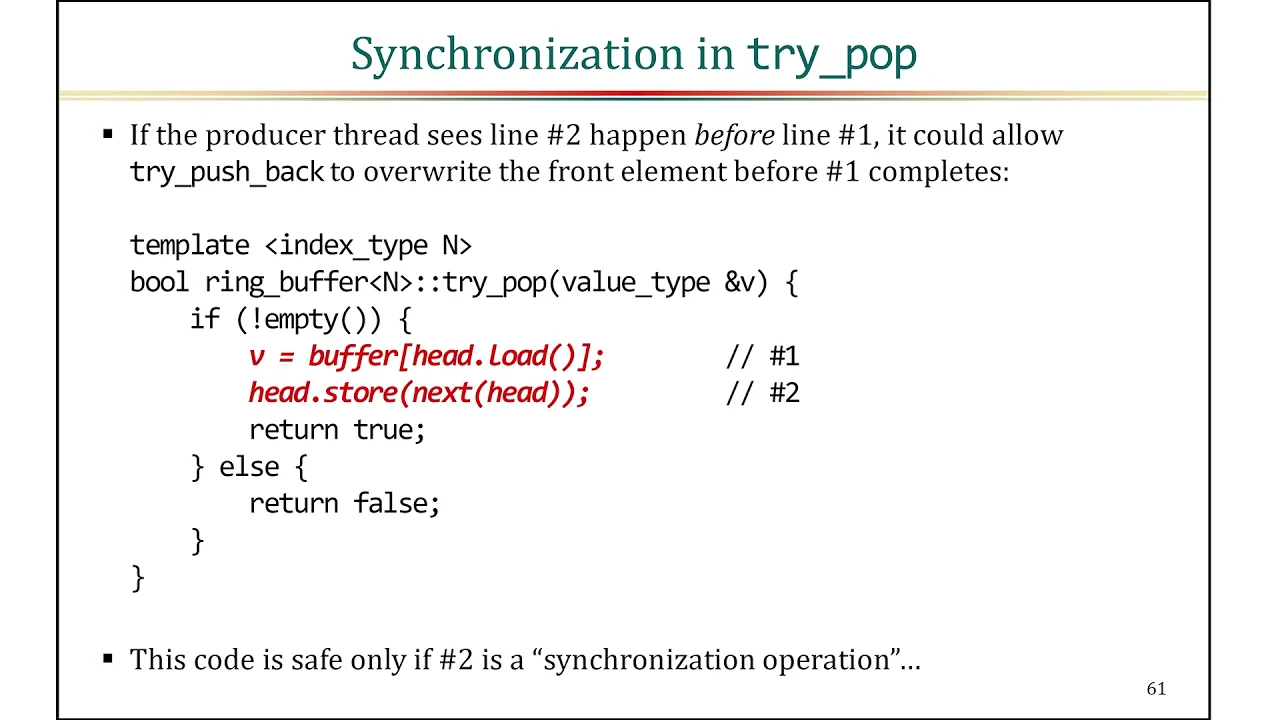
Exploring low-level concurrency concepts, such as atomic operations (std::atomic) and lock-free programming for high-performance systems.
230.4K views7.5Klikes24:14Original Release: 2021-10-27
Hello guys and welcome to my channel. In this video I will teach you about multi-threading in modern C++. So I will explain what is multi-threading, why is it important, how it works in modern C++. I will give you a real life example of when I use multi-threading for work when I'm coding and I will also explain the difference between multi-threading and multitasking because that is something that confuses many people. So if you want to learn about multi-threading in modern C++, this is the right video for you and you will find everything that you need in this video even if you are a complete beginner. So let's talk about multi-threading. If you are a beginner and if you want to understand multi-threading, you are going to find a bunch of very complex definitions on the internet that are very hard to comprehend. But it doesn't have to be like that. And in this video I will give you a simple and easy explanation. Oh, so an interesting fact is that multi-threading was introduced with C++ 11 and prior to that if you wanted to work with threads it was much harder and there were several issues and problems.
But now in modern C++ there is a very easy way to work with threads. And I will show you that in a moment because the first thing that I want to explain is what is multi-threading. And the most general definition is that multi-threading is the ability of multiple parts of one program to be executed at the same time. And there are two ways to achieve this. The first way is multitasking. So how do I explain multitasking? Imagine a situation where you are doing your homework and texting with your friend. So you are doing two things at the same time or not. If you really think about this, you are not doing two tasks at the same time. You are just switching between the first task and the second task. And computers can do this as well with one very important difference which is that computers can switch between these two tasks so fast that it becomes unnoticeable to human eye. So it really seems like a parallel execution. But this is not real multi-threading. This is multi-tasking. The second way is real multi-threading. And real multi-threading means that you write and divide your program in such way that individual parts of that program can be executed at the same time. An example of this multi-threading in real life is let's say for example that you and your girlfriend or boyfriend whichever you have you decide to prepare the lunch together. So that is the problem that you need to solve prepare the lunch and you decide to split that job in such way that both of you can perform your part of the job at the same time. So for example the job of your girlfriend is to um to clean the vegetables to peel them slice them and add them to the pot and then your part of the job is to um to stir the mixture all the time. Okay. So you are two threads who are performing their part of the job and both of you can be executed at the same time and that is how real multi-threading works.
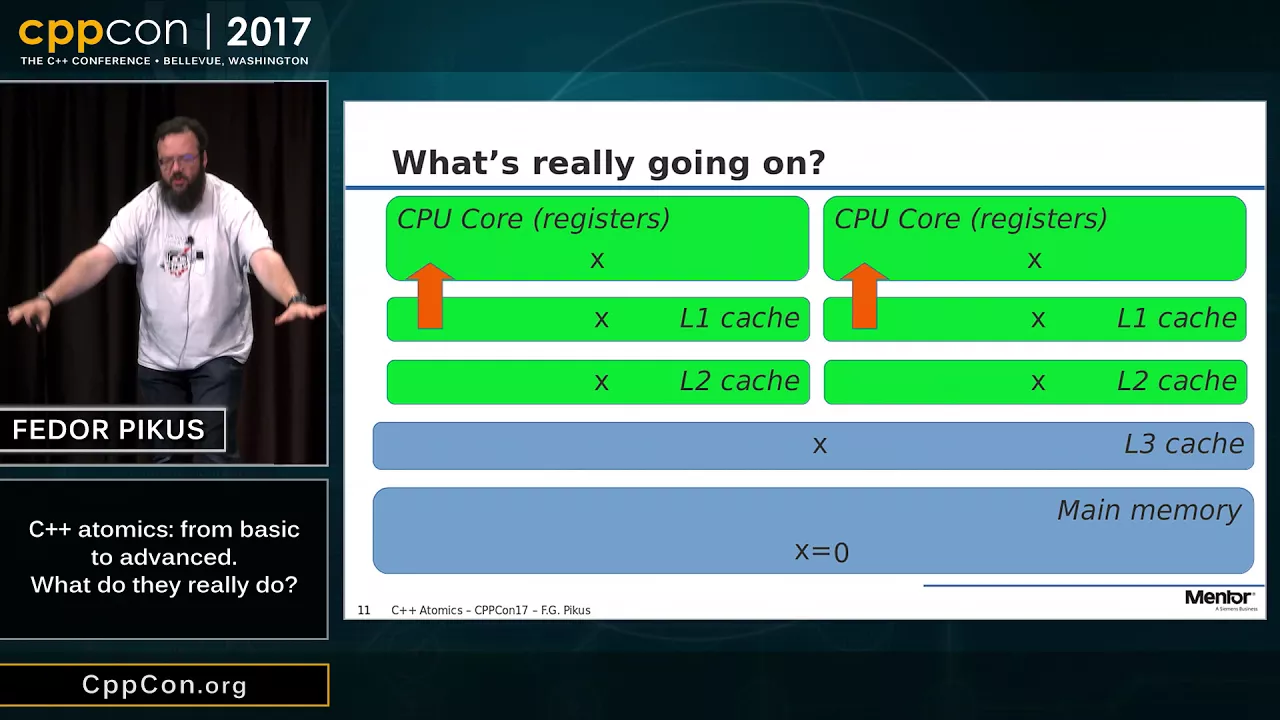
So now your question might be how does this work in computers? Well if your PC has two cores the first core is going to take the first thread the second core is going to take the second thread and both of them can work at the same time.
Simple as that. So let's now switch to Visual Studio in order to see how this works in code. So in order to understand how multi-threading works, let's create two simple functions. I will create them here. I will say void function one. And the job of this function will be to write out plus symbol 200 times.
Very simple. So I will say four int i is equal to zero. I is less than 200 I ++ and here I will just say std C out and then I will print this symbol here.
Okay, so that is the job of the first function and then let's create a second function. It will be called function two and its job will be to write out minus symbol 200 times. So if I invoke these two functions. So function one and function two. And if I run this program, we get this behavior here. So every time that I run this program, we will get this very predictable behavior which is 200 of these plus symbols and then 200 of minus symbols. So what is going to happen if I now make this program a multi-threaded application? So what is going to happen if I say hey this function will be executed in one thread and this second function will be executed in the second thread. Let's do that. So what are steps to make this application a multi-threaded application? The first step is if you want to work with threads, you need to include thread header files. So I will say include thread. Okay. And now what we are going to do is we are going to create a thread. I will delete this. I don't need it anymore. So I will create a thread.
Std thread.
Okay. So this is the type. And then I will give the name to my thread. I will call it worker one like this. And here inside these parenthesis I need to pass a function a task that this worker thread will perform. So my worker one will perform function one that is going to be its task. And then I also want to create another thread called worker two and its job will be to execute function two. Okay. So now my question for you is what is going to happen if I run my program again. So let's run the program.
And this is the result. What the heck?
What is this? And there is one more thing that I want to show you. So let's take a screenshot of this console. And I will save this as an image. And it is opening it on my second monitor. Let me fix this and I will be back. So here is the result that we had the first time that we ran our application. And what I want to do now is I want to run it again.
Okay. And let's compare this second and the first result. And as you can see they are quite different. So now your question might be what the heck is happening? And wait wait wait wait it's not what it looks like. I can explain this. Every time that you run your application, you are going to get 200 plus symbols and 200 minus symbols. That is something that you can predict. But what you cannot predict is how the output is going to look like because that does not depend on you. That depends on how fast those two threads are working. So the thread that is faster will output first and then the thread that is slower will output second. Another thing that you cannot predict is for how long that faster thread will be able to write its data before that second thread jumps in and starts writing its data. So that is why it is very important to divide your program in such a way that each thread knows what is its job because if you don't believe me you can have major problems that are extremely hard to fix.
You can have situations like race conditions and thread locks and those are problems that can give you a headache. But it is still too early to talk about those problems. I will leave that for some other video because I want to teach you everything step by step and there are many more things that you need to learn before we start talking about those things. There is another important thing that I want to show you and that is the following question. Can this worker thread execute a function that receives a parameter? And the answer to that question is yes, of course it can.
So let me show you how you can pass a parameter to a function that is executed by a thread. So I will use this function here. So I will pass a parameter of type char and I will call it symbol. So instead of writing this plus symbol, I will print this symbol that I received as parameter. Okay. So what is going to happen if I run my program now? Let's see.
Okay, we have an error. And if you read the description of that error, it's very confusing, especially for beginners. And if you all of a sudden get this error and you are not familiar with it, it will be very hard to fix it. So the problem here is that our function one is receiving a parameter and then here when we are passing that function to our worker thread we are not specifying this parameter here. So we need to pass this char symbol as well inside this worker thread. So how do you do that? It's actually very simple. So you just add a comma sign and then you pass your parameters. And here I will pass let's say for example I will pass letter O like this. And if I run my program now as you can see everything works as expected.
One thing that I promised at the beginning is that I will demonstrate a real life example of when you would want to use multi-threading in order to solve a programming problem. So let's do that now. Imagine the following situation.
You are building a weather forecast application and the data that you need, the data about weather is on an API and also imagine that the API is far from you like very very far on the other end of the world. So every time that you ask your API, hey, how is the weather? It takes a couple of seconds for that information to come back. And it might not seem like much, a couple of seconds, but in programming, and I'm sure that you have experienced this yourself when you click on something and you wait for a couple of seconds for that operation to happen, it can be quite frustrating.
So that is a problem that can be fixed using multi-threading. A solution with threads is to create a thread that will work in the background and the job of that thread will be to get the data from the API and store it in your computer memory. So it will create a cache and then its job will be also to refresh that data every couple of minutes or every couple of seconds. That depends on what kind of data you are working with.
Since we are working with weather data, that is something that does not change every few seconds. So you can refresh it every 2 minutes or every 5 minutes. It depends. So the job of that thread will be to refresh the data and then when your user asks, hey, how is the weather?
You are not going to send that request to the API, but you will take that information from the data that is already available in your cache. And that is going to happen instantly. So there will be no that delay of a few seconds that is very very frustrating.
And that is how you can solve that problem using multi-threading. So now I'm going to delete this code so that I can demonstrate how this would work in code. So one more time we are going to create a thread and its job will be to refresh a weather forecast data every two minutes or let's say 2 seconds. It's too long to wait for 2 minutes in the video. So it will refresh a weather forecast data every 2 seconds. So the first thing that we need is we need that weather forecast data. And since I don't have an API to work with right now, we are going to create our own dummy data.
So let's do that. So I will create a collection that will map the name of the city with the temperature in that city and the name of that collection is map and if you want to use it you need to say here include map and now you can create map collection. So I will say std map. So please create a map collection that will map the name of the city with the temperature. So it will map std string type with int type. And one more thing that we need is we need to say include string as well. Okay. So this here is the type and the name of this collection will be forecast map like this. And the next step is to initialize the data. So we are going to create some dummy data for our forecast map. So how do you do that? Well, you open these curly brackets and put semicolon at the end and then here we are going to create our city temperature pairs. So I will open new curly brackets and inside these curly brackets I will create my city.
Let's say for example New York like this. And then the second is the temperature. So let's say 15, which I'm probably wrong. Let me know what is current temperature where you live. Um, I live in Mustad and it is currently 6° C and it is 4:00 a.m.
Okay. So this is the first pair. You put comma sign and then let's create the second pair. So let's say for example Mumbai and the temperature is 20° and let's create third pair. Let's say for example Berlin and the temperature is 18°. Okay. So this is our forecast map and this is dummy data that we created for it. So let's now create a function that will perform this refreshing of the data every 2 seconds.
I will create it here. It will be of return type void. And I will call it refresh forecast like this. And this function will receive a parameter. That parameter is going to be our forecast map. So it is going to be this. Okay, I'll just copy it. So it is going to be a map of string and int. And I will call that parameter forecast map. Okay. So what is going to happen inside this function? So since we don't have an API that we can work with, we will have to simulate the behavior.
So inside this function, I will go through all of the items of this forecast map and I will increment the temperature of every city. So let's do that. Let's say for auto item. So for every item from this forecast map what I want to do is I want to increment the temperature. So I will say item dot second and item doc is the temperature. Item do first is the name of the city. So item doc plus+ please increment the temperature. And then another thing that I want to do is I want to write out the information about the city and the temperature in that city. So I will say std see out.
So please write out item dot first.
Okay. And then let's separate it. And then write out item dot second. And I will add std end line at the end of each output like this. Okay. The second step is as we said after we finish this increment so the update of our data we are going to sleep this thread for 2 minutes 2 seconds actually. So here after this for loop finishes incrementing all of the data so updating all of the data I will say std this thread so it is the thread that we are currently working with please sleep this thread for 2,00 milliseconds which is 2 seconds okay and if you want to be able to use this ms milliseconds literal what you have to do is you have to either say using namespace std and the error will disappear. But a better approach would be to include just what you need for this literal here because this using namespace std will include the entire std name space. And what we need in this situation is the following. So I'll say include chrono that is the first thing and then I will also say using namespace. Oh what is this? So using namespace it is here and the name of the namespace is std chrono literal something like this.
Chrono literal is it chronol literal?
Oh chrono literal like this. Okay perfect. And now the error has disappeared. The third step is to say to this refresh forecast function, hey when I run my program and I start this refresh forecast that should happen every 2 seconds infinitely. So while my program is running and in order to achieve that I will put this part of the code into an infinite loop. Okay. So I will say while so while true which means forever while this program is running and I will put everything inside these curly brackets.
Okay. So I created an infinite loop and all of this code is inside that infinite loop. So the next step which is fourth step I believe is to create a thread and then to start this function in a new thread. So I will go to my main function and here I will create a new thread. So I will say std thread and let's call that thread background worker. So bg worker like this. And the function that this background worker thread will execute is this function here refresh forecast like this. And since this function here receives a parameter, we need to pass that parameter here. So I'll put comma sign and then I will pass this forecast map to my function like this. Okay. So let's run our program and let's see what we are going to get. So here is the first update and then the second and the third and fourth and so on. As you can see the data is updating every 2 seconds but the temperatures are not changing. So we have a bug. Let me check very quickly what is happening inside this function. So the problem that we have is in this for loop here because here we are taking an item and creating a copy and if you want to change the item that is inside this forecast map so the original you need to take it by a reference like this. So if you add this amperand symbol, it should work as expected. So let's run it again.
Okay.
And as you can see now, temperatures are rising, global warming is real, and our program works as expected. Great. Hello, beautiful people. This is Salina from the edit, and I'm currently in my pajamas, and I just remembered something very important that I want to share with you. So while we are watching these temperatures rise and after you have seen the solution and hopefully understood, I wouldn't be me if I didn't also share some potential problems with this solution. And I'm not telling you this to say that the solution is wrong.
It is just to teach you that in programming there is no such thing as one solution fits all. And there is no the best solution that doesn't contain any bugs because there is no application that doesn't contain at least one bug except for very simple applications which are not even useful. Let's be honest. So there will always be that one small edge case where your program will not behave the way that you think it will. So the problem is following. What is going to happen if you use this same approach for a mobile application? So you decide to refresh the data every 2 seconds on your mobile phone. Well, there are two potential scenarios. The first one is that your mobile phone is connected to a Wi-Fi. So most likely there will be no problem. But what if your mobile user is not on the Wi-Fi and he's using his credit, his gigabytes, which means he's paying with his money for the amount of gigabytes that he spends. and you are doing that refreshing in the background and spending his money. Well, in that situation, when the user figures that out, he will uninstall your application and give you a bad review. So, that is one potential problem that you need to think about as a programmer. And don't be hard on yourself if you cannot do it right now and if you cannot recognize the problems that can happen in your application because that is something that comes with experience and time. And please let me know if it is useful for you that I explain and mention these problems as well because it takes me more time. But I'm doing it because I believe that you should as a programmer or as a future programmer be aware of these things and you should learn to think as a programmer. So when you are writing your code, you should think about the potential problems that can emerge in that code in the future because there is no such thing as perfect code. It is always a compromise.
So give a little bit of something in order to get more of something else. So I really wanted to jump in while editing to share this information with you because I think that it is very important that you see this side of programming as well. It will develop your programming logic because the more problems that you see and the more problems that you solve, the better programmer that you'll become and this will transfer to solving problems in your real life as well. So I would love to share more tips and info like this in the future if you want of course. So let me know. Give this video a thumbs up if you want more information like this and then give it a thumbs down if you don't so that I know for the future videos. So thank you very much for watching and I'm going to see you in some other video. I
Up Next

22:23
Multithreading Ray Tracing in C++: Performance Optimization
@TheCherno
46.8K views•2022-12-10

87:26
Introduction to Secure Multiparty Computation with Yehuda Lindell
@fhe_org
7.7K views•2021-02-04

12:28
Understanding Mutex in C++ (Multithreading for Beginners) | Mutual Exclusion Explained
@CodeBeauty
66.3K views•2023-08-30

19:25
Enigma Machine Mechanics: WWII Encryption Explained
@JaredOwen
13.2M views•2021-12-11
Related Study Plans & Knowledge Roadmaps
Structured learning paths in Computer Science
computer-science
Container Runtimes: Namespaces, Cgroups & Go
01Linux Systems & Go Programming Foundations
02The Core of Isolation: Chroot and Filesystems
03Linux Namespaces: Process Isolation
+ 3 more learning modules
32h6 modules
Explore Roadmap
computer-science
Building a CHIP-8 Emulator: Rust & CPU Basics
01Computer Architecture Foundations (Bits & Bytes)
02Rust Programming for Systems Development
03CHIP-8 Virtual Hardware Specifications
+ 2 more learning modules
32h5 modules
Explore Roadmap
computer-science
Building BitTorrent: Go, P2P & Concurrency
01Go Fundamentals & Concurrency
02Networking Foundations & P2P Architecture
03Bencode Parsing & Torrent Metadata
+ 3 more learning modules
26h6 modules
Explore Roadmap
computer-science
Actor Models (C++ Concurrency & Lock-Free)
01C++ Multi-Threading Foundations
02Thread Pools and Task Scheduling
03Atomics and Lock-Free Queue Design
+ 3 more learning modules
45h6 modules
Explore Roadmap