







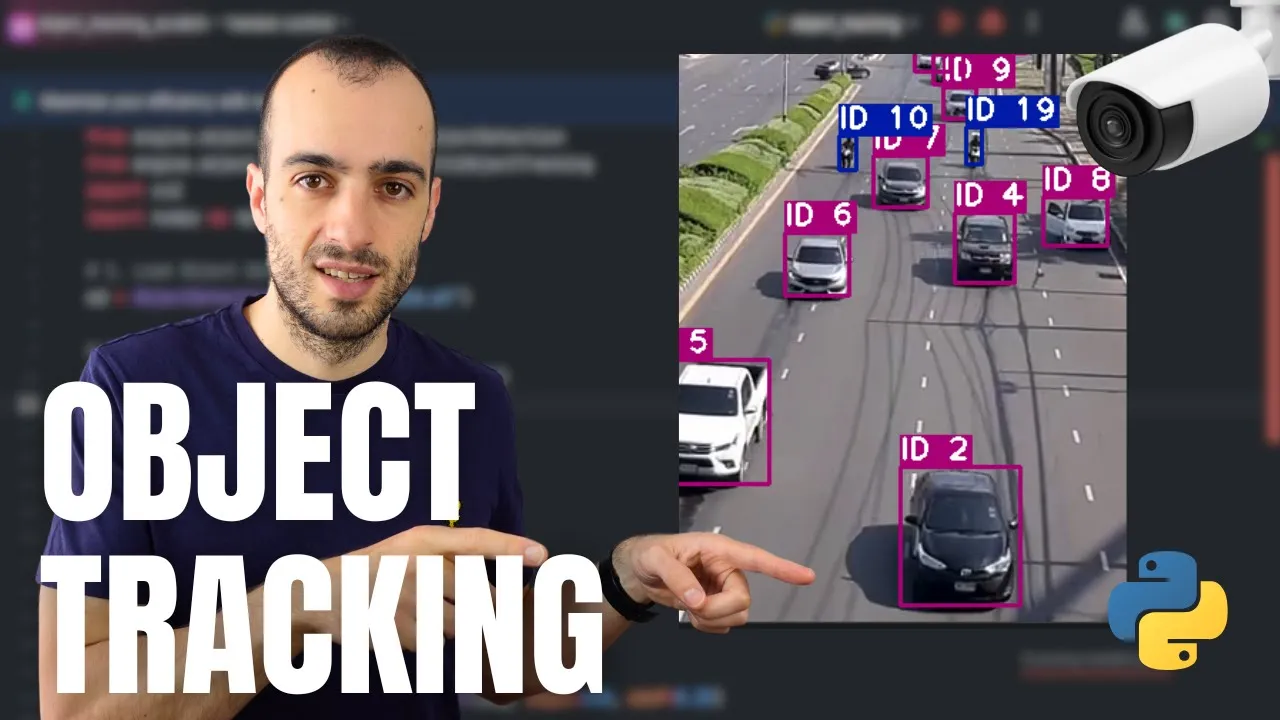



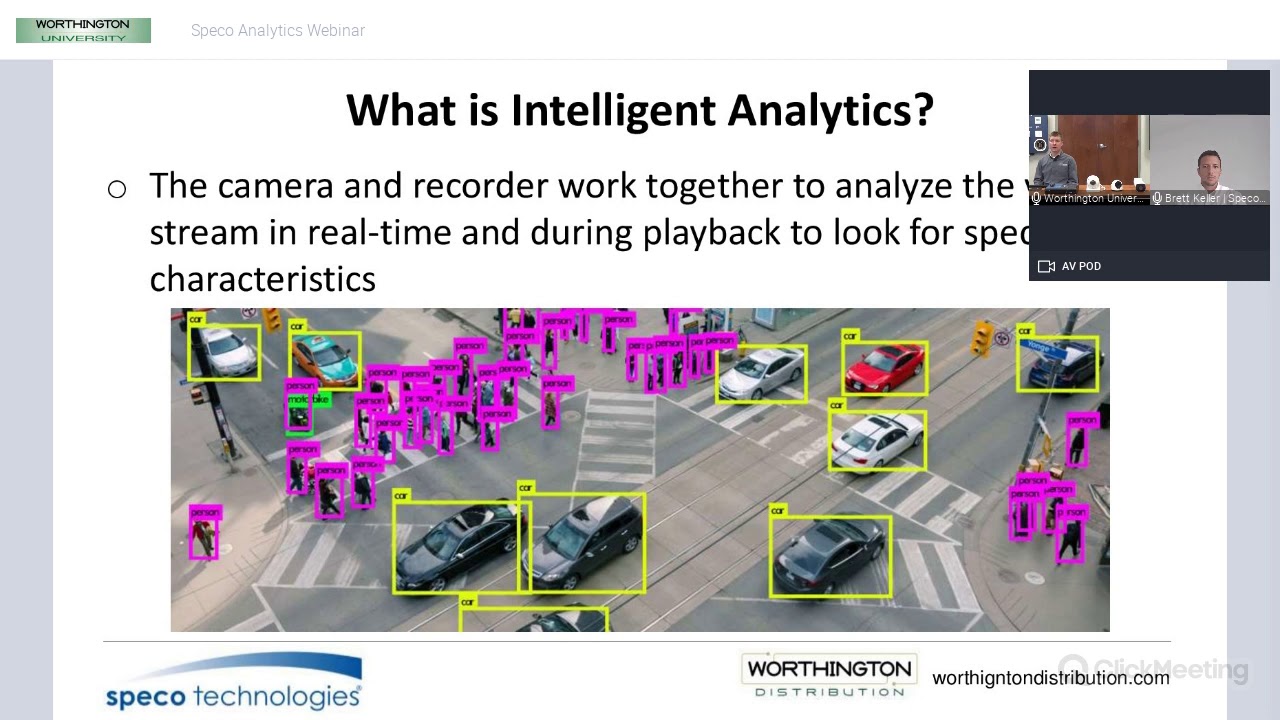
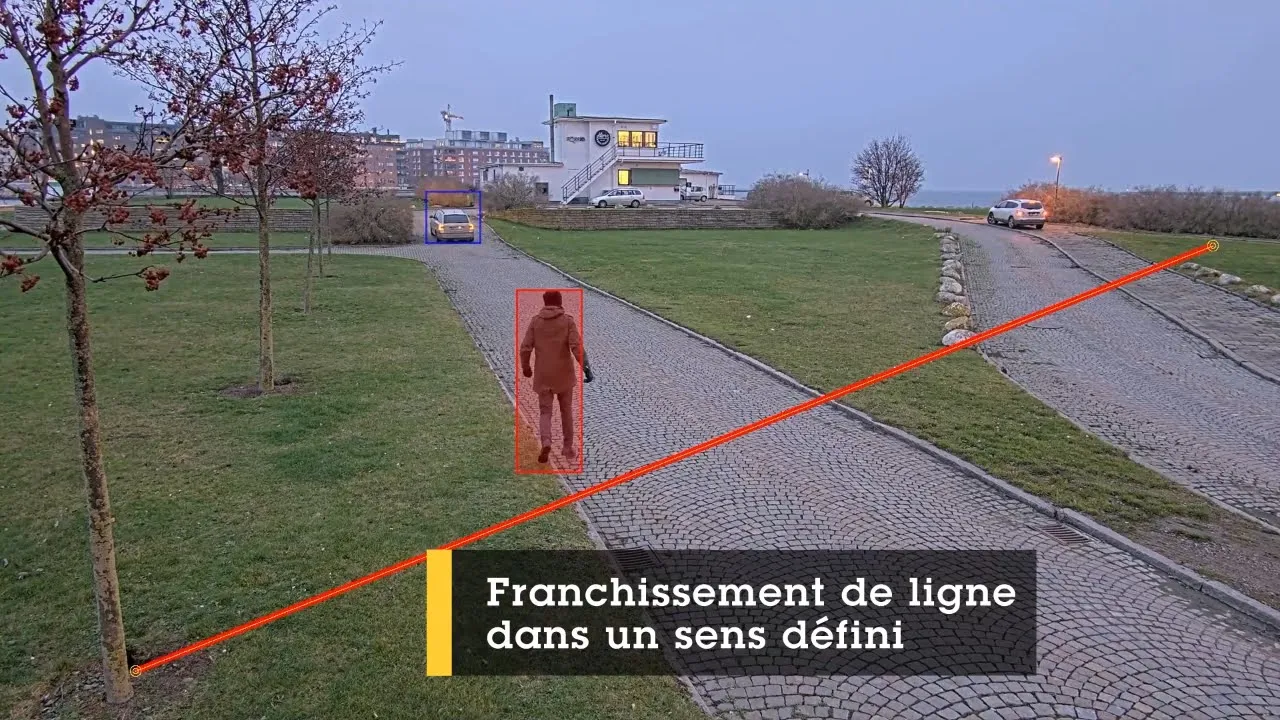


ByteTrack is a two-step multi-object tracking algorithm that improves upon traditional trackers by utilizing both high-confidence and low-confidence detection boxes, combined with Kalman filter predictions, to maintain object identities during occlusions and crowded scenes; this approach enables robust real-time tracking of multiple objects like people, vehicles, and animals while minimizing ID switching errors.
YOLOv8 ByteTrack Multi-Object Tracking in Python | Ultralytics Tutorial
Added:Fundamental concepts of Object Detection, specifically how the YOLO (You Only Look Once) framework localizes objects using bounding boxes and confidence scores.
Basic Python programming skills and experience with deep learning libraries, particularly PyTorch and the Ultralytics package.
The core distinction between image-based object detection and video-based Multi-Object Tracking (MOT).
Familiarity with foundational mathematical concepts used in tracking, such as Intersection over Union (IoU) and Kalman Filters.
Comparing ByteTrack with other advanced tracking algorithms like BoT-SORT, DeepSORT, and StrongSORT to understand when to use motion-based vs. appearance-based tracking.
Optimizing tracking pipelines for production deployment on edge devices using model quantization and hardware acceleration (e.g., TensorRT, ONNX Runtime).
Developing downstream analytical applications such as automated crowd counting, velocity estimation, and virtual boundary (tripwire) intrusion detection.
Quantitative evaluation of tracker performance using standardized benchmark metrics such as MOTA, MOTP, and IDF1.
1.4K views37likes14:00Original Release: 2025-06-25
[Music] Hello everyone, welcome to this tutorial. Today we are going to explore about one of the most famous multiple object tracking method called by track.
A simple but super effective way to track multiple objects in video. When by track was first introduced, it quickly became famous because it solved a big problem that other trackers struggle with. missing object when they were hard to see or got blocked by something else.
Instead of ignoring these tricky cases, Bitra uses almost every detection it can, making it super reliable even in crowded or messy scenes. So before going into its implementation, we go through its research paper and learn how it works. Let's get started.
So the research paper of by track is called by track multiobject tracking by associating every detection box. So what exactly is bite track? By track is a smart algorithm designed for multiple object tracking. That means it can follow a lot of moving things like people, car or animal in a video by drawing boxes around them and keeping their identity straight as they move around. What make by track stand out is its simple idea. Instead of uh only trusting the boxes it's really sure about, it tries to use almost every detection box even the one it it's less less sure about. This help it track better especially when they are hard to see or get blocked by something else. So what problem did older tracker have which by track solve? Now let's talk about the problem older tracking method faced by previously.
First, most old tracker would only keep boxes if the computer was very confident that they were real. If the computer wasn't sure, maybe because the bo objects was hidden or blurry, it would just throw these boxes away. This mean that real object would be missed, especially when they were occluded or not easy to see. Occlusion means when an object overlaps another object. So one object is unable to see during viewer's point of view. So it also causes problem like losing track of object when they are disappeared for a movement and then giving them a new ID when they come back making it hard to follow the same object through the whole video. So how does bike track fix this? by trap fix this issue by clever uh two-step process.
First, it matches all the high confidence boxes to existing track. This is similar to what old trackers did.
Then it takes the boxes with lower confidence and tries to match them to this is the key difference. By not throwing away this these boxes by track can recover object that were hidden or hard to see for a moment. It uses a prediction tool called Calvin filter to guess where each object should be. Maybe it even better at keeping track of them even if they disappear for a few frame.
So what's new and special about track is the big innovation by track doesn't w any potential useful information by using both high or low confidence detection. It can track object more reliably especially in crowded or tricky scenes. This approach is simple but it works so well that it's now considered state-ofthe-art.
In fact, Bit Track has ranked first among several major tracking benchmark beating of older or more complicated method. But with uh with newer technique there are some limitation. It can still struggle with small objects or in extremely crowded scene where lots of things overlap. One limitation is that it uses fixed threshold to decide what's high or low confidence. This number might need to be adjusted for different video or situation which can be bit tricky and it's mainly designed for tracking one type of object at a time not multiple types together but overall uh by track has some major benefits. It's super accurate running at real time speed even on a big video. It makes far fewer mistakes like losing track of object or m mixing up the their identities. It's simple to use and can be added to other tracking uh system to make them better and it works really well in real world scenario like security camera, self-driving car.
Let's see some example. As you can see these are the example in which occlusion happens and and due to by track algorithm its ID remains same. As you can see the yellow triangle is going and then it got oluded but it still do not lose it lose its ID you using by track tracking. Same with hair as the person occluded for some times it uh it's ID became redu red triangle but again it came back to yellow triangle. These are the few examples you can check around.
So the bite tracking is a simple but powerful way to track a lots of moving objects in video using every bit of information it can get. If you are interested in computer vision, this is the tracking algorithm you should check out. Let's get to its implementation.
Now let's see how you can implement by track. There are various way you can use by track using it gets github or ultralytics. I'm going to show you the easiest way you can implement by track on your video which is the ultralytics method. In this method you will have an object detection algorithm which is yolo and the by track algorithm together in one place. So you don't need to install any other requirements for that. First we need to install some uh libraries which is ultralytics and open CV. Then in our next step I'm going to create a helper function which help me show you some video on which I am going to perform object tracking on.
So let's run this function.
Now this is the main function which you need to create to perform bite tracking.
First we need a model which is here yolo atex model.
By track can run on all yolo model.
So you can choose any model you like.
Then you need to create a function in which you will use the model track method.
In that in that argument you have to provide with or video part and the by track do yml name. This is the alphalytics built-in by track configuration and then you just have to loop it through every frame and print out the every object ID it detect and see what happened. Let's run this.
Now this is a sample video which we are going to use by drag corner.
This video is pretty much a simple video of two people jogging. There are no occlusion or anything else. The video is simple and very clear. So there will be no problem in tracking.
Let's perform by track.
As you can see in every frame there are two ids are generated. There are two objects. So there are two ids are generated. If there are more object, more ids will be generated. And the the tracking algorithm duty is to keep these ID uh in check. So that if tracking tracker ID one is representing this object. So tracker ID in next frame should also represent this function. And this will happen throughout the video.
So the track if that happen tracking algorithm is successfully implemented.
If not tracking algorithm is failed to track the object. As you can see throughout the frame both tracker ID remain constantly on the same object which is between this box. As you can see every tracker ID is nearly start with 54 which is representing the this object in the video and it's performing good. Now let's create another function.
This is the function I have created using our previous by track function. In this function, I have added some more features like now the video will be annotated and saved in our local file system.
As you can see this part will draw bonding boxes around the uh around the object which is with same ID and this will save video in our local file system. So let's run this function.
Now let's take a look at our another sample video which we are going to use object tracking on.
This is the video we are going to use object tracking on. This is a complex video of some players playing footballs.
It has lots of occasion small objects and large object and an object which pattern you can't generally predict it.
So let's see how by track perform.
As you have seen by track tracking on players next next video should be a different tracking object. So let's take this video. This video is of a playing plane flying across the sky which is a very hard object to be tracked like there are various small objects and you can't see which object is going which direction. Let's see how by track perform in this kind of situation.
As you have seen the result of by track tracking on a plane.
Let's take a object which is very simple and we will see it in everyday life like this object.
This is an uh video of a highway in which multiple car are passing through.
This is an everyday tracking object you need in uh a security situation. So let's see how well by track perform on these kind of uh video like like because it is difficult to track a small pixel becoming a large object. Uh let's see how by track works here.
As we have seen how by track works in different scenarios. Now you can implement bite track on your own. With this our tutorial on by track implementation is over.
To read about more on by track you can check our website in which we have written a blog on how to implement by track for multiobject tracking in which we have explained it more in detail how you can implement by track using both method ultralytics and GitHub. Please check it out.
Up Next

36:42
Graph Representation in Python: Tuples, Adjacency Lists & Matrices (Tutorial)
@DavidAmos
38.7K views•2021-03-10

87:26
Introduction to Secure Multiparty Computation with Yehuda Lindell
@fhe_org
7.7K views•2021-02-04

4:55
HTTP Requests Explained: GET, POST, PUT, DELETE
@codecademy
103.1K views•2021-10-07

19:25
Enigma Machine Mechanics: WWII Encryption Explained
@JaredOwen
13.2M views•2021-12-11
Related Study Plans & Knowledge Roadmaps
Structured learning paths in Computer Science
computer-science
Container Runtimes: Namespaces, Cgroups & Go
01Linux Systems & Go Programming Foundations
02The Core of Isolation: Chroot and Filesystems
03Linux Namespaces: Process Isolation
+ 3 more learning modules
32h6 modules
Explore Roadmap
computer-science
Building a CHIP-8 Emulator: Rust & CPU Basics
01Computer Architecture Foundations (Bits & Bytes)
02Rust Programming for Systems Development
03CHIP-8 Virtual Hardware Specifications
+ 2 more learning modules
32h5 modules
Explore Roadmap
computer-science
Building BitTorrent: Go, P2P & Concurrency
01Go Fundamentals & Concurrency
02Networking Foundations & P2P Architecture
03Bencode Parsing & Torrent Metadata
+ 3 more learning modules
26h6 modules
Explore Roadmap
computer-science
Actor Models (C++ Concurrency & Lock-Free)
01C++ Multi-Threading Foundations
02Thread Pools and Task Scheduling
03Atomics and Lock-Free Queue Design
+ 3 more learning modules
45h6 modules
Explore Roadmap