



![Intro to Pythagoras Theorem [Hindi] | Triangles | Grade 7 | Maths | Khan Academy](https://i.ytimg.com/vi/j_Toy0-nBtw/maxresdefault.jpg)



![[플레이봇 11] 변수와 연산자](https://i.ytimg.com/vi/9TB_W2iNWkA/maxresdefault.jpg)


![[Tut] Sine, Cosine Trigonometry in wave, knitting & looping animation - Blender Math Beginner 4.5+](https://i.ytimg.com/vi_webp/0m5QaMsfLY8/maxresdefault.webp)







Trigonometry is essential for game development as it enables conversion between angles and vectors using sine, cosine, and tangent functions. The unit circle (radius = 1) provides the foundation where cosine gives the x-coordinate and sine gives the y-coordinate of a vector at a given angle. Radians are preferred over degrees for mathematical calculations because they simplify formulas, with a full turn equaling τ (approximately 6.28, or 2π). The dot product between two normalized vectors equals the cosine of the angle between them, while the determinant (2D cross product) gives the sine of the angle and helps determine left/right orientation. These concepts are applied in practical scenarios like calculating camera field of view, determining angles between vectors, and solving right triangles using SOHCAHTOA (sine = opposite/hypotenuse, cosine = adjacent/hypotenuse, tangent = opposite/adjacent).
Trigonometry for Game Development: Vectors, Angles & Radians
Added:okay are you all ready you're reacting with thor if you're ready i was really hoping we would get to trigonometry last time but i'm honestly kind of surprised that we actually made it this far without trigonometry um and i feel like there's also some value to be had in the fact that you can do a lot of things without thinking about angles because right now everything we've done is completely unrelated to thinking about is something of some angle or rotating some object right now it's all just basis vectors and different spaces and um scalar projection and cross products and that kind of stuff and i think that's kind of neat because quite often i think once you've like mastered trigonometry and you know that very well i think some people tend to overuse trigonometry for cases where they shouldn't really be using it uh in terms of like performance like they they over like overdue something with trigonometry that's like way more expensive using rotations and whatnot rather than just doing the linear algebra that we talked about before um so it's probably good and in hindsight maybe it was good that we didn't go through a trigonometry yet that's how i'm going to rationalize this all right let's go through the assignments then all right um so let's do the first one so the first one was the bouncing laser assignment kind of the core of this assignment was to figure out how you do the math to reflect a vector along some surface and part of the assignment was that you should be able to do this in 3d as well um like it should be kind of independent of the amount of dimensions you have right so it should work exactly the same in 2d and 3d so again we can start thinking about this so so what information do we have like i mentioned before um like whenever you need to solve a problem always always always try to think of what is the information you already have and then try to summarize it and put it all in the same space right so what do we have in this case well we have some surface right it's uh in this case it would be the terrain or whatever objects you're hitting and then we have a ray that is coming in like this from some origin because we're doing raycasts for this laser um and then it's hitting some sort of point on the surface uh and then your goal is to reflect this one so that you would get uh the vector coming out like this right and then you can do another ray cast from this location to raycast to the next spot um so there's one more thing we have the surface itself also has a normal direction so normal normals are vectors that are pointing directly out from a surface so that it's always 90 degrees from the surface itself this is what we have to work with and i was also i also told you that you weren't allowed to use like unity's vector3 dot reflect uh because this kind of the whole point of this one was to try to figure out um how to solve this uh on your own like what is the math behind uh reflecting vectors all right so we have some sort of incoming direction um let's call this um d and let's call the normal n actually d is usually distance so i don't know if i should call it t let's call it r for rey or i don't know or just re there we go so this is what we have to work with um so one thing that can be really useful whenever you're doing stuff like this is to kind of put them all in the same space um because right now we have a um a direction here and then if we think about okay do we need the position here uh do we need the length that the ray has traveled and if we think about it the outgoing direction is the same regardless of where the array is coming from right it doesn't matter how far away it is it doesn't matter how close it is as long as it's actually hitting the ground right so like judging by that we can then kind of just deduce that the position of this one is irrelevant it doesn't matter where it's coming from and it also doesn't matter the the distance to the point where it reflects so every like all that matters is the direction of this so we just need the direction to solve this so the first thing we want to do is to place this direction at the same coordinate system as the normal because i can sort of help us visualize like what are these vectors like how do they relate to each other and what would operations do between them in a way that's more intuitive than if they're just at separate location separate locations so this is the exact same um direction as there's no difference between this one and this one we're just drawing them at different locations okay so now what we want to do is we want to essentially thor is digging in a bag of candy um we want to take this vector and kind of what we want to do is we want to reflect this one um to be uh on the other side right this is what we want to do yeah so so this is the output vector that we want so how do we get that output vector we have talked a lot about the dot product and how the hecking useful it is so what we can do um is that we can project the ray onto the normal like this uh so again the dot product gives us a scalar value it does not give us a vector but if we project the ray direction onto the normal we get this length here so this is the dot product of normal and ray okay and this one is going to be negative uh because the um because these are pointing in opposite directions they're not pointing in the same direction so the dotted part is going to be negative so it's kind of like a negative distance uh what we can then do if we want to convert this into a vector like say we want this vector like literally the vector pointing down rather than just the rather than just a normal we can we can multiply this dot product by the normal so now we have now we've done a vector projection where we take this vector project it onto the normal and then we get this vector right here uh what can we then do well we could uh like all we need to do now is to to do this offset right here right because now we know half of this distance it's this vector right here uh so if we take the projected vector and multiply it by two and offset it we would offset it up to the reflected point over there so so basically the key inside here is projecting it onto this axis and multiplying it by two gives us the displacement between the two vectors here so that way we can go from array that is just the direction of the incoming right here and then we can mirror that along the normal here by using the dot product so so essentially this gives us the vector here and then we want to take the ray direction here and subtract that vector to get up here and again this one is half as long this one only covers this area but we wanted to cover the full distance so the full one would have two multiplied by the dot product multiplied by the normal to make it twice as long to cover this distance and we want to subtract that from the ray direction there we go so this would be a way to um reflect it uh reflect a vector along a normal did that make sense so far i realized i haven't been using colors and i apologize for that i probably should have used colors blank on what n represents uh n is the normal of the surface as in the direction that the surface is pointing uh if you do a raycast in unity uh you can get the normal uh by doing the hit dot normal if hit is the raycast hit return value that solution was way simpler than the one i imagine i tried to transform the world space vector to tangent space than normal then i wanted to flip the y coordinate of the vector and then convert it back to world space um that works in some cases but the um kind of one of the things you're going to run into there is that the like constructing a tangent space is a little bit unnecessary because you don't actually need the um in tangent space the normal would be the z-axis right so this would be z and you don't actually actually need the other vectors right you don't need this direction you don't need this direction and so forth you just need the z-axis um so while you can use like spaces and matrices to do this um it's a bit over engineered in the sense that like it's too much for just a simple operation is there any difference between calculating it by mirroring vertically versus horizontally well horizontally is more difficult because if you think about this in 3d then horizontally is kind of ill-defined and you need to sort of set that up but i think mathematically if you work it out it would probably be equivalent are we good on this one i'm guessing i don't need to implement it is it okay if i don't or because then we can move on to the next one uh let's see uh next one uh calculate the surface area of a mesh uh this one is kind of fun uh because it seems like something that might seem very advanced once you're first thinking about it but we did talk about a concept earlier that kind of makes this ridiculously uh short in terms of the amount of code required to calculate the the surface area of a mesh um so yeah let's talk about this one uh right so we need to calculate the area of a mesh uh so then we first need to like figure out what is the what are the primitives we're working with uh if you want to calculate the um you know the the area of a rectangle then you need to know how how to do that like how do rectangles work how do we get the surface area of some rectangle um in this case it would be you know you have some sort of width you have some sort of height and then the area would be width times height okay but we're now using rectangles we're using a mesh so then we need to figure out how do meshes work in general i did ask you to check out the documentation for meshes in case you weren't quite sure how they're structured but very long story short you have a bunch of vertices and they all make up triangles meshes don't have other primitives than triangles there are some weird exceptions but in 99 cases you just have triangles um so if you then want to access this data um we need to figure out like how is the data laid out for meshes which is a very useful thing to know whenever you're doing like procedural mesh generation or anything because then you're gonna have to like do this manually so so the way this works is that meshes have a list of vertices and those vertices have an index so this one would be for instance zero one two and three so these are the indices of each vertex uh and then photoshop decided to not work anymore so thanks okay so all the vertices are stored in an array so we got a an array of vertices and they're all ordered by their index but then we have triangles so it's not just vertices but also the triangles the way triangles are defined is uh through indices as well so triangles while vertices are several arrays of you know vector three for their positions so that's an array of all the positions um they also have a lot of other data but we don't really care about those um it also has a vector3 array for normals there's a vector4 array for tangents and so forth so it's um there's quite a lot of data in meshes in general also uv coordinates so but we don't care about that right now we only care about the positions so we got the positions in a vector3 array uh and then we need the triangles the triangles are defined in an integer array so int and integer arrays uh in this case for triangles are in triplets so you would have three numbers in a row defines one triangle so in this case if we want to define the triangles for this mesh then we could imagine forming a triangle between 0 1 and 2. so if you think of the vectors going here from zero to one and one to two uh then implicitly this is then gonna form a triangle like this region right here is now defining a triangle using just three numbers so the integer array in this case would be 0 1 2 and then i wanted to find the next triangle so we do the same thing there 2 3 and then zero two three zero uh that's it this is the entire array of this mesh uh so then this would define uh triangle zero this would define triangle one and this is how the data is stored so so if you want to want to access all of this you can then um use the integer array and then you get the indices from here and then from the indices you can access specific vertices in the vertex array so if we want to get the position of this this one then we go to the first triangle we go to the the index here then we use that index to look up where that vertex is in 3d space frame and then we can get all three coordinates from from these right okay is it too off topic to ask what the tangent rays in a mesh is used for uh it's literally used for tangents we talked about tangent space if if you save a mesh then all data you need in order to construct tangent space is two of these vectors because we can always use the cross product to construct the third vector so so when you have meshes generally you only store the normal also called vertex normals and then you have tangents also saved and tangents are usually saved in a vector four the fourth component is used for um whether or not to mirror it um there are some cases where you have like weird setups if you have mirrored uvs then having a mirrored tangent is going to be really useful yeah that's how it works so so that's what the um tangents are used for then so so now we know that we are working with triangles we know how to access this data of not how to get the area of a triangle one thing you can do to get the area so let's say we have a b god damn it c there we go this is the area we're interested in so what you can do is you can use the cross product for this which kind of makes things much easier uh than trying to figure out like um you know the classic way to get the area of a triangle is to uh figure out the height value as in this distance would be height uh and then this would be the width and then you do uh width times height divided by two right that's kind of the traditional way of getting the area of a triangle but if you think about it if you do this in 3d space things get more complicated like this could be far away so then we need to like figure out how to get that quote unquote height but it's in 3d space this triangle could be oriented in in any which way right it could be rotated away from us um like it could be in any orientation so so things get more complicated when we want to like try to figure out what height means in that case um so a very useful uh thing about the cross product is that it can make your photoshop document crash yet again and then you can reopen it it kind of makes you think about software so you can use the cross product for this where if you take these vectors as in the vector from a to b and the vector from a to c so if you do the cross product between those two and then you get the magnitude of that cross product what you're going to end up with is the surface area of this parallelogram so then you get the entire area of this thing so that's the uh cross product cross product of b minus a and c minus a so again that's these two vectors that's um b minus a c minus a so we do the cross product between these two and then we get the magnitude of that cross product um then we have this whole area and if we want to get the triangle all we need to do is divide it by two and then we now have half of this shape and now we get the area of this triangle and this one does not care if you are in 2d space or 3d space it works either way so so that way you can just get the area and then you're done right cool so so this is all you need for that assignment um all you need to do is iterate through all the triplets use those to access what vertex is referring to what in the triangle array and then you calculate the area of those and then you sum them up and then you got the surface area of a mesh any other questions about that one is a cross product defined in 2d though uh you can yes it's usually called the determinant if you do the 2d cross product we're going to get into that later actually as part of the trigonometry thing why does cross product equal the area formed by the vectors that seems like a bit of a deep question i don't know if i could give a proper formal answer for that i'm sorry i thought cross product was only defined in 3d and 70. uh the canonical cross product yes uh you can go to like more generalized forms of the cross product i think it's usually called like wedge products um there is like a pseudo cross product in 2d but that's usually called the um determinant instead but yes it does exist the reason this is subtraction is because we want to get the vector between a and b like from a to b is b minus a oh you need to iterate through the vertices as well the triangles themselves don't tell you anything about the positions of the vertices you just have indices right so you need to use both of these arrays i could implement this if you want um it's a very short piece of code um so on validate let's just do this every time we update something so we have the mesh here that we can assign for the area calculation let's just do a public float area so we can see what the area is um here we go okay so we have the mesh and then we get the vertices from that so mesh dot vertices is the vertex area um oh onvalidate is called in the editor in unity every time any value or serialized data is modified of this object so if i change the mesh on validate it's going to get called in the editor um usually you can use it for stuff like clamping values or whatever if you want to make sure that you know maybe gun height should never be negative and then you can clamp that inside of on validity um okay so measure vertices gives you the vertex array um so what we need to iterate through in this case is the triangles themselves and one thing to keep in mind is that accessing the triangles array or the vertex array is actually a really expensive operation so quite often you want to cache these let's do verts uh meshed out vertices and then same thing for triangles and that's an integer array let's call it trice okay so we want to iterate through the triangles um so triangles.length and we want to do them in triplets so i'm going to do plus equals three here so that we don't do one index at a time uh so now we have three indices right uh per iteration so then we can get some vertex positions out of that so uh let's use the same names we used here we had a b and c right so in order to get vertex a or vertex position a we could do uh verts and then we get the index of this one which is i so now we get the triangle index and then we use that index to look up the current vertex and then we would do the same thing for b and c but we offset those indices by um by an amount so now we have the three positions of these vertices uh and within each of these is the index of that vertex because that's how we define triangles um okay and then we want to get the the area so um so if we want to get the the area of each of these we would do uh area plus equals let's see that would be vector not vector 2 vector 3 dot cross b minus a c minus a and then we want to get the magnitude of this one so this gives us the an area that is twice as big but if we want to save some computation we can save that divide by two until after so we can do area divided by two so that we don't have to do the divide for every single um every single triangle that we calculate here right um yeah so at the end we divide by two and that's basically it does it also get called when something has changed during runtime i don't think so no i think it's only an editor thing worth noting that if you have a custom inspector and all changes done through the custom inspector will automatically cause on-validity to be called uh oh the correct way to solve that is to use uh serialized properties uh rather than like doing your own like float fields and whatnot serialized property will kind of do all of that automatically yeah it's a very hidden caveat that mesh.vertices and mesh.triangles is expensive to call you're like fetching data in a way that's just um that's just expensive wouldn't you miss on triangles by doing this can there be more than one triangle for each vertex um there can be more triangles for vertex but we are going through every triangle i'm not iterating over the vertex array i'm iterating over the triangle array okay sphere area 3.105 uh cube area 6 capsule 6.25 plain 100 yeah quad 1. seems to work is there a way to highlight each vertex on a mesh um i don't think so i mean you could write your own plugin to do it um like if we're in on draw gizmo so you can kind of just iterate through all the vertices like um you can do something like that and then go through all the verts and then gizmos dot draw sphere where it's i and then some small value there we go beautiful um although they're not transformed so they didn't follow the objects there we go oh right they're sitting on this object not the other one that's fine capsule i get index out of bounds exception and i don't know where you're getting that so i'm not sure what it could be but i'm guessing it's here out of range in some of the indices here oh you need you need to make sure that you go through the triangle sorry so uh now you're just accessing the vertices but you're using the triangle index to um or just using the iterator index rather than the triangle index so you need to first get the triangle index so it's kind of a two-step process so if i do this um like um [Music] it's kind of like this so you first need to get the vertex indices uh from the triangles array and then you pass it into the vertex array all right um do you want to do the volume thing before we move on because people weren't asking about that um let's do the volume thing so volume uh is pretty similar actually we just kind of need to think about like um what are the primitives we're working with again right the the thing we're working with here was triangle about what could we work with with volume so with volume the the way that this one works is that you need to make a presumption the presumption is that it's a closed mesh as in it can have a defined volume um and there are no holes in it and there are no like intersecting surfaces but if you presume that if you presume that it's a fully closed surface uh then there's a very like quick way you can uh calculate the area so what you can do is that we can sort of think about this in 2d as well uh so let's say we have some vertices and this is our this is the mesh of ours okay so if you think about a way of getting the area of this polygon for instance one way of doing that is let's say you pick a point it can be any point um pick a point and then you form a triangle with all the other vertices and then you calculate the area of each of these right and then you finally get the full area of the polygon um this can generalize to 3d so if you do this in 3d instead of triangles if we pick a point and presume this is a closed mesh that continues with like other vertices and whatnot rain then what's going to happen is that we're going to get tetrahedrons out of this one so if you imagine the mesh up here let's do green and connecting that down to this vertex uh that's a tetrahedron so now we have a volume connecting um connecting there and we just picked an arbitrary point um so so you can use that so pretty much all all you need to do is to get the uh volume of the tetrahedron formed by each triangle uh so it's kind of a kind of a weird way of getting area or volume um but there are many like there are many strange methods you can use uh for calculating the the area of things like polygons uh there's another one this is sort of tangentially related but i think this is really cool uh another way of getting the area of this one uh is to consider the area let's say you have 0 here what you can do is you can consider the area underneath these two so you get this area then you go to the next edge you get this area you go to the next edge you get this area now you have the full area there if you go the opposite direction instead of adding area you subtract area so you subtract this region and then you subtract this region and then you subtract this region what you're going to end up with is the area of this polygon so it's sort of a very similar type of thing we're doing but in this case it's in 3d so yeah uh how do you get the arbitrary point you can just get the center of the bounding box or something would that really work with the concave mesh too i think it actually would but i could be wrong because this one works with concave polygons and i think it's analogous to this assuming you have a signed volume as in a volume that can be negative um but i could be wrong i haven't looked into it but yeah you could also do this one in 3d as well the same thing where you like project it down onto some plane um so that would work too and then you subtract if it's going in one direction or um out if it's going in the other direction in 3d you would use the normal of the surface to determine if it should be positive or negative normal as opposed to the y vector um in the in world space i believe or local space um for that example that we know whether to add or subtract depends on the direction you're moving in yes okay i actually have a video coming out very soon about this and polygon triangulation so shout outs to my youtube channel uh i'm not done with the video yet but i've done most of the animations for it so it's coming soon i think that's it for that one right any more questions about the surface area volume thingy guessing not we're fine cool uh so i'm probably not going to repeat how to get the um let's see so this one was the one where you were supposed to uh cast a ray onto a surface and then um get the orientation of a hypothetical turret that we are placing on the surface right so that was kind of the assignments i'm not going to go through how to do that that's the cross product stuff you can watch the video uh the previous lecture if you want to see that um so here's the raycast just for doing that part we're raycasting against the surface uh or just into the world we're heading a surface and then we can get the point and we can get a normal in this case i just call it up um because the that's kind of the coordinate space that we want to place a turret and we have up right and forward and then we visualize those with this little uh transform gizmo like thing right so this is where we would replace our quote-unquote turret uh the first thing that was part of this assignment was to draw a bounding box around this one so let's say you did have a turret mesh that mesh would probably have some sort of bounding box and the assignment now is to to draw a bounding box here uh the thing about the binding box is that you need to uh you kind of need to work with the coordinate space that you've constructed now so we have bounding box coordinates and bounding boxes are generally in local space because the bounding box is part of the mesh data um so if you want to get the mesh bounds then that would be in local space of the object carrying the mesh so we have local space coordinates for this bounds but uh we're not drawing them or anything so we should do that um okay so the first thing here uh that we probably want to do um is that we are now gonna start doing a lot of things in local space and we're gonna draw a bunch of things in local space um so a useful thing whenever you have a space that you keep working in but you wanna you wanna also get world space coordinates and whatnot is to set up a matrix because then we can quickly transform between local space and world space and so forth so what we want to do is we want to construct a matrix that we can use to do all the things we want to do with local space coordinates but then also be able to transform them to world space because world space is what we're drawing in right um okay so there are many ways of doing this i'm going to first go through the bad way of doing this and then a good way of doing this um okay so each of these points uh we want to draw them so let's go through these points uh and let's see we have points.length and then we want to draw a uh then i want to draw some sort of cube because this defines a cube pretty much uh actually let's just draw the vertices now so let's do um gizmos dot draw uh draw a sphere i also want them to be red because red is neat that's not red that's magenta all right so we're going to draw a sphere at each of these points with some sort of radius cool so now if we go back here we should be drawing the coordinates but as you might not be able to see because they're tiny let's recompile um these dots are now in world space right they are not actually using the coordinate space that we've set up here uh so now they're just drawn just straight up in world space let's make them a little bit bigger um so that's not really useful we won't be able to transform them to be in the space that we want to place the turret in uh okay so now we need to start thinking about how to transform stuff again so we kind of did space transformation manually before where we kind of took the you know the right vector multiplied by the x coordinate the up vector multiplied by the y coordinate and so forth um but in this case we want to set up a matrix for this instead so that we can sort of do this um so we can sort of do this without having to do that manually um okay so let's set up a matrix so matrix four by four we let's what do we call this uh turret space actually it's more specifically uh this would be a um turret two world matrix all right so there are many ways of defining a matrix we could like assign the components manually uh like there are a bunch of ways we can define this but uh the one that i like to use that is very straightforward is matrix 4x4 um dot trs so trs is for translation rotation and scale so in this one you kind of just give it the um the origin you give the orientation and you give it the scale and then it'll construct a matrix for you so you don't have to like deal with the indices yourself um so the translation is the the origin of this matrix or the position of this matrix so that would be the hit position because the ray casting is the surface the center or the origin should be the hit position so that's our translation and then we need the rotation we haven't talked a whole lot about rotation but the an easy way to set it up is use um a thing inside a quaternion so let's call this a turret rotation there's one thing called quaternion dot look rotation so look rotation is a way of constructing a rotation where you provide two of these vectors uh specifically you provide the z-axis and the y-axis and then you get the orientation for this whole thing as it's very useful thing whenever you're constructing some sort of rotation but you only have the vectors um so in case in the case of this one the look direction is going to be the z-axis because generally z is forward in unity um so that's going to be forward and then the up vector is going to be the green one which is the normal of the surface which we call up so now we have the rotation of the turret we have the position of it and then finally we need the scale uh we're not using scale we haven't scaled this chart let's just do vector 3.1 that's kind of the identity scale um okay i have two questions am i incorrect in thinking that there's a degenerate case where you're looking directly at the face so the transformative forward equals negative hit.normal so your cross product becomes zero yes uh would you ever check for that in practice or is it too unlikely to be worth considering um so there's sort of two parts to this uh one yes it would be kind of unlikely but if you consider a flat surface like if you have like your player is standing on a flat surface like a cube and when you look down maybe you clamp the value so that you can't look more than straight down then you have that case so then it's kind of easy actually to bump into that um so whenever you do this type of stuff you kind of need to work with some heuristics in terms of like if you are looking straight down where do you want the turret to point i think most people would say that they wanted to point up and so so as soon as you start doing that you can kind of do the dot product to see how close are these vectors from being parallel and if they're close to being parallel use the up vector of the player as a reference instead of the forward vector so yes this this can happen and even if you're not considering this very special case um then you would also get precision errors if you have very very extreme values even if you're not exactly at zero so it can be useful to do that type of stuff regardless um yeah and i mean checking the dot product is super cheap so it's not even expensive so why not all right so now we have this turrets to world matrix and now we can start using this matrix to transform points um okay so all these points are in local space but we want them in world space so world points we have our territory world um and then we want to multiply a point um so there's a multiply point and then there's a multiply point three by four if you remember when we were talking about the matrices the 4x4 matrices um they have this sort of vestigial row at the bottom which for 99 of the transformations that you're going to do this row is irrelevant uh this one is mostly used for like homogeneous coordinates or like weird projection matrices and what not but for just using transforms um you don't care about these uh so if you want to do like a faster calculation um you can use the three by four so three by four what that means is that it's just using the top uh three by four that's why it's called three by four matrix um so that one is generally the one you use for these types of transformations um so then we do points um and then we do some typos points i so this should give us the world position and then we pass that into here and then these red dots should now be transformed to the space of the turret um so now you can see that they they exist in this space that we've constructed so if we um we move this raycast you can see that the cube is sort of following the the rotation and the orientation of the turret right uh what's the difference between a world to local local to world matrix they transform in in opposite directions um so the this one was called turret the world but if we want to transform from world space to turret space uh we would need the inverse of this matrix um which we could calculate if we want to uh so world to turret would be territorial dot um inverse um so so this one can only transform from uh turret space to world space but not the other way around so you need a separate matrix for that uh would you ever write matrix multiplied by a vector or would you always explicitly call them multiply functions i think the multiply functions are good because you're being more explicit whether or not you're doing a position transform or a vector transform so i would prefer it that way if you're doing shaders then you have to use the the manual multiplication thing but for for c sharp i would i would always use the functions because it describes what you're doing internally that's just all the values negative if they're positive positive if they're negative no the inverse is more complicated than that i don't actually know the process of calculating the inverse but it's not as simple as just flipping values like there is a bunch of computation required to calculate the inverse okay so now we've been setting up this matrix and we've been drawing these spheres um now we want to do more things in in this space we want to be able to draw lines we want to be able to um draw draw the like the guns of the turret and that type of stuff and now we're getting into a case where we're going to be transforming a lot of points and it might be it might be kind of frustrating to have to do this for everything we want to draw so if we want to simplify this process we can we can kind of use uh some of the built-in functions of gizmos so in gizmos and quite many like drawing libraries even like vector graphics libraries for unity have these features uh where you can do gizmos gizmos.matrix equals turrito world so now we've set the matrix of all the following gizmo drawing to use the territory world matrix so so now we don't actually need to do this multiplication and now we can pass in the local space points directly into this drawing function so now it's still going to work and the the red dots are going to stay at the same location although this one is now completely wrong and the reason that this one is wrong is because the matrix that we're setting here is still going to be used here um when we're drawing this little transformation gizmo looking thing right um all right so now we've set the coordinate system of the gizmos um then we can start like changing some of these things so if we want to draw this ray now that we're in local space uh all of this changes instead of using hit.point we would use vector3.0 because we're in local space and in local space zero would always be the origin and then instead of using up right and forward which are all in world space we want to get the local space up and the local space right and so forth so that would be vector three dot up also why are these not sorted um so uh vector three dot up and vector theta vector3.4 vector3. um yeah so now we're drawing everything in local space uh something you need to keep in mind though is that you probably want to reset the matrix um so if you're done drawing you want to reset this to the default value which is matrix 4x4 dot identity yeah you can use gizmos.drawingscope oh yeah you can use that as well um so so this one gets kind of sets a temporary matrix to use for all of the following gizmo drawing functions and now it's going to draw the gizmos or the lines at the center here as well if we're using trs we always get local to world and then we won't brought the local we just take the inverse i believe so i mean if you know the basis vectors for the world to local transformation you could use trs for constructing that as well trs is kind of independent of that but it really depends on the use case and what data you have already okay and then the i figure the this assignment is probably relatively straightforward after this i don't know if we need to go through that or if we should go for break all right trigonometry let's do trigonometry hell yeah trigonometry is good good all right here we go trigonometry so trigonometry is whenever you want to deal with angles and their relationship to distances and vectors and that kind of stuff uh so far we have gone through the entire course without like we barely mentioned angles whatsoever so so usually the way that i like to start talking about trigonometry is in the context of a unit circle uh so the unit circle is a circle with a radius of one so so in this case you can imagine that this is a coordinate system with zero in the center and then on the x-axis uh you know you would have 0.5 uh this is barely a readable number um and then over here you would have one and so forth uh same thing on the y-axis but we know coordinate systems at this point um all right so let's talk about angles i think angles is kind of the starting point for talking about trigonometry because angles is a fundamental part of trigonometry uh what are angles how do they work so just like positions have an origin angles also have an origin so if you take a position the this position is always relative to the origin of the coordinate system that it resides within same thing goes for angles if you have a an angle let's say this angle right here then this angle is relative to uh something right generally if you're just talking about angles and just without anything else then usually that's relating to the x-axis that's usually a reference point for where angles start from um but otherwise you could always of course have two directions and you get the angle between those two but if you just want to get if you want quote unquote the angle of a vector which in and of itself is kind of an ill post question um then usually what people mean is the angle of the vector and the x-axis of the world um or whatever is the reference vector for that system um so quite often people ask these types of questions that are kind of ill-defined where you need to like be more explicit like what do you mean angle between what and what rain but usually it's the this one so when we talk about angles the uh usually we um we kind of specify things using the wrong color there we go so we kind of talk about angles usually in terms of degrees so if you have some no angle would be zero degrees and then the this angle right here uh would be 45 degrees and this one right here as in it's the angle going all the way from here to here uh this would be a 90 degree angle and so forth and then you kind of continue around that so what you end up with is 90 degrees and over here half a turn is 180 degrees uh three quarters is 270 degrees and a full turn is 360 degrees uh so this is kind of the the most traditional way that we think about angles at least colloquially if you're just talking about it and like outside of the context of math you tend to use degrees quite a lot and they're kind of intuitive because you you know 90 degrees is very established as being a right angle so you can sort of intuitively use this very well okay but there are other ways of measuring angles there are specifically two other ways that are important um another way of thinking about angles is to use turns so turns is instead of the full turn of a circle being 360 we say that a full turn is one so in turns we would have zero and then we go up to this angle uh this is an eighth of a turn so that would be um oh point uh one two five i guess it's probably easier to just do one eighth and then 90 degrees would be a quarter so that's oh point uh 25 and half a turn is 0.5 three quarters 0.75 and a full turn would also be one uh so this is using turns you have a very simple way to represent a fraction of a full turn right uh so so that's kind of it's kind of what we mean when we say half a turn and so forth okay then we have another way of measuring angles and that is using something called radians radians are a little bit more complicated and it's kind of hard to remember exactly how much is a quarter of a turn um but we need to talk about radians because radians whenever you are working in um in like doing mathematical equations whenever you're doing um whatever you're working with like various formulas using radians will be will make everything much much easier in terms of uh doing the math it just so happens that when you use radians there are a lot of relationships in the circle that kind of just magically work out where you don't have to do a lot of extra calculations so whenever you're doing mathematics or physics or whatever radians is the unit that is used in general um if you're doing math so the uh yeah so the radiance the let's talk about the context of radians the way radians work is that let's say you have this circle right uh the circle um the circle has a radius and in this case the radius is one uh so what you can do is that then well to zoom out a little bit when we think about angles we could pick any number for what a full turn should be right we've said that well for degrees we have 360 which feels very arbitrary and then we could also pick the the number one for a full turn that was our turns but for radians uh it's something different and we're gonna get to what that is but we're gonna arrive at that number the relationship that is very special about radians is that the if you think about the arc length like how long is this uh and the radius uh they are related to each other uh if you increase the radius the arc length would will also increase uh by the same amounts so like it's linearly proportional to it okay so let's say we want to make a new uh we want to make a new angular unit let's say we want to invent radians then let's say we have the radius here and then we pick actually let's let's do radians in blue we have the radius and then we want an arc length that is also the the same length as in we want an arc length that is the radius so what we end up with if we do that is we get a like i don't know if i'm going to be able to get this perfectly right but it's somewhere here um then we end up with a very specific angle here um so if both of these are the radius uh then we get a defined angle and if we are measuring in radians we are just going to axiomatically say that this is an angle of one like this is one so if we say one in radians we mean this angle um okay cool so now we have now we've we're starting to construct our new um new coordinates uh systems for angles um and we want to like continue doing this but we might ask what is the full turn we know the full turn of degrees that's 360.
full turn in turns is one but a full turn in radians we need to figure that out because so far we just have one here so if we start like stacking these pi's one after the other um heck uh i'm not gonna do this correctly so let's just pretend i will uh there we go so we can start stacking these together um so what we're gonna end up with is that the last one is going to be a little bit short it's not even right uh let's see one two three four uh one down here somewhere okay so now we have the sets of one so we're this is going to count to um six of them so we're gonna get six of six radians but then there's a tiny extra bit here that doesn't like even out to an integer okay so what that number turns out to be is uh 6.28 dot dot dot um all right so this number is a very special number in mathematics um so this number is the better circle constant we usually call this number tau so this is uh tau quite often this is denoted with a weird little newt like this and yeah so that's tau tau is a full turn in radians uh but you will pretty much never hear mathematicians use this this is not established uh pretty much everywhere when you're reading math papers uh people are going to write this as 2 pi so tau is exactly equal to 2 pi so a full turn in radians is 6.28 which if you take pi multiplied by 2 you get a full turn in radians i generally tend to prefer tau i think pi is a garbage constant and it's making everything a nightmare so we're gonna use tau throughout the rest of this course because pi is garbage um okay so i'm gonna erase some of this stuff i could go on for very long about why tau is great and why pie is garbage um but i feel like i'm going to go on a very long tangent if i do that okay so basically all you need to know is that a full turn in radians is 6.28 and this is something that we could just call tau or two pi so if we think about the circle now then we can think about okay so what is what is a quarter turn in radians so a no turn would be zero regardless of what coordinate system we're using a quarter turn in radians would be a quarter tau so that's 1 4 or 0.25 a tau and if you want half a turn you can do 0.5 tau and you can do three quarters of a turn that's 0.75 tau there we go so whenever you're using tau you you can very easily convert between turns and radians so that way you can kind of have a much more intuitive way of working with radians without having to think about the exact values of these so you can just take the 0.25 multiplied by tau and now you know that this is a quarter turn in radians right another way of thinking about what what tau is or what pi is is that you can think of them as ratios um so let's see pi is usually defined as the circumference of the circle divided by the diameter and if you think about tau then tau is defined by the circumference divided by the radius generally whenever you're working with circles whenever you're doing anything like this uh radius is almost always the relevant thing and diameter is just a weird thing that is twice as big and it makes everything complicated so if you think about using two pi instead of tau then a quarter turn is like 0.25 times 2 pi but then because people do math then they're going to take these two numbers and smoosh them together to make one number uh so a quarter turn using pi would be 0.5 pi and this is not intuitive it's really not intuitive that 0.5 pi is a quarter of a turn it's like it has this like off by a factor of two error everywhere and it's a nightmare so that's why we don't like pie so that's the last we're going to hear a pie uh bye pie we don't like pie go away um cool um all right so what is the special relationship with tau that we talked about before like or radiance specifically why are radians interesting if you have some angle let's call that angle uh usually you will see angles be called either alpha but more commonly theta it's sort of like a zero with a dash through it um but i usually like alpha better because it looks like an angle thing okay so you have an angle and you have a radius and then you might ask what is the arc length of this one if you are using radians then just doing the radius multiplied by the angle is the arc length and this does not hold for the other ones so this is like this is really really useful especially if you're doing physics and like angular velocity and stuff uh this type of stuff is really really neat because then you can kind of very easily convert from like um like say you have a rod that is spinning in some game and then you have an object at the tip here and you have some angular velocity that this one is rotating in and then you might be then you might be asking um what is the speed that this one should release it like how quickly should this object move in case we stop spinning this paddle like this is this isn't a question of arc length uh we take the angular velocity we check the tangential speed and we do that by radius times the the angles per second and then we get the meters per seconds out of that um so so it's really really useful for these types of things and if you are using um if you're using degrees or or turns then this math is going to be more complicated because then you need to factor in the circle constant in in various places i know radians in general can be pretty complicated and something that people can sometimes get confused about so please ask questions if you if you're not quite sure how they work the very very very basics of radiance is that you have a circle and a full turn around this circle is six point two uh eight etc which just so happens to be a constant that we call tau that's kind of it that's pretty much all you need to know about what radiance is uh you don't really need to like uh you don't really need to know about the concept that it's based off of the radius and arc length being equal um even though it's useful uh this is the crucial part this is the part that you need to remember that a full turn and radians is this value right here which part is the arc length um this right here is the arc length no questions everything is everything's clear so far we can soon move on to trigonometry then because we've just been talking about angles okay radius is radiance um radius is the the length from the center to the edge of a circle so this is the radius uh is a is a unit of angle um where if you have a slice of pie like this where the arc length is the same as the radius then the angle here is one radian usually denoted rad radian there we go so the angle here is the radium part okay let's let's move on to trigonometry now we just talked about angles um this is long story short this is where radiance is we just need this is just a way of measuring angles and this is the established one that makes mathematical equations computationally more efficient it has a lot of relationships that are really useful um so this is kind of the the gold standards for angles like don't don't use other things unless you have to usually if you have like uh like if you're modifying angles in unity like if you're if you have like a field here where you're modifying a rotation of something uh then usually uh degrees are okay to have there because people uh tend to be able to think about uh degrees in a more intuitive way um but outside of that the like all the internals of all your code should be in radians um i i'm personally like kind of frustrated by like libraries that don't use radians by default um but but yeah we just talked about angles but not trigonometry itself so let's get into trigonometry let's start with the unit circle so we still have our circle um radius of one um and we can let's say we have some angle here and let's do another vector what a good little vector uh and then we have some angle um let's call it alpha because i like alpha better than theta but theta is usually the symbol that's going to be used in everywhere you read about angles in trigonometry uh all right so you have some sort of angle now and you have a vector on the unit circle so given that this is the unit circle uh radius is one so the length of both of these vectors is obviously one then what trigonometry allows us to do is to be able to transfer between angles to components of a vector that's kind of my my the usual way that i think about trigonometry is in this unit circle where you can use trigonometric functions to get components of this vector and what i mean by components is the x-coordinate and the y-coordinate because this one has an x-coordinate and it has a y-coordinate right so the x-coordinate would be the value on the x-axis right here right and the y-coordinate would be the value on the y-axis right here okay so so how do we how do we get these coordinates then because we we need to use the angle to get these the way this works is that if you want the x coordinate you would use the uh cosine usually cos of of alpha and if you want to get the y coordinate you get the sine of alpha there you go this is the very simple relationship with the unit circle the cosine and the sine so the cosine and sine functions are super super useful whenever you want to go from an angle to a vector because now we can literally just define a vector uh going just from an angle uh so so this is a really really powerful tool uh right so so now we have the cosine and the sine and there there are many ways of like interpreting like what they are but i think the unit circle is usually the the most i feel like the most fundamental and solid way of thinking about them while you can do a lot of other things with sine and cosine though all right uh do you want to see an example of this in unity so we can like kind of nail down what this is or uh will that work regardless of the angles in degrees or radians this depends on how the cosine and the sine functions are implemented uh in 99 of cases sine and cosine will take radians in mathematics just use radians all the time but in encoding sometimes apis uh have degrees in sine and cosine i prefer things to be and the way the things should be is that they should always always always say gradients um like don't think about degrees outside of this like someone mentioned you can use math degrees to readings in order to convert from degrees to radians if you need to um then you can using like to pass into these functions yeah okay um but yeah let's look at an example example in unity to make this this a bit more tangible all right let's make a new thing i did not want to add a radial trigger i wanted to create a script called trig no there we go i remember a tweet from you where a function took an input and radians and output in degrees or vice versa not sure which one you're talking about you can um you can convert between them using a single constant um so if you have an angle in radians um i don't know um hiking pie there we go if you want to convert this to degrees uh you can do float degrees equals math dot um radians 2 degrees and there's the other way around too oh sorry radians multiplied by uh radius two degrees so you can kind of convert from radians and degrees using these functions okay anyway let's use this trigonometry so so we have been talking about how with trigonometry you can get an a vector from an angle very easily using the cosine and the sine functions so so let's do that um first off i need to i need tau uh so i'm gonna i'm gonna go to jugul and search for tau multiplied by one and then we copy that number usually i use my math library but i think it's probably good to not use that here um okay so we have tau cool so now again this is a full turn in radians all right so now we want to draw uh let's say we want to um we want to draw some dots we want to draw a dot here here here here we want to arrange a bunch of dots in a circle uh like this okay so obviously we need some sort of for loop we need to iterate through this and draw multiple things so uh let's let's have an integer for how many dots we want to draw uh let's start with i don't know eight or actually let's do do a lot of them okay and then we need a for loop because we need to draw one for each dot so dot count so now we we can now easily calculate an angle right we we have the the full turn in radians which is tau and then we need to divide that up into the into the angle to each dot so for each of these iterations we need the angle to this one and then we need the angle to this one and then the angle to this one and so forth so let's first get the angle whenever i am working with these types of um these types of iterations that go through some range i almost always use a value called an interpolator or a t value as in a value going from zero to one so i usually call that t so we want a value that goes from 0 to 1 across this for loop and a way to do that is we can use the the count of this for loop so we can do i divided by dot count but we need to make sure that this one is a float value so that it goes from zero to one um all right so now we have a value going from zero to one but that's about it we're not actually doing anything else with that crucially it's really important to remember when you want to include the end value or and when you want to exclude them so in this case um like do we want to draw a dot at 0 and 360 degrees probably not we want to skip that point right um so in this case we don't want to do -1 here but if we did want to do that we would do minus 1 and then we would get 1 as the last t-value but in this case we want slightly less than slightly less than one okay so this value is now actually in turns uh this is the angle in turns it just so happens that that's kind of how that works out and if we want to convert from turns to radians i usually specify if it's in radians or not by just typing red or deg for degrees and so forth all right so we have the angle in radians and we or we want to get the angle and radius so we take the interpolator the value from zero to one multiply that by tau so now we convert it from uh now we converted from turns to radians then we can use these radians in order to um get the direction vector that we need to to get this point okay so now we need to get the x-coordinate so let's do x and then we use math dot cosine and then we pass the angle and radians into that and then we do the same thing for the y coordinate but we use the sine function instead but it's still the same angle used for both of them and so now we can use this to construct a points or a vector let's call this uh points uh new vector vector 2 x y we are going to talk about the relationship between the cosine and the dot product very soon more spoilers than chat geez buddy okay so we have the points and then we just want to draw that point so uh christmas dot draw sphere uh at the point and some radius of that one there we go so now we've drawn all these points arranged in a circle uh we change the number of points and everything just gets the range that we want to uh so four points three points will make an equilateral triangle and so forth um so this is kind of the nice thing about trigonometry is that like every time you wanna do something in a circle um then like based on some angle then the trigonomet all the trigonometric functions are going to be super super useful okay so so one of the things that i like to do whenever i um well whenever i have some sort of uh situation here where i have some angle and i want to get a vector out of that i usually make a function out of that because it's it's very useful i usually call it like angle to direction and then you pass an angle and radians into it return the vector here so now instead of like doing this boilerplate every time we can do angle two direction and pass the radiance in directly so you don't have to do all of the uh all of the boilerplate every time probably more readable like this still very confused when i should use use cosine sine and tangent we haven't talked about tangent yet uh so far the um if you have a unit circle the cosine gives you the x-coordinates of a vector that has the angle input that you give the cosine like this is kind of the very basics of how sine and cosine works um so it's it's always important to remember like in my head it's very very established that cosine is the x coordinate and the sine is the y-coordinate um so whenever you think about sine and cosine think about the unit circle um and how a vector with your angle would behave what was the math behind cosine sine um so the math itself behind it there's not really they're kind of functions on their own sort of uh there are ways of sort of getting them with vector math as well using the the code using the dot product but yeah so you can get them in in other ways uh but generally that involves like normalizing stuff and whatnot but so so like technically if you are using sine and cosine in like shaders or something uh in most cases uh sine and cosine will just use lookup tables it's an array of values it just picks a value and then it gives you the the result from that so quite often they're not like actually calculated so okay let's continue are you all ready to continue maybe we can actually talk about that now i think that's actually a good a good segue into this so we have talked a lot about the dot product before right and if you remember what the dot product is the um the dot product is a thing that can project a vector onto some other vector right so if you look at what is actually happening here this is exactly what the cosine is doing so so you can see that we take this vector we project it onto the x-axis and then we get the x-coordinate and if the vector is pointing in this direction we project it down here and then we get the the negative coordinate here right uh so if you look at this um this is has a striking resemblance to the to the dot product right so what what this essentially means is that the dot product actually has a very intimate relationship with the cosine so so let's say we we call these vectors something let's call them we have the vector a and we have the vector b so b is this vector right there and a is this vector uh the white one here that is now blue cool so we now have it we don't have two vectors we have a and b and if you remember how the cosine works the cosine projects one vector onto the other assuming one of them is normalized right and again the direction you project this doesn't matter because what you get out of this is a scalar value and projecting b onto a it gives you the same length here as it would here so what we can say then is that if you have these vectors a and b we can define the uh let's say let's start with the dot product actually so we do the dot product between a and this time we're going to mark them as a normalized so in case we have a longer vector or whatever we're going to normalize them to make sure that they have a length of 1 so this presumes that both a and b is going to be normalized now normalize b so the dot product between a and b is the same thing as the length of a actually these don't have to be normalized in this case so we can do the general case first the length of a multiplied let's just be explicit about the multiply uh multiplied by the length of b multiplied by the cosine of the angle between a and b so this is a really neat relationship this kind of like ties together the ties together trigonometry and um doing our vector math right right so let's talk about the other case that i was mentioning earlier let's duplicate that now let's say these are normalized then if they are normalized then what is the length of each vector well it's going to be one so it's going to be one multiplied by one multiplied by the cosine so in this case we just end up with a cosine and this is kind of neat this is a very very simple relationship you have uh between the the trigonometric function and the cosine and the dot products between these two vectors right uh and alpha in this case is the angle uh between the two all right does that make sense or was that like weird i think i got this right i know i don't very often do the conversion between these explicitly um but i'm pretty sure this is correct hi geez i'm a bad teacher cool i mean i've confirmed that it's correct considering if i should go through the uh what do you usually like to call the lost sister of the dot product um i don't get it what are the results uh the results is it's not really a result this is a statement about the relationship between uh the cos the function of cosine and having two vectors um so if you do the dot product between a and b that's the same thing as doing the cosine of the angle between a and b presuming that they're both normalized so this is a statement of equivalence that these two things are the same thing what actually is cosine sine time though y does cosine equals x because of the way that they are defined and so if you look at b here b is the vector pointing to the right in this case and if we do the dot product between them we project a on to b using the dot product that we talked about before and what we end up with is the x coordinate um like along the x axis that's why the cosine is the x-coordinate um when we are like rotating this vector using some angle because of the way that the cosine is defined so b is the red part b is this vector the yellow vector pointing to the right does tan equal z we haven't talked about tan yet you're skipping ahead tan is a very like separate function from all of these that's that's why i haven't talked about it yet uh so i'm waiting for that one okay we could talk about um we could talk about the tangent as well if you want to so generally the uh tan function is kind of more of a special case um usually i consider the sine and co the cosine and the sine function to be like core of of how to use these functions um in terms of the a tangent function the tangent function is generally uh something that you mostly use when you're solving triangles generally you use all of these to solve triangles um like quite often this is usually how trigonometry is first introduced where you have a right angle triangle and you have some angle alpha and you know one of these maybe you know this one maybe you know this one maybe you know this one given that information you can use either cosine or sine or the tangent function in order to solve um you know what are the lengths of the other ones oh sorry you probably need two of these um yeah so that's kind of the one of the more common cases where you use trigonometry um yeah so if we want to like visualize this um if we want to visualize this in our in our drawing in this case i guess i things got a little confusing but maybe it's okay so we had the sine of alpha that gave us the y-coordinate uh which again is um this length and the cosine gives us this length right the x-coordinate and the y-coordinate cool so that that's sine and cosine um the tangent uh if we want to represent this visually the the tangent sort of goes um tangent to the unit circle hello thor so the tangent represents this length right here and again when i say length i mean assigned length it can also be negative it's more of a coordinate than a length um so so the tangent is tangent to the um to the unit circle again when we talk about um surfaces and whatnot the uh the normal is usually perpendicular from the surface and a tangent is tangent to the surface as in 90 degrees away from the normal uh so the uh this is our normal and this is our tangent uh so that's what that's what those mean right um okay so so that's what we mean when we say that it's tangent and that's why it's called tangent um all right so the the reason that this one can sort of be used to calculate triangle solutions and whatnot is because we know that there's a 90 degree angle here and that gives us a a right angle triangle right so whenever we have these types of problems we can fit this triangle into the unit circle in order to figure out a bunch of dimensions um so usually when you're doing these types of triangle solving all of the relationships that you can find about the trigonometric identities or whatever um usually that's mostly about scaling the hypotenuse to a length of one and then just applying the trigonometry stuff so that's why i usually have a lot of like divides and multiplies with the lengths and whatnot um okay so 10 is a 90 degree angle in a right angled triangle tan is not an angle so the tangent is a function that we can use on this angle that gives us this length uh so if we continue this one let's say we um let's say we have this one right here going from here then tangent would shrink then it would be the the 90 degree off here the tangent of the unit circle and it would give us this distance so this would be tangent of this angle right here so it's kind of like it's it's shooting array down onto the x-axis um and if you start keep going up toward here that's a very thick vector like the higher you go the further away the tangent is going to go so the length of this one is going to kind of explode and become very large what would you use the tan for generally for solving triangles um so so whenever you have triangles where you know two of these sides but not the third you can use trigonometry to figure out how long the last one is um and sometimes you need to use the cosine sometimes things that use sine sometimes you need to use the tangent so um let's say um [Music] okay well here here's the the basic relationship um so i don't know why this is not scaled in a nice way there we go okay let's say you have a triangle usually you have um names for these so uh we've been talking about this angle here right in the bottom left and then the names for that we usually use in trigonometry for the all the different sides of the triangle uh hypotenuse is the longest side of the right angle triangle um opposite meaning opposite of this angle uh it's the one that is not touching this angle at all right it's the opposite side and then we have the adjacent side which is uh not the hypotenuse but it's adjacent to where we're measuring this angle uh so given that let's say we have this triangle and we're using this terminology um then these relationships can be used to solve various things in um solve various problems so if you can um like uh let's see think about a um practical thing um okay so let's say we have a top down view we have a uh camera looking in some direction there we go that's a camera um and you have um a bunch of things in front of you let's see uh there we go you want to uh set the vertical field of view of this camera so that all the items fit let's say that that's the goal like we need to set this this word vertical field of view um how do we do that like that that's a that's a classic problem where you can use trigonometry in order to solve this uh so then again like i've always mentioned you need to um you need to like specify uh how to um you need to first like tally up all the information you have and after that you can start doing things that will then help you solve the problem uh so when it comes to trigonometry the kind of the your go-to is to try to reach this state right uh so okay so we want to set the field of view to fit all these objects um and then um yeah that's what we want to do so how do we get a right angle triangle out of this well we want some sort of shape like this right um and uh what we have is we have the distance right we know the distance to the objects we want to encapsulate here for simplicity let's say we have the object there um so we sort of know this side let's do a different color um we sort of know this one we know the length of this uh we also know the distance and given all of this we now have a right angle right so we have a right angle we we want to figure out the angle here but what we have is that we have the distance and we have the the width here um so all of a sudden we now have a math problem where we can fit this into exactly this type of scenario right um we don't know the hypotenuse um but we know the opposite which is called a there so let's use the same terminology so the opposite and then the adjacent is called b so we got that one here and then all we need to do is do some math to figure out uh what is this angle why is the opposite call a you know i don't know because because mathematicians hate using names that are descriptive that's why it's so frustrating and then we can look at all of these relationships um so what do we want to know um well we want to know the angle but the information we have is we have the opposite and we have the adjacent so here you can see the tangent has opposite and adjacent um and that's tangent of theta which is the the angle that we're talking about um okay so now we have a an equation where we have the tangent of alpha which is what we're calling it equals opposite divided by adjacent so that would be a divided by b and then this is an equation we can solve um we haven't really gotten into it yet but there is an inverse operation we can do um because we have the trigonometric functions and then we have the inverse trigonometric functions so using some algebra we can then figure out that the angle equals um equals the arc tangent which is usually called a tan you'll also sometimes see it written as um tan and then a to the power of negative one also for the inverse um it's the same thing uh i usually like calling it a tan because typing out the the letters clearly is good um so this is a tan um so the arc tangent of a divided by b is the angle um so there we go um oh yeah those are lengths uh so this is a way that we can then solve that problem so now we know um the angle that we have there uh in terms of the field of view i guess the field of view would span both directions so we would do this angle times two in order to get the field of view of this camera what's the difference between arc 10 and 10 and the difference between arctan and tan is that they are the inverses of each other uh so if you it's kind of like asking what's the difference between multiplying by two versus multiplying by 0.5 um like they're sort of the opposite sides of the same thing right like they they do the inverse operation uh between each other um so so what that means is that um let's say we have some uh i don't know this i don't know if i can just write an equation on the fly uh did the two x equals uh five or four there we go um like if we want to we haven't actually talked about algebra i don't know if we like i don't know if we should um but in terms of algebra whenever you have an equal sign then um then what you can do is if you apply the same operations on both sides of the equal sign uh you will you that's a valid manipulation where everything will hold so if you want to know what is x uh then your goal is to make sure that x is on its own side of the equal sign uh so what we can do then is uh if we divide both of these sides by two then we're gonna these two are gonna cancel out so what's going to happen is that um we divide both sides by 2 and then what's going to happen is that this one cancels out because 2 divided by 2 is 1 and 1 multiplied by x is x and then this one is going to get divided by 2 which is 2. so now we know that x is 2. um so now 2 multiplied by x gives us 4. and now that we know that x is 2 2 times 2 equals 4. so everything kind of just falls into place um anyway so the point is that if you have in this case it was tan tangent of x equals uh actually let's do angle tangent of the angle equals x uh then if we want to do the same thing where we want to get the um angle to be separate on its own then we can do the inverse tangent operation on both sides of this equation uh the arc tangent so if we do the arc times on both sides what we're going to end up with is the the angle on one side and then the arc tangent of x on the other side um yeah okay i hope that made sense um we're going to talk about a tan two as well um but we are getting very close to lunch um and so so these inverse functions exist for sine and cosine two so again while uh cosine of an angle gives us the x-coordinate we can flip this around so if we do the arc cosine then we can say that the angle um equals the arc cosine x so these are kind of ways of either cosine kind of goes from angle to a coordinate and arc cosine goes from coordinate to angle if that makes sense um just like the same thing we had with the tangent function the tangent of an angle gives us a coordinate the arc tangent of a coordinate gives us an angle um so you can you can sort of use the inverses to go back and forth between uh between these things uh there are a bunch of caveats in how these work but i'm not sure if i should get into that now wasn't it length and not the coordinate um so it is the i'm sort of using the word length but i probably shouldn't um so when i say the length here of the cosine of alpha um what i really mean is the x coordinate even though because because the thing is if we take this length this would be like oh point i don't know seven but if this vector were to point in this direction if we want to be like hyper technical about this um the result you're gonna get from the cosine for this distance here is not technically a distance because the distance is always positive uh but the cosine would actually give negative 0.7 here so you could call it a signed distance you could call it a coordinate you could call it a signed length they're all sort of the same thing just different words for describing what values you get out of it right um before you show the tan gives us a length of uh the x-axis what operation would you give the length of the y-axis um so this one is not used as much it's probably it's kind of considered a deprecated part of math um it's called a cotangent so this would be the cotangent of alpha there we go this was messy uh feel free to ask questions about this mess uh please ask questions um because i know it's getting messy there's a lot of like weird functions we're using actually feel like ask me to clarify some like anything that isn't fully clear anything that seems messy please ask questions because i want you all to like wrap your head around this so the tangent of the angle gives you this length right here that one but when i say length i would also say that it can also be negative uh but if you want to have a geometric interpretation of this uh this is the tangent of alpha so if you want like um i did write something like that yeah here's an animated version of what we've been talking about oh geez there we go so we have an angle and we have the cosine and the sine and uh these are sort of the the distances that we're getting um but again when i say distance when i say length i mean like that it can also be negative um so if we graph this for instance we can see that all of these values are both positive and negative let's go to decimals cosine of x okay cosine of x this is the on the x-axis we have the input value and the input value is an angle so angle zero the cosine returns one and again the um we can think about this in the unit circle cosine gives us the x coordinate if the angle is zero the x coordinate uh will be one because that gives us this distance here and then as we move the angle forwards here we go from zero degrees uh in radians and then we go to pi radians here or tau over two um or no sorry here's the pi radians um and then we sort of cycle around and then we return to the same value here so here's a full turn uh so when you visualize the cosine the reason it's cyclical like this and repeats itself is because the angle repeats itself around the unit circle right um angle is always based on the x-axis upwards towards the y-axis it's not valid to take the angle towards the negative y-axis uh so axiomatically it's always this angle it's always the one uh going from this vector and then counter-clockwise around it's just the way that it works um and it's kind of axiomatically set up that way um okay so we will do the the sign as well uh the sign is kind of just an offset cosine wave right uh so this gives us a y coordinate uh let's actually make it green for color consistency so now we have the the x-coordinate and the y-coordinate of this right okay so so this is kind of just visualizing what the values are for the x and y-coordinate as we increase the angle um so increasing the angle will then change these coordinates the way that they're set up here and then the tangent function the tangent function like we mentioned before shoots off to infinity because the um let's actually use a new circle that drawing is getting messy so if we have a circle and then we have some direction then the tangent is tangent to here um so you can see that this one the length right here the tangent of the angle if this is the angle um the the larger this or the closer this angle is getting to 90 degrees um this line as soon as you get to this point it's gonna this is infinity right this one never crosses the x-axis anywhere uh so the further you are up in terms of angle the larger tangent is gonna be um so if we look at the graph for this you can see that the blue one the tangent curve is shooting off into positive infinity so it just becomes very long um and then as the angle increases past 90 degrees um we get sort of the same thing but projected down here uh it's again it's this length here but when i say length what i mean is that this one can also be negative because now we're getting negative values um so it shoots off to positive infinity goes around to the other side to negative infinity and then it goes back around yeah uh we have cosine a cosine tan a tan etan 2 sine there's also a sine i mean the the ones you're gonna use the most is cosine sine a cosine maybe a sine not as often a tan and a tan two are useful sometimes too um there are a bunch of other trigonometric functions like cosecant second cotangent but you don't need to know these uh if you if you know sine cosine and tangent and they're inverses um you're you're pretty much set you don't need to know anything else you can you can solve all the problems using these and the rest are just kind of optional and if you want to go like learn all of them if you want to but they're not even built into math libraries uh usually there are only these three the other and the inverses um yeah what was a tan two oh um a sound two is sort of a weird thing um so a tan two is um it's almost always only used in the context of like game development um and like the graphic size of us um so eight and two you know how we used uh let's go to code instead actually you know how we had angle to direction we're given some angle we can take the cosine of that angle to get an x coordinate and the sine to get a y coordinate and then we can convert an angle to a vector in this case a direction because it's normalized so if you want to do the opposite like let's say you have a vector but you want to get the angle out of that so now again we're talking about the the inverse operations uh that inverse operation is usually called a tan two which is a little confusing and annoying um so this is essentially direction to angle um so the input of this one is now going to be a vector let's call it v so now we want to convert this to an angle so all we need to do then is uh math dot a tan 2 and here's the thing that just sucks a tan two has the y-coordinate first and the x-coordinate second it's garbage it's the way everybody writes the eight and two function and i hate it and it's just bad but it's how it's defined and the justification for it is garbage to you but anyway um so this is a way of converting from a direction to an angle so yeah that's basically it and that's what atan2 is nothing is consistent and everything is garbage yes t equals time um in this case i i'm using t as an interpolator usually um that's kind of just what you you call interpolators i think it comes from time but this is basically a value from 0 to 1. it's technically slightly less than 1 because of the way that we want to draw this but usually whenever i use t this is what i mean it's a it's a normalized value um or normalized value range to be specific um so when you have a range of 0 to 1 or sometimes negative 1 to 1 i usually call that a normalized value range um so what this means is that in this case it also means turns um it's the yeah it's just the the angle in turns where one is a full turn 0.5 is half a turn 0.25 is quarter of a turn and if we want to convert from turns to radians we multiply it by tau and then we have radians is a 2 and a tan 2 related to the square trig functions i don't know why it's called a 10 2 i don't think it's related to square trigonometry at all um i think that it's just the i think that just a sequel to a10 i think that the problem with just using a10 on its own is that it doesn't properly handle uh values that wrap around so a tan two just like has special cases to handle that um yeah a10 takes one value and and given that it can't give you um i just can't give you the the actual angle out of that like i'm pretty sure a tan is limited to being from zero to 180 degrees uh whereas a tan two can do the full 360.
uh yeah so a tan two can do the the full like vectors like from vector to angle yeah i don't so generally whenever i use um a tan without a tan two it's whenever i solve triangles and that's mostly when i use um a tan a tan two is pretty much always just used for direction to angle conversions um so in my math library i have these two functions defined and i use them all the time because it's kind of unnecessary to do all this boilerplate math every time yeah sorry if this was really dense uh but trigonometry is a lot because i like quite often radians in and of itself can be pretty difficult of a concept to wrap your head around um but yeah and also let me know if you want me to like have some practical examples of like when is this useful um because again i hopefully i should always be able to answer that question the only thing i don't like about practical examples is that every time i give a practical example i run out of examples that i can give assignments for so thank you all for joining we're going to return in an hour so if you're on twitch it's relative time an hour from now back from break is everybody here oh i need to do a thor check i figure like trigonometry is a lot and like i um i mentioned it in chat that like the the kind of math that i've gone through now like the past um well two and a half lectures this math generally is taught across several years of school uh so like if you feel like this is a lot to take in at one time it's because it kind of is um so this is yeah so please take your time to digest it in your own pace i don't expect everyone to like know everything and having internalized everything just from watching these lectures um i feel like it's it's important to also have time to like process everything of course okay so i figured one thing that might be good is if i do like a quick summary of uh trigonometry like do a summary of everything we just talked about um because my notes got kind of cluttered after a while because i was like stacking a lot of things on top of each other um okay and then i thought we could make we could walk through a practical example of how to use trigonometry as well because i think that would be good too rather than just theoretically talk about everything okay uh let's see very brief summary of synergy stealing your cursor and moving it to the other screen so we got our unit circle uh so far you're familiar with that concept uh radius equals one uh so it's one and an old all the way out to the edges of the circles that's the unit circle um so the very first um the very first like clear use case in with trigonometry is to go from angle let's see angle to vector so this is a classic use case of uh sine and cosine and trigonometry so let's do that one first so if you have um oops okay so angle to vector what does that mean well we have some vector let's let's draw a vector uh let's call it v and then we have some angle let's make that yellow just to color code things angle alpha okay angle is yellow the vector is in blue there we go color-coded um excuse me so right now we let's say we want this vector like this vector is unknown but we know the angle and we know that the length of this vector is supposed to be one because we're working within the unit circle um so so then the way we can use trigonometry for this is that we can get the x and the y coordinates out of out of this so you can sort of think of it as this right here is the x coordinate of this vector right and this right here is the y-coordinate so that's the y-coordinate and then we have the x-coordinate okay so far so good i hope so if we only have an angle and we want to figure out x and y or x and y in order to get this vector v then we can use sine and cosine to to do that so the way that i like to think of it is that cosine gives you the x-coordinate so if you do let's see so the cosine of the angle because trigonometric functions unless they're the inverse always take it takes an angle so cosine of the angle equals v dot x actually i kind of want cosine to be red because i always want to think of that as the x-axis okay so cosine of the angle alpha gives us the x-coordinate of this vector all right so then if we want the y-coordinate we do the same thing but instead of using the cosine we use the sine function so sine of alpha is v dot y so this is how we can construct a vector given an angle right because if you think about it all we have in this region right here we only have an angle and we know the fact that we want it to be the length of one and given that we can then construct a vector we can get the x and the y component of the vector v using sine and cosine so this is kind of the one of the core use cases of trigonometry in games you can go from an angle and then get to a vector all right any questions about that so far otherwise i'm just going to continue alright so this is sort of trigonomet trigonometry use case number number one and then vector to angle sorry if this is a bunch of repetition for those of you already know this but i think it's really really good to hammer this on just like tally it up in a neat way vector to angle there we go so vector triangle is slightly more complicated because there are it's kind of ambiguous in a way uh but because we have the function called a tan two then things become a lot easier there because generally um if you want to do the opposite of this uh in a mathematical sense you would generally use the arc cosine and the arc sine functions um but if you want to go from a vector specifically uh then using a function called a tan 2 is usually the way you go so if you have a vector you have a vector v and you know the x and y coordinates of that vector so you know x and you know why but you don't know the angle so now the angle we should use the same color so now the angle alpha is the thing that is unknown that we want to calculate right so what is alpha now so the way to to do that is to generally use a function called a tan two it's built into most most math libraries uh so a tan two of and for whatever reason y components go first and then the x component in most a tan two functions y is first probably for legacy bad reasons because you usually do y divided by x in many cases but that's a shitty excuse for writing confusing functions but this is the way that it looks in most math libraries and this would give you the angle right so so now we can convert from a vector if we know the coordinates of this vector we can get the angle out of that is there a vector 2 8 and 2 that just takes a vector 2 generally not but i have one in my math library we also wrote one before like this is the same thing right um we could call this a tan two that takes a vector uh but it's not built into unity um i would recommend getting my math library it's free it's it's it exists uh i can send you a link there you go i have these like direction to angle and angle to direction in that math library um i'll link it in twitch too can you not do a cosine of x and a sine of y the issue with the inverse trigonometric functions is that the inverse trigonometric functions are ambiguous so if you if you say okay what is the uh let's go back here so we have the cosine of alpha gives us v dot x so let's flip that let's ask what is the arc cosine of v dot x there we go so if we ask for the arc cosine of v dot x theoretically that should give us the angle right uh but it's not that simple uh because the angle um this is kind of for like we have sort of axiomatically decided that arc cosine should only return angles within a specific range and this is because technically the arc cosine of v dot x has an infinite number of answers um so so if you think about it if you have this x-coordinate we don't know if it's this angle or if we are using this angle right here we can't tell the difference between these two because they have the same x coordinate right uh so technically if you are um if you're doing the the arc cosine uh you will get this angle but the vector could have this whole angle that goes around here but so you don't know that so technically the arc cosine has multiple answers and generally the arc cosine just by just axiomatically returns this angle so the arc cosine uh goes from zero to half a turn it doesn't it doesn't care about this region down here uh so that's why using arc cosine and arc sine in order to get an angle doesn't really work because what you need to do is that you need to figure out what quadrant is this vector in so so that's why just using the arc cosine is not really enough in order to get the angle um so a way to visualize this in terms of like what i mean by infinite answers so let's let's remove a few things what does quadrant mean oh uh so if you have a coordinate system like this uh it has four quadrants quadrant one what does q look like quadrant two quadrant three quadrant four so these are quadrants um i don't know if the the numbering is what you use in math but yeah um so there are four quadrants in this coordinate system okay so so if you think about the inverse of the inverse of the trigonometric function actually let's do let's do a simpler function so x squared this is a simple function it's the square root or the square of x so if we go to the value of 2 we get an output of 4 because 2 times 2 is 4 and so forth so now we have a graph of x squared the inverse of x squared or the the opposite function is square root of x right um so what is not really visible here is that what we basically done is that we rotated this 90 degrees and the square root actually returns two values so technically this is what the inverse looks like so now we flip this graph we have switched what is the input and what is the output right so technically whenever you take the square root of something this is why you get two answers uh because negative two squared is the same thing as two squared so so that's why the square root gives you two answers because we've taken this uh this graph and then flipped it 90 degrees and if you think about the vertical intersections here we have two answers uh whereas in the other case we just have one answer okay so now let's do the same thing but with trigonometry so we have the cosine of x and then we have the um and then we have this wave we're familiar with this wave right what happens if we rotate this away 90 degrees well that's when we get the arc cosine of x um arc cosine of x there we go we're rotated in 90 degrees um but what is implicit here is that this is just part of the wave this will only ever give us one range of answers and you can see that this one goes from on the y-axis it goes from zero all the way up to half a turn so it doesn't go beyond that but technically if we want to think about that like how many answers do we get from this then uh i mean we could we could offset this on the y-axis like technically this wave continues infinitely like towards like upwards and downwards and because we flip the wave so when we ask what is the arc cosine of some coordinate then the amount of answers we can get is infinite because the this curve continues vertically infinitely um so so that's why uh just using the arc cosine is ambiguous so what this means visually is that we can't tell the difference between this angle or this angle or this angle or wait sorry uh this angle this angle same answer we also don't know if the difference between that and this angle like that goes b like more than one turn right so so we we just don't know there are an infinite number of answers we don't know what the original is so our cosine is always going to return uh within the range of zero to half a turn right uh anyway uh sorry i went on a tangent uh anyway did that answer the question i hope it answered it um stupid question time the angle refers to the angle with regards to world x yes it's always you always have a reference direction when it comes to angles if you just say the angle of some direction then it's implied that it's the angle between its coordinate system's x-axis and that vector usually it's better to be more explicit if you like specifically want to talk about the angle between two specific vectors then it's always always always good to like specify what you mean because quite often people would ask questions that are kind of ill post in terms of like um you know if you have a spaceship in 3d and someone asks uh what is the angle of this spaceship it's kind of like what angle angle with regards to what is it the the tilts of it is it the roll um is it the yaw is it the angle in terms of like the angle you would get from going from the ground to the ship like there are so many things you can answer in terms of angles yeah anyway uh where was i right we were talking about vector to angle so if you want to convert a vector to an angle uh you can use a tan two it's a very useful function that one handles all the shenanigans or quadrants for you so you don't have to do that manually if you want you could write a function manually that uses the arc cosine and whatnot but in this case it's just easier to use a tanty it's built-in okay so this was kind of an aside i don't know if we should this might be good to include never mind let's include this um and as always feel free to ask questions so the arc sine of v dot y gives you the angle and in this case um both of these are always how do we how do we do this i think this is how you there we go that's the that's the range it's working in so this just says that the angle is always greater than or equal to zero degrees um and it's always uh less than or equal to 180 degrees um in terms of the angle we get out of the arc cosine functions or arcsin or our cosine functions are there unclamped echo echos on ata and acen there is no way to get that because there's an infinite number of answers um so um so the the arc cosine and the arc sine functions don't take an angle they take coordinates right so you pass coordinates into those in order to um in order to get an angle out of it um yeah and also the the um the range of these values is zero to one so this kind of presumes that you have normalized vectors or sorry negative one to one so we look back at the graph here um it expects values from negative one to one and anything outside of that range is undefined let's say we wanted to know i guess the sign of the angle would just use the dot product to get that it depends on what you mean by sine sine with respect to what but generally you would use a dot product for that um if all you care about if you have some sort of plane or something and you have a vector and you basically want to know are you pointing on the on the positive side or the negative negative side of this one um you know is it is it here or is it here uh then in this case um you would have a positive dot product and in this case you would have a negative dot product so if you mean the sign in terms of some plane with some normal then sure you can use the dot product for that um but it depends on like what you want to check right uh okay let's see what was the other thing right so we mentioned before that this has a very very intimate relationship with the dot products so i think it's time to bring up a very practical example of this all right another example where trigonometry is useful now we want the angle between there we go new colors um angles between and vectors and we have vectors a and vector b here's another use case for trigonometry uh maybe we should steal this one in two because that's important all right i feel like i'm repeating too much and going too slow i also feel like there's it's good to have this baked into you it's important and quality information right and then we had yellow for angle is there more much more to talk about is there an area we missed um i also want to go through a few practical examples but this is kind of the core of trigonometry uh there there are a few other things i also want to bring up but they're not as important so we've gone through like the very most like super important parts already so we now have these relationships between the dot products and uh vectors what are the letters about uh with ours above mean oh that means that it's normalized uh so this is a normalized vector yeah so that they have a length of one in other words so so essentially this is just a um this is just kind of what happens if you apply this uh the way that that works to this one um because if these have the length of one then it's going to be one multiplied by one multiplied by cosine of alpha which is equivalent to cosine of alpha right uh so in that case the uh given that this is the length of the vectors it's just one and then all we're left with is cosine of alpha um okay so now the um oh the last lecture we still have a lot more to talk outside of trigonometry but i want to stick to trigonometry for now uh the next lecture is going to be about a lot about ranges values interpolation uh curves that type of stuff yeah but right now we're doing trigonometry um all right so let's say we have two vectors um let's just draw two vectors and we want to figure out the angle between these two vectors if we draw the arrow here and then we draw another arrow over there and we want to know what is the angle between these what is this this yellow does not work with these colors i'm kind of sad that i pick yellow for the angle but you know what it's okay i guess um okay so we want to figure out this angle but we have the vectors so looking at this equation um we can figure this out because now we have all the information we need so if we take this equation then we can shuffle a few things around right remember that we talked about the arc cosine as in the inverse of the cosine uh well if we do the arc cosine on both sides of this there we go uh so we apply the r cosine here and here then the r cosine and the cosine is going to cancel out kinda um and then from that we can figure out the angle so we can we can take this from that part move things around a bit so now we take the arc cosine of the dot product of a and b so that gives us the angle between these two vectors i feel like these letters are not very aligned but you get the idea of cool so now we have a formula to get the angle between two vectors we do the arc cosine of the dot products of the two normalized vectors and then we get the angle so it's important that they are normalized if they're not normalized then we're going to get values that are outside of the negative one to one range so what that means is that if we look at the r cosine function it only accepts values in the negative one to one range so if we go outside of that the r cosine is undefined it doesn't return a value um so so we have to make sure that this is between negative one and one uh so quite often uh if you want to implement this in practice because of like floating point in precision stuff uh you also usually need to clamp this um so sometimes you need to clamp between negative one and one just in practice but mathematically this is this little whole stream when you normalize it always becomes positive uh no when you normalize it makes the vectors the length of one so if these are longer or shorter than one normalization is going to make sure that they have a length of one um that's it and normalizing makes sure that the result of the dot product is always between negative one and one um mathematically but practically uh you sometimes have to clamp it between zero negative one and one in order to make sure that you don't get like one point zero zero zero zero zero zero one or something okay uh so remember that we had our assignments where you were supposed to make a look trigger like you were going to check are you looking towards a an object or not um remember that what we did in that case was just this part uh we kind of did a sort of check for how closely you are looking towards it in terms of an angle but it's not quite an actual angle for that we need to do the arc cosine so if we do the arc cosine of the dot product then we actually get an angle um so so that's something that we can do we can we can take our look trigger and then rewrite it to use the um the actual angles instead uh do you want me to do that just to like show this in practice or is that not relevant or just like in case we want more like practical stuff in unity okay uh do we still have the look trigger save it for a mini assignment um but it's also good to show things i think a lot of people want practical stuff i can probably think of other assignments uh oh the look trigger doesn't have a script on it ah okay let's see right so so we have this look trigger script let's go 2d actually uh where you have the direction from some objects uh to the look trigger that's the red line that we're drawing here and then you have the direction that the the player up here is looking um and we want this trigger to activate when you're looking toward the trigger and when you look away it should deactivate and we're visualizing that with whether or not this line is whether or not this line is red or green right so uh this means that it's looking toward it and that's looking away from it right uh the there is a threshold for when like how big that range should be um so we made the slider called preciseness um if we make that lower then you can look like almost entirely away from it like perpendicular without the trigger deactivating um if you set preciseness very high then you need to look very close towards the source but as soon as you start looking away it deactivates right okay so let's thought of another thing we can do that i wanted to do when we were looking at this but let's do that now okay let's say we want to um let's say we want to draw um actually maybe that's going to confuse things never mind let's do that later um okay so so previously we were just using the dot product for this uh we are essentially we were just projecting the um you know we had our look trigger and we had our player here's the trigger so we have the direction to the trigger and then we have the direction that the player is looking destroyed my undo history so that's the look direction what we were doing was that we normalized both of these and then we did the dot product between those two and again remember that the dot product is a scalar projection so it's kind of like we're projecting the look vector perpendicularly onto the direction from the player to the trigger so this is what we're using for a threshold when we're checking the um the preciseness value all we're doing is setting how far along this value should be for it to count as looking at the thing so we're not doing anything that has anything to do with angles here we're just projecting it and then testing that value so if we want this to have anything to do with angles we need to go toward using the a cosine of the dot product between these two directions okay so let's switch to using angles there's specific reason when you use gizmos handles or debug for drawing lines uh debug is useful because you can call that one from update uh gizmos can only be drawn inside of gizmos um or like in other editor contacts no gizmos can only be drawn in android gizmos handles is generally for like editor extensions where you can like draw in the scene view to make you know the handles kind of like unities and gizmos like unity's gizmos like these are also drawn using handles so if you want to make your own editor plugin then you would use handles a lot um okay so what we had before was this lookness value which is the the projection of the player look direction onto the uh player two trigger direction uh but what we want now is that we want the angle between these two right so if we want the angle then then we need to do the a cosine of this value okay so so this is the projection or we can call it dot i don't really know what to call it um and then we can and then we need to make sure that this value is clamped between negative one and one right so we can do dot equals math dot clamp negative one one um oh values first okay so this is just to make sure that the dot product doesn't go outside mathematically uh this should never happen technically this can happen so so this is just a quirk of floating point precision shenanigans um okay so now we have the dot products and then we want to get the angle so angle and radians um this would be uh math dot a cosine of the dot products there we go so now we have the angle in radians and so what we can now do instead is that we can we can check if the angle between these two vectors is uh less than some some value that is no longer preciseness now we want this to be an angle right um so let's call this um what do we call this angle threshold uh let's make that in degrees uh okay i'll set it to 30 degrees um actually 90 degrees would be the upper limit um okay so angular threshold in degrees uh then we need to test that so we do angular threshold in degrees but we need to convert that to radians right so float uh angular threshold radians so if we take take that in degrees and then multiply that by math dot degrees to radians so now we've converted this to radians and then we can test the angle between the vectors against the threshold we have um and if the angle between the vectors is less than our threshold then that means that we are looking at the trigger all right so now if we go back here recompile um there we go okay so now we can set this one in degrees so if we want to test this a little bit easier and we put these both flat on the y-axis uh then we can actually read the degree values here so it looks like the threshold happens here and that's where the game object says 30 degrees so it seems to work um and then we can decrease that threshold if we want it to be 10 degrees um it's now more sensitive now we need to get closer and if we set it to 90 degrees uh then we can be like entirely perpendicular it's only when we go away from that that we now have negative values um yeah did that make sense so um essentially all of this is get angle between the vectors uh and then test if lower than angular thresholds okay in practice uh you generally don't do this manually in practice you would use uh vector2.angle so vector2.angle we can just shove these two values in there and then we get the angle between those two um yeah crucially though this one returns the angle in degrees because everything is inconsistent and garbage so uh yeah so this would give us the angle in degrees um so yeah anyway you can just to like mention how you would use trigonometry in a case like this but again in practice you would generally use the angle function uh yeah uh what if you want the threshold to be closer to 180 degrees um i mean you can do that if you want uh right now i just like set it to 90 as the maximum but you can set it to 180 if you want to uh and then everything would still work uh the way you would expect it to there we go and then we set the value to 120 so now this still counts as looking at it right until you get all the way over here okay does that make sense okay so i'm just going to do the thing that i wanted to do before now um where i want to draw a bunch of lines and then show whether or not those are within or outside of the look range um so i'm just going to shuffle things around a little bit so we have the uh look direction player to trigger direction should be passed in there we go um player position actually where is you know what let me just move these in here there we go okay now we should have the green line yeah okay cool um all i wanted to do was basically draw a fan of a bunch of lines around this one where you can visualize the angle more clearly uh so we can do something like do 128 lines and then the same thing as last time we can use the um like we can take a t value so floats t or turns uh just a value going from zero to one essentially uh so i divided by um i guess we should do that um count uh and then we want to get an angle from this uh so that's t multiplied by uh the hacking pi times two because i don't have my tau constant um okay so then we get an angle and then we can convert this um just like last time actually let's let's just steal these from the other one because i don't want to do this manually there we go now we have the angle to direction and direction to angle functions there we go um so the direction is angle two direction and we pass the angle in radians into that function uh and then we can draw the look line thing again and there we go in this direction now we have 128 lines actually let's make the thing we can edit cool i'm mostly doing this because it's fun to visualize and it's neat to see how it works uh let's see uh it doesn't work what's happening uh count is 128 uh look direction um i feel like i'm not drawing the correct line player position two player to trigger direction that's not the one we want to draw in look direction there we go let's use more of them so now if we tweak the angular threshold we can like literally see the angle unfold as we change this threshold so if it's at like 30 degrees we just see that if we set it at 45 degrees uh we can see that too um yeah obviously if you want to do this as a proper gizmo you wouldn't do it this way so if you want to do that um like you would probably use something like handles dot draw either solid arc or wire arc i would guess a wire arc is probably better so you can like you can use these functions to draw like better gizmos um so let's see um oh there's a from that's weird okay that makes this more complicated than i wanted it to be but it's okay we can do there we go angle in degrees great handles were more performant than gizmos right i think it's the other way around but yeah uh math.a cosine returns the value as radians while the angle function for the vector class returns it in degrees uh yes uh because it's again everything is inconsistent and it's it's garbage that's why you should have everything in radians so we don't have to think about that um but yes even draw wire arc also takes angles and degrees all right let's hide the bunches of things let's see if this works uh oh actually we need the player position here this should be half of the arc yes okay cool let me do a negative angle for the other half and now we should have the arc right there um yeah so now we can like visualize the threshold if we want uh okay this type of stuff is really useful whenever you're making tools if your game designers or level designers want to see how the blast radius of something works or if there's an arc or a cone or something drawing these types of gizmos is super super useful okay couldn't you do the arc area uh sure so i use a draw wire arc but there's also a solid arc and now it's a solid arc all right let's see um how much time have we got left i also need to give you assignments and stuff i think there was one more thing that we didn't go through oh right solving triangle issues um okay do you want a break or should i just uh run with it because now we've gone through kind of the the things that i find fundamental about trigonometry in game dev uh is specifically these cases right here is the angle negative if it's on the other side of the look trigger are always positive it's always positive in this case if you have the target you have the player this is the trigger uh so if you have the direction to uh the trigger and um you are looking in this direction uh the angle is going to be this angle right here if you're looking in this direction the angle is going to be this angle right here so it doesn't distinguish between these two so these two are exactly the same if you're using the vector3 dot angle like someone is mentioning there is a vector3 dot signed angle but in order for us to figure out whether or not this is negative or positive we need a third reference vector and this is kind of where handedness and the cross product gets into the whole thing because like the question of whether or not it's ought to the left or to the right um is kind of uh we need to explicitly define which side should be the negative side and that goes into the handedness of the coordinate system that you're working with and so if you want this in arbitrary 3d space you would also need to supply like a normal vector to like a normal vector that is a reference around which you want to consider these angles um because we're in 3d space and then rotations and angles get more complicated corkscrew rule that's what my math teacher used to call it i usually call it the left-hand rule because in unity it's a left-handed coordinate system um so if you want to know like what direction is a positive rotation you use your left hand and you curl your fingers so if you curl your fingers like this then your thumb is the axis around which you rotate and the directions your fingers are curled like that rotation in that direction is a positive rotation um so that's the left-hand rule in uh left-handed coordinate system if you have a right-handed coordinate system the right-hand rule will work just as fine uh about your a-tan two ordering a time two x y x makes perfect sense because tangent is also the constant derivative the output variation relative to the input variation will be logically backwards i don't care about that uh like that is not what people care about when they use the a102 function when people use the a102 function they are thinking i want to go from my two-dimensional coordinate which always has the things ordered by x y z i want to go from my vector to an angle um so like i it doesn't matter like whether or not a tan 2 is based on a derivative doesn't matter if it's y divided by x that's just a legacy thing that has nothing to do with going from vectors to an angle um so to me like that is only confusing it is not useful whatsoever in practice um so yeah there might be some like vague connection to the past in terms of uh i don't know the past or underlying features of what the a tan two function does but it's just not useful and it's very unintuitive um so to me a time two shouldn't even have a component split a tan two should take a vector as an input but yeah if it's split into components i would just say that it should be x and y that's just me though i guess uh it's not a connection to the biases to other areas of math it would be worse to use a different notion if one were to do any other math such as calculus if all you do is game dev sure but i feel like that would be a bad idea to change math for game dev but we are talking about math for game development very specifically um like i don't think defining the a102 function to take a vector as an input uh would do anything to destroy your understanding of calculus i don't see that connection whatsoever yeah i again i don't know how much that matters it feels like it's completely irrelevant don't math libraries have overloads for that nowadays um usually they implement a102 and then they have y and x as inputs to that um but my math library just has a function called you know direction to angle yeah of course you can write your own wrapper function like you can do that with many different things but my point is i don't think a tan two should exist as a separate component y x thing at all i think that's just confusing like even though you could clean up your own things or whatever i feel like you shouldn't have to do that like just the fact that a102 exists in the state that it does is confusing on its own yeah i don't like it it bothers me just as much as pi does in the same sense of like well you can just define your own constant of tau it's like yes but tau should be a part of every math library like i shouldn't have to do this manually every time pi makes perfect sense when using diameter is way better than tau well when do you use diameters like i feel like diameters don't make sense in and of themselves the problem is that radians are defined using the radius if we had like diametrans or whatever which was an angle of measure that's based on the diameter i would be 100 for pi i would be like on board but because we don't do that now we have defined radians to be based on the radius then our circle constant should also be based on the radius to like tie everything together because right now pi makes everything misleading because because of that like constant of two that factor of two is going to get like baked into any other constants you would have in front of that symbol and then that just gets confusing it doesn't say as like it's not as descriptive of the underlying features of what you're doing when you have pi um yeah this isn't the first time no it's not the first time i have very i have very strong arguments against bi and i'm i'm bothered by it as an educator pi frustrates me to no end it's just such a shame that that ended up being the the standard one the the only good argument i've heard for pi is that it's the thing we use that's it and it's like sure it's a strong argument because it is literally the thing people use everywhere in terms of science or physics or whatever um but it just makes everything worse it's so much harder to understand it and yeah one of my best friends are actually named pie well that person yeah i said it you shouldn't be named pie strong opinions let's resume i'm sorry phil vilholm i don't know that person i'm sure they're great i'm sorry where were we what's happening right uh dissolving triangles so this is kind of the the classical school problem introduction to trigonometry where you have a right angle triangle and you know um you have some information about this you know one angle and you know um you have one angle and you know two sides and or rather you you know two things of this one or wait three things no three things i think i should know this um anyway so basically you have a set of information about a triangle and you need to figure out the rest uh and like decomposing a problem into a right angle problem happens quite a lot in games especially you know we were talking about the example of you have some objects and you have a camera and you want this camera then to adapt its field of view uh to fit all of these objects so so this is a might not seem like a right angle triangle problem until you realize that the camera is has a symmetry and now it's a right ankle problem so now we need to figure out this angle uh and we might know the distance um like we we might know the distance we might know the height but we don't know the angle um so like given two things in a triangle you can figure out the rest um that's kind of the core of of this type of trigonometry um thing so or the right angle solution stuff so so what what rules do we have um i almost always look these up because i'm i'm bad at remembering these um but there's some mnemonic that people use um which is usually this is a thing that is easier to remember usually so what this generally is referring to the s means sine so the sine of alpha um equals the opposite over the hypotenuse uh so that's the uh s o h so this is a way that it's like it's easier to remember it through this um so might be a neat thing to keep in mind and then the same thing applies for these so the c means cosine so cosine of alpha equals uh the adjacent side over the hypotenuse and then tah means the tangent of alpha equals the opposite over the adjacent so when we talk about the opposite adjacent and hypotenuse what we mean is that we have a triangle where we have we have an angle alpha then this is the adjacent one this is the opposite one and this is the hypotenuse um and this is only for right angle triangles this is not generalized to any triangles it's specifically for right angle triangles um okay i should probably also color cut this i also don't like how this mnemonic has sine before cosine okay opposite adjacent wrong buttons hypotenuse all right uh does that make sense so so basically now using this as a tool uh that is essentially your your toolbox for solving uh right angle triangles uh so whenever you have a problem that can be decomposed into a right angle triangle you can use these two to solve that um regardless of which ones you know and which ones you don't know so so for instance if you know the angle and you know the length of the adjacent side for instance then you can look at these formulas and and let's say you want to figure out the opposite side so you know these two and you want to know the opposite side um what do we do well we need to find the formula that has all three of these in them so the angle um adjacent and opposite so we can see that that one is right here uh we have a function that contains the opposite it contains the adjacent and it contains the angle um and then we can use algebra to shuffle this around in order to figure out the uh the rest of this equation or to figure out what the opposite side is so the opposite is unknown but if we multiply both sides by a then it's a multiplied by tangent of alpha is the opposite side so now we all of a sudden now we've figured out what the opposite side is using only the angle and the adjacent side so so the goal is generally to first figure out what are the properties that you have do you have the angle or do you have the hypotenuse and the opposite but you want to know the angle like always figure out which one is unknown and uh and then try to work work it out so that you have the unknown variable on just alone on one side of an equal sign and then you can calculate it um also i press r to rotate the camera in photoshop in case you're curious about that uh yeah i'm gonna need a screen cap of all of this yes that is the that is sort of why i'm taking extra time to uh draw all of this out so this part is for solving um all right uh did that make sense can you use these in all triangles yes all triangles that have a right angle uh these rules apply no exceptions just to understand one more time if i wanted to learn the opposite what would i do here what do you mean by opposite oh like the opposite side sorry i was interpreting as the opposite of something um yeah so generally what you need to do is to given your known information you need to find a formula where you can plug in your known information where you're left with only the unknown information on one side um so yeah like someone is saying there you can either use uh the tangent of the angle multiplied by the adjacent one um or if you only have the hypotenuse and the angle um you would use sine so then you would use uh sine of alpha multiplied by the hypotenuse equals the opposite was that clear any any questions about that doesn't sound like it uh okay we are we're almost there heck not a whole lot of time left uh trying to figure out how to prioritize the the rest okay either we talk about that or we can do the field of view example but we do it in unity let's do field of view let's create a camera that's gonna look weird like using a camera in 2d like this but you know what it's fine um we need some objects i guess field of view or fog scripts or fob thingy okay okay so we got the camera let's see um let's say that i'm trying to figure out how we should define the points because this problem can either be uh really difficult or uh simple um i'm considering maybe doing an advanced version of this one as an assignment because there's more to do and more things to go through maybe i'm not sure if i should do the advanced one here okay for now let's just make some child objects and these objects are going to define the things that we want to encapsulate inside of this view let's make some red dots and we can kind of just start with one dot like this if we want to so so let's say we want to make sure that this field of view encapsulates this dot so if we move this dot we want the field of view to also increase to make sure that that one is always visible and because of the the symmetry of the camera having more than one target that it should frame um it's just a matter of um like getting the maximum of them right like which one is furthest away from view and then adapting based on that um so it doesn't really matter how many points we have we need the outermost point so let's pretend this is always just the outermost point so the camera has a field of view parameter this is the thing that we want to edit based on this point all right so let's go to our field of view script okay we need the object right um oh geez this is a lowercase what a nightmare um what do we call it um i don't know let's just obj the thing that we want to look at um all right so we want to make sure that this object is framed right so what do we need um well again we can we can look at like what information do we have uh we have the camera we have the camera position uh we have the object position um and yeah so what can we do with that well we can get the object position relative to the camera if we want to so if we get that then all of a sudden we have the um the distance here or if we want to use the terminology for in the formulas we have this is the adjacent one and we have the opposite here because we know the the distance here like how far up this object is um so now it's a matter of figuring out what this angle is so that's alpha cool um so now all we need to do is uh actually let's define these in in code first um so in this case i don't know if we should do the space transformation we can just presume the camera is always going to be at zero so so the opposite in this case uh is going to be the object dot position.y because of the y position of this object and then the adjacent is going to be the x coordinate of this one cool uh so now we have the opposite and the adjacent and then all we need to do is look at the formulas that we have so again what do we want to know we want to know the angle and what what information do we have we have the adjacent and we have the opposite so all right so if we look at these formulas then it's the tan function here the tangent of the angle equals opposite divided by adjacent um and then we shuffle things around so because we want to have up um uh because we want to know the angle but we already know these two so now we're going to use the eitan function to do the inverse of the tangent there um position will only work if camera is on zero zero though right yes so we wanna be like specific about this or like make sure it's correct we could do um um there we go relative object position um okay uh right so so now we have the uh now we can move the camera around and the points on whatever um register yes uh okay so the formula we had was um the tangent of angle equals uh opposite divided by adjacent okay but this is not the the this doesn't really give us the answer we want we want to know the angle because we want to set the field of view of the camera um so again we can apply algebra to this uh so if we do the arc tangent function it will cancel out the tangent function on the left side and we can apply that to the right side so that way we can figure out the angle using the arc tangent um okay so float angle and radiance i hope um math dot a ten of the opposite divided by adjacent uh radians okay neat so now we have the the angle in radians um now all we need to do is apply this back to the camera because the camera is not using this value so camera dot uh field of view this is a field of view in degrees great um so angle and radians multiplied by uh math dot radians two degrees and then keep in mind that because we changed this to a um right angle problem uh the angle we're getting is actually half of the field of view right the full field of view goes all the way down here and this is the actual field of view of the camera but what we calculated was this value so we need to multiply it by two uh so two times angle and radians and then we convert it to degrees uh if that should be it i hope or what if it doesn't work then i'm going to be very sad um also never assign the object so i need to do that there we go um so um [Music] if we move the camera field of view is adapting to to that point and making sure that it's always framed seems to work um so so this is kind of um uh this is kind of like one of the central things in problem solving geometric stuff like this is um making something into a right angle triangle uh that's kind of the this is the hard part like figuring out like what problems can be reduced to triangles um or right angle triangles um yeah that's usually the difficult part and then once you have the right angle triangles it's just a matter of like plugging it into um these functions and then you have the answer right um yeah and sometimes it's harder than you might think too to like to see when can you actually subdivide something into right angle triangles our mesh triangle's right angle uh generally not most mesh triangles are not but there are some that are so so like if you're talking about mesh triangles um like if you have a triangle that's not a right angle and then i happen to draw one that is right angle god damn it this one is not right angle for instance um but if you take the any vertex and then you go to the opposite side you can cut it in half with a right angle and now we have two right angle triangles right so like using this you you can do a bunch of stuff um otherwise the um what you could do as well is um that there are a ton of different rules when it comes to triangles that are not right angle even using trigonometry uh so like there are a bunch of things where like if you know um a bunch of things and some lengths or whatever there's almost always a way you can use trigonometry to solve it assuming you have enough information so assuming you have enough information that makes it determined a determined problem um yeah because otherwise if you if you have something like this angle you have an angle and you want to know how long this is uh this is an underdetermined problem because there's no way we know how long this is uh because we don't have enough restrictions that would actually put this into a single answer um because we don't know if the triangle is like this small or like huge or yeah so usually you need some amount of information to restrict the problem enough uh so that you can figure everything out uh so that's why that's why again i keep repeating this always always always tally up the information that you have and the information that you can gather using that information yeah again like this problem kind of hinges on you being able to figure out that you have this distance and you have this distance right here okay our trig function is doing normal multiplication division behind the scenes are they their own arithmetic um it depends on the use case uh sometimes trigonometric functions use lookup tables uh where um you have a lookup table of a bunch of values and every time you want to get the cosine of something or the sign of something it's just going to refer to a lookup table to get that value if you want to calculate it again we were looking at this earlier there is a way to calculate it using the um dot product right but to some extent you're you're gonna like um yeah you're gonna like and end up with probably something that's more expensive than just calling the native functions if you try to do this manually uh but like given this relationship you can sort of make that work right um okay all right we got the field of view example um oh someone asked like when is this useful let's say you are making an rts game uh you have i don't know some story based rts maybe it's civilization i don't know uh you have a you have a huge playing field you got like mountains in the background uh and it's a bunch of units and you got rivers and everything like you have a huge landscape uh let's say that the player um has the camera up here looking down on the map then you probably have a pretty restricted field of view generally because if you're like maybe you're looking at your maybe you're looking at your city your units here whatever it is you're looking at um say that you then want to um something happens in the world maybe there's a city over here uh this city uh happens to be on on fire this is it's burning um so so now we need to like focus on this so let's say the game is like okay um there's an alert and you then want to press a button that will then take this camera move it over so that we can see this fire happening but then maybe the player is really zoomed out or the player is really zoomed in then you might want to figure out okay so i want the player to get a clear view of the entire burning region here so then you might start defining like okay um i want this boundary to be something that is entirely visible by the camera um so in order to uh to do that and instead of just moving the camera there maybe you also want to change the zoom level in order to make the camera fit the entire region so in that case the region you have here is the region that would define um that would basically be this part so we want to make sure that the field of view of the camera or the distance to the ground is going to make it so that the camera can see the entire burning region of this place right yeah so that's that's a use case of that where you want to like what is the camera parameters that you need uh to make sure that the camera can see all of this region all right did that make sense i hope it made sense um so so like it's useful for like framing purposes and whatnot fifa following player and ball or goal yeah that would be another example um like you um you want to make sure that the camera can see both a ball and the player um and then maybe you you want to make sure that they're always framed so if the ball is kicked out of frame what you want to do is that you want to zoom out right um and that could also require calculations like this i think that i think that might be it any questions before we before we start wrapping up i'm also going to send you all of these notes also this kind of was a bad example because the camera looks like it's exactly the same field of view for both so okay there is one more thing that's sort of mentioned as an aside uh but i think it's kind of kind of interesting so this is a little bit don't super have to know this but i think it's cool and really useful all right so remember how we talked about how you can use the uh dot product to get sort of the angle between two vectors um so if you have um let's see so if you have let's see we have two vectors pointing in the same direction and then we have um vectors pointing 90 degrees off and then we have two vectors pointing away from each other and then we have two vectors 90 degrees off in the other direction all right so if we think about like what is the dot products between all of these so the dot product between these vectors okay two vectors pointing in the same direction uh also these are normalized if they point in the same direction uh then that means that we get a dot product value of zero right no wait sorry one um so that we get a value of one if they are perpendicular we get zero if they point in complete opposite directions we get negative one if they point uh perpendicular but in the other way then we also get zero uh so this is kind of how you can see how the dot product works here right okay that's that's all well and good so if you think about it um what this value represents is sort of a way of checking are these two vectors pointing in the same direction it's kind of like a very simple way for us to evaluate that right but there is a another thing if you think about the the sine wave this kind of looks like a wave doesn't it like we have a value of 1 a value of zero value of negative one value of zero so this sort of gives us a sine wave like shape right so this is sort of like you can think of the dot product as being very again very similar to the cosine in that it has this like cyclical behavior uh where uh where you have this explicit connection between the dot product and the cosine right um but here's here's something that i think is really neat that i kind of like relatively recently discovered um there is another thing that is very similar to the cosine let's see if i can find this layer and there we go okay so we talked about the dot products and how um between those two vectors you sort of get the cosine but what about the sine we've talked about the cosine and the sine like throughout all this time uh but like is there a thing that represents the sign of alpha and the answer is kind of obviously yes otherwise i wouldn't talk about this all right so this is the thing that i usually call the lost sister of the dot product um so this one doesn't really have a good name um sometimes this is called the the 2d cross product uh sometimes it's called a determinant i usually call it the determinant because that's kind of um it ties into a lot of other concepts and it makes sense in various ways oh geez this is such a long word i usually type det but it's very close to dots all right the determinant the word determinant uh is like this is something you're going to see like absolutely everywhere if you are looking up like algorithms for solving geometric problems or like line intersection algorithms almost almost always you're going to have the word determinant come up um determinant is kind of more of a concept in matrices so if you're doing a lot of matrix math then determinant's going to come up so what the determinant is is instead of the cosine this is going to be the sine um so so what is the what is this useful for well this is something that comes up quite a lot in games where so while the dot product can help you figure out are you looking towards something or away from something the determinant i'm gonna just shorted that this time the determinant is super useful in figuring out whether or not you're looking to the left or looking to the right of something um so the determinant in this case um instead of these values you have up here like we can use this one to see are we looking to the left or to the right um if they're looking in the same direction we don't have any like sine of it so that's zero um in this case uh then this vector is now looking to the left of this vector right um so that's gonna be i forget if it's negative one or one it depends on your coordinate system i think technically it's gonna be one of them uh i would guess it's gonna be negative one um and then if they look in the opposite direction it's gonna be zero if they look in the other direction as into the right of this vector you get one and just like sine and cosine you can see that these two have the same values but they're offset they have a phase offset in um and how they work right uh so you have the dip somewhere else and then they kind of like face around each other um so the dot product and the determinant are like super intimately tied together in a way that's really useful um so if you want to like mathematically define this um because we did type out the dot product before uh so the dot would be oh the merge vector should point to the right i'm sorry e that's true reference vector was pointing to the right okay so the dot product uh between a and b so we talked about this one before uh dot product between a and b is a dot x multiplied by b dot x plus a dot y multiplied by b dot y cool so that's the dot product um or the way it's implemented generally you would just use vector three dot dot but or vector two dot all right let's do the determinants um all right the determinant of um a and b i always get the sign wrong so i have it written down to make sure that i actually get the signs correct there we go okay so the determinant is um a dot x times b dot y um minus uh a dot y times b dot x okay so if you if you think about the the math here uh this is exactly the same thing as doing the dot product but you take one of the vectors and you rotate them 90 degrees um so that's also um that's also a thing you can do in order to like quickly uh check if something is pointing to the left or pointing to the right of something um yeah but but anyway so so these are like very very similar to each other and they're super super useful um so i don't know if you want like use cases for this but like if you i don't know if you have a if you have a spaceship it's moving in a direction and you have some target and you want to know should we turn to the to the right or to the left like we don't know this right um so what we can then do is we can do the take the determinant of uh this vector and this vector and then we get a sign it's either positive or negative and if it's uh if it's negative we turn one way if it's positive we turn the other way um the alternative is we can do um this is the same thing with the we can take this vector rotate it by 90 degrees and then do the dot product between these two uh that's usually like one extra step and it's kind of nice to have a function uh that kind of does all of that for you uh so that's the that's the determinant um okay um yeah so one thing that is important about the determinants is that while cross product you can flip these two and it doesn't make any difference but with a determinant it does make a difference so with the determinant it the order matters um the the only thing that is going to change is what side counts as negative and what side counts as positive so it really depends on your use case um there's not really a correct answer it just depends on what you would like to be considered negative what you would like to be considered positive um yeah does determinant exist in vector 3 vector 2 uh no determinant does not exist um the like i mentioned before this is sometimes called a two-dimensional cross product which is kind of confusing so which is why i don't call it that generally um it does not exist in vector 3 and vector 2.
it does exist in my math class which again i'm plugging that determinant is in is in my math thing in case people want that um so so i have the determinant in there in case you want to use it um along with a bunch of other things you might find useful uh so the determinant in 3d is kind of the cross product um so the um well not precisely um i think in i think that would be the wedge product i think um i forget i don't know these very well i don't use them very often but yes there is a 3d analogous version so the reason this is called the determinant this gets kind of weird but the determinant is a feature of matrices so if you have a matrix let's say you have zero one and for the y axis you have one zero and for the y axis you have zero one okay so what is the determinant of this one um so the determinant is sort of so so we've talked about matrices before right where you have some x basis vector and you have a y basis vector so so this in case we have these values we kind of have a coordinate system right that we're kind of representing this with a matrix what the determinant represents or one way of thinking about the determinant is that the determinant is the area formed by this region right here because we again this is sort of why it can be called a 2d cross product because remember that in 3d we can do the cross product and then get the length of that vector and that gives us the area of the parallelogram formed by those vectors um but in we can do this in 2d as well so when we say determinant what we sort of mean is that we shove them into a matrix calculate the determinant and then we get stuff out of that right um so yeah um so crucially this is assigned area so if we make the um red vector point to the left instead like this um then we're going to get a negative area so this area is not going to be negative it's going to be the same magnitude but it's going to be negative instead so that's if we have flipped the basis vector there and that's kind of what is happening with a determinant here too it gives us a sign for um it gives us the area here which just so happens to also be related to the uh to the sign of um sign of the angle from one to the other uh given uh if they're normalized i hope that made sense the notion of signed areas confused me yeah it's it's a little weird it's kind of just like conventionally something you have to get used to uh but it's similar to if you take an object and you have an area on that one and you mirror it a lot of the algorithms you use to calculate that is gonna be give you a negative area so i mean even if you have a simple rectangle you have a height and you have a base right or actually let's say width and height if you mirror this one um then in some interpretations you can think of that as the width being negative right um so so then you can do it's a negative width multiplied by the height and then i'm gonna end up with a negative area right but this is mostly an interpretation thing um okay we are overtime actually okay any any any questions so far we actually managed to go through both of the things that i wanted to talk about then that's good i think it's rarely used for actual areas though right and if it if it is you take the absolute value sometimes you actually use it for actual areas um so because when you composite them together you end up getting and the full area of the thing thank you all for joining i hope this was useful slash interesting sorry for the messy trigonometry diagrams things are complicated um all right have a wonderful rest of the evening you
Up Next
Continuous Random Variables and Probability Density Functions Explained
@Jochumzen
1.6K views•2017-10-31
Elliptic Curve Cryptography Explained: ECC, ECDSA, ECDH
@PracticalNetworking
28.5K views•2024-10-21
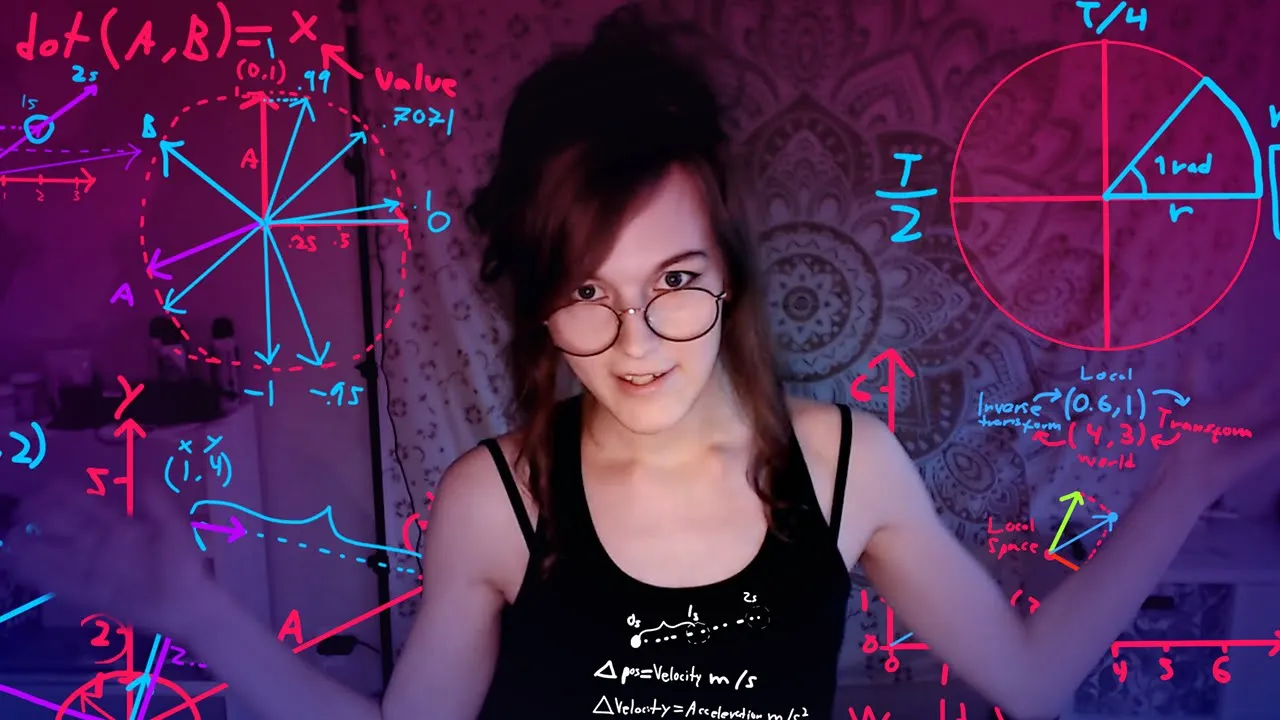
Essential Mathematics for Game Development: A Practical Guide for Unity Developers
@acegikmo
137.1K views•2019-09-25

The Mathematical Impossibility of Accurate World Maps
@Vox
23.3M views•2016-12-02
Related Study Plans & Knowledge Roadmaps
Structured learning paths in Mathematics