






![[Unity Introduction] #08 C# 스크립트 (C# Script)](https://i.ytimg.com/vi/Cdqkw-65ALI/maxresdefault.jpg)

![2022.1 유니티 기초 강의 [6/7] - 스크립트 개요, C# 프로그래밍 기초](https://i.ytimg.com/vi/1-3mLjg-9IA/maxresdefault.jpg)

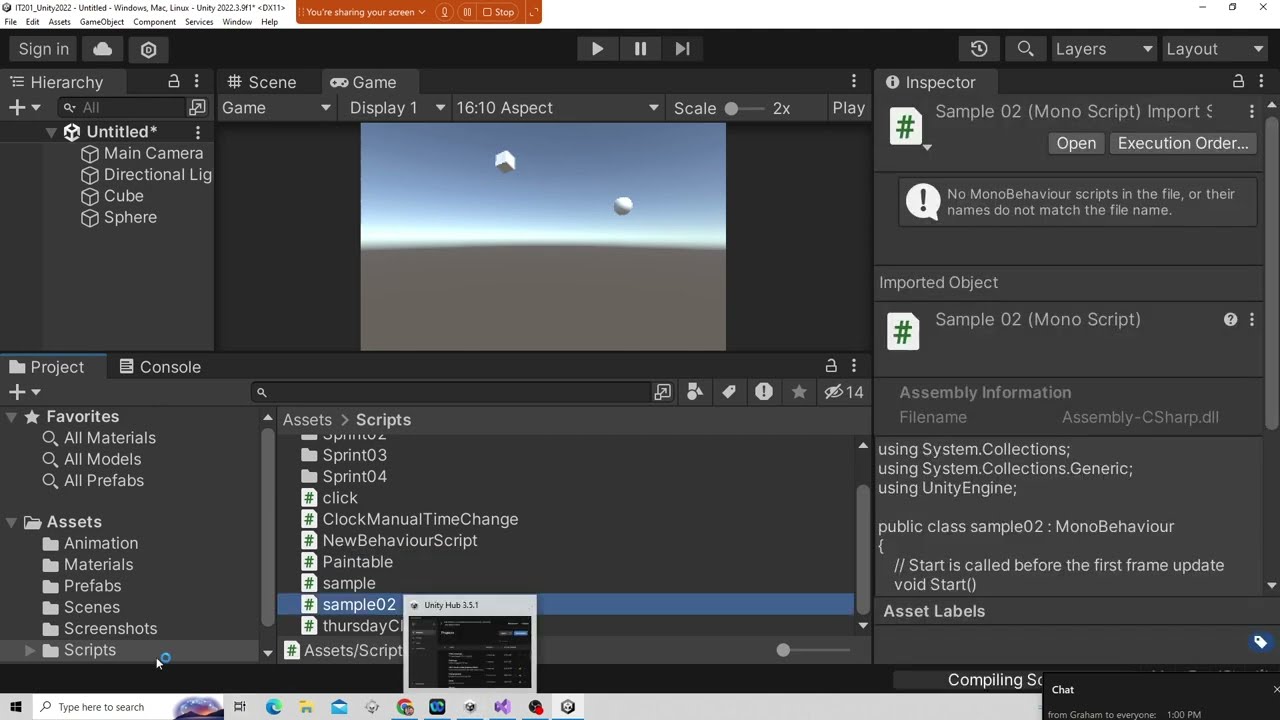



![[Unity] Procedural Planets (E03: layered noise)](https://i.ytimg.com/vi_webp/uY9PAcNMu8s/maxresdefault.webp)





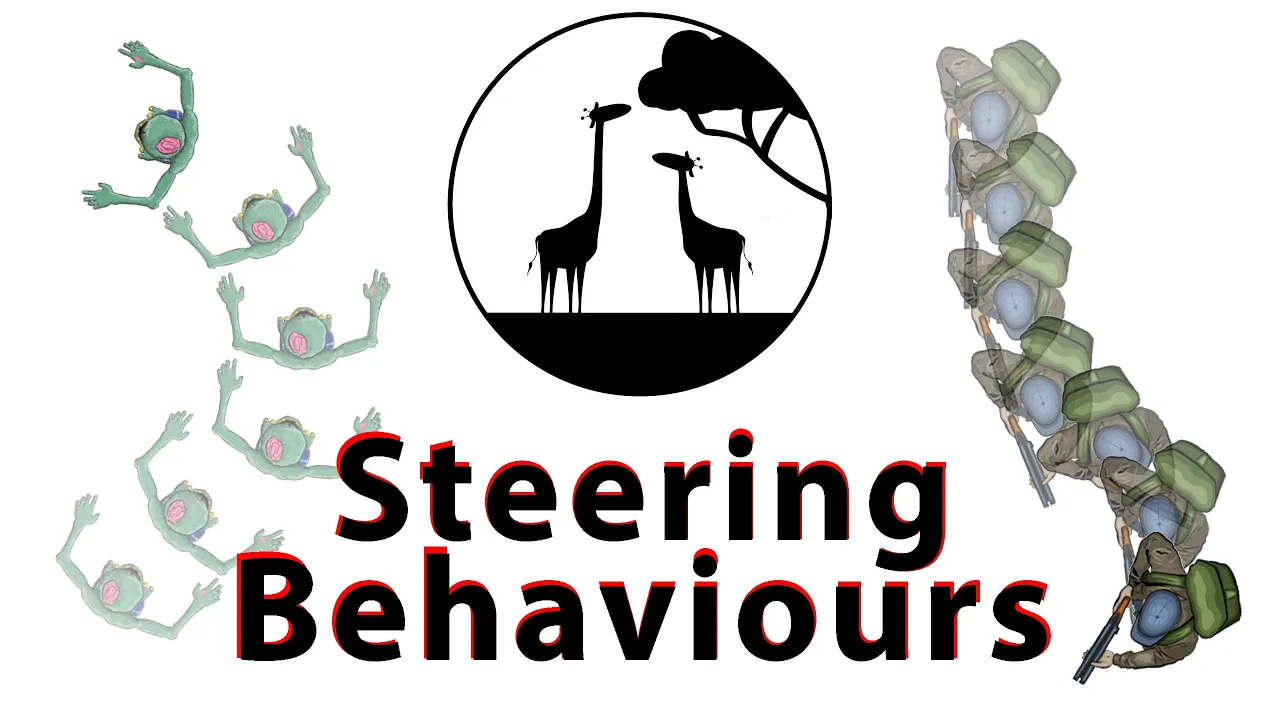
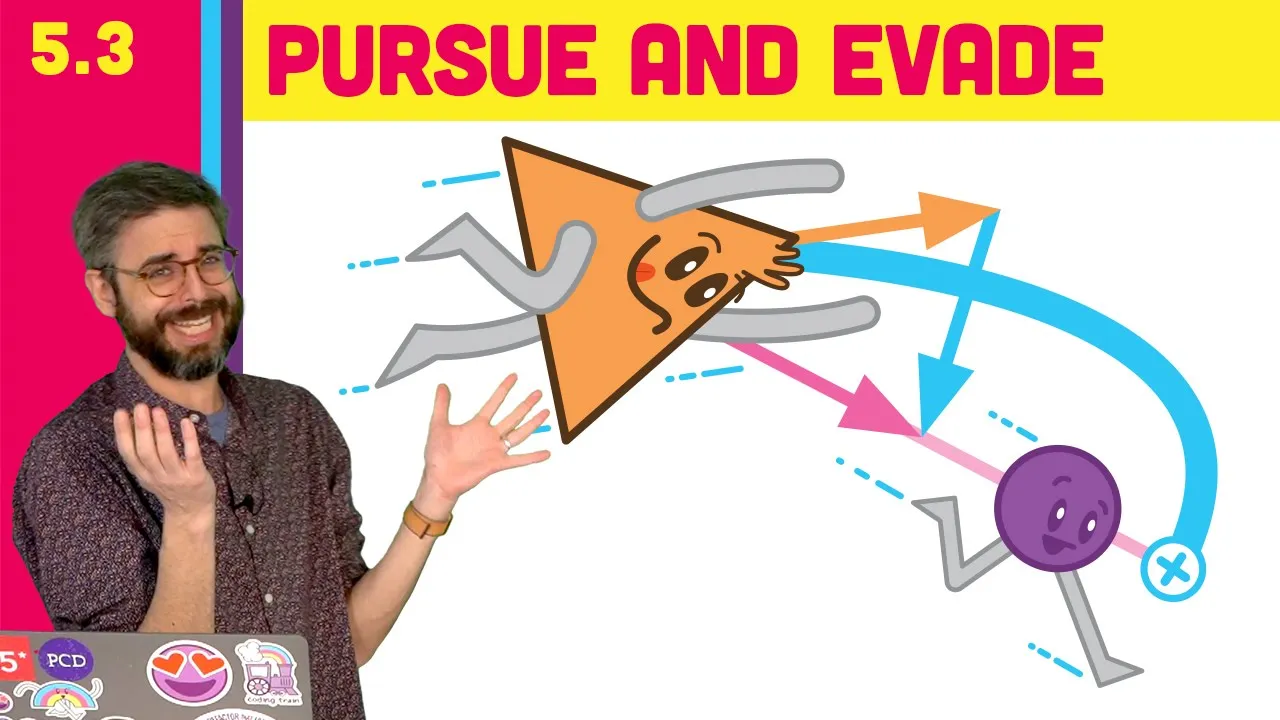
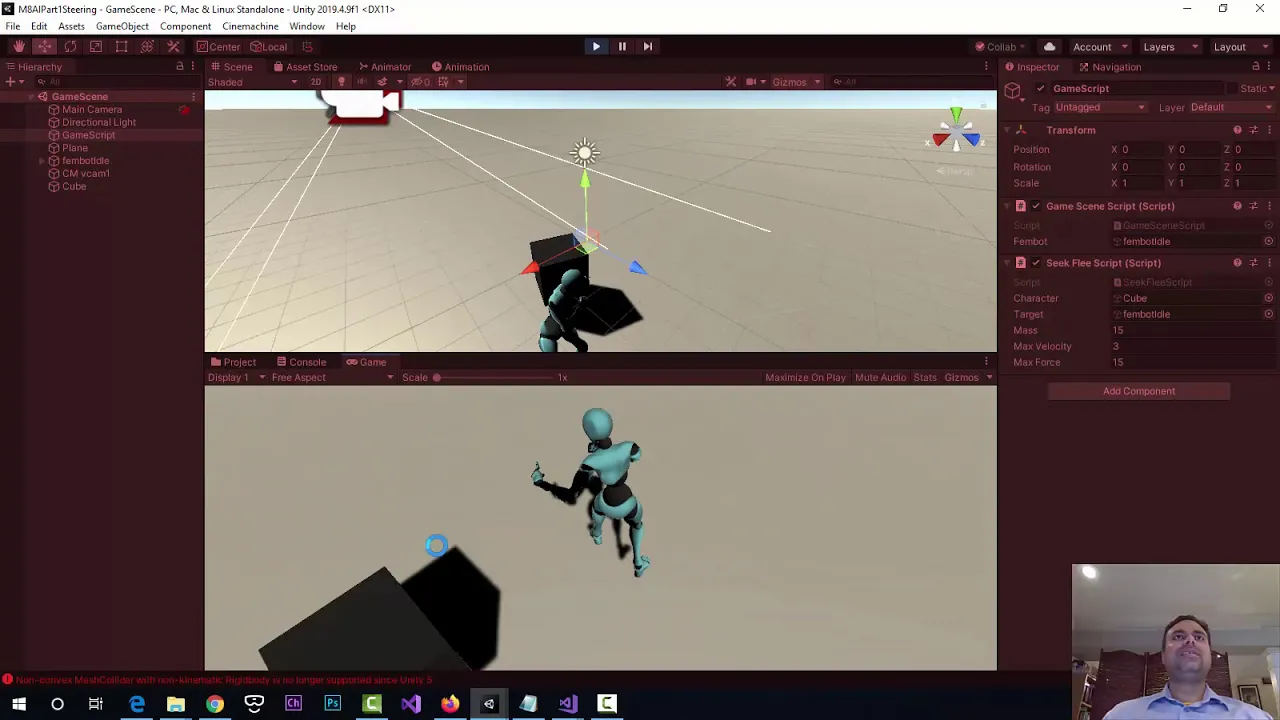
Game development relies on fundamental mathematical concepts including vector operations (addition, subtraction, length calculation using Pythagorean theorem, normalization for direction), trigonometric functions (sine, cosine, tangent) for angles and rotations, and interpolation techniques (lerp for linear interpolation, slerp for spherical interpolation) for smooth transitions. Understanding these mathematical principles enables developers to solve common game mechanics problems such as calculating distances between objects, determining object orientations, creating smooth animations, and implementing frame-rate independent movement using delta time.
Essential Mathematics for Game Development: A Practical Guide for Unity Developers
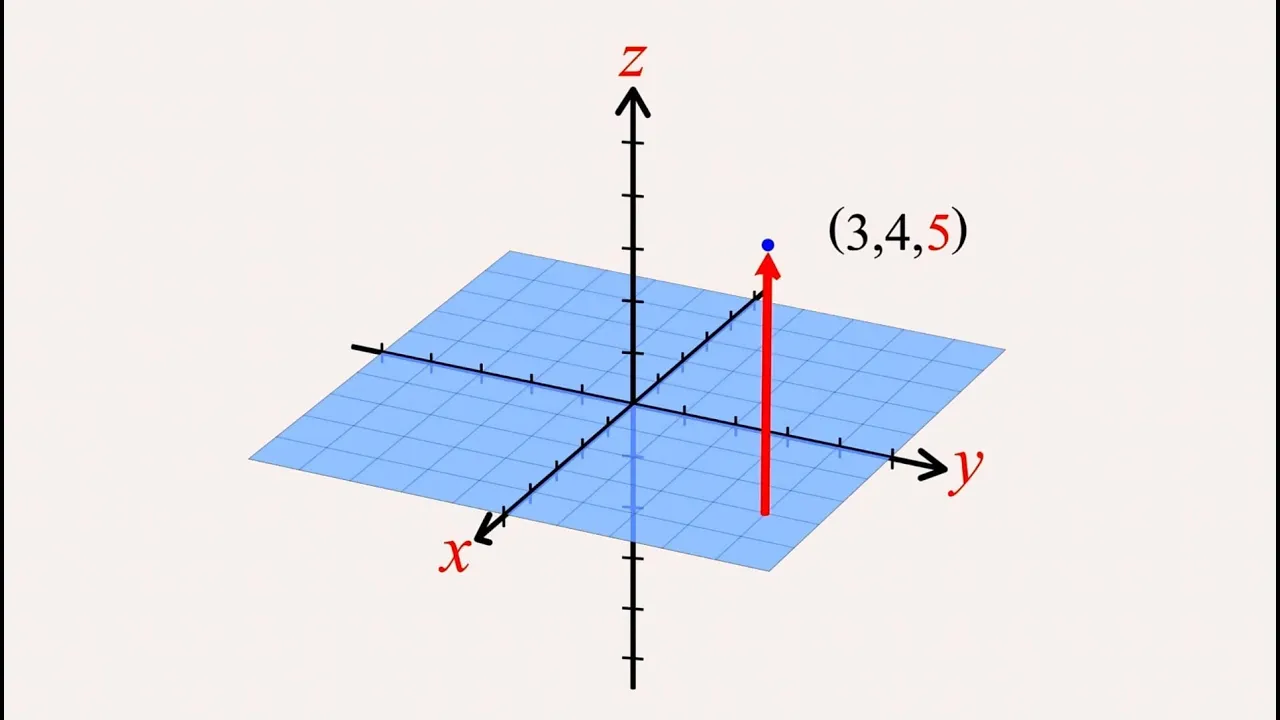
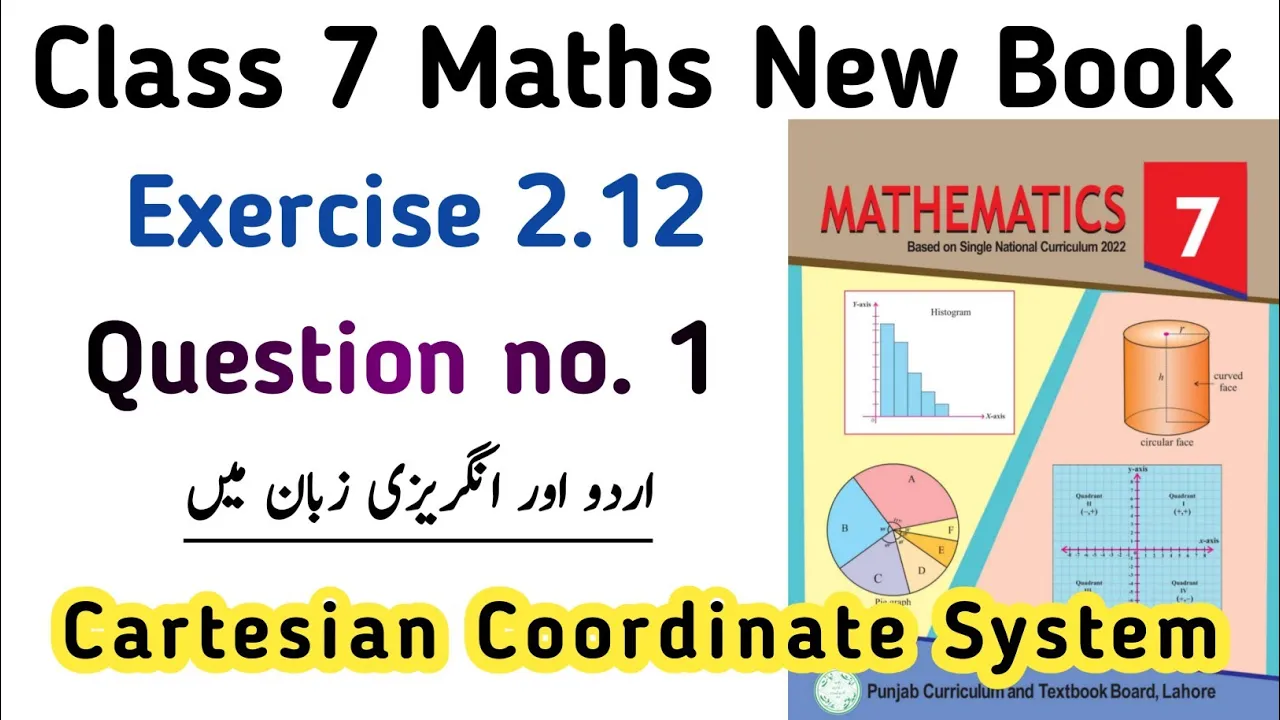
Added:Basic Cartesian coordinate systems in 2D and 3D space, including how to plot and locate points.
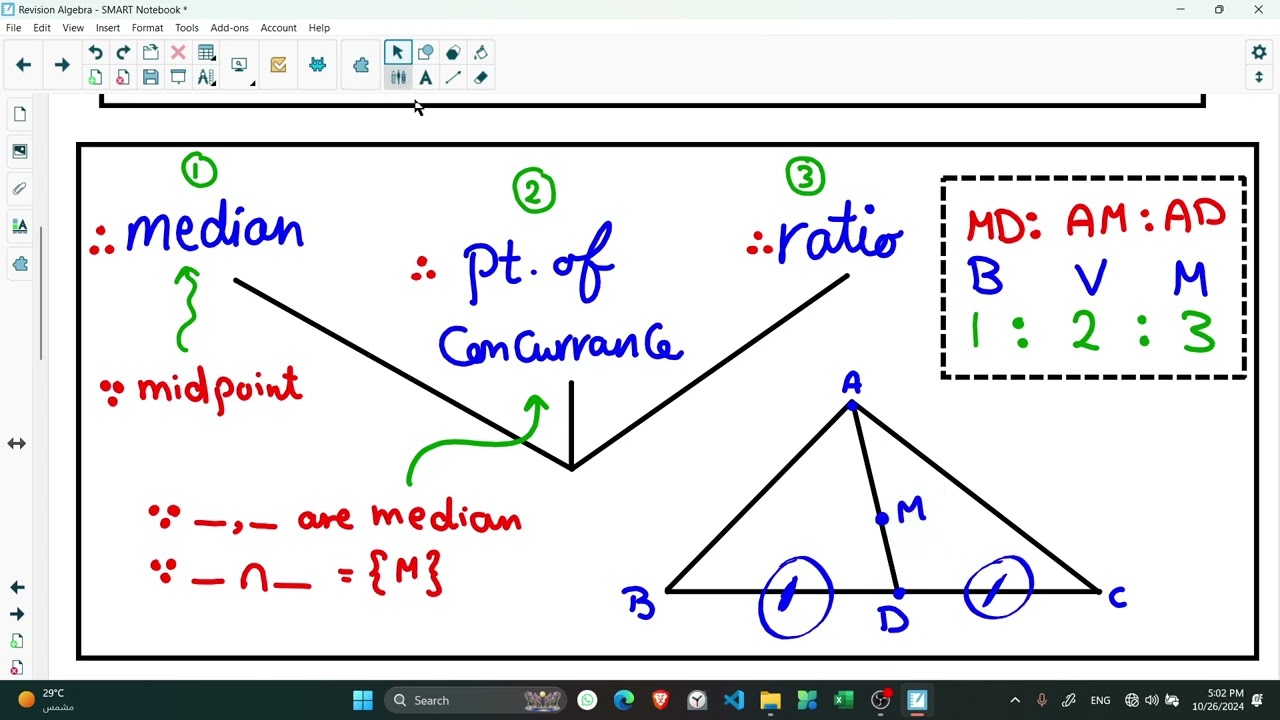
Foundational high school algebra and basic geometry, specifically the Pythagorean theorem and fundamental properties of triangles.
An introductory understanding of C# programming syntax and how scripts are attached to GameObjects in Unity.
Familiarity with the Unity Editor interface, particularly the Transform component (Position, Rotation, Scale).
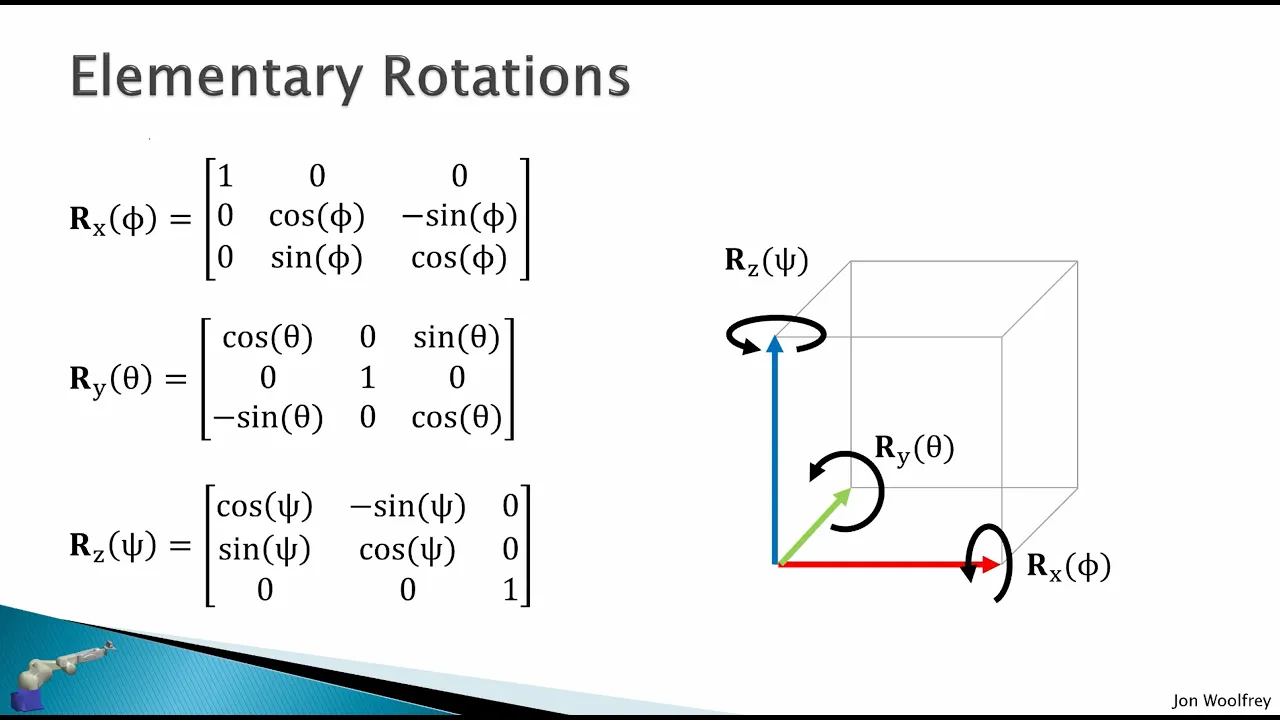
Advanced 3D rotations using Quaternions and Transformation Matrices to avoid issues like Gimbal Lock.
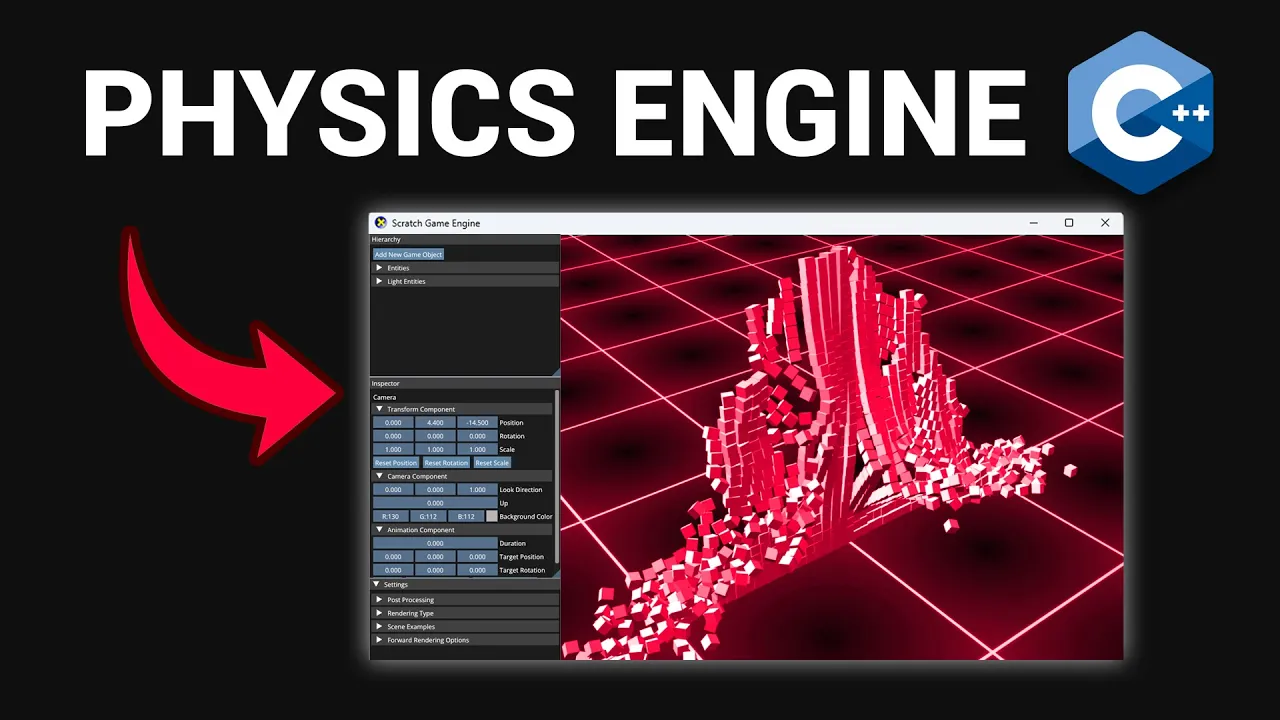
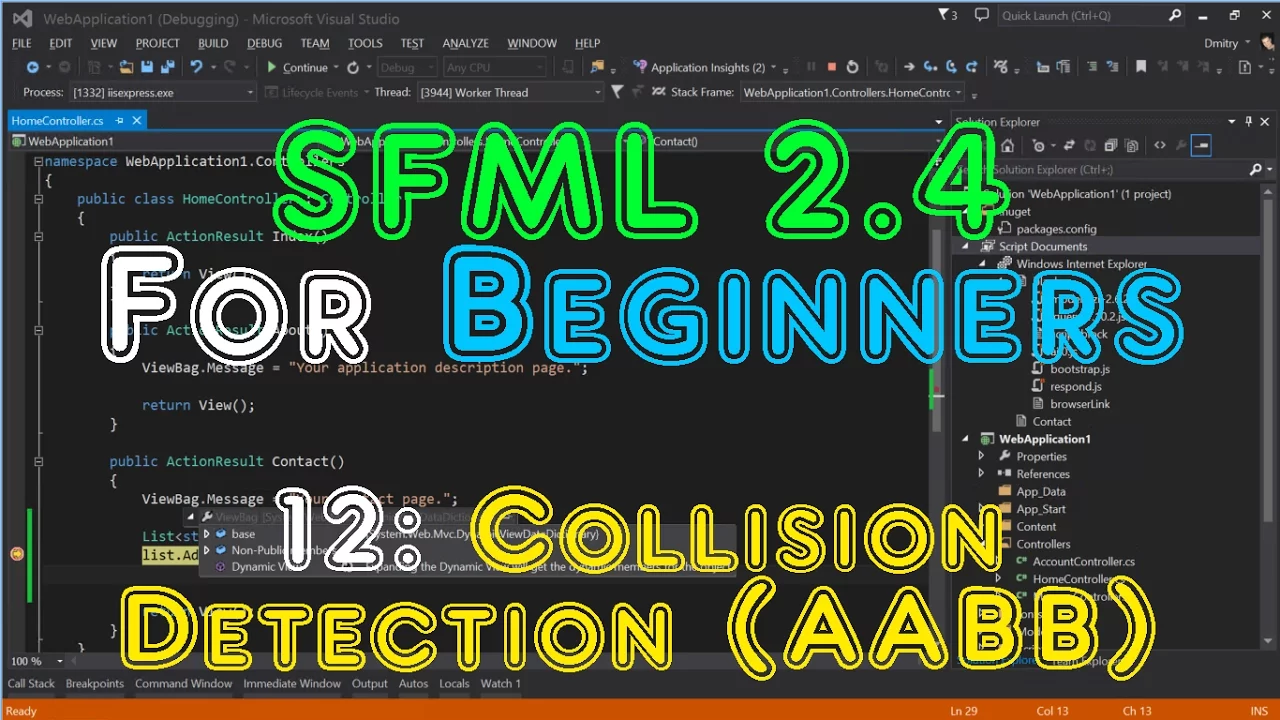
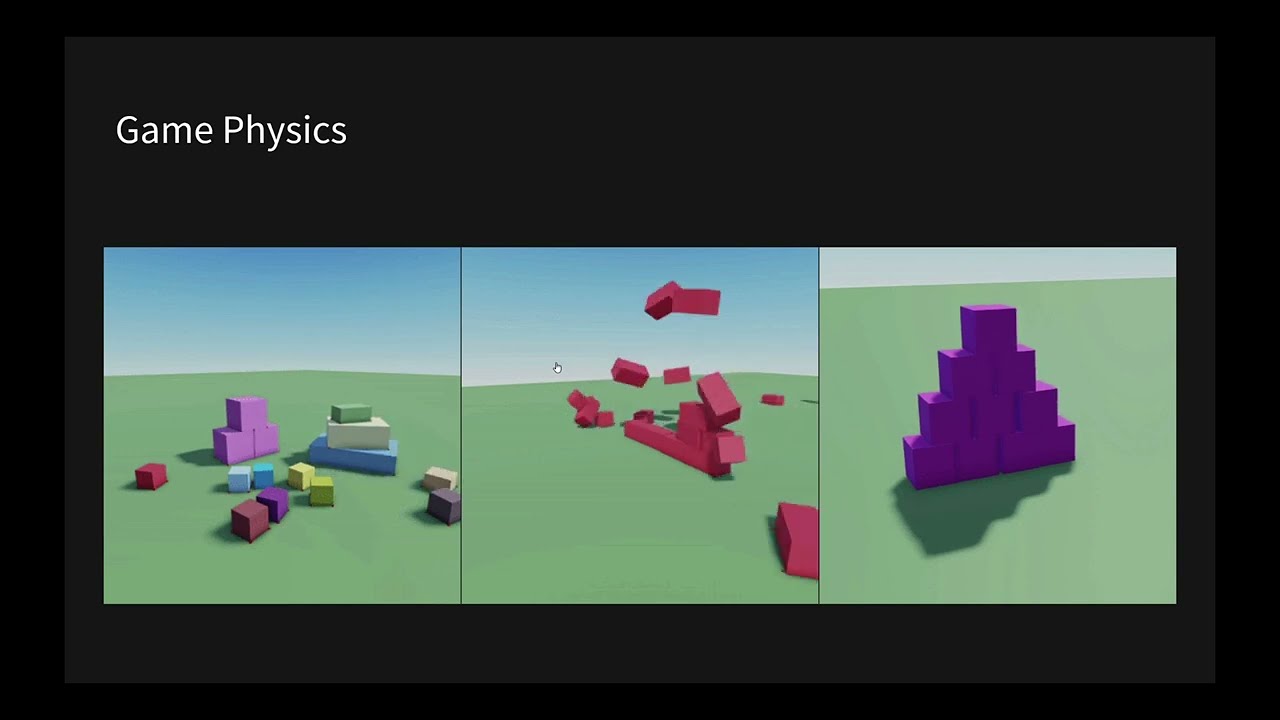
Implementation of custom physics equations, including collision detection algorithms (e.g., AABB and Separating Axis Theorem) and gravity/drag simulations.
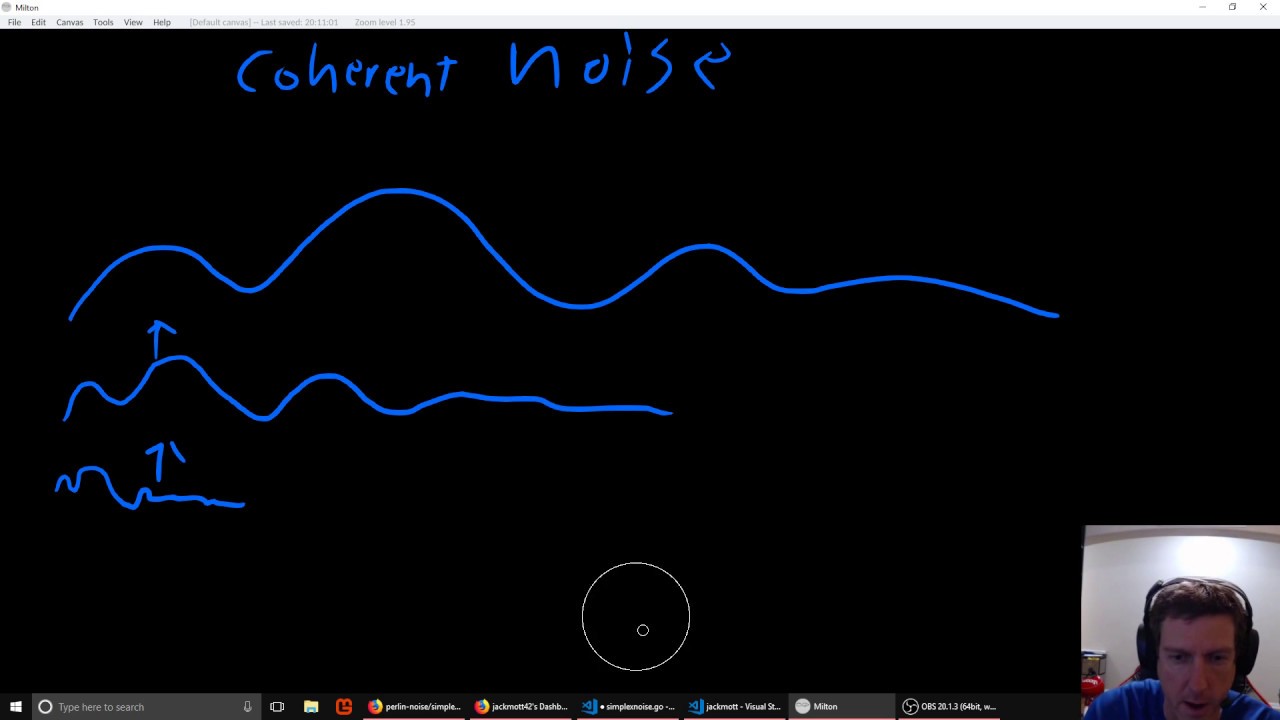
Procedural content generation using math-based curves (such as Bézier curves) and coherent noise functions (like Perlin or Simplex noise) for terrain generation.
Writing custom vertex and fragment shaders using HLSL in Unity's Shader Graph or HLSL code, leveraging vector mathematics on the GPU.
Algorithmic pathfinding and steering behaviors (e.g., A* search, seek, flee, and obstacle avoidance) for game AI.
137.1K views3.5Klikes3:58:08Original Release: 2019-09-25
yeah I'm not sure I was gonna go but we'll see um I feel like I'm relatively confident in the fundamentals of math and gamedev but I'm guessing I'm gonna get questions and I'm gonna not be able to answer I'm not as confident in math as I am in like general game dev but well let's see I guess I think it'll be useful I'm probably gonna go through very fundamental stuff so if you're already good at math then this is probably gonna be too basic for you but you're very welcome to join regardless so yeah also we have a Thor in the background I guess I really like math from like a very like philosophical perspective I suppose aside from all the practicalities like it's really practical to know my I think there is something very beautiful about like this system that is incredibly like incredibly fundamental to the way we observe and analyze the world like it's kind of the the very fundamentals of how we observe time how we observe space how we observe quantity how we observe change like all of that stuff it's so extremely fundamental but I think math is something that like exists absolutely everywhere across the universe like regardless of species like its kind of its kind of this discovered abstract world which i think is really fascinating and so yeah like other societies and on other planets would probably also have something that's very similar to the way we do math right because that's just the you know that that's just the fundamentals of quantity and stuff right it would take an entirely different universe for math not to exist in the form that it does here right it's really cool so I think it's interesting that like if you make a discovery within the universe of mathematics that's a kind of universal discovery like the like a circle constant for instance is something that other societies probably also have discovered drain although hopefully there will be more intelligent to use time instead of pi but oh well which I think I think that's super cool and then of course they would use like different symbols and whatnot to represent numbers but the underlying ideas are still the universal which i think is super cool [Music] the language of the universe maybe I'm not sure what the language of the universe would be like that's more physics but Liberty Attorney and study there might be but I'm gonna approach this from a pretty pragmatic perspective so I'm not gonna go into detail on how you know quaternions work internally I'm gonna talk about how to use quaternions in unity for rotations so I'm gonna try to fresh it from a like practical this is how you use it in situations like this rather than you know this is how matrices work in explicit detail or this is a quaternion where it can explicit detail because that's generally not relevant for game development right even though it might be interesting I think it's outside of the scope of this this dream there any specific concept you would like me to cover that like might be relevant to game DUP I have a list of things that I want to talk about but I might not might not have a good specific examples of stuff quaternions proper mirrors basic Macarius matrices and I think we can do polar coordinates cherry math in the context of shaders proper mirrors are we gonna go to the math library probably yeah we're gonna use that one I think a lot of this is gonna be mostly theory like not like entirely everything inside of unity but I think we can use unity to visualize this stuff rain so actually I should start unity so like I mentioned before I'm gonna try to keep this any pretty like pragmatic tutorial so I'm not they're not gonna get into like how Catania's work in terms of like the guts of a quaternion and imaginary numbers and all of that stuff because it's not really like relevant in order to use quaternions in unity the same thing with like rotation in X dimensional space it's one of those things that's like mathematically you might be interesting but I think for game dev it's not very applicable as you're making a four dimensional or Fri dimensional game or something but yeah I don't think that's a such a specialized case math in the context of shaders we could talk a bit about shaders it is very very relevant within shaders so yeah maybe what did do the we did do the one shader tutorial though I did talk a little bit about math in that one like using generating waves across some given space and so forth but yeah I think we can figure out the surface area we work at I mean if you include individual hairs that's gonna be a very large surface area have you ever done stuff in unreal yes I have I can use customized part for unity physics what do you mean isn't basically every 3d game 4d space not really I mean depending on how you define space in that case right like if you do the three first dimensions are geometrical and then the fourth one is time then sure it's four-dimensional if those are the dimensions you want to use but it's more a question of like what is what is the dimension in this case right so I think in this case I'm probably gonna talk about dimensions only in terms of geometric dimensions and not spatial ones or weight geometric ones are not temporal ones there we go math math in 3d is a movement and or other stuff it could be anything like comparing points for instance like how far away is this object from this object and then immediately now we have a math problem right you know how close are these two objects that's the thing we need to be able to solve right yeah so so it's questions like that or you know is this one looking toward this other object how do we do that math like these types of things pop up a lot and a lot of this is just vector math so one of the core things we're going to talk about is vector math and then also we're going to do trigonometry and let's see oh why don't you just need to start a project what do we call this math tutorial sense of a generic but it's fine I can rewrite some functions direction for physics interaction and unity connection of objects for example generally not yeah it's pretty limited in the way that you can't really like just get collision stuff from the you can't really just get the collision stuff from the physics engine without having the physics engine also act on those objects so if you want to do like a custom collision then you kind of need to write the whole thing yourself I'm pretty sure like you can do you like triggers that intersect with stuff and you get like detect on but you don't get the specific impact point you're gonna don't get the relative velocity and all that stuff they need rain so it's not always like fully useful for that rain yeah dot cross product yeah this will be covered especially dot products and a cross product is a bit more rare because it's not that often used but it might as well cover it it's useful yeah I thought maybe if we also have time I could also talk about derivatives that might be a bit too advanced but but there are ways of framing derivatives that make them make a lot more sense I think then then what how some people tend to try to explain them her cat's interested in math for gamedev I'm not sure I think Thor just wants to play right now cuz Thor has been not playing throughout all all of the night fine anyway that's my first thinker to distance on a few objects yeah that would give you the displacement not the distance so the displacement is the vector from one point to the final point train but in order to get the distance you need the length of that vector right yeah so Tommy says so that's a direction from point A to point B I know that that direction is not normalized uh so generally when you say direction you usually mean a normalized vector because it has a length of one we're gonna talk about normalize vectors as well so using time dot time wait does the time to do frame rate independent movements uh yeah that's something that's pretty useful fact I wonder if we should talk about that when we talk about derivatives unity shader languages hlsl right yeah pretty much it's like CG but also a cello cell it's weird it's a weird combination of them some okay I'm gonna head to the bathroom gets converted to GLSL it gets converted to you whatever the target classroom requires it to get converted to you because you needed us a lot of lacrosse completion between different languages so that it works on whatever platform you're targeting right we're targeting Weber Android yeah yeah in that case it would be GLSL yeah does he ID use spear up on the bed I don't remember I reckon they spear but I forgot what it is and I don't know but I'll be right back need to go to the bathroom cuz I didn't do that before streaming god dammit but that's why we have the free stream it's supposed to be sort of shitty and I'm supposed to not pay attention to things he does not appreciate this either cat or didn't happen well here's the cat don't forget to tweet back do i tweet and okay so here's the here's a question what a lot of people say like I hate math or like math is so hard or math is so difficult to get a grasp of what is it about math that you think is the the most confusing part or the something that you think hasn't really been properly explained to you because there there are a lot of people i've noticed who just really dislike math and i'm not entirely sure why and i hope i might be able to mitigate that further improve i'm not going to say that seems very difficult that is way beyond me Bezier curves are confusing are you trying to bait me into you explaining Bezier curves again god damn it thank you thank you for the following i've invited keeping up with thanking people for following because during these tutorials I've been trying to keep focused but also there's been so many people who come here coming to these streams so yeah i'm sorry for like not having been able to keep up with everything i missed anything yep no not really just a free stream we've just been talking i think a lot of people just have some bad time in school because about math teachers yeah and then the factor just being young because it's like being young you tend to have so many things you think about and it's hard to focus on things you're not super interested in right yeah because permit I think people have with Matson school is there a holes in their knowledge and false minds and was starting to learn it it's pretty entertaining seeing you ramble or too busy a Care salon I mean you never to believe I talked about in math I'm gonna talk about Bezier curves I need to try to not do that I think Thank You Mika tree that's super nice of you I've noticed even teachers refer to Malthus hard rather than explaining that it can be fun so I think it's passed on a bit gotcha um you know okay so sorry anything hmm was opposed the when all of you did math was there do you remember a specific topic where you were like even though you might know it now like what was the what was the topic in math that you found the most confusing or something that took a long time to like grasp with in math like I remember something that I had a problem with in the beginning was derivatives I think my my teacher did not explain that in a good way so I remember derivatives being like incredibly difficult to understand yeah look at derivatives as well as integrations there was something about the way that they explained it but I mean tensor is coming pretty hard I don't even know what tensors are oh so like okay gotcha so they're like basis vectors in a given space okay neat Shaul launch unity and follow along if you want to I'm probably gonna structure this tutorial as not waiting for people to catch up because there's gonna be a lot of theory I'm mostly going to be demonstrating stuff but this is gonna be on YouTube so whoever wants to like watch it again then you can do that if you want to follow along but I'm gonna not like wait for people so but yeah totally follow along if you want to you that's totally fine one thing that is signe ways I like to realize the cerebral matrix multiplication in a graphical wave that makes sense gotcha yeah integration differentiation I couldn't see the point of my first job doing processing seismic surveys and rizal integration yeah have you ever thought about creating an engine for scratch I thought about it but it seems like it's too much work for me to make a game so that it's just not worth it for me I generally get bored too quickly unless I get results so for me if my goal is I want to make a game then I'm gonna use an engine because it's so so so much more efficient it's gonna take too long to write my own engine but I might do it but then it's only because I want to learn the guts of an engine right not in order to make a game so so yeah I've thought about it but it's like I almost immediately discard it because it's not like viable for you know any of the projects that I want to make so far yeah so tend to focus a bit more on high-level stuff it's more like engines and even programming and all of that stuff is kind of like means to an end sort of its the thing you have to do to you know make a game frame yeah Matthew to playlist you want to share that in your discard feel free to share it if you want to yeah the government we don't really have a good channel for sharing YouTube stuff I guess the the closest channel would be dove I think all right so heck I feel like this might be a bit too basic for many of you because I think a lot of yous like already know math to a great extent so I'm sorry if it's gonna be a bit too basic like for instance I'm not going to go through matrix multiplication because that's just - it's you don't need to know that to make any strain and the same thing with like three blue one brown it's a really good YouTube channel and they go really in depth on a lot of like really cool math concepts but it's not really needed for games like the math you need for games is like generally pretty basic oh yeah even though it's pretty basic to me now it is quite a lot of stuff but if you don't like have a good grasp of them then you know a lot of problems are going to be tricky to solve you know the the there's so much vector math and game dive so yeah for general math yeah sure yeah it's a good Channel alright are we ready to get started is there anything else you want me to want to let me know before we get started actually you can ask questions doing the whole thing it's not like super formal but like a music is coming through I think right can you confirm before we get started musics fine cool I hear music music is good music is good I appreciate music in general all right yeah let's do this this might be this might not be the smoothest oriole cuz again these are improvised so I haven't like set up a good course or something like that I might like condense I might actually make a I might actually make a proper youtube video on the basics of math so I guess this would be kind of like a test to see is there enough to talk about is there too much to talk about how can we balance the amount of content you need to learn you know for the central game type math I've always looked at sort of been of the opinion that the amount of math you need to know for game development is actually not that much like you don't even need to know integrations you don't need to know differential equations you don't need to know you know how matrices work internally you don't need to know how quaternions work internally because if you're making something in app engine you don't need to do that type of stuff so yeah so in game development nowadays and unity and unreal the the type of math you need to know is kind of basic algebra you need to do a lot of vector math vector math is probably the most important one it's really good to know some physics and the basics of derivatives like what does it mean to have a rate of change right so so that's super important and trigonometry can be super useful not always but it can be but then there's a lot of like one-dimensional manipulation you know remapping a range scaling something offsetting something blending between two states that type of stuff that's very very common and then of course the the idea of having local space and world space is very very common in game engines to you so yeah so we're gonna talk about that I think that's sort of the vague plan I have I have written a bunch of notes on things we could talk about but yeah always feel free to let me know if there's anything you want me to cover if there I was like unclear about whatever then food-related lemma now yeah alright does that make sense are we ready to go I think we are right let's go to the desktop view there we go alright here's I think we're gonna start with a neat little algebra exercise because this is a very very typical thing you might see in a game engine right so let's let's do this also this color is different from this color so I'm just gonna fix that right now because that bothers me it was like off by a tiny amount there we go sorry what layer is this good alright so let's go to you a very simple example where you might be setting up a game you're setting up some sort of some sort of game that has units with health bars and then these health bars you want them to you know have a texture inside of them and or like a sprite for the health bar graphic itself and then you want a bar and then you want to be able to change that one based on how much healthier character has right and your character might have health values between you know zero and something right so so say you do have this health bar and let's see how big we should make this that's a great health fire what what is symmetrical and uniform health fire okay so say you do have a health bar and you want to fill this to you to something to some some value somewhere right so so let's say you got this value right here so then you might run into some issues so so so say you have your you say you have the width of this one you have the the pixel width of the health bar right so that would be this extent right here so this is let's see what do we call this one PX with for instance of the full bar what do we call that one container bar maybe okay so wait that's not how useful with there we go are okay we got the pixel width of this bar right here right okay what else are we got well we have a player somewhere in the world right and the player probably has some some sort of health value of right and the health value has some number you have a maximum health and you have a current health right so let's say you have your health max and that might be some number right and then you have your health currents I should get a tablet this is not ideal this is readable by the way my handwriting or mouth writing isn't at the best okay hmm so we've got the width of the health bar we've got the current health we're got the maximum health and what else are we got so we might want to have a sprite in this one so let's say we have a let's say we have a texture that we then want to stretch or something rain so so say we have a a health bar sprite that's like a texture asset right and this bright also has a width so actually let's see it's a different color for that one to clarify things I'm using a tablet no if not okay so we have these valleys so for our three values we needed one more right so so say we want this graphic do you map a sprite onto this one right and so you have yours right right here and the sprite itself has a width too so let's call it s P hold on SP lowercase s P R with okay so there we go so this is again a pixel width so actually we should probably do a go also this much it melts into the thing there we go pixel sprite woods there we go cool so now the question is if we want to map this sprite and we want to put that one right here what scale does this one need to have in order to fill the amount of health you have so you have the pixels right width here but the top width of course doesn't match the full health bar and then the question is what do we scale this one by in order to fill this health bar so that the sprite is stretching all of this like cyan area right so so how do we do that and this is kind of a typical example of like a lot of you have a lot of variables and I need to remap a bunch of ranges right so so there are there are a few steps that you can go through here that are that are pretty important to you it's gotta know how they work and whatnot right so so first off the would you probably want to know is the the current amount of Health relative to the your full health right so so you have your current health and you have your max health so how do you get the how do you get the percentage of health that you have given these two values well if you want to get that then there's a very simple way that where you can take the the maximum the total and then you have the current value and that's kind of the gather the fraction of the total rain so if you do the current current there we go divided by total then you get a percentage for how much this one covers of the total so this is a simple division we divide the current health by the maximum health and then get a percentage of how much health we have rain so so say so say the the full range here is 100% and then you have 50% here so 25 so it's like somewhere here right okay so let's say this is let's say this is 40 percent or something right so this is 40 percent then this one is going to give you a point for because that's how you how you usually write percentages in case they are just like multipliers or something and this is equivalent to 48 percent rain okay so so now we have a way to get the percentage of health right so so we can call that PCT health I need it this is smaller brush PCT cool okay so now we have a way to get the percentage of health so now how do we get how much it covers of the health bar well the percentage of your health of related to your health maximum is going to be the same as the percentage the bar should cover of the width of the health bar right so what we want is the pixel width of this bar right here so how do we get that well if we move things around a bit which I should have done earlier to fit the percentage health in then what we can do is that we can take the percentage of Health and then multiply it by the pixel width of the bar then we're gonna get a percentage we're gonna get that same pixel value but as a percentage of the full width of this bar right so if you do that then you're gonna end up with however why this one is going to be so the width of this one is the let's see PX with bar there we go and then we I cannot type I'm sorry then multiply that by the percentage of Health right so that's the PCT health there we go okay so that gives us a pixel width of how much the health bar should cover inside of the you know container of the health bar frame did that make sense by the way I hope that made sense so if we kind of get a week out of that percentage in pixels if we multiply percentage by the full range train okay so now we're almost there right so sorry settle question I'm not a game developer why not we just draw of regionís and sprains I mean you could draw over the region to you generally you don't scales fries but for the intents of D for this purpose we're just doing it for a math exercise way it's pretty common though to have an object that has a specific size and then you scale it for the health bar so that case is not like super rare that can definitely happen like somebody mentioned in chat that they've already done it like a few days ago okay so so now we have kind of an interesting problem of the this right right here has a specific width and that with probably doesn't match the pixels rain so so let's see the width of this one is see the width is for instance for instance so okay so it's it has a width of four four pixels wide but then so how do you make sure that the four pixel wide one can scale to fit this range right here sorry I can cut all right so in order to do that we we need to convert between a few things so you can think of this width number this four right here as you can reframe the way you state this one right so so now currently this one is in pixels per sprite with right so it's pixels per sprite if that makes sense it's it's kind of this kind of the unit of this not it's four pixels per sprite and that's a value we can use in our calculation of this rain but there's an interesting property that where you can do one divided by some value and that will also flip the units so if you have something like if you have four meters per second for instance if you do 1/4 so if you do 1/4 as in you just like 1 divided by that the number you have and then what happens is that you also flip the unit so in that case you get a points well 4 meters per second is then the same thing as 0.25 seconds per meter so you can see that we we flipped it from meters per second to seconds per meter and the way we flipped it was just do the reciprocal of it which is 1 divided by the value right and if you take 1 divided by this you flip it back to that value frame so something is moving at the speed of four meters per second then flipping that can tell you how long does it take for this to traverse one meter right that's kind of seconds per meter and what's that math operation called it's the reciprocal so that's a that's a very useful tool to have because this is something that you can do quite a lot where we just flip a unit so so in this one you can also do the same so right now it's pixels per sprite right but we kind of we have a pixel value here this is in pixel units and if we want to know how many sprites we want to do per pixel then we need to flip this one so if we do that then again let's say it's 4 if we do 1/4 we then get a value open 25 and the 0.125 would not be pesos or sprite that would be sprites per pixel so now we have this in a per pixel format now I know how many times should have this bright within a single pixel right so now that we have this unit if we then take actually we should name this one to something so this should be like pixels per sprite or something right so px per sprite there we go is that value so the one thing we need to do now is to multiply this one by pixels for spraying and then we get the scale of this object right here so Ola need some more space okay so say we had this one the sprite is right here and then we need to scale it with something so so that scale is then gonna be this valley we had right here just gonna cut it out because I don't want to mess up my stuff there we go and then we take that one and then we just multiply it by the pixels per sprite so multiply it by pixels per sprite so this is then going to give us the scale of this one in order for this one to have the same size as this one in pixels right so yeah so that that's the the way we would get that scale all right so this is a type of stuff you do quite a lot there they're also different ways of doing this so instead of getting the reciprocal of the the pixels per sprain you could also divide this by the width of this frame or that operation is like bit more difficult explain why that works but I think it makes a lot of sense to to have these units because then you can kind of see that you have the full width of the health bar in pixels you multiply that by a percentage that eye means that you're gonna get a percentage of this one and that unit is still in pixels and then if you multiply that by something that is pixels per sprite then what you get out of it is the scale of that sprite yeah so then if we have used this scale value we'd be able to extend this one to the same width as the other one right yeah all right did that make sense or was this a very esoteric a strange example any questions about this by the way sure probably use a lasso tool more for Marquis selections instead of doing weird things with a box election well say hello gozman it's that for a second secret do you want me to do this in code as well or do you want me to keep it like theoretical and purely mathematical because I could do code examples as well my scale you mean will repeat this right in this case is just scaling up the object SNU you have some objects and then you multiply it by two then the object would just be like bigger in this case it would just be scaling in one dimensions and then it would be twice as wide rain and then how you repeat that texture or whatever that would be like that would be a different thing that's kind of you know what does the shader look like in yadda yadda so that's kind of a separate things that we're not going to go fully into that yeah yeah yeah dude let me know if you want like like code example or something it might take a bit longer but it might be useful to like clarify how things work have you had her water no I'm sorry and thank you for reminding me so calculated the scale factor yeah exactly all right um is there anything I'm guessing there are no more questions on this particular example um we could do an example of this they probably let's see I'm trying to figure out if we can do that in this in a fast way in a visual way um probably not we probably don't need an example for this unless you specifically want it I could do it but I think it's not necessary or actually would kind of clarify things a bit better let's do it I'm done reading this I'm thankful the fall of Gotham odds how do we set this up hmm actually this wouldn't contain the sprite with so it wouldn't be exactly the same hmm no actually let's give it let's not do it it's gonna be a bit tricky to set up I if I had like I should have prepared some better tool for setting that that I've fought yeah okay all right let's see what's next we've covered that so yeah so this type of example of like finding a scale value of something or you know all of that type of stuff as I was like super super common so another like very useful tool that that I used to figure out scale it's kind of like to think of things as you know say I have my value a and that I want that I want to find a scale factor so that a can become some other value right I want a to become B when multiplying it by something right so so in this case we wanted the width of this one or the width of the the scale of sprite should become the same as this width by multiplying by something but I don't know what's something that is but I might know both a and B like I know the source value I know the target value so then all I need to figure out is what I need to multiply by here I need to figure out the X rain and so as soon as you have this equation right here you can just use algebra to like to reshuffle this so if you divide both sides by 8 then what you're gonna end up with is that you're gonna move this whoops brush there we go so if you divide both sides by a then it's kind of like you're moving the a to the other side rain because a divided by a is 1 and then we do 1 multiplied by X and then you end up with this right so then you get B divided by a very flat a for some reason yeah so so that's see that's a very very useful useful way to think about things so so whenever you want to find a multiplier you do you know I have my value multiplied by something equals third target value right and then you just like reorder the structure like this and then you can figure that out by just running the numbers for B divided by E or if it's dynamic you would just get the number automatically afraid yeah but that's basic algebra and I'm guessing mus you have sort of a grasp of that yeah okay so I was considering talking about graphs of functions what functions can be a bit confusing because functions are look like they operate in 2d space but they don't really so it might be more confusing than useful but we'll see in case we need to talk about graphs we'll do it but I don't think that's necessary so now we sort of talked about range transformation and scaling which is something you do a lot you know we had the we have the some range of help the current health to the max health to a different range of a health bar with a specific of width so these are just like one-dimensional scale so we had to remap and do stuff with rain yeah so that's what we we have been doing now all right so offsetting but didn't do any offsetting now but might be useful to talk about that when we talk about vectors that's more relevant there there we go okay don't know when we're gonna talk about this integers and erasing indices and loops this is one of those things that is very fundamental but you probably don't really talk about it much as in like how how does it actually work how do we use in disease and whatnot and should we talk about that as well or do you do you think that's a bit too basic I don't know what the the current skill level or the chat is right now also thank you for the for the follows I am very warm I need to fix my hair so you use iteration and arrays so so so much in code so if you like if you don't have a grasp of the you know how the length of an array works how you get indices from that one how the indices relate to you know the number of elements and whatnot I feel like you you're gonna have a hard time so this is super fundamental but I think a lot of people already know it so maybe I'll skip that okay so let's go to vectors that's probably the most important thing if you're gonna learn one piece of math in game to have its vectors like it's almost arguably more important than algebra with in game dev so let's talk about vectors the cat meme asked him for a close-up he had one close up and then he disagreed I'm just gonna sit with this cat toy in my lap and hopefully he's satisfied with the prospect of me almost playing with thinking with him cap need math probably do some math some intuitive math in their brains when like jumping or chasing something that's some proper proper truth is there he is okay vectors let's talk about vectors vectors are super neat okay so let's let's set up some something like a let's set up a number line you're probably familiar with a number line you have a line that is pointing in some direction and you have some values along this line you have 0 you have 1 you have - that's not a 2 3 4 and so forth right let's add fine for completeness what's not called completeness what's the word for anyway okay so just if you have regular values in math right so you have a you have a value of two so you can kind of think of the value 2 as a one-dimensional vector so the value 2 is that's an arrow pointing from 0 this would be a one-dimensional vector with you know the length to you and also the you know value to you so this is a one-dimensional vector with two okay I cannot draw to use right now for some reason they become super wonky right so if we then want to add 2 to something else if you want to do 2 plus 3 for instance then it's kind of like we're adding arrows together so if we stack another arrow say the value 3 the value 3 would also be an era from 0 all the way to 3 right so now I have two values and two arrows and so this is these are 2 1 dimensional vectors so if we add 2 and 3 together you obviously get 5 as you already know so if you get 5 then 5 is another vector that is pointing all the way from 0 again the height of these doesn't matter by the way they all should be stacked at the bottom but anyway so you get the another vector of length 5 rain but the reason I talk about a 1 dimensional vectors like this is I want you to think of addition as adding two things adding two lengths together so if you want to get to the the value 5 from these two you can simply take this arrow and then tack it on to the front of the next arrow so so by doing that you can you kind of see that this one adds up to 5 right so you take one vector or a 1 value and then add another value on top of that you're gonna get another one in the end but this is a combination of these two right so so that's kind of a one-dimensional look at vectors but generally when you use vectors you use them in 3d or 2d array so so now let's expand this to two 3d so let's take take these things move them around a bit and actually let's make a new layer for this all right so now we looked at this in in 1d and now let's go TD so in 2d you tend to have multiple axes that well you have two x's so this is the x-axis right now and then we're gonna have another axis that goes vertically and these are always exactly perpendicular because it's a coordinate system saved your y-axis here and then again you have numbers here so you have one two three four and five great okay so I see you as you saw here we had these one-dimensional vectors and they have a value of 3 and that's an arrow go from 0 to 3 or that's one way to visualize it right and when you visualize them like that the addition makes a lot of sense because you just you know take the one end of the arrow tack it onto another and then you get the full arrow ring so so let's do let's do this in 2d now so 2d coordinates instead of just being a single value you have two values and they're always in the order of x and y so first we have the x coordinate so let's make you a vector that goes from say from here to here okay so what what values does this one have well the x coordinate of this one is going to be this one right here so three is our x value and the y coordinate is going to be the value right here and that's two all right so it's three into you so that's the the coordinate of the vector so if we want to you know type this vector out just mathematically usually you have it in like parentheses or like currently brackets or something so in this case the x coordinate would be 3 and the y coordinate separated by comma usually would be 2 right those bracket didn't fit damn it three and two okay so now we have a vector a two-dimensional vector or a two-dimensional coordinate at three two and again three is the x-axis and the two is the y-axis is always in that order so you got x and y can you get an accumulator vector length from a vector to you what do you mean by cumulated you can get a length of this one absolutely we're not sure what you mean by cumulated okay so now let's let's do audition again so so now we have this vector let's add another vectoring we could go a bit funky so let's say we go for something on the negative side so if we go back here we have negative 1 and we have negative 2 rain and then the y-axis goes negative down here but we're not going to go there so let's make another vector now this one we're gonna do an arrow let's see let's do an arrow here it's one of intersecting the one that's sorry about that maybe I should color code this one actually now that I think about it just one length to see you nextime way would be accumulated gotcha we're going to talk about vector length to you we're gonna get to that after addition and subtraction all right so now we'll have another vector so this vector right here again we look at the x coordinate first and then the y coordinate so the x coordinate of this one is going to be negative 1 and the y coordinate of this one is going to be the same it's going to be 2 so the like parentheses should be preferred over the records gotcha great so ok so this is the coordinate of this one would be let's see right where I'm negative 1 & 2 right so we have like now I don't know if I should keep doing curly brackets or not so negative 1 and this is the coordinate of this vector right here okay so how do we how do we add these together then well you basically do the exact same thing as you do here but you do it per component so what I mean by per component is per axis so you add the x coordinates together and then you add the Y coordinates together which then gives you a third vector so again we can use the same thing as we did here we were take one arrow and we stack it on top of the other one so if we do this one we move this over here then this vector is going to be added like this so now this one is over here and if we add these together we're gonna get a a third vector that goes from here to here so the purple one here is the sum of these two vectors so so in this case thinking for the following right okay so so now we have a sum of these two because we just took the this vector right here added it on top of this vector and then we ended up with this vector because we you know we've not added them together so what are the coordinates for this one well for this one we would have a dhobi x-coordinate - right cuz we go all the way down there and that has a value of two start with a grid so that one is that two and then y coordinate is 4 so 2 4 so now we've added these two vectors together and that's how vector addition works and the kind of the the the simplified way of doing this would just be to do this per component so if we look at the actual values of of these two we have 3 plus minus 1 which is 3 minus 1 so the x coordinate of this one minus 1 is 2 right and that's the x coordinate and then the y coordinate we take the Y coordinates 2 plus the y coordinate of the other one which is also to you so there's 2 plus 2 and that makes 4 so that's the final vector we end up with we just do the components of each ring all right I hope that made sense and then you can you can also do subtraction that that is also there's also something you can do a subtraction is works in a very similar way but you can sort of just invert one vector and then add them together so if we want to do actually I should mark this one as let's say we should call these a and B and this is C okay so C is in this case the same thing as a plus B right okay so if we want to do a minus B we can think of it as just like flipping this this one to the other side so we reverse this vector by multiplying each each number by negative one so in this case the x-coordinate would become one the y-coordinate would become negative two and that vector points something like this or well I guess this is difficult to eyeball so then this one would be the negated version of this vector right here and you just negate each number then you get to get a vector pointing in the opposite direction so if we do a minus B we take B flip it around then add them together so that will give us this vector right here and then we'd get a vector along the and the flat line right here right and this vector here that would be a minus B all right so so unity has a bunch of built-in types so if you're using unity then there's a type for vector twos there's a type of vector threes and if you just use one vector to you know added one vector to plus another vector to you unity is going to do all of this for years she's going to add the them together you need to like manually do this per component but this is kind of the basics of how you yeah like how you add vectors together did that make sense so far is there anything that was unclear also start with the clutter I should probably look plan what vectors to use to prevent overlap but this isn't Bryce so you know so far so good all right okay so we've done addition subtraction and we done TD coordinates okay so you can sort of you can sort of probably see that you can extend this to 3d right so all we do is we add one more component to each vector and one more axis to do things on brain so we just add one more thing and that would be the z axis right we actually it's not correct no does he access should be in the other direction anyway negative Z anyway okay so so this extends to 3d too but it's easier easier to talk about 2d all right so right somebody asked about distance how do we how do we get the how do we get the length of a vector so if you want to get the length of a vector this is a bit cluttered now I don't know if I should be using this one for that there we go on a cluttered version mmm there he goes beautiful after we draw the one okay so we want to get the length of a vector let's uh let's just you a maybe that one it's over here so if you want to get the length of a vector it's usually in within unity or any math libraries you that tends to be built in there's almost always a way to get the length of the vector itself I could go through the math behind it if you want to you but but basically the so this vector right here has an x coordinate of 5 and y coordinate of 3 so this is 5 3 so then if you ask for the length of a vector then you know these two contain the length of the you know the x axis the the 5 represents the kind of total distance here right that one so that's kind of the length or the extents along the x axis and then if you do the the y coordinate of 3 then that's kind of the length of this right here so if you think of it as a triangle the the x coordinate or the y coordinate would be the the length of this side of the triangle frame and so forth okay so then the the length of this one is going to be longer than the x axis right because this one if you imagine rotating this one down it's going to be a bit longer than than five so okay so how do you how do you get the the distance of a vector u there's the if you remember Pythagoras there's a I don't know how to pronounce it in English like by the Pythagorean theorem or whatever Pythagoras is saying that one is the thing you can use to get the length of a vector and it's kind of a you can kind of just like remember I said I suppose the so if you want to get the specifically the Euclidean length of this one I guess that's the bit too I guess I shouldn't talk about different length norms but anyway so so the way to do that you take the x coordinate so the x coordinates and then you square that and then you add that with the y coordinate so again remember this is the x coordinate x coordinate y coordinate so we take the x coordinates square that as in multiply it by itself and then you take the Y coordinates square that as in multiply it by itself and then you take the square root of that and if you do that then if you take the square root of that then that gives you the distance or the Euclidean distance specifically so this will give you the length of the vector so this is length there we go okay so so this one is extremely useful it's not exactly checking distance between two points but this can be used to do that so so right now we have yes it's the right now this is just a straight up formula for getting the length of a vector but remember that you can interpret these as points and not just vectors in and of themselves right so so if you do have another one let's say this vector right here different color actually should probably do a something that would yield an angle vector there we go okay so so if we want to know the distance between these two points so you have this point right here and this point right here what we need to know is this distance right here right all right well a bit less Q so we need to know this distance so now we have its bit of a different problem we can't just straight up use this one because if we do that then you know what numbers do we plug into x and y because we have you know one x and y coordinate for this one and another one for this frame in this case this one would be one and for rain okay so if you remember the the subtraction we did over here we can use subtraction to get a vector that has the same length as a distance between two points so so if you look at these these right here so we had vector a this vector right here and then we had vector B this one right here when we subtracted a from B that's a shortcut in Photoshop I did not know about what this happening there we go so now if we take a minus B you can see the week of this vector the the purple one is lying like along the floor this vector is the same as a vector that would go between these two points but vectors don't really have a location and an arrow quote-unquote so this one is just like a little resigning a zero but the distance or the length of this one exactly lines up between these two and the same thing happens down here so if you take this point and this vector where we take let's call this let's call this a go damn it and then we'll have vector E and then we take a minus B and if we car the purple color again then imagine this vector but negated and again that would be a negative 1 and negative 1 in the x coordinate and negative 4 on the y coordinate right because we'd use negate both of these and that era would point in the exact opposite according to relative to the origin right so now this arrow if we add this to this one we're gonna end up with a point that goes down here somewhere we're gonna end up with negative 1 on the y axis so that's somewhere here and the x axis is going to be 4 because again we can do this component wise X would be five minus one which is four so that's this x-axis right there and then the Y coordinates would be 4 minus 3 or no sorry 3 minus 4 and then that gives us negative 1 right so now we have a vector down here so you can also imagine that as an arrow pointing like this right and if you look at this this vector is the same length as this distance right here so we if we want to get the distance between two points we simply subtract one from the other and then do the length of that vector so if you want to get the distance given two vectors you can just first subtract one from the other and then do the lengths form now and then everything's gonna work so that's kind of a quick way to if you don't have a specific distance function but you do have a length function then you can do that where you just subtract one from the other do the length function and then you got it right okay did that make sense by the way I guess I could write the formula for that to you is if you want also thank you for the fellas but it would be very similar to this one it's basically the same thing but the what is happening with my brush I want a normal brush hey Photoshop so basically you take a dot X so dot is usually the way we indicate that we want to get a specific field inside of that one so a dot X would be the x coordinate of a right so we do a dot X and then we subtract B dot X now we're kind of like doing this manually B dot x and then I should I need a neutral color I've just got color colors but no neutral colors there we go okay there we go um a minus B that's a bit too drunk makes me sad we got less side color there we go that's better a minus B and then we square that one again same thing of last time and then we add that with another one where we do a dot y subtract it by B dot y also squared and then finally we do the square root of all of this so this is in case you wanted to do like a full yeah don't do the whole thing basically where you take a distance between two points right but usually you don't have to memorize this like it really you really don't have to you if you want to get the distance between two points in unity you would do vector 3 dot distance and then pass the two vectors in green yeah but it might be useful and helpful to know that math behind it I don't know and one thing to note here is that the the order in which you subtract it doesn't matter so in this case we did a minus B right row take the negated version of B and out of that here but we might as well do the the other way around if we take the negated version of a which is pointing in this direction and then add that onto B we're gonna get something like this vector right here and then you can see that that vector has the same length as this one so it really doesn't matter which one we subtract first because this has the same length that has a different direction though which can be we can be which can be super important to you to know okay so speaking of directions there there's something in when you talk about vectors is very very useful and that is normalized vectors so a normalized vector is a vector that has a length of exactly 1 so so so why is this useful oh that it's something that do you see absolutely everywhere in in games and a lot in math - so a normalized vector is a vector that has a length of 1 which means that the the arrow or the chrono quad arrow that we draw is always gonna lie within a perfect circle as you can see I drew a perfect circle on this graph so so if you take a vector like this one and you quote-unquote normalize it then you get this vector right here this is the same direction but it has a length of 1 rain yeah sorry I had a cat toy in my lap I usually remember that I subtracted from target to get vector and local coordinate - then great okay so so usually normalized vectors are used for directions so quite often when you say Direction you quite often mean a normalized vector so so if you want to get the direction from say B to a then generally this is not the vector you're looking for you want this vector but you want it normalized right so now this is a very short vector it goes from here to here so so what is that vector well it is the direction from B to a because if you move this one you can see that that vector is pointing directly towards 8 over here right so so it's quite often where you have two objects in a game you want to know what's the direction to some you want to get the direction to some other points so how do you do that well you can already see that by subtracting a minus B which is the the vector we have here a minus B if you do a - be get this vector and just normalizing that one gives you the direction so to get the direction from one point to another all you need to do is to do the target - the source that's how you get a direction from some source to some target right so in this case we imagine B being the source eaving the target and then a minus B will then be kind of the displacement between those two but we also need to normalize that one right because we wanted to be a real direction and not just the displacement between these two we need to normalize it so if you want to normalize a vector usually there's a function called normalize and you always use that one pretty much if you want to do it manually you basically divide it by its length and that's how you normalize a vector so if you want to do the normalized version of a minus B you would divide by the length of that which hold on this one is sad it's I'm tilting my head because the thing was tilted so if you want to get that then you divide it by the length of a - B and which in which is a bit difference in in math you wouldn't write length in math if you want the length of vector I think you would do two vertical lines I'm not sure of that means a normalized or length font but yeah so you want the length of that one and then you know taking the vector E divided by the length and then you get a normalized version of that vector which means that it has a length of one so that's a way you can get a direction from B to a so just to clarify that's the direction no did I just copy the whole now again absolute I don't remember if like oh right if you want to do normalized vector you use the hot thing you have a vector and then you do a hat and that's a normalized vector I think whereas this would be the magnitude or the length of the vector right yeah okay anyway so this would be the direction from B to a alright also thank you so much for the prints of Eric the heck awesome as always thank you Hyderabad hasn't been by yet today yeah I don't know what's happened to Hyderabad um always had trouble figuring out how to easily track an object to another game object like a player in a floating avatar what do you mean by track an object to another game objects did all of this make sense by the way this whole thing became a bit cluttered but I hope it's legible to some extent yeah I'm gonna drink some more water because I really need water I don't have one but I haven't fit screaming for that long so 1:30 I'm probably gonna get one soon maybe I should take it fall or something I should take it as soon as I notice it's starting I think so I usually get a headache when I do these educational streams it actually happens when I teach in general which is kind of annoying and I thought it was because I didn't drink enough but now last ream I drank so much water so in a resources to follow up on a central math for gamedev there's probably people in chat who have good resources for that for me I don't really I don't really have any good resources I think but I've considered making a like making a youtube video that has a proper structured explanation of all of these things I'm instead of like improvising it as we're doing right now although the advantage of doing this is that you can ask questions which is super useful a minus B's gives you x and y how do you divide that by number right we didn't actually talk about that so yeah so if you have a vector like 1 & 4 if you multiply that by number or divide it by number the that happens per component so if you have a yeah so if you have a vector that is 1/2 thick dammit you have a vector 1 & 4 and then you divide that by 2 then you get another vector but each component has been divided by 2 so in this case that's going to be 0.5 and 2 right yeah and that this is same thing for multiplication so again if you have a 1 & 4 and then you multiply that by 2 then you're gonna get a another vector that is 2 and eats right okay so good question by the way there's something that I should have should have done all right so let's see what else right so there's a one advantage that's related to multiplying like this is that if you have a normalized vector let's say let's say you do have this one the one that is pointing towards B right like this is the normalized version of B if you want to move along this vector at a specific distance like say you do want to move along this one and you want to find a point that is exactly like say two point five units away or something great then what you can do is you can multiply the normalized vector by two point five and what you're going to end up with is another vector that has the exact length two point five that's kind of the the super useful property of normalized vectors is that if you multiply them by number you're gonna get a position and offset from that that has that exact distance right so this is extremely common to you to have a normalized vector multiply it by something right so say you're defining a radius of something like this and you want to increase that radius by some number well for every vector you have that's normalized inside of the circle just multiplying it by say three would give you a circle that would envelop three instead right so so this is an extremely useful thing to do to have normalized vectors and normalized vectors are again they're used absolutely everywhere especially within shader coding there are so many like normalized vectors over there affording you like lighting calculations and doing a lot of that type of stuff with you know surfaces yeah so that's an incredibly useful thing to know about yeah give a schedule we need you lessons teaching like a section-by-section Liz because I find that when you try to shoot from the heaven are talking to top week I really do go to war not mentally when you teach with a phone in mind since easy to President Lee to some extent it helps to plan and I'm sort of done that for this to you but I don't know I don't think it makes that much of a difference for me at least yeah all right we talked about this we have not talked about dot product let's talk about the dot product that it's a very useful feature hmm do I have axes that are not cluttered I guess I don't all right the dot product is a super super useful functions that you can use with any vectors so in most cases when you use the dot products you you tend to use it with at least one or two normalized vectors and that's usually the the most common use case within games as well so first I'm gonna mention or talk about how the dot product works in terms of two normalized vectors so the the dot product function you have dots let's call it dot and that has two parameters you usually have two vectors now we can use a and B as usual as we've done before you have some vector a and you have some vector B and then out from this you get a single value so instead of a vector you get a value from this so you have two vector inputs vectors and then the the value you get out of this is just a single value so what is this value and why is it useful so there we go she'll probably do the vowel you think here and disappointed out all right so let's let's draw one more card net system hope you're not gonna get tired of card insistence something like that right and then we have a distance of one so it's zero here and up here we have a distance of one and again we have one here so in the middle we would have you know 0.5 there we go and here you would have coin 25 and so forth rain so this is just between 0 & 1 as you can see what's going on here we're talking about math feel free to join in ok so now I have a very simple coordinate system the it's between 0 & 1 and the coordinate system of course extends infinitely in each direction but in this case we're gonna focus on this ok so let's say we do have a vector like so let's say we have a vector that is pointing directly upwards this one right here but let's use that vector as a reference so this is a vector that has the values you know the the x-coordinate is 0 because it's not you know offset in this direction whatsoever so this is a vector that is 0 and then on the y axis it's one right like the vine so this is a vector 0 1 ok so then if we then let's say we want to use this vector in our dot product operation so so now we have the vector a right here and then we need another vectors so let's grab another vector and let's say this next vector is also normalized so what it means that is normalized is that the length is exactly 1 so that means that any vectors that are normalized are gonna lie within this region right here right because this is kind of the all of the the distances 1 2 all of these points in the circle frame if that makes sense so so if we want to have a normalized vector it would have to point somewhere in this circles so let's slap in another vector right here okay so now we have two vectors alright it's also called a unit circle okay so now what two vectors we have vector a and then we have vector B right here so what's the dot product between these two vectors well the dot product will give you if you imagine this one tracing a line here completely perpendicularly to that one the dot product between a and B is this distance right here this would this would be the results of the dot product and again remember the dot product gives you a value not a vector so it just gives you the distance of this one and not a vector so with two normalized vectors you get that distance right there so so what happens when you change B for instance so if you move the closer to a like say B is over here then the dot product would give you a length all the way up here which is almost as long as the vector so the value when the vectors are close to each other is going to be very close to one right so this is gonna be like points nine something right okay so you get like that value up there but what if the vector is pointing here well you can see that that one is somewhere here yeah so this would be like points seven oh seven 1 or something and then you have the lower you go here you can see the value is decreasing in further and so forth right so yeah so if you keep doing that because this one is going even lower and this one is yeah I don't know this one would be like super low hold on I'm gonna reach out on a bit so this would be point one or whatever okay so we keep doing this so we keep rotating this vector as we go further and further away from it we're gonna get negative values so if it's pointing if it's perfectly perpendicular right here we're gonna get exactly zero all right so now if we continue moving along this line or this circle then this one is going to be like negative ninety five or something and then as soon as you go completely opposite this one is going to be negative one or point nine two five sorry okay and then if we go back here we're gonna get back to the same value so it's like it's horizontally symmetric in this case so you know this vector right here would also be this value same thing with a vector going here that would be the same thing as this value okay so where you can think of when you have to normalize the vector vectors where you do the dot products a nice way to frame it is to consider it kind of like a value for how similarly they are pointing if they point to the exact same direction you get a value of one if they point in the perfectly perpendicular you get a value of zero if they are completely opposite you get a value of negative one and this applies to any two normalized vectors so you don't actually have to use you know this vector which happens to align with a vector room you can do the dot product between this vector and this vector and that would also give you that type of similarity value so so say you have another vector is pointing here so then the dot product between this one and this one would be negative one because they're pointing in the exact opposite direction if that makes sense so any two normalized vectors has this behavior and this is extremely useful this is probably like 80% of the time that I use the dot product this is why why I use it because I want a like similarity type of thing can you do a dot product wouldn't not normalized vectors well have any meaning then yes you can there are different cases where you use it a product another case is where you we have one normalized vector and one normal inspector so let's see should I do another coordinate system all right here's another coordinate system 1 1 2 2 3 and so forth right feels like getting smaller bit pixelated I'm sorry ok so if you want to do the the dot product between one normalized vector then so you have the one normalized vector is right here so it's a let's make it blue because it's kind of unclear right now so you have one vector here and this one is normalized and then you have another vector let's grab some purple and then have another vector that's not normalized so you have this one simple like this right ok so if you then do the dot order between these two you can see that this one is not normalized this one does not have a length of 1 this one is like this is two points something right that's a length of this vector but this one is a 1 so what happens when you do the doctor interpreting in these to you is that you you get the distance where this one is projected perpendicularly against the other vector the normalized 1 and then the distance you get is the distance right here so it's it's very similar to you to this one but in this case the distance can go beyond 1 right so so this distance right here in this case would be to rain yeah and again you can use vectors that point in like other directions it doesn't matter what directions that are pointing rain ok I hope that answered your question might be worth to mention that the dot price we use the cosine of the angle between normalize unit vectors we haven't really gone to trigonometry yet so I feel like that's not very relevant that's why I'm not like talking about that which works in English II used to make a difference between example vertical and up-down what do you mean up and down is vertical or do you mean how to distinguish between vertical or horizontal or I'm not sure anyway so if you use a dot product between one normalized vector one non normalized vector then you can think of it as a projection onto one infinite line frame you project this point down into this one so it's quite often the dot product can also be called a scalar projection and this is why because it's sort of projecting stuff yeah so that that's like one of the most common use cases for the dot product so so okay so here's here's a practical example of where I've actually used this in in gamedev so say you have a you have a surface right you have floor of some sort then you have some object and this object is hurling towards the surface and this object is gonna hit the surface and then bounce right now I I was working on setting up the sound for a bouncing sound so so then I I had the problem of like okay if the object hits the surface like straight down like this I want the sound to be pretty loud right so like this should be loud but if the object is hitting it at a very like angle like this a very like slight angle then the this one I will this want to be much more silent or this one what do you call it discreet silence less loud right so so then the question was like okay if how do I sort of quiet quiet is good a quiet can be interpreted as like completely silent but let's call it quite as close okay there we go so so so how did I how do I solve this well you can see that we have some vectors here too right so and again this should work for any surface it doesn't really matter the angle so so if the surface has this angle right here then this one shouldn't be quite then this vector should be loud because now this one is hitting like straight on right so this one should be loud too so then I thought I had a very like simple vector problem right here right because now you know how do we solve this how do we make the sound loud here and quite here and it should handle surfaces of any orientation well the the way we can start you know breaking the sound into a mathematical problem is to you first realize that both the surface angle right and the direction the surface is pointing and the direction you're hitting the surface both of these vectors matter a lot so if we're gonna need both of those so the direction of the surface is usually modeled with a normal so a normal is just a normalized vector that is pointing directly out from the surface so this would be our normal okay and then we have the the vector coming in right so okay so so what's happening here then we also have the the normals of this surface of cars we have this one right here which is also the normal right so then this basically turned into a very simple case for the dot product so first off if you have the if you take the this vector for instance we can first if we first reverse this one we can we can then use it in a dot product so if you have the normal there and let me just erase this vector that's not how you erase things okay let's model things Frank here so if you're flying into this one I want this to be quite loud I want this to be even louder I want this to be pretty silent right if you my team you hit the floor in that direction and you can see that we're now looking at a situation that is very similar to what we have with the dot product here where the the closer this one is to being perpendicular the more silent we want that want it to be right because we're comparing it against something some other vector so so again this is the situation we have we have a normalized vector in this case this would be the normal of the surface and this would be the vector of the incoming velocity onto that surface but reverse strain because that the velocity would have this vector but if we flip it to the other side we get this one so so what happens is that we if you're if you imagine this being the velocity vector of the object hitting the floor the longer this one is the louder the sound is going to be and right because then the dot products is going to be three at this point and the shorter it is the more silent is gonna be but it's also affected by angle so even if this one is moving faster but it's at a lower angle the dot product is gonna end up being lower than this one so so this ended up sort of solving that issue just by simply saying that okay audio level equals the dot product of the velocity vector hitting the ground but negated and the normal right so so that was like a very very pragmatic use case for the dot product so so I wanted to line it up doing was that the gogans is the velocity yeah so so the solution for this was simply the hole what where's my neutral color there we go so then let's see loudness equals the dot product between the normal of the surface right and the velocity vector bought and negated rain because we need to move it in the other direction we wanted to point out from the surfaces that are towards the surface so we negate the velocity vector there we go and then that's it so so that was the way that I solved you know how loud should this sound be when a thing hits the ground with a given velocity you know with a given normal of that surface so that was a pretty clean way to solve that and again it was a pretty clear way of how da prata can be useful yeah all right did that make sense we haven't really talked about velocity vectors I just realized I probably shouldn't on that first but a a velocity vector is basically speed but expanded out into multiple dimensions rain or I guess a scientist feed instead of a non science feed so if you have a actually what's a what's a one-dimensional speed called if it can be negative right so a so you have the speed of some object right let's go back to our vectors you can you can sort of think of speed as the this is like meters per second is the speed because it's how much distance you traverse over some time unit right so so quite often you if you say that something is moving at 2 meters per second then this would give you a speed rain but if you're if you want to be able to see that it can move backwards and negative 2 meters per second this is a velocity because speed is kind of the length of the velocity rain so so you can expand this into a vector format just like we expanded positions from a you know one-dimensional thing into a two-dimensional thing we can do the same for for with velocity so if you have if you have a rigid body a physics object in a game and it's moving by you know some speed then you can represent that using a vector so the vector is basically telling you how quickly it's moving or what the rate of change in position is per axis so if this is a speed vector then in one second if an object is here it's going to be here in one second if that makes sense so this is one second and then after two seconds it's going to move twice this distance so that's all the way over here so that would be after two seconds you'd be over here right if that makes sense so this is two seconds and so forth so this is a velocity vector in becky's kind of interpreted in a vector format and then if you want to get the speed of this object the the speed of a velocity is the length of the velocity vector so you can use the same length formula here to figure out the speed of an object if it's moving in 3d frame or in 2d or any other dimensions so see how this length formula right here the length of the actual velocity vector is going to give you the the speed of that object because it tells you how many meters for a second it's moving right yeah whoo okay I'm starting to get a headache so I should take a pull for that so I don't you also drink watering yeah do let me know if there are any questions so far with everything we've talked about yeah are you trance yes I am also that's kind of weird to just straight-up ask that but most people wouldn't shape that question also Oh perfect Oh I usually don't see them do much except when they enter the scene they always see high sixes whatever just like that I ban someone that's right we're not even in Chatman when did they send the message was it like quite a while ago or gotcha okay you use the color palette gave it away they're almost a flag colors sure oh no what happened - have you sought in the past in for an AI to detect what direction the threat is yeah so yeah that's a be useful like is something pointing towards something else that's a perfect use case for the dot product again because that gives you the that gives you how closely two vectors are similar to each other so then if you want to see if something is pointing towards something else then this would be hmm this would be the vector towards the enemy and then this would be the vector that you're looking right so then if you're looking towards something the dot product between these two is going to be one if you're looking away for something the dot product between your view vector and the direction towards the enemy is going to be zero or negative one sorry if perpendicular is gonna be zero yeah so that's like a very very nice case for that why our normals called well normals well they're the normal of a surface usually so but I don't know why surface normals were called normals in the first place I guess it's because there they are the length of them is set to a norm I'm guessing so I'm probably comes from the word norm right because it's you have a norm for distance and stuff right and the distance is set to one or those I'm guessing I don't know how do you rotate a group of points that their origin is not in the center you mean like rotating a point around some other points or rotating a point specifically is a bit involved because it involves trigonometry unless you use like built-in functions for doing that but generally what you can do is that if you let me visualize this instead of like talking about it so see you have a coordinate system and like you said you had a set of points train which are vectors I suppose but you have a set of points and then if you say you want to rotate these as a group that's sort of what you were asking right you want to rotate them around a center point or something then a very very common way to just like do that in a in a very easy format is just to take this whole group take the the vector towards the center point this one right here and then subtract that from all the points that what kind of quote-unquote move all the points down to the origin then you can rotate these points and then you add that vector back up and then you're gonna get the rotated around that origin right so so that's how you would like you kind of subtract first rotate and then add back and then you would rotate around a specific point if that makes sense so then all you need is a function for rotating any arbitrary vector strain so if you have a vector then you write a rotation function then you would be able to apply that but you would do that in local space for all of these since that rain so will rotate around that specific point because they did that displacement right yeah I don't know if that answered the question but yeah quite new to the stream but watch your YouTube tutorials just want to tell you to keep out the grain first thank you so much thanks for the contribution teaching people came to connect and long knowledge that's super nice of you thank you so much like okay yeah if you want to see how to do 2d rotations Google is much better at answering that question in unity there are built-in functions for that there's like a vector to rotate I believe yeah okay should we move on is there are there any questions about the dot product only or something related to this that we should talk about the formula is yeah that looks correct although you need to mark what x-coordinate or no yeah you had the experiment yeah that looks right the thing I can never remember is the signs of those like which one should be negative which one should be positive but looks correct yeah okay you just search the internet for like 2d rotations you're gonna find those Stack Overflow posts or whatever you're on you're good yeah all right we've extended the black pardon all right no more questions about the doc product needs alright you know what would be funny if I talked about trigonometry and angles without ever mentioning PI I might actually do that because pi is more confusing than helpful let me think I have very strong opinions about pine pi is pretty awesome though it's it's wrong it's close to being correct it's very close yeah actually let's not use pi it's garbage for educational purposes okay we're gonna talk about angles and trigonometry so angles in trigonometry you don't always use that but it's it's pretty it's a pretty useful tool whenever you want to make something in you know a circularly arranged things or you wanna you have some triangle and you want to get some some angle from that or some length of one side of the triangle sometimes you do need trigonometry for that type of stuff so it's okay we did talk a lot about vectors now right so so now we have some knowledge about how to defect errs work and we also heard about normalized vectors where the length of the vector is exactly one right you sound irrational when you talk about pi you got them all right let's make another coordinate system because we just love a coordinate systems let's see had to race your outer pythonic hold on okay that's probably good enough you need a coordinate system Photoshop brush that would be nice okay we got a coordinate system we've got the y-axis we've got the x-axis we have these are both the length of one so again this is a normalized system so this is 1 1 and again 0.5 0.5 and so forth right okay cool so now we're going to talk about the sine and cosine actually we might want to talk about angles first no actually we don't know a mine we don't need that who cares what angles all right now I'm gonna I'm gonna do a scientifically correct circle the same you ready oh jeez there we go my scientifically correct circle now made my arrows look very scientifically incorrect so I'm going to move this one perfect so visible on screen it's visible on screen good okay it's a bit faint some also I'm gonna there we go we need this one for colors whole zipper rights okay so sine and cosine you you're familiar with angles right you you have quite often you have like two vectors and then you can get an angle between those two vectors right so sometimes you call it alpha you can call it whatever you want the name of the angle doesn't really matter so so you have some angle rain this one would be about 45 degrees right if you measure in degrees which is you know 360 for a full turn 90 degrees for court quarter turn 180 degrees for half a turn right so okay so you got 45 degrees here so you can use angles in different formats we're going to talk about that very soon but for this example the angle doesn't really matter or the what type of angle unit you're using but okay so let's talk about trigonometry so if you want to get a vector given a specific angle say you have so you have like some sort of game where you're gonna launch a projectile or something and all you know is the angle right so so how do you get the direction based on that angle that's something that trigonometry can help you answer so let's say you have this angle right here you have a vector pointing like this and you have this obviously has an angle let's call it alpha now what happens is that you don't have this vector you have an angle but you don't know what direction that one is going to point so how do you get that angle so this is or how do you get that coordinate and this is a case where trigonometry is going to help you so if you take this point right here we need the X and the y coordinate right where the x coordinate would be this distance right here right and if you have the y coordinate that would be this distance right here so these are the two values we need and then the the way to get those two values is actually very three forward so if you want to get this distance you do the cosine which is a function and you do the cosine of alpha and that gives you this length and if you do the the sine of alpha that's a weird and you get this distance right here that's a this is a very very basic way where you can use sine and cosine to get a two dimensional vector so if you remember the dot product where we are projecting points onto something the sine and cosine can sort of help you do that to you but instead of doing that with you know two vectors you're given an angle so sine and cosine helps you with angles and coordinates right so they're basically angle utilities so what you can you can try to remember that cosine gives you the x-coordinate and sine gives you the y-coordinate that's kind of how I try to remember which one is which just cosine is x sine is y yeah another cool property of normalized vectors about what part of it okay all right so did all of this make sense so far and again the angle can be any unit of angle it doesn't really matter if you're using radians or if you're using something else being able to decompose sine and cosine from the XY or the vector itself yeah so you could actually do the other way around so yeah let's say you actually want the the angle based on that vector although that would let's see could you do that I think you can but wouldn't that be a - wouldn't I wouldn't we have to set up an equation system because there there's the 810 but I feel like a time is a bit esoteric at this point because we haven't even talked about ten yet just sine and cosine anyway because basically the okay we can talk about the the inverse operations of sine and cosine they're pretty useful well the the issue with that is that you ten time multiple answers so it becomes a bit more complicated than one might think but but okay so so let's look at let's look at this one where we have the sine of some angle it gives us a y-coordinate right so if we write that out as an equation we would get this part right here so sine of alpha equals the x-coordinate of the vector right or nose sorry the y-coordinate all right so now I have a way to get the y-coordinate now what if we had the other way around where we want to know what angle a vector would have if the y-coordinate has a given value right but does something you can ask yourself right so if you want to do that then there's an inverse operation of sine sometimes called like arc sine or a sine so so either a sine or arc sine you can also call it sometimes you write it as sine and then negative 1 or raised to the power of negative 1 kind of like a inversion type of thing yeah so all of these are ways you can write the the inverse operation of a sine anyway the usually in video games or in API so off not the use a sign like this so we're gonna call it a sine so if you do the a sine of a sine like this they cancel out theoretically there's some nuance than that but so so generally we can transform this whole equation into the angle alpha equals the a sine of Y so if we want to get the angle we can use the inverse sine in order to you to figure that out but one thing that you should note about this is that there are there are two answers to this question so if you if you note that there are you have sine and you have the cosine right and you give it an angle you get to a specific value for both sine and cosine but if you if the sine is supposed to just give you this value right here you'll also maybe have noticed that this value over here also has the same sine value of that alpha right so if you do the vector here this one has a different angle right this one has an angle that goes all the way from here out here if that makes sense actually I should do that one in purple there is no I did an incorrect all right so this vector right here has a different angle but it has the exact same assigned alpha value right so so the it's you kind of have an ambiguity so you you kind of get two answers from this one technically in code you tend to not get multiple answers most of the a sine functions give you one answer and I think most of them usually just give you the positive angle in cases are negative ones and whatnot so whichever one says closest T is 0 and not negative so something out the the Ehsan function is not perfect because it's you can't really get both answer side of it usually so there is a helper function that's very very common in graphics very common in games called a tan or a tan 2 which is we haven't talked about the tangent and the arctangent but a 10-2 was kind of a bit different you can kind of think of it as a video game specific or you know rendering or programming specific trigonometric function where this one you can apply this one to a vector so we can give that one this entire vector usually they have it in the the flipped order where Y coordinates first and x coordinate is after which is weird and I don't know why they do it but that's quite common anyway so if you do a 10-2 of this one that's going to give you a single answer for the angle so so ii tend to you is usually the one you want to use if you want to get you know given a vector what angle does it have in relation to the whatever reference vector they have in this case we used the x axis as a reference vector because they're all like relative to that because angles have to be a relative between two things rain yeah okay so we haven't talked about ten because it's we could talk about that as well but generally i pretty much only use the Tenjin when doing like triangles and I do figure out the hypotenuse or something which is very rarely used but I guess we can we can do it for completeness I can just mention what value that gives you sadly your empty really okay there we go okay so so how do we get the so what's the third function 10 so 10 stands for tangent and you can think of if you have in so we talked about normals right we talked about this one right here a normal of a surface is a vector pointing straight out of the surface itself a normal tangent to the surface is this vector right here right or a vector like this both of these are tangent because they they go along the surface instead of pointing straight out from it so so this would be our normal and the blue vectors down here would be the attendance okay so so tangent is something that is tangential to something else right and that is why it's called a pretty sure that's why it's called tangent because the the tangent function gives you a line that goes from you can imagine at this point right here and you have the circle right here right a tangent to the circle would be a line like this right and if you draw that line it would hit the there we go it would cross this line somewhere right like the the x-axis like this and this intersection point and this point right here I just erase the clutter then there we go the length of this one this vector that is what you get if you do the the tangent of alpha so you get this one from the tangent of alpha instead of you know the the X&Y coordinate here so you get the length of this vector it's super useful in various cases when when it comes to like triangle since I like that I almost never use use it anywhere else the by far the most common functions I use is the sine cosine and a 10 - especially with doing shaders but the most common was our sine and cosine you can get very far just by knowing these two yeah so also tangents has this interesting property where since this is kind of an intersection with a line here if you move closer here the tangents gonna be like starting to you it kind of has this shape right well the higher you go it's gonna extend to be extremely long right and as you approach this point right here the tangent is going to shoot off to infinity because it never intersects here and the length of this one is just like it doesn't have a proper length it's just undefined because it never reaches an end so so that's why the tangent of 90 degrees for instance is just undefined or if you want to it would be kind of like positive infinity or something but yeah so so if you look at a graph of these functions you would get a the sine wave would go like something like this the the cosine would be slightly different so it would be like slightly offsets but otherwise the same has the same shape frame but they never look at the tangent function that one just like goes crazy it's like it's pretty low here then it shoots up to like infinity or like positive infinity and then it comes to back from negative infinity and then it shoots back up again like this and then it flips around again and comes down like this and that's because the again if you look at the geometric example you can see that this line is intersecting you know the the x-axis has a pretty short length here but as soon as you start hitting 90 degrees the length of this one is going to be extremely long frame so that's why you get this like a wonky graph where the really the tendons of the function just looks very very strange train yeah okay I hope that made sense of the basic trigonometric functions the another super useful case with trigonometry is that if you have a triangle say of a 90 degree angle trigonometry can help you figure out various properties of this one it's super super useful for that and so yeah usually you have an angle alpha here hello vehicle and then given this and a few lengths maybe you know the length of this one let's call it a and you want to figure out you have this angle you have the length of this one and you want to know how long this one is you can use trigonometry for that so whenever you have a triangle and you want to figure out either an angle or a length of some side the the trigonometric functions are going to help you there yeah instead of using sine ko so their point could you just rotate the coordinate axis and multiply points by them yes you could do that by rotating the coordinate axes themselves would require trigonometry so yeah but you could do that yeah if you have a case where you can rotate it would like to use the trigonometry then yep I could help you with that as long as you don't like make sure you don't like execute too much code or something because rotation updates something else or whatever yeah okay yeah I'm not going to go through all the different ways you can use sine and cosine and tangent here you can find that online yeah usually you define it like you haven't you have an angle then have an adjacent side and you have a hypotenuse the hypotenuse is the over right angle triangle that's the longest sine usually the diagonal and then you have an opposite side and then using trigonometric functions you can figure stuff out from there so you have if you do say the sine of sine of alpha sine of alpha is the length of the opposite side divided by the hypotenuse I'm pretty sure the cosine of alpha is the adjacent the length of the adjacent side of the triangle divided by the hypotenuse again there we go then here the tangent of this one of the angle equals the opposite divided by the adjacent one I believe there we go so these are relationships that are super useful yeah so so given these you can figure out a lot of stuff with this triangle so what you need to do is just plug into the known and the unknown values and then like shuffle things around up to the works frame say you say you don't know the angle you don't know the angle but you know the hypotenuse and the opposite if you do that then then you can use this function right here so this is unknown hypotenuse and opposite are known so you can plug in the known variables here and then you do the again you can you gotta flip this around so then you would do the a sign which is the inverse of the sine of the opposite divided by the hypotenuse and then from there like that would give you the Alpha angle right so again you can like to shuffle these around just like you would do with any other formula frame so just plug in your unknowns or plug in your known values and then figure out the unknown value so if your angle is unknown but you know the length of the so on you know the length of this one you can use this function to figure out the angle and you can do this for all of these it's super super useful but yeah you can read about that like pretty much this is everywhere you can read about trigonometry like the Wikipedia page and trigonometry has a lot of these a lot of information on this in case you want to get more info yeah oh I feel like I haven't talked about this in practice very much this has been very theoretical but it is a lot of theory I suppose in math yeah I didn't mention the the thing hitting a surface and then setting the audio volume of that which was one use case for the dot product or like seeing if something is facing something else for instance all right so let's see what do we do next we actually talked about this one so sine and cosine we also talked about the tangent that's neat a 10 not really but we're talking about a 10 - why do you like the methylene we've not talked about angles and radians or we haven't talked about how easy like I need to drink more water how's the how's it working out so far by the way am I let going too slow am I going too fast is there anything you feel like I didn't cover that I should cover do you let me know if there's yeah just feel free to just tell me to clarify something if I wasn't too clear about it so thank you so much for the father's I don't been thinking erroneous women following I'm sorry about that you saying different colors is really great I'm not very consistent with my colors though in terms of like using one color for one specific thing but anyway okay I like to use black papers and planes and colored pencils I actually yeah I have a have an example of some some math or geometry rather um heck where did I post it I'm gonna find it it's gonna be somewhere media rapidly going backwards in time right now where is it oh here it is this is I I don't have any like black paper and color pencils I can use for that and what are you sayin I have colored pencils too than which are super useful when I was in Japan I found this like place I've had so many pens like ballpoint pens and you could like fill them with colors so I found some that could like fill I think it was like five colors per pen which was super super useful and they looked nice there wasn't like kids pens that are like super thick and bulky they're pretty look slim and useful so yeah I usually do like mathematical notes and whatnot on paper like this because it's yeah it's very like it's uh more descriptive way of doing it cuz I can't give mark stuff and like kind of associate things in a better way without having to remember every association right yeah anyway yeah this is kind of an interesting case someone asked like how do I get the how do i get if i have a spline that ends somewhere and I want that spline to to do a circular arc on to a point how do I get the origin of that circle that was kind of the question that I was answering and with this way if you if you want the Twitter thread feel free to read up and read up on it anyway this is not really like the who's not really running numbers in math and this is more like specifically geometry frame can you show us the pence I have one of them I lost the other one which is really frustrating all right this one is closer to you your standard like for color pen thing this one has like your yeah your different colors you got red green blue black in this pen but this one also has a what's it called I don't know what this is called the the non ballpoint pen Ashley do you know what's the this type of pen called when it's not pencil is the name again yeah a pencil there we go yeah so it's also got the pencil so you can like use this as a regular pencil if you pull the this little tab thingy it's super super useful yeah I love this pen anyway that was the one that you couldn't really fill but then there's this one this is one where you could fill with custom colors I don't know if you can see because of the reflections and whatnot but I have a few different colors in this one yeah so this is one that's apart of five colors and you can see that it's got these like five separate little leavers so you can pull so you got like replace this one with like any colors so yeah this is the one I got in I got both of these in Japan the brand name style fit Meister is the name of this pen ume style fit yeah I don't know I don't know if it's where it's available it was probably brand you can get anywhere but this is yeah I don't know I'm guessing it's not like unique to Japan so oh yeah there's a weasel I love them hmm had one the king we deduct 20 colors I'd love to find one that has to get ton of colors but I want them to you like I wanted them to not be massively thick any particular math books you can recommend for gamedev not really I guess the best math book for gamedev I would say would be to make games like as soon as you've run into a problem read up on it like that's kind of the way that I properly got into math cuz like for me it's hard to learn something if I'm not interested in that thing but if like if I'm making a game and I'm interested in making game and something is stopping me from that then learning that's something that's nice like then I can feel like more motivated to do it so I'd recommend like start making a game as soon as you find an issue that's like seems related to this of like oh this thing is supposed to point towards this thing then heck how do I solve that issue oh hi can I break this down into a mathematical problem and if you don't know that then you have something new to learn right and that's gonna be directly if I call to the stuff that you're doing right otherwise I don't have any specific I don't have any specific recommendations what's your opinion all right or we sharper they seem to be very good I don't use them myself so I can't really say much about them I wish Rider was cheaper that's all I can say about writer I just use official Cydia what kind of flight some say fly I fly no flight since at all the other controllers are my girlfriend's so she's the one who's doing the flight sim stuff she might still be in chat there she escaped Aryan chat during book say use things like case studies to learn programming gave them math that's good nice I don't know any of them but yeah feel free to mention them or link them if you want can I rely on a sound stuff while I'm making fried under the fundamental it's like I know calculus and stuff but I'm weak at trigonometry and geometry I feel like if you google for like how do I get the angle toward an enemy for instance then you're probably gonna find some resource on some techniques to do that and those techniques are gonna contain things like you haven't really learned yet now but hopefully the stuff that I'm going through now is enough of a fundamental base so that you can continue and learning the things you need to do for your projects right but if you if you like if you're starting from zero then of course that's gonna be difficult then you need to like yeah I mean you would need to learn the fundamentals somehow rain yeah there's any way to watch a stream for yesterday do you upload this to youtube or something I do upload them to be YouTube it takes a while so you get it get it up there because I need to edit the video and whatnot twitch also stores my streams for a few like one or two weeks the problem with twitch though is that we're just gonna mute certain sections that contain copyrighted songs so you can get the vaad for the previous stream but it's gonna muted sections and you're probably better off waiting for the Youtube version in case you want one that's not muted anywhere yeah all right also if you want if there's a specific issue in game dev where you like the seems to be related to angles and vectors and whatnot we could try to solve that live on stream if you want to you if you can think of like a like a math problem or a geometric problem like then yeah anyway I need to drink more water then I need to go to the bathroom and then we can continue and your plans to work on that procedural multi-player flight sim you did with Ashley you remember that you remember fly thing Fox like remembered wiping hey I can't I mean we don't really have any strong plans on working on that we have like ideas and things we would like to do in case we were to continue working on it but we haven't really solidified that but maybe yeah I mean I think that the base of that game works really well it's less so as a multiplayer game and more so as a meditative single fairy thing so kind of depends on like how we would what approach we would have fun and something that you probably know a better way to deal with it I was working on a tool for designer the basically skills the cube based on an aspect ratio so my problem was a hierarchical scaler rotated or possible always my first day was he's a matrix right I mean the the re parenting thing I guess that sort of works but it would be pretty similar to the first issue we had right with the the health bar situation but sorry instead of a single scale you would have no actually you would have a single scale or no you would have to scale values and then pick one of them but it would basically be the same problem but this would be with the rotations and possibly trigonometry and then also figuring out these scales on a per axis basis right because usually with aspect ratios if you want to fit something to some you know specific aspect ratio you would have to like you would have you generally have to like what scale value do I use to fit vertically and then what scale value I used to fit horizontally and then use the minimum of those two values in case you wanted to be fully within the bounds of that aspect ratio so usually you need to like healthily to values when we need you those types of like aspect ratio of shenanigans if that makes sense all right let's see what next angles should we talk about angles yeah we should talk about angles if you want to use trigonometric functions in unity you're gonna see a chaotic mess of some functions using angles in you know 0 to 360 degrees right if you some of the functions are going to use radians and then you're gonna be like what the heck are radiant so how does this work so let's let's actually let's actually talk about angles I feel like that's very very relevant hmm I remember when I was in school my teachers I seem to remember that they were really bad at explaining specifically the trigonometric functions and radians they were they just totally did not help me understand those concepts yeah what do you mean that area is empty your MC Photoshop there we go do you need an angle on angles we're gonna we're gonna get to that sorry just as you move things around on this very crowded blackboard Hey look so kawaii thank you I do appreciate my hair I like it when I like curled it's like one or two days ago and then you get these like wavy things I love it it's super nice okay angles let's talk about ankles how does one angle alright trying to figure out where to start there are multiple approaches we can have [Music] which approach has the least amount of dependencies okay let's let's start with degrees we're gonna that's the angle I'm gonna take for talking about angles all right why don't I do the entire axis at once instead of like I should just make a cross like what am i doing there we go I'm gonna shorten it a bit this is not perfectly circular you know what it's okay okay um see you guys hope to see you on YouTube all right thank you so much for joining Interpol super nice have you here alright let's talk about angles so in many cases you tend to use degrees that's probably the one you're most familiar with that's kind of the the angles you use most starting out to learn about angles so usually you have some sort of coordinate system quite often in math the angle in which things are relative to you is the x-axis so if you have the x-axis here and you have some other thing like a vector or you know some site of a triangle if you want to get the angle right here you would specify that usually in degrees so in degrees this would be approximately like 45 degrees and the reason is four to five is because degrees have sort of been like axiomatically just defined as zero degrees here and when it's perpendicular that's 90 degrees when it's fully opposite that's 180 degrees there we go 3/4 is 270 degrees and so forth and then a full turn is the same as zero or you can also call you 360 degrees so okay so this this is kind of the standard way of defining angles colloquially right that's kind of you know 90-degree angles a lot of people are familiar with what that means that's a right angle that's fully ninety degrees and that's yeah that's like a quarter of a turn right all right that's one way of defining angles now this is this is not the way you generally define angles within mathematics so in mathematics you usually use a different type of angle called a Radian or a unit of angle so let's duplicate this one and now we're gonna do radians first before we do that what the heck is a Radian and how does it really to a circle well I'm just gonna clear this out there we go actually I need to clear a few more things don't switch tools on me buttercup turn anything right okay readings here we go let's let's grab the circle we had for the other one the other coordinate system and use that one in this one too because this is pretty important to get right there we go I need to extend this one a little bit broad color I was pretty close with my axes the same I'm pretty happy okay so now you can see the circle here right so let's add a little outline to this one what is happening why did I get why did it Photoshop open help links that are broken poking what the when I press of one what is happening oh okay I didn't press f1 that's the thing I didn't press f1 I'm really confused I did have a function modifier but pressing one shouldn't become f1 I'm really confused okay there we go we've got a circle in a coordinate system that's great I just need to make sure I don't get this anchoring yes okay let's go to a different layer cuz we don't wanna draw on seemly er there we go alright so you have a circle and you want to invent a new way to measure degrees that can be like super nice and convenient in a lot of equations turns out a lot of equations become way simpler if you define a degree system or a system of angles a unit of angles call the radians and then so instead of go from zero to 360 you have another unit in radians and so then we need to define what is one Radian like what we have you know one degree is a specific angle right it's a very small angle and you know this would be one degree right so one degree so because we kind of need to know you know what is the unit we're working with so this is one right okay so if this is one degree what is one Radian well one Radian is where if you imagine the radius of this circle if you take the length of this one and then you kind of like bend it up along this thing right here you like take this radius then you squish it up towards the edge of this the circle then what you're going to end up with is an arc that goes some length right so this one is the same length as the radius the arc length of this is the radius frame and then the again is since it's the radius there's a distance from the center to the edge of a circle right so this is also their radius so you have the radius and R the radius here and then this segment right here has an angle so we're going to define this angle as one Radian one rad it is pretty rad so this is our radiance are defined so if you have a circle with a given radius or a unit circle then one Radian is the angle you get when you take the radius squish it up on the arc and then the angle you end up with that's a one Radian and this is not exactly like 45 degrees it's slightly I forget if it's less or more probably more yeah so it's okay so at 1 Radian and then we can ask like what is one full turn in that case right has someone straighten the site and oh it's one radius what do you mean all right anyway so it turns out if you define this as a 1 Radian then you might ask yourselves what is a full turn well usually in textbooks and in math class and absolutely everywhere they usually define a full turn in radians is to hold on to x pi and the unit is radius right so this is a full turn two pi radians is one full turn in the in the angle unit irradiance rain so then two pi is one full circle if you want to go half way that would be you know pi radians or as dinars is saying a six point twenty eight rain because pi is a constant it's a shitty circle Constance but let's just say it's a six point twenty eight something something something right it's a very long number an incredibly long number in facts so okay so this is one full turn then so that's pretty neat right so now we have a a weird angle system where instead of saying it goes from zero to 360 then this one goes from zero to six point two eights yada yada yada that's useful right you might not know why it's useful but it does simplify a lot of equations when you use radians so then I might wonder like how do we use our like it's kind of difficult to work with radians because you're like well what's a quarter turn of like what's a corridor 6.28 so I mentioned PI before well pi is a garbage Constance so I'm gonna explain why so we're going to talk about tau so the the constant tau that there pi the constant PI is usually defined as the ratio of the circumference divided by the diameter I'm pretty sure right yes so so this is how you define PI usually and this is true for all circles and pi is usually a value of like 3.14 and so for three so suddenly as you can see pi this value right here is half of a full turn in radians which is kind of strange like if you want to use a circle constant in angles defining a full turn as two multiplied by that constant is really confusing so so one problem that you run into if you want to measure angles and and you're using pi no what happens is that so so you want to like try to figure out what's a half turn like half turn is pi okay what's a quarter turn well that's pi / - what's a full turn and then it gets like messy right because then it's like oh geez okay so it's like three quarters and then that is multiplied by two pi right which is 6/4 of Pi yeah and so forth right which is it gets messy right anyway and that's really shitty because like you're like aw heck why do I need to keep caring about this - so what we're gonna do is we're gonna say Pi Phi is a garbage constant this is we should never use PI again we should just throw it into the bin of history put it in a museum that's where it belongs if you just sit there somewhere and be like hey look how dumb people were back then when they define constants as shitty values and made all equations in the entire world garbage so we're not gonna use PI we're gonna use a different constant and it's gonna be called tau so tau is a proposed circle constant it's not fully accepted within you know mathematical communities but it's incredibly useful incredibly useful for like angles and stuff like that makes a lot of equations simpler so we're going to find tau 6.28 and so forth right so instead of being the ratio between the diameter or the circumference to the diameter we're gonna define tau as the ratio of the circumference to the radius and this is so much better as a circle constant this one is going to make every single equation so much better and if you look at you know how would you define radians then we're using tau well using tau then a quarter turn with tau would just be tau / for right half a turn would be tau divided by two and three quarters would just be the three quarters multiplied by tau it's very very simple if you want to go 75 percent or if you want to go I don't know any percent around this you know 75 percent it would be this one so you can just say you know Oh point 75 multiplied by tau and then you get you you know your your 3/4 turn then your 75 percent across the whole circle so generally when I deal with angles I pretty much always use town because it makes things so so so much easier to understand otherwise you're gonna have this weird - that's like slapped in everywhere and it's just so so so confusing so a Tau is then a value that is exactly equal to a full turn in radians right which is super useful so then you can easily get like quarter turns half turns and so forth or whatever percentage around the circle you want brain so as a rule of thumb tau is also exactly equal to pi times two so whenever you have pi times two somewhere you can just replace that with tau and you would get the exact same equation yeah okay what station would town for not being properly accepted probably because pi is incredibly established it's very hard to change it because it's like used in so many places I think they were like there's been like one paper or something that used time instead of a PI but I am okay tau vehicles radius time 6.28 no that is not correct so so tau is a constant like tile always has the same value frame it's not dependent on the radius of the circle or whatever just the same way if you have a circle here and you have an angle of 45 degrees and you make that circle bigger the angle is still going to be fortifying so the nothing changes for that rain so the angle is just completely independent of the radius so yeah the Tau is a constant it's always equal to you know 6.28 something or you can say that a equal to pi times to you or you can say that it's a ratio of the circumference to the radius right and this ratio right here is always equal to tau as well regardless of the regardless of the radius of the circle also you're not weird for liking math math is hacking awesome yeah okay cool did that make sense so basically if you want to measure things in radians then tau is a very useful constant because then that helps you kind of you know easily say you know what's a half-turn that's tau divided by two and you could run the numbers yourself and just you know hi 6.28 and you know try to figure out the what that is divided by two but it's easier just to use the constants right so now we have a unit of angles and it's 6.28 so we get like six one two three four five six and a little bit more amount of segments like this ring throughout this whole thing one two three four five I did not do this properly well there you have like segments of this so so the full term will be 6.28 radians screen yeah so if you ever do something in unity where it's like unity Euler angles for instance so if you want to set the Euler angles of a transform then always always always check the unit it's using this is going to mess you up if you don't check the units so in this case there's a function in transform coiler angles and it tells you that it gives you the rotation in degrees on this one so so always make sure that you know the unit of the thing you're either getting a value from or setting a value to because all of these functions are there bit mixed up some of them use degrees some and radiance and whatnot rain so if differences the math function for the sign in in unity this one needs it in radians because as input angle in radians right yeah okay so so to be careful what the input unit is and the output unit that's super super important in order to you probably be able to use these trigonometric functions super hydration BOTS heck thank you so much I should have had at least three hundred and sixty milliliters how much have I had I think I've had approximately one full bottle in which case I've had six hundred and fifty which is this organ we gucci i love that expression it's definitely Ashley's fault as well that I'm using that one okay any questions about that so far this is pretty involved and it can seem pretty esoteric because it's kind of like why do we use radians it seems kind of pointless but it's actually not because it simplifies a bunch of things but I'm not going to get through all of those bunch of things cuz aI don't know them and B it would take a lot of time and I need to read about it and so forth yeah I guess no questions about that super clear everybody's fully onboard with radiance in town awesome does anyone still support pi instead of tau if so I will debate you where are we let's see we're talk about angles radiance town it's ty useful in game dev yes it's useful wherever you would use PI and you use that type of stuff in game time so yeah Pais is a fun thing as it's an infinite ratio but so is tau any argument you can give to PI you can pretty much use for tau as well in that case except tau also simplifies a ton of equations compared to pi yeah now we just need to need some food after tau hey on tau D you can have two pies since that are just one right should have called it like cake if a library done the halftime you can easily define it yeah Taiyo is just a number right so if you go to google and do tile times 1 because google has support for towel so if you do tire x times 1 then you get the actual value of town so there we go that's the this is the the full turn of a an angle measured in radians that's this value right here and that's equal to tau which is equal to 2 pi right okay all right how are you feeling so far is it too much too little 22 I don't know for how much longer I can stream heck I might need to divide this up into multiple streams hmm actually there's not that much left to talk about I think so we need to talk about space that's one of the most important things that we probably should have talked about earlier space is probably more important than trigonometry rotation is more like practical stuff and like how you use rotations not sure if we should talk about that derivatives can be useful cross-product I'm not sure where to that would be go with rotations probably Sepideh go to youtube later yep they won't this will be on YouTube wait why did it ways did I write that one also had the flag in it deletes cross-products is related to dot product right not really no they are they are operations you can do on vectors specifically the cross product is for 3d vectors because usually the the problem quite often is that they're I don't like the way people frame this but people can actually let's just talk about the cross product let's do it okay so the end gamedev you do or in 3d space you have three axes right you have the x axis you have the y axis any of the z axis right and you tend to color code these with red green and blue right so so let's draw these axes so let's see if we have a kind of make sure I get this right here the x axis and then you have the y axis Y axis is usually the one pointing upwards and so in the unity y is up and unity solves a left handed coordinate system so that means that if you do this shape with your hand you have XY and Z and if Y would be pointing upwards you have the coordinate system in unity so so in my case here the z axis would be pointing away from from the camera here in the Photoshop right so this one with the z axis okay so what is a cross product deal well the cross products will give you a vector that is perpendicular to both vectors you send to the cross products and the length of the cross product is similar to the dot product where the you can kind of get how how similar those two are but cross partner has another property that is super useful heck my voice is getting hoarse I'm sorry um okay so say you have a vector in 3d space now so again it's 3d not 2d so now we have we're working in a difference we have another dimension now so let's make it a vector that is flat so it doesn't have any component on the y-axis so this vector say is here or something or they can be like you know on the ground of you know the of the circle here if that makes sense hold on so this one doesn't have any white corners it's just got a Z coordinate on an x coordinate hold on I'm trying to find a good factor so the z coordinate of this one would be like that the x coordinate of this one would like relate to you that right there because you can imagine these axes continuing like this rain okay so we got to get a flat vector there if you take this vector and then you take another vector that is also on the this plane down here then if you do the cross-product between these two so you do the cross-product between this one no wait if you do the cross-product between this one and this one so let's call them what would I need names for them if you do cross between that one and that one you're gonna get a vector that is pointing upwards because you you get a vector that is perpendicular to both which means that it has to be added 90-degree angles to both of these vectors down here right otherwise is not going to be perpendicular to both and for any two vectors unless they're like in a degenerate setup you can get a perpendicular vector to both so so for example inside of or in unity if you take the this coordinate system where we have the three axes and you do the cross-product between x and y you get the z axis right so whenever you have like vectors that are tangent to some surface you're going to get the z axis out of that or you know perpendicular one out of that so you know cross product between x and y is z because of you again use your left hand XY result of cross products or you know first parameter across products second parameter cross product result of cross product the if all of these are normalized if they're normalized and the the input components are at a perpendicular angle the output is also going to be normalized but that's not always not always true though so if you take the X dot product between let's see X and okay daughter between Z and X so maybe I should write that so dot products of Z and X equals y okay so there's some there are some interesting properties with the dot products so if you for instance take this very same equation and you wait that i say dot product i'm in cross product ink is it what do you mean empty your in the empty one Photoshop you don't have a soul that's pretty harsh I'm sorry Photoshop so if we reverse those two then what's going to happen is that the the vector we get as a result of that it's going to point in the other direction so in this case we would actually get the negative y-axis so this can actually be pretty useful to you to you for instance do you check angles between things and gets the sign of some relationship between two vectors so so you can sort of imagine this where the the vector we get out of the cross products this one can change lengths if these oh sorry cross thank yes [Music] thank you for letting me know sometimes it's hard to like think and talk and draw at the same time but anyway cross-product very good now it says cross thank you sorry about that right so the if you do the cross-product between the x axis and the z axis and say you move the x axis so instead of its pointing this way you move it closer to the z you kind of like rotate it on this plane rain what's gonna happen is that the the resulting vector is going to be shorter and the closer you get to z the shorter the length of the result of the cross product is going to be and as soon as you pass to the other side of this plane with that axis then it's going to be starting to point downwards and as soon as the are the first impetus when a they are directly opposite it's going to be completely negative which is equivalent to this case right here so you can kind of imagine the this one like moving downwards as the vectors become more similar and then as they pass you're gonna get a flipped sign on that one which is a very useful property so from that you can then kind of see on what side is something is of something else which is a very very common use case for the cross-product you know what side of something is this other object yeah that's a that's a nice little use case yeah all right that's the cross-product it gets more complicated in higher dimensions but we're not going to go to things opposed yeah all right that was the cross-product very simple explanation I suppose except that I kept writing dots so you had to be like extra careful to you make sure that you can translate from my shitty typing to the correct typing yeah what about a 10 - we've already talked about a ton - that one's down here so a 10 - is sort of a way to get the angle of a two-dimensional vector with relation to the reference vector of pointing to the right so so if you have a normalized vector or any vector in a 10 - I think like a vector like this one and you want to know the angle a 10 - is going to give you that angle so yeah that's what eight on two is okay oh so the one thing I don't like about how some people frame the what's a normalized vector a normalized vector is a vector of length exactly 1 and those vectors are super useful for a lot of different things because a lot of operations are very specific and useful behaviors if you give them normalized vectors yeah and that's it the length of the vector is 1 and then it's normalized so if you if you have a vector and the length is not one and you normalize it you keep the direction but you make the length of the vector B 1 so it'll either shorten or lengthen the vector don't know how long it already is right yeah okay right we should talk about space someone asked what's a difference between normals and normalized vectors so normals are usually a geometric term so if you if you have a surface and you want a normal on that surface that's a normalized vector that is pointing out from that surface right so the normals of this surface would be something like this rain so these are normals which also are normalized vectors right or generally they are but technically in within game devs sometimes they're not normalized and you need to like handle that if you're doing like lighting equations and shaders and whatnot because then the the exact normals matter quite a lot but yeah so hey everybody feels like Thor that's a cat stole my chair yeah he looks very majestic he's helping shirt let's let's call it helping all right yeah did that make sense for the way the normals so again a normal the term normal when used in the context of geometry is usually a vector pointing directly out from a given surface rate and conversely if you want a tangent to a surface that's the vector that is pointed along the surface so this would be tangent to the surface last would this be us would this be in so far three I don't get normalized vectors normalized vectors oh sorry hexene I keep forgetting with that right so these blue ones are tangents because these are tangent to the surface normalized vectors could be any vectors like any vector like say this vector BAM we we've got a vector what a vector how long is this one let's see it's a length eight for instance then this vector is not normalized so this is not neuralyzed because the length is not 1 but if we normalize this vector the length becomes 1 and then this would be the normalized version because this one has a length of 1 and that's about it so so yeah sometimes yeah there is also called unit vectors yeah so basically if a vector has a length of 1 it's a normalized vector and if you're normals of a surface they usually have the length of 1 therefore they are also unit vectors or normalized vector screen yeah space let's talk about space space is super important so this is kind of a more advanced way to look at coordinates so we had let's see where did we do the first probably this one where we talked about the 2d coordinates in space right space is a super super super important concept in gamedev so if you have a again we're gonna do ya know the coordinate system because we can't get enough of this there we go and this again where we probably want to mark out the actual units something like this there we go which I came earlier though the video is gonna be on YouTube so it's gonna be there yeah okay so let's see now we have another coordinate system again works the same way I say the ones we have you know one two three whoops three four five one two three four five six there we go let's do six here too actually we might be needing these colors it's a steal some of those cool so we talked about vectors in 2d space right you you have a point and you can usually visualize that as a vector as well the the way you use them is kind of how you decided to know is this a vector or a point is only in how you use them and how you interpret those values both of them have the same values so in this case this has an x coordinate of 3 right so this this is at 3 and the y coordinate is 2 because you can track it over that right so now we have a point or a vector whatever you want to call it this don't forget the origin 3 right so now we have this point right here so usually in game then in games or in any like virtual worlds on your computer you tend to have not only a single space for the world what multiple subspaces of objects or yeah a lot of other objects so so let's call these axes like this coordinate system right here this is usually referred to as a world space so I'm gonna call that world space all right so now we have world space so this is a coordinate and this coordinate is at this location if we interpret that coordinate to be in world space rain now things could get a bit more tricky if we have in an object here so it's still 3 2 but if you have a game object in unity for instance that object in and of itself has a space so coordinates can be relative to that object instead of being in world space so if you have a coordinate system in that one that is say you have this x axis no actually let's make that the y axis you have like this y axis and you have this x axis in this object right here like a unity object right wasn't long enough there we go slightly better not good enough cut damn it now it's too long there's no way to win okay so now we have an object here so in unity this one be a game object with a rotation right you can see that this one doesn't align with this axis and this axis because it's slightly tilted from you know the the Union axes here okay so now what you can do is that you can often find coordinates that are relative to some other thing right so if you for instance if you want to see if something is behind this object or not let's say the object is pointing along its y axis like it's looking in this direction it's some sort of unit or whatever in an RTS or whatever if you want to see if something is behind that one you could use a dot product and all of that stuff right but you could also do something called transform but from one space to another so if you have a point say this point right here again we're going to measure this in world space so this one is an x-coordinate four and it's at y-coordinate three right so we have this point right here and then we try to ask ourselves is this one in front of our behind the player in terms of where they're looking right so what we can do then is that we can use a transform function so unity has a lot of built-in functions called transform inverse transform and so forth to go between this local space and the world space outside of it so you can you can use inverse transform point to go from world space like this point right here the world space coordinates of you know three four if we want to convert that to this local space right here which has an entirely different value where you have you know the x coordinate here and the y coordinate here in local space this one would be something completely different this one of would have like an coordinate of like 0.0 0.6 and a y-coordinates of looks like 1 in this case so so then this is the worldspace position of this point while this is a local space position of this point relative to this object right here and these functions are again usually inverse transform to go from world space to some local space if you want to do the other way around where you want to go from the local space position to world space this would be transformed within the term a lot of terminology of unity right Anya it's 4:3 sorry I just think yeah it's not 3 4 [Music] what Photoshop stop there we go alright so transform is in that direction and if we're to go the other direction that we inverse transform so that will be going from this all right okay so I should probably clarify that this one is local and this one is world Oh specifically this point right here she'll probably use a different color for that one I'm sorry for that writing with mouse yes yeah there we go what the heck there we go sorry I just wanted to clean this up because this is like a super important thing to learn and then the sketch for this one was like super bad there we go there we go okay heck I forgot to thank you polaron when you totally is subscribed at tier 2 which is insane people never do that heck thank you so much I'm really glad that you're these streams have been like useful for for your stuff thank you so much yeah like explaining the basis of computer graphics and I'm kind of trying to cover the essential mathematics of doing video game developments and we've covered quite a bunch of things like value manipulation a lot of trigonometry vectors angles and all of that stuff and yeah so we've kind of like gone through a whole bunch of things so now we just got to space so now we're talking space oh yeah so then this is kind of the the front fundamental way you you would transform a point from one space to another one crane yeah so Phoebe you're using a lot of very like advanced mathematical terminology that we don't really have time or can get into you just a heads up but but yeah sure okay did this make sense by the way like a like that you can transform something from one space to another I hope it does because you these things can be relative to you either world space or the space of the object and you know in video game development you have so many different spaces you have the space of the camera you can have tangent space and shaders you have you know clip space view space there are so many things yeah yeah and then there are different ways to transform it as well so so for instance if I want to transform this to world space then if I transform so again the all of these points are also vectors right so in this case it would be a vector pointing from this one like this because it's a local space point if I transform this to world space it instead becomes this vector right here right because that's how you would transform it in that way but you can also transform them in a different sense where instead of transforming it as a point you can transform it as a vector so if you have this one and you transform it to world space as a vector which is usually referred to as you know instead of a point it's just a direction information then this one is going to transform into exactly the same angle but it's going to be down here instead and it's going to be in world space so now we just did a vector transformation instead of a point transformation usually unity separates it out as calling it you know inverse transform vector or inverse transform point transform points inverse transform points and so FAR's there is there is one more that's also called transform direction and inverse transform direction so in unity a Direction means that it's normalized so if you want your vector to be normalized doing transform direction with this one would give you a normalized vector so I would like whether the the this range right here so would have a different length if it's the transform direction right yeah so so learning those three the transform point transform vector transform Direction can be really really important to to make sure that you transform in the right way rain yeah okay right I forgot to say that this is a local or object space anything you recommend reading on Laplace look losses demon that's philosophy not mathematics hate thought there's some careful me I was from third okay that's probably I think that's enough for good intro to space yeah always keep track of you know is this vector used as a vector is it used as a point or is it used as a direction specifically internally they're all start in the same format they're all just two or three numbers right do you have interpolation on the list I do but I was considering skipping it we could talk about interpolation if you want to oh that woman is attached to that team it is very useful all right let's let's do interpolation let's do a vector here this one it's gonna be called a great then we have another vector we're gonna put that one [Music] well we can do this one and we're gonna call this one B all right so let's have let's say we want something to move from point A to point B and we want that so you'd like take one second or whatever something easy like that right so if we want something to move from A to B just in a linear path as in a straight line from A to B like that if we want to make this movement or we want to get like specific points along this this line right here and we can use something called interpolation in this case we're doing specifically linear interpolation also known as alert so if you want to do lips and you can use that to get intermediate points between this one so if you have the alert function so larp then you have the first parameter which is the first point where you're starting off from and this case want to start at a and then we want to use the B as a target point right so be that you have kind of the start point and then the target points in the lerp function then there's a third parameter which is usually called T which is just a constant and you can you can give this any value you can give it like zero you can give it a point five or one and that will give you different points between these two points so if you have the line here if you do lerp abt where T is zero you get you get at this point right here so this is when T is zero so T equals zero should use a slightly smaller t equals 0 if T is 1 you're gonna get this vector right here so here T equals 1 but if T is 0.5 you get a point right in the center between these two and so forth right so here T would be so here T is 0.25 and so forth so you can think of T as a percentage of along the way from the source to the target position right so alert between a and B where the T value is 0.5 that vector is going to be right in the center that's going to give you this vector right here so so that's a very useful feature so in this case if we wanted to animate this one across the lerp then this would be a time value right if this was an animation so then doing the first second the object would move from this location to this location right if we want to change the speed of that we can do time divided by 2 and then it moves half as fast as before or multiplied by 2 who wanted to move that whole thing in half a second right because then you would move twice as fast yeah so that's how you can use a loop so that's how you can interpolate between values like that so if you have you can even do that between constants it doesn't even have to be vectors so if you do so slope is like exists in so many places so if you do lerp between say two and four with a T value of 0.5 then the result of that is going to be three because three is halfway between two and four right so so you can use lurk with so many things like another one you can do you can do like lerp between the the color red and you can do and the color green for instance and if you do that and you pass the value of 0.5 there then the result of that is going to be that color yeah so so there we go so that's a pretty pretty useful function and lerp is again it's ubiquitous it's in so many places especially if you're doing shaders yeah sorry I forgot the closing parenthesis the the math of a lerp is pretty straightforward not that it really matters but because you're generally not going to write your own like alert function but if you want to do the math for that one so LARP between a B and the T value is equal to T times B plus 1 minus T times a it's hard to distinguish these things with T and plus being very similar there we go yeah and the addition functions here work exactly the same way as a would with vectors as with values right so you can just write this function and it'll just work even if it's a vector or if it's a you know a single float value or if it's two anything else three that's the we need a color for T let's use that one there we go yeah you can like its you can shuffle around this firm lane because you want to write it in a different way in five but I don't we that the point of lips is it isn't a linear interpolation between two yeah between two points right can you explain the math for lerp I thought I did that or do you want to explain why this works or so the reason this works is that the this is a normalized weight we're normally sweet this I don't normalize weight the weights add up to one so you have your point B and then you have your point a right these are the two things were working out from and then we want B to we want B to be fully influential when T is 1 right and we want B to not influence this at all when T is 0 so B should not be part of the equation when T is 0 and B should be the only remaining thing when T is 1 right so what we have here is that we who do T multiplied by B when T is 0 B is going to be multiplied by 0 and then it's going to be excluded from contributing to this value frame and then AE is the exact opposite when T is 0 we want a to be fully influential right and when T is 1 we want a e to cancel out so when T is 1 here we do 1 minus 1 which is 0 rain so then we again do 0 times a and then this whole thing becomes 0 and then this whole thing becomes B right so all that's left when T is 1 is B all that's left when T is 0 is a and then all the values in between are a weighted sum because the the sum of T plus SEC goddamn it you know T that I move the whole thing I know T plus 1 minus T is equal to 1 yeah so so basically these two have the they multiply to the same weight and that's why it's like I can stay within this range without like shooting off into weird values yeah I already know that i can press x to toggle colors I just almost never toggle between colors when I'm like toggling between these soon but I know that but I don't know why your immense planing Photoshop I'd like to think about this as T change from 0 to 1 and we change 0 to a and want to be gotcha all right did that make sense by the way and again you can use lerp for colors too there's another special case of lerp where called slurp which is the best name of any function ever the slurp sounds very silly and so so say you have vectors that are supposed to be normalized across a circle or something then this vector is a normalized vector and then we have another vector let's say this one right here and now this is going to be our B vector and this is gonna be our a vector if you want to interpolate between these two then doing alert will give you this line but you want them to be normalized if you wanna if you do want to interpolate normalized vectors then you you don't want to have this vector right here because this vector does not have the length of one right these are the length of one this one is just not one right so if you wanna if you want to do that then you can use a function called slurp which is just spherical interpolation so instead of interpolating along a line they're gonna interpolate along a circle like this and they also don't have to be normalized you can slurp vectors that are not normalized but the point is they follow a circular arc instead of a linear line right yeah so that would be a slurp instead of could go in between these two yeah okay a slurp significantly more expensive alert probably not significantly I'm not sure it is more expensive than life because you do need to have that normalization step you either need a normalization step after the LARP no actually that's not possible it works differently well slur forget the same result of two vectors whether or not to normalize in professing them in and I mean if you if you use a slurp with non normalized vectors I'm pretty sure they're not going to come out normalized they're gonna still be spherical interplay between those two vectors I'm not sure entirely how a slurp does not have a normalization step but I'm not sure how slurp handles with vector a and B have different lengths I'm not entirely sure about that I mean we could figure it out I could open up unity and try it if you want to you but I feel like we should do that by the end of this I wish to do all the theory first I feel like cubic interpolation now I don't want to talk about that it's messy it's also not as useful Esler yeah all right let's see that I haven't talked about rotations derivatives do we talk about derivatives I can go through some basics there are some like really useful things to think about when it comes to derivatives if we talk about quaternion so I'm gonna have to do that in code probably because that's going to get complicated to do like 3d rotations and used to visualizing like this okay I feel like I shouldn't go into how to derive to do derivatives of equations I should just probably so the the point that I wanted to get across is probably the relationship between okay so if let's say you have a an object you have an object it's moving right it's moving across something so it's moving along some sort of path so you can think of you know in at 0 seconds its here 1 seconds it's here in this area and then you have like in the next second you have it over here that's like 2 seconds right okay so have an object then it's obviously moving along a path right now so one thing that I think is really really important is to recognize that the the change over position position over time right like so that would be something like meters per second right so meters per second is the rate of change of position right and rate of change is kind of a way to describe derivatives or deltas of some value frame so so the the rate of change of your position is the speed right because that's meters per second and I should probably say speed somewhere hold on position there we go equals speed or I guess it would be the velocity in this case I'm so bad at planning text goddamnit okay so the rate of change of the position gives you the velocity right and you you're probably familiar with the velocity now and you can express that that as a vector and you can look a 2d vector or 3d vector and ya Delta's rate of change exactly so the rate of change over position you would also say that this is over Delta time as well with us sometimes implied it depends on if we want to be like mathematically correct or not but usually I feel like it's kind of unnecessary so the rate of change of position over time would give you the velocity of an object rain okay so alright wait there was someone who's asked any question any Kozma heck I forgot to answer that one before should use the work Direction to express time of victories vertical or say that is going up and not down you're three things a length direction in a way I'm just not sure about the words used with the last to describe a vector as a vertical for example going up and not down I don't think there's a specific word to describe that you would probably just say that it's going up in that case I don't think there are any specific ones ya don't know this is safe to see you move to the US because of Twitter it's very indirectly yeah sure okay anyway so the rate of change of the position as in this position right here would would give you a you because you have some some sort of Delta over your position right and if you do that over the Delta of time as in the time step that change between these two points and that gives you the velocity so as a delta in position over delta time we usually I like to call like rate of change and that that's a bit more simpler all right okay and then another useful concept is that if you do the the rate of change of the velocity so the rate of change over velocity what does that give us I'm asking class this tank what do we get if we do the rate of change of velocity again over time there are a lot of people already know this I suppose but acceleration exactly this gives the acceleration cool so you get acceleration and then again then the unit up for thatis meters per second squared I think okay can we have this class accelerated a bit probably not I feel like we're going at a good pace for most people in here but our links can't be negative depends on if the length is signed or not if you're talking about a speed a speed can't be negative because the speed is the length of the velocity vector right so that's probably a good thing to know as well that speed that P was no good speed equals the length of the velocity vector so you can imagine the length length function there right so if you want to measure the the speed of some objects then you get the length of the velocity vector even in one-dimensional stuff that you can have a one-dimensional velocity where an object is either moving you know positive five or it's moving negative five you know the length of this one the length of these two is the same like you know both of these are the same speed but the velocity is different because the velocities kind of spaced relative where a speed is just the length of the vector right now you need to teach programming I've already taught some programming both in the real world as well as on stream but yeah all right so yeah this relationship is pretty important to know so so for instance if you added to some position of each frame like you have an update loop and each frame you move something some amount of units then what happens is that you just gave it a linear velocity it has it has the same velocity ever frame because it changed per frame is the same but if you increase that and add more of a frame you also have acceleration right we also know in these two concepts is super super useful that the rate of change in position gives you the velocity vector the rate of change of velocity gives you an acceleration vector and again acceleration can also be a vector because you can separate them out on the different axes and they can be positive and negative Marine yeah how would you graph that well you could combine the graphs right so we haven't really talked about graphs because I feel like we managed to get by without them so so you have this one you have x squared this is now a graph of some object and the the x coordinate is time in this case and the y coordinate is the distance it's moved right so so the red line here is currently representing the position of the object right ok so if we do the rate of change of this one there are some ways to convert formulas to to figure out you know the to derive a specific equation I know the rules for that for in this case so in this case is just 2x so in this case the blue line here is the derivative of the red line so the blue line will tell you what the rate of change is at a given point so if you go to for instance 0.2 the slope of this one or the rate of change is currently 0.4 so this one changes 0.4 across a single time unit right so so yeah so this blue line now represents for any given time value how quickly this one is increasing and you can see that this slope is just going higher and higher higher which means that it's accelerating right it's going faster and faster and faster this curve is like shooting up really quickly right yeah so so the or no not as acceleration the the blue line represents the current velocity the velocity is like slowly increasing every yeah all the time right if you want to get the acceleration of this one you would do derive this once more and that would simply be y equals two because this it has a constant acceleration each time or during this whole object that's moving it's accelerating at the same rate at all times and which happens to be 2 meters per second squared rain so now we've kind of gone to the bottom of this one the we can't really derive it this once more it doesn't have the next type it's not accelerating its acceleration right the acceleration is constant it's staying still right yeah so so this would be the three graphs for the red line as in being the position over time the blue line being the velocity over time the red line being acceleration over time right or not the red line the green line being acceleration over time sorry hydration is good I hope that made sense it can be pretty tricky to read graphs sometimes because they don't really relate to space they usually have like an input coordinate which is the x value and then output which is a Y value rain okay what else do I want to do we haven't talked about rotations rotations are so messy hmm I feel like I should think of a gif except the derivatives in your work I mean indirectly you quite often use derivatives like you often deal with rates of change right you have a do you have some object you want to move it at a certain speed then every single frame you need to move it by that speed brain so actually if we can we can talk about frame rate independence that's a pretty important one so let's actually make a script for that let's make a moving thing you have examples of derivatives in your work I can show you some derivative work it's a shitty fun not even actually left right next to me just like who gonna have to end the stream right now okay Visual Studio 2019 I'm not sure I think so yeah I think I have all right so let's see if a moving thing and you want to have one thigh want to move across time or something right so so update is unities update loop this is going to run every single frame called each frame okay so now we want this one to move over time so what's one way of doing that well we can set the position of the object which is transformed by position and then we want to move in a specific direction let's say to the right so vector 3 dot rights and then we need to give this a time value so that we just give this time time which is the time in seconds this one is now going to move one meter per second right okay so we can go back now and recompile how's your transition going it's going really well I've had a really good transition so far I feel like I'm almost done with my transition but oh yeah it's going really well all right so let's apply this to some object let's create a cube cubes the classic shape what a what is solid it's almost platonic and its shape inside a moving thing to that one all right so now we have it touched our script to do this objects and so if we just hit play now this one is going to move along the x-axis so press play and there you go now we can see that this one is moving one meter per second these Rin units grid units are in meters right cool so so now we know that sort of works right so now I did this in a way where things have been I've been using a constant or an absolute time value afraid so this one is the time in seconds but quite often you you want to do things in a more discreet way as in I don't necessarily know when this one is going to start and I don't want to keep track of the start time with like when I started moving this thing right so in this case I'm going to take the Wow that's some transphobia in chat heck what a jerk anyway what was I going to say right I was using a constant time value but quite often you don't really know when it's gonna start moving and what is gonna end that movement right so instead of using an absolute value you can use a relative value so instead of doing transformed opposition equals we're gonna add a displacement to that one grain so in this case we're gonna do vector three dot writes and then instead of time dot time let's say we just leave it like this so what happens now is that every single frame we move the the current object one meter to the right so if we press play on this one this one is going to be shooting off incredibly quickly so if I hit play now it just like disappears like it's really fast right so now you might ask you know what's the what's the speed of this one how quickly is that actually moving well the reason this can get tricky sometimes is because update is called each frame it's not called each second so this one is one meter per frame right and we don't want to do that we could multiply it by 0.1 in which case it would be 0.1 m/s right so yeah this is still kind of work it's still gonna do open twine but it's still gonna be related to two frames so if you play on a computer that can run the game in like 20 FPS it's gonna move slower than if you run it on a computer that can run out of 100 FPS right so so this compensating for this issue is called frame rate independence you want your movement and your speeds and whatnot to be related to time and not not frames frame so in order to solve that we can first like split this up into you so if we say speed actually we don't need to do that no mind the way to do that is that we can simply multiply this by time.deltatime so time.deltatime is the time it took for the previous frame to pass so basically what this one does is that it changes it from being a per frame value to be a per time value so now this one is no longer meters for frame this one is meters per second there we go so now I have meters per second and now we can probably just do the change the speed of Alli if you want you can make that a feel like 1/2 you call it speed set it to u1 and then we're gonna use speed here right right so now we would change the speed from being applied every frame to being a applying on a you know speed per frame basis and it's now instead a meters per second value train yeah all right so now go back here then if we press play this one is now moving and now we can actually change this value while we're playing so we can change the speed to something lower and it moves slowly or repeated something fast and it moves much faster afraid we could set this to any value we can set it to negative 2 and it starts moving in the other direction and so forth so see how that's kind of an important thing to do to make sure that your game is frame rate independent train otherwise you don't want to have things move faster in some people's computers and slower on other people's computers right yeah so that's usually how you make this frame rate independent yeah yeah so so basically time doctor all the time helps you convert things from being a thing you should apply per second and the thing you should apply in to be applied per frame is done yeah you do this an update of fixed updates it depends on what you're doing so in update is called each render frame so each time the camera is rendering something then update is called right there's another function called fixed update as you mentioned this is called each physics frame so in unity you can set a different frame rate for your so in unity you I think it defaults to 50 FPS or 40 or something so in fixed update this one is actually called at a fixed rates so you set that one in your project settings but if you do want to make sure that you can have a consistent speed regardless of your what you set the physics frame rate to you there's another one called time dot fixed Delta time this is a constant though unless you're actually changing your yeah then the unless you're changing the physics frame rate but yeah so generally if you do this in fixed update you want each time to fix all the time which happens to also equal time Delta time when you're in the fixed update but I usually like to be more explicit to make sure that it's using the correct delta time value free yeah all right yeah I think that that might be it then is there anything you do you all feel like I missed something that I should talk about I've always I'm feeling pretty done anything another troll hello can you report that person to you I'm pretty sure like calling for someone to you kill themselves is actually against their TOS also morally to shoot anything today not only against it he was I think it's good for one night I think so to you I'm feeling pretty pretty happy with this um heck thank you all so much for joining we had so many people joining in and yeah I really hope everything hope it was useful and interesting and such and yeah I really hope this might help you along the way I'm gonna upload this you to at some point so the whole bot is gonna be there so yeah if you missed some part of this it's gonna be available pretty soon it's gonna take a while look so a few videos cued up i am i would also say if you're interested in game development if you're interested in unity and the stuff like that and you want to join a community then feel free to join our discord we have a discard server there's a link below the the thing somebody might post in a chat as well steve is he's really really fast at like posting the discard link so if you really don't discard if you want to do in a community of other game developers programmers and people like that we also a lot of us are also under the LGBT umbrella so feel free to feel free to feel free to join in case you want to talk about that too we try to be very friendly bunch of people and we try to also ban people the tacking people and Nazis are also not allowed so yeah it's we try to keep it a nice base and environment to you hang out and talk about stuff so yeah the you can also go to my YouTube in case you want to follow the stuff that I got fled there I got off of the bad there and yeah I don't really pay attention to the vods on Twitch because they have like muted music I mock not whereas on YouTube I remove the music rack yeah I think yeah also generally when I stream I usually stream a development of my own game and the game is called foster and that is also available on Steam it's not public but it's available under a closed alpha and if you if you send me any donations of $10 or support on patreon you can actually get a steam key for that in case you want to play the game so that's usually what I put ice cream in general so yeah feel free to do that it's very optional it very much appreciate you just being here and like hanging out being supportive and also of this subscribers to whatnot it's super super nice of you but yeah so if you want to go the extra mile I do have a patreon and I do have you can also donate one type of donation if you want to you if you want to support the stuff that I do yeah alright I think that's all the plugs I have I exist on Twitter Instagram all those links are down below as well yeah otherwise heck thank you thank you all so much for joining I hope this was useful and we'll goals I'll see you all next time
Up Next
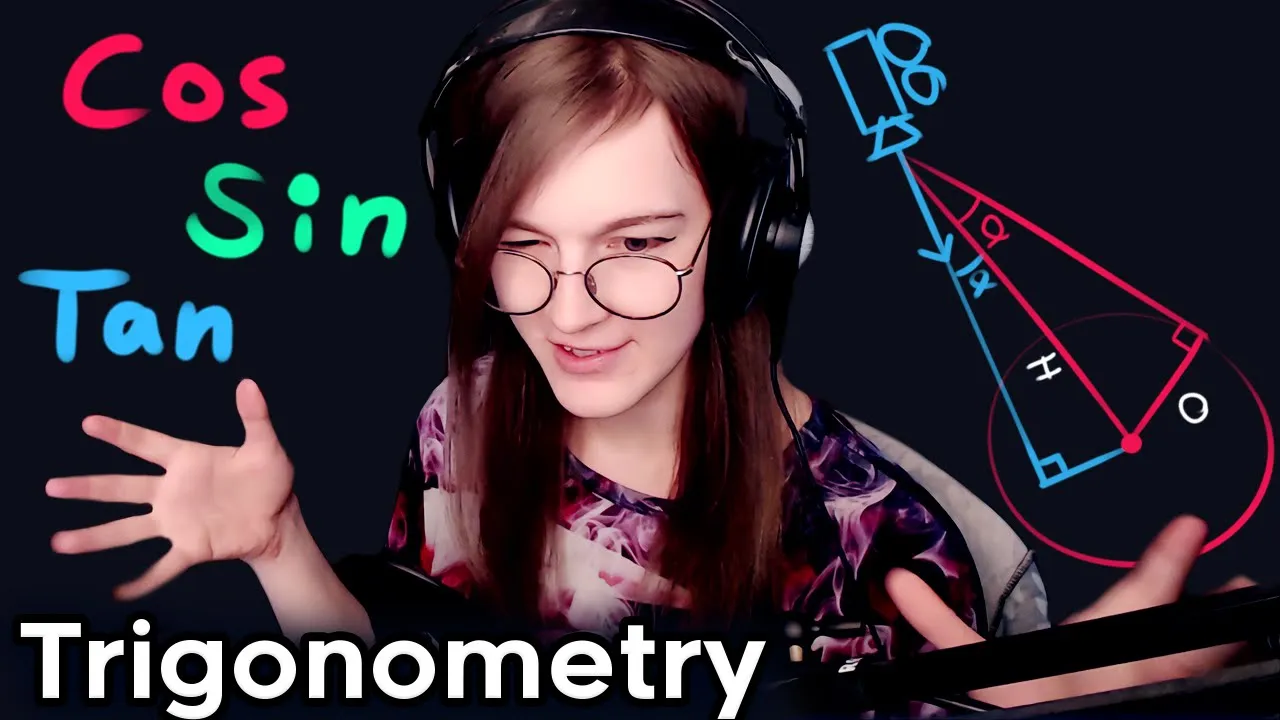
186:01
Trigonometry for Game Development: Vectors, Angles & Radians
@acegikmo
120.7K views•2020-11-09
4:43
Elliptic Curve Cryptography Explained: ECC, ECDSA, ECDH
@PracticalNetworking
28.5K views•2024-10-21
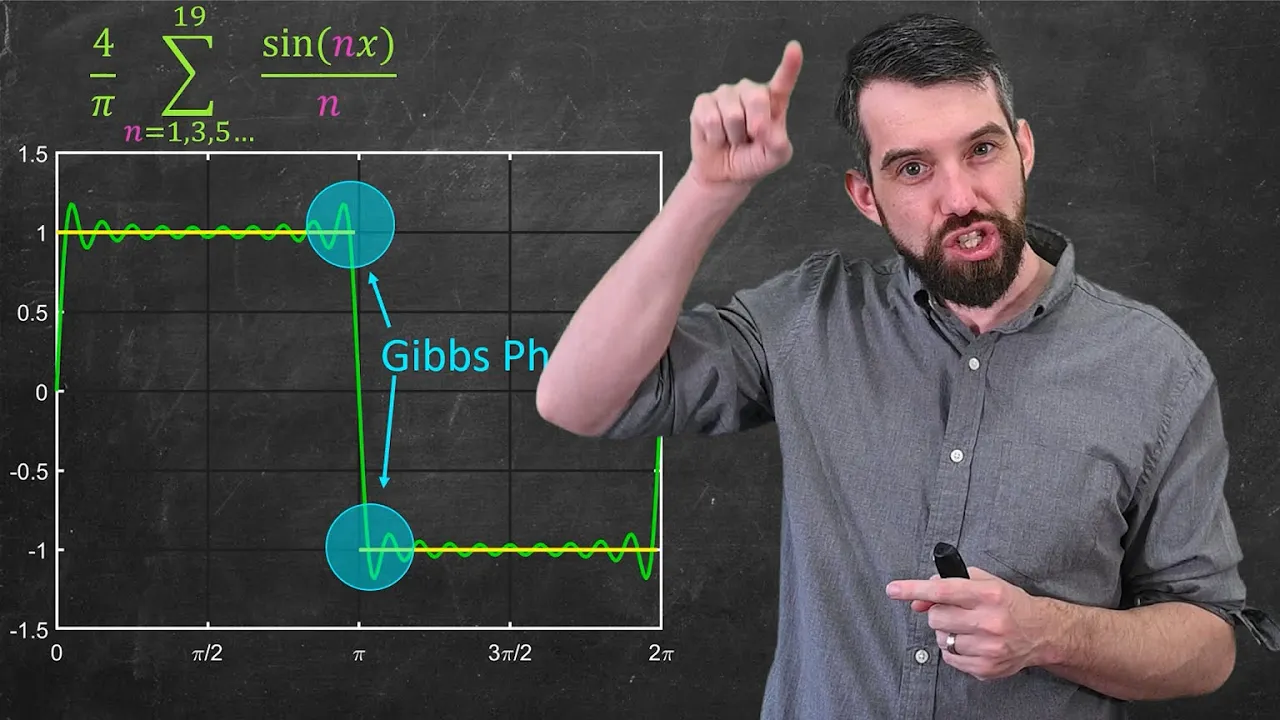
10:44
Fourier Series Introduction: The Big Idea Explained
@DrTrefor
387K views•2021-05-03
6:00
The Mathematical Impossibility of Accurate World Maps
@Vox
23.3M views•2016-12-02
Related Study Plans & Knowledge Roadmaps
Structured learning paths in Mathematics
mathematics
Tensor Calculus: Vectors to Riemann Curvature
01Mathematical Foundations: Linear Algebra & Calculus
02Covectors, Dual Spaces, and Tensor Basics
03The Metric Tensor and Index Gymnastics
+ 2 more learning modules
40h5 modules
Explore Roadmap
mathematics
Gödel's Incompleteness: Logic, Proofs & Limits
01Introduction to Formal Systems & Hilbert's Dream
02Set Theory, Cardinality, and Cantor's Diagonal Argument
03Arithmetization and Gödel Numbering
+ 2 more learning modules
14h5 modules
Explore Roadmap
mathematics
Galois Theory: Fields, Groups & Solvability
01Foundations of Abstract Algebra: Groups & Fields
02Polynomials & Field Extensions
03Splitting Fields & Symmetries
+ 2 more learning modules
24h5 modules
Explore Roadmap
mathematics
Non-Euclidean Geometry: Models & Geodesics
01Euclid's Fifth Postulate and the Birth of New Geometries
02Hyperbolic Space and the Poincaré Disk Model
03Geodesics: Defining Straight Lines in Curved Spaces
+ 2 more learning modules
15h5 modules
Explore Roadmap