






![অধ্যায় ৪ - নিউটনীয় বলবিদ্যা: সংঘর্ষ (Collision) [HSC]](https://i.ytimg.com/vi/BXWJ4uxPiKE/hqdefault.jpg)

![Lec 08: নিউটনিয়ান বলবিদ্যা [ভরবেগের সংরক্ষণ সূত্র Related Math Part-02, সংঘর্ষ কমপ্লিট থিউরি,ম্যাথ]](https://i.ytimg.com/vi/g4OXx3s4w20/maxresdefault.jpg)

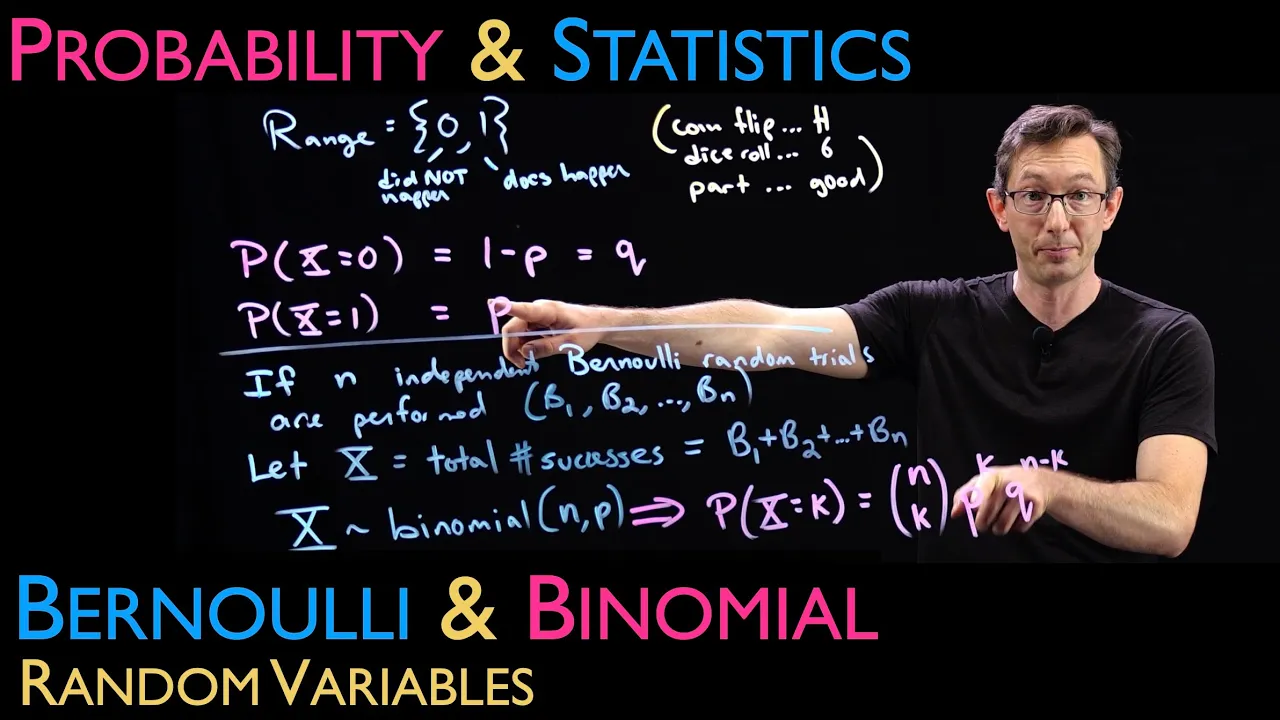


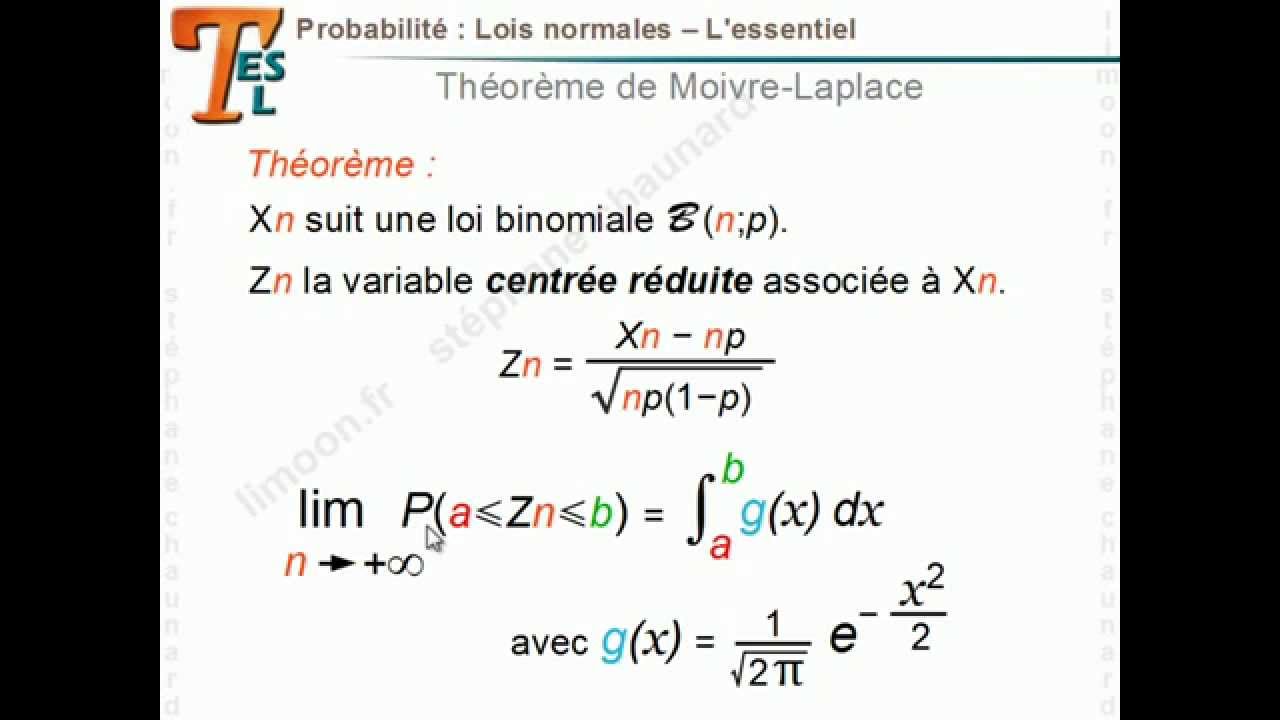








A Galton Board (or Bean Machine/Quincunx) is a physics simulation device where balls dropped from the top bounce off a series of pegs and collect in bins at the bottom, naturally forming a bell curve (binomial distribution) due to the random left/right decisions at each peg collision. This video demonstrates how to simulate this phenomenon using JavaScript, implementing 2D collision detection and resolution between balls and pegs, where each collision follows elastic collision physics principles including conservation of momentum and kinetic energy.
Galton Board Simulation with Physics Engine JS (Bean Machine / Quincunx) #shorts
Added:Basic JavaScript programming, including object-oriented concepts, loops, and canvas rendering APIs.
Fundamentals of 2D vector mathematics, including vector addition, dot products, and normalization.
Introductory classical mechanics, specifically Newtonian kinematics (gravity, velocity) and the conservation of momentum in elastic collisions.
Basic probability concepts, particularly how independent binary choices (left vs. right) generate a binomial distribution.
The Central Limit Theorem and how the binomial distribution transitions into a continuous normal (Gaussian) distribution as the scale increases.
Spatial partitioning algorithms (like Quadtrees or Grid-based partitioning) to optimize collision detection performance for thousands of particles.
Advanced rigid body dynamics, including rotational kinematics, friction, and impulse-based constraint solvers.
Using Monte Carlo simulations to model statistical mechanics, thermodynamic systems, or financial risk analysis.
313 views11likes1:23:37Original Release: 2021-01-30
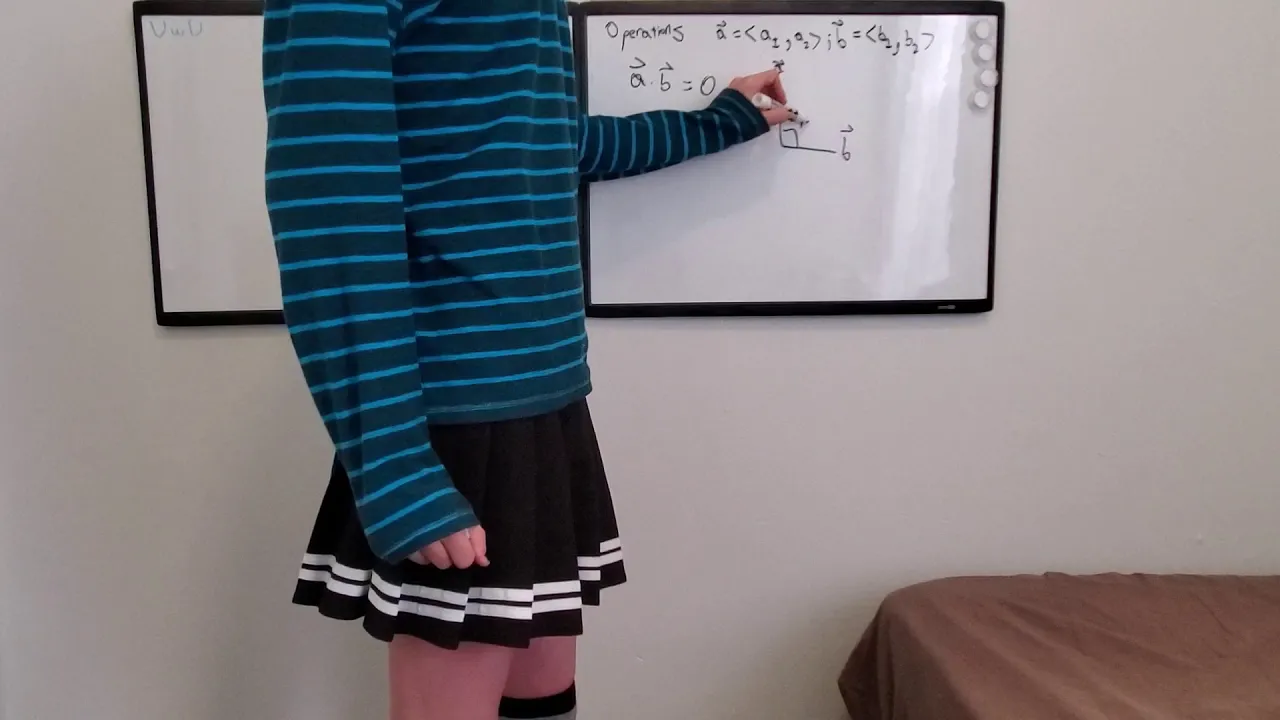
hey welcome back this is going to be a longish episode so i thank you in advance for your patience uh welcome to codespace my name is rk ravi is in bangalore actually and today let's build a galton's board all right welcome back um so here is what we are going to be doing today alright we i spoke about something called as a galton sport i do have like a very small video to show you but before that let's just look at all of the components of a galton sport all right so what's supposed to happen is that all of these balls or these ball bearings are placed in a reservoir here and then they fall down and they run through this gauntlet of pegs now once they fall down they collect they are actually collected into these buckets and when that happens they automatically form something called as a binomial distribution now this video isn't there to discuss as to why this happens but we just want to basically simulate it all right uh before we do that let's look at what uh an actual galton's board looks like so here you go so this is basically the setup you have a reservoir of these ball bearings then it falls through this gauntlet of pegs and it automatically forms this forms this binomial distribution at least that's what it is called i'm not entirely sure that if it's if the uh what the explanation for binomial distribution is but we'll get to that at some point in time but that's how a galton sport essentially works and that's what we want to simulate today all right so you know i mean if you've been following us for for the last few weeks or something you would realize that we have some interest in physics and uh you know physics simulations and all of those things and i think overall we are sort of building up to sort of creating our own physics engines or at least some semblance of a physics engine i think the interest for that physics engine or building something of a physics engine started with this something called as a soda constructor when i first began my career um i saw this site it was written in java and it was java applets essentially uh and it allowed you to build these java robots i mean no no these these stick robots you know these thick robots that you can essentially have to move and everything the site no longer works the soda constructor company whoever designed it they no longer have the the robots are no longer have the site up but somebody else has built this open constructor thing where you can build your own robots it it used to look exactly like this so what you could do was you could create hard points you could create muscles and you could create bones and those muscles you can essentially give something like um you know movement or you can have them contract and expand at a very at a very precise rate and that would create these beautiful motions all right now the way back machine uh doesn't have all of the all of these soda zoo animals as they were called so these were designs that were basically provided by all of the people around the world and they were like so many different types of machines i remember seeing so many different types of robots and cranes and and cars and steam engines and things like that people had just simulated it out of very simple physics so this constructor essentially allows you to you know generate these robots and everything so i'm going to link everything uh in the description uh just so this was just a little bit of a tangent that we took uh to the main topic today but i just wanted to introduce everyone over here to the soda constructor there is a link over here um you know that probably allows you to create your own machines like this so i'll allow you so i'll let you actually do that you know if that interests you all right so getting back to the matter at hand so what do we have today all right so so all right let me just reopen this back so there are three components to this galton sport number one is the ball bearings themselves all right we're going to call them balls over here so these balls and of course everything is in two dimensions over here also we're just going to call them balls there are the pegs basically immovable balls we can call them removable balls all right and then there are these buckets into which these balls will collect all right so we basically need to design three objects and that's what i have done for my setup today alright so so let's just go through the setup um so i have the the html page which basically has the canvas now the canvas is a little bit different as in um as in i have a canvas over here i am pretty sure that the camera is um all right so i'm just going to shave i'm just going to shift this just by a little bit um hold on do i have okay let's just take it from last week's episode just gonna do this little bit of setup i'm not sure if i'm going to um all right so this i opened the wrong project all right let's open newton's cradle i'm definitely going to have to edit this out i'm just going to place this over here all right so why do i need to place this just so that i can have this right in the center so what do i have for setup over here so i have a canvas and on the canvas i have it i have a few balls flying so that's all i have for setup let's look at the different classes that i have i mean uh first first things first i have the main i have the main javascript file where i have the the init i have the resize canvas you know the canvas element i get the width height i already have the animate function um already you know already built in um then i have the ball class what does the ball class have so it has a look i mean two main properties that it has are the location and the velocity uh they are both point objects all right i have a function called add force now if i specify a force over here that gets added to the velocity i have an update function where the velocity is added to the location all right i also have a couple of functions called the check canvas bounds and the check speed all right that you already know what this check canvas bounce is capable of doing just by the name itself it will just ensure that the balls remain within the bounds of the canvas and what will happen is that i mean we'll just take one case over here if the ball flies or tries to fly outside of the bounds on the right hand side of the canvas then it's velocity i mean so over here i'm basically making the the x velocity or the x factor or the x component of the velocity as negative all right but i have this constant over here called coefficient of restitution what does that mean it means that every time the ball actually collides into the into the object or into the wall it loses some energy that loss is basically coefficient of restitution and in my collision test i have essentially declared it as 0.8 so every time there is a collision it will rai it will lose about 20 percent of its energy all right that's one so so that's the check canvas bounce the other one is the check speed now what i want to do is to ensure that we have something called as the terminal velocity for all of these balls all right so that's so this is essentially terminal velocity where let's just assume that there is some kind of air resistance or something like that so if the velocity in either direction or the x or y direction exceeds a predetermined maximum speed then we just restrict it to a maximum speed in our case i have restricted the maximum speed to eight so basically i can it each ball cannot move more than eight pixels on it and then there is a render function where the ball is essentially responsible for rendering itself onto a context all right we've already seen this in our previous episodes all right another thing that i have done is i have introduced a bunch of constants in the code space api and this is what the constants looks like all right so i have three constants for now i have the two pi half pi and radians uh which i think we are going to be needing it over and over again which is why i've i've like pre-dated my like you know pre-declared them over here uh so remember whenever you're drawing an arc an ah a full circle is essentially two pi so if you do math dot pi into two each and every time this thing is rendered then it's a bit of calculation that you need to essentially take care of which is why i i just think it is good to have it pre-calculated and everything all right so that being said so that's just the ball class what do i have next next i have the peg class that should represent the peg over here each peg has a location and it has a radius and then it has a render function basically it just renders on the screen and the third thing i have is the bucket class i'm calling it the bucket all right so essentially essentially a bucket is nothing but a rectangle we'll just see how to sort of simulate it on the screen you know because the bucket is open from the top and everything it's not just a rectangle and then it has an x y width and head and a width and height uh and then i have the render function that essentially renders it on the screen all right so what do i have so all that being said what i have i done so i have this thing called numbals all right i mean basically the i have this constant called as the number of balls so which is basically 20 over here and uh you know i just create them randomly across the screen and then i have a ball is equal to you know i just give it a random point give it a specific radius and then i add them to the array and then i animate them over here what am i animating in the animation function i have this function called add force which is basically nothing but a gravity nothing but gravity all right i'm basically adding the gravity force over here remember that gravity is a constant it's a constant force it keeps on getting added in such a way that basically these balls will start to accelerate but then they'll meet this terminal velocity and all of those things so every time this animate happens i add a gravitational force i perform an update which basically updates their location and then i perform a render when all of this is put together this is what it looks like all right all of these things all of the balls they basically fall down but you'll immediately see that there is something over something wrong over here what is wrong i mean basically these balls are just going into each other they don't collide with each other and that's where we need to perform collision so number so we need to do two things number one we need to do collision detection and we need to do collision resolution collision resolution obviously is like the most difficult part of it or is the most tedious part of this tedious part of this process but i have a paper over here this is the same paper that we visited last week when we wanted to do the simple when we wanted to do the newton's cradle and we were doing this conservation of momentum and conservation of kinetic energy and all of those things all right but this time we are going to be doing this in two dimensions all right elastic collisions in two dimensions and this is essentially a seven step process through which you know you can perform this one so we'll just read through the paper and we'll do the collision together all right so number one when you when we talk about creation so see number one change that we need to do over here is that okay so first things first all of these balls are essentially created at the exact same time we don't want to do that what we want to do is to have them sort of drop through the spout over here so let's say if this is the spout you know they drop one more or less one by one are in a specific order right so we'll fix that first so that's the number of balls all right i'm i already have a variable called as the ball counter over here and i'm going to be creating them in the animate function so that in the manner that this sort of start falling from the top all right so how am i going to do this i'm going to say [Music] if if b counter is less than num false then go ahead and create it then go ahead and create it but don't create it like you know at a random location you always want it to be created at the very top of the canvas one after the other right what i was going to say ball counter plus plus all right ah so x shouldn't be this x should instead be somewhere in the middle of the screen i'm going to say width by 2 and i'm also going to say minus random between um minus 10 okay minus ball radius and ball radius so that they don't fall all directly in the center i'm going to say start falling anywhere now anywhere within a specific within a specific point in the middle of the screen start falling so now i have the x uh why what should y be they should not all start from the same y location or maybe they can maybe they can but for now i'm just going to say start from off the screen and start at let's say minus 50.
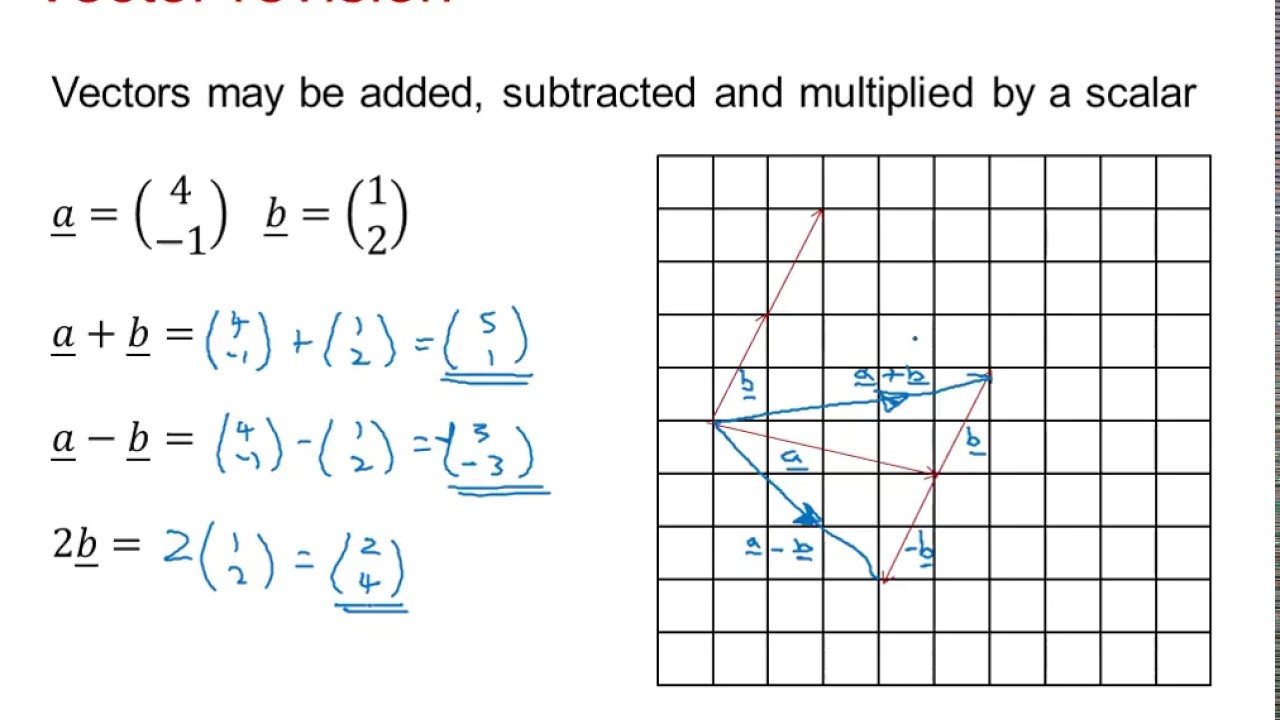
now let's see what happens all right uh that being said i do not need this why don't i need this because i'm going to be creating these balls inside of the animate function with what did i do wrong again there is a problem what is the problem they're all created at the exact same time are they created like so fast that you know there's not going to be in our collision detection is going to be messed up all right so i have a solution for that i already have a variable declared here called counter alright so i'm going to be using this and i'll say if counter modulo 15 arbitrary this is just arbitrarily is double equal to zero only then you create a new ball and i'll say counter plus plus it doesn't matter all right so now what happens so one only one got created so that's counter plus plus counter mod ok counter modulo counter plus plus so this should essentially be created each and every time correct i'm just going to look up something oh you know what i'm only incrementing this so this should be out outside of the lead all right so there you go so that's how okay so that is still okay okay so now i like how they are how they are generated but let me just put this as 5 and yes so this is more like it all right so now i have this one so but the one thing that i did don't have is the collision between these two balls all right or or collision between between balls just so that we are able to see the collision properly i'm just going to say the number of balls is just two why just two because this will allow me to see the collision between these two balls more properly i'm also going to be increasing their radius uh let me make them 30 so that would be like you know 60 in diameter but that's fine now i need to make sure that this is 10 so that they are created a little bit separate off separate to each other so this will allow us to basically see what's happening all right beautiful so now i have the balls and i have um i have this one now i'll create a function and i'm going to call this colloid ball ball you know basically two two of these things will collide i'm just going to say collide bb you know for ball ball and this will accept two two of these ball parameters and what will essentially happen is that we will need to calculate the we will need to calculate the the collision between the two let's just reference the paperback find the unit normal and the unit tangent vectors the unit normal is a vector which has a magnitude of 1 and a direction that is normal to the surfaces of of the objects at the point of collision all right so this is the unit normal which is basically perpendicular to whenever to wherever they collide and unit tangent is essentially parallel to where they collide the unit tangent is a vector of which is tangent to the circles i mean i said parallel but i meant tangent which is tangent to the circles surfaces at the point of collision all right so that's the unit tangent it also has this statement saying magnitude of one what does that mean it essentially i mean it's like a percentage right um if i said my marks in english was 25 out of 55 that doesn't make any sense your your natural question would be how much percentage did you get how much out of 100 did you score all right so that's what it is saying so this so these unit so these unit normals and unit vectors when you uh unit tangent when you calculate them they would arbitrarily give you some value but you need to sort of give them a magnitude of one basically saying between zero and one how much would they be or essentially saying give me a percentage of one or if that makes sense all right first calculate the normal vector this is by taking a vector whose components are the differences between the coordinates of the centers let x1 x2 y1 and y2 be the x and y coordinates of the center of the circles then the normal vector n is n is equal to x2 minus x1 and then y2 minus 1 y1 so this is essentially just an just an object that contains both of these so let's just do that so before we do that what we'll do is that to calculate all of this we would need all of these variables right x1 x2 x you know y1 y2 and all of those things we will need so we'll just declare those variables ahead of time so let's just to write that okay so i'm going to say let x1 is equal to x2 is y all right so that's the x1 and y1 i'm just going to um oh i'm sorry this is y1 i'm sorry this is x2 and this is y2 so now i have the coordinates of these balls i also need the mass of these balls ah yes so whenever you are calculating this you would also need the mass because if you look at the ultimate formula you will see that they require we require the mass of these balls now here's the thing all of these pegs if you if you look at the galton's boat once again they look like they're all the same mass or more or less the same mass and that's what we are going to do we are going to create them as i don't know arbitrarily 20 i'm just going to give all right so ball mass so m2 is also ball mass all right so i'm just going to have all of the variables ready another thing that i need to do is get their velocities also so i'm going to declare those those variables also a ball dot velocity dot x v y one so that's the yeah so that's the velocity in the y direction y direction p and b so this is v x 2 and v y 2. so now i have all of the variables that are required to perform the calculation let's look at step one what a step one say um first find the normal vector this is by taking all right this is by taking the difference between so basically normal is x2 minus x1 y2 minus y1 that's all now this paper over here suggests that you make a point and i mean that will that will only complicate things so i'm going to okay say step one xn or or xn is equal to x2 minus x1 and yn is equal to y2 minus y1 all right so now we have the normal next find the unit vector n which we will call u n and this is done by dividing by the magnitude of n so therefore the magnitude or the unit normal is n by uh n by uh n square i mean uh the unit normal in the x direction squared plus the unit normal in the y direction squared all right so now we have this and this so what is magnitude let so basically this is magnitude and what is magnitude it is nothing but math dot square root of um x in the normal direction x in the normal direction plus y in the normal direction and y in the normal direction all right so that's the magnitude and what is the unit normal all right so let [Applause] sorry about that so let um x unit normal or unit normal in the x direction is equal to the x normal divided by the magnitude and the same goes for the y so y in the unit normal is y normal divided by the magnitude all right uh so there is a pitfall over here what is that pitfall because we are doing a division over here it might just so be possible that the magnitude results in a zero especially if they are yeah i mean it is possible that they are zero especially if these two result in in zero and so just so that we are safe and say if magnitude is not equal to zero only then you do this or orals let them both be zero right let this be zero let this be zero if magnitude is not zero then you set these values up all right what is he saying okay next we get need to get the unit tangent vector this is easy to find from the unit normal vector just make the x component of the unit tangent vector equal to the negative of the y component of the unit normal normal vector and make the y component of the unit tangent vector equal to the x component of the unit normal vector so basically what he's saying is that you just say let x unit tangent vector is equal to negative y negative of this and the y um sorry the y unit vector is basically positive of this that's all so basically what he's saying is that you know you just assign it like this so now that's essentially step one step two create the initial velocity vectors v one and v two these are just the x and y components of the velocities put into vectors all right that's fine we already have the vector i think we have already done it so this is yeah so that's essentially it so we don't need to do step 2 that's already done step two is done next let's just go to step three watch step three keep in mind that after the collision the tangential component of the velocities is unchanged and the normal component of the velocities can be found using the one dimensional collision formula presented earlier or basically last week so we need to resolve the velocity vectors v1 and v2 into normal and tangential and tangential com components to do this project the velocity vectors into the unit normal and the unit tangent vectors by computing the dot product all right so what do we need to do so velocity one so v one in the normal is unit normal dot product v1 all right um so i think so a dot product uh so what is a dot product a dot product is essentially nothing but um you know so let's say you have a point object which has two variables you know x and y so dot product is essentially um nothing but the x components multiplied together plus the y components multiplied together that's all a dot product essentially is so we need to have these four variables so which is the the normal tangent normal and then tangent all right so which so we need to basically calculate these four objects step three is let v one n is equal to the unit normal into v 1 okay what is the unit normal so this is the x unit 1 into the v 1 so which is v x 1 plus the y unit normal into the y unit normal um yeah so this is the y unit normal multiplied by vx1 that's how you calculate the the velocity norm the velocities in the normal tangent all right let's just say what is that so that is v2 so v2 n is nothing but this is 2 that's all and then we'll calculate the tangential vectors also so what is that so that is t and that is t and this is nothing but multiply this by c i hope in all of these copy pastes i'm not making any mistakes so that's essentially step three all right what do i have next let's see step four find the tangential velocities after the collision this is the simplest step of all the tangential components of the velocities do not change after the collision and because there are no force between the circles in the tangential direction during the collision so the new tangential velocity so the so the new tangential velocities are simply equal to the old one all right so what are we doing over here so this is step four this is where we start to essentially compute the resultant velocities after the collision has happened so what are we doing here we are essentially saying let's find the collisions after the uh i mean let's find the vec the velocities after the collisions has happened so let's say so let v1 t prime what is that so so you see this accent over here oh yeah so that's essentially prime which means it's after the collision has happened so for the tangential velocities because uh you know the velocities do not change after the collisions and because there is no force between the circles in the tangential direction all right so what this essentially means or what i think it means is that when these circles collide um i do not have you know sort of a frictional force between them because this is like a perfectly elastic collision so i think in general you need to worry about friction between these two because i think there would be velocities in the tangential direct directions also because that's how billiards balls work right you're able to hate it or give it a specific spin and all of those things so anyways in this case we are not calculating tangential direct tangential velocities which is why the the velocities after the collisions in in the tangential direction we're just saying is essentially equal to this that's all this ever was step 5 is the most important step of all where we use the formula that we used that we saw last week and we'll calculate uh this one so we just essentially have to like copy this and we'll have to put it all right so what is this so this is so velocity in the normal direction or let v1 n prime is equal to the v1 n [Music] into m1 minus m2 all right so which is the velocity into m 1 minus m 2 [Applause] plus two into i'm sorry i'm switching between these two windows so uh so quickly maybe i should just put this over here i do not need this one how do i close this never mind maybe i put this over here and then make it difficult for you to read or follow what i'm doing but essentially all right so i have this 2 into m 2 into into v 2 n all right so i have that i'm just going do i need all right divided by n1 plus m2 divided by the masses of the two balls all right so that's v one prime all right so that's v one prime or the velocity in the nor ah or the normal velocities after the collision has happened v two prime would actually be exactly the same except it's m2 minus m1 um yeah except it's m2 minus m1 into 2 into m1 minus m now okay so this is v 2 n and then m 1 plus n 2. so now i have the primes yeah that's it i mean prime is meaning i have the velocities after the collision has happened perfect i think yeah that's about it convert the scalar normal and tangential velocities into vectors this is just easy uh multiply the unit normal vector by the scalar normal yeah so basically a reverse of the process needs to happen all right so what does that mean so i can i basically have the velocity so i can just say a ball dot velocity dot x is equal to v 1 prime into x in x in the normal direction correct into x unit n so yeah so that's what they're saying so v 1 prime is equal to 1 v1 v1 prime is equal to the so this is the velocity so you take the scalar and then take the unit normal multiplied by x unit n so that would be my velocity after uh this has happened and this is oh yeah so so yeah so the velocity is unit normal prime plus unit tangent prime so i have to like sort of add them and i'm just going to put them in the same equation all right so this is um so what is uh okay so this is yeah so this is even t prime into i i am really hoping that you are all with me on this one uh into the unit tangent direct into the unit so that is unit x unity all right so that's the velocity in the x direction so that is actually i'm just going to verify if this is correct uh all right and in the y direction it would be v 2 prime uh no it would still be this but this would change where i am going to say this is the y unit 1 v 1 prime into the y unit in the tangent direction so i have both of these over here so that's the velocity of the first ball for the second ball is i'm just going to mark this step 6 for the second ball it's the exact same thing but this is v 2 prime v 2 tangential prime and the same thing goes over here v 2 n prime and b to n prime as well all right just going to look at this for just one second and ensure that this is correct all right all right i i think we are i think we are good all right so now i have this i have this collide uh we'll find out if this is correct or not all right all right so let's see so once again for i'm just going to copy this instead of so remember we need the collision between these two balls all right so i'm just going to create a separate loop so that my rendering loop is different from the collision loop all right all of the balls need to collide with each other uh so i'm just going to call this j all right if i is equal to j i mean we don't want this don't bother want this ball to collide with itself um i'm beginning to think that this word ball is not the i mean i shouldn't have used the word boss but whatever we'll continue all right so anyway so we have so i mean we basically don't want the ball to collide with itself all right so we have so collide baby over here is a color is a is a resolution function all right this function doesn't determine if the two balls have collided it only resolves if the two balls have collided i need to i need to first of all find out if they have collided and that's actually pretty easy so i can just say let distance between the two bars would uh we get get distance between balls of i dot location dot x comma poles of i dot location dot y [Applause] uh say balls of j alright so this essentially uses the um uses the hypotenuse function to do it all right find the distance um let check radius or the radius or the total of the radiuses moles of i plus i'm sorry dot radius plus false of j plus radius so i have the two radiuses if distance is less than or equal to check radius a collision has happened all right ah how do i know a collision has happened so there is so so basically we are calculating the distance between the centers of these two balls over here if the distance between the centers is less than the sum of their radiuses then i know that a collision has happened all right that's what we are checking over here if it is less than that then i can just yeah i can i can just say perform a collision between these two balls that's all let's see if this works ah you see so now there is a problem over here what is the problem here maybe i'm not doing my calculation correctly so i did find out what the issue was uh it's just that uh you know i was performing a wrong calculation at the velocity 2 tangent i mean i think i was using the y unit uh tangent instead of the x unit tangent so that's corrected but there is another issue that we need to talk about uh the thing is how do we detect collision so so collision detection itself is like a very vast subject here we are using a very simple method to do it there is something called as a priori collision detection and then there is you know this normal kind of collision detection that happens a priority collision detection means you find out ahead of time where a specific ball would be on the screen all right so let's say you determine that at time t we are you know going to collide then you increase the the the the timing counter on your computer and see if this time matches the uh the time at which the velocity or sorry the collision was supposed to happen then the collision has happened that i believe is called a priori collision detection now we are not going to go up to that extent over here instead we are going to use a couple of cheats a couple of shortcuts to help us perform this collision detection in a semi neat manner all right what do i mean by that so over here instead of doing the get distance i mean remember i was doing the get distance with just the locations um the only change i have made is i have added the velocities to the locations and then i'm doing the get distance over here so this will this is sort of pseudo a priori so this isn't a priority this is pseudo a priority so this will give me one step ahead of time as to when the collision would happen so in this case i'm just you know after i have added the after i have added the velocities and i have uh you know i have the distance checked if the distance i mean if the balls have collided then the collision has happened so now if i check at you know i've increased the number of balls also to 20 you will see that this looks very true to the physics of it but as soon as all of the balls have started have sort of settled down you'll see that there is a problem they sort of go inside each other because remember uh what ha yeah so so this is the problem with discrete with not having discrete mathematics so essentially what is happening over here is that uh you know we have a situation where sorry i keep switching between this and that i'm sorry about that all right so anyway so that's done so so essentially what happens is that you know because gravity is like a constant force it never ends that's why we have these balls that eventually go inside each other there is a shortcut or there is a way to actually get around that how do i get around that um so i have another website over here that specifically mentions this sticky problem if you run so let's just read through the website if you run through the simulation now you will find that the particles stick to one another exactly as how it is happening over here and can even get stuck mid air so yes so this is something that can definitely happen all right to avoid this problem we add some code to the collide function to fudge the fact that the particles should have bounced before they overlapped so there is a very simple formula given over here so we're just going to take this formula and we are going to apply it when the collision happens all right so let's just basically copy this and right when it happens we like you know right when the collision happens we will uh put this so so what does angle mean over here so angle is obviously a variable which is which is basically half of um math dot pi plus tangent what is the tangent so uh so so over here they are calculating the tangents or the eight and two variable value between the two balls and that's actually quite easy to do so i can just say let tangent is equal to math dot a tan 2 of of actually usually we give dx comma dy dx would be the would be x2 minus x1 and dy would be y2 minus y1 so i can just do that right so that would be oh no it's not x2 minus x1 i mean because i'm adding the velocities over here so i can't actually use that so i'm just going to say yeah so it's just this minus this comma the y positions now so yes so that's this minus the y so the y component so now i have the tangent over here so i'm going to say let angle is equal to 0.5 into mass into pi remember we already have this pre-calculated so i think i can just say constant start um half pi is it called i can just say half pi um plus tangent yeah so i can just say constants dot half phi plus tangent um is that would that all be it uh so what is tangent over here let me just take a look at yeah so there it is so tangent is match.a tan to dy my d y and dx so that should be d y and then dx so i j i just want to make sure that i have all of the array axises proper so that angle is equal to constants yes and of course i'll have to sort of say dot a dot location dot x is equal to um what is that math dot sine into the angle this is plus equal to so we are going to say plus equal to the same goes for the y and this is minus equal to math dot cos cos of angle and i'm just going to give a little gap over here and the same thing goes for the other ball also so this is nothing but j so ah of x minus equal to sign so basically what we are doing here is we are taking these so if the collision has happened if the distance between them has like sort of gone if they have like gone inside of each other they're just placing them right outside so that it looks as if the as if they haven't gone into each other so this is once again like a cheat that we are using to ensure that it looks proper to the physics of it all right before we proceed i just want to make sure that we are indeed using the proper constant so this is constants.half pi um which is math dot pi by half so we already are using okay so we are doing this now i think i need to like sort of convert this into radians so i'm going to divide this by 180 so half pi by 180 plus the tangent would give me the angle and then i do this one so this should at least prevent these balls from going inside of each other all right so pi is not defined i'm sorry it's half pie all right so yes so so this should add this should in fact prevent it from going uh inside of each other but eventually because our physics doesn't use very very discreet mathematics you'll see that weird things like this start to happen but i'm telling you right now that this won't be important as far as creating the golden boat itself or simulating the galton's boat itself is concerned all i want to make sure is that is that to some extent this remains correct all right so that being done we have now simulated the balls let's draw the pegs on the screen all right um so all right so we have the animate so remember we don't have to create the pegs and the animate function we can create them beforehand so let's just go ahead and create the constants that are required for that um say peg i'm going to say num pegs how many pegs do we need all right so once again going back to our image um over here so let me so that i placed it on my desktop and i'm going to see how many pegs do i need to do this so you can see um how the pegs are actually drawn over here so there is some number of pegs at the top some number of pegs you know row by row there are like different number of pegs and that's exactly what i'm going to do i'm going to make sure that there are different number of pegs at different number of rows okay so how many number of pegs are there in each row i'm going to say let's say 17 pegs in each row all right let's say there are 17 pegs in each row and each of these pegs will also have a specific radius so i'm going to take this so peg i'm going to make it um let's say 10 yeah and by the way i'm also going to reduce the radius of the balls um let's make them 10.
yeah so peg radius let me make them let's say for 15 for now i'm going to leave them as 15 for now all right all of these pegs need to essentially start from a specific location on the screen so that's what i'm going to do i'm going to say let let start y is equal to 50. basically i'm starting arbitrarily from let's say 50 pixels from the top of the screen uh all right let's say i'm just going to have a variable over here called counter and what i'm going to use this for is that so the number of pegs on each line would be like 17 however there are going to be like alternating number of pegs on each line so i'm just going to say 17 16 17 16 17 16. so and depending on what this counter is i'll have either 17 or i'll have 16 pegs so what the the effect that will have so what will happen is that because i'm going to be placing these pegs right at the center of the screen all of these 17 they're going to sort of try and try to adjust themselves so they will sort of appear alternating not much different from the image that i was showing so not much different from let's say over this so you can see that each alternate row is sort of offset from each other so that the balls that are falling you know fall into a specific peg or or collide into a peg every now and then so that needs to happen okay so all right so so for that i'm going to have that um i'm also so each peg also needs to have a specific gap between them all right so i'm just going to say for now that this gap is going to be 30 although this is also once again arbitrarily chosen um all right so how many rows of these pegs do we need all right so um how many rows of these specs do we need can we have like uh let's start with six rows all right so for let i is equal to zero i less than six i plus plus plus all right so i'm going to have six rows of these pegs um okay what is the peg count the peg count is nothing but the number of pegs however if counter divided by 2 is equal to 0 if it is an even number then have let's say the number of pegs or have number of pegs minus one all right all of these pegs basically need to start from a specific location where do i start this from the center of the screen of course so that would be widths by 2 bits by 2 minus the the number of pegs the number of pegs into the radius of into the peg radius uh plus the gap between yeah plus the gap between these pegs all right does that sound right yeah and this divided by 2 so that's where it should essentially start from so that that should be the um yeah so that should be where they start from i'm just going to go ahead and put this thing over here um hold on no i think i'm getting it wrong so this should be multiplied by peg yes so there you go so that my so that is my start so let's see let uh so that is my start x let j equal to 0 j less than peg count j plus plus okay [Music] a peg um is equal to new peg what do i need for this peg a location and then i'm going to need a radius location is nothing but a point so i'm going to say new point of start x comma what start y and then a radius which is nothing but peg radius so i i now have a new peg add this to an array of pegs all right so i've added them to an array of pegs once i have added them i need to increment the start x start x plus is equal to so so that should be plus equal to the gap plus the peg radius all right so that's the ah so yes so that so i need to increment the start so that each peg appears that many positions after the peg so i have that and every time a row is complete i need to say start y plus is equal to gap all right so i'm putting a gap between these two rows do i need to add the peg radius over here yes let's just add the peg radius here at the start y also so now i have all the pegs initialized all i need to do is like sort of render them so let me render them here for let i is equal to 0 i less than i don't know how many pegs they really are and then i plus plus all i need to do is say pegs of i dot render of context that's it okay let's see oh there you go uh i do believe these pegs are a little bit big um and they're not easily meshing with uh with each other are there too many pegs let me put the number of pegs as let's say 10. oh they're always 10 pegs how come i did say oh you know what i'm not incrementing counter over here so i can say counter plus plus so now there is always an even and odd number of pegs over here let me actually go ahead and set this back to um you know what i think the gap might not just be it might not be enough for the balls to actually no no let's let's leave it at that let's leave it at that what am i missing yes i'm going to set this back at 17 which is arbitrary just so that they can like fill the entire screen so there you go so that's the pegs that have been that have been created all right another thing that i need to do is create those buckets where these balls would go ahead and fall into okay but before we do that i'm going to reduce the ball radius let's say seven so that they look appropriate all right i really hope this renders properly on the screen and everything um and just going to change something over here yeah all right so this looks more appropriate and everything that doesn't matter and then i can have the balls sort of like falling there's also another thing that i'd like to do uh so this y gap i do believe it needs to be a little bit bigger but but that's okay uh we'll we'll get to it when we get to it all right so now that we have the pegs drawn on the screen let's create the collision between the balls and the pegs all right pegs are nothing but a version of the balls themselves i mean they also are balls but yes but the only difference between a ball and a peg is that a ball is movable and a peg is not all right so that makes our thing so that makes things a little bit easier for us first of all let's create the collision between the ball and the peg and so we go to our loop where we are calculating for the ball and ball collision and over here inside the outer loop itself let's create um let's create another loop let's see where right so that's j i'm going to use k over here so j k l right so i'm going to say k is equal to 0 okay less than pegs dot length okay plus plus so we are using the variable k to determine the pegs i mean i don't want to use the same variable j over here maybe i can but i'm just not going to do it all right so what do i uh so yes so i need the exact same so even for collision detection i'm going to use the exact same formula all right all right so i'm just going to use the exact same thing [Applause] all right p so this is balls of i dot location x 2 is equal to pegs right pegs of k dot location dot x and remember a peg has no velocity so i'm going to remove the velocity calculation from there y2 would be location dot y and the same goes for the y get the distance get the check radius if a collision has happened i do calculate the tangent um and for the tangent i'm going to use the pegs of j dot location so that would be pegs i'm sorry pegs of k i'm sorry that should be k so this is balls of i balls of i i'm sorry oh i'm sorry this is balls of i come up um come on pegs of k and then this should be once again balls of i sorry about the confusion and pegs of k dot location dot x so now i have that i have the tangent i need not change the pegs so all i need to do is change the the balls location so so balls of high.location and then i have the math dot sign and everything all right just making sure that we are um we are correct over here all right now obviously i cannot use the same function collide balls and balls so i cannot use that so i'm going to create another function which is essentially just going to be the copy of the same function except i'm going to be calling it collide a peg and a ball collide peg and ball so that's the resolution function so so it would be a collision between a ball and a peg all right so x1 x2 would be a peg dot location the same goes for for the velocity as well but remember i'm actually not going to require a velocity over here so the pegs velocity would essentially be zero all right what is m1 and m2 all right so now i have the the location of a ball the velocity of a ball and the velocity of a peg of course the mass of the ball would be the ball mass but the mass of the peg would essentially be infinite it because it's like it remains fixed for all intents and purposes it's going to be infinite and to do that i'm going to use the number dot max safe integer which basically means it's like a very high number the peg is going to be immovable all right everything else remains the same everything else remains the same there is no going there is we do not have to change the velocity of the peg itself so we need not calculate or reassign the velocity of the other component so we do not need that now because we don't need that we don't need this prime calculation and we also don't need this variable at all now if we don't need this variable i mean the ide essentially states that i don't need this variable as such so that should determine the collision between a peg and a ball and if i'm not wrong this should essentially work hold on is that the wrong position yes it is all right so um yes so now i have the pegs and then a collision between the peg and the ball let's see if that actually works j is not defined of course because i would have used j somewhere uh yeah there it is so that's k um so that is peg of k dot radius so that's the peg radius that i have to take um anything else that is using a j i don't think so let's see at line number 82 what am i doing at line number 82 so that's a ball so that's the balls of iron that's pegs i'm sorry uh 92 oh of course i'll have to say a peg i'm sorry so there you go so that actually they're just not falling inside and and the reason for that is because these balls are a little bit too um big and then there is some sticking happening over here but that's fine i guess this is why i was stating that okay so we nee so we essentially need to do two things over here number one we need to increase the y gap between the two pegs you know remember when we initialized it we did not uh leave any extra gaps i'm just going to say arbitrarily i'm just going to say make sure that this is 10 add 10 to each uh you know y gap so that happens so that looks okay i mean in my opinion that's number one number two let's reduce the uh the radius of the ball i'm just going to say i'm sure it is six i think that should do it that's number two the third thing that we need to do is that remember these are like you know perfectly um what do you say um um these are perfectly elastic collisions but that's not how it is supposed to be right so what i'm going to do is i'm going to say so after the v1 prime so we so after the normal um after the velocity in in the normal direction is calculated i'm just going to multiply it by the coefficient of restitution and what that should do is every time there is a collision um you know every time there is a collision it will basically reduce the so i have this i have i have this do i have to do it for the for the v1 prime as well um no i okay so yeah so now i have so now that i have done that so what should happen is that there should be some dampening of forces that happens over here and that dampening um you know sort of seems to fix the issue with them bouncing all around and everything and you can see that the pegs do fall to the bottom as if they were you know as if this physics was real or something but this is just simulated all right i think an increase in the in the coefficient restitution should make them fall faster or something but for now what i'll do is let me just try and increase the gravity over here double the gravity here and see if this is this makes things a little bit faster so there you go so that does actually make things a little bit faster um another thing that i need to change is do i need to reduce the gap or increase the gap you know what for now i'll just leave it like this all right now that we have created the balls the pegs and the collisions between them it is time to now move on to the buckets all right so let's look at uh let's look at this diagram or this photo once again you will see that the number of buckets is more or less equal to the number of pegs that we have and the peg and the buckets essentially the dividers of the buckets at least start from exactly where the pegs is so so we need to sort of um do this as well all right and the buckets essentially serve as a reservoir for all the balls that are falling so yeah so we'll need to essentially do that as well so let's do that so i'm going to create a variable here called i'm sorry pockets which is also an array just going to push them into so remember how i was saying that the number of buckets is more or less the same as the number of pegs so i'm just going to say i'm going to create a variable called num buckets is equal to more or less equal to the number of pegs all right now each bucket has a certain width so if you look at this i mean it has a certain width what is that width i mean i think over here it would be the radius of the peg itself plus the gap that we left between each of the um between between each of the pegs so i'm just going to do that right i'm so say peg i'm sorry bucket width would be the peg radius plus the gap um that we arbitrarily assigned uh over here so so so i have that so i'm going to need so so i'm going to have let's say 17 buckets and they need to sort of start from somewhere correct so how do i uh so i need a start x and a start y so i'm going to say start x is equal to now i'm not worried about using the let over here because the start was declared within this block so i'm i'm okay with declaring the start x and yeah so that would uh essentially be width by two minus num uh minus the number of buckets into um into the bucket with all right do i do they need a gap no they don't have a gap so i so yeah so i don't need this by two so that would be where they are starting from start y would be so i need these buckets to essentially reach right at the top over here so i'm going to need that start y so this is where they have started and this is where they have um so this is where the pegs have started and this is where the pegs have ended so that would be you know wherever uh these pegs have essentially ended so that would be height minus start y so uh so the buckets would have to essentially start from over here some let me just um yeah should this be bucket height or uh so that should be the bucket height yeah so they start why so where should they start from so they should essentially start from here and um yes so the bucket height i mean because we do need a height should be let's say start y so which is basically where these pegs ended i'm going to say plus say 20 all right arbitrary i'm just going to start this arbitrarily and where would they start from i'm sorry the start y would be yeah there it is i'm sorry i've already declared it so would be height minus the bucket height all right let's see so far let i is equal to 0 i less than num buckets i plus plus so i have that going on um bucket is equal to new packet of it needs an x i have a start x start why i have a bucket width and i have a bucket height all right so and then i'm going to say buckets dot i'm sorry buckets dot push a bucket once i have done that i also need to increment the start x so i'll say start x plus is equal to bucket width so that you know they appear one after the other so i have that created let's see if i can draw them uh so i have the pegs i have the balls that are rendered um yeah so the pegs then there are the balls and then let's say there are the buckets i all i have to do is say pegs of i dot render of give it a context that's about it all right i think that's all is required to do this of course there is an error i didn't it has already been declared in it is not defined on on load come on yeah so i don't need to declare start y once again i'm probably missing a bracket from somewhere which is why it says that the init was not number kits is not defined i'm sorry this should be all right so there you go so now we have the buckets simulated so now what is my intention with them so the idea is that these balls would fall into these buckets and and now they need to like sort of remain within the bounds of the bucket where they are falling in and that's once again another physical calculation that we can probably do at some other time now the thing is in the interest of time i am going to use a shortcut what i will do is that every time a ball enters a bucket i am going to raise its flag or i am going to say you are this bucket is filled by this many degrees or or sorry this much amount and that would sort of have an indicator as to how much that bucket is full by so that's my intention over here so let's just get on that all right so we have created the buckets and everything i've created a variable over here called fill hedge all it basically means fill height it essentially says or it means to say how much this bucket is full by so if a ball essentially enters into a bucket we would increment this so that we determine or we show its fill uh status or how much it is full by so all we need to do is say a context dot fill style is equal to we'll give it the same color here a context dot begin path a context dot rectangle this dot x plus one i don't want it to like sort of you know uh occupy the entire rectangle or the entire bucket instead i'll say um you know i'll just give like a one pixel gap so that it probably looks neater also this start y plus this dot h minus this dot fill height comma this dot ah comma this start with minus 1 and how much height should i give it i should say this dot fill height i think that should essentially do it so what will happen is that if the value of this fill height is let's say 30 then we would have uh then we would have like an inner rectangle um if we just put the the fill statement so we would have an inner rectangle that would essentially fill it by that much so now let's say if i make this 20 let's see what that looks like so there you go so when these balls fall over here we'll increment these um we'll increment this the that fill h so that each bucket has its own height all right so that's the shortcut that i'm using over here and why are we using the shortcut once again it's because if these balls were to collide with buckets we'll have to write you know once again physics equations for all of that you know check for the bounds and everything yes and of course it's possible for us to do it but we leave it for another day you know in the interest of time we'll sort of keep we'll use the shortcut all right so we have accounted for the collision between a ball and a peg a ball and another ball a ball and another ball and now we need to account for a collision between a ball and a bucket all right or basically what happens when a ball enters into a bucket all right so now i already have this for loop placed over here i'm going to say if um pulse of i dot location dot y um plus the radius i mean if this ball i'm going to say plus radius well let's because uh uh you know so if this was the center of the ball that would be its radius i need to make sure that as soon as it enters the bucket it registers it as being entered if it is greater than buckets of l dot x so if it is greater than um greater than this one greater than the x oh i'm sorry that should be the y that should be the y so if it has entered from the top and if it is in between the uh the x coordinates of the ball i'm sorry of the bucket so if uh so balls of i dot location dot x plus radius um is greater than the bucket's x location if it is greater than or equal to the bucket's x location and if the location i'm sorry if the x position of the ball minus the radius the ball's radius is less than or equal to this bucket's x position plus bucket of buckets of l dot width right so if it is within the bounds of this packet then i know then what i have to do is say buckets of l dot fill hedge plus is equal to for now let me say 20 so every time a ball enters into this bucket will say increase your fill height by 20.
so that should give us an indication as to how many balls have essentially gone and we should also be able to see if it sort of you know gives a binomial distribution wow do you know what happened over here so essentially what happens is when a ball enters into a bucket it doesn't stop it from being from entering other buckets so we need a marker on the ball itself saying you know if you've entered into a bucket you don't have to do any kind of simulation any any anymore so i'm going to have i'm going to create a flag inside this ball and i'm going to call this is done say false for now i'll declare this as false remember we don't have to simulate the small if it is done all right so i'm going to say if not this dot done only then you can check for the bounds and everything or else just let it or else don't simulate it at all and um and then i can say yeah even for the render i can say if not this start done sorry is done only then you render it on the screen or else you don't even have to render it on the screen all right so i've introduced this flag called is done and if this flag is set um you know i don't have to sort of simulate it at all so if i'm sorry what was that if this ball is not done only then do this and then over here set this to true so what will happen is as soon as it enters one bucket it's done that ball is no longer going to you know do any sort of simulation at all so let's see now what happens so there you go as soon as it enters one bucket it will only increment the uh the bucket height for that specific bucket or wherever it falls into so that's one thing that we have already done are we done i think we are about done over here now all i need to do is increase the number of balls to let's say 500 or so and see if it reaches or if it or if it creates that binomial distribution that we've been that the galton's board is actually so famous for all right so the number of balls you have set it to 200 let's make it 300 balls and see what happens all right do i need to speed up this animation in post i'm not sure but let's see let's see how the simulation goes all right you get the idea of you know what's happening with this um you know what's happening with this um i can't wait to actually upload it onto our site so that you can actually see this for yourself you know download the code um you know have fun with it have fun with changing some of the values over here make the balls fall a little bit faster see if they see if they behave better you know what the problem is i'm dropping these balls entirely too slow and i'm incrementing this fill height entirely too fast so i need to change that all right so that's 300 um what else so where are we dropping the oh so yes so i've put 20 over here this should let's make it because the balls are small let's make it five so that they fall in a little bit faster so that's number one and number two is let's increment this fill h not by 20 but by 5. now let's see what happens so there you go so that's a little bit faster so yeah i'm going to let it run to the end and i'll decide later i mean if this episode is too long then i'll sort of do some speed adjustments in in the video post recording this so there you go it already looks like it's going to be a proper binomial distribution just like as you would expect from a galton's board so that's 200 balls that we just dropped through this it's not exactly the same gravity as you expect from as you as you see on earth or in or in other simulations but you get the idea you already see the binomial distribution happening with this one all right um i think that's all i had to show for for this weekly and when i before i do that i'll just um you know i'll just run this simulation once again just so that we have the pleasure of watching this cauldron's board run once again hey you want to know us uh you know you want to know a nice trick i discovered some years ago um all right so you know this clear wrecked uh right we're basically clearing uh so so all right first things first let's see what happens if we don't clear the rect you would see that it will create these traces and all of those things right i mean basically we're not clearing the entire canvas before painting it there is a very nice thing that you can do so you're basically clearing the wreck so that you can clear the canvas before you draw on the next frame there is something else you can do though and say context dot fill style is equal to rgba of 255 comma 255 comma 255 comma 1 right i'm going to give an alpha of 1 for now i'm going to say context dot um context start i'm sorry correct 0 0 with comma height nothing has changed from the clear red right i mean it looks exactly like the clear rect function so what i have i changed over here it should change nothing however if i change the alpha to let's say a value less than one let's say i change this to 0.2 for instance look at that it automatically creates these beautiful trails so that was this week's episode the galton sport binomial distribution collision detection and collision resolution alright so this is like proper 2d collision resolution that we have learnt this week i really hope this was uh fun to watch and fun to learn and you know i hope you you download the source code from github and make use of it make some changes to it make it make so make it so that these buckets are properly able to hold the balls instead of just increasing the height and so on and so forth yes so that was the episode for this week um join us again next week for another episode we'll do something fun and i'm hoping that ravi is back from bangalore next week as well next week all right thank you so much
Up Next

130:26
Numerical Methods Lec 02: Newton-Raphson, Secant & Fixed Point | GATE/ESE
@engineershub8954
10.2K views•2020-06-28
4:43
Elliptic Curve Cryptography Explained: ECC, ECDSA, ECDH
@PracticalNetworking
28.5K views•2024-10-21
10:44
Fourier Series Introduction: The Big Idea Explained
@DrTrefor
387K views•2021-05-03
6:00
The Mathematical Impossibility of Accurate World Maps
@Vox
23.3M views•2016-12-02
Related Study Plans & Knowledge Roadmaps
Structured learning paths in Mathematics
mathematics
Tensor Calculus: Vectors to Riemann Curvature
01Mathematical Foundations: Linear Algebra & Calculus
02Covectors, Dual Spaces, and Tensor Basics
03The Metric Tensor and Index Gymnastics
+ 2 more learning modules
40h5 modules
Explore Roadmap
mathematics
Gödel's Incompleteness: Logic, Proofs & Limits
01Introduction to Formal Systems & Hilbert's Dream
02Set Theory, Cardinality, and Cantor's Diagonal Argument
03Arithmetization and Gödel Numbering
+ 2 more learning modules
14h5 modules
Explore Roadmap
mathematics
Galois Theory: Fields, Groups & Solvability
01Foundations of Abstract Algebra: Groups & Fields
02Polynomials & Field Extensions
03Splitting Fields & Symmetries
+ 2 more learning modules
24h5 modules
Explore Roadmap
mathematics
Non-Euclidean Geometry: Models & Geodesics
01Euclid's Fifth Postulate and the Birth of New Geometries
02Hyperbolic Space and the Poincaré Disk Model
03Geodesics: Defining Straight Lines in Curved Spaces
+ 2 more learning modules
15h5 modules
Explore Roadmap