
















![Aprende a utilizar MAKE para AUTOMATIZAR PROCESOS con IA [Curso express]](https://i.ytimg.com/vi/Mnfzklo2CVw/maxresdefault.jpg)







![[Fasoo Data Radar] Discover, Classify and Protect Your Unstructured Data and comply with GDPR, HIPAA](https://i.ytimg.com/vi_webp/mrB1IObUiNk/maxresdefault.webp)






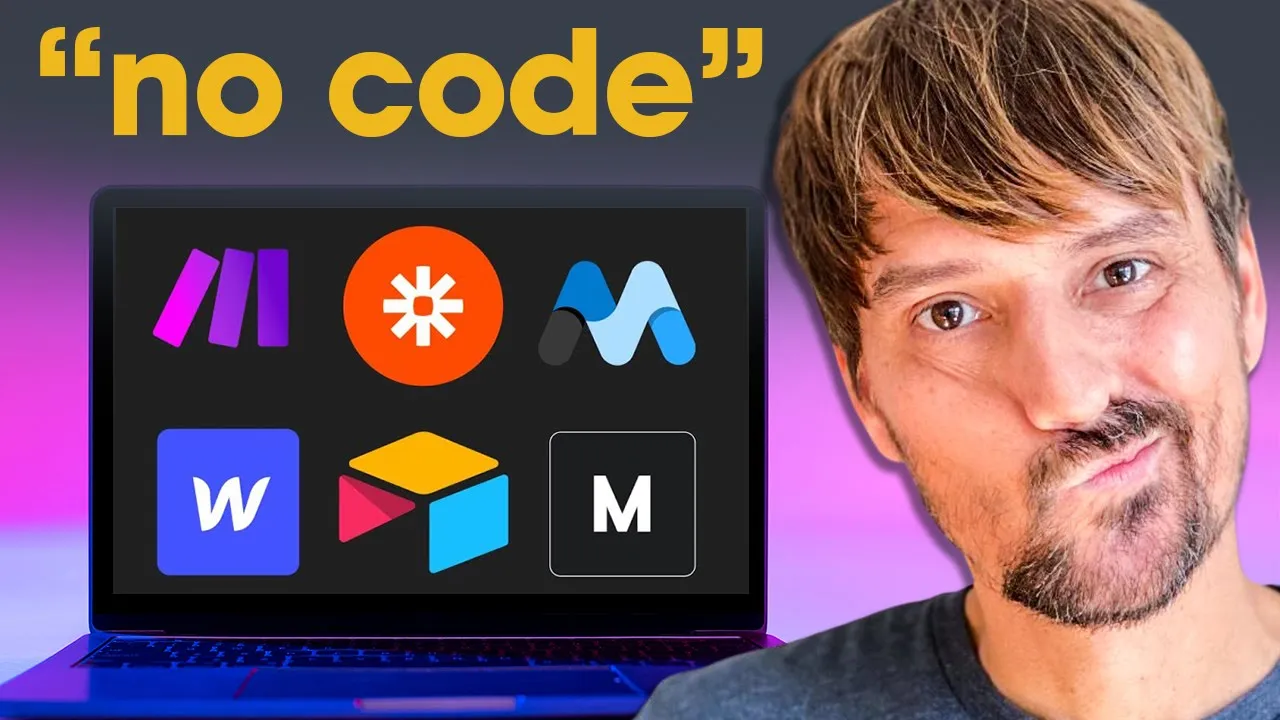
When choosing between Zapier and Make for no-code automation, consider that Zapier offers over 5,000 integrations with a simpler linear interface ideal for beginners, while Make provides approximately 1,500 integrations at significantly lower cost (about one-third of Zapier's pricing) with a more advanced flowchart-based interface better suited for low-code builders who need complex branching logic and API/webhook management capabilities.
Zapier vs Make: A Comparative Analysis of Automation Tools
Added:Understanding of basic API concepts (Application Programming Interfaces), including triggers, actions, and how webhooks transmit data.
Familiarity with the concept of No-Code/Low-Code technology and how it simplifies software integration.
Basic logic formulation principles, such as conditional branching (if/then statements) and data mapping.
A foundational understanding of data formats, particularly JSON, and how data is structured in web applications.
Advanced workflow design, including complex error handling, routing, and data parsing within Make or Zapier.
Integrating custom HTTP requests and webhooks to connect platforms that do not have native integrations on these tools.
Security and privacy best practices for managing sensitive data (e.g., GDPR, HIPAA compliance) across automated workflows.
Evaluating the threshold for transitioning from no-code automation platforms to custom code solutions (e.g., Python scripts or AWS Lambda) for scalability.
26.2K views694likes16:30Original Release: 2023-08-02
if you're looking to build no code or low code automations then you've probably heard of zapier and make but you might not be sure which one is right for you and your team today to help you make that decision we're going to compare both of these automation providers so you can find out which is the best fit for you hi I'm Tom from X-ray tech the workflow company at x-ray we use no code providers like zapier make and more to build automated workflows for our team and our clients in this video I'm going to compare zapier and make across three different categories Integrations with popular software pricing plans and ease of use for no coders we'll also touch on some of the unique Advanced features offered by both platforms just to highlight some key differences that might be important to you and your organization there's a lot to cover here so let's get started first let's take a look at the available Integrations for both providers when you're building an automated workflow integration support is often the single most important factor to consider if you're a no code Builder looking to automate with Shopify for example then you need to use a provider that supports Shopify and if you anticipate automating with dozens of different apps that you use every day you probably want to find a provider that supports all of them otherwise you won't be able to build the automations at all at least not without writing some code for an API call but we'll touch more on the topic of low code building later on when it comes to the sheer number of available Integrations zapier easily beats the competition including make currently zapier boasts over 5 000 available Integrations on their website if you're using a commercially available web app chances are that zapier already has an integration built for it that said makes list of Integrations is still quite extensive according to their website make currently supports about 1500 web apps while 1500 is a lot smaller than 5000 there's a very good chance that make still supports the app that you want to use like zapier make supports Google Drive Microsoft teams slack airtable notion Shopify QuickBooks HubSpot WordPress and many many more apps that you already use every day ultimately the most important question isn't necessarily which provider has more Integrations it's which provider has Integrations for the apps that you want to automate with as a workflow automation consultancy that's a question we have to answer a lot to skip the trouble of sifting through thousands of apps we built a simple search engine to quickly find out which automation providers support which apps just go to x-ray.tools and search for the apps you want to use immediately you'll see which automation providers support your apps like zapier make bardeen or n8n then you can click for more detail about the specific triggers actions and searches offered by each platform in one convenient view in many cases you'll find that both zapier and make have Integrations for all of the apps you already use in that situation you'll likely want to dive a little bit deeper to compare what you can actually do with those Integrations the available options will usually be pretty similar but it's not uncommon for either zapier or make to offer a specific action that the other is missing for instance zapier never includes a delete action within its Integrations if you want to automatically delete items within no code automation you'll need to use make there are a lot of different capabilities offered by each provider so it's always a good idea to check x-ray dot tools to see exactly what they can do ultimately if you want an automation provider that supports virtually every web app out there then zapier is your pick however you should definitely check out x-ray dot tools before making a final decision also if you're an automation Builder or software developer looking to create a zapier or make integration for your own app both platforms have you covered they'll ask for largely the same data to build your own custom integration however that's a topic for another video let us know in the comments down below if you want to see us go into more detail about building your own custom integration next let's take a look at zapier and makes pricing both apps offer several different pricing plans and add-ons but there's a pretty clear winner in terms of affordability and the vast majority of circumstances make will be significantly cheaper than zapier I'll break down the major details of their pricing structure but if you'd like to see all of the options for yourself you can find both pricing pages in the videos resources board that board's Linked In the video's description down below zapier's pricing plans range from 30 a month for the starter plan up to nearly 150 a month for the company plan note that all these plans set a limit on the number of tasks you can use each month in zapier a task is consumed when any Trigger action or search actually runs for instance a zap that consists of one trigger watching a Google drive folder and one action that sends an email would consume two tasks whenever it runs completely however when the automation trigger checks periodically for a new file in that folder these actions won't consume any tasks unless zapier finds a new file and runs the whole automation if you're running out of tasks each month you can also add more tasks to your plan for an additional monthly charge in general higher tiers include more automated stations more features and more tasks the starter plan can be a good option for zapier beginners but it has a lot of limitations it only includes 750 tasks each month or 1500 tasks for an additional 30 charge you're also limited to using just three premium Integrations in your zaps many of zapier's most popular and useful apps are considered premium such as Shopify QuickBooks and web hooks most importantly individual Builders looking to create robust workflows that support their daily work will probably want to consider the Pro Plan which starts at 73 dollars per month and includes unlimited premium apps organizations seeking to connect their whole team with automation will need to check out the team and Company plan which start at about a hundred and hundred and fifty dollars a month respectively these plans let you create as many zaps as you'd like and offer several features for permissions and collaborating with your team there's also a free plan but to be honest this is little more than a demo it's worth checking out if you're exploring zapier for the first time but you really can't do anything practical with it you're limited to using single steps apps and you can only have five active zaps at one time note that if you're using the free plan you will be able to actually build a multi-steps app with all of zapier's Premium features like web Hooks and paths but you won't be able to turn it on unless you upgrade to the appropriate tier as the biggest game in town zapier charges a premium for their product but if your zaps help you save just a few hours each month then even 150 a month is worth it now let's see how makes pricing Stacks up to zap years like zapier you'll also see a free plan here but it's a bit more useful than what zapier offers your scenarios can only run every 15 minutes you don't have access to premium and Enterprise apps and you'll be missing a lot of makes more advanced features like custom variables that you can use in any automation however it's more than enough to try out make and see how it really works before whipping out your credit card much like zapier more expensive plans offer more features and more automation runs in make your plans are limited to the set number of operations each month which is essentially the same thing as tasks in zapier however in make automations consume operations when they watch for new data even if the automation doesn't actually run you'll also be limited in how much data you can process with your automations for every 10 000 operations in your plan you can transfer five gigabytes of data zapier on the other hand doesn't even measure your data usage you can see info about data usage on the pricing parameters page in the resources board Linked In the description down below base plans range from about ten dollars a month for core up to about thirty four dollars a month for teams Enterprise organizations will need to contact makes sales team for a quote any of these plans can also be augmented with additional operations each month for an additional fee serious no Code and low code Builders will probably want to use Pro in the long run but even core includes most of the key features that you need to use make as a solo Builder organizations will want to use teams or Enterprise plans to be able to assign different roles and permissions to their employees ultimately makes plans are about a third of the cost of comparable zapier plans and their lower tiers have fewer restrictions plus with inline functions instead of separate formatter steps in Automation in make will probably use fewer operations than a similar Automation in zapier if you're looking to automate your workflows on a tight budget make will be the better choice so long as it supports the apps you want to automate with now let's take a look at the user experience for both apps and how well they work as a no code app both are no code automation platforms but do they really live up to their claim are they reasonably easy to use for people without a coding background in both cases the short answer is yes with some caveats beginners will likely find zapier easier to use while more experienced users will gravitate towards make let's start by taking a look at zapier zapier features a very simple interface designed for building linear automations one step at a time all you have to do is choose the app and the actions you want to use and fill out the fields in a form like UI for each action search or trigger zapier typically provides clear concise explanations of the data you need to provide for each field for the vast majority of automated actions in zapier you won't have to write a single line of code if you want to use more advanced features like web hooks some familiarity with coding syntax and principles will be needed but most zaps won't require code at all if you're generally comfortable using modern web apps for work then zapier shouldn't pose much of a challenge once you've picked up the basic concepts if you're looking for a place to get started you can check out our beginner's guide to zapier however zapier's focus on Simplicity can become an issue at times if you add paths to your zaps to perform different actions for different circumstances the paths will be nested within another module at first glance it's not even very easy to tell that an automation even has paths in it additionally zapier's error messages are often vague and unhelpful when something isn't working as planned you often have to turn to basic troubleshooting through trial and error or post on the zapier forum for help overall zapier is very easy to use and doesn't require any coding knowledge at all how however it can be overly simplistic for Builders who want to create more advanced automations with several branching paths in contrast to zapier's linear forms make lets you build automated scenarios with an interface that looks more like a flowchart you can add modules anywhere in the space and click and drag to move them this becomes particularly important when you start using conditional logic to add several different paths to your automations with this flowchart layout it's much easier to understand how a complex automation works at a glance than with zapier's UI when you open any module in make you'll see a form layout that's pretty similar to what zapier employs however make will often use somewhat more technical language you definitely don't need to be a software engineer to understand it but you'll see terms like array string and variable pretty frequently it's basic stuff but it helps to have a little familiarity with coding when you're using make you'll also see that formulas for working with numbers text and dates are formatted like the equations you might use in a spreadsheet they're not quite as plug and play as a zapier formatter step is where every single piece of data gets its own field but even for strictly no code Builders these formulas aren't difficult to learn we have some videos about formulas in make that you can check out if you want to get started ultimately both zapier and make are pretty easy to use for no code Builders more Advanced Builders particularly those who want to dabble with low code will gravitate towards make on the other hand no code automation beginners will likely prefer zapier's simple linear setup in the end it's really up to you in your preferences both are equally reliable being built on AWS so it's just a matter of experience and opinion before we wrap up this video I'd like to take a look at some of the more advanced and specialized features that each app offers many of these features are used in relatively Niche use cases and often won't have an equivalent in the other app if you're still not sure which platform is the better fit for you reviewing the unique features included in each might help you make a choice to start let's take take a peek at zapier's new interfaces feature recently zapier has been expanding their platform Beyond simply building automations and is now creating tools to let Builders easily share their zaps with team members and clients a zapier interface is a simple web page created using a drag and drop page builder every page can include forms and buttons that trigger automations link to other pages and even a new AI chatbot component we've made a video covering the zapier chatbot options in detail if you'd like to learn more about it interfaces are an appealing feature for anyone looking to build and deliver automations on a single platform they're still in beta though so expect to see a lot of updates to interfaces in the coming months while we're on the subject of AI zapier also has a plugin for openai's chat GPT with this plugin you can run automated actions in zapier by simply sending a prompt to chatgpt the plugin is also still in beta and there are a lot of Kinks to work out but it has some really exciting potential to change the way we approach automation where zapier has a lot of interesting Standalone tools like these makes unique features are more focused on building Advanced automated workflows make offers extensive support for using API calls and web hooks in your automations for instance you can create secret keys to manage your application's credentials and easily make calls from different accounts makes webhook manager also makes it way easier to keep track of all the web hooks you've created and lets you view update or delete your web hooks from a single location if you're a low code Builder relying on API calls and web hooks to create your automations make will give you far more resources for generating and managing them this is just scratching the surface of the unique features offered by both applications but they should give you a general sense of what each provider prioritizes and the kinds of features that you can expect from both at the end of the day there's no one definitive winner between these two apps your choice will ultimately depend on your experience and your circumstances and preferences but after building thousands of automations on both platforms with my team I can tell you there is such thing as the right tool for the job if you're looking for a very simple no code building experience or a ton of Integrations then zapier is probably the better pick on the other hand if you need a budget-friendly solution or a tool with great support for low code automation techniques make is your best bet check out the resources board in the description down below to try both apps and decide for yourself be sure to let us know in the comments down below which automation provider you prefer and why if you've enjoyed this video prove you're human like And subscribe for more automation tips every single week if you'd like to learn more about no Code and low code automation follow us on LinkedIn Twitter or Facebook and you can find all of our content on our website at x-ray.tech you can check all those links in the resources board down below and as always don't forget keep the flow trying to Future proof yourself start designing the way your team works with no code tools Automation and AI in X-Ray's workflow designer course we'll show you how to break down every part of a process to find the best opportunities for Automation and how to integrate those automations into your team's daily work you'll learn how to create time for your entire team get more reliable results and give everyone a newfound Clarity and confidence in their work just go to this URL to learn more the entire package includes over two hours of Premium video content challenging example projects and tons of helpful resources the course costs just 250 dollars and gives you lifetime access to a slack community of workflow designers Building Systems in dozens of different Industries space is limited so join the free waiting list today to get notified as soon as the course is live later this year thanks for watching and we hope to see you soon in our workflow designer course
Up Next
24:46
Make.com Automation for Beginners: Step-by-Step Workflow Tutorial
@KevinStratvert
801.3K views•2024-05-28

12:54
Triumph of Orthodoxy Icon: Byzantine Art & History Explained
@BenCallan
2.1K views•2024-08-06

9:49
FastAPI vs Flask vs Django: Choosing the Right Python Web Framework
@TechWithTim
302.5K views•2024-05-26

1:42
Game of Thrones Opening Credits: A Cinematic Analysis
@gameofthrones
46.3M views•2011-04-18
Related Study Plans & Knowledge Roadmaps
Structured learning paths in General & Interdisciplinary Studies
general-studies
Elevator Engineering: History, Physics & Cities
01From Hoists to Safety Brakes: The Dawn of Vertical Lift
02Hydraulic vs. Traction: The Engineering Physics of Elevators
03Modern Speed, Safety, and Algorithms
+ 2 more learning modules
12h5 modules
Explore Roadmap
general-studies
Rubber: Material Science, History & Geopolitics
01Origins of Natural Rubber & Mesoamerican History
02The Chemistry of Natural Rubber & Vulcanization
03The Geopolitics of the Rubber Boom & Colonization
+ 2 more learning modules
12h5 modules
Explore Roadmap
general-studies
Containerization: Evolution, Logistics & Trade
01Ancient Trade & Bulk Cargo: Amphorae to Barrels
02The Industrial Revolution & Cardboard Packaging
03The Containerization Revolution: Malcom McLean
+ 2 more learning modules
12h5 modules
Explore Roadmap
general-studies
Textile Tech: Evolution, Labor & Global Impact
01Pre-Industrial Textiles: Handloom & Cottage Industry
02Mechanization: The Spinning Jenny to the Power Loom
03The Factory System & Global Labor Transformation
+ 2 more learning modules
10h5 modules
Explore Roadmap