










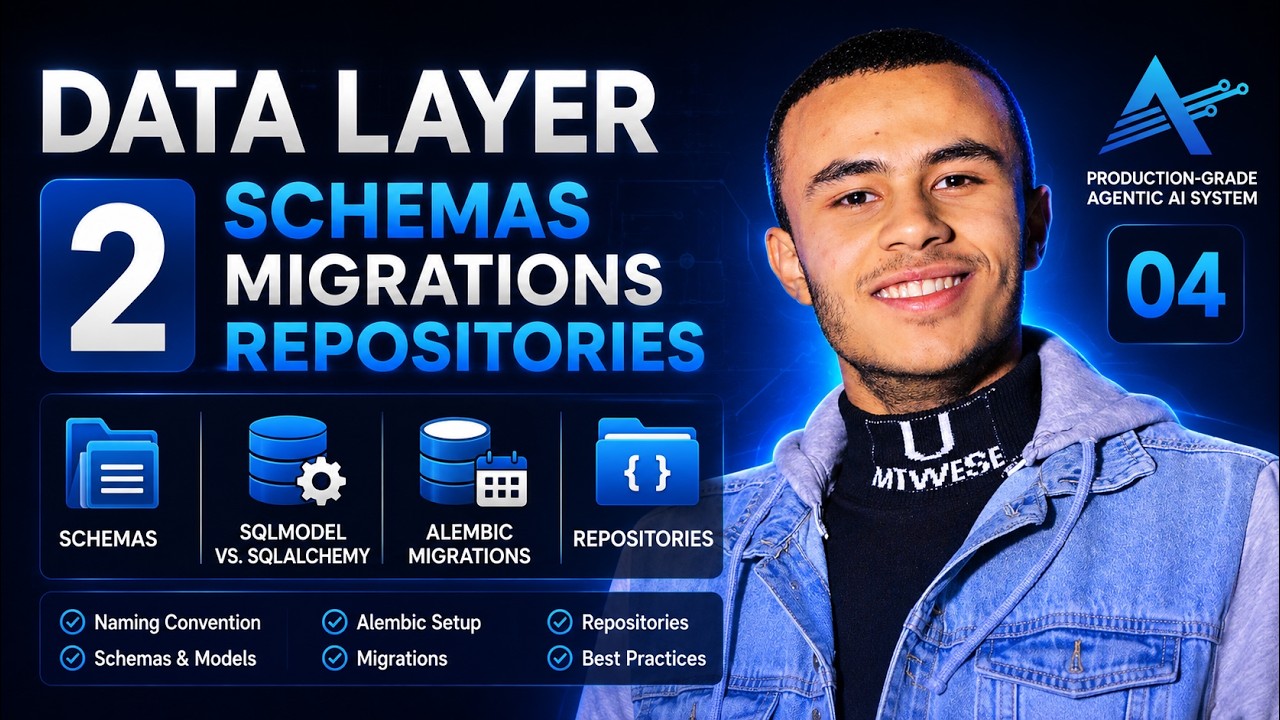








This tutorial demonstrates how to build a full-featured CRUD (Create, Read, Update, Delete) API using FastAPI with PostgreSQL as the database backend. The process involves setting up a Python virtual environment, configuring SQLAlchemy for database connections, defining Pydantic schemas for data validation, creating database models and tables, implementing service layer functions for business logic, and defining FastAPI endpoints with proper dependency injection. The tutorial covers all four CRUD operations: creating book entries with validation, retrieving all books or specific books by ID, updating existing book records, and deleting books from the database.
Build a CRUD API with FastAPI and PostgreSQL: A Complete Tutorial
Added:Fundamental Python programming, including familiarity with functions, data structures, and type hinting.
Basic understanding of RESTful API principles and standard HTTP methods (GET, POST, PUT, DELETE).
Relational database concepts, including tables, primary keys, foreign keys, and basic SQL queries.
Implementing user authentication and authorization using OAuth2 with JWT (JSON Web Tokens) in FastAPI.
Managing database schema migrations over time using Alembic.
Writing automated unit and integration tests for your API endpoints using Pytest and TestClient.
Containerizing the application and database using Docker and Docker Compose for consistent development and deployment.
Deploying the FastAPI application to cloud platforms (such as AWS, Render, or Heroku) using a production ASGI server like Uvicorn or Gunicorn.
25.5K views518likes37:55Original Release: 2024-05-25
hey guys so in this video we're going to create a fast API app using which we're going to perform all the cud operation that is create retrieve update and delete and we are going to use post SQL as our database also I'm using penic for the data validation part so welcome to my channel I'm your friend Rahul let's get [Music] started now to install post Google post download and click on this link the Enterprise DB and from here based on your operating system you can download all I have downloaded this Macos and installed the same let's have a look on it now once PG admin is installed and you can see this screen then simply click on the server enter the password by default the password is password so we'll simply copy and paste it here let's click okay and now we can see the default settings are here now we have to create a new database in order to proceed so we'll simply right click and click on this create database and let's name this database as bookstore and save this now here we can see our bookstore database is created now let's go to our code and write code in order to create Book Table and perform cred operations on it so let's go to our vs code so now these are all the required packages that we are going to use in order to create fast API with with postgress let's create a python environment and install all these packages so for creating python environment we'll write here python hyphen m v EnV and V EnV let's press enter now let's activate this environment for that we'll write Source vv/ bin and activate right so this has activated our environment now let's install all these packages from requirements.txt so we'll write her pip install hyphen R and requirements.txt so now we have set up all our environment and installed all our packages so let's start coding so let's set up our database first for that we'll click on this plus and create a file named db. Pi so db. piy now inside this let's import all our dependencies now we are importing create engine from SQL Alchemy and from sqlalchemy.orm we are using session maker and declarative base so now let's define the database URL that we use SQL Alchemy database URL equals so URL of this database is going to be post [Music] ksql and here we have to write the username by default username is poststress so we'll write [Music] postgress and password is password by default and after this we'll Define the server and the port at which this postgress is running so we'll write her local host 5432 so 5432 is the default port number that poql uses and from here we are going to use the database that we have just created that is bookstore now let's create the engine out of this so we'll write her engine and this equals create engine and we'll pass in this URL of our database so we'll simply copy and paste it here so now let's create the local session for this so we'll write here session local and this equals session maker and inside session maker we'll write Auto commit as false then auto flush as false and we're going to bind this engine right and save this now base equals declarative base right let's save it now here we are defining this engine which help us connect with this post gas URL that we have defined and then we are using this session maker this session maker help us perform actions on our database and here we have set autocom commit and autof flushes false which means that until and unless we are not specifying that we want to commit these changes the changes will not be reflected in the database and at the end we are simply binding this engine created here to this session now here this declarative base will help us create the tables that we are going to use in the code so we have defined base as well now at the end let's define a function using which we are going to perform all the actions so we'll write here get DB so get DB and in this we are not going to pass anything here DB equals and we'll use this session local so session local and after this we'll write try and yield DB and finally close the database so we'll write db. close using this get DB we're going to initialize the session and perform all our actions and at the end we're going to Define another function which will help us create all our tables so we'll write here create table and in this create table we'll simply write base do metadata dot create all so simply create and all and inside this we'll again write bind equals engine and save this now using this db.
Pi we are able to connect with our database and create a session and also we have defined the base so now let's define the tables of our database so for that we're going to create another file named models.py so models.py so the first thing that we we need is the base so we'll write here from DB import base after this from SQL Alchemy import and we'll import integer column and string and these all will be used for defining the table so let's define the table here so we'll write here class and book and We'll Inherit the base so we'll write her base and then the table name will be double uncore table name double uncore equals and we'll Define the table name so let's write books and here we are going to Define all the attribute of this books so we'll write here ID equals column and this column will be of type integer and this will be also primary key so primary key true we are also going to Index this so we'll write here index true and after this we'll Define the title so title equals column again and this will be of type string so string and we're also going to Index this so we'll write her index equals true now we'll simply copy this and paste it here it will be description so description the author so author the release ear so we'll write here ear and this will be of type integer so integer and we are not going to Index this column so we'll simply write integer and save this so now we have defined our table that is book and inside book we have ID title description author and ear so let's open our shell and create this book using this create table so we'll write here I python here we're going to import our DB and models so let's do that and then we'll simply write db. create DB let's enter this so we have I have misspelled it so let's go and make it as create save this we have to run it so we'll have to exit first clear this again open python import DB models and then create table right so now if you see we have successfully executed this command let's exit [Music] this and now let's open our PG admin and see whether this specific table is created or not inside our this database that is bookstore right so now here we can see our bookstore database is created but inside this we can't see the tables so let's right click and refresh it and inside schemas now we can see that we have tables here let's double click and see now we have this books table and inside this [Music] columns here we can see that we have ID title description author and ear so our database is created and we have created the tables now let's move on and Define the schemas using which we are going to communicate with our API and the database so let's do that so let's minimize it now from here let's create another file name schemas dop right and here we are going to use penic to validate the database and if you are new to penic I have created one video you can go and have a look how we can use penic to validate complex data structures so we'll write here from identic import base model [Music] right and now here let's define the first schema so we'll write here class book base and this will inherit the base model so base model right and what we want to return from our database whenever this is called so here we are going to use the title description author and ear so we'll Define all fours title as string so we'll write Title St Str then we have author and this again is of type St Str then description St Str again and we have ear and this is of type int so we'll write int here now whenever we will pass our database through this it will return this and it will not return ID and suppose if we have few more fields and we just want these field we can use that we can also remove these like this is kind of communication through our database and our API so we are going to use this for our initial use right and after this we'll now Define another class now after this this is the base of our book and after this let's define a schema using which we are able to create book instance so we'll write here book create and here we can simply inherit this so we'll write here book base book base and we don't need any extra column in this so we'll write here pass now after this we have to define a get of book so using which we are going to update the database or fetch it so we'll write here again class and here we'll write book only and this will again inherit this book base so we'll write book base and apart from this here we have not used ID but whenever we are fetching something we need the ID in order to update it or in order to get the specific data so so we'll again write here extra information that is ID and this will be of type int and here we'll also Define class config and here we'll write from attribute equals true right and we'll save this now here as we are using penic version two we have to Define form from attribute as true if you're using any older version we have to write here omm and mode equals true so here we are using this omm mode or from attribute true because we want to directly instantiate our object from the database itself so we are simply defining and this is going to serialize our data so we have to use this as of now I'm using p identic version 2 so I'll use from attribute and I'll comment this one out this is for pantic so I'll I'll just simply write here pantic version less than 2 right 2.8 let's say and if your version is greater than ptic 2.x so we'll use this specific setting so yeah let's define this right and save it now we have defined our schemas models and database let's define the services and here Services means that how we are going to perform the cred operations so let's do that so in the services we will Define all the helper functions you can say using which we will simply call it in our API calls and it will create update retrieve or delete the data so we'll write here we'll create another file and name it as Services dop now in this Services we have to import all our required packages and models so we'll write here from Models import book right so this is The Book Table that we have defined after this from SQL Alim SQL Alim me.or import session so session and from schemas import book create so we'll create right so now let's define the function using which we are going to create a book entry in our database so we'll write here def create book and inside this we need the database connection so we'll write here DB and this is going to be of type session so we'll write here session right and after this we want the data so we'll write here data and this data will be of type book create that we have defined in this schemas dop right so we'll use this here and now let's define it now here let's create an instance of this book class so we'll write a book instance equals book and then we are going to convert this data that is of class book create to dictionary object so we'll write here data do model dump right so now this penic provides a function using which we can convert our class instance to dictionary or we can convert it to Json so we have this function inside penting itself now here we'll write star star in order to provide the address of this model dump and it will create this instance after this we have to add this book instance to our book class and inside the table so we'll write her db.
add and then we'll write book instance let's save this and after that we're going to commit this so we'll write her db.
commit and will again refresh the database so we'll write db.
refresh and at the end we'll simply return this book instance so we'll write here book instance and save it now suppose we don't get the data properly which is of type book create then this instance will throw error and this is helping us in creating extra validation to verify whether we have the title we have author or not so that is why we are using penic which help us in the data validation part and suppose we want want to Define an optional field that means that we may or may not have it so in that case let's consider this year as an optional so we can Define the default value for this so let's define it as 2024 right but uh again as I said this is an optional field if we don't get this data so ptic will assign it as 2024 but for now it is an important fial for us we'll remove and save it now we have defined the service the create book function using which we will be able to create an instance of book in our table after this we'll again Define get books why we are writing books here because we need all the instance of book and we'll return it to the API so again we'll need the DB so we'll write here DB and it's of type session and we only need this here and from here we'll write DB do query and we will pass in the book class and Dot all let's save it and we will return this so we have to again write her return and return whatever instance we are getting so we have defined our helper function for creating book and getting books so let's define the API as well so for that we'll create another file named main.py so we'll write here main. Pi so let's import fast API first so we'll write here from Fast API import fast API along with fast API we also need depends then we need HTTP exception so we'll write here HTTP exception after fast API we also need the services that we have defined so we will simply write import Services comma models we also need all the models and then schemas as well so we'll write schemas now from DB import get DB and engine so let's import this and at the end we will be importing the session class from SQL Alim orm so from SQL alime omm import session right and save this now let's create the instance of fast API so we'll write here app equals fast API and we'll create the instance of this here let's define first the get API so we'll write here at app do get API so get and we'll then Define the URL at which we'll run this specific function so we'll write her/ books and then we'll Define the response model so we'll use this response model and this will be of type list list and this list will be of schemas dot schemas do book and this will be in string okay so we'll again pass it in strings right now let's define this API so we'll write here def get all books and inside this get all books we have to again Define the database so we'll write her DB and then this will be of type session so session equals and then we'll write depends so here in fast API we use this depends whenever we have to call a specific function before executing the main function so if we hover on this we get an explanation that what this depend does so it's as simple as it is that it will call the required function so here we need to pass in this get DB so we'll simply copy and paste it and save this right now here let's define this so we'll write return so here we will return this get books that we have defined right so we will write Services Dot services do get books and we'll call this function let's save it and similarly now let's define the post API as well using which we are going to create the book instance so we'll again write at app. poost again this will be slash books and we'll close this now here let's define this response model and this will be of type schemas do book so it will return the result in the form of this book instance right again let's define the function for this as well so we write here create new book now here we will take the data that we are getting from the API and this is the key value pair which has all the information of the book that we have to create in our database so we will write her book and this is going to be of type schemas do book create that we have just defined so we'll write book create comma we also need the DB so we'll just copy it from here DB session and it depends on the get DB function so we'll paste it right let's define this as well so again we are going to use services and from Services we're going to use this specific function so we'll copy this and we're going to return it so return we'll paste the function name that we have just copied and in this we're going to pass DB first and after DB we will be passing in the book right so let's save this so it is inside services so we'll write here services do create book and let's save it now we have defined the get and the post API let's run our fast API server and verify it so for that we will write here uvon and then we want to execute the main.py so Main and inside main we have defined this app so we will write app here and suppose if we have you chose something else maybe a bookstore or anything we need to pass it at this place right so now we also want to reload it whenever we make any change so we'll write here reload okay let's press enter so now we can see our server has started properly so let's go to our web browser and verify it now here at Local Host 8000 SL dos so this is the Swagger that fast API provide itself so we get all the apis listing here and we can also try it out so let's click on this try it out and here let's define the title so make it as book one and author be author one so Au one and in description we'll write first book and in Year we will write here 2024 let's let's try this out so we'll click on this execute now after executing we are getting this internal server error so let's have a look on the server and see what is wrong so here it says that refresh missing one required positional argument instance so let's go on to our services and we have to pass this book instance here so it will update the related data of this so we'll write and we'll simply paste it here so let's save this and now let's rerun our doc so let's go to it so this time let's make it as book two and again to second book right and execute this so here we see that we are getting all the information that we have passed along with the ID and how we are updating the ID it is happening because of db. refresh that we have passed there right so it has updated the document and return it back so now let's check out the get as well so we'll simply cancel and close this open the get response and try this out so let's execute this we're again getting internal server error so let's check this out as well so here it says that get book is missing one required positional argument DB so okay let's go to our main. PI and here we can see that we are not passing in this DB that we have defined so we'll write here DB and save this out let's retry it okay let's execute it again and perfect so at this time we are getting all the required data that is expected in get response and here we can see we are also getting the ID that this is ID 1 and this is ID 2 right so this is working fine now let's define a function of get again in which we will pass in this specific ID and it has to fetch that specific ID if that exists in the database otherwise it will print some message that this ID does not exist in the database and let's do that so we'll again go back to the vs code so let's define the services first for it so we'll simply copy this get DB and paste it again and this DB will be of type session and after this we need the book ID so book ID and this book ID will be of type int okay and let's define this so we'll simply write here return let's copy it from here and and paste it right but here we don't want to return everything instead we just want to filter out something and a specific ID so do filter and here we'll write book do ID and this book ID double equals book ID okay and we want to return the first element out of it so we'll write her do first right and save this here this first will return only one entry if we have a data and if we don't have anything it will simply return none and let's save it and now let's define the API for same so now let's define the API when we are getting some ID for a specific book we'll write here at app and this will be of type get so do get here the URL will be slash books slash and we also get the ID so ID right and in response model in response model we are going to use this schemas do book so dot book so we return the data in the form of this schemas do book now let's define it so def get book by ID right we'll first need the ID so ID this is going to be of type int and then we need the DB so we'll simply copy it from here and paste it so copy and paste right so this will get the DB as well and inside the definition we're going to first create book query set and this book query set equals services do get book okay and in this we will pass in the DB and then the ID right now here if you get this book query set so if book query set then we'll return this out so so return book query set here if this book query set does not exist we'll simply write raise HTTP exception and this HTTP exception will have status code AS 404 and message that is detailed so we'll write detail equals in valid book ID provided let's save this and verify our API right let's refresh this and after refreshing we are getting a new API that is books with ID so let's try this out on trying out we'll pass here one and execute here we're getting the first instance of our book type so this code is working perfectly fine and let's retry it on the id2 as well okay so it has returned the second instance so let's write here 23 and see whether our code is working fine or not so in this scenario it says detail as invalid book ID provided so now we have defined get and poost apis so now let's define the update request as well so we'll go back to our vs code and Define the put request now let's define the update function as well so we'll write here def update book and this update book will again take the DB that is of type session okay and after this we want the updated book entry so we'll write her book and this will be of type book create book create and after this we also want the book ID for which we want to update the entry so we'll write here book uncore ID right and this will be of type int let's define this function as well now here we want to check this specific DB query so we'll copy it we'll again write book query set equals and we'll paste it okay so it will fetch out the entry with this specific book ID and if this book query set exists so we'll write here if book query set then we're going to iterate this specific book and for this we'll be getting key comma value in book dot model dump and this dot items so here I'll explain what is happening so we are simply converting this book create entry to a dictionary object and after that we are getting all the items and this item returns key value pair and then we are going to update this key value pair so we'll write here set erer and inside this we'll write first the book query set so book query set comma key comma value once all the iteration is done we're going to Comm this so we'll write her db.
commit and after committing out we'll write her db. refresh and in refresh we'll pass in this book query set so we'll write here book and query set save this and at the end we're going to return book query set and save it out now let's go to our main and Define the put request as well so we'll copy this part from here and paste it and we'll then Define upd update book and this update book is going to take the instance of book create schemas do book create then we need the book ID so we'll write here ID and this is going to be of type int and at end we also need the DB and this DB is equal to session and we're going to use the depends to assign it a value so now we'll simply Define this function here so we'll simply call DB update equals services do update book we'll pass a DB comma book the ID right so now this is again going to return none if we don't have a value so we'll write here if not DB update update then we'll raise exception HTTP exception status code this will be again of type 404 comma detail and inside detail we'll write that book not found and in case we are getting an updated entry we'll simply return that so we'll write here return and we'll write the DB update so now if you see that we are using get here instead we need to use put so let's save this and test it out in our web browser so let's go back to our web browser here simply refresh this and now we have another API of put let's write write the ID let's try this out and here let's put in the ID as one and in title we're going to write updated book updated book one and author was Au one so let's keep it same and in description we are going to write updated book entry updated [Music] book right let's change the year as well so we'll write here 2025 okay let's execute this so here on execution we can see we are getting another updated entry of having ideas one ears 2025 and title and description are also changed that we have passed in the request body here right so it looks quite good now let's move on to the last API that is the delete API so let's go to our vs code and Define it as well so we'll again go to our services and here def delete book here we need again the DB that is of type session then we need the IDE of book that we want to delete so this is going to be of type int and in the definition we'll first fetch it out so we'll again copy this and paste it here okay and here we are getting ID so we'll simply write equals ID and again we'll write if book query set then we're going to delete it so db.
delete and we'll pass in this book query set so we'll copy this and paste it here and after we have deleted we also need to commit the changes so we'll write db.
commit okay we'll call the function and at the end we'll again return book query set okay let's save this and now let's define the API inside main so we'll write here delete API so at app do delete and this is going to take slash books slash and here also we're going to take the ID so we'll write here ID we'll write here response model and this model is of type schemas do book okay and we'll Now define the function for a delete API so we'll write here delete book and here we'll get the ID of type in comma again we will take this DB session copy this and paste it then Define the function here so let's move a bit up and here delete entry okay equals Services dot delete book and here we'll pass in the DB and ID that we have to delete so we'll write DB comma ID okay and if we are getting this entry it means the ENT entry is deleted successfully so we'll write here if DB entry we'll return it delete entry and in case if you're not getting this data then we'll simply raise exception and here we'll write status code of 404 and detail and here we'll write book not found book not found let's save this and now let's test this out in our and now let's test this out in our Swagger so we'll refresh our Swagger so let's create a book instance to delete it so we'll simply try this out and create an instance with all the default values so let's execute and on executing we got a ID of three right so let's go back to our delete and here we'll Define the ID as 3 right and execute and on execution we see that we are getting ID3 and all the required information right and and in the get request if we try that out here let's execute and on execution we see we are only getting two IDs that is one and two so this has deleted the entry 3 properly let's again delete the entry three and see what error message we are getting so on deleting we are getting book not found and by this we have completed all our four operation that is create update retrieve and delete and I hope you have learned something in this video do like this video And subscribe to my channel I keep on creating videos like this on Fast API and python projects so stay connected thanks for watching [Music]
Up Next

9:42
PostgreSQL Installation and Creating Your First Database | SQL Shell & PgAdmin4
@BekBrace
175.8K views•2020-10-24

12:54
Triumph of Orthodoxy Icon: Byzantine Art & History Explained
@BenCallan
2.1K views•2024-08-06

9:49
FastAPI vs Flask vs Django: Choosing the Right Python Web Framework
@TechWithTim
302.5K views•2024-05-26

1:42
Game of Thrones Opening Credits: A Cinematic Analysis
@gameofthrones
46.3M views•2011-04-18
Related Study Plans & Knowledge Roadmaps
Structured learning paths in General & Interdisciplinary Studies
general-studies
Elevator Engineering: History, Physics & Cities
01From Hoists to Safety Brakes: The Dawn of Vertical Lift
02Hydraulic vs. Traction: The Engineering Physics of Elevators
03Modern Speed, Safety, and Algorithms
+ 2 more learning modules
12h5 modules
Explore Roadmap
general-studies
Rubber: Material Science, History & Geopolitics
01Origins of Natural Rubber & Mesoamerican History
02The Chemistry of Natural Rubber & Vulcanization
03The Geopolitics of the Rubber Boom & Colonization
+ 2 more learning modules
12h5 modules
Explore Roadmap
general-studies
Containerization: Evolution, Logistics & Trade
01Ancient Trade & Bulk Cargo: Amphorae to Barrels
02The Industrial Revolution & Cardboard Packaging
03The Containerization Revolution: Malcom McLean
+ 2 more learning modules
12h5 modules
Explore Roadmap
general-studies
Textile Tech: Evolution, Labor & Global Impact
01Pre-Industrial Textiles: Handloom & Cottage Industry
02Mechanization: The Spinning Jenny to the Power Loom
03The Factory System & Global Labor Transformation
+ 2 more learning modules
10h5 modules
Explore Roadmap