



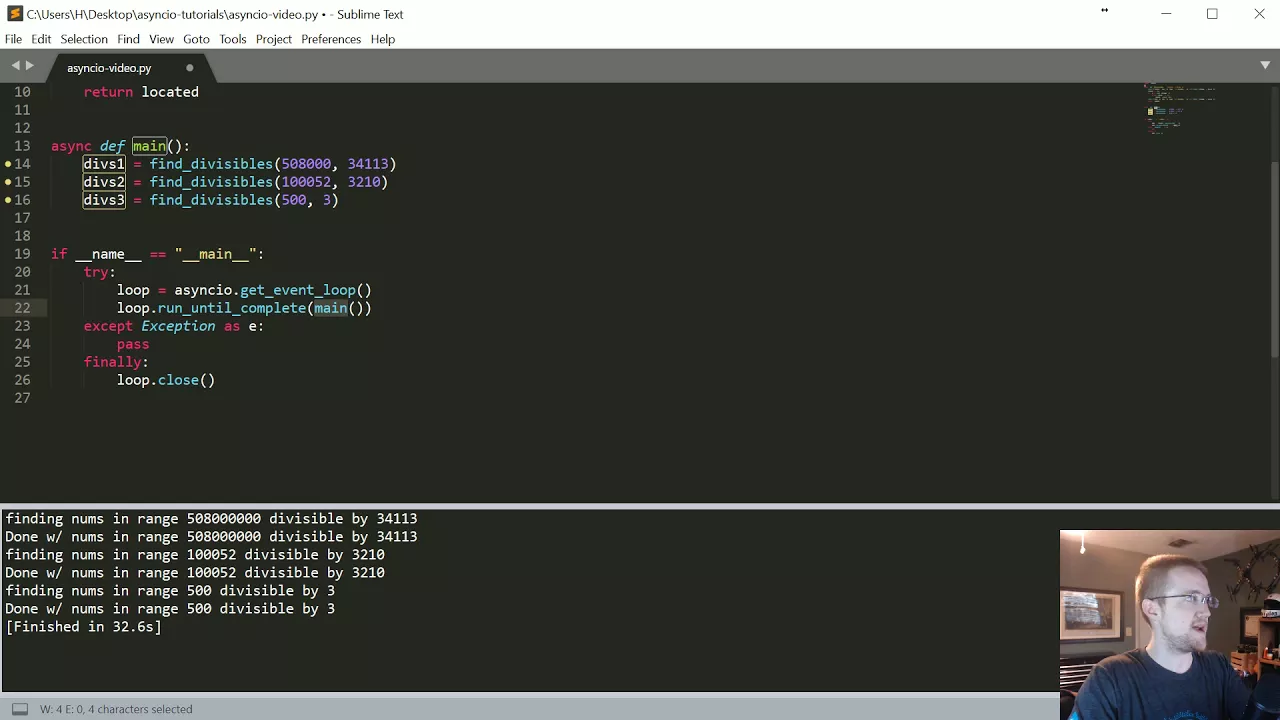




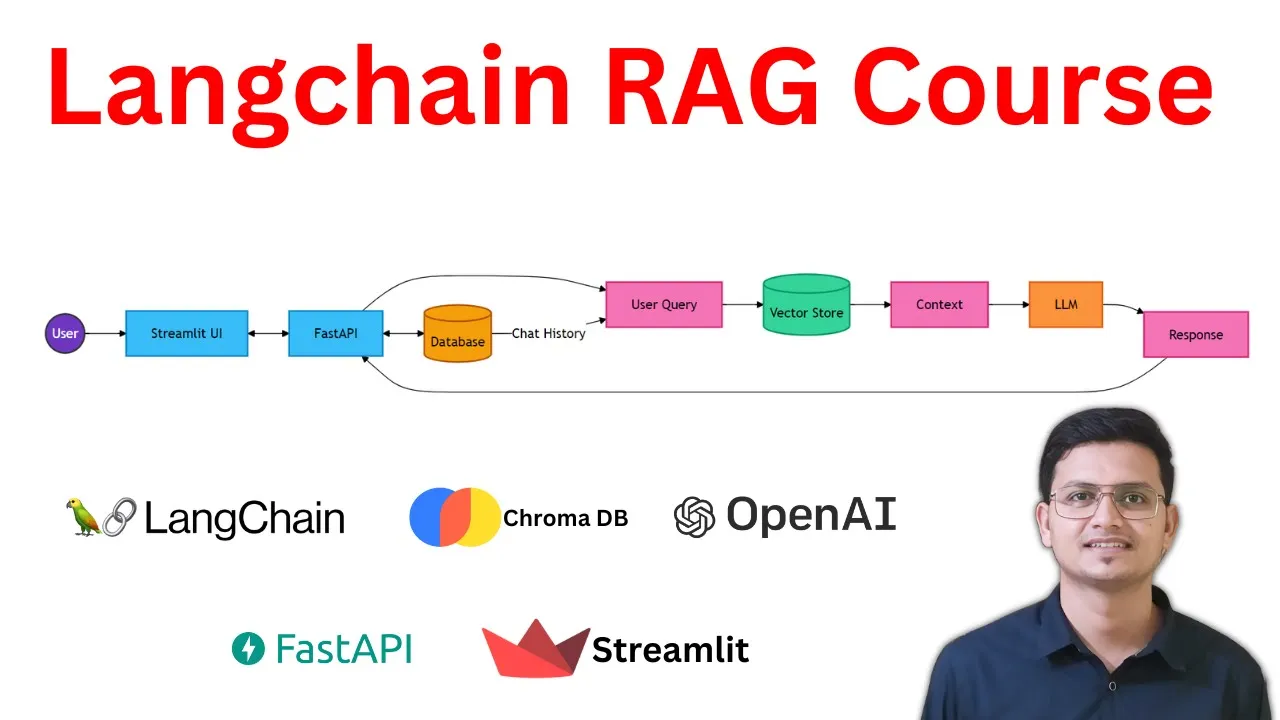















When deploying RAG applications in production, three critical best practices must be followed: (1) Always use APIs as a standardized interface and security layer between clients and vector databases, avoiding direct database connections; (2) Implement asynchronous programming to prevent blocking code that slows down concurrent requests, using LangChain's async execution methods like run_in_executor for threadpool-based parallelism; (3) Avoid reindexing documents on every change by using digest-based updates that only modify documents when their content hash changes, ensuring efficient resource utilization.
Building Production-Ready RAG with LangChain and FastAPI
Added:Core concepts of Retrieval-Augmented Generation (RAG), including vector embeddings, similarity search, and vector databases.
Intermediate-level Python programming, specifically asynchronous syntax (async/await) and the asyncio event loop.
Fundamentals of the LangChain framework, including prompt templates, LLM wrappers, and basic chain composition.
Basic web development with FastAPI, including defining endpoints, using Pydantic for data validation, and dependency injection.
Advanced RAG optimization strategies, such as query translation, context compression, and implementing cross-encoder re-ranking models.
Production observability and tracing for LLM applications using tools like LangSmith, LangFuse, or Arize Phoenix.
Scaling and deploying FastAPI-based RAG services using containerization (Docker/Kubernetes) and serverless architectures.
Implementing semantic caching (e.g., with Redis) and rate-limiting to optimize operational costs and API performance.
18.1K views470likes11:51Original Release: 2024-02-19
hi today I'm going to show you how to use Vector databases with your length chain library in combination with fast API we'll explore why this integration is not just beneficial but essential especially as Rec applications grow more sophisticated Advanced Rec applications demand more than just a script for inserting documents into a vector store it calls for an abstraction layer between the script and the database ensuring a more robust and scalable system this is where the Synergy of vector databases length chain and fast API comes into play by using the tools together we can create a more efficient and secure approach before we jump into the code I'm going to show you the biggest mistakes in the indexing process with Vector databases the biggest one is not to use an API at all when you don't use an API you don't have a standardized interface of how the vector database expects the data an API makes this much easier you can also use the API as security layer between a client and the database if you use authentication when working with apis in Python it's important to know about asynchronous programming in many code bases I have seen the code is blocking code finally Lang chain also recognizes this issue and provides a built-in solution for this the last issue is more about efficiency of resources so when updating a vector store when a document changes you don't want to delete and create a new index every time the indexing API is a good first step to this but in my opinion it's not robust enough yet I can't provide a solution since this is quite difficult and the solution could also vary from Vector database to Vector database but I show you an idea of how I think it might be solved and how an API is part of the solution I will show you an example with fast API and PG Vector which is my personal favorite now let's jump into the code okay I'm in vs code and as you can see I've got a Docker compose yel file which is there to set up the vector store so I can just run Docker compose up and this will now create an instance of PG Vector so let's run docker PS and as we can see this image is running so now we can communicate with PG Vector now we can install all of the dependencies with Pip install requirements.txt so there we install Lan chain fast API PG vector and so on and now let's have a look at our main. PI let's scroll up to the top and here we can see we use fast API we use length chain and so on and so on and we also import some models and other files and classes are created in other files so just a little walk through with this code so first we create an app instance so this is now our first API entry point we check for environment variables which we have to use to for example to create a connection string to PG Vector so we need a user a password DB port and also the uh post database name which is all stored in the end file in this file there's also so in openi API key and then we also check if we start this application in async mode or if we use it in synchronous mode based on that mode we run the function get Vector store so this is an async Vector store or a synchronous Vector store I'm going to show you that implementation in detail in a few seconds we create an retriever from that which we use then to chat over documents which we can in uh insert via the API so next is the endp point so the first endpoint is ADD documents this is where we can pass a list of documents which follow a specific document model so this is the document model so this follows the approach of the Lang chain document which also has got page content and a metadata dictionary but we also add a function called generate digest where we check if the page content of the document has changed and if that's the case we want to update the document in the vector store otherwise we don't want to update that so that's a first approach but I'm going to show you that in detail so let's go back to the main and as you can see now we add this list of documents we create a list of length chain documents from that so we just iterate over the page content and the metadata and create this list of documents and now we run add documents or a add documents this is the async version this is the synchronous version so it depends which class we use the next Endo is for getting all of the IDS in the vector store so this is a custom implementation um for Asing PG vector and also extended PG Vector which both inherit from the normal PG vector class but add some functionality then we got get documents by IDs so this is the first step we get all of the IDS and pass these IDs to this endpoint and now we get back all of the documents again the concrete implementation depends on async PG vector or the other class the next Endo is about deleting documents so this endpoint expects a list of IDs so first we run this to get the IDS then we take the IDS we want to delete and pass it to this endpoint so this now deletes all of the documents in our Vector store again it depends on the concrete implementation of our Vector store which method we call but after that we don't have these documents in our Vector store the last Endo is just a chat endpoint which makes use of the chain recreated a little bit earlier which makes use of for Vector store where where we take in the Retriever and also a question and create a final answer so this is the actual endpoint for the user this is for the admins of our application so before we have a look at the other modules we just going to run the API and I'm going to demonstrate you what happens so we run pip install uvi corn to install the server which runs the API and we run the app with uor main app and we run on part 8,000 so these are the five end points we can add documents get all IDs of all documents we can get documents by all of the IDS we get here we can delete documents and we can use the chat endpoint so let's first create a new document like this so we can uh do it like this uh book costs 20 and we don't add any metadata so let's add these documents as you can see this works and now we can get all of the IDS so this is very slow because I added some fake uh timer to make this API slower than it normally is because I want to demonstrate the way async works so this is our ID and we can just copy that and get the documents here so let's add this and now we get the single document back again this takes 5 seconds because I made this API end point slow so here a book costs 20 bucks and the metadata now includes this digest so this is what we created when we added the document to our Vector store this is in uh this class document model and here we've got this generate digest so we only want to change a document in the vector store if the hash of that page content property changes otherwise we don't want to embed the document because this is expensive and kind of slow so with this approach we can change the vectors inside our Vector store more granularly so to be honest I'm currently not sure how to do this with any other Vector store than PG Vector since most other Vector stores appear like black boxes and that's why Lenin also uses SQL based record manager to track documents I got no robust solution for this but this is something you want to be aware of when indexing large amounts of documents deleting and recreating the index is normally pretty bad now let's go to the next mistake and this is where we explore extended PG vector and async PG Vector so I got a class which inherits from the normal PG vector class but I added some methods like get all IDs here I query the embedding store table this is the custom table which is used by PG Vector to embed the documents and here I just get all of the documents but as you can see I added a Time sleep with 5 Seconds to make the application slower to demonstrate that this code which we got here which is blocking codes we have def not Asing Dev makes the application very slow for the other class Asing PG Vector we have the same methods but we use an async def so this is asynchronous code the difference here is that we not just run get all of these all get document by IDs but we use the run in executor method this is relatively new from length chain and I think Leng chain got the point that in production you need some kind of asynchronous code and the solution was by Leng chain to use ASN o and run the get running Loop method and then puts everything in a threadpool executor so we've got multi- threading here which is a nice workaround when you don't have access to Native async code and this way this code does not block what I actually mean with this I'm going to show you by example so I created this little my request file first we're going to stop the application and add this to false or set it to false so this time we start the code with the expend extended PG vector class and now let's open another terminal and now we want to make a request to this API let's change the port to port 8,000 so we use httpx which has got an async client where we can run a synchronous code so what we're going to do here is we first make a request to get all IDs and then to chat so again in the store.
P we can see this is our method get all IDs this is blocking code and this is non-blocking code so in the request. pi we now run that code three times so we run Python and then my request.
pi and now we can see that there's no blocks our chat endpoint so we get the response from get all IDs and then from chat and then again we get the response from get all IDs and then from chat and in the last iteration the same again so this is the behavior if the code is blocking so let's now go back to the and file set this to true and now run the code again so we can see now async is used so let's go back to the terminal and run that code again so python my request. pi and now we should see a difference in this execution as you can see now we get the response so this is because now the thread is not blocked so first when we block the thread then the chat endpoint is allowed to be executed and again if it does not block the chat endpoint so this is the behavior you want you don't want your current main thread to be blocked by different endpoints okay that's it so if you want to go to production with your langin application use an API don't reindex your documents every time documents changes and always use asynchronous code thanks for watching see you bye-bye
Up Next

4:23
Japanese Woodblock Printing Process: Rebecca Salter RA Explains
@royalacademy
61.4K views•2016-07-19

12:54
Triumph of Orthodoxy Icon: Byzantine Art & History Explained
@BenCallan
2.1K views•2024-08-06

33:17
LangChain JavaScript Tutorial: Complete Guide to LLM Development
@codingcrashcourses8533
33.5K views•2023-06-21

1:42
Game of Thrones Opening Credits: A Cinematic Analysis
@gameofthrones
46.3M views•2011-04-18
Related Study Plans & Knowledge Roadmaps
Structured learning paths in General & Interdisciplinary Studies
general-studies
Elevator Engineering: History, Physics & Cities
01From Hoists to Safety Brakes: The Dawn of Vertical Lift
02Hydraulic vs. Traction: The Engineering Physics of Elevators
03Modern Speed, Safety, and Algorithms
+ 2 more learning modules
12h5 modules
Explore Roadmap
general-studies
Rubber: Material Science, History & Geopolitics
01Origins of Natural Rubber & Mesoamerican History
02The Chemistry of Natural Rubber & Vulcanization
03The Geopolitics of the Rubber Boom & Colonization
+ 2 more learning modules
12h5 modules
Explore Roadmap
general-studies
Containerization: Evolution, Logistics & Trade
01Ancient Trade & Bulk Cargo: Amphorae to Barrels
02The Industrial Revolution & Cardboard Packaging
03The Containerization Revolution: Malcom McLean
+ 2 more learning modules
12h5 modules
Explore Roadmap
general-studies
Textile Tech: Evolution, Labor & Global Impact
01Pre-Industrial Textiles: Handloom & Cottage Industry
02Mechanization: The Spinning Jenny to the Power Loom
03The Factory System & Global Labor Transformation
+ 2 more learning modules
10h5 modules
Explore Roadmap