
![[비트메이킹] 에이블톤 라이브 Vol. 1 - 에이블톤라이브 다루기](https://i.ytimg.com/vi_webp/m9w-n8PBbzg/maxresdefault.webp)










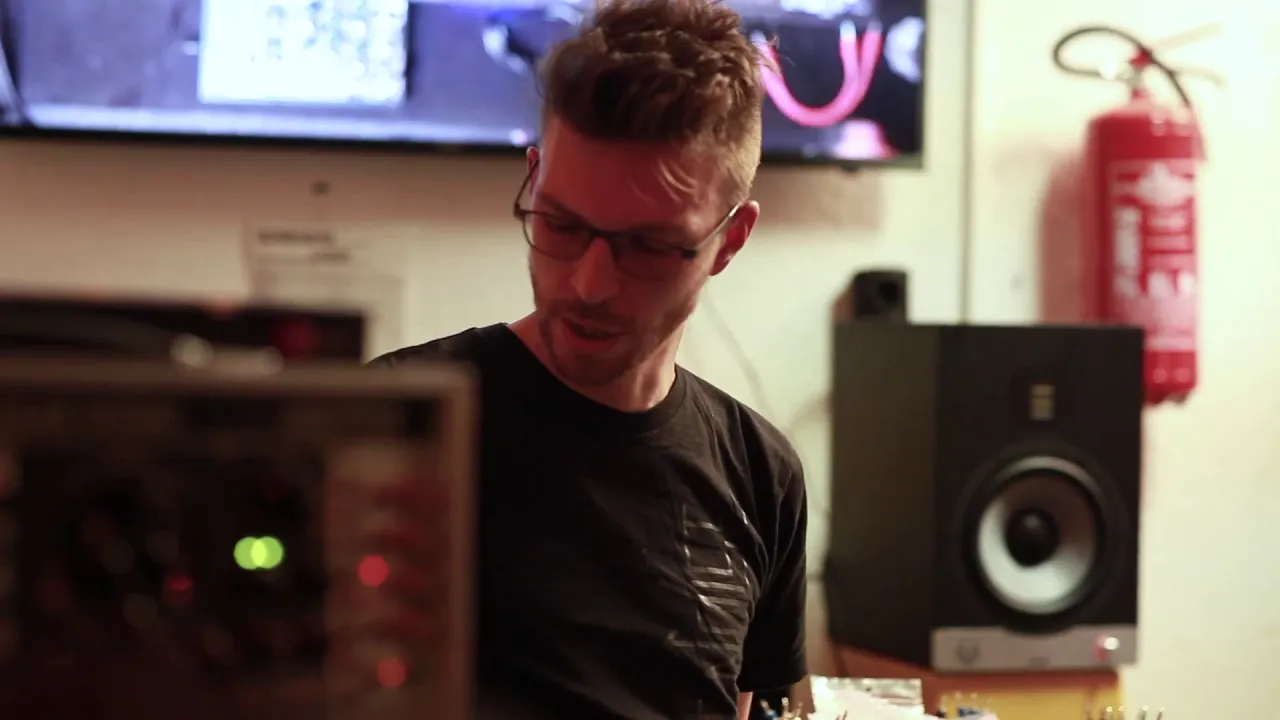




This video demonstrates how to create atmospheric drone music by starting with a simple MIDI chord sequence, then using audio looping techniques to build complex textures through layering, pitch-shifting, and effects processing. The producer shows how to capture random playing artifacts with a soft synth, stretch and layer loops, add vinyl crackle and noise elements, and gradually introduce additional elements like speech samples to create a 21.5-minute immersive soundscape.
Sulk Rooms: A Production Walkthrough of a Drone Track in Ableton
Added:Familiarity with the Ableton Live user interface, including track routing, device chains, and navigating the Arrangement View.
Fundamental concepts of sound synthesis, particularly how software synthesizers utilize oscillators, filters, LFOs, and envelopes to shape timbre.
Basic understanding of time-based audio effects (such as delay, reverb, and frequency modulation) and how they alter spatial and textural depth.
A general appreciation of the aesthetic principles of ambient and drone music, specifically focusing on harmonic stasis and slow-evolving arrangements.
Generative composition techniques using Max for Live devices to create self-evolving, semi-randomized drone structures.
Advanced mastering strategies for long-form ambient audio, specifically focusing on spectral balance, dynamic range management, and LUFS standards.
Hybrid workflow integration, exploring how to incorporate physical tape loops, modular synthesizers, or outboard hardware processors into the DAW environment.
Live performance adaptation, learning how to deconstruct a complex studio-produced drone piece into a flexible live set for real-time improvisation.
164 views10likes22:16Original Release: 2023-10-14
hey everyone hope you're having a good Sunday so far welcome back to the studio with me Thomas ragdale AKA sulk rooms for another track walkthrough sort of production breakdown type thing sorry about that uh yeah so it's going to be a track walk through production breakdown sort of looking at the session file to my latest track objects in the mirror are closer than they appear I think I got the track title from like an old children's TV program like Tales from the Crypt you know something like really weird like that and I thought for my patreon and band camp Subs I get the session up and you can just kind of see what goes into this track how it kind of fleshes out the little bits and pieces in there that kind of make it make it what it is the speech sample Origins and things it's super simple stuff but it's got many many layers I guess it's time now to move over to the session and and yeah we'll carry with the chat so see you in a bit okay so here we are at the Ableton session for the track and this is the full session for this uh particular tune U I make all my music in Ableton um Sometimes using like external stuff like Echo and um realtoreal machine and I've got synth here and I've got some uh guitar pedals behind me and things bits and pieces are kind of like lying around which you can see on like Instagram and stuff and sometimes other videos but generally speaking it's Ableton stuff Ableton plugins and a couple of um third party plugins as well nothing too crazy but I do like my Awards and stuff I like it I like it kind of plain and boring and um gravy and chips so yeah this is the session file for the entire track so as you can see here it is 19 channels used um which for me is quite a lot um if you've seen some of my older videos You'll see like that I've got sometimes like five or six channels maximum per track so 19 even though two of them are groups that's quite a lot for me so 17 in total so this must have been quite a good session um I've not opened this for quite a while so um it's going to be interesting for me to listen back and hear a few things bits and pieces so it must have been a good day that I made this one because I've kind of kept building on it and adding more stuff to it so let's get into it anyway let's let's let's hit play and maybe you might kind of jog my memory of what the hell is going on in this tune so it's a slow start it's a it's a quiet start okay right I I do remember it now okay first thing that I'm hearing that I've put in is um this Loop although it's probably not the first thing I put in it was this is probably like a last minute thing from judging that it's audio because I start in MIDI usually what I like to do is start in MIDI with a like a midi synth find some cards and then I will Loop them in a in a kind of like a really haphazard way that you can't really get with midi because audio it it's not on grid it's it captures like artifacts and cranky noises and stuff especially with the syn I use soft syns and yeah it it kind of has this like weird thing to it that I'm addicted to so generally I will start with a soft synth and an Ableton Looper um I think the Looper and ableton's awesome I don't have a loot pedal a guitar one so this just like does the job I guess and and I like to rot audio from one channel to the other so I kind of be playing on soft synth rooted to another Channel with a Looper and I'll just hit Loop and just try and capture just like random bits of like playing I'll be like playing all over the all over the um the keys like hitting certain notes or I'll write a cord sequence and let that go in and just like slowly loop on Loop on Loop and as you can see from this waveform it's going to build and build um over like 11 minutes until it stops so what's happened here is I guess I've just got the main cord sequence which is up here fed it into this Looper um and then exported that and like stretched it out and played it through these guys just to make like a big dense whoh was noise um so it's not like rocket science or anything it's just like an extension of of C sequences building upon each other but when you control it it you can get these big big textures very quickly and very easily which is all about which is what I do it's all about silk rooms that that's what silk rooms kind of is um so under that I've also got some crackle noises I love I love crackle noises they're great so I'm going to sell all those just for just for a look and what that is here is um I love this plugin and I always talk about it called Daw LP and it's this thing and it's a self-generating vinyl noise that I love to put on stuff and you can add like amp noise and things and vinyl HS so I have that running through and I like to put things like resonators on there so it gives it a pitch basically kind of changes like in a really like haunting way and like loads of Reverb and delay just to make like a big like a big ugly kind of messy noise and then I've got one here to kind of like put at the start of the group that they're all in so it's just noise on noise on noise on noise on noise that I filter out slowly throughout the track as you can see here I've written a big timation curve it's going to come in slowly like that so I've got that under these loops and it just adds like a big just like a big durgy like undercurrent here I supposedly yeah like an undercurrent and I'm really uh I'm really in into kind of like that way of working so we've also got a base ebbing in now as well which is slow and it sounds like but I really like sounding bases and the bass is using uh um this soft synth which the entire track uses this soft synth apart from those vinyl crackle noises everything I do generally in sulk rooms is with this synth or a few others maybe I use this one sometimes yeah but this is a great synth and it's just given me so much music the ev01 um free ensemble in reactor and as you can hear it's just making a a slow pulse not on 10 Tempo um I barely know how to use this thing well I can of do now but I've taught myself what the various things mean it's impossible to read otherwise it's yeah it's been a real labor of love getting to you getting you used to this little synth here but it's in there and it's just a it's just like a one note base sound just to fill out what the loops are doing which kind of flowing and ebing Away I've got some other Loops here too two these are the same Loops pitch differently pitched um octaves apart and these things um Let me let me choose this one out might turn turn off the effects so it's just like a big snapshot of what's going on in here that I've pitched [Music] down I think pitching stuff down with octaves either so 24 or um 12 steps down or up is like such a great textural kind of kind of thing to do um so with the effects got this like lovely wash sound and I've killed all of the bottom end and most of the top end having it um panning around and swirling with the same Reverb uh preset for each Channel as well so it kind of sounds like it's in the same environment and it got even lower I mean like that's just disgusting isn't it so yeah just the same one two octaves down breath together sound really cool same reverbs and things just the same settings pretty much um slightly different autopan and just filter them in nice and nice and slowly also got some Loops here that are coming in slowly as well higher um higher pitch ones so you can kind of hear that it's just like a barrage of droney noise that's come from One Source so we're like 8 minutes through through the track now and not like a lot is happening but but stuff is kind of like eing away and it's kind of like aching to come out a little bit so this um Loop is going to swap over to this one going to swap from this audio file to this one here which I think it's just the same thing it is yeah [Music] yeah same thing but I guess this one uh it ran out of time that's the another bad thing about the audio Loops is you can't really like extend them past the past their kind of Mark you have to duplicate them and that kind of thing so the main Melody is going to come in in a second which is just like a a cord pattern that that I made these are all kind of eing and flowing away let's skip a little [Music] bit so this is how I started the entire track when I as in start as in the first thing that I composed again it was using the um EV synthesizer with this preset cor sand is really nice and all I did was I CH I just chose three cards um I'm going to play them actually cards were B flat minor then goes to F minor and then a really nice roundoff was um uh it's g flat major 7 which is just a g flat um a B flat and an f and also another g flat so it's kind of like and also you can put C on there as [Music] well so it's this kind of like really like weird mysterious card sequence and I don't know like a lot of Music Theory generally uh I kind of get by but I tend to play it on guitar and then transfer it so I just wanted to go from oh NOP sorry my bad from nope um what am I [Music] doing oh God terrible [Music] today [Music] so that's like that's pretty much it and I wrote that in MIDI here um and then I kind of started to play that into the looping channels and things and get a feel of like what's where it's going like musically where it's going and I've obviously I've put on like a bunch of effects loads of stuff here um like reverbs and things which I'm going to take off so you can hear how raw it is so this syn this soft syn is really kind of like cranky sounding um and I've used it on loads of stuff tons of stuff like all of my album viewers is done on this and um HS for the bone horse and all that kind of yeah all that kind of like kind of crusty Dusty drone stuff is all with this soft syn and I've put on here um a dwlp plugin just to make it sound even like worse kind of raspy some Auto pan make it kind of like stutter around a little bit obviously Reverb and this lovely long tape um preset a bit of compression nothing crazy and then yeah uh sculpting out some reverby spikes which is like a big thing about yeah kind of having it sit nicely in the [Music] mix and then doubling that in the base too then there's another version that comes in later which is a uh lower version sorry a higher version even an just uh same thing an octave higher and that's kind of like warbling and like the pitch is is changing a lot because of this um because of this plugin here um I've got the uh W the wobble um setting [Music] enabled so without that it's quite clean and nice but just like a 29% wobble is nice set everything [Music] together so we've got like these cards and then under those cards I've got the same cards like looping over and over and um and looping again here loads just loads of stuff just noise crackle [Music] sounds and like noise is building up um I use a lot of um noise on my soft SS like um like noise like a this is a good noise generator this synthesizer as well so you can add a lot of um synthy Distortion and like yeah just make it like like hissy and raspy and white noisy so I'm I'm just like basically just filtering stuff in and out like I did it all live with the MIDI controller getting that like that automation C like that in and out so ramping up again and then that just kind of go I mean with 15 minutes through that goes to the next section everything kind of dies down and I put this speech the speech in here which is a sample of director arasta just doing the talk on film making so everything kind of dies down it's going to get spooky and then the speech's going to drop Some Loops here which I guess is going to be this pitched up a little bit and exported a weird base loop I made just from like the base the Baseline just looping that and you can kind of hear these vocals coming really slowly and that's just a loop of that through loads of Reverb and stuff loads of um like Reverb and uh delay stuff there to make that all kind of bounce around a lot and then I just chose like a little bit of this speech that I liked I also use this LFO setting as well just to make the um C certain couple of things you can see these things here like doing their own thing just like Mak it modulate constantly just going like moving stuff around so yeah modula the chorus and man how much reflection the the frequency of the Reverb and the making the filter go crazy as well and there's my original Looper so let's play that without any effects I think actually I've also pitched this down a tiny bit as well yeah two two semitones the Great American films that have these sorts of M as sendings you feel kind of bere at the end even if you think that it's resolved like the narrative I don't know why but I really I really kind of like that that quote and I thought that might be like a really cool way to end a tune just by having someone talk about films um and I also have a little bit of that in my life set as well um I liked it so much that I I've just kept thinking about it um it's just from YouTube just like a like a speech I found that I was looking through his stuff and I just ripped it and put it in so maybe keep that one on the on the low I don't want to get sued but yeah that's the that's the track um sorry I'm terrible at explaining stuff I'm I'm not the best at explaining sometimes but um I kind of get lost in in what I'm doing but yeah you know any questions and stuff or uh like like comments ments and things if there's anything that I could be doing better with making music let me know anytime um yeah so this is how I make a 21 and a half minute drone track um with all the different elements and things everything comes from one place to start with and in this case it was just uh three cards on a a free soft synth that's really crap and has no instructions no tutorial video looks like this which I love and it has like a also like a really cool graphic display which you can look at I don't know why but it's great and yeah um I've had this thing for like two and a half years now and I've used it every day and it's just satting like here with me we know each other really well and God knows what it does but it's really good soft in and then I loop loop it around using using audio then export it and Pitch it down and stretch it out copy and paste so yeah not a lot going on but I quite liked this one maybe I'll play it live not sure but yeah anyway thanks for watching and like yeah um I guess I'll see you pretty soon
Up Next
7:28
Ambient Drone Synthesis with Roland S-1 & Behringer JT-4000
@ElectroMagnetic_AmbientMusic
12.8K views•2024-09-30

12:54
Triumph of Orthodoxy Icon: Byzantine Art & History Explained
@BenCallan
2.1K views•2024-08-06

9:49
FastAPI vs Flask vs Django: Choosing the Right Python Web Framework
@TechWithTim
302.5K views•2024-05-26

1:42
Game of Thrones Opening Credits: A Cinematic Analysis
@gameofthrones
46.3M views•2011-04-18
Related Study Plans & Knowledge Roadmaps
Structured learning paths in General & Interdisciplinary Studies
general-studies
Elevator Engineering: History, Physics & Cities
01From Hoists to Safety Brakes: The Dawn of Vertical Lift
02Hydraulic vs. Traction: The Engineering Physics of Elevators
03Modern Speed, Safety, and Algorithms
+ 2 more learning modules
12h5 modules
Explore Roadmap
general-studies
Rubber: Material Science, History & Geopolitics
01Origins of Natural Rubber & Mesoamerican History
02The Chemistry of Natural Rubber & Vulcanization
03The Geopolitics of the Rubber Boom & Colonization
+ 2 more learning modules
12h5 modules
Explore Roadmap
general-studies
Containerization: Evolution, Logistics & Trade
01Ancient Trade & Bulk Cargo: Amphorae to Barrels
02The Industrial Revolution & Cardboard Packaging
03The Containerization Revolution: Malcom McLean
+ 2 more learning modules
12h5 modules
Explore Roadmap
general-studies
Textile Tech: Evolution, Labor & Global Impact
01Pre-Industrial Textiles: Handloom & Cottage Industry
02Mechanization: The Spinning Jenny to the Power Loom
03The Factory System & Global Labor Transformation
+ 2 more learning modules
10h5 modules
Explore Roadmap