






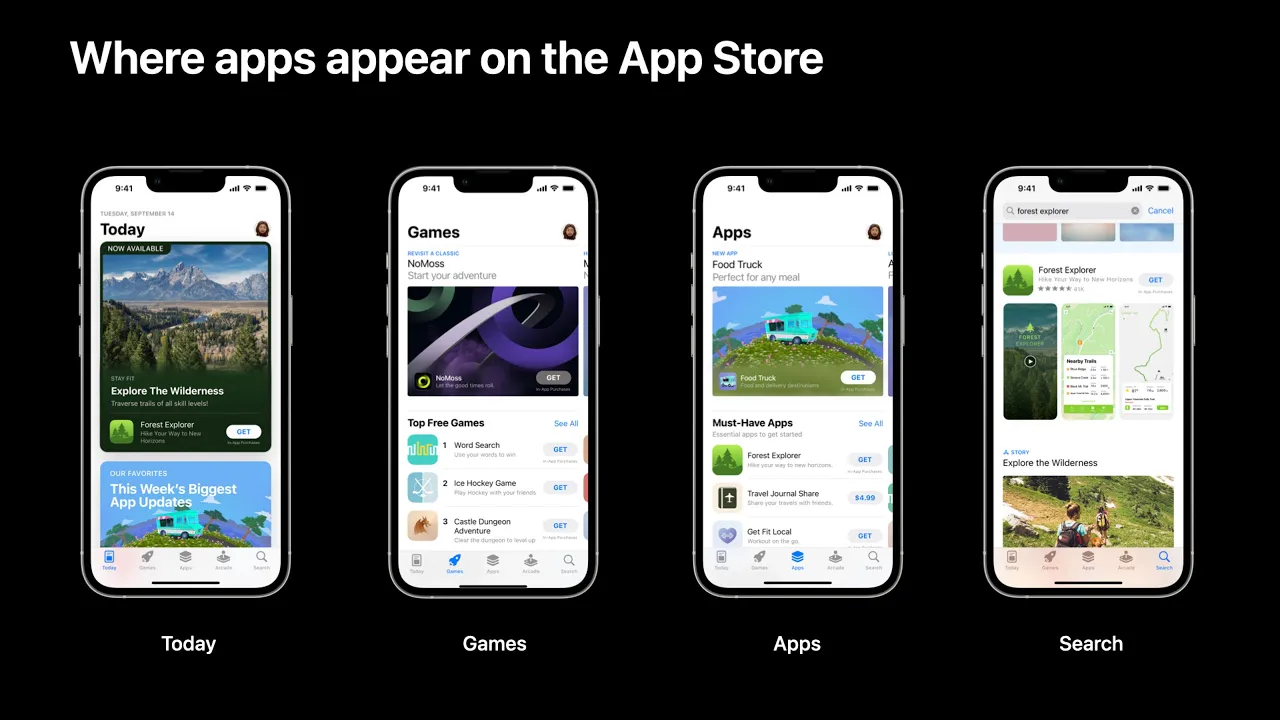





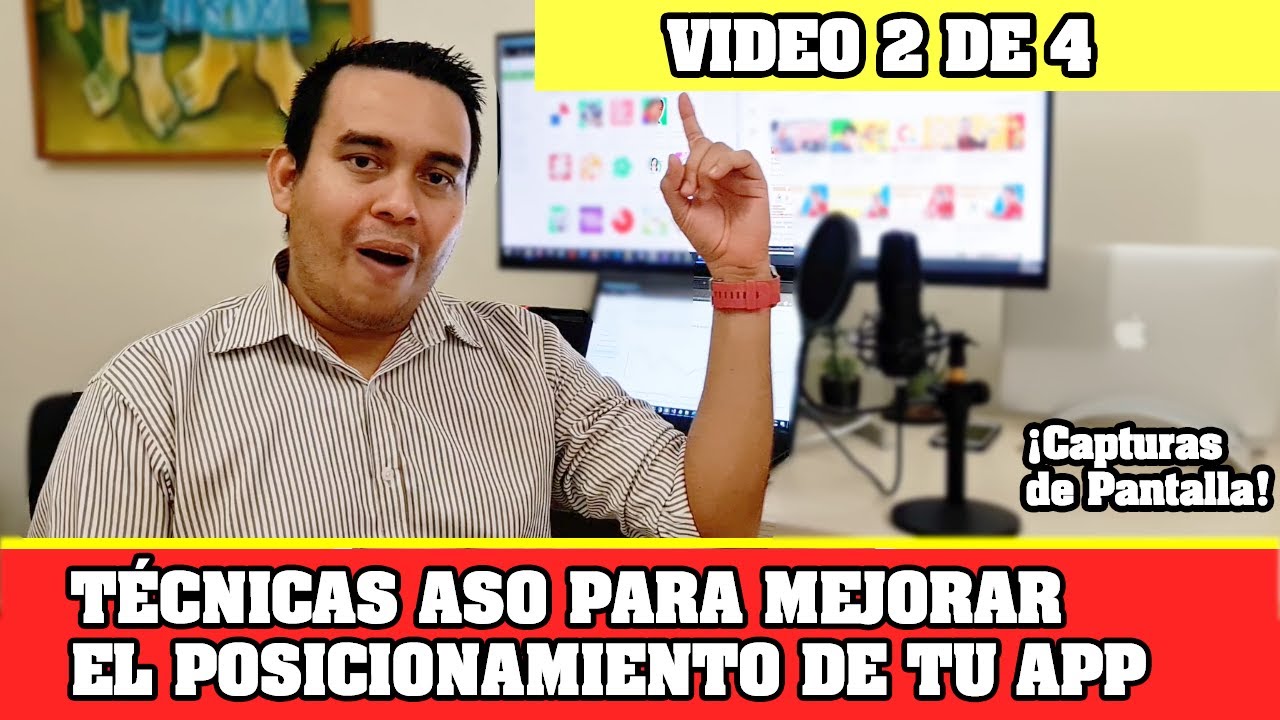


Effective app store screenshots must immediately answer the user's question of whether the app is right for them by telling a clear story, starting with the app's core benefit and progressing through features, rather than showcasing generic app screenshots or starting mid-story; developers should use AB testing (available on both Google Play and Apple) to safely experiment with different screenshot variations and prioritize showing human faces or relatable scenarios to build emotional connections with potential users.
Optimizing App Store Screenshots to Boost Conversion Rates
Added:Basic understanding of App Store Optimization (ASO) and its role in organic mobile app marketing.
Fundamentals of Conversion Rate Optimization (CRO), specifically how product page views translate into app downloads.
Core principles of visual communication, such as visual hierarchy, color contrast, and readability on small screens.
Familiarity with the standard metadata components of Apple App Store and Google Play Store product pages.
Designing and executing structured A/B tests (split testing) for app store creative assets using tools like App Store Connect or Google Play Console.
Localization and culturalization of visual assets to optimize conversion rates across diverse global markets.
Creating and optimizing dynamic App Store video previews to complement static screenshot assets.
Analyzing post-download user behavior and attribution metrics to ensure high-converting screenshots attract high-quality, retaining users.
2.8K views81likes1:06:05Original Release: 2022-05-06
happy Thursday everyone it's Thursday here and welcome to a new live stream I'm Ariel from figures if you know me you know I'm going to be talking about ASO related stuff if you don't and you're new to this hello we'll start with the Tim long tradition of tell me what's in your cup and where you from I'm always curious where people are from and I would love to know so I am drinking uh not Earl gry tea this time because I ran out I'm drinking diling tea which is almost the same just a little bit softer and kind of lighter but still good and I'm in New York city so it's sunny outside it's nice today tell me where you're from in the chat tell me what you're drinking and we're going to talk screenshots in not a very long time from now and let's some uh let people time to shuffle in give people time to shuffle in I'm going to mix a lot of words today be ready and hopefully unlike previous times you can hear me and see me and it's not going to be an issue oh a double espresso from London that was me uh about 10 minutes ago double too I Americano in New Jersey oh New Jersey not too far just across well the other river that River nice Saudi Arabia oh now we're talking now we're talking International I love that tell us where you're from drop that in the chat the chat should be open as long as you subscribe to the channel because you want to be subscribed to the channel obviously and I have a pretty cool topic today I am pretty excited about this I haven't talked about screenshots in what feels like a year plus I want to say and I reviewed my guy that I wrote and it was I think two years ago so definitely interesting and I see more people shuffling in Germany is in the house maybe another moment or so and then we're going to get talking about screenshots oo Texas all right got to represent locally is everyone in London today what is happening what is happening o Czech Republic we're spanning pretty much everything today east to west in Idaho talking about east to west and a protein shake I think that might be the maybe the second time I see protein shake in the chat but that's cool bring any drink I think that's the idea no Waters today though I'm surprised I have my own somewh over here hopefully the this tea will suffice for the rest of today o Australia ah this is fun this is fun so all right maybe another few seconds and then we're going to get started we'll talk about screenshots optimizing them and turning them into downloads all righty I think it's time people are in everyone is excited Italy is in the house India is in the house more people from the UK great and I moved my microphone closer so hopefully I sound even better than I did before you know how much audio matters to me if you've been here before so let's kick this off let's get started my name is Ariel from map figures and I talk about Appster optimization all the time if you've been to any of the last eight previous well seven live streams you know that I like to talk about keywords and keywords are really important because keywords is well keyword optimization is really important because keyword optimization is how people find your app or game whether it's on Google Play or on the App Store but the real challenge is so you got them to your app store Page or Google Play page how do you make them also download the app there isn't this inherent uh need there's no direct correlation between whether people show up on your app store Page and them downloading it unless you do more things to optimize it's always about optimization with these things and the reason is there just so much stuff out there and people don't know if what they're looking for will actually work and so that's when screenshots come in and I say screenshots not because they're the only thing on your app store Page obviously but they're the biggest and by far the thing that takes up the most attention and also delivers the most information in the shortest amount of time and that's key for this and that's why they're so important so what I'm going to be talking about today is I'm going to be talking about that second side of App Store optimization which is once you have someone on your page how do you make sure that they're seeing what they're seeing and they're downloading and they're now just leaving and moving to another app in search results and that will be done through optimizing screenshots if you have any questions feel free to drop them in the comments and I will try to bring them on screen and answer them as I do this but this is a two-parter so I'm going to be talking about what are Best Practices what are you supposed to do what are you not supposed to do for a very short amount of time just so everyone has an idea of how I'm going to continue this but the majority of this live live stream is going to be about me looking at apps and looking at their screenshots that are currently live in the app store or in Google Play and in analyzing them there are good ones there are some interesting ones there are ones to learn from all of them are from people who submitted their app store games before this over the last week and I just like last time got a ton of submissions so I can do all of them as much as I would like to or this will take four hours and I don't know if you want to stick around four hours so I picked 10 of those at random and I sorted them alphabetically and I'm going to go through them and try to analyze them as quickly as I can to give you an idea of things that if you're the owner of the app you can actually go right now and update and I'll also give you a framework for how to update them safely so you can't really hurt your chances anymore with making changes because changes aren't always positive and if they're not your apps you can at least learn from them and maybe apply that to your app or your game or anything new you're working on so that's my plan for today uh hopefully it will I'll be able to get through as many apps and games as possible I say this every time every month when I do this and I think I get through three to five apps I pick 10 cuz I am a Wishful thinker and we'll see if we can get through any of them but before we jump into analyzing apps there's a guy that I wrote about a year maybe two years ago I just updated it earlier this week and it talks about how to design good screenshots and it doesn't really talk about the pixels or it doesn't really talk about specific layouts or anything like that it talks about the philosophy behind what is a good screenshot set and if you haven't seen it I'll bring it up on screen and that's that's the guide so I wrote this thinking if you are not sure what to do and maybe you just took a few screenshots from your app and put them on the screen this is a great way to understand what you can do with those screenshots to really Drive action that's what you really want to do you want to drive action so I go through the good I go through the bad I go through ideas and I have a bunch of examples along the process I also did more than 50 app tear Downs if you're familiar with those you know that I also analyze screenshots in those um and that was a lot of fun I did a bunch of those last year I kind of transition to keyword tear Downs which you might be more familiar with because I've been doing a lot of those lately uh but I'll be doing more of those app tear downs and there's a whole library of them all the way up here I'll drop a link to this in the description for later if you want to give it a try but I analyzed there a bunch of popular app screenshots and highlighted what's good what's bad they had a video I highlighted that too so this is a very quick and a very good read and what I'm going to be talking about right now is kind of derived from this so we're not going to stay with this for now because you have me so I'm just going to talk about it um and again if you have any questions drop them in the chat and let me know but let's get started so what is a good set of screenshots maybe I should start with what is a not good set of screenshots a not good set of screenshots is a set of screenshots you just took directly from the app or from the game and now I can explain why so if you think about what the screenshots do someone comes into your app someone looks at the everything on the page and the first thing they see are the screenshots because they're big and usually colorful and usually deliver a lot of information very quickly something people are looking for because no one wants to take the time to understand what the app does they kind of imagine it should be done for them so what happens is they look at the screenshots and they expect to immediately answer the question is is this the app I'm looking for or is this the game I'm looking for games and apps are slightly different and I'll talk about that when we look at apps in games in just a little bit but the overall thinking behind them is pretty much the same people are looking for something is this the thing I'm looking for if it is download especially today where everything is almost everything is free or freemium in some sort of capacity so downloading has very little friction all you have to do is you have to convince so your screenshots what they have to do is they have to answer the question and the answer has to be yes and an immediate yes not like watch maybe this video and and read these three screenshots to know that this is a yes this is a yes immediately and this is why or this is how so the way you would do that is by one telling a story two making sure that the first part of the story answers that question uh but three also remember to use as many of those screenshots as you can to tell this story so I'll explain what all this means in just a little bit go through this as I analyze screenshots but that's kind of the high level thinking so screenshot should immediately tell me what the app does and answer the question of is this the app for me now if you received one of my email invites for this you know that I also promise I'm going to tie this to keywords and this is how it ties to keywords when someone looks for a keyword that's their intent and when you know their intent you know a part of their question so you can answer it you see what I did there and that's really the beginning of what this is one of the biggest challenges that I see and one of the biggest mistakes that I see and I'm sure we're going to see some of this today as well is that some screenshots start in the middle the middle of the story that is meaning they don't really explain what the app does they expect the user to know maybe by reading the name or by looking at the icon or by reading the description or by something or by guessing and that's a big mistake because that's a really easy way to Fumble a good screenshot set so tell a story start with what the app does and really what it does for that user and make sure that you tell the story very well with as many screenshots as possible very high level I'm going to get into details in just a little bit but that's kind of the framework that I'm going to be working with as I analyze this now when I fun thing um when I asked people to submit their apps I also asked them a few questions about whether they're doing ASO whether they're changing their screenshots and whether they're testing their screenshots and I asked whether they're testing their screenshots because as I promised before there's a safe way to test screenshots and that's through AB testing Google has had AB testing for quite a long time I wrote a tutorial for how to AB test screenshots with Google Play I think two years ago or so I'll also link to that in the description below in case you want to see it um but Apple recently started offering that and that's an amazing amazing gift I call that a gift because I've been AB testing outside of the app store for years and having the ability to do it in the App Store especially when it's free is just amazing there's really no reason not to do it and I actually published a guide about how to do that as well earlier this week which I will link to but all those together really work to give you a very simple framework to one optimize your screenshots two make sure you're testing them properly so you know if they're working or not but three also do it safely so you're not hurting your downloads and all those together will definitely help you get more downloads I know because I've seen it I've talked to experts who do it and I talk I've talked to experts who do it for really big companies if you follow our AF chats I spoke to um I spoke to someone from mist gilad from moist a few months ago who gave us amazing examples of how AB testing works at Google and so if Google's doing this you know you should be doing this especially because it's so easy to get started and it's such a good process to have as you do things so all those together Stitch to having more downloads and you want more downloads I hope so if well if you want more downloads you're here obviously so let's get to it and start talking about apps that you submitted again now I pick all of these at random from a very large list uh I if I missed your app and you submitt it you want me to take a look drop your app link in the comments later after I'm done and I'll go through and take a look I know last time when I did a keyword tear down or I did um an app keyword tear down I got a ton of emails from people who were saying my app was on the screen but you didn't get to see it um all those I if I haven't got back to you I will get back to you so feel free to suggest your app as well in the comments later but I have an interesting one for you today so what I did today instead of just opening a whole bunch of tabs if you've seen this before you'll see it now is I loaded up all the apps that I selected random into explore and if you and this is just a very easy way for me to get a handle on this if you don't know what explore is it's a search engine for apps that we made it's a pretty amazing tool I use this all the time to find apps to make sure no one is using the app figures name for any weird purposes but also to understand the sizes of different categories to get who's doing what uh it's a pretty amazing tool if you don't know what it is I'll drop a link to it in the description so you can check it out later I'll also drop a link for setting up a demo with our team if you want us to show you how this works and it has a whole bunch of use cases so I can talk about explore for hours we're not going to do that right now cuz I really want to get to this so what I did was I picked 10 apps a random from a list of everyone who submitted an app or game app app store or Google Play and you can see I have a bunch of both um and then I sorted them by name just so it's as simple as possible and we're going to start looking at screenshots so the first app that is app for ELA is app is up for analysis is by tube shop influencer merch H there are a lot of words in there and I think that's a very interesting one so we have a few screenshots here you can see the screenshots right in Expo and you can see the screenshots for iPad versus iPhone let's see if I can do this um Let's do an even better thing let's open it right in the App Store so you can see it as big as possible what it looks like nope we don't open in the App Store we won't open it here absor preview is a great tool when you need it let's wait for it to load take all the time you need and I looked at some of these before I didn't do a very thorough look into these before I wanted you to see how I do this live in real time so let's load all the all the images not that many to begin with so we already know right off the bat there aren't enough screenshots there are only five in this set out of 10 so there are five opportunities missing for this particular app but let's see what this is so I'm looking at the screenshot and it says YouTubers and I'm I have no idea what I'm looking at here I can kind of guess based on the name of the app but one that's a stretch you that's you know what they say about assuming you don't want to have the user assume you don't want to have the user guess which is one of the rules that you'll find in the guide so step number one is I'm logging into this I have no idea what I'm looking at what is going on maybe I'm guessing that you can buy merchandise that celebrities use that YouTubers use maybe you can get the smug um you can't actually get the smug on the app but if you want the smug there is a way to get it I'll mention that at the end of the video but maybe that's what it is so here the first thing that I see right off the about is I have no idea what's going on so if I found this through uh any sort of keyword optimization through organic hster optimization and I wasn't led into this by an ad that may have explained what it is and I may have decided that I want this this is not going to sell me on it the color Z are nice the um the the Tilted iPhones are nice the kind of Panorama type shot um all that is nice other than it feeling a little bit empty but I have no idea what this does so what I would do here is I would use a first screenshot to really just say what this app is going to give you the user me the user what is this app going to give me can I buy stuff off of this app do I just get to see what celebrities use do I get to see what influencers use I don't really care what that I can log in with Google I don't really know how that is a feature even or a benefit that's a feature that I wouldn't put on the list so all this is very interesting if if the maker of this app is in the audience I would love to know what the thought process was behind this why highl highlighting these specific things like go login with Google and YouTube um and if there was any sort of testing done to know that this works because otherwise I would try to start over and I don't mean to be mean but I I think that this is lacking the one it's lacking a story nothing coherent between these there's nothing that evolves but two I have no idea what the app does so step number one is Define what the app does right in that first screenshot and hopefully we'll see more apps that do this so we can use those as examples but um to me this is bad because it doesn't really give any reason to download the app unless I know exactly what it does and I'm sold on it and if that's the case even no screenshots would do so don't waste your time if you're not looking for organic traffic and that might be the case for some apps I think this is a pretty interesting niche market and depends how you do your keyword optimization it can either go really wrong because you're targeting specific features that people don't know they need or you are targeting very broad features like influencers or merchandise or I don't know I can't think about anything at the moment but you get the idea hopefully so if you are getting organic traffic then you would do then you would want to tell story if you're not getting organic traffic then maybe you're selling somewhere else I think that's never a good way to think about it and so that's really what I would do I would start over thinking what is this app doing what sort of benefit does it give to people you know if okay okay let's think about this for like another second because I I'm starting to see what if I understand this correctly what it does if you're thinking about an app that sells celebrity merchandise and let's say that's what this app does I'm not sure that's the case but let's just say that's what it does I would start with the benefit of what is the benefit to me the benefit to me is I can wear what an Instagram model wears or I can uh use a perfume or uh anything that I can see on Instagram I can have that's amazing that's the value proposition that's the benefit that's where I would go with this so that's pretty much all I have for this keyword for this uh for the screenshot set let's move on to the next one so the next one on this list is this doodle maths o interesting again I looked at some of these before not all of these before so I'm not too familiar with them I'm going to have to familiarize myself with them in real time and I can already see pretty much the same issue that we saw in the first one this does a slightly better job but also not ideal so let's bring up this entire set in the store and see what it looks like and we'll cancel again maybe we'll just stick to explore for the next one don't if they cancel and wait but I guess we'll wait for this one there we go so okay we're seeing more screenshots on this one and I really like the colors here and I really like the composition it's pretty simple it's pretty kidfriendly which I think this is what it's for or it feels like it's for kids which means parents are going to be really excited by this um but I do see the same exact issue that we saw in the first one so individual learning programs I kind of understand this a little bit better than I understood with the app before did but this is not 100% clear and remember we want to make it as clear as possible as quickly as possible what this app does why I need it what's the benefit so what's the benefit of a math teaching what looks like a game for kids and if I saw correctly yep it looks like it's for a whole range of Ages what's the benefit here the benefit is not that there's an individual learning program I think that's a feature that's not a benefit and that's a feature that's maybe sexy if you are looking for something very specific again but really the benefit here is that you're going to have a smarter child your child is going to play with a phone and become smarter and that's what you really want as a parent every parent wants smarter kids so that's what I would highlight and again we're trying to make the the decision of is this app for me yes no trying to lean it more towards the yes and as quickly as possible and I say more towards I mean like 100% towards yes and very fast so that's again what we're seeing here if I know whatap does and I know and I imagine to myself this is a math game for kids maybe my third question is going to be but wait does it have individual learning programs and the answer could be maybe I I don't know if that's even a selling proposition but that's what I would be looking at maybe later down the road so as I continue to tell my story I would look at it I do like the colors though there's another thing that I see here that I see happening a little bit too often I think there's another game later on that we'll look at that does this if we get to it uh but these captions are really little so they may not look little on the screen right now because this is super zoomed in and this is on a website and not on a phone but if you think about an iPhone SE for example this on an iPhone SE is is a little bit different and so if you are using the captions to sell and you're not using the actual image from the device to sell and you should be because in I would say 80 to 90% of cases that's a lot easier um you want those captions to be as clear as possible and as very easy to see as possible so I would try to experiment with this now I talked about AB testing before and in some cases it is possible that these types of captions are actually better maybe because it the way you advertise maybe because of the keywords you use maybe because of the audience they're looking for something very specific and they know who you are um or they know what the app does and they have one kind of goal in mind I want to get this for my kids so they become smarter and then this would work so for that you would need AB testing AB testing in case you're not familiar this is a quick gist is Apple will take one or two additional sets up to three additional sets of screenshots and show them to uh to a part of your of the people who come and look at this game and they will then tell you which which group of screenshots which set of screenshots converted better meaning turned more users more views into downloads and then you can pick the best one so everything I say today if I give you advice to to try something I would only try it as an AB test I would never try it as a total replacement and hopefully it works and you get more downloads and you're happier and your kids are smarter along the process if you have any kids so in any case that's um that's kind of what I see here and again I really like these colors and I like the composition there's one thing that I would also suggest here and I don't know how much this would work and really depends on the app really depends and again something I would AB test but when you need when you want to create sort of an emotional connection which is kind of what you would want to do here because it's a game for kids um you can use people to do that you don't have to use actual people these can be drawings of people illustrations uh it can be figure like people uh and I saw this robot and it made me think about it but using things that are more uh friendly to us which are humans or people actually gets people to download more or to convert better so that's something I would try here that's something I would kind of try in really any screenshot set so not specifically for games not specifically for kids but in general so that you can get an so you can really make that connection and that connection could be good in order to get the download and get it faster even so definitely something to try out um I also wrote a guide with 16 AB test ideas in case everything I say today does not apply to your app for some reason or game and you can try that and adding humans into the process into the screenshots is one of them it's a pretty good one in almost every uh every event AF chat or interview or anything else that I've talked to developers about this those who tried always had better success and so I think it's a pretty useful tool if you want to do that just keep the colors I just I like this a lot well done okay so let's move on next one is Google Play Hello Google play a lot of you email me and ask me why I don't do more Google play stuff and there is more Google play stuff coming obviously so stay tuned okay so this is a game and games are games that are pure games like this one are very very very different because games don't really sell you on a feature they don't sell you on a benefit games are something you use to kind of make time go by faster so what you're selling with a game is you're selling an experience the whole thing if you think about it from a a more specific technical perspective you're you're zooming out you're not looking at a specific behavior you're not looking at a specific feature or benefit or anything like that you're looking at the whole thing am I going to have fun when I play this game and you want that answer to be a yes of course so this game starts with a video that's already a good start instead of playing the video this is a thing about screenshots so let's talk screenshots and let's take a look and let's see what this does I'm going to zoom in as much as I can and I can build my arcade okay cool I mean you know so this is simple this is easy this is a game which is very different than an app obviously but I can build my own arcade that's what I want if I looked for arcade in Google Play or I looked for build arcade or play Arcade or arcade game and I come across this that really ends up saying to me yes this game is for me this is probably what I want now build your arcade sounds a little complicated to me and if I'm not looking for something to spend a lot of time on I may now think okay okay but what does that mean build your arcade so let's see what else is here unique locations okay I'm going to have fun I guess many challenges and flexibility much flexibility as some story lines not exactly sure what that is game over game over collect characters okay I think that's a little bit nicer upgrade games okay now we're talking why are these all the way at the end earn rewards I think this should be screenshot number three or maybe even number two on this list cuz that's what I want and now we're looking at tablet because this is Google Play and they shove them all together so overall this is actually pretty good for a game this is giving me a great idea of what the experience is going to be like it's using all the um all the art directly from the game this something games have been doing for a long time games are great with captions when they do it right of course because the captions really make sense and overall this is in my opinion a very good a very good set of screenshots and if the maker is in the crowd well done that's me clapping um I think that's a really good one one thing that I would experiment with is the order of these screenshots because I think the story can be told a little in a in a way that's a little bit more efficient um rewards are something that obviously everyone wants even if they don't think about wanting them so they may not look for that when they do their keywords when they type in their keywords but if you show it to them I think they might like it and so what I would do is and Google Play will allow you to do this fairly easily AB test re resorting um these screenshots leave them as is I like the colors um I like the captions I think everything about this works but try to tell the story a little bit differently just keep the first one the first one I I really like everything about this well done and before we go into the next app I see some stuff happening in the chat and I haven't looked at the chat in a while so let's take a look at the chat and see what's happening here chat chat chat okay there is a lot going on okay so let me bring up this on a screen and there's a question when you have an app for kids should you tailor your screenshots for kids or parents or is it a mix if so how should you prioritize the benefits for kids versus parents who are actually paying that's a good question and I have looked at a lot of games for kids over the last few years and I have to say I've seen everything I've seen games that tailor for parents I've seen games that tailor for kids and I think in many instances the right thing to do is to optimize for parents it might be a little bit easier optimized for kids because you can just say well if they just say I want this I want this I want this the parents will give up and just give them what they want uh but really if you're thinking about who's going to eventually pay you for a subscription that has to be the parent so you want to tell the parent that this will give them what they want which is not always what the kid wants but it's also easier to optimize for adults than it is for kids because adults think a different way and I think it's easier to kind of guess how adults think so I would do that if you believe that there is a way for you to optimize directly for kids in a way that's fair and makes sense um I would AB test that and see if that converts better but one of the things that people don't actually think about when they do this is that if you as you start AB testing and as you start testing these all the AB testing Frameworks out there whether it's Google or Apple or third party they usually optimize for or only give you information about your conversion rate from A View to a download and obviously that's the only way to measure AB test and that's really what you're trying to optimize for but there is especially if your app is not a paid app which is the case now for most apps you want to make sure that you're not losing money uh making more money obviously is great because hopefully more downloads means more money but you want to make sure that you're not doing anything that is now changing the audience that you're bringing in and it's either not working with your pay wall or you're onboarding or it's just a kind of user who wouldn't pay and so if you are AB testing you should always make sure that you're watching your Revenue so in this particular case you could try optimizing for kids you could try optimizing for parents and you could try a mix all those are possible on a single AB test both on the App Store and on Google Play but make sure that in addition to looking at your conversion rates you're also looking at revenue and you can look at Revenue in downloads and Page views on app figures if you just load up the report and overlay all these metrics so that's what I would do that would be my view my one view that I care about um because ultimately regardless of which one is winning on conversion rate your Revenue has to either stay the same or go up it can't go down so that's a really really really important one let's see what else we have in the chat oo interesting so a question Leonard what do you think about screenshot sequencing do you think that having a screenshot flow is worth it considering that they are not easily interchangeable good question so again something I would definitely AB test but to me a screenshot set is a set meaning it tells a story it has to they can't be just individual screenshots and um we'll continue to take look at apps in a second and you'll see that when they are individual screenshots they just don't feel as good and this has nothing to do with algorithms anymore has nothing to do with uh keywords or indexing or anything like that this is just people and people work off of emotions more so than logic and so if something doesn't look right doesn't feel right you want to make sure that you get it to look right and feel right and that's um what I would do so uh screenshot flow where the all the screenshots are combined together and maybe the the phones are tilted or the graphics are cut between that's one element of it but as long as you're telling a story so if your story is best told with the these sort of continuation elements great if it doesn't exactly require it but you can still stitch together a story through captions without having that so you can easily toggle between them or Resort them um that also works AB test AB test both that would be my my way of doing this or my best suggestion for this a followup from Leonardo how do you prioritize Awards and seals uh EX example kid safe in your screenshots show them right at the first one um yes absolutely social proof awards are social proof anything that shows that this app is to be trusted this game is to be trusted that's good and you want that now you want that but you want that in a way that doesn't take up the entire screenshot because again that doesn't really sell the screenshot or doesn't really sell the app what it does is it makes it it makes it easier for the user to download it so it's a secondary action it's not a primary action so your first screenshot should definitely Define what the app does and turn the is this app for me or is this game for me into a yes it can use seals and awards for that but I would make them small and I would make sure that they're not the primary thing on the page just to make sure that people do answer that question with a yes first and if they need additional uh just verific validation is the right word here then they use those so so that would be how I do it now let's get back to analyzing CU I can see that time is not something we have so let's get out of this one we looked at my arcade next okay so we did a game Let's do an OCR scanner and those of you who follow my this weekend apps know that I have talked about scanners more than once over the last few months it's a very lucrative industry there's a lot of money getting thrown into into scanners and if you think about it it makes a ton of sense it's a business tool and when you have a business need you're not going to think twice about spending a few bucks on it unless it's incredibly expensive and then you might have to think about it so the the need here the the uh the benefit the uplift of optimizing your screenshots could mean a ton of money especially in this industry where stuff is a lot more is this for me yes money is this for me no no money very very straightforward and here you really want to invest into optimizing screenshots so let's see what's happening here this green is hurting my eyes but other than that I think it does an okay job create searchable PDF from camera does not sound grammatically correct but I don't think that matters it gives me what I want to know I can make PDFs from a camera from my phone and if I don't make the connection of what does it look like to make a PDF on a camera cuz when I think camera I think of like an old DSLR camera or a video camera like the one I'm shooting at I'm not necessarily thinking about my phone and that's where the screenshot or the visual comes in and it's literally a phone and it's literally using the app to take a photo a picture of a document and it highlights it and I've used apps like this before so I know how it works uh but even if you don't this is really intuitive so from uh a question and an answer type situation this answers the question do is this the app for me and if I looked for anything that has to do with OCR or PDF uh or scanner the answer is absolutely I think this design could get a nice polish and that's a whole different thing and we'll talk about this in a second because it is important but ultimately this works this it's not as pretty as some of the screenshots that we've seen before from a design perspective but from an answering question perspective this is what I want and then we can continue so let's see so it's got a scanner OCR PDF editing and Cloud upload not just a bunch of features but in this case this app is really all features it's less benefits it's all features and that's what what's great about looking at a bunch of different screenshots for different apps is not the same the same rules apply all the time but what a benefit and a feature is gets to be a little bit different so you really have to know your own app and you have to know your own audience which is the same as I say for keywords in general so scanner plus OCR PDF edting cool that's useful powerful text recognition OCR also good apply filters on images also good reorder pages so you see all of these are things that if I'm scanning and I've used these sort of scanners before all these are features I want maybe not filters I don't know about that but I definitely want to reorder pages I definitely want OCR on them uh and now we're looking at many options maybe that's where things get a little bit vague because I'm not going to read all this text there just too much going on automatic file naming I don't I never really cared about that as much default save location these are more power features and something about the way this the indentation here works is really driving me insane why is this like this this is straight this isn't this is not at all what are these three dots for is this a menu That's supposed to happen when I click but I can't click the padding here so from a design perspective I don't love this I'm not going to lie uh and again I'm not trying to be mean I'm just trying to tell you what people who are looking at these on the App Store in general what is going on in their heads they may not verbalize it but that's what's going on so I don't love the way it looks but I do read it the words are large enough the text is clear enough there's enough contrast here all these are good the font could be different the spacing could be different what we see specifically in these towards the end screenshots could be a little bit different different but nothing here is turning me off if I need a scanner and this was my first result my first match I'm probably going to download this and at least try it out if I hate it if it doesn't look good if it doesn't feel good I may not continue using it or I may not pay it but that's a whole other thing and I can export oh I would definitely move this export before smart file name again so overall we've seen really great looking screenshots like the one we saw before that I love the colors of the math game um but it didn't do as good a job as this which I don't think looks as good but does exactly what it's supposed to do for business tool so if this I believe that if this gets a nice Cod of Polish it would do probably twice as better or maybe even 10x um as good but it's already doing pretty well would be my guess if there's enough traffic to this page so a valuable lesson it's really about how you present your app less so about the visual in my opinion and more so about the story you're telling behind it and the questions you're answering now keep in mind that if a competitor comes along and copies these screenshots one for one and makes just visual changes cosmetic changes theirs might get even more of a conversion rate like a higher conversion rate because it just feels a little bit better and a lot of this is feeling so if you have competitors that are doing the same thing you probably want to take this take this to the designer and redo this um but you have what it takes the the foundation here is is actually awesome so I like these well done and we are cruising we are on to number five ha and we still have a few moments to go so this is great I've neglected some of the questions in chat I'm going to try to get to them right after this app so next up we have pick marker Mosaic and annotation off of the name alone I can't say I understand what is happening here so let's take a look at screenshots various Mosaic styles to protect your privacy so you see this is a very interesting one I get what's going on but I had to think about it I don't really know why so this feels like maybe a third screenshot to me or second screenshot at best but not first because I have no idea what this app does is this app helping me protect my privacy is this app for me to annotate my screenshots that I take is this app for both do I need this app what am I what am I even looking for to get here if I'm looking for annotations which is something I have looked for because I annotate a lot of stuff before I share it on Twitter for example this would not answer my question I looked for annotations I found Mosaic Styles I don't really care about those so for me this would be a no-go I would probably hit the back button and try again and continue to an app that just highlights annotations cuz if I'm looking for annotations I'm looking for circles and arrows and other things and this answers none of the above none in the first screenshot at least so let's go into Google Play and see if it does if there's anything else going on that we can we can latch on to here so so various Mosaic Styles we already said was not great a variety of image annotation features okay now we're talking um I'll continue before I continue to critique this uh add text and Emoji or stickers anywhere you want okay I like stickers I like Emoji cop your pictures in multiple scales um okay interesting feature that's it okay so we have one two three four screenshots okay so a whole bunch of issues here that I see and again I'm not trying to be mean when I say this I'm just trying to tell you I'm trying to think about how people would perceive this and they may not be able to say it but that's how they think and that's how they develop this emotion of whether they're going to download it or not all this happens really quickly so if you get one of this wrong one of these wrong you may just lose a download and you don't want to do that especially if you're working on Abra optimization and you're testing keywords and you're trying tests and you're doing all these things it's even much worse if you're paying for ads and that money is just not getting the you're not extracting the most out of it so let's let's start in the beginning um we talked about how this first screenshot doesn't really give me much so I don't know that this is an app about annotations I may have read the name maybe it made sense in my head maybe I ignored it so I'm not going to go looking for how do I annotate especially when other apps do it so much more quickly and so this is mistake number one mistake number two that I see here is this is an app about Graphics right this is an app that gives you thing to put things to put on your pictures on your images on your screenshots on really anything use up as many screenshots as you can and like show all the different options and make them amazing I don't know what I'm looking at here I'm looking at a very boring picture and the very boring picture has very boring annotations why would I care about this if you spend an hour thinking about the most amazing picture that you've ever annotated that is what should go in here and that should be the first screenshot I as a user should be looking at this and saying wow I can do this with that of course I want it all my followers on Twitter will think I'm an artist or whatever so that's the second mistake here um the third mistake that I'm seeing here there's a lot of cool stuff iing emojis stickers but there aren't really all these all that many many screenshots to continue show them so maybe that's two and a half or one and a half but show off all the features there's really no reason not to and make sure that you tie them to benefits why would I want to crop my picture what's the benefit of cropping my picture and also use better pictures um what's the benefit that's the benefit I want so I want to get something done and cropping is the solution tell me what I want to get done tell me that this app can do it and it can do it by cropping it can do it by really anything else here I'm not just annotating my picture I'm not just putting emojis on my pictures I'm bringing my pictures to life really when you think about it I'm making my pictures more exciting that's what sells that's what I want I want to either make my pictures more private obviously I don't know how big of a use case that is that it's now the number one screenshot but let's just say that this was screenshot number three that's good because I'm protecting my privacy I not uh pixelating private information so this screenshot gets it it's just in the wrong place these screenshots don't so that's what I see when I look at this hopefully all this makes any sense I'm trying to go through these as quickly as possible so we can get through more than five which has been my my top so far so we're going to go to number six and I'm going to get the questions in a second I know I promise I'll get the questions now but let's just do one more and then we'll be good oh this is actually a good one okay so we're going to get to six this is the first time I'm doing six apps in one live stream with time to go so shop saavy a barcode scanner now to begin with I don't know why I need a barcode scanner so it's possible that what I'm going to say now will sound a little bit weird to people who know why they need a Bo code scanner but if you think about this from a user standpoint most users are not going to know exactly why they need what they need unless they have a very specific use case and a barcode scanner in my opinion is generic enough for that to get lost so with that in mind let's jump in screenshot number one scan barcodes okay and then I see UPC Ean QR plus more now here's the thing I I I used to to do retail way back in the day and in retail software all these make sense these different types of barcodes but do they really make sense to the to the majority of people who will be on Google Play looking for a barcode scanner I don't think so I think if you're talking to an inventory manager maybe and even in that case I can tell you most inventory managers don't speak this language and just know if it works or if it doesn't so if I'm looking for a barcode scanner and I see this um this is not turning me off so I'm not going to go away because it answers kind of my question is this going to scan barcodes and the answer is yes but it doesn't tell me why what's going to happen when I scan the barcode because if all I need is something to take pictures of barcodes I have a camera as we have established before that can do these sort of things have a phone that has a camera and it can do it so let's continue nearby stores hm so okay this is a very interesting screenshot set I'm glad we got the number six um so this is really cool what we're saying here is if you you can compare prices by just scanning an item so if you're in your kitchen and you ran out of something you can take a picture of its barcode and it will tell you where to get at the cheapest and maybe for some items like oil is not going to be very important but maybe for some bigger items it will be very important this is cool cool now I assumed all this from the screenshot uh nothing on the screenshot really makes it easy for me to see sure if I read all the way to the bottom and I read the fine what looks like the fine print I'm going to know this but I'm not going to do that ultimately no one's going to do that especially when there's just so much on the screen look at all these numbers so you have we got a lot of text no one's going to read this a lot of numbers and a lot of things here this is a very busy screenshot so this screenshot from a design perspective does not make me want to read anything but from a a value perspective has some value so I would use this opportunity to think rethink the first screenshot let's go back to First screenshot so I looked for a barcode scanner and I found this I don't need a barcode scanner I either need a way to find cheaper prices a way to find if stuff is in stock and that what the first screenshot should be in this case price alerts yeah I use this so that should be in the first screenshots all these things should be in the first screenshots and now we're just continuing to talk about pricing but the thing is you might be thinking well I'll start at the higher level and just throw all the info on the user and then eventually let them read the rest they're not going to read the rest they're not going to scroll through if the first ones are not easy enough and so there's this metaphor that I learned when learning to to do copywriting and that is if you've ever done any sort of skydiving jumping off of a plane you know that as you land you see things things that are very vague you see shapes you see colors you don't really see details and as you continue to the side you see more and more and more detail but you see less land more focused that's how your screenshot should be just how uh your text should be start at the high level give the big big big image and then continue the big picture and then all the way down and this does kind of the opposite I want to say ooh saving okay so this app will save me money I that should be number one I don't need a bar code scanner I need an app to save me money and hopefully you're seeing where I'm going with this but that's kind of the direction now if you read this uh this screenshot I think should be deleted if you ask me because I just found this cheaper at some other stores will you match one of these lower prices I don't think most people are going to say something like this and the ones who do probably know about this so I would either move this screenshot to the end because this is this does not necessitate me getting a lower price this means I have a tool to prove that there's a price lower somewhere else and a store may or may not accept this so this is kind of vague and hokey I would move this to the end if even if I keep it and um in general I see the same the same sort of aspect happening here again there's a lot of information I don't exactly know what's going on um but it's all here so if this was reorganized in some way I think it do a much better job now I've looked at this app before and there's one thing this app does that I've not seen many apps do or almost any apps do that that I I kind of like um we'll get to it in a second but again a lot of information am I seeing multiple news sites am I seeing just one that's I don't know improperly rendered I don't know that this this could have been so much better and it it isn't if you just take a solid background and put these as quotes with the logo of the publication I think you'd get a lot more out of it because I'm looking at this and I'm not reading this I'm just looking at this and moving on um but this is the thing I was waiting for and this is why I'm also glad we got to number six this is a message from the founders I have never seen a screenshot that has a message from the founders and I think this is super cool now this also lends itself to a specific type of developer specific type of company maybe more Indie maybe a little bit more where the founders are right in front of users hello just like me but if that's the kind of image you're trying to portray this is a great way to do it I've talked to a bunch of developers where doing this in app to ask for Ratings which are very useful but I have never seen this in a screenshot I am really curious uh how much of this converts so if the maker of this if any of you are in the audience I would love for you to drop in the chat if you tried with and without and if that made any difference in conversion because I think this is a really cool way to do screenshots uh and this is a really cool way to also kind of ask for the download one thing I would add to this um even though this is great uh is a cult to action so you you really you're making the SP and you say thanks for considering our app don't thank them for considering the app ask them to download it they're here already they went through all the screenshots they read all this text they looked at funny at funny pictures they are interested enough the next step is just to download it it's not to consider it it's to down the consideration has been done um so that's something that I would love to see in many more screenshots and if you actually do look at the app tear Downs that I've done there is one app here done I forgot I don't remember who I'll post it in the comments later I'll look it up um after this is done but there's one app that actually at the end asks for the download and I think that's a very powerful tool that you have in your screenshot Arsenal and again very easy to AB test so you can put it in or you can take it out and see if that makes any difference and I bet you it will make a ton of difference so I think that's going to be cool oh and ra is in the audience so well done this is good I think we are kind of officially almost out of time so I can continue if your app is here and you see it uh send me an email or drop a link to the app in the comments later and I will do my best to get back there with my thoughts on your screenshots if I didn't get to your app I would love to get to all the apps at some point I'm going to do this again and I will open up submissions again and maybe I will even give priority to people who have submitted before and didn't get picked so that's going to be really fun so I'm going to get back to chats now I see a bunch of chats happening but a small reminder that if you like what you're seeing so far give this video a like we're on YouTube for a reason and the more you like this the more people see it and the more people see it the more I become happy and the happier I am the more I'm going to do this uh but also more people are going to see it and I think that's going to help many more developers so please give it a like it's super easy it's right down here here somewhere over here um and let's take a look at chat so let me switch to chats and see what's happening so okay interesting question from Joshua does the text on the graphic translate for people in non-english-speaking countries I'm not entirely sure what you mean by this that obviously I think so because the whole idea behind localization is that you are getting people at their native tongue and so if you're optimizing your keywords in a local in in if you're localizing your keywords you should be localizing your screenshots as well they ultimately serve the same purpose so hopefully that was the answer you're looking for um and will continue a question that's somewhat related do you have some data about the effect of trans translating the screenshots for non-english-speaking countries uh example Western Europe on downloads I'd love to to know roughly what to expect so that's a very tough question for a variety of reasons one being it depends on the country and it depends on how many people there speak English comfortably enough I've seen very very very crazy differences between Germany for example localizing for Germany as an American app and localizing for Poland where Poland localization is a necessity and Germany it isn't so it really depends on your app I would say it's worth trying and screenshots are a very easy way to give that a try because you don't have a lot of text and it's an image and it doesn't change as often and so if you are thinking should I go ahead and localize my entire app um starting with a screenshots is probably the easiest way to do it uh a few thanks from Morton in railin you're welcome I hope we'll see some changes and I hope those will have a positive impact on all of this a question that is unrelated to this but can you link two custom product pages using social ads um and the answer is yes that's kind of how you would use them the whole idea behind custom product pages which are not AB tests are so you have a direct link into the App Store in a way that can uh direct people to a specific landing page so not at all AB tests and I do have a guy don't custom product pages and how they work I'll drop a link to that later as well uh and and I think that's it there are a few more things in the chat I'll try to answer those in just uh right after but I think time is up so that's all I have for you today hopefully you enjoy this this was the first time I'm doing a screenshot Tear Down live if you enjoy this please let me know in the chat or in the comments later what you enjoy the most so I know what to do again in the future and if you want to see it again in the future also please drop a comment later on and let me know this is how I know what to do for next month I'm going to be here again in just a few weeks talking to an indie game developer uh who's getting into ASO and we're going to talk about why finally getting into ASO and how that how he's approaching that so that's going to be really cool I'll share more details that's coming up in a few weeks and then a few weeks later I'm going to do another one of these solo live streams where I'll do some sort of a tear down maybe a screenshot tear down maybe a keyword tear down uh maybe something else I have a whole bunch of ideas so if you want to see me do something specific let me know in the comments cuz the chat is going to close and if you have any other questions again drop them in the comments I'm going to look through these comments for the next few days actually I'm going to look through them forever because I'm always on YouTube and I'm going to respond to them so that's pretty much all I have to you today I hope you enjoyed it and if you do end up making any of the changes I suggested for your apps please let me know how they go I would love to know if you have any additional questions about them like how to set up the ab test or what you should be testing specifically um again comments or send me an email or find me on Twitter I'm always around and I'm on time for the first time I think in all of my live streams so I'm going to quick blow on my head and say happy Thursday to everyone enjoy the rest of your day or evening and I will see you in a few weeks bye e
Up Next
4:05
How to Respond to Customer Reviews: Good and Bad Strategies
@Vendasta
43.2K views•2016-06-01
66:41
Web3 Social Decentralization: Farcaster Co-Founder on Crypto Social Networks
@levychain
1.5K views•2022-10-18

15:23
Decoy Effect: How Pricing Psychology Influences Consumer Spending
@bobinvestsUS
90K views•2026-01-05

17:30
The Planned Obsolescence of Light Bulbs and Tech
@veritasium
25.3M views•2021-03-26
Related Study Plans & Knowledge Roadmaps
Structured learning paths in Business
business
CPG Retail Strategy: Pitching & Trade Spend
01Foundations of the CPG and Grocery Ecosystem
02Retail Math and Designing the Pitch
03Securing Shelf Space & Category Reviews
+ 2 more learning modules
12h5 modules
Explore Roadmap
business
Pop-Up Retail: Strategy, Design & Execution
01Introduction to Pop-Up Retail & Strategic Goal Setting
02Budgeting, Site Selection, and Legal Essentials
03Experiential Retail Design & Visual Merchandising
+ 2 more learning modules
15h5 modules
Explore Roadmap
business
Reg CF: Startup Funding, Marketing & Launch
01Introduction to Equity Crowdfunding & Reg CF
02Platform Selection & Legal Preparation
03Crafting High-Converting Campaign Assets
+ 2 more learning modules
14h5 modules
Explore Roadmap
business
Productized Services: Scaling Solo Freelance
01Foundations of Productized Services
02Packaging and Scope Definition
03Pricing and Subscription Models
+ 2 more learning modules
15h5 modules
Explore Roadmap