


![[15] Nhịp trong âm nhạc là gì, vì sao phải biết nhịp - Nhạc lý Part 2](https://i.ytimg.com/vi/y_6u45oJrjc/maxresdefault.jpg)



![💡Cómo Mezclar y Masterizar Mejor que el 99% de las Personas [ULTRA GUÍA] | Cap. 7](https://i.ytimg.com/vi/ZljoE03Jg98/maxresdefault.jpg)








This tutorial guides beginners through the complete process of creating their first song in FL Studio 21, covering the main interface navigation, adding instruments to the channel rack, composing melodies using the piano roll, building chord progressions, programming drums, recording vocals, routing channels to the mixer, applying effects, and exporting the final track as a WAV file.
FL Studio 21 Beginner Tutorial: Step-by-Step Music Production Guide
Added:Basic computer literacy, including project file organization, directory navigation, and audio driver configuration (such as ASIO).
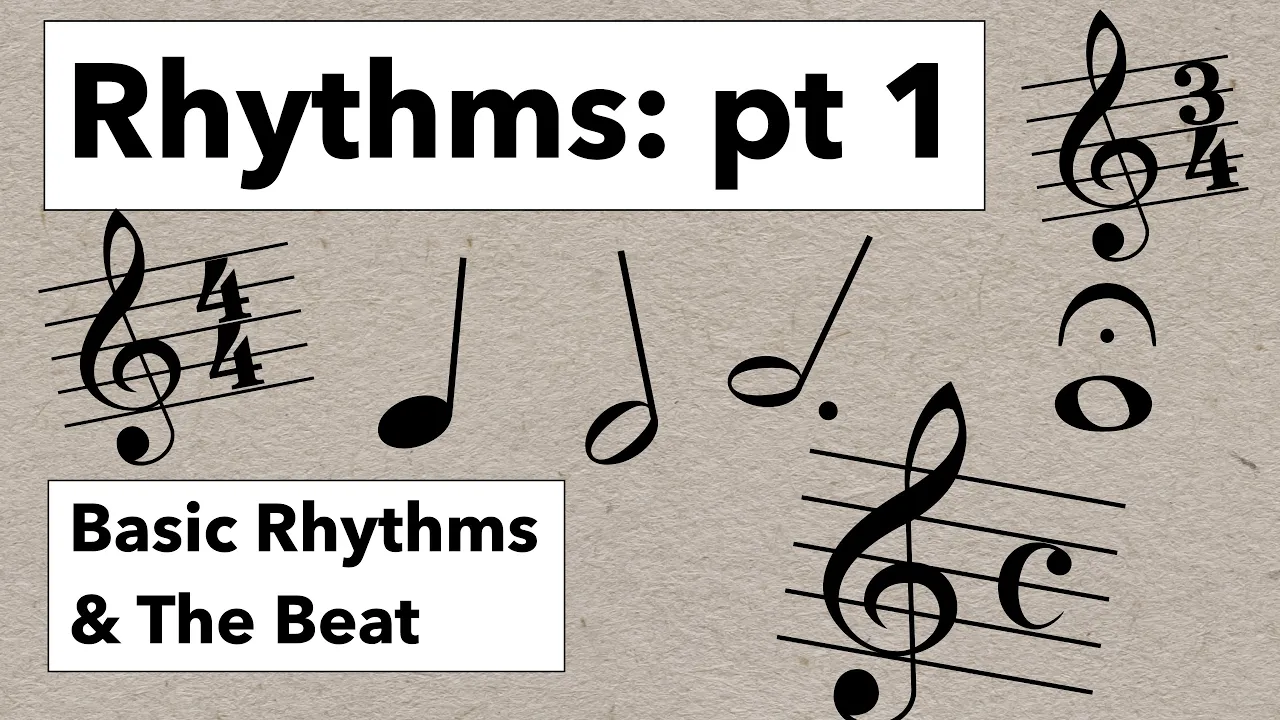
Fundamental concepts of rhythm, including tempo (BPM), bars, beats, and basic time signatures.
A general understanding of what a Digital Audio Workstation (DAW) is and how it processes MIDI and digital audio data.
Advanced mixing techniques, such as dynamic EQ, parallel compression, sidechaining, and creating depth with spatial effects.
Sound design and synthesis, including the study of subtractive, additive, and FM synthesis using built-in generators like Sytrus or Harmor.
Intermediate music theory for electronic music, focusing on building chord progressions, modal scales, and counter-melodies in the Piano Roll.
Audio mastering processes, including multiband compression, limiting, and metering to prepare tracks for distribution on streaming platforms.
304K views9.2Klikes35:16Original Release: 2024-02-02
Hi everyone, Steven here. Today we're going to learn how to use FL Studio. We'll start with the very basics. Make a simple melody and beat all the way through completing your very first song and exporting it. By the end of the video, you'll know the essentials of FL Studio.
Let's get started. Let's get FL Studio. Head over to the description and click on the link.
Here we are on the main page. Click on the download button in the center of the screen.
You have two options, Windows and Mac. Since I have Windows, I'm going to click on download.
Now that you've installed FL Studio, you're going to come across the main interface, and you're probably wondering, what's all this stuff? All these knobs? All these sliders? I guess it's a bit overwhelming. But I'm going to guide you through the process step by step so you won't have to worry by the end of this video. And to help us do that, we're going to write a jingle for the Kevin Cookie Company, and I usually like starting with a melody. And in order to do that, we have to focus on the channel rack up here. The channel rack is where all your instruments go.
So, if you want to add a keyboard, like what we're going to do in a second, we're going to add that to our channel rack. And I'm going to show you how to do that. We'll click the plus icon.
And here you have a list of all the instruments you could put in. We have like drum synth, we have here, we have a bass, but I'm going to click on keys.
And now the keys just popped up. And we've added it to the channel rack. Now that we've added FL keys to the channel rack, we no longer have a need for this window, so we can go over here and exit out. Now you can see that FL keys has been added to the channel rack. But right now, we can't hear any sounds. So, we're going to have to open up the piano roll, which tells the FL keys what notes to play. In order to do that, right click on FL keys and then click on piano roll. Now that the piano roll is open, we could go ahead and start clicking anywhere on it for a note to appear. And before we do that, make sure this pencil icon is activated. So, let's go ahead and click on it and click anywhere on.
And you'll see that the notes are coming up on the screen. And now you're probably wondering what is on the left. That's an image of a keyboard, and that tells you what note you're playing.
And you can even see here, I'm playing an A, here I'm playing an F, and so on. And this top bar is telling you when the note is playing. So, this is the first note to play, then this note comes next, then this note and so on and so forth. I could also delete notes if I don't... Let's say I want to get rid of it. I just click on the right mouse button and that'll get rid of a note. I could also move a note. If I want to move this note, I can move it up there. And the last thing I could do is if I want to lengthen the note, I go to the edge and I drag over to lengthen it or left to shorten it. Okay, well now that I've placed down a couple notes, let me place down a couple more and we can see what it sounds like.
If I want to play, I can go up here and hit the play button or I can hit the space bar if you want a faster approach. So let me go and hit this play button. Oh man, I don't really like that melody, so I'm going to get rid of it. So, in order to do that, I'm going to hit the select button and select all my notes and delete them like this by hitting the delete key. Now that we're getting comfortable writing in the basics notes, let's write an actual melody. So, make sure the pencil icon is activated and I'm going to start writing out a melody and it goes like this.
Now these notes here are too long. I want to shorten them. So, like I said before, let's click on the edge and drag it back. Go to the edge, drag it back. Go to the edge, drag it back.
Actually, I want to lengthen this note right here. So, I'm going to go like that. Let's continue.
Oh, now I've run out of space and I want to play a lower note. So how do I do that? One way is to click on this box over here and that reveals more of the keyboard.
Now some of these notes are too long, so I'm going to shorten them.
Okay, I've got my first part. Let's see what that sounds like.
I actually like the way my melody is shaping up, so for the next section, I'm going to reuse the melody from the first three bars. So how do I do that? Well, I need to first let FL Studio know which ones I want to select. So, let's go up here to the selection tool and select the ones that we want to copy. So, I want to copy these.
Okay, so I copied them. Now, where do we paste them? How do we do that? So, in order to do that, we need to make sure that this playhead here in the upper left is where we want to paste it. So, if I hit paste right now, I would paste it right here on the on the first bar. But I want to go all the way to the fifth bar. So, I click on this draw icon and I move the playhead by clicking on the number. So here.
Now I've moved the play head over to the five. And now all I'll do is paste it by hitting Ctrl V.
And that pastes it. If I want to see more of the melody, in this case, I can barely see it. I just click on here and I drag it over. Now that I've added the repeating section, I want to add a little bit more to my melody. One more bar. Now that I've completed my melody, I'm going to take a listen to it. So, before I do, I have to make sure that this playhead is back at the beginning on the number one. So let me do that. Let me make sure click move the playhead over to the one and then I'll hit the space bar to play the music. And right off the bat, I think that the song is too slow, so I'm going to speed it up. How do I do that? Well, I find this box over here. And this shows me that right now it's 130 BPM beats per minute. And I want to increase that to 170. Make that go a little faster. So, what I'm going to do is click on it and then drag up to change the number.
Okay, I'm at 170. Let's take a look at listen to that now.
That's much better. I like that. The melody sounded pretty solid and I've got the tempo all good. So, we can X out of this view. Now that we've created our melody, look at the center of the screen and you'll see pattern one. That's our melody. But that's not a very descriptive name.
So, let's rename it to something like melody. Click the right mouse button and rename. Hit enter. Next, let's add our melody to this arrangement. The arrangement is basically like our song. Right now, it's empty. If you look, we have several tracks here, but we don't have any music on them. I'm going to put my first instrument on one of the tracks by clicking on it and dragging it over, and dropping it to where I want it. In this case, I want it at the beginning of the song. So, I'll drag it to number one. Now, notice that there are several more tracks.
What we're going to do now is create another pattern so we can start building up our song.
I'm going to click down here on the plus icon. Now notice that we've created a pattern two. We're going to call it something else. Maybe chords.
Now, we're going to add another instrument to our channel rack. So first, let's click on the plus icon at the bottom of the channel rack. And this will bring up a whole bunch of instruments to choose from. I kind of like this one called GMS. Right down here. It's kind of like a synthesizer. Let's use that one. Okay, so now the window popped up and we need to find an instrument. There's so many knobs, but we're going to go to this program window right here to find an instrument that we like.
And we have all these options. We have basses, leads, synths, pads. I'm probably going to do something for chords and that's going to be a pad.
And we have all these options here. Let's see. If I click on one, I'll click on it and then hit a key on my keyboard.
And that'll play the sound.
Hmm, which one? I kind of like this one, pad 16.
Hmm, let me try this one since it's 16.
Okay, let me go with that one. So, I've clicked on it. I've selected it. Now let's just exit out.
And here too, we'll exit out.
Now, like we did before, we're going to go into the piano roll like we did with the FL keys. Let's just go to the instrument and right click and go into piano roll. Now that I'm in the piano roll, I'm going to start putting down my notes like we did for the melody. But in this case, I'm going to put three notes together. So, let's see. Let's start by putting down the first note.
You know what? That's actually a little high. I might go down to C4.
And now I'm going to stretch this note. It's a little short. I'm going to stretch it all the way out to three. And now I'm going to put another note on the same, starting at the same position on the one. I'm going to move that over to this note right here. E4.
And then I'm going to put one more G4.
Okay. Now we've got our first chord, our C major chord.
And now I'm going to do the same thing. And now I'm going to copy. I could do each one individually, or I could just copy it, which actually I could do that. I'm going to click on the selection tool.
Select them, control C, and then move the playhead over to three, and then control V to paste it. So right now I've got my chords for the first four measures. I'm all done laying down my chords. And now I can exit out of this screen by going up here and clicking the X button. Now that I've completed the chords, I'd like to hear what they sound like in the song.
So, I'm going to drag the chords right here over into the arrangement window.
And I'm going to drag them at the beginning of the song to number one, because I'd like them to start where the melody starts.
Now, notice that there's, in the upper left-hand corner, there's pattern mode.
And what that does is it plays the pattern that's currently selected.
If I click on melody, I could also hear that as well.
But now I'd like to hear them together. So, to do that, I'm going to click on song mode.
And what that does is it plays both the melody and the chords.
Now that I've listened through the entire song, I'm not quite sure I like the sound of the chords. That was the GMS instrument that we picked.
So, I want to change that. In order to do that, let's click back on GMS and select a new instrument from this list of pads.
Let's click number 24.
And now I'll hit the spacebar to see what that sounds like.
I don't quite like that either. So let me try one more thing. Let's choose another bank right over here.
I think I have one in mind. I think there's a keyboard that I really like. It's called Funky Rhodes. Let me click on that. I think that's going to be the right one. Yeah, that one's perfect. I like the sound of that. It's not too full. It's shorter. And it gives space for the melody to be listened to.
Okay, let me exit out of that. Now that I have both the melody and the chords done, I'd like to add another instrument. I think I'm going to go for the drums. So, I'm going to click on the plus sign right here and put in drums.
Now, the next step is to drag them to the arrangement window.
And I think I want to put it at the beginning of the song with all the other instruments.
Now, you'll notice that I don't have any notes in there yet, but as we go to the channel rack and start putting in notes, they're going to appear on the arrangement window. So that's what I'm going to do now. For laying down the drums, I'm going to take a different approach. Instead of the piano roll, we're going to do it right through the channel rack. And it's actually an easier way to do it, at least for the drums.
So, see these boxes in the channel rack? They tell you when an instrument should play or not to play.
So, if I go and click on this first box over here, that means that an instrument will play.
Let me see what that sounds like by clicking on the space bar.
Now, once I've laid down the kick, I'm going to add a snare right over here in this box.
Okay, I like the sound of that. Let me keep going.
Now, notice that we've kind of run out of room right here.
I'm going to go down here to this little bar and use the mouse wheel to move over.
And what that will do will give me a little bit more space.
And now I'll click on a box over here.
Let's see what this sounds like.
Okay, now I need another snare, so I'm going to click on this bar again and move over a little bit.
I'll put it right there.
Okay, now I need to add a hi-hat. So let me go back to the beginning.
And now I think I have a pretty good idea. Here's a cool trick. If you want to fill it in the boxes without clicking on them, you could click on the instrument, and here you could fill in the boxes. This is every two, every four, every eight. So, I think I want to do every two.
I think that's too many. Let me go back and do it every four.
Okay, I like the sound of that.
So now I'm going to go back to the arrangement window and I'm going to drag this pattern over into the arrangement window.
I'll do that a couple of times until I get to the end of the song.
And that's the drums. Notice that when I put the drums pattern into the arrangement window, I clicked on it four separate times.
Imagine if we had a song that went on for 40 bars or 50 bars. I'd be doing that quite a lot. So, I don't want to do that. And I'll use the paint icon to do it very quickly.
And now I'm going to make sure that the drum pattern is selected and then go over to the arrangement window, click on where I want it to begin, and just drag over to the right like that.
Another tip for deleting patterns on the arrangement window is to right click on a pattern and then drag to the left.
So those are just a couple quick tips for adding and deleting in the arrangement window. Now that I've listened to the drum kit, I think I want to change the snare sound. I want to swap it out with a different one. So, to do that, I'm going to focus on this browser window over here and click on all. This is where you find all sounds and plugins and various instruments. I'm going to click on packs, and here we have a list of drums and loops and sound effects. We're going to focus on drums and snares.
Now here we have a list of all different types of snares. Right now, we have the 808 snare right here. Let me go for maybe something.
By clicking on it, you can hear what it sounds like. Let me try this one. Oh, I like that snare. And bass snare. So, what I'm going to do is send it over to the channel rack.
And when I send it over, it's going to replace the one that I currently have. Let me click on the channel to make sure that it's activated. Right now we have it on the kick channel, but I want to send it over to the snare channel. So, I'll click there and then right click on the new sound and send to selected channel. And now you notice that the new snare is on the channel.
Let's listen to it by clicking on the pattern mode.
Yeah, I like how that sounds. It really fits much better now.
Okay, so now I'm going to go back to the song mode and see what that sounds like.
Yes, I like that. Okay, now that we have the drum kit, we're going to proceed to the bass.
I'm going to add another instrument. Click on the plus icon and enter in the name of your pattern.
And you'll see that the pattern appears below the drum kit drums. Now drag the bass over into the arrangement window.
We also need to create a new channel in the channel rack. I'm going to hit the plus icon.
And a good one for the bass is called the BooBass under miscellaneous.
X out of that. And now the last thing we need to do is create notes for the BooBass. Click on the channel, right click, and hit piano roll. Now that we're inside the piano roll, I'm going to show you another technique for putting in the notes.
You can use your computer keyboard or a MIDI keyboard. All you have to do is hit a letter name on the computer keyboard and you'll see a light come up on the screen.
Just like that. But notice that we don't have any notes on the screen. So, to do that, we have to record them first.
To record, there's a red button here at the top of the screen. If I click that, the notes will start recording.
But before I do that, there's these tools at the top of the screen which will help me. One of them is the metronome and another one is the countdown before recording.
You can also see in the upper left what the tool is called. So here it's metronome, here it's wait for input to start playing, and so on. These tools could come in handy. So, I'm going to click on them before hitting the record button and make sure they're active.
And now hit the record button. Now you'll get a menu that pops up when you hit the record button.
I'm going to just record everything.
And now the recording hasn't started yet. To do that, I have to hit the play button so the arrangement starts playing. And when you're done recording, you could hit the spacebar to stop the song from playing and then deactivate the recording.
Now that I've recorded the notes, I'm going to make some edits because I don't like these two over here so I'll just delete them by hitting the right mouse button.
And I'll do a quick edit here by lengthening this note.
And that's about it. I think we've got a good bass. Now we can exit out of this window.
And you'll see that the bass has been recorded onto the arrangement window on track 4. The song's coming together pretty nicely, but I think I want to add vocals to it, so to do that, we have to set up the microphone.
Let's go to options and audio settings.
Next to device, we see FL Studio ASIO. That's the default, so we'll leave it where it is.
Now let's go to show ASIO panel.
Now you'll see another window where you can select the input and output.
When you select an input, you'll see a list of all the microphones connected to your computer. Select the one that you want.
Next, go over to output. These are all the outputs on your computer.
Go for a headphone so you don't have the music of your song bleed onto the vocal track. Now that we've set up the microphone, let's X out of that.
Here and here. Now we have to create the audio track. So, let's click on this plus icon and click on add audio track.
Notice that it's now in the arrangement area.
And we have to do a couple things before recording. We have to arm the track.
And then we have to pick the source of the microphone. Here it's line one.
And now we know that it works because we could see the levels right here in this box.
Now let's go to the record button up here and click on everything. And when you're ready to record, just hit the play button.
I think that turned out okay for now. So, the next step is to disarm the track. Let's do that by clicking on this red button over here.
I'm just about done with the arrangement. I've got the song sounding pretty close to where I want it.
But there's still one last step. And that's to make sure all the volumes blend well together.
And that's where the mixer comes into play.
But I need to make sure that all the channels are routed properly to the mixer so I can start adjusting the volumes. Now I need to route the channels to the mixer.
Each channel has its own insert on the mixer. For example, this 808 kick has an insert 1 right here.
This clap is on insert 2.
If I look at FL keys, I notice that it doesn't yet have an insert. So, I'll move it to one that isn't occupied.
I'll go to 7.
And here I'll go to 8.
And for the BooBass, I'll go to 9.
Now I've properly assigned each channel rack to an insert, so I'm ready to start mixing. Now that all the channels are on the mixer, I can start adjusting the volumes. But before I do that, I want to rename the inserts to make them easier to identify.
So, for insert 1, to rename it, I can right click on it and rename it like that. Or I can click on the F2 button to rename it. Now I'm going to go ahead and rename each of my inserts.
Now that I've renamed the inserts to reflect what we see on the channel rack, the next step is to listen to the song and see if any of the instruments stand out above the others. Now I'm going to hit the spacebar to listen.
I notice that the vocals are a little loud, so I'll lower them. I can use the mouse wheel.
That sounds good. I'll also lower the keys a little bit.
And these too as well.
The vocals are still a little bit loud.
And I think I'll lower the snare as well.
I think that's sounding pretty good, so I think I'll stop there.
Now that I've adjusted the volumes to where I want it, I'm going to add an effect to the vocals.
So, make sure the insert that you want to add an effect to is active.
So here the vocals are active. Here if I click on keys, you'll see that the green rectangle moves over to keys and it shows that it's active. Let me go back to vocals.
Now over on the right side, you see all these slots. This is where you can start adding in your effects.
Let me click on slot 1.
Now you'll see a panel with a whole bunch of effects that you can add.
Here you can add reverb. If you have a guitar, you can add some distortion to it. You've got other things like filters and even a fun thing like chorus.
I'm going to add fruity reverb 2.
Here you see an active panel now for the reverb. We have a lot of different options that you can tweak and find the right sound that you want. I'm going to go with presets and small studio.
Let's exit out of that. Now I'm going to play the song so you can hear what the effect sounds like.
If I want, I can also turn the effect off by clicking on this green button.
That turns the effect off.
And if I want to turn it back on, I can just click on the button again to turn it on.
If I want to go back into the panel and tweak the effect a little bit, I can just click right here and the panel will open up.
If I want to, I can add some more effects by going to slot 2 or 3 and I can start layering them on to one another. Now that I've applied reverb to the vocals, I want to hear what they sound like on their own, so I will mute the other inserts by clicking on this green button.
I could also solo an insert instead of muting it.
So, for the vocals, I could go over there and I can click on the right mouse button.
And you'll notice that it's soloed. Take a listen.
If I click on the vocals again, I could un-solo it.
And then all the other buttons will be activated.
And this same process applies to the other parts such as the channel rack and the arrangement window. I can solo various tracks by right clicking on them.
Or if I want to undo it, I could click on the right again. Now that I have finished adding the effects, I'm ready to export the song.
So, I'm going to go over to file and export.
I'm going to choose wav file. Here you have other options such as mp3 and ogg. But I'm going to want to retain the highest quality audio. So, I'm going to click on wav file.
Here, just name your track and save. Now we're on the rendering panel. Since I've selected wav, we see that it's active here.
We can also choose the bit depth here from 16 to 32. Keep in mind, the higher the bit rate, the more space it takes, but the quality is also going to be better. So, I'm going to choose 32 bit.
Here we have other options such as resampling. Let's keep that at 32.
Everything else looks good, so I'm going to keep it the way it is. Now I'm going to hit start.
And that's it. I've rendered my first song. Now that I've successfully exported my song, we can now listen to it.
All right, that's a quick look at FL Studio. You're doing great. If you have any questions, be sure to put them in the comments. To watch more videos like this one, consider subscribing, and I'll see you in the next one.
Up Next
4:07
How to Approach Bach's Two-Part Inventions: Piano Lesson, Part 1 (Robert Estrin)
@virtualsheetmusic
38.1K views•2015-12-02

12:54
Triumph of Orthodoxy Icon: Byzantine Art & History Explained
@BenCallan
2.1K views•2024-08-06
24:46
Make.com Automation for Beginners: Step-by-Step Workflow Tutorial
@KevinStratvert
801.3K views•2024-05-28

1:42
Game of Thrones Opening Credits: A Cinematic Analysis
@gameofthrones
46.3M views•2011-04-18
Related Study Plans & Knowledge Roadmaps
Structured learning paths in General & Interdisciplinary Studies
general-studies
Elevator Engineering: History, Physics & Cities
01From Hoists to Safety Brakes: The Dawn of Vertical Lift
02Hydraulic vs. Traction: The Engineering Physics of Elevators
03Modern Speed, Safety, and Algorithms
+ 2 more learning modules
12h5 modules
Explore Roadmap
general-studies
Rubber: Material Science, History & Geopolitics
01Origins of Natural Rubber & Mesoamerican History
02The Chemistry of Natural Rubber & Vulcanization
03The Geopolitics of the Rubber Boom & Colonization
+ 2 more learning modules
12h5 modules
Explore Roadmap
general-studies
Containerization: Evolution, Logistics & Trade
01Ancient Trade & Bulk Cargo: Amphorae to Barrels
02The Industrial Revolution & Cardboard Packaging
03The Containerization Revolution: Malcom McLean
+ 2 more learning modules
12h5 modules
Explore Roadmap
general-studies
Textile Tech: Evolution, Labor & Global Impact
01Pre-Industrial Textiles: Handloom & Cottage Industry
02Mechanization: The Spinning Jenny to the Power Loom
03The Factory System & Global Labor Transformation
+ 2 more learning modules
10h5 modules
Explore Roadmap