








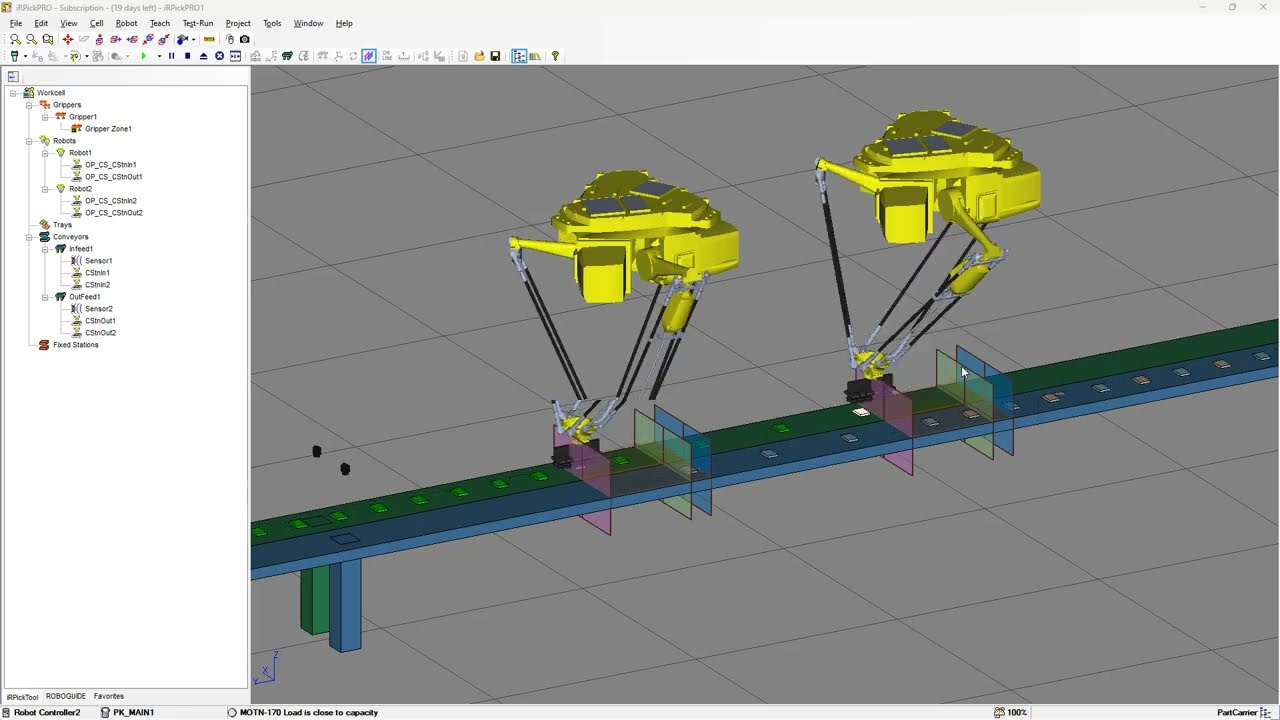







Delta robots are parallel-type robotic arms with 3-4 axis motion used for industrial applications like moving, sorting, and packing. The ZMOTION ZMC 46R controller supports Delta robot operation through forward kinematics (M-type 34, joint axis operation in joint coordinate system) and inverse kinematics (M-type 33, virtual axis operation in Cartesian coordinate system). Configuration involves setting motor direction, saving parameters to table registers, configuring joint and virtual axis parameters, and moving axes to origin position. A typical operation sequence includes moving to safe height, opening vacuum suction to obtain material, moving to target position, closing suction to place material, and repeating until the task is complete.
EtherCAT Motion Controller for Delta Robot Programming Guide
Added:hi today this video will talk about how to use Delta robot in ethercat motion controller let's begin directly at first see what is Delta robotic arm Delta robot is one kind of parallel type Delta robotic arm it supports three to four axis parallel Motion in industrial production it can be applied in moving sorting packing etc for zmotion we also provide Delta controllers the controller that is with s are supports Delta function for example zmc 46r it will be shown and used next what's more we also provide one Delta robot manual showing details Delta robot there are three standard models Frame 2 frame 12 and frame 14 here shows corresponding definition and in next operation we take frame 12 as the example frame 12 is 4 axis mode it has three joint axes and one end rotary axis next see how to use the robotic arm step one please check the motor Direction and angle range the direction must be correct when three joint axes are rotating down it is positive correct look down when end rotary axis rotates in anticlockwise positive and correct also step two save parameters into table register include up and down space radiuses up and down Rod length pulses for four axes in one Circle offset between end and Center Point step three set joint axis parameters and virtual axis parameters pulse amount units should be set as the number of pulses for motor axis in one degree also set other required parameters like acceleration deceleration and motion speed in Virtual axis parameters configuration generally set pulse amount units as 1,000 which means it can be after three decimal places step four move each joint axis to the set origin position when the connection rods L1 of each joint axis are all in horizontal position it is considered as the joint origin position by Delta robot please refer to this graphic step five build the connection there are forward kinematics and inverse kinematics let's see one by one frame 12 forward kinematics before select three virtual axes and one end rotary axis then use this specified command to do forward connection parameter 1 robotic arm type 12 means Delta robotic arm type parameter 2 table starting number table is used to save robot structural parameters and arrays par parameter 3 to parameter 6 they are joint axis and rotary axis numbers at last use this command to wait the motion to be loaded when the forward connection is built successfully virtual axis M type will be shown as 34 at this time only joint axis can be operated in joint axis coordinate system same rule for inverse kinematics connection also select three joint axes and one end rotate axis then use another command that is specified for inverse solution to connect parameters are with same meanings type table starting number axis number mtype 33 indicates successful connection now only virtual axis can be operated in cartisian coordinate system it can be known two modes are different please set correctly let's see one simple example under inverse kinematics mode take the origin position as the reference then determine one safe height specific actions are Delta robotic arm moves up to the safe height it should be at the position where is above the material then open op down to obtain the material through vacuum suction next delay to up to the safe height move again to above the 2x two dis down again to the disk position close op to place the material after that a up the arm return to above the material that is repeat actions of up down to get the material move down to place until the dis is full next use zmc 46 or robot motion controller to test this example and match with our free programming and debugging software Z develop here Z develop is opened you can download it from our website or contact us directly and can be seen there are codes now it is copied from corresponding article yeah except the video there is one article shows Delta information specifically you can find it in our official website okay connect Z develop to zmc 46 our controller at first then download the program into r r and r are different ra will not save the program when power is down but R will save after that click tool plugin this is the routine interface parameters can be saved and can be returned next please observe M type of each axis M type is the current axis type now virtual axes Axis 10 axis 11 and axis 12 are with mtype zero select forward kinematics mode built then mtype becomes 34 that is axes move in forward kinematics mode we also provide robot simulation tool open it and connect to zmc 46 our controller as we talked above in forward mode only joint axis can be operated in joint axis coordinate system adjust robotic arm state to avoid stuck due to structure okay stop it next try to inverse mode also observe the m type now changes 33 only virtual axes can be used in cartisian coordinate system all motions processing Technologies are operated under inverse kinematics at last we can watch the effect in oscilloscope set data source and number correctly click stop then start click trigger in robot interface click on it can be seen it is moving and osilloscope samples the data at the same time this is the processing effect Delta robotic arm gets and places the material regularly in this 2x two fixed disc up and down in one safe height then processing can be stable okay now simple Delta robotic arm information are shown shown you can refer to corresponding article for more details in our support there are many different applications technical support if you want to know more about our controllers in your application also can contact us directly well thank you for your watching and see you next video have a nice day [Music]
Up Next
How Does an Elevator Work? | Anatomy and Safety Mechanisms Explained
@JaredOwen
6.6M views•2023-04-06
Ultrasonic Transducers: Resonant Frequency Measurement and Horn Design
@imajeenyus42
229.9K views•2017-02-22
Polymer Environmental Degradation: Mechanisms & Stabilization
@iit
1.8K views•2012-07-10
How a Student's Question Saved a NYC Skyscraper from Collapse
@veritasium
22.8M views•2025-04-26
Related Study Plans & Knowledge Roadmaps
Structured learning paths in Engineering