






![The Computer Programme, 18th Jan 1982 - Episode 1.2 [Replay] | Nostalgia Nerd](https://i.ytimg.com/vi_webp/_-l9YOdqJc0/maxresdefault.webp)





![Update, FixedUpdate, LateUpdate... What's The Difference? [Unity Tutorial]](https://i.ytimg.com/vi_webp/E6pKLK8HsKc/maxresdefault.webp)






![Learn Unity & C# - [15] Instantiate & Prefab - A free beginner course by N3K](https://i.ytimg.com/vi/DncWXTMhiuE/maxresdefault.jpg)

Scripting in Unity involves writing instructions to control game objects, making them interactive and responsive to user input. Unity supports three programming languages: C#, JavaScript, and Boo, with C# being the recommended choice for beginners due to its organized class-based structure, explicit variable type declarations, and better code readability. C# is a complete object-oriented programming language developed by Microsoft for the .NET platform, which Unity uses as its primary scripting language. To create a script in Unity, users can click the Create option in the Project Panel, right-click in the Assets folder, or add components to selected game objects through the Inspector. The MonoDevelop editor opens scripts for editing.
Unity C# Scripting Tutorial for Beginners: Introduction to Game Development
Added:Basic computer literacy, including downloading and installing software, navigating file systems, and using an Integrated Development Environment (IDE).
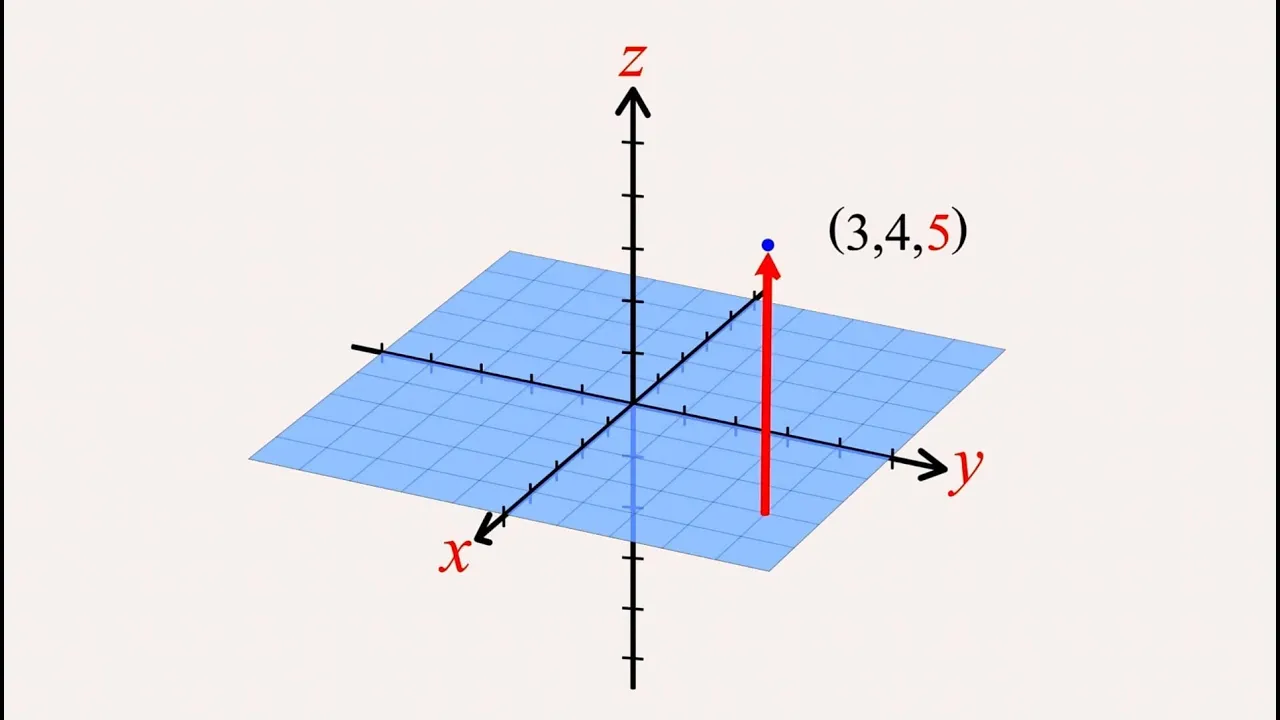
Fundamental concepts of logic and math, specifically Cartesian coordinate systems (X, Y, and Z axes) used to position objects in 2D and 3D space.
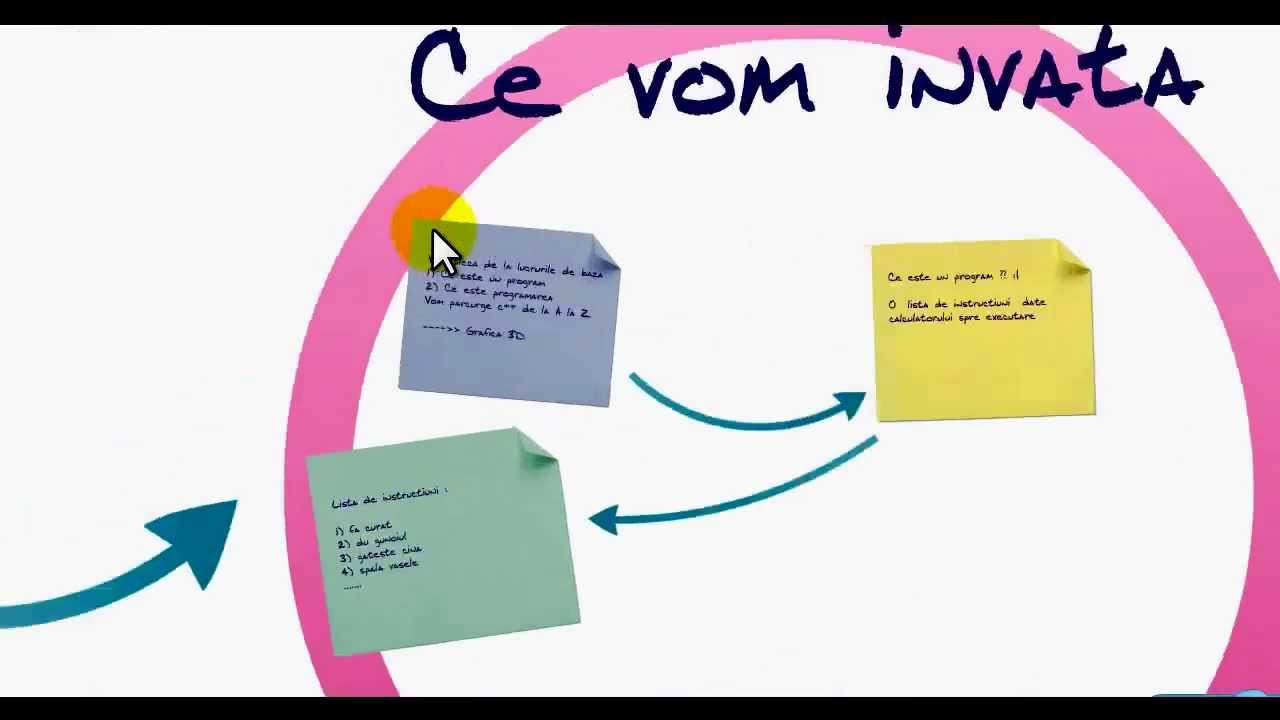
A conceptual understanding of what programming is and how a computer executes instructions sequentially.
Deep dive into C# Object-Oriented Programming (OOP) concepts, such as classes, inheritance, encapsulation, and methods.
Understanding the Unity Event Functions Lifecycle, specifically the difference between Start(), Update(), FixedUpdate(), and LateUpdate().
Working with Unity's Physics system, including Colliders, Rigidbodies, and scripting collision events like OnCollisionEnter.
Capturing and processing player input using Unity's Input System to move characters and trigger game actions.
Creating and instantiating Prefabs dynamically via code to spawn game objects like enemies or projectiles during runtime.
174.2K views1.9Klikes9:49Original Release: 2015-07-19
hello and welcome to Charger games my name is Raja and this is a new series on Unity scripting tutorial so in this series we will learn how to write scripts for Unity from complete groundup if you don't have any kind of previous programming experience you are most welcome and if you have previous programming experience and you want to brush up your skills IM Unity you are most welcome too so in this series we will start from complete groundup and we will build on that knowledge to know more about Unity scripting so first of all let me explain why do we need scripting and what is scripting okay so if you have done any kind of programming course before or if you have heard about computer programming you know that computer programming basically means in giving instructions to the computer to do something now now in case of unity the same the same principle applies so as an example if we have a game we want each and every object of that game to be interactive we want to control each and every object and we also want those objects to have their own properties so that they can do something as an example suppose I have a player and I want that player to move whenever I press the left and right arrow keys so I can write a script and attach that script to the player and inside the script I can write some instructions which will instruct the player to move left whenever I press the left arrow keyy and move right whenever I press the right arrow key and I can write more instructions like I it will shoot a bullet whenever I press the mouse Arrow Mouse left button so as you can see this this is how we are actually giving some instructions to different game objects to do some tasks so this is what script does by using scripting we'll give instructions to various game objects and we will make them operate as we want uh we will make them operate according to our wish so we will make them instantiate whenever we want we will destroy them whenever we want we will move them rotate them and whatever we want do whatever we want so this can be achieved by using scripting so scripting is very very very useful for game development so if you want to be a game developer you have to be very confident and very professional or very not very expert but you have to have good knowledge about scripting okay so now in the context of unity Unity supports three different programming languages for scripting C JavaScript and Buu now Buu is not actually used a lot so here are mainly two programming languages C and JavaScript now in this series of videos we will use C and there are a couple of reasons behind that so C is a language created by Microsoft for its net platform C is a comp complete objectoriented programming language so using it we can get a very organized way to uh write our scripts okay if we use JavaScript we don't have there we don't have any class uh we don't have to specifically write our objects inside a class so and moreover whenever we declare the type of a variable in case of JavaScript we don't have to write any type so later on when you are reading your own scripts or when you are reading someone else's script it will be a lot of problem because uh you will get into a lot of confusions but if you're using C it has a more organized way to write code you write all of your code inside a class inside that class you place some functions and variables and before writing the variable names you have to declare the types of those variables so this is a very organized way to write code so if you're starting scripting if you're starting to learn unity and if you're starting to learn scripting I would recommend you to start with C cuz uh um it has more organized way as I've said you before and if you apply for job in any kind of game development with unity you will see that most of the gaming Studios who uses Unity uses c as their programming language and if you have watched some of the unity's official video tutorials you will know that they also use c as the language for their tutorials because they know that c using C is a better option than JavaScript okay so that's why they used C and that's why you should also use C okay so that little introduction to programming scripting and C let us try to create our very first script so in unity there are a couple of options to create a script so as you can see here we have a project panel so inside this project panel we have a create option if we click on this create option here we have couple of options so from here you can see we have two options one we have a c script and we have a JavaScript so from here if we click on the C script it will create a new C script for us by default unity names it new Behavior script so if we want to change the name we just write our own name I will write here test script okay so this is one way to create a script another way to create a script is we can right click inside the whenever we are inside this assets folder we can rightclick and create and from here we can also you create a new C script or new JavaScript another way to do that is whenever we have any object in our game suppose I create an empty object here so if I click this object here whenever the object is selected from the inspector I have an option to add components to that object so if I click add component ra uh at the uh position here at down below you can see that we have two options we can either uh click on scripts or we can click on new scripts if we click on scripts then it will allow us to add existing scripts that we have created before to this game object and we can also create a new script and attach it to this gem object at the same time so we can let's name it new script and whenever you are selecting creating this new script you can see that here we have two options here we have language and here we have C selected if we click here you can see we have now two options C and JavaScript since we are using C we will click on C now if we click on create an ad you can see that this script has been created so this is how you create your very first script and if you want to edit this Unity has its inbuilt editor called Mono Behavior Uh yes and if you want to open the script in mono Behavior just double click on this script here or double click here if I double click here as you can see that I'm sorry the name is monod develop by some mistake I name it mono Behavior actually it's mono develop okay so when you double click it the script will open in mono develop as you can see monod develop is loading and it will get loaded it will take some time very first time you opening menop okay okay as you can see our new script has been loaded so whenever you create a new script this is what you can see so we will learn what these things mean in the next episode in this video we will Lear we have learned about the basic scripting of what is scripting and we have also learned how to create and add new scripts to our game and we have also learned how to open it in mon develop in the next video we'll learn what these things mean and we'll learn uh the very basics of scripting so I hope you guys enjoyed this tutorial and learn something I know you will learn a lot more if you continue watching these videos you will really be a pro scriptor if you just continue watching these videos so I hope it helps and if you guys really enjoyed this video make sure to like And subscribe so that you get notified whenever I upload a new video so thank you very very much for watching this video if you have any questions if you want to know anything just write those in comments so thank you very much and have a great day let's keep watching thanks
Up Next

12:14
Unity for Beginners: How to Download, Install, and Create a New Project
@CodeMonkeyUnity
173.6K views•2022-07-25

12:54
Triumph of Orthodoxy Icon: Byzantine Art & History Explained
@BenCallan
2.1K views•2024-08-06

9:49
FastAPI vs Flask vs Django: Choosing the Right Python Web Framework
@TechWithTim
302.5K views•2024-05-26

1:42
Game of Thrones Opening Credits: A Cinematic Analysis
@gameofthrones
46.3M views•2011-04-18
Related Study Plans & Knowledge Roadmaps
Structured learning paths in General & Interdisciplinary Studies
general-studies
Elevator Engineering: History, Physics & Cities
01From Hoists to Safety Brakes: The Dawn of Vertical Lift
02Hydraulic vs. Traction: The Engineering Physics of Elevators
03Modern Speed, Safety, and Algorithms
+ 2 more learning modules
12h5 modules
Explore Roadmap
general-studies
Rubber: Material Science, History & Geopolitics
01Origins of Natural Rubber & Mesoamerican History
02The Chemistry of Natural Rubber & Vulcanization
03The Geopolitics of the Rubber Boom & Colonization
+ 2 more learning modules
12h5 modules
Explore Roadmap
general-studies
Containerization: Evolution, Logistics & Trade
01Ancient Trade & Bulk Cargo: Amphorae to Barrels
02The Industrial Revolution & Cardboard Packaging
03The Containerization Revolution: Malcom McLean
+ 2 more learning modules
12h5 modules
Explore Roadmap
general-studies
Textile Tech: Evolution, Labor & Global Impact
01Pre-Industrial Textiles: Handloom & Cottage Industry
02Mechanization: The Spinning Jenny to the Power Loom
03The Factory System & Global Labor Transformation
+ 2 more learning modules
10h5 modules
Explore Roadmap