




![[Bài 18] Cơ số hai và các phép toán với bit | Bitwise](https://i.ytimg.com/vi/OamZoI-2g1g/maxresdefault.jpg)












![KEYNOTE: What Everyone Should Know About How Amazing Compilers Are - Matt Godbolt [C++ on Sea 2019]](https://i.ytimg.com/vi_webp/w0sz5WbS5AM/maxresdefault.webp)







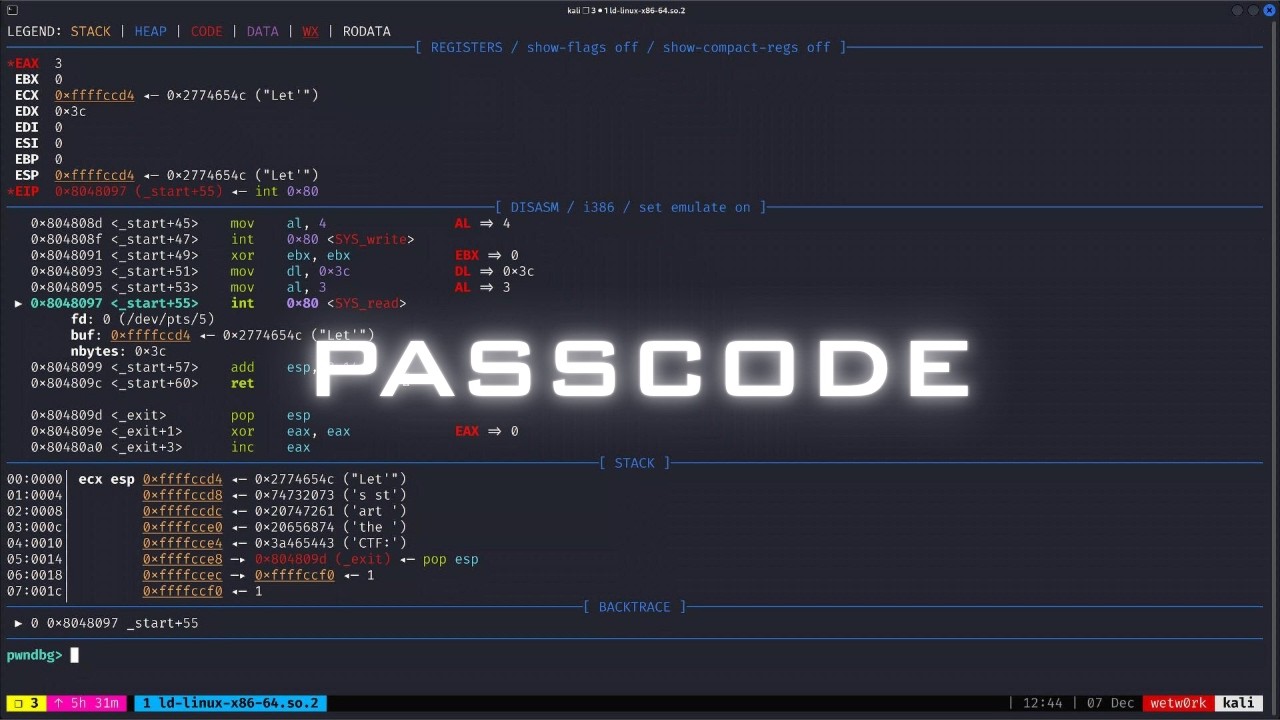
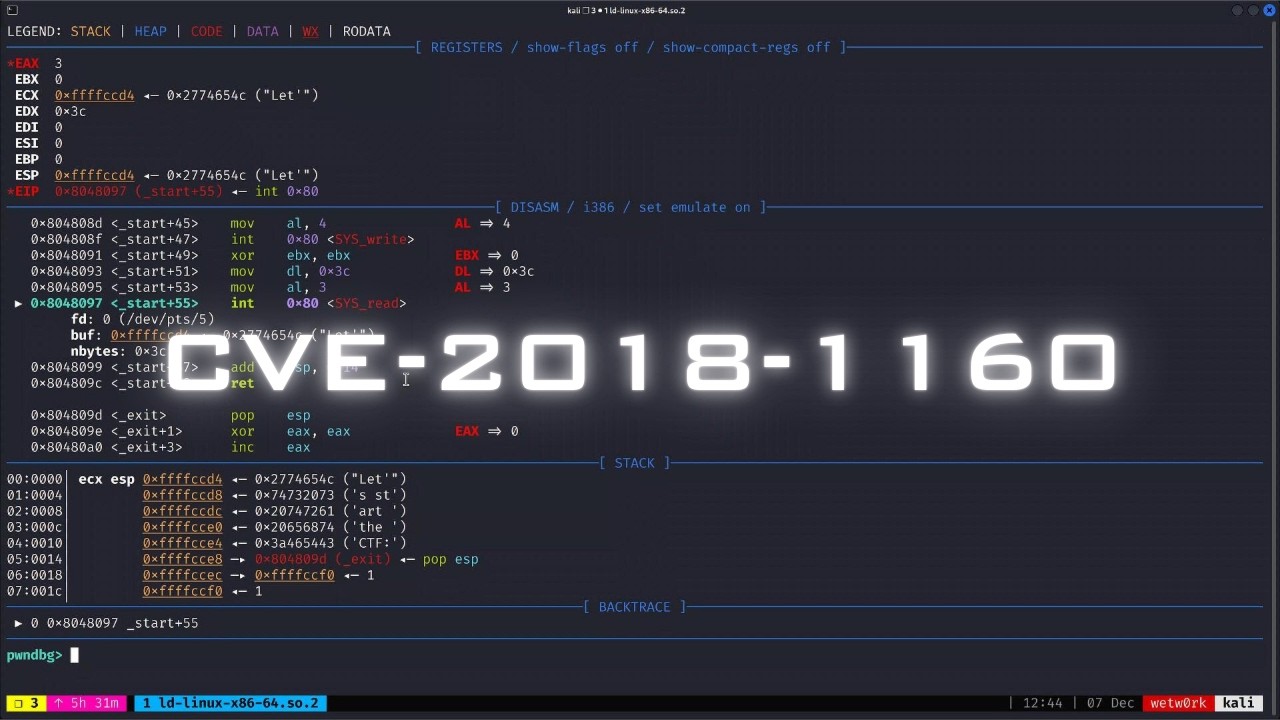
![[Aula Pentest] - Criando um exploit do zero](https://i.ytimg.com/vi/H2ZTTQX-ma4/maxresdefault.jpg)






The REP (Repeat) prefix in x86 assembly enables efficient repeated execution of string operations by using ECX as a counter; for example, REP STOS copies the value in EAX to memory at EDI, incrementing EDI by the transfer size (1 byte or 4 bytes) and decrementing ECX each iteration until ECX reaches zero, functioning as a single-instruction equivalent of C's memset function for memory initialization.
Intel x86 Architecture, Assembly, and Applications Part 1 of 2
Added:Basic computer architecture concepts, including CPU registers, memory hierarchy (RAM), and the execution cycle.
Proficiency in binary and hexadecimal number systems and basic bitwise operations.
Fundamental understanding of high-level programming languages (preferably C or C++) to grasp how variable storage and memory allocation work.
Familiarity with operating system concepts such as virtual memory, processes, and basic command-line navigation in Windows and Linux.
Transitioning to x86-64 assembly to understand 64-bit registers, calling conventions, and architecture scaling.
Reverse engineering techniques using disassemblers and decompilers such as Ghidra, IDA Pro, or Radare2.
Software vulnerability analysis and exploit development, focusing on buffer overflows and memory corruption.
Dynamic debugging and malware analysis using industry-standard tools like WinDbg, GDB, and x64dbg.
21.6K views173likes1:14:10Original Release: 2012-04-14
um I tried to do the two's complement deviation okay so you found the any G but what sort of C code did you use to find it oh my she code was just in a equals two and B equals negative a and okay so he just did that hard so he found two's complement negation we talked about ones complement yesterday the not instruction right that will flip all the bit on something that's kind of once compliment and so two's complement or just taking something and making it negative is the neg instruction nice fella but I spell it is a complete as e aka making stuff negative alright and then we said we could find to multiply and visual C++ yes I didn't know if you counted I looked it up but could you cast it to unsigned long long that's unfortunate ready I called out him before you yes Brad emailed me last night as well saying he also looked it up and did you find the Stack Overflow exactly so alright so there's a Stack Overflow article out there where someone is saying exactly why won't Visual Studio make a mall instruction for me and what the people said was put it up here what people said was basically they use I'm all because well I think the gist of it was they use I'm all because in see if you have an int times an int by default the result is considered to be an int and therefore even if you overflow it it really just truncates it back down to that 32 and whatever is on top gets thrown away just that's the C thing and so basically it doesn't matter and then the other thing is when you have these things which potentially overflow it doesn't matter whether it's signed or unsigned as far as the lower 32 bits are concerned so the upper bits will differ but the lower ones won't and therefore I'm all versus mall or equivalent and and so what the article also said is if you go to long long so if you go to 64 bit values and you try to do a multiply then it'll put the result into a 64-bit value and therefore the the negative or positive will start mattering at the top and so then if you do that you'll get a mall instruction and I have the simple source sample code that I think was equivalent of the stack overflow stuff that Brad sent me so I'll show you that as well but yes you get extra credit to kind of everyone who got it by looking up I give you half point extra credit because all right so that is alright anything else all right oh that was pretty lame nice data decrement ok duck and what the instruction sequence did you use in C to get that just my sign is here in a loop big problem is just trying to get the I originally wasn't using that X code and I forgot to compile it for 30 to 60 force ah ok we've got jet so he was using Mac and he compiled in 64 actually Dave also generated some 64 bit assembly which we'll see in a second as well so decrement our register I think it's only works on a register I may be incorrect you may be able to specify an r32 but I think it's only a register so you know that's subtract 1 all right Amy I did not actually move entire words Shh no no no we're bucks taco for example look yes well yeah so that's an example there there's definitely some string some repeated string operations there's a single string operation instructions and then there's special repeat forms where you do it over and over again and we're going to cover those in a second Amy bail okay okay Oh 2x decrement 2x mall and actually they have also had negation I believe right and yeah I'll pull yours up in a second because he found a very interesting thing like I have no idea why the compiler generated it but you know I will ask the studio audience and or the Internet's audience to explain it to me later but I don't leave that's right you did fine I'll leave but we're going to cover leave two examples from now what equals which direction esp-2 GDP we'll see this in just a second this leave instruction but it's actually the equivalent of those two sort of teardown instructions that we see at the end of code where you move to get rid of all your local variables and then you pop the stack frame all right Andrew y saw - I guess the simpler one was branch if not equal using an if-else okay so you wait branch if not equal yeni so he was an actual be any e and e and yes we have branch if not equal in intel yeah I I feel like there was like conditional moves and stuff like that but I didn't remember there was that one second you see how that differs from a jump if not equal for instance not seeing be any matter that I did on my older Mac yes was it a PowerPC team honor all of that yes I think so so I guessed it yeah so you were probably disassembling like PowerPC or something like that was it like a g4 g 5y a g5 yep all right well had you found some perfectly assembly which we definitely don't have is it peña is also motorola the what PA yeah so so that's why Fiero that's why it's so suspicious all the sudden you said B&E and I was like wait you remember my example four realms from 1996 where I said I was you know modifying some instruction sequence on an old Mac yeah that sounded very not right okay well Ariel yeah what's fine less fun uh several um the most interesting of which was the wrong version I want to say mov SW l mo the SW yeah so this is well I think this is move well yeah okay I'm not sure I'm going to look that up quick I would think this is move with sign extension and the thing is you probably did it on on Linux right yes yeah so the thing is with with Linux sometimes like that W on there that's not actually part of the mnemonic that's something like Linux will add on like lengths in order to say like this instruction is moving a word this instruction is moving along exactly for all the move oh yeah those are all just moves and ads and stuff and in apt syntax you can tack on a little thing that says like so I've been leaving it off of all of our examples thus far and I forgot to return I've been leaving the daf of our examples thus far but in 18-piece our Intel syntax for instance will often it'll say like move double word pointer but I've been like leaving the double word pointer off the spark so let's do all right when this comes up all right so I've kind of been alighting this fact on our intelligent access bar but if you look at our move instructions here we have move and it says the word pointer and then the stuff inside the angle brackets which you were talking about yesterday and the D word pointer is what's telling us actually what the size is right and so in that case for for Linux it's trying to say move probably that's a move F like sign extend I think no no that was changed they got that right and the thing is on Linux again their word size is like Gd B's word sizes don't correspond to Intel's word sizes like 32-bit is a word gdb and you know 16 bits is a word for Intel so but let me see here quick because actually that's probably it was just move SW right I freaked out the wrong one so I'll have to get up again yeah I think that's actually a form that's like a single form of something we're going to learn about in two examples again it's like the non repeated form of a move string you move strings what I've been hoping for what I done there it confuses to life got it because all I'm doing is dealing with the fridge effing minun is the jury foreman right yeah so I believe it's this this move s instruction and then it's really just a question of what size it is it's probably this one and we'll go into that a little later but this is sort of like what amy was talking about there's these string instructions and there's single forms of them but then there's also repeated forms which is what we're going to be covering in a little bit all right anyways anything else other than variants on stuff with the things tacked on to the end of the pneumonic no okay all right or conditional exactly what do you mean conditional so there were there was one conditional jump within that loop so there was the jump greater than or equal to which was the comparison if I is greater than or equals yeah I mean you had to repeat the jump instruction in every case is there some kind of a song yes if you're asking if there's like a specific assembly instruction that will just loop there there's kind of two forms one there is like literally one called loop and I have never seen that actually used in practice - there is there's this looping sort of screen operation where you're doing the same thing over and over but that's not the same thing where you can do complex logic in between things so with these repeated straining asana tight if you just want to copy some data you can loop and repeat that over and over and that's what we will see into exactly but there is also an actual loop instruction I've never really went and looked at the details of that since I've never actually seen it but bring it up a little bit later yes a question about that I tried for about an hour to get my mother down put me yep for a neck yep and I would reliably get it to other add or subtract one yep and so actually so Greg on the phone had that he found a Inc actually all right so Greg said he found an Inc when he turned on optimizations for instance on Visual Studio and I was actually surprised by that because according to the Intel optimization guidelines it says you know please do not use the Inc instruction because of some flag setting that doesn't happen the same way whether you do an ad one versus an Inc so I don't think I have like the optimization manuals added in with the rest of the manuals so I can't just show that but I'll put that down as another thing to bring up at the FPA break show how they what the Intel manuals say about Inc I don't know if they say the same thing about back foot they probably do all right so let's go to the phones all right so Greg did you wait was it Greg who found that who found the ink on the phone I can't remember yeah that was me say and did you find any other instructions no I did get all right so so Greg found an ink when he turned on care about the W here the move s instruction is a boob ring kind of like a loop string but what it really does is it does move and will say that it's going to be a D word size so move a few word from psi the source Oh actually you know whatever memory is pointed to by es I do EDI destination so it moves just a single D word and then Greg found a pink I'm actually going a little bit up quick to see whether or not that ink or deck and work on memory or if it's just it's just a register oh yeah here we go Oh Inc has an RM 30 to form so in for Dec people on a register or memory alright Brad let's see if you found the mall instruction was that the only thing well I realized based on the conversation you just had about looping that the other thing I found was the rep stos and you're going to get to that in a little bit that was the other part right so he fo reps those we're going to talk about that in the next instruction next example all right grant would you find and build can you turn up the speakers by the way sure France so what did you find I don't see in pushing his microphone so I'm not quite sure fees all right John what did you bud I've actually found three I repeat not equal clear directional flag and then jumps if not zero I wasn't sure if they're repeating the jumps cannon okay hold on a second so you found rep not equal what's that exact time on it right rep any and then clear directional flag CLP and then J nzv yeah jnz like we talked about yesterday is a Z is the same thing as a thief so jump not equal jump not zero same thing so this is a variance on those conditional things that we saw yesterday I clear directional flag I put that no that was another one that Dave found and can his code I had no idea what did you do to get the clear directional flag sort of C code so this was a code looking to identify the VGA driver to see if you could identify the manufacturer of the iCard and it came at the end of a car well then you know did that come for instance like before the rep naughty rep penny or did he come after or anything like that was it like directly proximate to the rep instruction that would at least make sense unlike Dave's example you recall if that was proximate Adhan well I just might look okay there's a process that starts off and it was the very last command in the process to close out the properly interesting that doesn't really make much sense either I'm a canny made a source yeah please do all right Justin what did you find I was able to find the negate any G instruction was that the only one okay yeah that's all we can see three negates you know decrements one increment so maybe these are additional things you might want to at least be aware of right they're not particularly complicated easy to learn right negate sorry we're not done yet I know Nathan they'll come back to you but just as a comment because you know we're already 2/3 X of something now so like I said 3/3 negates negate very simple it just says take a positive number make it negative no to decrements decremented increment are just you know take a register or memory value and add one or subtract one from it and then we've got some rep type instructions down there see more later all right Nathan I also found the rep and stos instruction so just the so rep s to s is actually considered like one instruction so just that one instruction yeah I was under the impression it was too so I guess I find something yeah so it it's it is kind of one instruction or you can think of it like a modified form of just the stos instruction with a prefix rep is actually kind of a prefix so that's fine it's a prefix which only works with specific instructions that ended with that s that move as rep as the any I guess but the except and then let's see below Nathan I think maybe Jeff is going to be there Jeff what did you find now we don't have Jeff online today so Victor what did you find I guess you can add me the list of negate functions that's all I won all right so you find an egg as well all right so 4x everyone go out and learn how to turn positive numbers into negative numbers all right so let's see just to go down these again like I said neg positive and negative mall unsigned multiply you it seems you can get this when you go ahead and use 64-bit values then it'll start generating that and I'll actually show some code it doesn't generate it directly at least on Visual Studio it seems to make you call a little multiply function which uses it decrement decrements a single register or memory location leave we'll see in a little bit here it's basically just the equivalent of these two instructions move EBP to ESP which gets rid of all your local variables and then pop EBP move s this is move a string which which in this case without a rep in front of it does EDI te si increment just add one to memory or register rep stas we'll see in a second this is repeat store to string or store yeah thanks for the strength rep any that's fairly uncommon actually well I don't know if it's uncommon just I don't see this very frequently so I have to probably look that up to make sure I'm describing it right clear directional flag so amongst those many flags which I said you don't need to know about there is one called the directional flag and this one's kind of interesting and because two people found it I'll get into this today in the context of this reps toss and ret move which we'll learn about in a second and then jump not zero okay jump not equal things like that so I want to quickly bring up bring up the mall example code that that Brad sent me all right on my scratch pad I copied over what he sent me all right so you can see here I have unsigned long long these are 64 bit values and so he's just setting something equal to a setting something will be and having a equivalently sized thing that he's going to store them both into so 8 times B equals C so we're going to set a break point on that and we're going to set scratch pad to be thing or debugging start it up alright go to the disassembly alright and the first thing we see is standard function prologue then we see subtract hex 18 from ESP that's three times these 64-bit values or are three times eight things I think that's right yep so 3 times 8 is 1/8 16 plus 8 all right so that's allocating space for the a B and C and then what it does is it takes hex 32 which is 50 and puts it into EBP wait yeah okay so X 32 which is 50 puts it into EBP - 8 which is the lower 32 bits of of a and then it puts zero into the upper 32 bits all right again hex 46 which is 70 into the lower 32 bits zero into the upper 32 bits finally what it does is it's basically going to get those values into EAX ECX edx and then it's going to be pushing each of these onto the stack you so that basically it's generating this call instruction it's not going to like just do the mall instruction straight up and I don't know why but actually interestingly this one's not telling me the name of this thing when I was doing it on my own machine it told me that it was like underscore all mall or something like that like underscore a ll mu L so anyways I guess this is a little maybe it is because I I don't know that is but anyways turns just do it the straight-up mullet pushes these two values that it wants to multiply to some generic multiply function so we pushed you know all of the stuff and when I come down here and I step into this it's going to say where's this you know assembly for this maybe it was ll mall and not all mall I may be misremembering so saying you know where's your source code you're going to jump into some function that's not your function where's the source code I say I don't know all right so I step in here and the main thing we want to see just is that you know eventually it gets to a mall so either right here or right there so there's this jump not equal here it's going to do some comparison jump out equal it's either going to skip this first mall and go down to the second one or it's going to do the first one so at this little function in here which has a variety of different malls they can hit under different conditions which I haven't analyzed but but the point is we eventually do get this unsigned them all one word working with these long Long's all right and then I wanted to bring up Dave's example code where did I put that all right so he did this sort of function he had you know he used the absolute value function and he put the absolute values a and B into these things and then he had C and then he took C equals a mod B right so remember the % is mod in NC which says you know I want only through keep the remainder right so I'm basically doing a division and then I only want the remainder of the result basically so he did a mod B and then just returned that C and I guess he called Bob using values from his main the zero and well using four and nine passed those in and I did absolute value of 4 and 9 and put that in there and then did 4 mod 9 believe that's correct right so for nine for nine yep did 4 mod nine all right and then he he did GCC just to compile this and then he used abdu in order to dump it out but he obviously did this on you know some 64-bit system so we get nice the 64-bit values and things like that but you know he was nice enough to put little arrows here where he said here's our new things right and so this is just a 64-bit negate it's got that L on it because like I said when we get to the ATT syntax they like to put you know things just specifiers for length directly on to the mnemonic we found on a gate instruction wait you said this was clear the directional flag but is that true cltd I need to check that quick make sure there's nothing that has a T in it let's see this is literally 99 it's not that simultaneously this one is FC I don't know if that's the clear the direction flag unless it's like 99 and that's not 99 this is interesting in this case like so I have a some M big Uwe T here where I'm trying to say well normally when I would expect to see the clear direction flag it would just be CL d right but this is C Ltd and so I say is this just the Intel syntek are the 18 t syntax using a different like mnemonic is you know so each disassembler gets to choose what mnemonic it wants to use to describe instructions right and so then there's the sequence of bytes which I said you know thus far I've just been hiding from you and I have talked about immediate soar like hard-coded into instructions but you know we haven't really seen it this is an example this is an immediate of a zero hard-coded into an instruction but so I can use these bytes to then go back you know so if I'm a disassembler I use this byte sequence to say what instruction is what basically so the thing here is I see 99 and that's not corresponding to this byte sequence and that's not corresponding to that byte sequence so I'm going to at the break I'm going to go and dig into this one and there's a little table at the very end which you can use to reverse lookup from bytes to instructions and stuff like that but I don't want to get into that at the moment so we're just my note yep hey dear this is bread I saw something out of line that said convert side one to sign double inverts so when you looked up the cltd or whatever converts sign log to convert to double long is what you said yeah I don't know if that makes sense in this case or not but it was an explanation well it probably does make more sense than just clearing the direction flag here but all right well I'm going to check that still at the break so but you know since someone else did find the the clear direction flag I'll just say here that that's what the CLD does it there's this D flag in in the the e Flags register and you can either set or clear it specifically with these instructions so the previous Flags we were talking about they were all things which get set automatically through instructions this is something where you can flip a flag one way or the other because this direction flag actually controls the way that certain operations occur it'll say if direction flag is set if it's set to zero then these next instructions we're going to see you go from low to high and if it's set to one instructions go high to low so we'll get into that again when we cover these next examples alright so going back all right so this is where we left off yesterday we were going to get into example eight truces all right so here's a very simple example in which turns out to be fairly complex if we don't turn off those very sanity checks and things like that in the debug build of Visual Studio so we are just going to allocate enough space for a buffer which is 40 bytes long then we're going to take the number 42 and we're going to move it into the last entry of the buffer and then there will be hex blood so if we compile this we get this and so we want to dig into this and figure out what the deal is with this but first we we have a new instruction the reps toss or repeat store to string so we need to talk about that all right so as was you know as we said before there are there are certain family of string instructions for which you can use rep as a prefix basically and it's saying we're ptoo this instruction over and over so there is just a plain stored a string and I can't remember did someone find that no so Arielle found move s which is a version of this that we'll see in the next example but but so there is a standalone stos instruction stored a string but we are primarily we usually see these sort of instructions in there repeat form where they have rep before them and then stored a string so for the for the rep instructions what they are is they're functionally a single their looping and doing the store to string operation multiple times over and over again under certain conditions so the primary condition is that now we finally are going to see ECX being used for that register convention that we talked about at the beginning so we said ECX connect like a counter for something and this is where it acts as a counter so with the rep stas instruction you would initialize ECX to the number of times that you want to perform the Stoss action and then when you when you execute the reps toss it just keeps going and it decrements ECX one time for each time it does the stas action so specifically what the stas action does is it will either fill you know one byte pointed to by EDI with whatever value is in ax all right so remember it doesn't make any sense if you bite if it's ax ax is 16-bit like I said I love finding bugs every time I go through this all right yeah so it can either be technically I guess there's can move one byte at a time or one D word at a time technically there's a 16-bit form but we're going to pretend there's not so we're going to say it's either moving one byte or one D word at a time but you have to do something special to get the 16-bit version anyways so we're going to ignore that for the moment okay so let's try a l if you're going to be using your printed slides fix that all right so you can take one bite from Al which is that lowest bite of the EAX register all right and we're going to put that into memory wherever EDI is pointing right now so so that's the core version of stas is either take one bite from Al stick it into memory at EDI or take four bytes from EAX and stick it into memory at wherever EDI points to and when it does that automatic so automatic within this rep construct is the fact that after it moves this one byte or four bites from EAX into EDI we'll just talk about the four by version from now on it moves four bytes into memory pointed to by EDI it decrements ECX by one and then it increments EDI by four so it's sort of like you have some pointer to EDI you copy four bytes there and then you move EDI up and you decrement ECX so it's saying the ECX is the counter so it's like I did it one time so I must decrement ECX by one and then EDI is your destination and EDI just keeps moving up EDI no no so EDI is basically like this pointer which keeps getting incremented each time through the loop ECX is your loop counter it keeps getting decremented each time through the loop and basically this instruction stops doing the same thing over and over once ECX gets to zero so when ECX the counter finally hits zero you move past this rep stas instruction to the next instruction but as long as ECX is greater than zero it just keeps moving you know four bytes from EAX to EDI and then increments EDI then moves four bytes and increments that the moves four bytes and increments it so basically over and over this is the thing so what you can think of this here like inci notion is like a one instruction memset right that's the word I'm thinking of memset right so you have the mem set instruction which says I want you know when you call the C function memset you give it a pointer to where to start you give it a value that you want to set all this memory to 0 C C whatever and then you say here's the size that I want to set right so this is basically a 1 1 byte so our one instruction version of that you give it an e di where you want to start you give it a count ECX is the count of the number of times you're going to set something and then whatever you put into EAX that's what it's going to just keep writing to memory over and over and incrementing as you go along so basically you know I call it a 1 1 instruction version of mem set but really there's a little bit of setup that has to go on before it right so one you got to set ECX to however many times you want to copy this value to you gotta set EAX to whatever you want to write to memory and I did I say there's 3 that EDI set EAX right so set the destination set the Dax value and that ECX to the number of times to copy right so I think I actually said 3 and I didn't count to 3 so set your destination set your value to copy and then set the size to copy which is really just ECX multi me want to do it and so the size is really however many times you want to do it / whatever size you're writing so you could be writing one byte at a time in which case you'd set ECX to the total size right or if you're if you're doing it four bytes at a time then you kind of have the size needs to be divided by four because it's going to write four bytes so it's not going to decrement ECX by four eat when you write four bytes it's going to decrement ECX by one so it says I wrote four bytes decrement ECX by one so ECX is always decremented by 1 but EDI is incremented by either 1 or 4 depending on what form you're using at the moment so you know I said we'll pretend there's only 2 forms there's actually a 16-bit form as well but you can just think of it like there's one form where you're the instruction you're actually doing it says you know I'm only copying one bite at a time and the other form says 4 bytes at a time so anyways let's let's see that in the context of this previous thing I guess I have all the description here well so I guess here I just say that within that assembly that we saw here's where it's doing each of the things that you need to do to set up a rep stas right so we set the destination EDI so we have some value whatever it is we move into EDI right using an le a we move x3c into EAX and set the count and then we move some value into EAX sorry that was easy X move some value into EAX in order to set the value that I want to write to memory in this case they chose to set all the memory to hex C and then finally we execute the rep stops so we're going to go look at that in the context of what's actually happening here and try to understand like ok you know this was our assembly code or our C code and why do we get what we get here and I'm going to draw a sort of a stack frame picture for this hey Zeno is there any reason why they chose C yes so there is a reason why they chose C and I'll talk about that well I've talked about it now they chose C because in the the single byte cc that corresponds to the interrupts 3 instruction so if you go to interrupts CC is interrupts 3 interrupts 3 is the breakpoint interrupts actually so when we click and set breakpoints that's the it's really the the debugger is sticking in a little CC right there so that when the instruction gets hit it fires off and interrupts the debugger catches the interrupts and says aha I hit a debug breakpoint I need to stop stuff I need to update whatever so we talked about interrupts a lot more in the intermediate x86 class as well as the breakpoint interrupt but basically the reason why they're using the CC is they're going to be initializing memory to this it's going to be setting a big initialization and it's kind of like for two purposes one if you ever read from this memory they can say you know okay you just read from something which is CC you should have never read from that you know that's just my initialization value and two if you really screw up your program and you like you know some do some buffer overflow or something and you accidentally jump into this code here so if you accidentally somehow set the instruction pointer to this memory which is being initialized then you're going to hit a breakpoint and it'll immediately break into the debugger and the debugger and you'll be like why am I here right now why did I get a debug breakpoint I don't have a bug breakpoint here but it's because you messed up your code and you jumped into somewhere you shouldn't have and so this is kind of like a catch-all way of sticking a bunch of breakpoints in there so that if you accidentally screw up and go somewhere you're not supposed to you'll get a breakpoint and also it's to initialize values so that it can check whether or not you've screwed up your stack so that's C that function at the end the RTC check stack bars later on it's going to go back and say you know we're not going to step into that function but it's going to go back and it's going to say you know I set some cc's right here and if they're not currently CCS that means you probably buffer overflowed your stack because as we'll see when we get into this this picture of the the stack as it's doing this instruction you'll see it's kind of setting guards on either side of that buffer that we allocated so that if you ever write outside of your buffer it checks that at the end so to be clear this is not like a security check this is literally just a sanity check that offer security check that we did before is the security check this since it has a fixed value there's nothing particularly preventing an attacker from you know writing cc's the attacker would know what he would have to write in order to make sure that he doesn't fail this entity check whereas the security version has a random value rather than a fixed value but we'll talk about that later all right so I'm gonna start out at the top of main let's see which where do I have more stuff down all right start at the top of main we have the saved return for whoever called main all right so saved a I P from the initialization code which called main first thing we do is push EBP so now we get a saved EB P and that's our first instruction right set the stack pointer equal to the frame pointer so initially right now we have this equals EBP after we do the move ESP to EBP right ESP is right here right now an EVP so this is right now after the aviation somehow I like where I am I do it this way all right so after that instruction that's the thing that we see on the stack so now I'm going to do the self instruction so sub x30 from ESP and I believe hex 30 is 48 bytes and remember we have a 40 byte buffer we have char whatever it was buffer 40 bytes right so this thing is over allocating extra space essentially this is X 30 equals 48 bytes so we did ESP minus X 30 so now ESP is down here so this is ESP AKA EBP minus X 30 all right so that just allocated some space for this local variable but we can see it allocated too much space all right then we have push EDI okay so that does that is confirming that I had my variables in the wrong version you all right so this is a saved EDI all right anyone tell me why we're pushing ATI in this case yep yep so she said we're going to override it and we'd like to make sure it doesn't get overwritten and key point she said is we're going to pop that value later right so down at the bottom this is our confirmation that EDI is a collie save register so it's like main right now is the collie of something else right someone called main and so main right away at the beginning is saying look I'm the collie but I know I want to use EDI and so I better not screw up EDI for the guy who called me so I'm going to save it right away and I'm going to pop it at the end and that's the popping at the end is why the save and restore is why you know that it's some sort of collar collie save kind of thing going on here all right so pushed EDI that's we've got that on our stack below our local variables and now we're going to do well and the other question is can anyone tell me why I want to use EDI right now you know why must I say VDI why do I know automatically that I'm going to destroy ATI yes right yep so we know that we're going to use a rep well the compiler knows it wants to use a rep stas instruction and the rep sauce instruction always uses EDI as the destination for its copying right so it has to use EDI has no other choices in what registers it can use and therefore it needs to save it off so that it doesn't destroy it for the caller all right so anyways then we're going to do an le a of EBP minus 30 into EDI all right so right now stack pointer is actually down here stack pointer move down so this is still pointing to eat well the nothing pointing to this right now this is just for my own for my own benefit I I noted that when we subtracted hex 30 from ESP which was EBP at the time this location right here happens to be EBP minus 30 and then you know ESP then when we did the push EDI ESP got down here all right so got our ASP down here and now we have a Nelly a EBP minus 30 into EDI right and so remember le a we're not going to memory at that location we just want to know what's this address right here and that is sort of you know the address of the bottom of whatever this space was right so we're just going to take this address right here will you know we'll make up some value for it we'll say it's going to be you know well FF you know you zero or something I don't know all right so we're going to move that into EDI and so we're going to say right now essentially EDI points here as well I guess I didn't really need to write a fake value we don't really care what it is all we care is ETI right now points at the bottom of this allocation space right and then we you know again we can see bam-bam-bam set EDI set ECX set e ax right right in front of that rep Stas so we set a di to EBP minus 30 right there we're going to set ECX to hexie all right so ec x equals x c and then we're going to set EA x to cccc EA x equals these all right so and then now this is you know like I said thus far I've been kind of not making a big deal of this but when you want to know what form a given instruction is in Intel syntax there is this portion in here which will frequently say you know D word pointer all right so it's going to say this is going to be operating on D words or bytes at a time so I said there's a version of rep Stas where it's doing one byte at a time that one would say byte pointer this one says D word pointer therefore it's doing four bytes at a time so given the fact that it's doing four bytes at a time right what can we say about you know where's my copy going to stop here all right so I'm going to copy four bytes at a time XC times so how many bytes am i copying 48 yes 12 times 448 so this is 48 my size is essentially 48 divided by 4 right because I said the ECX is just a counter of how many times you're going to do it it doesn't care about like you know whether you're incrementing by 4 or incrementing by 1 but the compiler needs to care about that right so the compiler needs to know if I'm going to copy 48 bytes 4 bytes at a time I'm better you know not put in 48 otherwise I'm just going to keep going way too far right so the compiler definitely knows to make sure that the size is all line up if I'm going to use a four byte copy divide my size by 4 right so anyways what's this going to do is going to put you know si si si si si si si si all the way home all that's going to be si si si when you get to the end EDI is going to be pointing here well I guess EDI I'll be pointing at the next thing past that because well I guess I don't know whether it is a post increment or pre increment on the last time so EDI is in quantum super super position and it is simultaneously both there and there until I find out where it would actually be and I guess I can do that pretty easily by just stepping through this code all right so anyways then after the rep sauce we just saw all of that set all right now we're going to see x2 a which happens to be 42 move that into EBP -5 all right so this is EBP we know EBP minus 4 is like you know four bytes down right there and then we have EBP minus 5 eb p minus 5 so you know I can draw this different ways but I'm going to say that in the way I'm drawing this I'll divide this up by 4 right they'll say this is memory so I'm going to say little end is is put first so I'm going to be saying you know minus 5 is right here and then minus 4 is right here that's I'm going to call that negative 4 I'm going to say you know this position is the actual negative 4 and this position is the negative 3 this position is the negative 2 and that's the negative 1 this is the negative 5 that's the negative 6 that's the negative 7 that's the negative 8 right so EVP minus 5 we'll say is right here right and what's it doing it's putting hex to a into that all right I'm gonna put X to a into that and what does that tell us about you know the actual buffer that was in our original seat code right so back to our original C code we had buff of 40 and we have the 39th entry the last entry of the buffer set to 42 right so what that can tell us is EBP minus 5 this thing right here is the 39 you know the index 39 of buffer right so if I went counter back the way that I'm counting I could go all the way down here I believe alright so this would be well so I mean I'm counting the up as a direction those were EBP - things right but this is a this is index 0 in buff well all that off of 0 is down there and that right there is off of 39 right but actually the thing is here right we have a 40 by buffer but we allocated 48 bytes right so there's actually 4 bytes on this side and there's 4 bytes on this side and then there's this 40 byte buffer in the middle here right so we didn't we didn't set any the rest of this buffer so the rest is all defaulting to CCC right now we only set this last element of it all right and then we just returned right but you can kind of see this is the way that the compiler has chosen to generate this code it over allocated space with a space on the front and space on the raised space above and space below and it's got CCC's above and it's got CCC's below all right above them below all right so again those out this is all si si si si si si si si and then yes question right exactly that's what I said so this is not a buffer overflow thing this is just a sanity check thing so that when a programmer is sitting in their visual studio environment when you get done with your code so here's the thing right there's two bite there's two instructions worth of real work here there's setting buff 39 equal to 42 and then there's returning hex blood and then everything after that is now you can think of it like teardown right and you can see within that teardown is this call to this RTC run ROM is it run time C function called check stack VARs all right so we might have a notion I mean I don't think I've ever actually Dovan into it we could if you want but we can have the notion that this thing is going to be checking you know up on either side of this buffer it probably only checks this one actually because typically your buffer overflows right they overflow that way so it's not worried about malicious buffer overflows that are trying to like gain control of the program they're just worried about the programmer screwing something up so if the programmer screws something up and copies too much data to their buffer for whatever reason if there was like a mem copy or something like that in their code right then they can potentially screw up the CCC here and then that function at the end is going to say I know that I have at EBP minus four I know I better have cccc if I don't I'm going to prompt the developer and I'm going to say error your stack variables are corrupted fix your code right so that's the basics of it so actually I'm going to step through this quick because I want to see where EDI is at the end of my rope ESI exactitude matters in this little just bad because I'm good at simple mistakes all right so this is example 8 I believe yep I'm on it all right so we can see this is you know the on up this is the version that has the sanity check in it we got all of our CCC s and all that so I'm up here I'm going to do and Bam Bam Bam Bam and then now I said I wanted to know where EDI is going to be at the end of this whether it's going to point essentially I want to know whether it points at EVP or EBP - for alright so I can just step over this actually let's see if I step in - let's see if it does one at a time yep so if I step in - alright let's go e SP right here I set that refresh right if I step into this rep sauce you can see CC gets copied CC gets copied CC gets copied alright right there first time I step into the debugger will actually let me you know stop after each instance of this copy or I can just step over and then BAM everything is set to CC for 48 bytes alright and then I guess I wanted to know does EDI point at EBP or thing past it and yes does point so EDI even for the last the last iteration basically I was trying to determine for the last iteration it still increments EDI and then it checks EC X is equal to 0 so EDI points up here it did you know 48 or did hexie version x XC copies but then after that it was still for 4 bytes beyond where it actually was copying and so now let's let's kind of step into the actual anti check function here at the end one of my symbols went today all right so step over step oh / that again all right so I'm at the call instruction and so I'm going to step into this is I don't really know what it goes and then let's take a take a gander here well I can see right there there's a compare against see see see see right so it's checking something to say is it still si si si si and there's another compare against si si si si and then I would guess this call is probably like a call to like you failed or something like that print pop up a box that says like yo you fail otherwise if you don't call that then you probably eventually hit this return instruction right so like I said basically it looks like it's you know checking values to make sure that they're still equal to si si si I guess I can smash this manually and we'll see what happens here so there's my two a right that's my 42 that I copied into that 39th position the 39th index into the thing but you know like I said I suspected this si si si after the buffer is what they're looking for to make sure that like you didn't overflow it I'm going to set that to like something else like zeros all right I'm going to step through the code and I'm going to assume it's eventually going to pop something up and say you screwed up your stack oh just going to step over and see which branches it takes all right well it did it first compare EDI versus e si favor all right and now here's just a an interesting point here right you can have the jump less than or equal be displaced from the compare right and this is where you know you may ask yourself okay well did these move instructions set any flags that this thing can compare cares about I'm going to say probably not even though this is displaced if if this jump was based on these move instructions which were immediately before it right then there would be no point to be doing a compare oh no my intuition here says it's really this compare back a couple of instructions ago which is what the jump is actually jumping based on and this is again one of those cases where you know I could go try to find the flags and there is a Flags thing right here but I definitely don't recommend using this because Microsoft decided to go with their own names for flags so it's ovie instead of the overflow flag of' which is what it should be Oh V and up equals zero up is the direction flag they're saying the direction flag is currently set to zero therefore it's up and if I change the direction flag to one it would say DN or something down so whatever the flags are ridiculous here I typically don't use this at all if I really have to have flags here you got your eflags register there I go back to the manual and I say which bit position is the flag that I care about and I compare that against this sex - OH - whatever so anyways like I say normally I don't care what the flags are I just go ahead and jump over it and see what it says okay well whatever didn't take that jump on I just did it compare okay well here I maybe want to see like what this is right so ec x + eb x - 4 and it's comparing that against CC not giving it to me with mouse over but I'm going to try like this well what I do here is maybe open up another memory window so they set in press return ok well this thing that it's comparing against right now memory is currently CCC for this e CX + eb x - 4 so you know this compare is going to be you know something with itself compare instruction is a subtract subtract something from itself it's going to set the zero flag because the result is going to be 0 so it's saying jump if not equal jump if not zero and therefore we don't expect this is going to actually take the jump and indeed it fell through to the next instruction but now this one is where I think it'll probably fail - all right so EDX Plus evx let's see in step what's that memory there okay that's my zeros right that's what I put in manually if I go up right there's the two a there's my zero so it checked the buffer on one side and now it's checking the buffer on the other side it's going to fail on this so I expect it's going to this will be equal this will these will not be the same thing so the zero flag will not be set and so this jump equal will not be taken leave alright so it fell through but now I fell through - what well I said that call is probably the call to prompt the developer that you fail right so let's go ahead and step over it oh it didn't give me a nice little like oh well I was hoping it would give me a dialog box you do well I'm just going to get out of here and maybe it'll prompt me later maybe that call just like set something somewhere that'll cut me later all right maybe on the return oh look oh but I smashed my stack whatever I don't know later on you can go make your own example where you have a mem copy and just like copy way too much data and I'm sure you'll see like a little prompt telling you you messed up alright anyways that was reps toss so and then okay returning to that direction flag thing that I said you know a couple of people from potentially here's the interesting thing about the directional flag by default typically the direction flag is 0 when direction flag is 0 that means copy upwards from low to high if the direction flag is manually set to 1 for instance that means now these repeat instructions which would normally increment EDI by 4 so whereas we said that the normal operation of these rep instructions is you increment EDI by the size of whatever you're copying each time if you change the direction flag it'll actually decrement EDI by the size of what you're copying each time so you can have sort of a reverse copy where it copies from low to high you know so I could have likes that EDI up here and then I could have set the direction flag to one and then it would have copied that direction and the funny thing about this is if I mean I don't know if this is exploitable in any cases maybe maybe not but typically the compiler - if the compiler is being good about things it would for instance clear the direction flag immediately before the rep stas instruction because it would say like look I know that this instruction sequence I've generated is going to target here and if I want it to go positive right if you know the guy before a main was called if that set the direction flag equal to one then that would totally screw up this copy and it would copy in the wrong direction basically so potential potentially that could screw stuff maybe maybe not probably not in most cases but you can probably induce some weird bugs by flipping the direction flag around right so maybe it's a small copy right maybe instead of being like something where you're trying to smash a huge thing maybe you've got buffer here maybe it's just a struct or something like that you've got struct here and then you know so struct this here struct is here and the thing thinks it's going to be copying from some other struct like often some pointer somewhere to that struct right now but instead you flip to the direction flag somewhere and now it copied onto that struct except now it's in backwards order so that could potentially mess with you but but you could be like smashing other local variables here right we had only one local variable in this case but you know your local variables are generally contiguous right and so if you have something which is doing a repeated copy over here if you change the directions you're potentially messing with other local data variables and there is work out there that suggests that as opposed to your traditional buffer overflow where you're trying to go after that saved a I P in order to like control the instruction pointer there is there was like a paper I don't remember when 2005 maybe called a non control flow data attacks are realistic it was like out of Microsoft Research and they basically said like look in some cases where your buffer overflowing and you're just overflowing into adjacent data you're not like smashing the stack and destroying the EIP that's saved in some cases if you just buffer overflowing into adjacent data local variables you're changing a local variable and then that changes the control of the thing because you know there's some check that says if a equals whatever right and you've changed a to now not equal something and therefore you're diverging the control flow path so smashing local variables and stuff like that is a potential exploit path but it it's not the generic exploit path that's smashing the IPS so it's more of like an application-specific kind of attack that you would have to do so anyways that's the direction flag and it's pertinent to rep sauce any questions anyone on the phone have any questions all right so we're going to go on to the next example alright and oh just as a pointing out where this came from is like I left the basic runtime checks in Visual Studio right this is the thing where I told you to set it to default so that we turn off these two types of checks one of them is stack frames where it's it's checking to make sure you haven't you know mess with your stack frame and the other one is uninitialized variable so if you create a and then you read from a before you've set anything into a then it'll prompt you and say you've tried to access an uninitialized variable and so again if you turn off those sanity check basic runtime checks option then you'll just get this code which is very simple standard standard stack frame setup allocation of space for your local setting the last element of the local which is now EBP minus one right because it bumps up directly against that say VIP because you don't have that forced padding in between it and then set exp for the blood and tear it down
Up Next

7:35
Reverse Engineering ELF File Format: A Beginner's Guide to Linux Binaries
@CoolCamera
52.6K views•2019-05-11

11:23
Solving the Heat Equation with DeepXDE and PINNs
@Dr.Mohammad_Samara
8.5K views•2023-07-17

4:55
HTTP Requests Explained: GET, POST, PUT, DELETE
@codecademy
103.1K views•2021-10-07

19:25
Enigma Machine Mechanics: WWII Encryption Explained
@JaredOwen
13.2M views•2021-12-11
Related Study Plans & Knowledge Roadmaps
Structured learning paths in Computer Science
computer-science
Building a Rust Debugger: ptrace, ELF & DWARF
01Systems Programming Foundations & Rust
02Process Control and the Linux Ptrace API
03ELF Layout: Inside Linux Executables
+ 3 more learning modules
38h6 modules
Explore Roadmap
computer-science
Container Runtimes: Namespaces, Cgroups & Go
01Linux Systems & Go Programming Foundations
02The Core of Isolation: Chroot and Filesystems
03Linux Namespaces: Process Isolation
+ 3 more learning modules
32h6 modules
Explore Roadmap
computer-science
Building a CHIP-8 Emulator: Rust & CPU Basics
01Computer Architecture Foundations (Bits & Bytes)
02Rust Programming for Systems Development
03CHIP-8 Virtual Hardware Specifications
+ 2 more learning modules
32h5 modules
Explore Roadmap
computer-science
Building BitTorrent: Go, P2P & Concurrency
01Go Fundamentals & Concurrency
02Networking Foundations & P2P Architecture
03Bencode Parsing & Torrent Metadata
+ 3 more learning modules
26h6 modules
Explore Roadmap