



![KSP - Tutorial - Kerbin Space Academy - #09 Der Navball ( deutsch/german ) [1.2]](https://i.ytimg.com/vi/3csQN7aK6DI/maxresdefault.jpg)





![Krypton 81 - Lunar Orbit Rendezvous [LOP08]](https://i.ytimg.com/vi_webp/EsO-zjuSMTw/maxresdefault.webp)

![[KSP] THE EASY Way To land On Minmus #ksp #space #nasa #artemis #gamingtutorial](https://i.ytimg.com/vi/SksV8ws_Q6U/maxresdefault.jpg)


![NASA's Voyager Mission: Remastered [4K]](https://i.ytimg.com/vi_webp/M62kajY-ln0/maxresdefault.webp)


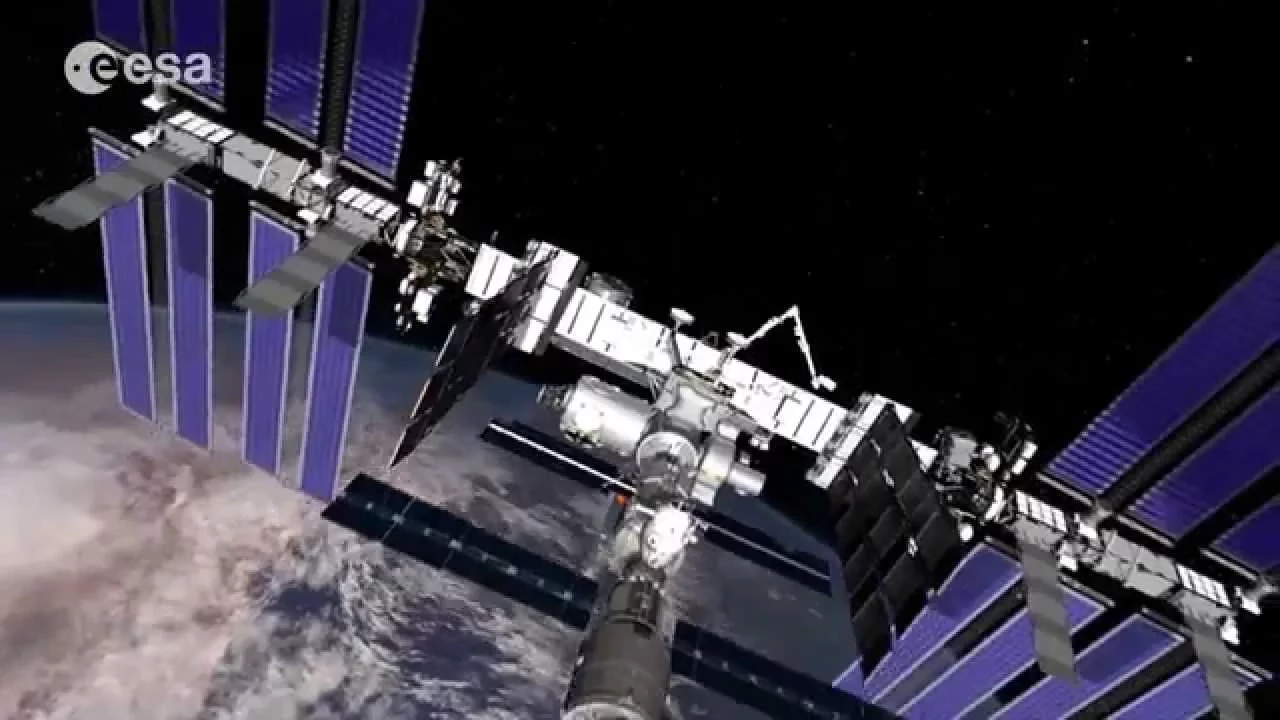
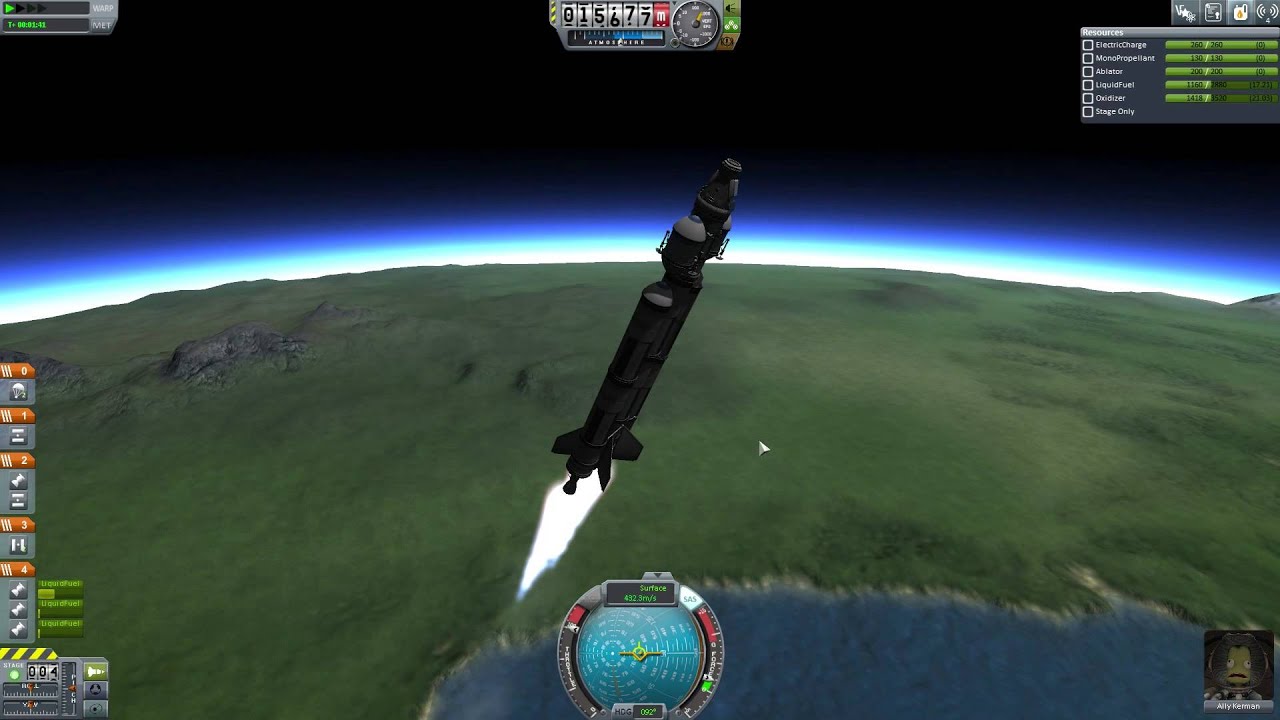

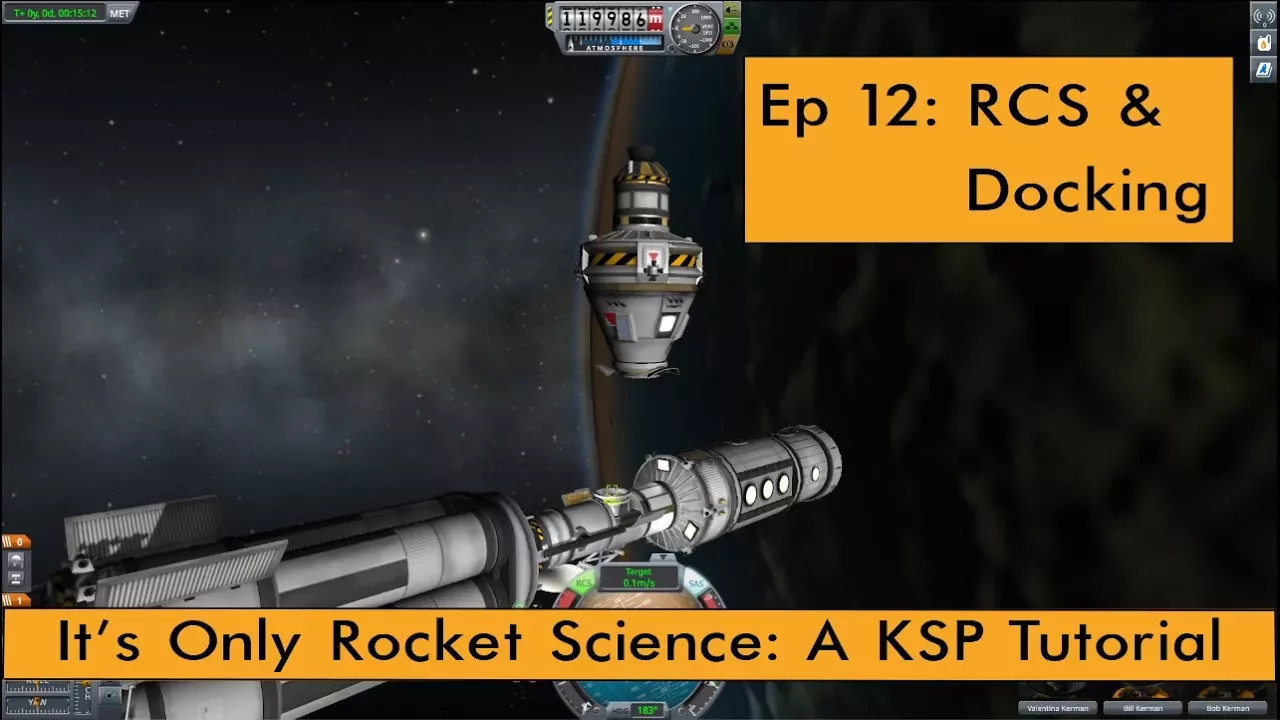
To successfully rendezvous and dock with a space station in Kerbal Space Program, you must first match your orbit by using a Hohmann transfer maneuver—raising one side of your orbit to intercept the station, then performing a second burn when close to raise the opposite side. Once in proximity, set the station as your target, use retrograde burns to cancel your relative velocity until it approaches zero, and then carefully maneuver using RCS thrusters to align your docking ports before engaging the magnetic docking system.
Kerbal Space Program 1.2: Rendezvous and Docking Tutorial
Added:Basic orbital mechanics, including concepts like apoapsis, periapsis, and how altitude affects orbital speed.
How to plan and execute basic orbital maneuvers using maneuver nodes (such as prograde, retrograde, normal, and antinormal burns).
Familiarity with the Kerbal Space Program (KSP) flight interface, specifically reading the Navball and targeting celestial bodies or other vessels.
Understanding spacecraft design requirements for docking, specifically the installation of docking ports and Reaction Control Systems (RCS) with monopropellant.
Assembling multi-module space stations and complex interplanetary transport vessels in orbit.
Executing Lunar Orbit Rendezvous (LOR) missions, enabling highly efficient manned landings on Mun and Minmus.
Advanced interplanetary transfers and capture maneuvers utilizing precise launch windows, phase angles, and gravity assists.
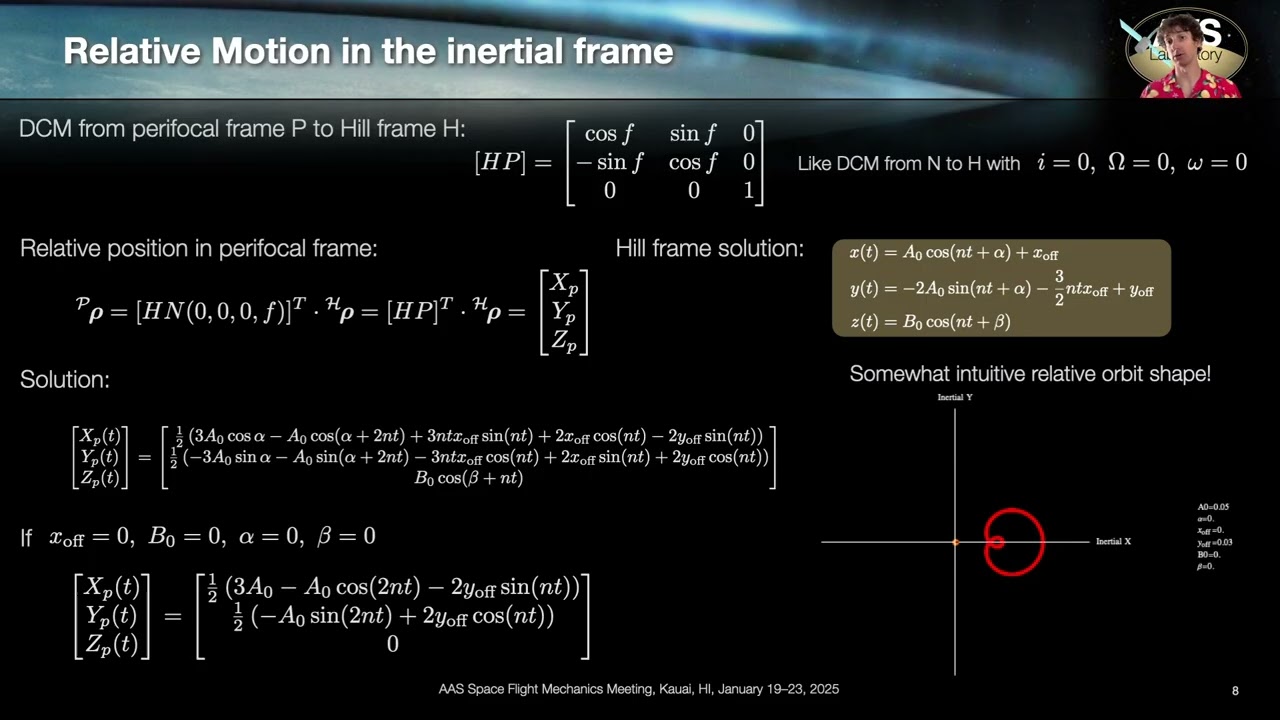
Theoretical study of real-world orbital rendezvous dynamics, such as the Clohessy-Wiltshire equations for relative spacecraft motion.
172.9K views3.2Klikes20:34Original Release: 2017-01-28
hello guys I'm Ora you ALS engineer and welcome to this rendevu and doing tutorial someone asked me how do you rendo I'm having trouble doing that and I thought well let's do a quick video to show you how to do it anyway we've got our Space Station orbit we've got this rocket on here very spasic rocket just a launch stage know get into war a bit and simply rendevu with this space station that we have here we'll set that as Target which is the the first thing you should do now there's a couple of things you can do right here one you can fast for time and get the station above you because what we're going to do we're going to launch into a lower orbit and because we're in a lower orbit we'll quickly catch up to the space station because the space station is in higher orbit so it's traveling at much slower speed now I'll show you a bit more about that when we go into it but basically if you want if you're docking with a Spacey r with a space station higher app than your initial orbit then you're going to have to wait until the target has passed over you this just makes things a lot quicker when you're going for your R I'm going to wait until it's about uh perhaps about here I'm just guessing this cuz this is 200 km app in or orbit I'm let's check that yeah altit do 186 by 18 86 yes I hyper headed that into orbit right now what we're going to do is launch it to low orbit but safe you're going to go and Rond with something which is in lower orbit you want to go into a higher orbit and then you want the that station to be behind you so then it catches you up now let's put our Theory into practice so first things first now we need to go for launch engage scas full thrust engage Rockets randevoo we shall go okay standard launch procedures slowly turn to the West very slowly now normally I try to gauge this and make sure you're not thrusting too fast I've got the Bane seal engine which means we're thrusting very fast and we don't want to have overheating as we're going up through the atmosphere so keep I in your control some things you can do some tricks with this rocket is quite balanced so I could click on prograde and it follow the prograde turning slowly but you have to do that initial gravity turn which this is called and they slowly let it go up just adjust the throttle to make sure you're gain an altitude fast enough now once you get to higher altitudes you can increase your speed a bit quicker now we've passed 13 km we should have been on this about 90° Mark but never mind this is just for rundo and docking I'm going higher through the thickest part the atmosphere first then turning it over is the most efficient as you don't have so much uh aerodynamic drag but still you want to be going sideways to gain that orbital speed now let's quickly check on the map you can use mods to get the stats up let's get make sure we got our head up right f 55° and also yes do not worry about these mods do not ignore well ignore them because they mean nothing to you if you're playing a stock on the Xbox or the consoles now we staged in our last stage we should have plenty of fuel in this design all that design was was a orange tank with a main sail engine to get us most through the thickest part of the osphere and then the small I forgot the name of the tank it's an Roco Max X200 tank and a poodle engine which will easily get us into orbit now I've added RCS thrusters I've also balanced the RCs thrusters I'll leave the design of the rocket to you guys because this just going to be a simple get into orbit right we just want to make sure we get into orbit I'm going to make wait until this is about 85 you can do it up to 100 km but I'm doing it to a the lower it is the faster your rocket will travel in orbit okay A bit over because we're going to have some aerodynamic drag as we're getting up right now let's add a man now straight on the app apsis get into the standard orbit where is uh we don't want to go to that height not yet okay I think about that that should be nice circular orbit let's get on our maneuver note and and where is it 1 minute 40 seconds I think we should be thrusting about now basically thrust halfway before the maneuver node so then you get about half before and half after the maneuver node cuz the maneuver node just calculates the instant velocity change and that doesn't work great for when you get into orbit so you do half before and half after oh yes the RCs design now I put the RCs tanks roughly Center cuz most of the weight is going to be in this fuel tank I emptied the fuel tank slightly to get the center of mass and then I worked out where the center Mass would be using the tools in the VIP and put these halfway up the top and the bottom of the center mass now it's not going to be 100% but you can get roughly correct if you you know say I drained her about that far down in the VB now obviously it's going to be a lot further down but that doesn't matter there's also mods if you're using PC version that you can download to assist with RCS construction I don't use them for some reason but that's just me my quirky personality I enjoy doing things myself the engineering way but mind you one thing I suggest you can get if you do on PC version is Kerbal engineering redex mod cuz if you all the stats like Delta V and that is very handy especially when you're building your Rockets all right we're almost in circular orbit this also gives you orbital information so I can check 90 by 76 we're definitely in a safe orbit okay so now that's sorted out how the hell do we get the spare station Captain uh first off let's get rid of that maneuver note now we do a maneuver called the hofman uh transfer and what that means is what we're going to do is let's quickly shove a maneu out here going to raise one side the orbit until we get an intercept with a station and then we're going to when we get close to the station we do another burn which would get the other side up oh that's a bit too far the same orbit as the space station that's just a rough uh approximation of what a Hoffman transfer is so let's quickly do that let's add another maneuver now let's put it by here first off we don't know where this intercept is going to be so I've just added it about in front of my rocket right raise it up until we get the close approach markers now drag the maneuver node around until these close approach markers get a lot closer this is a lot easier if you're in silker orbit now it looks like we're going to pass the the rocket our rocket and you can see it switched over back to where this is just in front of us so what I'm going to do right click add an orbit nice handy tool which is not easy to know unless someone tells you now you see the Clos approach markers they getting closer closer closer oh they switched over there okay cool that looks quite close right click well hover over it right click on it it tells you separation is 9.7 km now what you can do is if you use the mouse wheel over if you got a mouse hover over the prograde or retrograde and just tweak the mouse wheel slowly because sometimes if you do it too quickly you overshoot and get that separation a lot closer okay so we got it down to 7.6 now let's let's mess with the normal well what are they called normal and anormal which is up and down there's no up and down in space you silly boy but yes there is in the game because it makes it easier you need a reference point to play this game okay you see we're getting closer that's because our oh no Ro it descending ascending node that means the we're not in the exact plane we're not in this little plane of orbit that we should be now we can take us a lot closer but I'm going to show you a way of getting your rendevu if you're going to get you a bit further away so let's make this a bit harder on ourselves let's say 9 kilm okay now that's not the perfect maneuver but let's get on our maneuver note let's use this button warp to manuver node now this is going to take a little bit of time and we're not going to wait the 31 minutes obviously but because it's an orbit and a bit it takes a bit of time for the because we're in a lower orbit which means time accelerated is limited to about that speed otherwise it'll go bit higher but that's okay if you got the time that's awesome now I tried to launch a time when the space station was a bit closer but I should have launched a bit earlier so because it was a bit lower it wasn't it was traveling faster than I thought it was but there you go that's the way you things you learn okay now that we've got our moon up let's get a bit closer so 5sec burn so this is going to be very very quick watch that you don't overshoot your maneuver note I'm coming in 20 seconds 10 seconds I like to go to 10 seconds normally what I do is I burn a lot slower adjusting the throttle so that we get halfway when we get to zero see nicely done you don't have to go full thrust all the time okay we'll use the maneuver out as our guide okay 3 m bit over 8.8 kilm intercept so there's no fast forward there's no time accelerate to the closest approach so what I'm going to do is Click before we get close warp here now at this point let's get out map view click on this little number here change it from surface then to target see You' get these uh what do you call it that is the position of our Target the red R go the what pink I think it' be close example let's point to the Target so that's over there okay it's 15 km getting closer you've also got these anti-target and then the good tools that you really need is prograde and retrograde use retrograde click on that now this is not showing retrograde of the orbit because we have traveling this way the way my mouse is moving there cuz here yes also but what we want to do is cancel out the velocity so this is showing the velocity of the target as it is see going faster and faster as we're getting closer and closer that's because we're slowing down because we're going to dip down into a lower orbit and we have to cancel our orbit uh cancel our speed relative to the Target and what that is going to do is get us in the same orbit as the target so once we boost there it'll be exactly as if I add a maneuver here and get in the same orbit uh let's clear that because we don't need that okay was it 8 kilm so let's get our closest approach we'll do it at about here I think nice quick boost up watch your target speed you want to get down to zero and kill now if you watch that t Target speed is going to increase slowly that's because you're not in exactly the same orbit cuz the distance then we we're not going to get the close approach properly so what we're going to have to do hit Target now you can go into map view and add maneuver nodes to get closer more closer approaches but this is the way I tried and tested okay thrust towards Target all right let's keep it and the 50 now hit retrograde again so we're going to cancel out our Target when we get [Music] closer okay what's our distance oh this is pretty good distance I'm going to mess this up a bit just in case okay there you go a bit further away I think right say that see it's in a different orbit we're not getting close parallel to it so what I'm going to do cancel out the velocity again just keep on doing this you know you might find that it's a lot harder when you first try it I know that when I first tried it it was extremely hard I did not know what I was doing okay so now we've done that let's go punch towards the target again thr rest towards it let's go at slower speed because a lot closer let through 20 F half hour original speed hit retrograde again get ready because we're really close this time well bang on the money okay coming up the ideal distance rout is probably this for distance I suppose I normally like to get at least 500 M away before I start deciding the dock okay let's Point as a Target now I'm going to click R to engage the RCs rers and I'm going to use hn i j k and l Keys although you do have the option of using docking mode which changes the wasy keys to uh up down left right wherever the rocket controls are what I want to do first is use H to thrust towards the rocket to the space station do more precise get a lot closer use a bit of time s but be careful you don't want to hit the thing okay now I'm professional so do not copy my thingy right let's click on prograde let's kill our velocity down a lot cuz now we need to T let's go backwards a bit that's the best thing if you're come in close and you you have to get close enough to select your docking port so we could select that one which is going to be a bit harder to dock to but if you set up space station always have a docking note pointing North or South if you're in an equator equator orbit which is around the equator like this that way it makes docking a lot easier so go ahead right click on that letel us Target now make sure you select your docking uh Port that you're going to use you going to use to dock to and control from here just in case your docking port is offset slightly you want to make sure that you've got the exact spot where you're controlling from to get the targets to dock propably okay so using just a visual reference what I normally do by here just make sure we're on just stability assist um let's get a docky mode I do not like doy mode for some reason okay oh no I want to point under the station just roughly thrust forward with all your might no not really but let's get a bit closer and people may be asking why do you need a space station it's not a requirement in the game well it is if you're in career you're avitable St space stations and whatnot but all right let's slow down now let's get our speed close to zero as possible if you're good at a we angle use prograde and retrograde but only comes up when you're over 1 m/ second okay now what we want to do is you see the way the docking node is placed there we have so we need to point our rocket up just roughly get it right don't be too precise now you can see the target there that's the docking port because we set it as a Target now I'm going to thrust for slightly now I'm going to use igk or you can set Wy Keys as you're docking and get that retrograde the prograde vector over your target now don't go too fast here you want to do docking is slow and you want the magnetics of the docking ports to do the work for you when you get close enough just be ready to disengage the SAS so your your uh docking port will align automatically using there you can see I'm at an angle I didn't realize that and if you're on PC use caps lock to make fine adjustments I've never tried this Let's Get Closer see what we're doing all right disengage SAS let the manx of the port take over and hey Presto we've docked now this is a simple example if your ship was bigger it wouldn't the magnetic magnetics of the port won't make that easy to dock on its own so you might have to maneuver it yourself to straighten it up there are mods called docking alignment dock docking alignment mod which will help you with that but anyway guys this is a simple tutorial on how to rendevu and do with a space station now hopefully you found this helpful if you did Crank that like button like an engineer I am orator trust me I'm an engineer and let's get out of here [Music]
Up Next

49:21
Shan Serafin on Writing, Publishing, and Creating Thrillers
@M.J.Struven
191 views•2024-09-03

12:54
Triumph of Orthodoxy Icon: Byzantine Art & History Explained
@BenCallan
2.1K views•2024-08-06

9:49
FastAPI vs Flask vs Django: Choosing the Right Python Web Framework
@TechWithTim
302.5K views•2024-05-26

1:42
Game of Thrones Opening Credits: A Cinematic Analysis
@gameofthrones
46.3M views•2011-04-18
Related Study Plans & Knowledge Roadmaps
Structured learning paths in General & Interdisciplinary Studies
general-studies
Elevator Engineering: History, Physics & Cities
01From Hoists to Safety Brakes: The Dawn of Vertical Lift
02Hydraulic vs. Traction: The Engineering Physics of Elevators
03Modern Speed, Safety, and Algorithms
+ 2 more learning modules
12h5 modules
Explore Roadmap
general-studies
Rubber: Material Science, History & Geopolitics
01Origins of Natural Rubber & Mesoamerican History
02The Chemistry of Natural Rubber & Vulcanization
03The Geopolitics of the Rubber Boom & Colonization
+ 2 more learning modules
12h5 modules
Explore Roadmap
general-studies
Containerization: Evolution, Logistics & Trade
01Ancient Trade & Bulk Cargo: Amphorae to Barrels
02The Industrial Revolution & Cardboard Packaging
03The Containerization Revolution: Malcom McLean
+ 2 more learning modules
12h5 modules
Explore Roadmap
general-studies
Textile Tech: Evolution, Labor & Global Impact
01Pre-Industrial Textiles: Handloom & Cottage Industry
02Mechanization: The Spinning Jenny to the Power Loom
03The Factory System & Global Labor Transformation
+ 2 more learning modules
10h5 modules
Explore Roadmap