








![[OpenGL & C Game Engine Dev] More Lighting and Physics Pt. 2](https://i.ytimg.com/vi/vEsKjBO118U/maxresdefault.jpg)















Soft body simulation in games is challenging because soft objects constantly change shape, unlike rigid bodies which maintain predictable positions; the solution involves using a Mass Spring Damper Model with Hooke's Law (spring force proportional to distance from preferred position) and dampening (force opposing motion), combined with diagonal spring joints to prevent shearing, and generating soft bodies from meshes by creating particles at vertices and inside the mesh using binary tree collision detection, then connecting nearby particles with proximity-based spring joints.
Soft Body Physics in Games: From Particles to Simulation
Added:Fundamental Newtonian physics, specifically Hooke's Law (F = -kx) governing spring behavior and Newton's laws of motion.
Vector mathematics and linear algebra, including vector addition, normalization, and distance calculations in 2D/3D space.
Basic rigid body physics concepts, such as velocity, acceleration, mass, and standard collision resolution.
Numerical integration techniques, particularly Euler integration and Verlet integration, used to calculate physical states over time.
Position-Based Dynamics (PBD) and Projective Dynamics, which offer more stable alternatives to traditional mass-spring systems.
The Finite Element Method (FEM) for highly accurate, mathematically rigorous volume-preserving soft body simulations.
GPU acceleration techniques, such as using compute shaders to parallelize particle and spring calculations for real-time performance.
Advanced soft body interactions, including plastic deformation, material tearing, fracturing, and coupling with fluid dynamics.
720.3K views33.8Klikes11:56Original Release: 2024-09-22
[Music] Today we're going to teach our AI how to do absolutely nothing because this isn't about reinforcement learning it's about this. Have you ever wondered why games aren't filled to the brim with soft things? Like where is the jelly, the bouncy ball, the noodle, the cloth, the inflatable Barry? Well the answer to this is pretty straightforward; soft bodies, ironically, are pretty hard. Programming them is anything but straightforward. You see, working with physics engines is the opposite of working with with people; the stubborn, hard objects are easy to work with. They are unbending unbreaking and rigid you know exactly where they're supposed to be, whereas these soft pliable things are always changing their minds, so you have no clue what they're supposed to be doing. What I'm trying to say is it could be pretty overwhelming to try and go from rigid bodies to soft bodies in one motion so let's start small. This is a particle let's call it Shane there isn't really anything special about this particle it's simply just a hard ball, a rigid body, something that's been implemented into nearly every game in existence. Now Shane here has a friend let's call them Natasha. Shane and Natasha share a special bond; if they get too close they will push away from each other, if they get too far they will pull back together which sounds like a toxic relationship but I think that's pretty healthy. You can think of this as a force that is proportional to the distance they are from their preferred position.
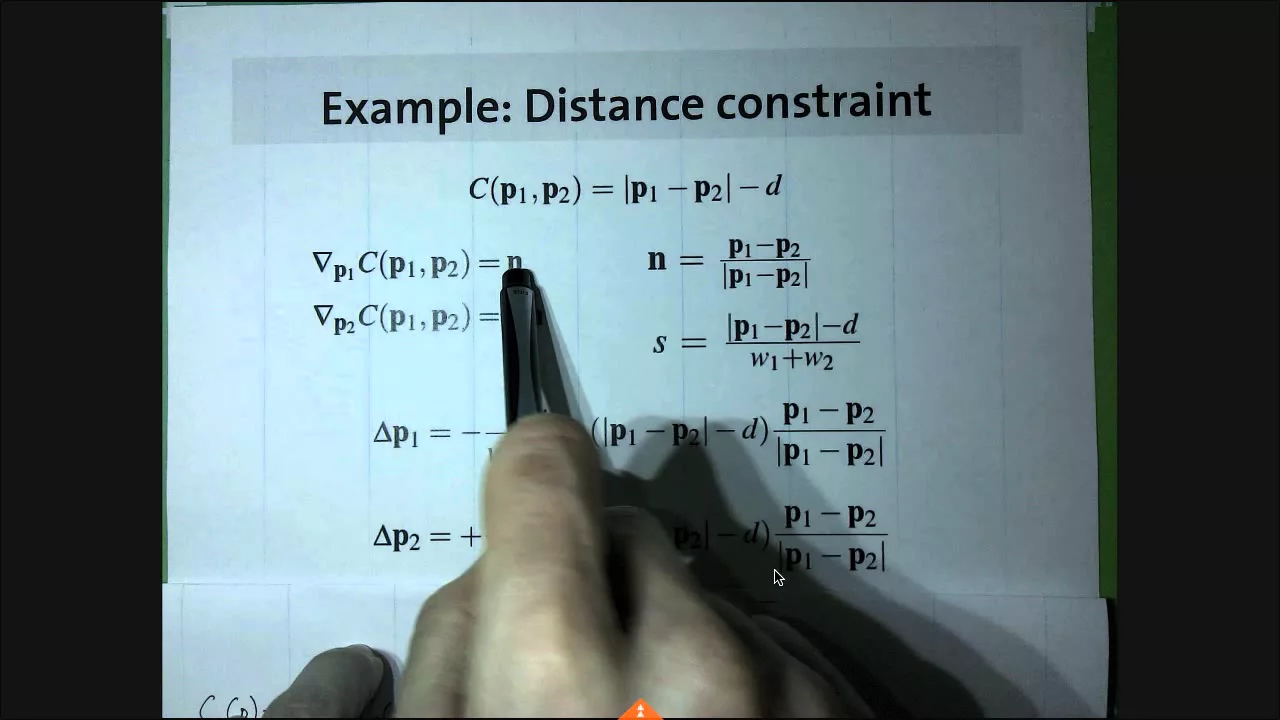
This is also known as the Spring Force Formula or Hooke's Law. We could also add some stability by applying a force that directly opposes any motion between these two particles. This is commonly referred to as dampening. Together, these two forces create something called a Mass Spring Damper Model most games just call this a Spring Joint for simplicity though. We can take this idea and extend it to include a whole family of particles. We can treat these eight particles like corners of a cube and give them each three spring joints which connect them to their neighbors.
This structure already gives us promising results but there are a few glaring issues, the most obvious one being that this structure is completely hollow. It's basically a ghost unless you happen to touch the corners. But this isn't really that much of an issue, because we can take this concept even further by creating a whole grid of particles that are each connected to their neighbors. There are still gaps in the structure, but they are much smaller. Remember, when it comes to making games there is Mr quality and then there Miss's performance and you have to keep them both happy. Right now you might be thinking is that it? and yeah, that's all there is to it, this is a fully functional soft cube! It turns out it actually wasn't tha- a I spoke too soon. You didn't really think it was going to be that easy did ya, hahaha. So what went wrong here?
Why did the whole thing just collapse on itself like a house of cards? This phenomenon is known as shearing, but what is shearing? Shearing is the process by which the wooden fleece of a sheep is cut off the person who removes th- wait what am I reading right now? Shearing is essentially when two surfaces slide in opposite directions to each other, which is bad in this case, because the spring joints don't really care if the structure collapses because each spring can maintain the distance at wants in many configurations. The best way to fix this is to add diagonal spring joints.
Naturally, these new springs will be longer than the original ones which means they any movement away from the original shape of the soft body will be opposed, which will keep it together.
This improved structure already looks incredibly good and gives us some nice floppy action down the staircase. We can also play with the strength and dampening of the spring joints within to create different characteristics depending on what we want. We aren't just limited to a cube either, we can resize the grid to any dimension we like and the structure will still work... like what happens if you shrink a cube down to two dimensions? That's right you get a towel.
Now this is some pretty cool stuff but you may have noticed one of the other issues I alluded to before these objects look a little... naked. It kind of looks like someone got way too excited about Lisa's pearl necklace and started creating questionable fan-art.
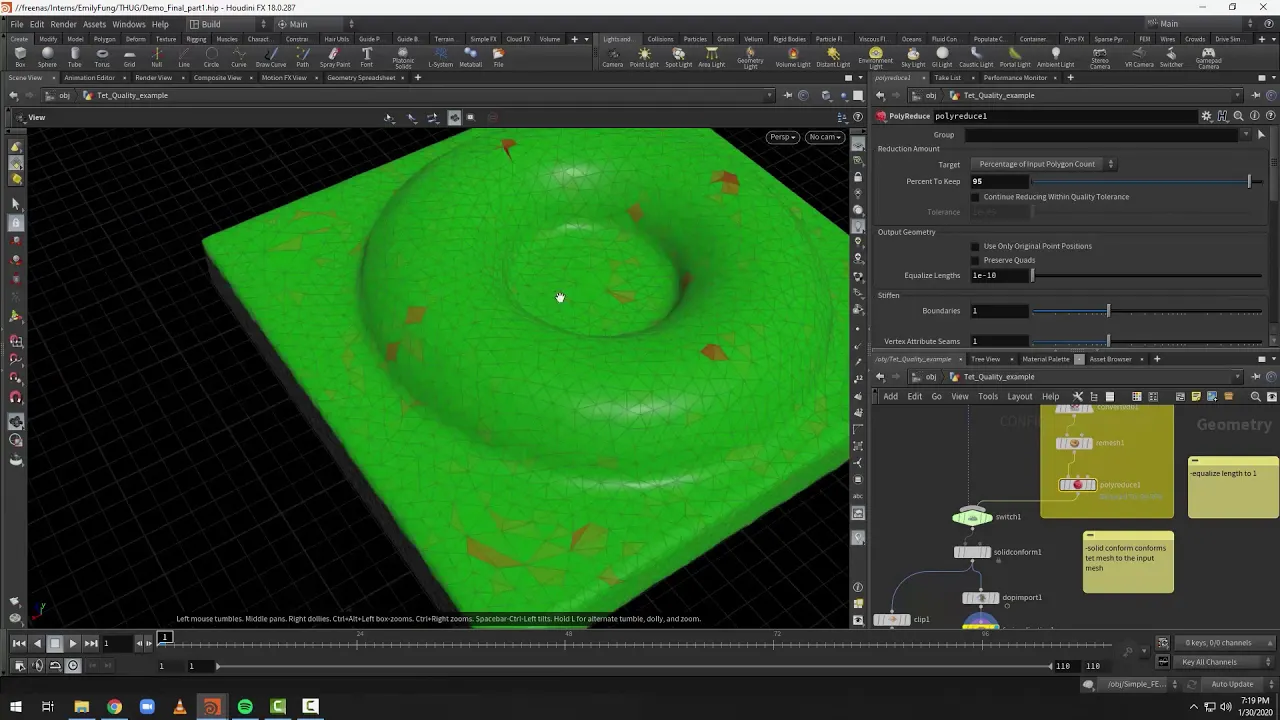
We need a way to dress these structures up and that starts with a mesh. If you don't know what a mesh, is it's basically just a bunch of points, or vertices, that form triangles that form a solid 3D structure or at least they should but sometimes people are bad at modeling. One way we could use a mesh is to wrap it around an existing soft body structure, but we can do way better than that. Instead we are going to use the mesh as a reference to generate the perfect soft body structure inside. It there are many ways to do this, but for the sake of simplicity I'm going to use a fairly straightforward and naive approach. First, we will take every unique vertex and promote it to a particle. It's important to only use the unique ones as we don't want to create two particles that are occupying the same spot. Meshes can be pretty complicated, and there are cases where having duplicated vertices actually make sense.
Once these particles alive their corresponding vertices will move with them, synchronizing the mesh's shape with the movement of the particles. Once this is done we will scan through the mesh and create particles on the inside this is done by creating a 3D grid around it and iterating through each potential spot to see if it's inside the mesh. Now when I say 'inside the mesh' it implies 'collision detection with meshes' which implies pain and suffering for even the most experienced programmers. For me, my pain and suffering occurred in 2020 when I decided to make a game that completely relied on meshed collisions or more specifically, a binary tree for triangles.
Binary trees are essentially a way of recursively splitting a set of data in half. For instance, let's take the number 5. 5 is an interesting number because it's more than twice the size of two and roughly half the size of 11 now let's add 2 and 11 to this. The rules of binary tree state that if it's smaller, then we add it to the left and if it's larger, we add it to the right. If a number already has an occupant where we want to put it then we simply go down that path and try again. This simple set of rules causes a tree structure to emerge hence the name. This doesn't have to be applied to numbers either, we could also apply this to triangles in a mesh as well.
Binary trees work as long as you have two mutually exclusive outcomes, like more than or less than, or smaller or bigger, or writing a joke yourself or relying on Chat-GPT. For triangles in a mesh we can take a certain triangles plane and test if another triangle is in front of that plane, or behind it. Then like before, we can each [Burp] entry in the data set and add it to the tree this will generate the same tree structure we saw with the numbers although admittedly this one happens to be a bit imbalanced. Some of you may have already noticed the issue with this. For those of you who didn't, when I said a triangle can either be in front of or behind another, I was lying. What happens if a triangle happens to be on both sides of another? It turns out there's actually five different outcomes here. Luckily for us, we can actually narrow this down to the original two again with some special routines for these extra three cases. If a triangle happens to be exactly in line with another, then they can be treated as equal. We don't even need to add these to the tree since its plane is already being represented. If one of the triangle corners happens to be perfectly on the plane of another, then we use the other triangle plane to split it into two. These two sub-triangles can then be dealt with independently and added back to the binary tree normally. The last case is the most complex, but unfortunately also the most common.
If the triangle happens to be on both sides of the other's plane and isn't a perfect split, then three sub triangles are going to be created. This particular mathematical problem happened to be the exact cause of most of my pain implementing this. I'll spare you the details but basically, two sub triangles will be on one side one, will be on the other, and you spam dot products to figure out which is the case. Alright this extra bit of functionality we've added will deal with these three special cases and reduce the actual results down to in front, or behind again, making fully compatible with the binary tree once more. For each mesh that we want to use, we can simply generate a binary tree for it once and keep it forever. We can now return to our original problem of testing if a point is inside a mesh. For each point, we start at the top of the tree and work our way down by testing if the point is in front, or behind of the triangle we are at. Once we arrive at the end of the branch we can perform one last test; if our point is behind the triangle, then we know it's inside the mesh if it's in front, then we know it's outside the mesh.
This test will guarantee that any new particles will be inside the mesh. The last thing we are going to do is connect these particles together. There are many ways to do this, but I'm simply going to go with a proximity based approach. If any two particles are close enough then a spring joint will attach them together. To me, this seems like the most natural and elegant approach to this problem. You do have to figure out the right distance to use, but this ultimately allows you to customize the soft body further so I view that as a good thing. So now we've arrived at something good. We can now take basically any mesh we like and turn it into a soft body. We could improve this by pre-processing the mesh, or simulating springs on the GPU, but I think this is a good solution for now. To end this video, I'm going to show you a few ways this could be applied: The first is the most obvious: squishy objects. This could be a bouncy cube, or a plate of jelly, or the letter T or even a gummy bear. We could also attach two stress balls to this wall if we wanted to. Here's another use for soft bodies: cloths. These are quite popular in lots of kitchens today, and they can be used to simulate capes, clothes, or with a little bit of Ingenuity a flag blowing in the wind, which if you do make I know you're doing it for a golf game I mean let's be honest this is like 99% of the reason game devs make flags. There are even more creative ways you can use soft bodies. For example, you could dynamically adjust the characteristics of the spring joints to create all kinds of effects. You can make things go stiff, or go soft... if you're a man there's a one in five chance you've already seen this before. You could even use this Idea to create a balloon that inflates, or an inflatable mascot or with a little bit more ingenuity, one of these things... what are these called? Like seriously what the actual f*ck is the name for these? Because we all know what this is, we've all seen this before, but no one has ever named one apparently. All right I just googled it and apparently the term is air-dancer so there you go. Now, soft bodies are cool and all that but unfortunately they're just virtual toys. If you would like to play with real soft bodies, then be sure to check out my brand new merch in the description. If you don't like the sound of that, then I actually made a website where you can send me complaints, the website is patreon.com/b2studios Have a look, and i'll be sure to respond to your complaints.
If you want to learn more about this kind of thing, then be sure to check out Brilliant.org Brilliant is a great place to learn many of the concepts you'll need to pull something like this off.
Whether it be the maths, the programming, or the physics, Brilliant has thousands of lessons that'll expand on the things you have learned here.
Learning from boring video lectures can be tiresome and annoying. Brilliant was designed to fix this easing you into topics with hands-on problems that actually let you play with the content and keep you engaged. It's important to understand that learning isn't just a burst of effort; it's a commitment, and you can make real change by just spending a few minutes a day going through Brilliant's short lessons one bite at a time. Get familiar with programming through the Creative Coding or Thinking In Code courses which will help you get familiar with the critical coding concepts and allow you to develop your programming skills into anything you want. You can also try out some Maths. If you want to create soft bodies yourself their courses in Vectors, Geometry and Calculus will teach you the concepts directly shown in this video in more detail. Use brilliant.org/b2studios to get a 30-day trial and if you buy the annual premium subscription you'll get 20% off join now and start learning today!
Up Next

7:20
Understanding the JavaScript Event Loop: A 5-Minute Guide
@JamesQQuick
130.5K views•2022-11-29

87:26
Introduction to Secure Multiparty Computation with Yehuda Lindell
@fhe_org
7.7K views•2021-02-04

4:55
HTTP Requests Explained: GET, POST, PUT, DELETE
@codecademy
103.1K views•2021-10-07

19:25
Enigma Machine Mechanics: WWII Encryption Explained
@JaredOwen
13.2M views•2021-12-11
Related Study Plans & Knowledge Roadmaps
Structured learning paths in Computer Science
computer-science
Container Runtimes: Namespaces, Cgroups & Go
01Linux Systems & Go Programming Foundations
02The Core of Isolation: Chroot and Filesystems
03Linux Namespaces: Process Isolation
+ 3 more learning modules
32h6 modules
Explore Roadmap
computer-science
Building a CHIP-8 Emulator: Rust & CPU Basics
01Computer Architecture Foundations (Bits & Bytes)
02Rust Programming for Systems Development
03CHIP-8 Virtual Hardware Specifications
+ 2 more learning modules
32h5 modules
Explore Roadmap
computer-science
Building BitTorrent: Go, P2P & Concurrency
01Go Fundamentals & Concurrency
02Networking Foundations & P2P Architecture
03Bencode Parsing & Torrent Metadata
+ 3 more learning modules
26h6 modules
Explore Roadmap
computer-science
Actor Models (C++ Concurrency & Lock-Free)
01C++ Multi-Threading Foundations
02Thread Pools and Task Scheduling
03Atomics and Lock-Free Queue Design
+ 3 more learning modules
45h6 modules
Explore Roadmap