




![[AE450 Lec10 - Ab] Review: Coordinate Frames (Quadrotor Dynamics & Control)](https://i.ytimg.com/vi/7rKMfn_oif8/maxresdefault.jpg)





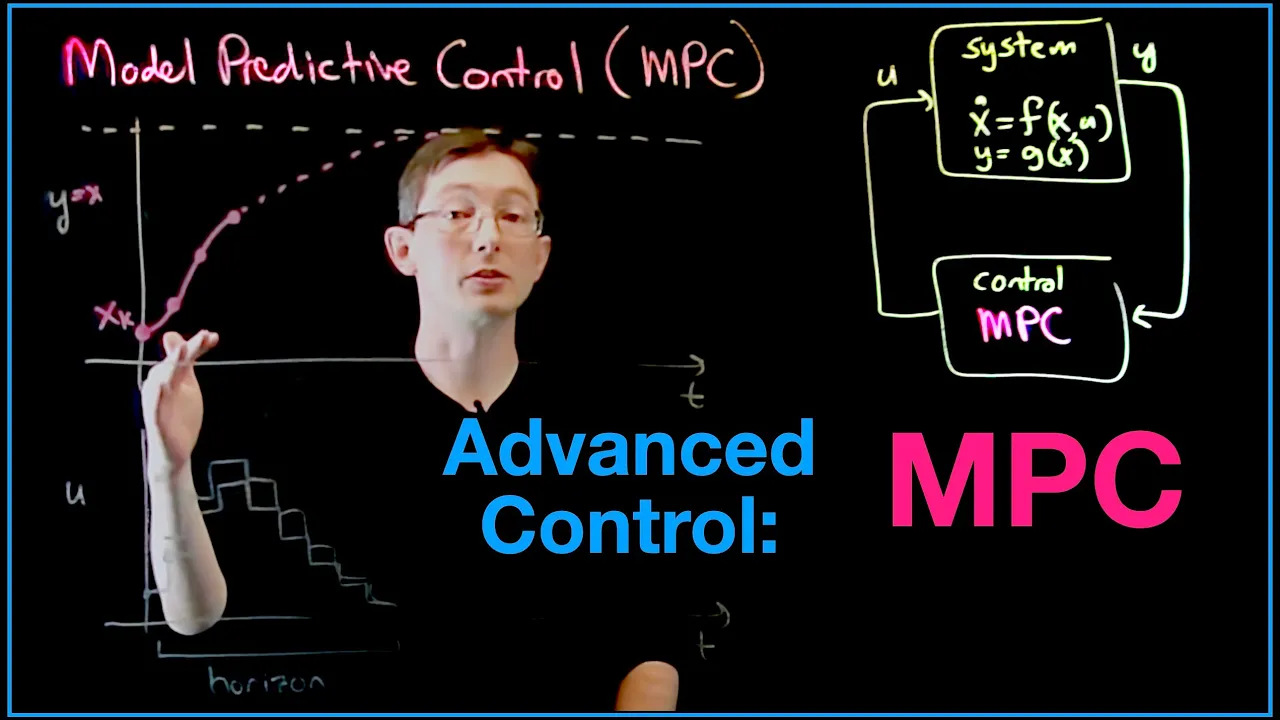









The UAV Toolbox enables seamless integration between MATLAB/Simulink and PX4-based autopilots like Cube Orange, allowing developers to design, simulate, and deploy autonomous algorithms including controllers, estimators, and mission planners directly to hardware. The toolbox supports multi-level platform modeling from simple point mass representations to detailed CAD assemblies, integrates with external simulators like Gazebo and Unreal Engine, and provides tools for sensor simulation, path planning, and obstacle avoidance. Through hardware-in-the-loop testing, developers can validate their algorithms in realistic conditions before actual flight, significantly accelerating the development cycle for autonomous aerial vehicles.
UAV Toolbox with MATLAB Simulink for PX4 Drone Control
Added:Foundational concepts of classical control systems theory, specifically PID (Proportional-Integral-Derivative) controllers and feedback loops.
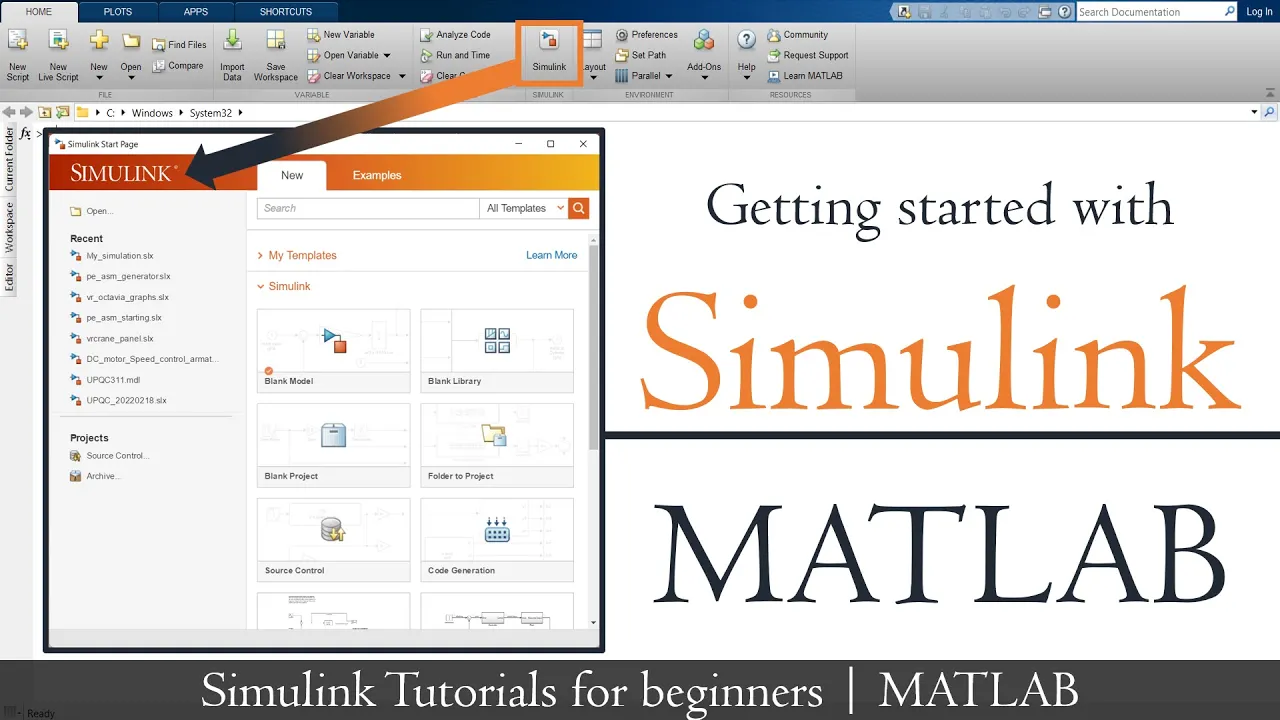
Basic proficiency in MATLAB and Simulink, including navigating the block-diagram interface and running system simulations.
Core principles of UAV flight dynamics, including rigid-body equations of motion, coordinate frames (such as NED and Body), and multirotor aerodynamics.
An introductory understanding of autopilot systems, particularly the architecture of the PX4 open-source autopilot firmware.
Implementation of advanced control strategies such as Model Predictive Control (MPC) and Robust Control for highly dynamic flight maneuvers.
Integration of ROS/ROS2 (Robot Operating System) with PX4 and Simulink for high-level autonomous tasks like path planning, SLAM, and vision-based navigation.
Design, simulation, and deployment of multi-UAV cooperative control algorithms and swarming behaviors.
Methods for transitioning from Hardware-in-the-Loop (HIL) simulation to safe physical field testing, including real-world sensor calibration and telemetry analysis.
7.3K views127likes1:00:27Original Release: 2024-03-13
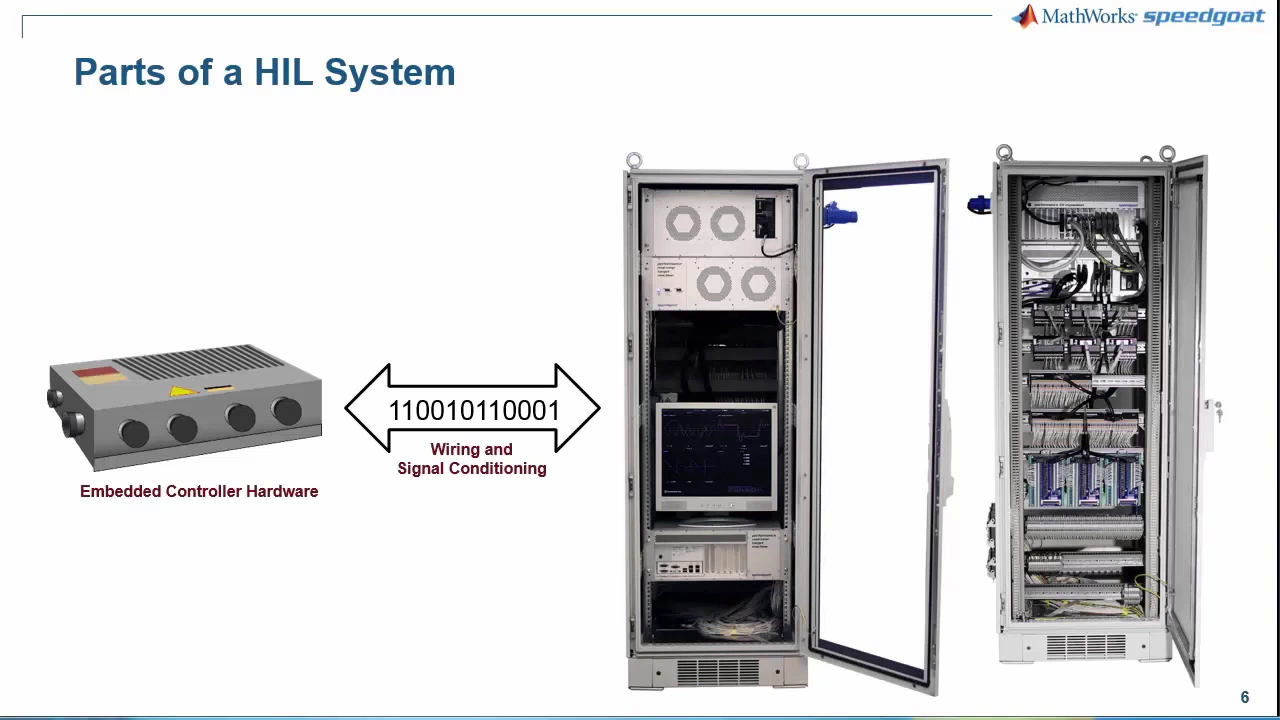
all right well first of all thank thank you everyone for joining welcome to the session um so I'm going to go over some of the use cases for UAV toolbox and how UAV tool boxes kind of integrated to PX4 and how it lets you deploy controllers um estimators to an autopilot as long as it's run you know it's has PX4 architecture pushed on to it so before I just jump into this I I kind of want to just have an idea of you know what what your references um so if you've used mat lab and sink in the past could you maybe put a plus sign in the chat just to get an idea of how many of you here have potentially used give an idea of how to Showcase things and how much to talk about specific things we got two or three oh great I I couldn't see any okay so a small group of people which I assume then UAV toolbox is also fairly brand new to most of you right so in general UAV toolbox started out as a a great way to build out and simulate um autonomous algorithms uh it was released in 2020 as a support package which is like um an additional add-on with a specific tool um because of the amount of use we got from it we actually built it out a little more and we've now pushed out as a product itself along with the autonomy algorithms one thing we wanted to work on was integration with autopilots and so I'll go over all of the little pieces um I kind of want to keep this interactive so if you guys have questions um just feel free to interrupt me come off say hey I have a question so I'm going to first talk about just an overview of what mat laab and siming can do it's it's very common to build out your system architecture and mat lab and simulink here you can see the first thing I'm showcasing is platform modeling I'll talk a little bit about this but it's the idea of representing your platform the Dynamics of your platform um you know could be just by a point mass in space that has some force and moments associated with it it could be a full scale detail platform but I'll show you some examples as we go through the second one is algorithm design so if as you can see on the side we have some simulations here um or we have a scenario that we're visualizing we this this is actually unreal we can deploy sensors into there and read sensor data so this could be just the position of your platform uh an image frame that you're seeing be it a standard camera or wide angle camera and you get to modify the parameters of your camera we have Liars Radars um a couple other sensors that we provide right out the box to work with unre so this supports algorithm design right um we also provide um if you're using lar we have a a set of tools that let you collect individual lighter frames and then register them um we can now then start building out a post graph to do some slam um I'll talk about planning and decision making I have a I have a specific demo that I'm going to showcase for planning and decision making and of course controls um you know our our bread and butter is controls and that's kind of where we started out but we have about 120 different tools right now another piece that's very important in our general use case with our customers usually aerod def is doing uh certification that includes verification validation and do 178 or other D certifications um that's mainly focusing on the air industry we do do a lot of work with Auto to and so that comes uh I see um functional safety and other certifications that come with that right so so far I've only talked about simulating with sensor models um but we also support actually deploying uh most of what you've written in Sim link or in matlb itself we can generate C or C++ code we can push this just that source code or dynamic libraries then you can call them within your application as you'd like one example of this I'll showcase today which is actually deploying to a cube um I don't know how many of you oh I have blur in my back out so I don't know how many of you use Cube oranges or cubes in general um anyone worked with the cube before uh Cube pilot yeah we use them all the time nice which which one do you use usually the orange Cube the the plus just the the cube we you know this I've used the blue cube too as well a bit on the Red Cube but mostly these orang CU so we support we've so um mlab and sink actually pushes out releases twice a year we have an A and A B release um in our 24a release which is this year it comes out on March 20th uh we're going to start supporting the cube orange plus um of course I I already work on the cube orange plus as we were building out the support for it and so I'm going to Showcase that today but we do already support the keyboard orange and the cube blue uh the cube blue we didn't actually work towards building one of our customers told us that your support for cube orange works perfectly with the Q blue so before that we supported the Q black and then we have a a slew of pixo based uh autopilots that the supp for but as long as it's built off of uh the pixo standard and can use the PX4 stack we can deploy to it um so if you have more questions on that I'll be happy to talk about that a little more there was a specific video that I wanted to Showcase uh but it's confidential and because you guys are recording this I actually can't showcase that uh it's this platform itself flying in space with a cockpit view and a battery mon uh battery health monitoring system so I won't be able to Showcase that unfortunately um but let's talk a little bit more about broadly what all do we support so so far I show it unreal but we also have lower fidelity uh scenarios like if you all you want is a cuboid you want some lar you want some Imus and GPS's and you're building an EKF you don't necessarily need a photorealistic environment but if you do we support gazebo we support onreal gazebo through Ross and a back in U C++ API that we wrote unreal is directly through a C++ API we wrote um so because we can support the Zebo through R any other raw space simulators like Isaac Sim uh through Unity uh We've we've built demos with that so you can have your platform in there you can use the physics in there if you'd like or you can use the physics here when we deploy we generally have our platform physics taken care of by us through the actor itself and then contact and Dynamics can you can leave that to the simulator right so multiple different Hardwares that we can actually deploy to um specifically if it's um Arm based uh arm cortex based we can easily deploy to those uh we can just generate the source code and let you integrate it but here I'm going to talk about two which is PX4 and Nvidia platforms we support a lot of Nvidia platforms and the benefit of these two it's a very tight integration so in the PS4 I'll showcase today you actually get access to the PX4 bus so I can read from say the sensor bus or I can read from the EKF I can read from vehicle position control or vehicle position local position so I give you blocks that actually read from um different message boxes anything from uh the micro message book and in Nvidia Jetson on specific boards I give you access to uh gpios if you want to read from say the say a specific j4 header the second pin um you can build that directly in sinkin mat labin you don't have to write any driver level interface code and then connect so this is over mblink that's what we support right now so if you have a ground station that talks via maav link if you have a platform that you can send M link messages to uh beat your entire Mission itself we can do that directly from mat laab and simulant we can become a mbling client um and send out mink messages so I I talked a little bit already about just UAV toolbox the different things we support any questions so far talked about platform modeling I talked about design algorithms so autonomy algorithms simulation with external simulators like Terry Terry you have your hand raised yeah I have a question uh yeah go ahead um I'm wondering uh if it's if it's just PX4 drones or if I had another drone inside a rs2 environment like like a DJI drone using a third party rapper uh could I use mat lab and simulink to control it that way I understand that the autopilots would be different and like bgi's autopilots are a close source and and that's that's a difficulty but I still think like physics are the same and I should be able to fly around a little bit with it right so if if you have a way of interfacing with it like a network protocol that you can send messages to the you said an rs2 protocol I'm not really sure it's a so there's a a library for DJI called psdk that lets you put a compter Dr and through computer we're able to uh get in to R2 as as a two okay a Ross two node and and I'm able to right now from the command line fly the DJI drone around in a Ross two project and I'm looking for a way to simulate in either gazebo or unreal yeah so uh Ross matab does speak Ross which means I can actually set up if you're in Ross 2 Matlab can become an individual node connect to the same domain that you have the rest of your raw two nodes running on and now you have access to all the topics that's available on that domain yeah so from mat lab itself I can create a message topic I can publish on that so just like you're doing in your terminal by doing a Ross Pub you're act you can do the same thing in mat lab and some like so that can be your terminal and I can an I can make a node where I use matlb to analyze like some liar data and U and other tools together in the node and all that stuff that' be that'd be a dream yeah yeah uh so we actually have a couple uh demos that we showcase just on Ross itself uh that's that's how I work with Isaac Sim so I I let Isaac Sim open up its Ross to bridge and then I talk to it using Ross messages great now I can either do this just as mat laav and Sim link you know directly there or whatever I've built out say I have a um a a subscriber that reads from somewhere and then I do some processing then I will publish that pushes out or maybe even actions and services that I'm using within this I can then compile this directly into a Rost two node so I'll generate CT c um C++ code or C code in the back that I can provide to you as a source package that then you can go and compile or do a ccom build in on your actual um Frost stack that's great to hear I'm excited yeah so Ross one and Ross two is fully supported Ross 2 right now we support humble um so one thing that we do is with specific versions of mat lab and sink we have specific distributions that we support that's the easiest way for us to manage and have our tests done well um but yeah if you want to learn more of that I'd be happy to uh about it I I have a Isaac on a on a Jetson Orin device right now okay hooked up to the m350 Drone and that's all working great I just gota uh I gotta learn about how to use Arvis and how to model the Drone for the simulation sure yeah we have some tutorials that I can send you away Terry horrific I don't I don't want to dominate conversation sure I couple other questions so um Blake do you want to go next Blake Blake in case uh may have lost him okay oh okay oh there we go any comments a hello can you hear me yep can I hear you now okay sorry um something's going on with my microphone uh actually uh I do not have a a question uh the hands was I think I raised it earlier so oh I get you understood all right keep going on if you have if you have one feel free to ask sure all right so one thing that we've been doing recently is building out large reference examples um if you've seen some of our documentation it's kind of small scoped examples but we've been starting to build more larger system examples and I'll show you one of those one being where we started our package delivery so you're reading something from a GCS um this could come in as a meling mission and then we take that mission and deduce it into what we need to do uh we have a platform model in there we have sensor models in there and we have a scenario simulation so kind of build out the entire endtoend workflow we call it reference applications we recently build one for vertical takeoff and Landing so we have our entire platform kind of built out we have our controller you know a mix of multi-rotor and fixed wing with the scheduler for the Tilt control like as I'm transitioning uh either forward transition or backward transition how quickly do I want to t tilt my rotors it's fairly complete examples you can go look at them uh online I have some references in these slides uh they'll give you links to actually move through them and I'll happy to share these slides at the end of this if you want to look at them anymore all right so quickly going through platform modeling I did mention that we can do this at different levels of fidelity um the lowest level of Fidel would be a guidance model so it has a platform and a controller both together you can kind of build out what's the math of your platform The initi Matrix of your platform and then you provide control commands and that will differ based on if you're a fixed Wing or if you're like if you're providing a goal uh pitch uh thrust and Y you also have environment commands which means we can provide gravity which generally we're flying on Earth so gravity stay steady um but then you can also provide wind uh we actually just came up with a new wind model for turbulent wind and uh lamin or flow wind uh so you can decide you know if you want to put your dor in some heavy wind how would it respond the second piece of fidelity is moving up a great so now I'm actually building this out using first principles right so I have a point mass that I'm going to provide forces and moments too the forces and moments you have to actually build out right you know your platform you know the distance between the CG of the platform and where your propellers are see if I'm spinning at a certain R RPM you know what kind of moment it's going to experience so you kind of have to mathematically model that out and it's very common for airspace customers to do that um be it um a single engined aircraft or a guidance missile um that's very common for them to use whereas then you have kind of the the height High EST Fidelity of modeling you've built out a cad model of all the parts all the mates all the joints and you want to use that to represent your platform we have a way of importing um CAD assemblies this could be from solid works Autodesk PTO Creo um we can pull those in and that represents your platform model so different levels you know if you're if you're kind of looking at autonomous algorithms you might not want a very high uh High Fidelity plat model or if you're kind of building control laws then you want a fairly High Fidel control model uh platform model Lo control right so I wanted to give you a couple examples sorry it skipped over I want to give you a couple examples of some things we do you can see here how we're like um utilizing lighter data to segment out where the ground is where vegetation is where build buildings are uh we can actually generate light R Point cloud data and register them um we also have a way of colorizing our our liar object has a a color member in there so we can take an RGB frame a liar frame do some calibration on them so we know where the point to pixel is and then we can colorize those so you don't you get a fairly nice liar Point Cloud that's colorized um we do Poe graphs and EKF estimations there's a lot of detectors that we push right out of the box that you can use these come with different tools so of course you have computer vision navigation for posst estimation and ekfs or planning uh lar tool box for registration alignment different registration I think we have six different registration algorithms what I noticed is registration Works differently based on the features that you have in your lar itself so um one thing that we do is we keep the signature of the function very similar so you can kind of use the same arguments go through all the different algorithms to see which one works best and you get a lot of control you can decide on you know what's your grid size that you're going to merge with do you want to down sample this before you go ahead and do uh registration do you want to den noise this um do you want to add some artifacts to it and I'll show you that in a little bit too so this is another example that we built out uh this was for call Aerospace but it's the idea that they have a QR code and they have a platform that needs to land so they're looking at the distance of the QR code and estimating at what approach angle at what approach speed they need to move through um one example of utilizing a scenario simulation and a fairly low Fidelity uh platform model all built out using UAV toolbox couple other things that you get with UAV specifically is um these few blocks so you can see a path manager I'll talk about this a little later wavepoint for it's fairly straightforward you have a you have your current pose a couple wave points if you're a fixed Wing or multi-rotor there's different um um outputs that you need to provide to kind of follow those and so we generate the set of control commands to do that that's for following a wave point we do the same thing for an orbit so if you have a center and a radius we can give you the control commands to keep orbiting around a certain point this actually comes with uh navigation so navigation provid es an object to generate an occupancy map 3D occupancy Maps now with that we can go ahead and generate a plan you can see that's a fixed Wing plan uh that's a randomly sampled plan so it's going to be not optimal then we can go through that plan and reduce it by just checking note through Noe to see if collisions exist and smoothening that out so that initially generated plan which is fairly tedious because it's randomly sampled uh we can reduce that and create a much more optimal plan yeah so I did mention few void scenarios I'm going to run through this fairly quickly this is as I said if you don't want photo realistic um visuals and you're really working with Lars Radars um Imus like localization this is a great place to start it's very easy to set up we have bunch of examples that show you how to walk through this um and you you know you don't need a a a GPU or really performant desktop to be able to run these additional things that you can do with scenarios we can take Dad files and use them as your floor plan so your terrain can be imported you can see there we have a UAV with a circular lier facing down and we're mapping the terrain or you can also import osm buildings so if you uh want to say look at the city of New York or Chicago you can pull those and fly around and uh make sure your algorithm works the way you want to now when we go to more photo realistic scenarios like Onre as you're seeing here you can see that we can start adding effects like particle nature like wind effects rain effects the time of time of day U and then test out you'll also see if I zoom this in within the liar you're able to capture the little droplets um so if it's a heavy rain day you want to test out how your D noising algorithm works this is a perfect way to be able to do that all right last uh kind of overview slide um some of the sensors that we provide directly for uh to use with unreal you can see there's an RGB camera there's a depth camera we use that depth camera to generate a point Cloud out of it um and if you've built unre unreal seames you can actually have a label for each of your assets in unreal so with that you can kind of build out segmentation without even having a you know a CL classifier Network running you can read segmented data and try to see if I had this information will my drone be able to follow the road all right this I will do quickly but it's it's a flight log analyzer it's kind of one of the first apps we built tlogs UL logs custom logs you can import them you can visualize them uh we draw the actual path over a base map so if youve this is actually a flight over one of our paths uh one of our Office Buildings but then you get to add specific signals too right so you want to look at Axel gyro attitude you want to modify this maybe you want to see axle versus de height um you get to do a lot of it and then you can span through specific sections of this entire log to see why did the EKF throw or why did the EKF do not match um something that our customers use a lot um it's the layout can be customized the first time and then you can share that layout with other people and it makes it really easy for them to analyze their logs okay that's kind of where I'm going to stop for a second and we're going to switch over to building out a large workflow so any questions on the higher level functions that I provided there was autonomy algorithms sensors simulations planning uh building out scenarios hi uh I was wondering why you said to have a low Fidelity model for autonomous simulations when you're talking about the Drone models right that's a good question really good question Terry so what I've noticed in customers is sayy I'm going to build out a drone to do something specific I'm GNA follow a truck and drop a GPS sensor on it they two teams are going parallel and they're going to start working at the same time the platform platform team um for my mechical Engineers are probably not ready with the entire platform model so I don't really want to wait for them to finish out their platform model before I start using a platform model to build out my autonomous algorithm so at that time I can start with a low Fidelity model because I'm expecting that the controls team will build a good controller that will follow the platform dynamics of the platform team whereas for me I'm just expecting that with this low Fidelity I can represent where my drone is going to be in space and what my sensor data is going to be so I use a low Fidelity to start building out my autonomous algorithm which is here's an image frame and here's a detector that gives me an Roi around a truck what's my how should I follow this truck got and then I can then when they're completed or at a at a better step I can start integrating that into my model so this lets an autonomous engineer kind of get started and so when when you you start with a less flush dot model are your physics different in the simulation until you get the actually more flesh dot model does it make a difference or is it all just a simulation so it doesn't matter what it looks like no it does it does absolutely matter because the the state that my plant is going to be at the night next time step is totally based on the of the model okay yes so I I could say that say in in image frame I have a couple pixels that I want to cize and in my low Fidelity model it would cize much better and not have a lot of Dynamics in it but when I start building my second one now I see because of the additional Dynamics I'm I have a lot of vibrations so I need to remove those I I understand now I I understand the level of simulation going on thank you um yeah I get it and in my case I actually have a drone model provided by DJI that I was they gave me an sdl to use so uh I'm excited to plug that in see what happens nice so we can import that STL directly into mat laab and similing to use as your platform model you would have to build out some of the Dynamics like if you're looking at a certain prop right so the STL model is going to give you the size of the prop itself but you might have to say if this is spinning at R um say 1300 RPM how much lift am I getting when you pull that it wow interesting okay thank you I'm yeah taking notes yeah yeah of course all right so also goe U multi-part kind of um the first off the deted files what levels do you support all of them or that's an interesting question I don't think I've heard of levels of detect could you clarify is that different format or it's not it's a density level of the deted data so uh it's been a while since I worked with it if I recall DET level four has uh spacing increments every meter and then down to you working backwards I think it's equivalent to 27 it's it's a multiple of three obviously but I think it was nine or 27 meters um so that was one so resolution in a sense yeah it yeah it's just resolution files I've had to create them when I work for Boeing but yeah they're ridiculously huge once obviously the resolution goes up yeah the second is and I I haven't done a lot of Hill Sill using mat lab simulink uh quite a while using the D data I'm assuming you can plot all the outputs of a course if you take it in either you know degrees minutes seconds lat long uh something similar so you can repeat the path so um what I don't think we have a limitation for your first question I don't think we have a limitation on the resolution of the d10 um but as you start plotting more dense data you're going to slow down it's going to take more performance right we've imported from mind builds and we actually do some postprocessing on the dad to like fill in layers that might not be there so we can do that right um sorry could you repeat your second question again I lost a train of thoughts the second question was just uh with the toolboxes the way they're done uh can you extract path if you took something along deted uh let long degrees minute seconds yeah so let me actually pull up a um a another reference algorithm that we did right uh here I'll open this up so this is an autonomous Hall truck navigation in an open pit mine so we start with the USGS Point Club and we take that and scale it ize that and generate uh technically a graph that we can navigate on so the planning problem becomes much simpler so we start with this point and then we convert that into an occupancy map right so take the point cloud look at all the flat surfaces look at the slopes and if you have any place that's flat we can call that as navigatable path for a hall truck awesome use that data but you know we we do some processing to this like we might have small gaps that are open that really is not navigatable it's it's bad for the planner to sample that space it just makes things slower so we fill in small holes or we remove anything that has a slope higher than 15 degrees because we're never going to navigate over that but then we end up with something like this that we can use for 2D planning and then from that we kind of build out different types of planners to be able to navigate that space so this is a low resol like a low level low Fidelity simulation but this one also comes with an unreal simulation of the M scene that we created with a dump truck that navigates through there at following just this one so this has three different types of planners you know there's a global planner that gives you a reference path and then you have a local planner that um you know looks at any additional obstacles looks at your actual constraints of your vehicle and then moves it along this path you can kind of see the red line being drawn by the local planner over that global map okay yeah so like local minimum okay so we can actually do a lot with the data detail data that comes in okay and then a slight tertiary not U you mentioning a lot of capabilities does the UAV toolbox have the ability to import a model or is that where you have to do the different simscape uh tool boxes and tool sets yeah so a DTE can be pulled into a UAV scenario but if you want to take that Dad and generate a point Cloud out of that or if it's a point Cloud that you're pulling in that would record lar toolbox oh no yeah I meant for the stls because you had mentioned bringing in a model of something yeah UAV toolbox won't help you do that you'll need simscape of some sort right yes you need simscape to import simscape multibody particularly to bring in um yeah okay right I know we're getting close we have 20 minutes and I do want to go over this demo so I'm going to do a big picture now right and I know G for you've seen this before itself this is kind of the model that I want to talk about today I know I'm showing a px Haw 4 here but I'm going to talk about using it Cube so couple things here I have a ground station Q Ground Control because I'm working with PX4 I have a flight controller um in this case it was just a quad M multi-rotor flight controller I have a plant model fairly simple quad plant model I have a scenario simulation which I can do either using a cuboid that we talked about a low Fidelity or a high fidelity unreal and then I have obstacle avoidance algorithm that's running on my host itself but what I do for this is I take this take the generated sensor data I stream that over to the uh Nvidia Jetson I deploy this algorithm on the Nvidia Jetson and the Nvidia Jetson provides OBC commands to my my uh autopilot so OBC commands have to run at much lower rate than you know lower level uh control commands so even if you have some delay there we're able to make this work in the actual autopilot itself it's it needs it at 100 htz if you can't make that 100 htz it's going to complain it's going to throw out some fail saves you'll see that right now as I'm sharing my screen and trying to run this all on my laptop it's going to complain Lo but the the trick to what we showcase here is we take our plant model which is so the scenario simulation is always going to run nor your machine or like an Orin as you mentioned the plant model is what runs in simulink and we push that onto a speed code it's a realtime Target that can go ahead and maintain a certain rate so if you need um IMU GPS data because this is Hardware in the loop we disable all the sensors on our autopilot we can go ahead and generate that data at 10 10 milliseconds as required so I'm going to stop the presentation here and just look showcase the demo itself uh I will share these slides with you it kind of walks through step by step how you would build this like start with the flight control and the plat model go through plant identification we did this with actually a ufi drone I'm sure you guys have heard of ufi they do light shows they come to PS4 they're fairly High member so we did a couple flight test do the data we use that flight test data to actually build out our plant model um it's a tool that you get from siming called system identification it does a parameter sweep of H this is my reference and this is my actual output minimize the error formally and so it's going to give you CG it's going to look at uh coent of T of trust you you don't want to build you don't want to estimate everything because that's going to put you in a Minima somewhere um take the best educational guess that you have and then try to find parameters that you can't figure out like wheelbase wing span fairly easy take a ruler cushion or Torque cushion or thrust not that easy so those you can let system composer uh system identification build that out for you all right cool so um I'll go to this one and the actually let me showcase this actually I'll come back to this all right so now I'm going to do p for Hardware in the loop for a vertical takeoff and Landing tilt Roto plant this is the one that I mentioned uh most of our examples are written just like this so it's very detailed it tells you everything that's going to happen here it also walks you through couple of the pre-requisites like you can see here's the architecture of the PX4 stack how do you set uh the autopilot to be in Hardware in the loop mode um what are some additional settings that you have to go through um what we do is we take a specific release so right now in 24a we support uh 1.14 or 1.14 um we just started supporting that so you can clone that build it and then we when you change something we do a Delta build so we take out the position and attitude controllers in there and put in a similing cap which is going to read from the estimators and provide a control command does that make sense well we plug in and what we remove from PX4 yep got it okay if you look at this uh link it actually shows you that too um but I'll share this with you and you should be able to look at it this is just popped up so I'll show it to you oh in the pre-release I don't think the documentation is available but just Google this and you'll be able to find it it's there in the earlier versions but the this is the pre-release the actual release will go live in about a week now all right a couple things we want you to make sure select the Right airframe add these parameter so it doesn't like bog down when you're Landing or going to land how you should connect so you can see that we have a USB connecting to UAV the Dynamics of the plant model the flight controller actually gets deployed onto the target itself and then over UDP we talk to Q Ground Control similarly over UDP we would talk to unreal I'm going to skip the unreal piece for now all right so this actually goes through and shows you how to open a project is just a collection of files it does path management for you so if I were to share this with someone else you know all the files are referenced from a certain point we have a controller and a plant model we've set up a mission this is a mission with transition so you can see First We Take off as a quad we've then transition into fixed Wing we fly to that wave point we orbit around the point and then me land as a quad itself so both forward and backward transitions um we have a separate example that talks through how to build out your UAV uh VTO platform how to tune hover how to tune fixed Wing how to tune your forward and your backward transition that's actually the reference example we released um our last release so if you're interested in vertical takeoff and Landing uh platforms it's a good a really good starting point all right so this just goes through the missions and walks you through each of the different pieces like this is the controller but I'm going to go ahead and actually show you the controller itself so some things you'll see you can see that the hardware board that I selected is a cube orange uh every time you build out a firmware for a specific board it's going to come listed here there's a bunch of boards that we support other than actual PX4 targets you can also Target a few other boards come on right so if I pop this down you can see this is everything under the pixo frame that we support you can also put Ross and that's going to generate a node or you can do a Ross two node in the get Hardware support packages there's a lot more other targets like TI boards arm processors if you specifically want efficient code for that Target so here I'm using the cube Orange um I think our next Port that we're looking at is the CU UAV uh can't promise that though okay so look at the actual controller that we've built we have inputs that comes from the estimator really easy to build out I know there's a lot here but because it's a Vall it's a little more um specific but I'm reading to see if my actuators are armed my local position my attitude my odometry all directly from the PX4 bus right so this I know is available in the message bus I can read and we provide these blocks that you can double click on you can select all the messages that we ship directly out of our box this is all PX4 messages and you can build custom messages if you have a specific message that you want to use you can build that and use it now of course we do some processing and then send that down stream the estimated output this first goes to our path manager I've talked about this a little bit so in this case I am I'm I've I've built out my mission already I'm not connecting to qgc I've just built out my mission I will be pushing all the sensor data back to qgc so you can visualize it but instead of this you could just have a mbling cre so you can read the mission wait for a mission to get completed and then execute that mission so I have estimator that's providing all my States uh then I have a mission coming in and then I have a another piece that says ground I'm just looking at the Z uh altitude of my drone to see if I've landed on now this is something we built out with our VTO so this is a guidance logic uh you can skip most of this but the idea is based on which state it is if it's in cover if it's in fixed Wing if it's doing transition I have to provide different set points right either in as to a quad I can provide an XYZ your set point for a fix string I'm going to have to give uh a look at head point maybe course heading uh attitude air speed control so these all are changed based on what state I'm in now if you've seen a MAV link message or Mission it includes everything right take off do this do this do this do this do this now what the path manager does is it reads those and then sends it to our guidance mode selector which is St a finite State machine that says I'm in this state this is what I'm supposed to do oh I'm done with that state I'm going to the next state that's what I'm supposed to do I transition back to this state that's what we do in our guidance mod so you can see that this is a start I don't know if you guys have used State flow but this is what state flow is it's really great to build out finite State machines that have parallel States or continual execution and all of this can be built with either similing models underneath them or just MLB functions um so whatever you prefer to use you can use but here you can see that I have a start entry point it's built all just using Code M function so I'm setting some initial values and then I go into a a junction where I look at what is my flight mode am I in back transition am I in Hover am I in Hover with mode one so I've built out all these transitions to tell me where do I go from here if I'm doing hover entry I enter here and then I go into first wave point the only reason for hover entry like this is because that's the only time after back transition that I'm not going to take off otherwise if I'm in Hover I'm going to take off go to wavepoint orbit maybe forward transition or go to land whereas if I'm in fixed Wing I'm going to first stabilize make sure that I have the right I can't go to fixed Wing unless I have a certain air speed so if I want to transition to fix swing I'm going to have to get to a certain air speed before I transition into fix swing you can see there there's a uh a fixed Wing wavepoint uh State there's a pre-transition before I go to back transition because if I'm going to now go from my profilist forward to do this I have to get into a stable State I can't be doing it while I'm pitched all the way up so this is finance station this is kind of your logic diagram of how you going to control the mission if you know how I'm going to go through this if the mission changes in multiple different ways maybe couple backtrack transitions couple forward Transitions and this is really easy to test try different missions and see where your transitions actually not great all right so this goes to the entire controller piece right I have Mission wave points coming in here I have a guidance test SP that provides set points that's my path manager now it comes to the actual controls now that I get these commands based on if it's a hover set point or a fix set point what do I do with that and that's where we built out and all this is already built you should be able to use it there's a multicopter controller couple P Loops inner and outer there's a fixed wi controller that's a little more trickier they can't just be uh individual Loops they're all coupled and then I have a scheduler here deciding am I in tilt am I uh coming out of tilt and what command should I send to my Motors right so set points coming in here motor commands actually going out of here and then finally I have to send that to actuators in this model we actually using actuator outputs but you can use uh pwm outputs if you want to send it to individual Motors you can use the new uh actuator Motors or actuator servers if you wanted um this was built a little further that's why little earlier that's why you're using actuator outputs you kind of see all the reference so this entire set this entire model including the path manager the finance State machine the two controllers and the scheduler with my estimator read and my actuator out is going to get deployed onto this how do you do that you just go and click on build deploy and start I'm not going to do that we have like eight minutes I want to show you the rest of the piece I've already deployed it to this it's running it's ready to run um it's not taken off yet it's not armed yet what's the next side of this so I have a controller that I've deployed onto my autopilot the autopilot is communicating with my machine using USB it's just reading serial data so what we do in this is I do have to talk to Q Ground Control and I have to talk to the Pixar so I'm reading data from the Pixar and I'm going to send data back to the Pixar I'm also going to call it a pixel should call it Cube I'm sending it to the cube I also have to send data to CBE Q ground control which actually happens on this port so this says Source this says Sync It's just reading in data from the pixo from the cube this becomes our Central Bridge that's going to send out if I want to now send out data to unreal I'm going to do it over UDP I can do it over C++ if I want to and then it's going to do some um platform Dynamics so it knows my current state where I'm trying to go to next has motor commands it's going to see what does my platform do because we're running hard around the loop you can see that I have hiil sensor hiil GPS the sensors are disabled so we have to actually emulate Those sensors we give you sensor models so in here I have airs speed GPS uh this I know the best because this is what I built as a part of this air speed Barrow GPS and IMU simulation we right now have this using ground tro states which means they're not estimated right so I'm taking these sensor values and I'm actually feeding it um but I can choose to not use the sensed or estimated values I can just use the ground truth itself that I'm getting out of my PX4 so this is my plant it also does my sensor simulation it also acts as my bridge to be able to read data from the pixel because that's the only thing connected to the cube it's the only thing connected to the cube and it's also going to send data over to Q Ground Control all right so the platform or the controller models already deployed so I'm going to come in here I'm going to hit run on this simulation in Q Ground Control I've disabled the Pixar link it's only going to wait for a UDP message so as long as it gets Bing data over UDP and that's as soon as this starts running this will connect and it will say hey I have a platform here there so it's seen my Cube it knows my cube is here it says it's not ready because it's saying Vertical Velocity is unstable and some errors after I get a couple data samples of sensors it's going to balance out and say it's it it'll be ready once it's ready I should be able to arm this come on it's usually quick it's not getting a high estimate all right so now I'm ready fly as I mentioned I've preloaded some missions into this I can go and arm and start the mission so you'll see now I'm taking off come on there you go it had a weight it's losing it's losing itself um I haven't done this while I have both my screens let me actually stop this for a second uh my laptop can only handle so much I'm going to remove one of my screens so I'm reducing the amount of CPU utilization right now go back in here I'm going to unplug the cube and plug it back in because it wasn't a flying State and I want to bring it back I'll disconnect this so you'll see here itself why it's important that your plant model which does a lot right it simulates the sensors it's actually acting as a bridge to read data from this from the autopilot and send data to other places it's important that this is running at a high rate and that's why we actually you know the final piece of this demo is deploying this plant model which does more than just be a plant onto a real-time Target so doesn't matter if I a teams pop up or one drive starts updating it's not going to slow down my plant all right it's running again it's very clear to see at what rate I'm running so I'm running a little slow now I want to be running at wall clock time but I'm running about half of wall clock all right so it's ready to fly let me arm it all right you can clearly see it took off much quicker this time it still lost position there but it's going to take off I will show you the mission that it's trying to do it's trying to do just a take off go to oh struggling I swear I can stop sharing my screen and this will work perfectly fine right now it's struggling it's losing position it's still trying to recover um this is unfortunate I'm going to stop it because it doesn't actually seem to be recovering it is actually running on the cube but the cube is not happy with the rate that I'm sending back my sensor data so let me actually just show you a video of that instead of sitting here showcasing this right here this is a video that we recorded while actually also having our plant deployed to the speed code right very similar Mission deploying the controller this is a different controller not the VTO one deploying the controller onto the pixo you can kind of see all the build and how it pushes that this is the plant model and then some interfaces for Speed goat speed go is great because you get access to a lot of UI maybe you want to provide you know you want to connect your Motors and see how the motor winds up and use that data to say how much thrust you're getting rather than just saying motor RPM has gone from zero 1300 in a split second which is not necessarily true so that's where the plant comes in because the speed go comes in because you get a bunch of uis you can actually pull in battery um at a certain rate to see how your battery degrades while your Motors are spinning all in a b t scenario so here I'm doing the same Mission I have unreel on the side too this is just a quad we will actually push the VTOL demo over here too you can see I'm taking off as soon as I reach my takeoff height I'm going to start maneuvering to the next wave point and the next wave point now what's the benefit of simulating this what I can do is I can say all right at this state of your mission because I'm simulating the sensors too I can say what if you lost all GPS which is exactly what we do next or what if I inject like a I don't know a step or a chirp into your attitude measure any one of them say roll pitch Y how are you going to respond will I be able to deal with them what if I add North East Wind that's really heavy will I be able to deal with that this is all that you can do in simulation itself right you're testing out if your drone's able to maneuver these clicky conditions so right now I disabled GPS it says no Global positions you can see GPS satellite failed and I've lost track it's just tracking away is that what I want to do do I want to maybe add a camera to say if I lose GPS I should do some VI and keep my drone based on the features that I can find so these are things that you are enabled once you have a similation environment I also want to showcase one um a couple really cool things that we added recently so I did say we can pull in terrain information so here's a fix wi and two helicopters there's no Lim to how many uh assets you can control so here's I built I think this is in California I forget exactly where we pulled this information from but we use czm underneath unre to build bringing geospatial data and you can also use osm along with or Google Tiles to bring in building information so this is Chicago and two helicopters flying through Chicago all controlled by Matt lainson uh this was a uh kind of a a a a next step to the the one we just showed in the Suburban scene this is flying through Chicago uh you know maybe you're do building out the next uh prime a that's going to deliver our Burgers to us that's a great way to do it all right to finish off I have two things I want to show you guys I know we're a little over um but here's an example of how to build out different types of controllers this is done right in my office so this is a detuned Acro controller and this is a tuned stabilized controller each of them built and deployed directly from s um finally I want to kind of leave off with this um we've been working with NASA really heavily um they used our pipeline to build out their controllers on the cube itself that's the cube not the cube Cube orange and not the plus and just one takeaway that they said was this solution made it easy to take simulation developed control laws and implement it into a flight vehicle in the past Hardware integration was notoriously difficult now we can deploy and test a new flight controller in minutes we're still working with them heavily um but that's where I'm going to leave you off I can show off some test flight that NASA did um taking off in heavy wind to see if he can still maintain attitude while facing that heavy wind uh they did a couple roll doublets in the heavy wind to see if the controller is able to maintain altitude while doing roll douet and of course they also tested out Landing um this is their initial research platform and um we we're going to help them move to different platforms um they use the PX4 stack and they use Matt La Kevy uh they also write papers about it there's a paper that they have referenced right here um in case you want to read but that's really all I had for you guys I hope it was informative I hope you guys that was great that was really cool um okay um I'm gonna be selfish again to start off with uh I know people have questions but my first well first of all David R wants to know can we get the slides so yes you can send me the slides will share the slides with you thank you also pricing what's pricing like pricing is so if you were to buy uh there's there's different models we do pricing with um so you're a startup which is for less than five years in in the market you have less than a million dollars in Revenue in that case you have either you can buy individual tools and you get 50% off or we do a suite which is for a mat lab Suite without the siming products it's about $1,600 per person per year that's over 80 tools or you can go to the similing version which gives you about 120 tools and that's 3600 per person per year and the startup model can apply be applied for four years till you have to start work paying full prices the full price is twice that I take it then yeah the full price is a little more than twice that so if you were to just take a year worth of matlb just matlb and nothing else for a full price would be $800 now you add matlb simulink which is 1,200 and then UAV toolbox it's about 1,300 so you'll pay close to three grand for mat lab simulink and UAV tool box per year just three tool boxes whereas the sweets are oh yeah the sweet is a lot more insane you get 120 tools at the actual value of The Suite is probably close to 80 90,000 wow and then there two people have their hands up so Blake do you still have a question uh no no I'm good and then hin you H your hand up I don't know if you still have a question um yeah I still have a question first thank you for this amazing um event and the presentation was really nice yeah uh actually I'm currently working on on similar projects but I'm facing some difficulties but not sure if I'm allowed to ask such thing here um so just please stop me if if it is not like a um good enough time to to ask something Hussein just hold on a second I would say um if you want to uh if everybody else wants to drop off we can continue if you want to have a one-on-one session and um just say hey thanks very much Ronald before we finish off and Mike if you want to stop recording that's fine too uh um I would just say that that's really cool yeah we're uh the timing for us is just really amazing and I'm this is better than I know when you were at PX4 you couldn't really go into this detail but um so I really like this this is really cool thanks again yeah yeah I know I I kind of had to rush through it because of the amount of content I'd be happy to do another one just on just the simulation piece um I I will probably hit you up in a few months for that okay um I guess we can everybody due warning so H saying if you want to go ahead h
Up Next

9:24
Supercapacitor vs Battery: ESR, Energy Storage, and Charge/Discharge
@HowToGuys
117.1K views•2015-08-24
30:32
Ultrasonic Transducers: Resonant Frequency Measurement and Horn Design
@imajeenyus42
229.9K views•2017-02-22

54:16
Polymer Environmental Degradation: Mechanisms & Stabilization
@iit
1.8K views•2012-07-10
33:39
How a Student's Question Saved a NYC Skyscraper from Collapse
@veritasium
22.8M views•2025-04-26
Related Study Plans & Knowledge Roadmaps
Structured learning paths in Engineering
engineering
Building Acoustic Levitators: Physics & Arduino
01The Physics of Sound and Standing Waves
02Piezoelectric Transducers and H-Bridge Drivers
03Arduino Programming: Generating 40 kHz Signals
+ 2 more learning modules
14h5 modules
Explore Roadmap
engineering
Building Peltier Cloud Chambers: Particle Tracks
01Cosmic Rays & Cloud Chamber Physics
02Thermoelectric Cooling (TEC) Fundamentals
03Custom Liquid-Cooling Loop Design
+ 2 more learning modules
18h5 modules
Explore Roadmap
engineering
Yagi-Uda Antennas: Modeling, Build & VNA Test
01Introduction to RF and Antenna Fundamentals
02Yagi-Uda Antenna Design Principles
03Antenna Modeling and Simulation in 4NEC2
+ 2 more learning modules
18h5 modules
Explore Roadmap
engineering
ECG Monitor Design: Op-Amps, Filters & Noise
01Electronics & Breadboard Basics
02Op-Amps and Instrumentation Amplifiers
03Bioelectricity and ECG Fundamentals
+ 2 more learning modules
18h5 modules
Explore Roadmap