


![Декораторы в Python [GeekBrains]](https://i.ytimg.com/vi_webp/nvTr5DSSsi0/maxresdefault.webp)


![[ExpressJS] | #3 Cách sử dụng method GET, POST, PUT, DELETE chuẩn Restful API | Nodemy](https://i.ytimg.com/vi_webp/B2_A41fjyo4/maxresdefault.webp)


![FastAPI полный курс от А до Я | Часть 1 [Junior]](https://i.ytimg.com/vi/WLch1agbg1s/maxresdefault.jpg)




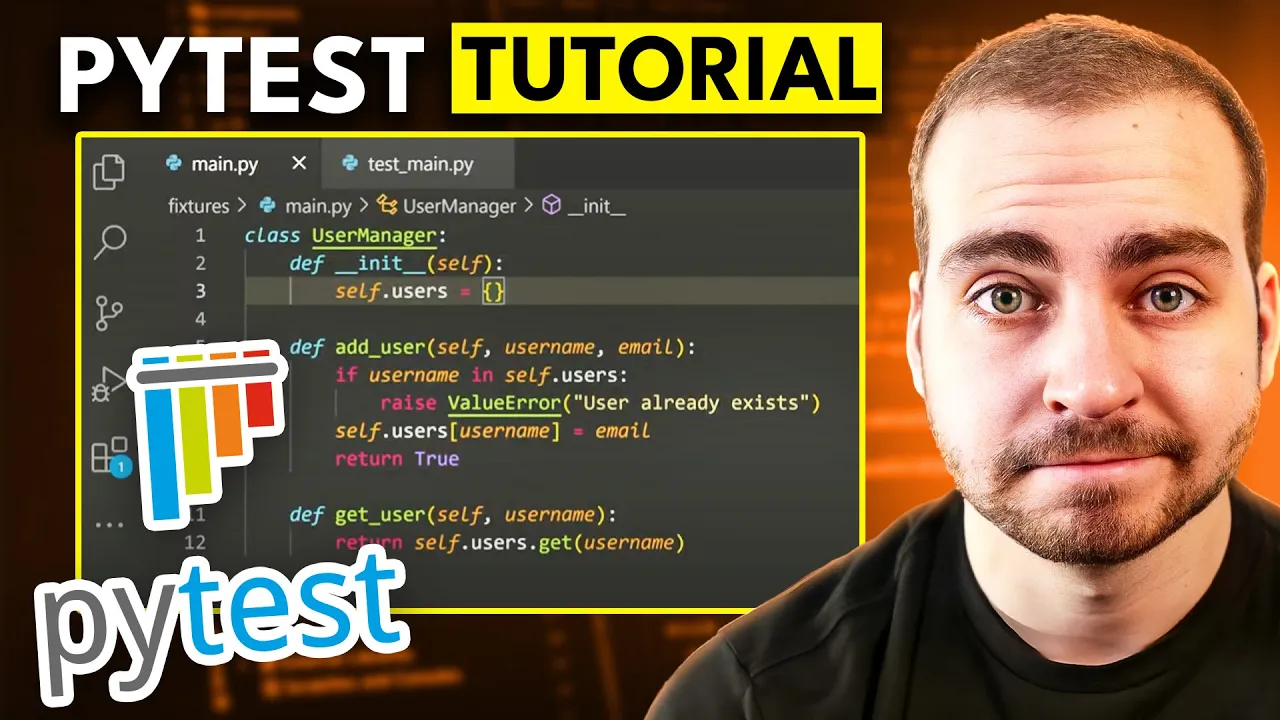
















This tutorial demonstrates how to implement unit testing for FastAPI applications using Pytest and HTTPX, covering the complete workflow from setting up a virtual environment and installing dependencies (FastAPI, uvicorn, pytest, httpx) to writing test cases for CRUD operations (read, create, update, delete) using the TestClient and assertions to verify response status codes and data integrity.
Python Unit Testing with FastAPI and Pytest Tutorial
Added:Fundamental knowledge of Python programming, including decorators, asynchronous programming (async/await), and external package management.
Basic understanding of RESTful API concepts, HTTP methods (GET, POST, PUT, DELETE), and HTTP status codes.
Familiarity with the FastAPI framework, including route definition, path/query parameters, and Pydantic schemas for data validation.
General concepts of software testing, particularly the distinction between unit tests, integration tests, and the purpose of test assertions.
Mastering advanced Pytest features, such as writing custom fixtures, test parametrization, and mocking external services or databases using 'pytest-mock'.
Implementing database testing strategies, including setting up an isolated test database container and utilizing transactional rollbacks for clean state management.
Integrating test suites into Continuous Integration (CI) pipelines (e.g., GitHub Actions, GitLab CI/CD) for automated quality assurance checks on pull requests.
Measuring and analyzing test suite effectiveness using code coverage tools like 'coverage.py' or 'pytest-cov'.
Exploring behavior-driven development (BDD) and performance/load testing tools like Locust to complement functional endpoint tests.
32.8K views518likes9:04Original Release: 2023-10-06
Everybody wants maintainable and scalable software but they don't want to put in the extra work to make sure that it's tested so bugs don't get introduced and a fun fact 87 of applications don't have unit tests at all so to separate you from the other 87 which will put you in the top of 13 is to implement unit tests in your application that will allow your application to be secure and allow you to be able to add enhancements quickly and make your application scalable maintainable and have less bugs so in this video I'm going to show you how to implement Pytest and https to be able to test against client requests and unit tests in Python so let's dive into the video alright so in this video we are going to be able to write tests for our FastAPI application so just like we always do the very first thing we're going to do is create a virtual environment by doing python3 Dash MV EnV EnV now this will create a virtual environment for our application where I'm going to say source and V slash bin slash activate and now we need to install our dependency so we can say pip install FastAPI and uvicorn once you do that this will install all the dependencies that we need for our FastAPI application to work correctly so these yellow lines will go away here momentarily but in our main.pi application we have our FastAPI application where we have a to do of name and completed we have a fake mock database that's going to store all of our to-do's and then we can get the list of the to Do's create a new to do get a specific to do based on the ID update a to do and delete a to do so if we went ahead and ran this application enter Swagger documentation we'd be able to run all of these API endpoints but for the Simplicity of this video let's just go right into how we can test and Implement testing for FastAPI now the very first thing that we need to install is HTTP X and this is a way for us to be able to use a client request to be able to test our API endpoints so let's go ahead and import this and now what we need to do is install Pytest and Pytest is unit testing for Apple location so we're going to be able to test in unit test our python code as well as our API endpoints so let's go ahead and say pip install Pytest now that we have all four dependencies which is FastAPI uvicorn Pytest and httpx let's go ahead and say new file and here we want to name this test underscore main.pi and the naming convention is this is it's going to start with tests that's how you know it's a test file and then underscore and then main which is the file that we're testing against dot Pi so when we run our Pytest it's going to look for these test files now the very first thing that we need to do here is just say from fastapi.testclient import our test client and then from our DOT main import our apps and our to-do's now unlike where we do main app equals FastAPI we want to grab the app which is FastAPI from our main and import it into our test client so we can then go ahead and say client equals test client where we pass in our app we then want to set up a function that just deletes all of to-do's so in this case it's going to delete all the to-do's from our application even though it's just a blank list so you probably want to set up some kind of sqlite external database that will be able to run against this but as of right now we'll just say def setup function brackets and then inside here I'm just going to say to Do's dot clear all right so what this does this is before each test we are just going to delete all of the to-do's so they don't touch each other so one test doesn't influence another test all right now the very first thing I'm going to say here is Def test read to Do's response which is our response from our client which is our test client dot get and we're just verifying using assert and assertions are like true and false to see if it's true or not our response code is going to be a 200 when we call just our normal get and then we also are expecting an empty list so if we go back here we look at our git we can see that it's going to return all of the to Do's values and it's going to return a status code of 200 but because to Do's list is empty it should just return an empty list and a status code of 200.
and we can go ahead and run this just by typing in Pytest and immediately we can see that we had one test that was passed we have two warnings just because it's using some deprecated files but outside of that we have our test passing now if for whatever reason your application is crashing right here because it can't find the main functionality just close vs code and reopen it sometimes it gets lost when you're creating new files all right so now that we've done that let's create another test for creating a to-do where we can just right under here go ahead and just say def test create to do where we're creating our response is equal to client.post so we're checking our post functionality we're making sure our Json has a key of name with a value of buy groceries we're making sure it's completed and false and then we want to verify that we get a 200 response back after passing this in and that the response is just going to be the exact same thing so if we come over here and we look at our post functionality we can see that we just add a new to do to our list and here we are verifying that once we add it we can test against it so let's go ahead and just say Pytest and see that now both of our tests have passed now if we throw another S at the end novel sudden our test does not pass so if we said Pytest we can see that we get a fail and if we scroll up we can see that it's going to throw an assertion error now this is going to be assert completed of groceries equals completed groceries so we can see that it does not equal the groceries and it'll tell you right here so the differing items is named by groceries is not equal to named up by groceries with an extra s so let's go ahead and just change this back to just 1s so our application passes we now want to go ahead and test our read to do of a single ID so we can do this by right under here saying def test read to do with our client dot post of just an empty slash Json equals Name by groceries completed equals false response equals client dot get slash one so we're passing in one as the path parameter and again we're just verifying that this is going to equal this so when we add a new item you know we're going to be adding a primary key of one and we're just verifying that hey that's inside and I don't think we're actually passing in a primary key I think it's going to be the first item in the list so if we say Pytest we can see that now all three of our tests pass let's now go ahead and verify against a post for an update and right here let's go ahead and say test dot update where we're saying client dot put request which we're going to be doing client.post and this just sets up our client call and then we can do client dot put right here where we're updating our buy groceries to buy vegetables after we already added in there so now we go ahead and say Pytest we can see that we have all four tests passed and then lastly we can do the exact same assertions for our delete to do so if we come over here now we say def test delete to do we pass in our client of buy groceries we are then trying to delete that ID or the first element of our list making sure that we get a status code of 200 and then buy groceries is actually gone within the response so now if we go ahead and say Pytest we can see that we get all five tests passing and this is essentially how you can use Pytest and our test client from FastAPI to a be able to use assertions to test the unit tests and test the value of the Python business logic and then also we can use the response in clients to test and validate the API endpoints for our FastAPI application if you're able to find Value go ahead and click like if you found value in this video go ahead and like the video and go ahead and check out one other FastAPI video from my playlist and I will see you in the next
Up Next
11:04
Docker Tutorial for Beginners: Introduction to Containerization
@ProgrammingKnowledge
33.9K views•2020-01-15

12:54
Triumph of Orthodoxy Icon: Byzantine Art & History Explained
@BenCallan
2.1K views•2024-08-06

9:49
FastAPI vs Flask vs Django: Choosing the Right Python Web Framework
@TechWithTim
302.5K views•2024-05-26

1:42
Game of Thrones Opening Credits: A Cinematic Analysis
@gameofthrones
46.3M views•2011-04-18
Related Study Plans & Knowledge Roadmaps
Structured learning paths in General & Interdisciplinary Studies
general-studies
Elevator Engineering: History, Physics & Cities
01From Hoists to Safety Brakes: The Dawn of Vertical Lift
02Hydraulic vs. Traction: The Engineering Physics of Elevators
03Modern Speed, Safety, and Algorithms
+ 2 more learning modules
12h5 modules
Explore Roadmap
general-studies
Rubber: Material Science, History & Geopolitics
01Origins of Natural Rubber & Mesoamerican History
02The Chemistry of Natural Rubber & Vulcanization
03The Geopolitics of the Rubber Boom & Colonization
+ 2 more learning modules
12h5 modules
Explore Roadmap
general-studies
Containerization: Evolution, Logistics & Trade
01Ancient Trade & Bulk Cargo: Amphorae to Barrels
02The Industrial Revolution & Cardboard Packaging
03The Containerization Revolution: Malcom McLean
+ 2 more learning modules
12h5 modules
Explore Roadmap
general-studies
Textile Tech: Evolution, Labor & Global Impact
01Pre-Industrial Textiles: Handloom & Cottage Industry
02Mechanization: The Spinning Jenny to the Power Loom
03The Factory System & Global Labor Transformation
+ 2 more learning modules
10h5 modules
Explore Roadmap