






![[Hindi/Urdu] Why Computer Programming? || Programming Fundamentals Explained [Hindi-Urdu] (2022)](https://i.ytimg.com/vi/zmo799Jk2VI/maxresdefault.jpg)








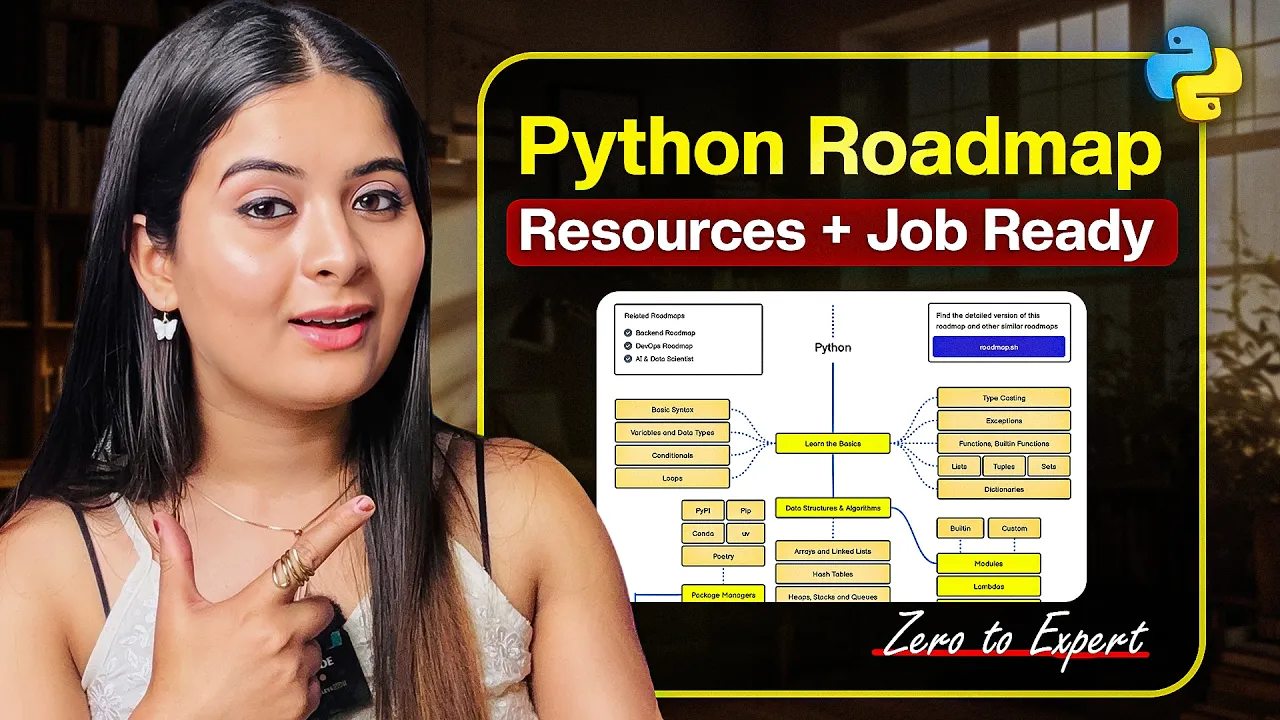


This tutorial covers the essential foundations of Python programming, including variables for storing data, data types (strings, integers, floats, booleans, lists, tuples, sets, and dictionaries), basic mathematical operations, indexing and slicing, string formatting methods, comparison operators, conditional statements (if/elif/else), for and while loops, functions with parameters, scope and variable visibility, error handling with try/except, built-in modules, and classes with objects for object-oriented programming.
Python Programming Basics for Beginners | Crash Course Tutorial
Added:Basic computer literacy, including how to navigate file systems, manage directories, and install software applications.
Fundamental logical reasoning and problem-solving skills, such as understanding step-by-step instructions or basic mathematical operations.
A conceptual understanding of what programming is and how software translates human-readable code into machine instructions.
File Input/Output (I/O) operations and exception handling to write robust programs that can read/write data and manage runtime errors.
Advanced Object-Oriented Programming (OOP) principles, including inheritance, polymorphism, and encapsulation.
Package management and virtual environments, learning how to use 'pip' to install and manage third-party libraries.
Intermediate Python features such as list comprehensions, lambda functions, generators, and decorators.
Application-specific domains, such as web development (using Flask or Django) or data analysis (using Pandas and NumPy).
1K views60likes1:17:03Original Release: 2021-06-08
hello my fellow techies today we're doing a crash course in python let's get to it [Music] so hopefully if you're taking this crash course you already know a little bit about what python is if not let me take a second to tell you about it python is a programming language which is mostly used in back-end development which means it's used in the functionality side of things as compared to like design and user interface stuff it's more more functional so it's what would happen on a server as compared to what would happen in your browser if that makes sense if you're visiting a website python is going to be doing all the stuff in the background with the data and working with the database and that kind of thing that you can't really see so when we're thinking about this language there are a bunch of different parts to it we're just going to be scratching the surface today this is an immense language you can study it for years on end and you will not know everything about it so we're just going to be going over the basics and a lot of this stuff is what you will actually use as a professional software developer so let's start off we have 16 bullet points here if you don't already have your your ide set up your integrated development environment set up this is vs code right here i do have a video on that i'll link that up at the top and you can learn how to get that set up you can learn how to install python and then when you're at that point we can we can start the tutorial so assuming that you're all set up already let's come over here and let's just create a file for each one of these points so we'll start we're going to do comments so let's do comments dot pi okay and at the top of every file we just want to make a note for ourselves what is this file about i'm i'm hoping that you're following along with me because if if you just watch this i promise you you will not retain as much information so what we're going to do is we're going to start our comments file with a multi-line comment and the way we do that is with three quotation marks to begin and three quotation marks to end and then everything in between is going to be a comment so we can say just comments right here and if we wanted to type up here we could type up there if we wanted to type down here we could do that but it doesn't look as clean as just typing in the middle so let's make some notes let's say multi-line comments begin and end with three quotation marks like this one and then single line comments begin with a pound sign or a hash key or whatever you want to call that so a single line comment is going to start with this normally we put a space after just for cleanliness and organization and we'll say this is a single line comment and the reason why we use comments is to explain our code better so that you could understand what's going on in the code without reading through the code right because it's easier to read english or your native language than it is to read code most of the time so this is a single line comment this is another single line comment okay and you get the point right we can do another multi-line comment multiline comment okay i think we get the point though so let's close this out let's come over to the print function so let's create another file call this print dot pi and do another multi-line comment at the top we'll do experimenting with the print function so the print function is pretty straightforward what you do is we type the name of the function which is print and then we call the function by putting parentheses after now if we just click this run button right here we'll notice that we get an empty line and it's because we didn't print anything so by default it's just going to print an empty line but if we want to print some text in here the way that we do that is we print inside of two quotation marks this is some text or whatever else you want to do most people their first line of code is print hello world comment that out run our code by hitting the run button and then we get hello world so we can do that we can print numbers if we want we can print the number 42 and now we get that 42. if you're wondering how um i ran that code right there because before i was clicking this run button if you click the up arrow key you can see previous commands that you have ran and right after you run this run this file you can go up and you can rerun it by using that same command again so i could clear this out and then just up enter and that will run make sure you save your file every time you do that though because this arrow right here automatically saves before it runs doing this the up arrow and enter way does not automatically run it does not automatically save before you run but okay we understand now that the print function is allowing us to interact from our code to our terminal and see different outputs of information cool let's close that out let's do variables next so let's do variables dot pi do multi-line common at the top we'll say just variables keep it easy simple clean okay now a variable is going to be a way to store information and then access it again or maybe even change it later so we could create a variable called name and set it equal to sam and then if we were to print name i bet you can guess what this is going to be actually can't it can't uh do the up enter method here yet because we haven't ran this file already once we run it the first time cool sam then we can do the up enter method and we get that same output so we printed the name and name is equal to sam what if we set name equal to alice what do you think this is going to print alice and that's because we have overridden the value it used to equal sam but then we said actually set name equal to alice so maybe we want to have these in two different variable names maybe like name one and name two and then we could print name one and we could print name two and then we get both of these names now something important to note with variable names is they have to start with alphanumeric characters or i should say um not alphanumeric because you can't start with numbers um it has to start with a letter or an underscore letters or underscores so we could do underscore name one and that would work that's still going to run but we can't do 84 name 2 and you see even our editors yelling at us and saying what are you doing you can't do that that's not legal and it'll give us an error when we try to run this and say syntax error because you cannot start a variable name with a number letters and underscores only okay so uh and yeah and we can we can do more than text we could set this equals like age equals 24 and then we could print age and then we get sam alice24 um let's let's do this i think the next one is data types right yeah okay so let's move on we're understanding what a variable is it's a way to store information so let's close out of this let's go over to number four data types so let's do a new file let's do data underscore types.pi and in python typically when we have two words we separate them with an underscore that's pretty standard so let's do another multi-line comment we want to do let's say basic python data types because we're not going over everything but we're going to go over a lot of the basics that you would use on a day-to-day basis okay so let's let's write these out here uh the first one we're going to go over is called a string and this is basically text string and text are the same so we could create a variable called text we could say this is a string and we could print text and then run this and we get this is a string but what if we wanted to do the type of this so so likewise we learned the print function now we're going to print the type of this variable and you'll see what this does in a second it's going to tell us that this is a class string it is a string object right and that's exactly what we were expecting because this is a string now this is important because for each data type there are going to be certain functionalities certain functions that we can use on that data type specifically because it is that data type or there might be things we're not allowed to do because it's a certain data type we'll get into that shortly but this is text or it's a string right same thing and we can tell that it's a string so let's do another one let's do an integer which is just a whole number uh you've probably learned about this in school already if you have not taken a class that have taught that has taught you about integers yet and you're learning about programming kudos to you kudos so an integer a whole number are numbers like one two three four five right like whole numbers so we'll say integer equals 17 and we will take the type of integer and we'll see that it's a class int because it's a whole number now this is compared to oh sorry float which is a decimal number so to give you an example of this we'll say decimal equals 17.5 and if we did the type of decimal then we see that this is a class float so a float is any number that has a decimal and it doesn't have to be it doesn't have to be a specific value like if we could do 17.0 right and this is still going to tell us that it's a float because even though 17 is exactly equal to 17.0 one of these has a decimal and the other does not this one is a whole number this one is a decimal number a float if you will so now we know the difference doesn't have to be greater than the number just has to have a decimal and the next one we're going to do let's make sure we're writing these down as we go is a boolean so this is going to be one or the other true or false on or off zero or one that kind of thing so if we wanna say boolean uh we can set that equal to true and if we print out the type of boolean we see that this is a class bool uh likewise the other value that we can do besides true is we could do false and that will still give us class bool because true and false are the two booleans right true false on off zero one in python we say true or false and they do have capital letters capital f for false capital t for true okay let's do a list and a list is exactly what it sounds like it's just a group of items and it can be any uh any other item like it doesn't have to be anything specific you can mix and match items so let's do my list and the reason why we're not saying list is because you'll see how that uh comes up in a special color that's because list is a special reserved word in python so we're not going to mess with that mylist equals and the way we do a list is we use square brackets and we can do 1 2 3 a b c if we do type my list we see that it is a class list and we can do more like we're having integers and strings in here but we could do uh floats we could do 17.5 we could put um actually let's do 20.5 and then we can say we can put variables in here so i can put decimal in here we can put a boolean in here so we can put true we could put another list in here if we wanted it's still it's not going to change the type like this is still going to be a list but you'll see if we print just the list instead of the type of the list that we get this whole thing right here one two three abc 20 and a half 17 notice how it didn't print decimal it printed what decimals equal to right 17.0 if uh if you were struggling with variables hopefully that hopefully it's making more sense now and hopefully we'll get it more and more as we go through this course uh true and then we even get our list inside of our list here if you could do a list inside of a list there's no nothing that says you cannot do that you could do another list right just just to prove a point you can really do a lot with these data types but let's do another one this one we're going to call my tuple this is called a tuple and we're going to do the type of my tuple we need to give this a value a tuple is exactly like a list we can do 1 2 3 a b c if we print the type of this we get class tuple so if they're exactly the same why do we have two data types and it's because one there's one crucial difference between them a tuple it has an attribute called immutability it does not change once once a tuple has been set uh you can't you cannot remove elements you can't add elements you can't change elements it is immutable it is what it is and that is all whereas a list we can do things like uh my list dot append um let's just put jerry in there we can print out my list and now we see that jerry is appended to the end of this or we could say my list dot remove two and now the number two has been removed from the list instead of one two three it's just one three so you can do this with a list you cannot do this with a tuple all right moving on and let's put a little note up here tuple's immutable and a list is mutable all right next one we're going to do a set so we're going to do my set again because set is a special word in python so my set and for a list we had square brackets in for a tuple we have parentheses for my set we have curly brackets and we can do the same thing one two three uh if we print this oh my list we want to print my set okay we'll notice we get one two three so what's special about this well a set is only going to show us unique values so if we had one two three four four four four four one four four four four four four yep okay i just want to make sure my words were aligning with the number of times i typed it and we were to save and run this then we notice we only get one two three four because these are the only unique values right likewise if we just threw a few more fives in there this is still only going to give us one two three four five because those are the unique values so let's make a note up here we'll say unique values and the last one we're going to go over for right now is called a dictionary so let's call this dictionary and we can do that because the reserved word for this one is dict so dictionary and this one is also going to use curly brackets now we understand the concept of what a variable is right something equals something a dictionary is very similar to that we're basically but we can we can do more than just um more than just text if that kind of makes sense you'll see what i mean in a second so we can map a value we can map a string name to billy bob we can map another string age to a number 74. we can map is married to false uh and we don't just have to map strings like these don't have to be strings we could map um the the number 17 colon to the text of 17.
so i you could you can map a tuple if you wanted true to um has a funny name right like uh and make sure we have commas after all these like there is no set and i will say that mapping a boolean is um probably not the best way to go numbers are fine strings are pretty typical and what we can do if we print out dictionary then we see we get all of our mappings out here and this is this is important because these the way we identify this these are keys like name age is married 17 true these are keys and then these are values billy bob 74 is married fall 17 has a funny name what we can do is we can index and i'm not going to get too far into this because indexing is going to be number six so we're going to get there very soon but we can access information in here like from our dictionary get a name value and we see that it's billy bob all right but we don't want to get too deep into this so let's save this let's move on basic math okay let's do basic math dot pi get our multi string comment so actually what what we're doing the name for this is called the doc string um this multi-line comment at the top and it's it's exactly what we've been using it for it's uh a comment to describe what are we doing in this file so okay call this basic math functions and if we have a number that is equal to we can do a lot with this we can say print number plus plus let's do a different number let's do plus five and what do we think is gonna happen when we print number plus five run this we get 15. that makes sense right because we're saying number equals 10 print number plus 5. 10 plus 5 is 15.
we can also say print number minus 5 which is going to give us whoop i forgot to save which is going to give us 5. we can do print number times 5 which is going to be 50 right 10 times 5 and we can do print number divided by 5. now here is some that i hope you remember this is 2.0 right 10 divided by 5 is 2 but notice it gives us this number in the form of a float even though the answer is just 2 it says 2.0 so if we wanted to get the integer what we would do is we would do print number slash 5 and this is called floor division do a special one for that and remember that's what comments are for we use comments to explain our code so that we understand what's going on without having to read the code and if we print this then we get two so right number divided by 5 is 2.0 number floor division by 5 is just 2.
here's here's another example what if we did print number floor division 3.
we get 3 why this is because if we did number just regular divided by 3 we get 3.3 repeating and actually we get a 5 at the end here this is a weird thing in programming called a floating point decimal binary floating point something along those lines but yeah computers aren't very good at handling decimals but we notice that a regular division we get three and one-third floor division we just round down to three so that's what this floor division does is it just rounds down to the nearest whole number okay so we've covered the basic math functions but we want to go over just one more part to this so we could say number plus equals 5 and then if we print number and then let's uh comment this all out for now number plus equals 5 print number what do we think is going to happen 15 because what this is saying is number equals itself plus five so we're saying number equals ten because that's what it already equals plus five and then if we likewise it a number another one of these another plus 5 we should get 20 because here it's 10 here it's 15 and here it's 20 and then we print it out but let's comment these out as we go what if we wanted to do minus 5 then we get 5 right 10 minus 5 print comment this out what if we wanted to do number times equals 5.
we get fifty ten times five equals fifty we get what if we wanted to do divided by we get 2.0 because 10 divided by 5 is 2. and you guessed it we can do floor division with this too slash slash equals 5 and this is going to be 2 as an integer all right so we've gone over our basic uh our basic math functions let's save this close it and move on to indexing all right let's clear terminal for indexing let's get our docs string let's just make a quick note let's say accessing information from various data types and if you're looking at that you're thinking what does that mean don't worry we're going to go through it so if we look at our data types we have a string um i was going to say an integer but we don't we don't want to index an integer so we're going to index a string we're going to index a list a tuple and a dictionary so let's write that down a string a list a tuple and a dictionary so if we have a string this is my string let me print this out gotta run this okay this is my string if we wanted to just get the first letter this is how this is where indexing comes in handy and the way that we index is by using square brackets after the variable name so we can do square brackets and then zero and this is important let's make a note up here in programming we start counting at the number zero so when we index at the zeroth index what do we think is going to happen we get the first letter that capital t and if we index the uh if we did the first index of this string we get h the first index of this string second letter first index and let's see how many uh let's see how many characters are in here okay um in order to figure out how many characters are in here we can use a function called len which is short for length so we are printing the length of this string which is going to tell us how many characters are in there oh got to save it that's why we have 18 characters so what if we tried to print string at index 18 this is going to give us an error and that's because string index is out of range even though we have 18 letters there aren't there is not an eighteenth index because we start counting at zero index 17 is going to be the highest so we can start that uh print that and we get a period because a period is the last letter in that string something else we can do with this is we can also get a range so we already know that the 0th index is going to be that capital t but what if we wanted to get the first four letters this well we would do colon four to get the first four letters right this or because we're starting at the first at that zero index we can actually just do colon four for shorthand and that will give us that same thing just up to index four we'll get zero one two three and then it'll stop when it hits the fourth index and to show you this point if we do up to five we're not going to see that i right it's not going to go 1 2 3 4 5 if that kind of makes oh sorry 0 1 2 3 4 five that's not it's going to go up to five so it's going to c5 and it's going to stop all right so put that back at four we get this so if we wanted to get that i we would have to do 6 if that makes sense ok so let's move on we've looked at indexing strings let's do indexing of a list so let's do my list and let's make a list of fruits so let's actually call this let's call this fruits and we'll do apple banana orange pear okay so if we print out fruits then we get that list we just made apple banana orange pear and exactly the same way as we indexed the string we're just going to do square brackets and then we can do index zero but this is going to give us you know it's a list it's not a string can you guess what this is going to give us oh got to save it i was wondering i was like what's going on apple it's going to give us the item at index 0. now we could actually index an index we could do 0 0 what do you think this is going to give us a it's going to give us the first letter of the first element right kind of cool so if we wanted to get the uh if we wanted to get banana this is at index one right index zero index one so we could change this to one or we should get banana now likewise we could get the first letter of this one by taking the next index of zero now we get b the first letter of banana we could also get well remember it's going to stop at 2 so 1 to 2 is just going to be 1 and then it's going to stop before it hits 2 so we would have to do 3 if we wanted the middle two then we get banana and orange and this is called list splicing so this is one way to get just a certain subsect of elements from a list if you want to do that and let's uh let's add some comments in here let's call this string indexing list indexing and it's going to be the same thing for a tuple because remember lists and tuples are basically the same thing just uh tuple you cannot change it's immutable and a list you can change so tuple indexing we can more or less just copy this and then we can switch out these parentheses these square brackets for parentheses and now we can do the same thing we can let's do up to the first two elements so apple banana right exactly the same nothing different here uh you might be thinking to yourself when we have these data types a set looks pretty similar to a list or to a tuple so why why are we not going to index a set and it's because you actually can't index the set if we were to try to then we would see fruits equal apple banana let's just copy and paste this okay if we printed fruits let's look at this orange banana pear apple that's weird because didn't we type apple banana orange pear but this says orange banana pear apple it's in a different order and that's because sets don't have a set order they're going to change if we were to print this again we see it's even different than it was the first time orange banana pear apple banana pear orange apple so because sets don't have a specific order we can't index them because getting the first index of something that is always going to change doesn't really make sense so we're not going to do sets can't do that next we're going to do dictionary indexing and this is going to be where we get a little different here so we could create a dictionary called fruits and let's let's set it up like this we're going to remember when we looked at our data types the dictionary is mapping a key to a value named to billy bob age to 74 is married to false so let's map fruit to quantity so we're going to say that we have three apples we're going to say we have six bananas let's say we have 12 oranges and we have one pair and this is the syntax you would use you would use key colon value comma for your next item okay so we have this set up how do we index this print fruits the way you would index this i guess for printing everything else you should print this too the way you would index this is you would index it likewise with the uh with the square brackets but this time we're going to put the key value in there so if we wanted to do apple then we notice we get 3 which is the value for this key or if we wanted to do orange then we get 12 the value for orange all right that is indexing for strings lists tuples and dictionaries next we have string formatting so let's just call this strings dot pi get our docs string going okay so we know what a string is so we're going to say string equals whatever we want hello world if we wanted to add on to this string we could say uh well we don't we actually could do it in the same line we could say string equals hello world plus hi mom now let's run this oh we need to print it cool hello world hi mom um we could do string so if we if we wanted to add this on a another line we could do plus equals remember going over our basic math stuff string plus equals hi mom and then if we print this we get the same thing hello world hi mom um so that that's one way you know if you wanted to combine these two strings you could also do string two equals hi mom and then you could say string three equals string plus string two print string three and we should get the same thing still hello world hi mom uh and this is called concatenation remember use our comments to explain what's going on and if you remember earlier we did uh and this when we were going over the data types we did print the type of of whatever we're working with so if we do the type of string three we see that it's a class of string and you know we kind of left before on saying well it's a string but what are the implications of this it's a class of a string so it's actually it actually has built-in objects sorry built-in functions that all string objects have so let's let's go over a few of those let's do print string 3 format that's a good one what we would want to do if we were doing the format function though is we would want to have somewhere in here for us to put in information so if instead of hi mom we wanted to have just a different name in here we could say name equals jonathan and we could say name equals name hello world hi jonathan and just to make this a little more clear let's call this user let's call this username and then we're saying name that variable in the string is equal to username the variable that we set right above here so if we save and run this we should get hello world hi jonathan cool another way to do this is to use something called an f string so we could do and that's going to look exactly like a string so we could do um hello brenda let's uh let's get rid of this one for now or i guess commented out okay so we get hello brenda but what if we again wanted to do the same thing we wanted to put user name in there well we could do format like we did here or we could put an f in front of this and then put user name inside of here now we get hello jonathan because this is equal to jonathan but if we change this to brenda then we get hello brenda so format versus f string f strings are a little faster than using the format function but there are times when format can come in handy but that is beyond the scope of this crash course okay let's do some more built-in functions so we have hello brenda what if we wanted to do oh let's uh let's set this equal to something let's call this new string okay so instead of printing it we're assigning it to a variable let's do print new string just see what we have hello brenda right yep hello brenda okay what if we did new string dot upper oh look at that it's all uppercase what if we did dot lower well let's uh let's put this on another line so we have both of these that lower it's all lowercase and let's uh let's also print our original string just so we can see side by side so hello brenda hello brenda hello brenda this is cool right so instead of going back and rewriting things you could just use a function in uppercase it or lowercase it okay we went over the length function before so we could do the length of new string and we could see that it's 14 characters long we could we could do a replace function so new string dot replace and we could replace brenda with our trusty friend jonathan now instead of brenda we've switched it to hello jonathan well let's uh give him a lowercase j i'll show you why because if we do that let's say let's say we want to reassign this a new string is now equal to the replacement so if we print new string then we should just get hello jonathan cool hello jonathan um and we do this because we want to do new string dot title and you will notice this will uppercase jonathan so let's do this new string equals hello jonathan this will this will make it a little easier to understand okay so if we had it in all lower case right so we had i guess we could just do why rewrite it right we just we just figured this out we'll just do that lower um so if it's in all lower case title will capitalize the first letter of every single word uh and there are there are a couple other ones um you know we don't we don't need to go too in depth with strings but we also have new string dot count if we wanted to see how many times the letter l is used we see that l is used two times right in uh in hello we have another function called starts with and this is going to return a boolean does it re does it start with hello and it does does not what did we get wrong here false starts with why is it turning false is it a lowercase h it is it's a lowercase h right because we set this to new string.lower just wondering okay starts with hello and that's true and we saw that when we had an uppercase h for hello it says false because we use a lowercase h and then there's also ends with we could do new string dot ends with and we could do an exclamation mark here and that'll tell us true because this string does end with an exclamation mark okay so that was a lot uh let's yeah we're printing out so many things why not just leave that there at this point okay so that was string formatting we went over concatenation we went over the format command we went over f strings and we went over a lot of built-in functions for strings so many ways to work with text here okay let's do comparison operators just call this comparisons.pi comparison operators and we're going to be going over things like is equal to greater than less less than greater than or equal to and uh less than or equal to okay so if we wanted to say equal to we could say five is equal to five let's uh let's print five is equal to five run this true because five is equal to five uh we could also break this down we could say is five equal to three plus 2 that's also going to work but if we said is 5 equal to 3 plus 1 then this is false because 5 is not equal to 4.
so that's equal we can also do greater than so we could print is five greater than three and this is going to be true because 5 is greater than 3. what if we said is 5 greater than 10 we get false because 5 is less than 10.
you could do less than could print five less than ten this is true because five is less than ten but if we did five is less than three we get false because five is greater than 3.
do greater than or equal to and we can do 5 is greater than or equal to 5 and this is true because five is equal to five so it is greater than or equal to five uh likewise if we did four five is greater than four so it is greater than or equal to 4 but if we did 5 greater than or equal to 6 we would get false because 5 is less than 6.
and you already know how this is going to go less than or equal to if we did print 5 is less than or equal to 5 this is true because it's equal if we did 5 is less than or equal to 4 we get false because 5 is greater than 4. it's not less than or equal to 4.
all right um we've gone over a lot of these there's an important qualifier to these we we have one more sorry i forgot to write this down an exclamation mark and this basically means not is what it means so up here we have 5 is equal to what if we wanted to say not equal we could say print 5 not equal to 5 and this should give us false because 5 is equal to 5. but what if we said 5 not equal to 10 that's true because 5 is not equal to 10.
um and uh you could you know say not greater than or not less than but it's a lot more legible to just write the opposite like if you wanted if you wanted to write 5 is not greater than 4 um i actually won't even let you do that i'm glad it doesn't let you do that because if you wanted to say not greater than four it'd be more direct to say less than or equal to four if you if you get what i'm saying so yeah not equal is the big one there all right we have our comparison operators let's do conditionals conditionals dot pi multiline comment our doc string and we want to call this conditional operations okay so a conditional operation is something that only happens if a condition is met so we could say if 5 is greater than 3 right and we already know this one because we just did this in uh in our comparison operators um if 5 is greater than 3 print this is true whoop we still got the other file gotta run this one first this is true cool what if this was a false statement that what if we said 5 is greater than 10 which we know is wrong 5 is not greater than 10.
so if we run this nothing prints because the condition was not met we did not print now what if we wanted to say well what if a different condition is met so uh or let's let's we'll get there in a second what if we wanted to say if this condition is not met we want to do something else so we'll say else if condition do our thing else print this is false this is false right because 5 is not greater than 10.
what if we wanted to have uh various other sets of conditions let's say we have a name so let's say name equals george so we want to say if name is equal to george print this is true this is true because name is equal to george what if uh we only wanted to say this to to sam we only want to say this is true if we're looking for sam so if it's not true then uh we shouldn't print that we should print this as false but what if we want to say this this is a really bad example you would never do what i'm about to do in a real programming environment but for the sake of example you'll understand if name equals sam print hello sam otherwise we want to say who are you so we understand who are you because we we didn't get sam we have george we're like who's george so we can put some other names in there we can say else if which is what e-left stands for else if name equals george print hello george and we get hello george right so it said if name equals sam and that's not true name is george so we move on to the next one we say if name is george and we say that's right so then we print hello george and then we stop but what if our name was zebra then it's gonna ask who are you mr zebra man you're not sam and you're not george we don't know who you are so that's essentially what uh conditional operation is and we can add as many e-lifts in here if we want we can say if name equals brenda print hello brenda uh so on and so forth we could have as many of these statements as we want in the middle who are you what if we change this to brenda then we get hello brenda because it said are you sam no are you george no are you brenda yes print hello brenda all right we've done conditionals let's do for loops all right look at that guys we're on number 10 we're making some great progress here for loops so four underscore loops dot pi just get our docs string for loops all right so let's say well actually i'm going to show you a function this is a very popular function in python it's called range so we could say 4 number in range 10 colon print number gotta run this file all right and now we see we get numbers zero one two three four five six seven eight nine remember in programming we we start counting at the number zero which is why we say in range ten the first number is zero we are printing out ten numbers here we're just starting at zero okay so uh something important to note about this for loop is that number right here this name is an arbitrary name we can call this whatever we want we can call it x if we want and we can save this will still work uh we can call it item it doesn't matter we uh we can call it asdf it's still going to work we can call this whatever we want um for this loop so what we're doing if we were to make a list out of this so this is this is something called list let's get rid of this this is something called list comprehension so if we make a variable called numbers and we want to make an empty list we could say that this is list comprehension again let's put a comment here list comprehension we could say x for x in range 10. so then if we print numbers whoop numbers with an s that we get a list of numbers zero one two three four five six seven eight nine now this is good for understanding what's happening in that for loop we wrote earlier 4 number in range 10 print number look at that so numbers are zero through nine and then for each number in that range we get zero one two three four five six seven eight nine so we're printing out that number for every number in this list is basically what we're saying it is a little more complicated than that um technically what we're doing with this range function function is we're returning a generator but we're not going to worry about that for right now we can we can think of this as a list for the purpose of the course so we can do things with this number two we could say print number times two and now we see zero times two is zero one times 2 is 2 2 times 2 is 4 3 times 2 is 6 4 times 2 is 8 5 times 2 is 10 so on and so forth and we're actually modifying what's going on here so you can you can start to see how you know if we wanted to multiply every number in this range by two instead of doing it individually we can just say just for everything in there multiply it by two right and it makes it a lot easier and that's what computers are good at computers are good at taking repeated actions and doing a lot of them very quickly very accurately so that's a for loop let's go into a while loop i think that's the next thing yep while loop okay while loops uh did we say yeah we said loops with an s okay get our doc string while loops all right so in a for loop we said do do an action for a certain number of times in a while loop we're going to say do an action while a condition is met so imagine this scenario imagine we have while five is greater than three print um i'm stuck in a loop let's clear that out print this that's going to keep notice that's just going to keep going into infinity um i actually have to like manually interrupt that on my keyboard don't don't run this please don't run this this is what we call an infinite loop because this condition never changes this will always be true this will never stop running so we just keep getting this line over and over and over again which is not good right we don't want that to happen that'll um make our computer run out of memory so what we want to do instead with a while loop is we might say let's let's create a variable called counter start it started at 0 and we'll say while counter is less than 10 and every time this runs we want counter to go up by one remember this syntax that plus equals so we want to take itself the value it already is and we just want to add one to it so if it was already zero the first time this loop runs it'll be equal to one the second time this loop runs it'll be equal to two and so on and so forth until we hit 10 when we hit 10 this loop will stop so we can run this see i'm stuck in a loop 10 times and we can can do this we can remember we had concatenation earlier let's make this an f string so let's do counter so 1 i'm stuck in a loop right all the way up to 10.
alright so we understand a while loop is running while a condition is met and then once that condition is no longer met it stops all right close that out let's do functions okay create a new oh i accidentally closed the intro file okay new one called functions.pi call this functions right now a function in python is a way for us to condense code that we would otherwise repeat over and over again so let me give you an example if we create a variable called name and we call our name bob and we say age equals 40 and then we say statement or let's call this a greeting greeting equals hello bob and we wanted to print that greeting clear that out run this we get hello bob uh oh we didn't incorporate the eight let's put the age in there hello you are um you are 40 right uh let's make this an f string so we want to put our curly brackets in there and put name and then curly brackets input age okay let's try this again hello bob you are 40. okay but what if we wanted to do this with alice who's only 28 well we would have to repeat these four lines over and over again so instead of doing this uh we could make a function out of this and instead we could do define we'll call this function greeting and instead of having a set name and age what we'll do is this function will take those parameters in there and we'll say greeting name age so instead of typing all that we can now do greeting bob who is 40 and greeting alice who is 28 and now if we run this we get the same uh outputs hello bob you are 40 hello alice who are 28 and if we wanted to do another person we want to we want to greet zachary who is 24.
then we get sacred in there and we don't have to add another four lines of code every single time we want to do this and we can do all kinds of things with functions you know we're doing string formatting here we could do math if we wanted uh right if we go back like if we were going back to our basic math functions um we could alter information like if we took a list we could add an item to a list or remove an item from a list all different kinds of things we can do with functions but the gist of it is anything that you would otherwise repeat over and over again is what is what a function is likely going to be good for okay let's do scope so scope is going to be very similar to function scope.pi um and i say that because we're going to need uh we're going to need functions to explain scope so if we have a name we set this equal to bob and then we have a function like we had before greeting that takes a name and we say print hello name and let's just switch it up we were doing f strings before let's do a dot format name equals name okay and then let's say we did print oh we already do print so let's just do greeting alice oh gotta run this file okay hello alice so we have this name and we have this name right here right so let's just do this let's uh let's just print the name we get alice but didn't we set name equal to bob that's because the scope is more specific in a function so a scope is where um i'm trying to put this into my own words here where does uh where does a given piece of information become more specific i guess uh what is a given piece let's let's find let's find a google definition because i'm not i'm not getting the words for this right define uh scope in programming the area of the program where an item that has an identifier is recognized i feel like that's not super clear either the scope of a name binding an association of a name to an entity such as a variable is the part of the program where the name binding is valid okay that's kind of clear but i still still a little less clear than i would hope it would be so basically what we're saying is that we are defining name within this function so name is not going to be relevant or i should say this name is going to get overwritten by this name inside of the function within the scope of the function we have a different variable with the same name but if we were to if we were to give this a different name like we were to say username instead of instead of name and we were to print name we'll notice that we actually will get both here bob and alice because this even though it's a broader scope it's from outside the function we didn't override it whereas before that's what we were doing we were overriding that within the scope of the function so when we print name we get alice because that's what we set it as inside of the function instead of bob which is what we set name to outside of the function okay i hope that one made sense i feel i feel like that was uh not as clear as i wish it was but i i hope that you get it okay try accept try underscore accept dot pi okay so remember earlier when when we got that uh okay so if we have a string we say this is our string and we print the length of that string then we see that this is 19 characters so if we wanted to print string at index 19 we get an error it says this index is a string index is out of range we don't have an index 19 we only have 0 through 18 that's all we have so what we could do is we could say try to print string index 19 except index error and if we get that index error then we want to do something else than we want to say sorry your string is not long enough so because we tried to do this and we got an index error we got uh we got our accept case instead sorry your string is not long enough and this is good if we want to give more specific information so say we were programming and we got an error and we didn't know why we got it we would want to be as specific as possible we would want to say like oh well we we expected an error like this and if you got an error like this either handle it in a way that's appropriate for the program or you can give a more specific error message and you can say oh well this is actually what happened in your code that is not allowing that that is failing so you tried to print index 19 of a string that didn't have an index 19.
all right and you can do this with all different kinds of errors just whatever error you're trying to handle the general one is exception and this will catch all exceptions but you really should be as specific as possible because you should know what errors you are catching okay we've done try except let's do modules so this one we're actually not going to make a file for no we're going to make a file for this one modules.pie um let's call this built-in modules because what we're doing with this is python has a lot of libraries built into it or modules we'll call them in python and basically all of these modules have code that's already already pre-built into the language that we don't have to redo so i'll give you an example of this we could do from the math module import square root and then we could print the square root of 25 which is 5 or 5.0 right so that's uh that's an example of coming in here to the math library and if we wanted more information about this and let me show you how i got here i literally went on google and i looked up python built-in modules it should be the first thing python module index and if you click on this library name we should get more documentation about the functions that are inside of this module we can read all about these here so let's go over a couple more let's do the date time library so let's do from date time import date time and we can print datetime.now and we'll see that uh it is 2021 june 7th around 8pm my time okay let's do one more what's another fun one oh yeah and again just you can come through this documentation you can read through all this we see datetime.tape time and this has more uh more information within each of these what's another fun one we could do the type could do either tools if we wanted let's do random random's a popular one from random let's import a function called randint and this is going to generate a random number between whatever parameters we want so we could do randint let's say a random number between one and ten random integer between one and ten and if we run this we see that the first random integer we get a seven and then we get two and then if we run this again we get ten and so on and so forth but this is using code that's all built in to python using modules that are built into the language there are third-party modules uh so if i wanted to do a network request i have a third party module called request so i could say i could say import requests and i could do r equals request dot get and i could get google.com new module named requests okay well no that's fine i can actually show you how to install this then what i would do is i would do python so python3 you should be using python3 m because i want to specify which module i want to access and i want to access the pip module because that's what we're going to use to install our third party module pip install and we want to install the request library we'll see that it downloads some stuff we can clear that out and now this should be able to run yeah so note errors let's print r.text and we'll see that we get code from google.com cool just put that back okay um we're on the last one guys classes and objects so let's do classes underscore objects dot pi so let's do our dock string classes and objects okay and let's let's make a quick note too let's say classes are like templates and objects are instances of those templates okay so if you've been following along with the whole uh tutorial thus far you may have noticed that we've done a lot of like name equals uh sam age equals 33 right you could think of this as like like a real person you know somebody with a name with an age are they married and that's what we can call a class so we can do class person and now we have this template for what a person is and typically what we'll do is we'll say define underscore underscore and knit underscore in underscore self and then colon so this is a function inside of a class we call this a class method and we can give this attributes so let's think about this like what does a person have a person has a name so we can say self.name the name of this person is equal to name and that's going to be a name that's passed into this function so the name of this person is equal to the name that we give them let's do another one let's do self.age equals age so then the age of this person is equal to the age that we assign them so we could say bob equals person with the name bob and he is 33 years old so we could then print bob run this file and we get this person object because this is an instance of the person class likewise we can do alice equals person alice and she is 25 and we could print alice we get a second person object what if we wanted the names we could do bob.name alice.name bob and alice or we could do uh bob.h alice.age and we get 33 and 25.
and now we're accessing information from these objects so this has been you know not not super thorough but it's been you know exposure to a lot of things that are going on in the python language and if you followed through with this whole tutorial and you feel like you have a decent grasp on everything that we just went over you're already doing great if not don't worry you're probably in the majority and what i encourage you to do is figure out the things you don't understand go on google type in what is this and in all likelihood you're probably going to come up with uh results for a website called stack overflow that is a really good website that a lot of developers use to kind of like ask questions and answer answer questions and help each other it's a it's a good community people will um occasionally be mean on there don't let it get you down but this has been this has been a crash course on python and you guys are officially on your way to becoming professional programmers please uh like and subscribe and i will see you guys in the next one [Music]
Up Next

42:30
Training YOLOv8 on Custom Datasets for Object Detection | Step-by-Step Tutorial
@dswithbappy
169.3K views•2023-01-28

87:26
Introduction to Secure Multiparty Computation with Yehuda Lindell
@fhe_org
7.7K views•2021-02-04

4:55
HTTP Requests Explained: GET, POST, PUT, DELETE
@codecademy
103.1K views•2021-10-07

19:25
Enigma Machine Mechanics: WWII Encryption Explained
@JaredOwen
13.2M views•2021-12-11
Related Study Plans & Knowledge Roadmaps
Structured learning paths in Computer Science
computer-science
Container Runtimes: Namespaces, Cgroups & Go
01Linux Systems & Go Programming Foundations
02The Core of Isolation: Chroot and Filesystems
03Linux Namespaces: Process Isolation
+ 3 more learning modules
32h6 modules
Explore Roadmap
computer-science
Building a CHIP-8 Emulator: Rust & CPU Basics
01Computer Architecture Foundations (Bits & Bytes)
02Rust Programming for Systems Development
03CHIP-8 Virtual Hardware Specifications
+ 2 more learning modules
32h5 modules
Explore Roadmap
computer-science
Building BitTorrent: Go, P2P & Concurrency
01Go Fundamentals & Concurrency
02Networking Foundations & P2P Architecture
03Bencode Parsing & Torrent Metadata
+ 3 more learning modules
26h6 modules
Explore Roadmap
computer-science
Actor Models (C++ Concurrency & Lock-Free)
01C++ Multi-Threading Foundations
02Thread Pools and Task Scheduling
03Atomics and Lock-Free Queue Design
+ 3 more learning modules
45h6 modules
Explore Roadmap