














![Python: Real-time Multiple Object Tracking (MOT) with Yolov3, Tensorflow and Deep SORT [FULL COURSE]](https://i.ytimg.com/vi/zi-62z-3c4U/sddefault.jpg)



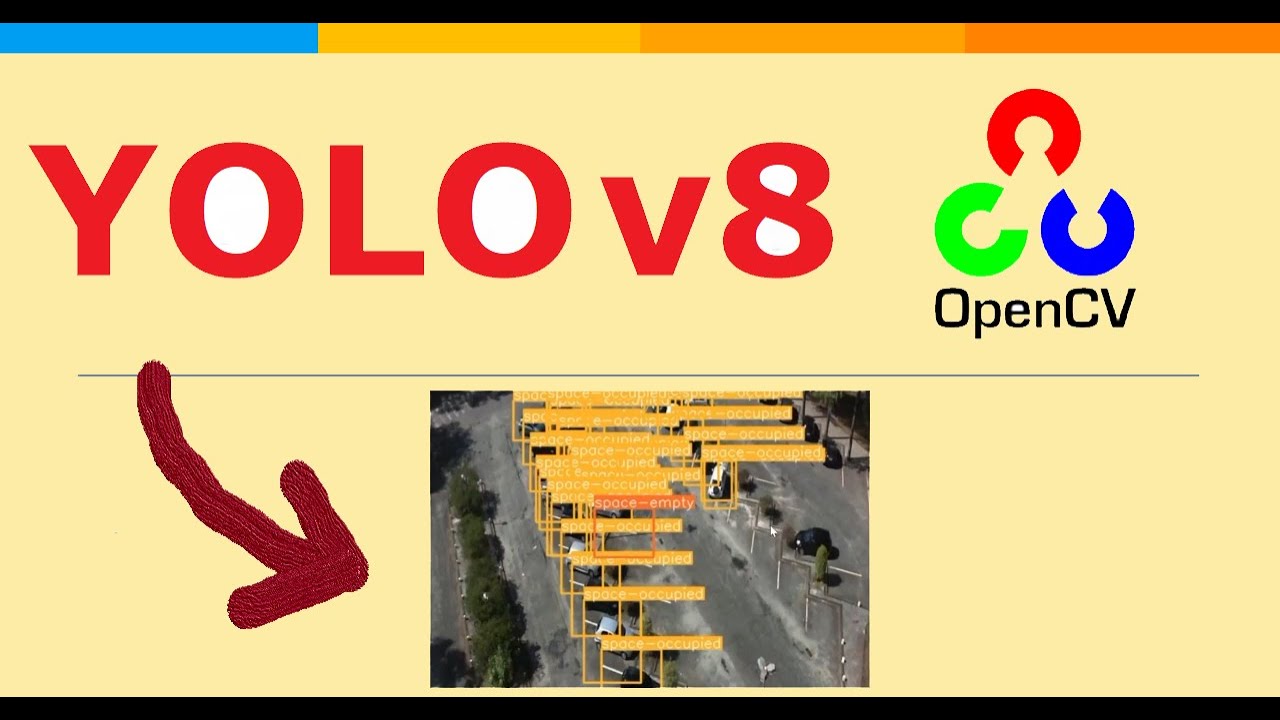
YOLOv8 is a unified computer vision framework that supports three tasks—object detection, image segmentation, and classification—in a single model, offering faster training and more lightweight architecture than previous versions. To train YOLOv8 on custom datasets, users must prepare data in the YOLO format with specific folder structures (train/validation/test containing images and corresponding label files) and a data.yaml configuration file specifying dataset paths and class names. The model can be trained using either command-line interface or Python scripts, with training commands requiring parameters like task type, model variant, data configuration, epochs, and image size. After training, the best.pt weights are saved in the runs directory, and the model can be validated and used for inference on new images.
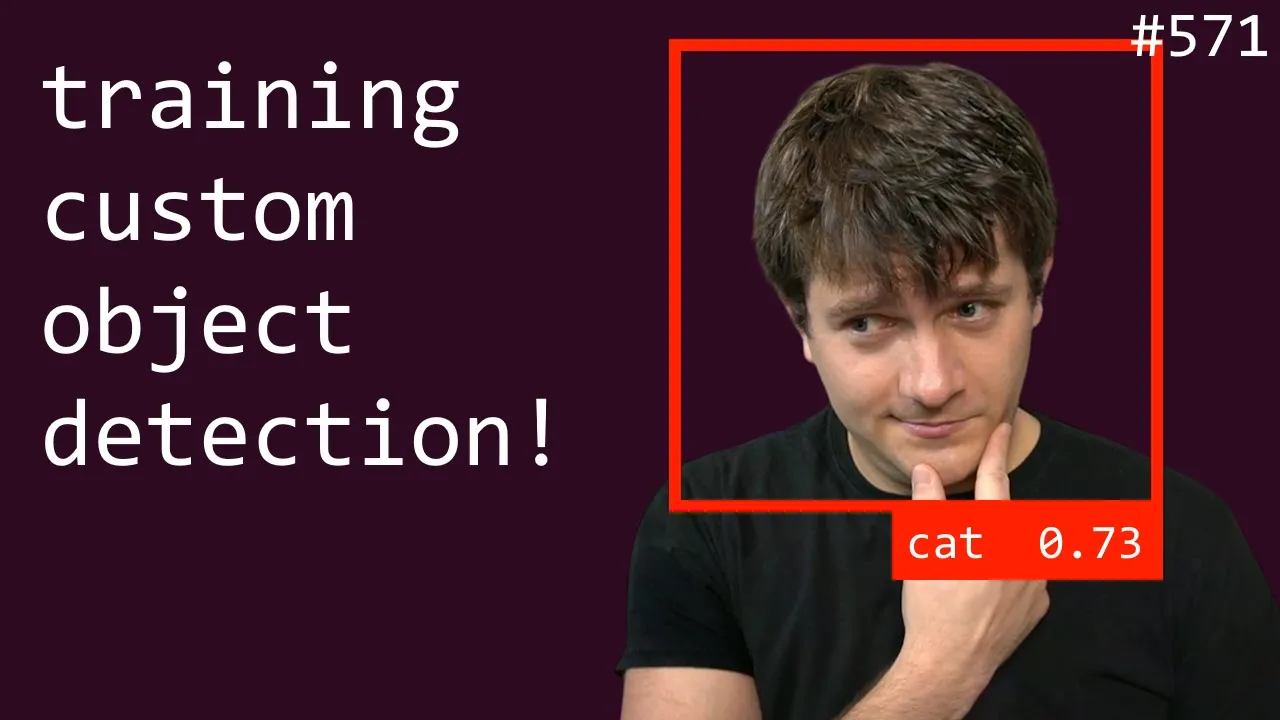
Training YOLOv8 on Custom Datasets for Object Detection | Step-by-Step Tutorial
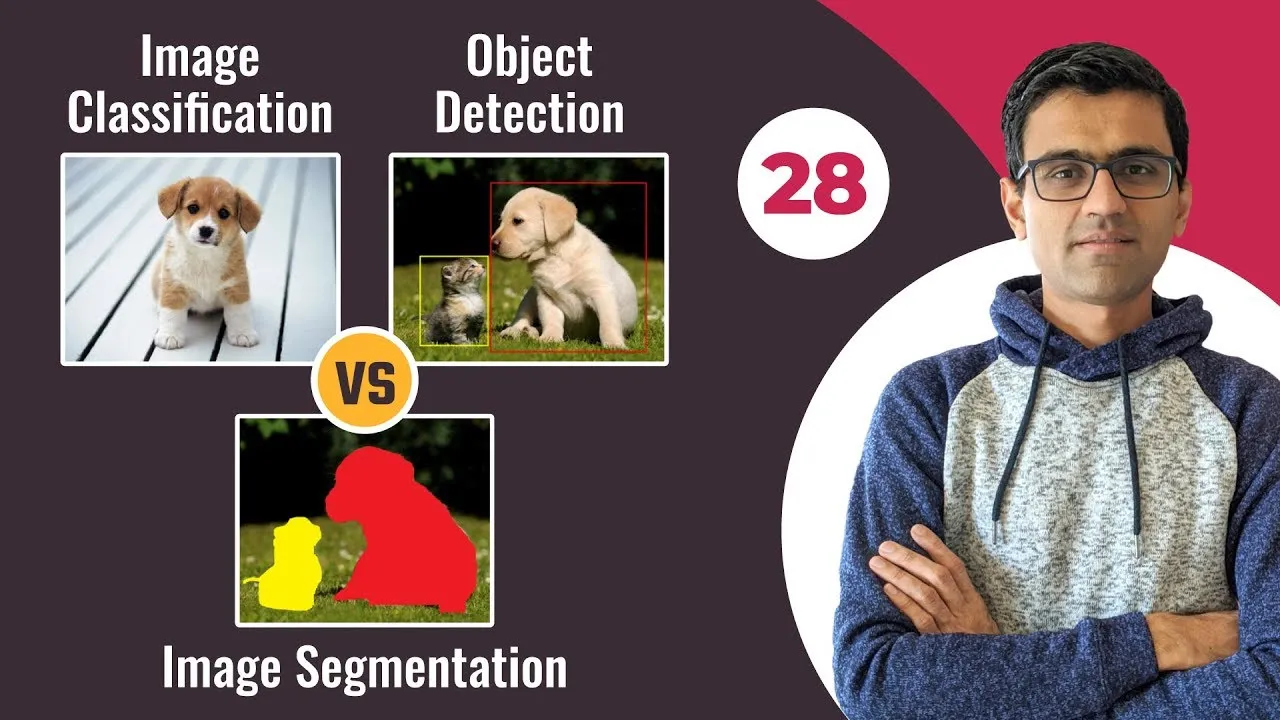
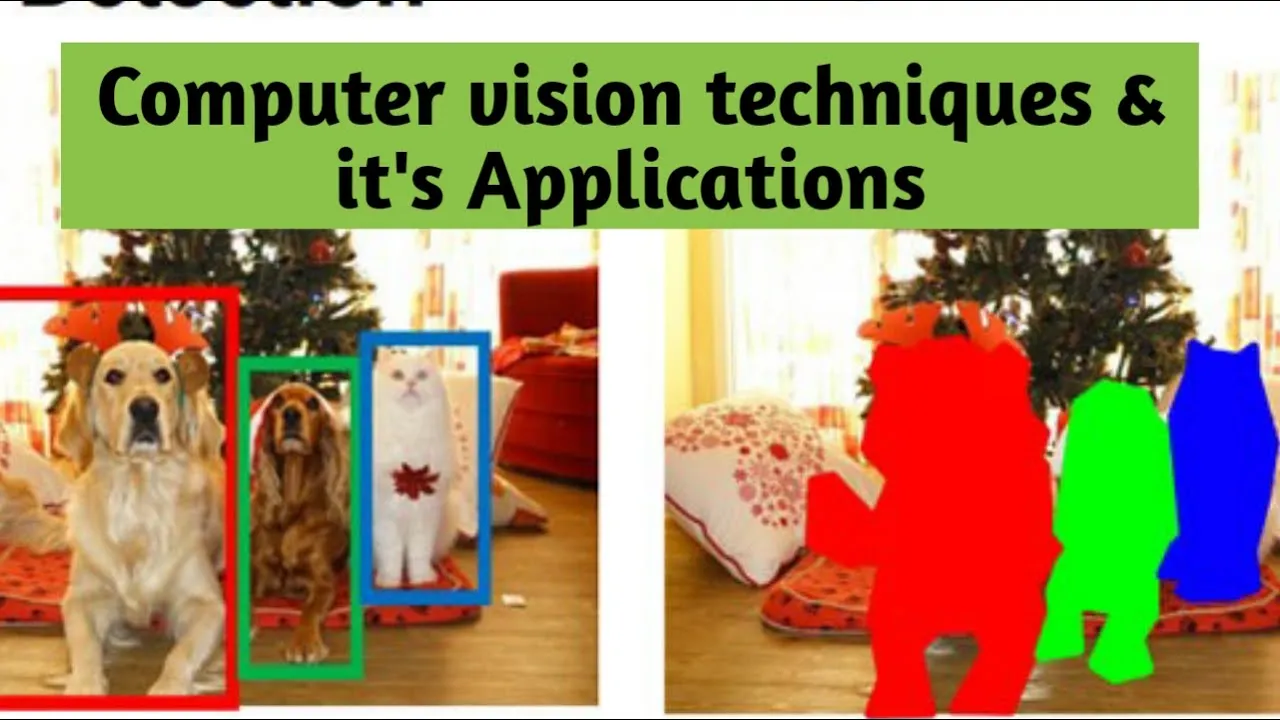
Added:hello everyone welcome to my YouTube channel my name is and I'm your host so in this video actually I'm going to discuss about one amazing model uh just recently like released uh I think you have heard of yellow right guys uh so you have heard of YOLO V5 yellow V6 yellow V7 so finally yellow V8 also came okay so I'm just talking about uh yellow V8 so it is from Ultra analytics uh I think you uh used yellow V5 from alter analytics okay even I have uh you can say lots of tutorial in my YouTube channel if you just uh check my playlist I will get uh you can say yellow V5 related project also okay so I already showed you like how to install yellow V5 okay how to use yellow V5 on your custom data set even I also created yellow V6 and yellow V7 as well okay so um now actually they have recently published this yellow V8 and it is like one of the amazing model uh why I liked this model so much because let me tell you uh using just one model you can perform three kinds of tasks okay like uh I think as of now you have done object detection okay with yellow V5 or yellow V6 but uh this is the first time they have introduced three kinds of tasks with this yellow V8 so using yellow V8 actually you can do object detection okay see this detection so these are the detection model you can also perform image segmentation okay see this is the segmentation model and the new things they have proposed which is nothing but Ms classification okay so before that for the image classification what we used to do we used to like use uh like uh Inception resnet okay which is 16 these are the architecture but uh recently they have also introduced like classification with yellow V8 okay so this is one of the amazing thing I liked so much and see these are the model guys okay and it is still under development so um then it's to like you can say change a lots of thing here so you might face some issue okay but don't worry as time like passes okay so there will be like fixings all the thing and if you have any issue okay with the setup or with your you can say a project or anything so just come to this issue issue section okay and here you actually you can uh like create your issue you can like tell them this is the like issue you are having so and see the this is like very active uh like repository just one hour ago like they have committed okay so they will look uh look into your issue okay and they will fix that as soon as possible okay so yes guys this is the official GitHub uh like from Ultra analytics okay so now actually uh one thing I also liked of this yellow V8 like you don't have to like clone this repository and I think you saw like yellow V5 yellow V6 we used to clone the repository us to set up like uh requirements okay then we used to configure the model file okay so there was like uh lots of manual like tasks okay but here actually you don't have to do these are the things so you just only need to install this Ultra analytics and uh there are two way to use yellow V8 one is like by using your CLI that means command line prompt okay and another is like your python script okay so you can run both of them but I will I will show you like how to use CLI and how to use like python script but both of the way I will show you okay but what I feel like I I like this command light utility because uh like it's it's like easy to like execute all the command right instead of writing this python code uh so now in this video Let's uh install this yellow V8 okay and I'll show you like how to uh like uh like you can say train this yellow V8 on your custom data set as well okay then I will also show you like how you can use their pre-chained weights also okay so this is the actually you can say uh Benchmark here if you see this is the yellow V7 yellow V6 and yellow V5 and this is the yellow V8 Razer guys okay and uh like uh I was uh like uh watching some of the you can say videos uh I was watching some of the Benchmark so what I saw like this uh YOLO V5 V8 is like more faster than your yellow uh V5 yellow V6 and yellow V7 okay if you are training yellow V8 you will observe okay it is like more faster and it is like more powerful model okay and it's like more lightweight model okay so recently they have proposed uh around five models but in future I think they will be releasing more okay so now uh there is a documentation they they have also released of this yellow V8 here if you see these are the documentation so you if you have time you can go with this documentation if you want to learn more about okay but uh let's uh start with our agenda okay so let's install this yellow V8 okay first of all so here I'll be using Google collab because uh I'm expecting like uh okay uh everyone won't be having GPU in their system okay so that's why I will be showing uh inside my Google collab so that actually at least you can use a free GPU there okay but the same way you can also run in your local machine okay so let's do it so first of all I will open my uh Google Drive so you can open up your Google Drive okay so here what you need to do you just need to uh just create one collab you can say notebook okay several uh create create one collab notebook here okay so I will give this notebook name as yellow V8 okay so first of all let's install before installation I need to connect with my GPU and uh let's also connect our notebook just click on connect okay it will be connecting so guys on my notebook has connected now uh what I need to do uh if you want to test like whether you got any GPU or not just write this command Nvidia a type in SMI and execute this command so guys as you can see I got Tesla T4 GPU okay so uh to install this yellow V8 just come here so there is installation guideline as you can see here okay so they're telling like uh you need uh like python version equal to you can say more than 3.7 okay and you can also use latest python version it is it will also work so uh and these are the requirement okay here if you see if you just go click on this so you can see all the requirements okay to install this yellow V8 so I don't have to separately clone this repository and install this requirement.txt so instead of what I will do I will copy this command PP install Ultra analytics okay so let's copy this command and I will come to my notebook and let's execute this command okay it's like very uh like easy to install and very easy to use uh like it will like save your time a lot guys just trust me I was just uh like exploring this one and I was totally fascinated like uh how uh like you can say uh easy way like they have developed this thing okay uh it's just like a python package just install the package and try to execute some of the command your job would be done okay you don't have to do any configuration anything only you just need to do prepare your data set and just give it here okay that's it so uh installation is done so now if you want to test like whether it's working fine or not so let's execute this command so this command is nothing but uh it will download one model so let me explain like what it will do so basically see this is the command so you just need to uh like call Yellow okay and predict okay so uh like it has like some of the modes okay so let me tell you about the moves so that is one notebook I prepared here so it has like three modes one is like train modes validation mode okay and prediction mode okay task it uh it can perform three kinds of tasks as I told you detection segmentation and classification okay data format it can support form it can be different uh like for the task type definitely because as per your task you need to give your data with respect to that format and supports data like data.yaml okay so basically I think you used YOLO V5 so they're actually the format you used to use okay data format used to use Enola V5 the same data format you can use here okay it will work and here if you see as I told you it has three kinds of task detect segment and classification and it has three more train validation and predict okay so here basically what I want to do I have installed yellow V8 in my environment now actually there this is one image okay if I show you if I copy this image okay so this is one bus image okay this this image is present inside Ultra analytics GitHub okay so here this is one image so I just want to test my model whether it is able to detect or not okay these are the objects okay in this present in this image okay so that's why I'm just telling predict okay instead of training and validation I'm calling predict because I want to inference my model okay then which model I I want to use here I am giving model equal to Yellow V5 8N dot PT okay now while I'm getting this name as I told you just come here it has three kinds of tasks detection segmentation and classification with respect to your task Choice the model see here I am using that model yellow V8 uh uh n model okay if I show you this model I'm using okay so just name the model and just give dot PT okay and Source equal to your image location okay so here I am using URL so that's why I'm passing the URL now if I execute this cell so first of all it will download the mod it will download the image and it will download the model OKAY from the internet then it will do the prediction okay so one one issue actually I I observed uh so uh when I was like uh uh referring their tutorials okay like yellow uh V8 official tutorials at the time uh like whenever they they were running this command Okay so it was saving it was creating a folder called runs inside runs uh it was saving all the detection images but here when I was running okay it is not saving instead of what it is giving it is giving like see uh your all the classes name like it this image contains four person if I open this image uh one two three four okay see it is also detecting this half of the person and uh it's telling one bus so yeah there is one bus and it is also telling uh one stop sign uh one stop sign okay and uh yeah so these are the like object it is able to detect okay and I uh I can see yeah these are the objects presented in this image okay so instead of like creating this uh runs folder here saving the image okay as a detection what it is giving it is giving like that okay I don't know like uh whether they have changed in their repository or not because see it is still under development okay so if you see they have just committed two hours ago so uh I don't know like whether they are changing anything or not but I think it will work later on just write okay let me know in the comment section whether it's working for you or not so what I will do I will raise one issue okay in their repository like I'm not getting this trans folder I'm not getting the detection image here okay instead of that I'm getting uh as as you can say comment output okay so uh what would be the solution okay if I get any solutions then I will create another video on that okay but as of now I'm just showing you the like process how you can use this one okay you have to use the similar way to use uh this yellow V8 okay if you have your custom data or if you want to use any pretend bits okay so uh that's it guys so now I think you got it like uh how I have installed your Ultra analytics and how to run this yellow V8 uh like model OKAY by using command so in this video actually I'll be only considering about the object detection uh yeah like in our next video actually I will try to create uh like how to do image segmentation as well okay so uh it was like detection okay detection uh task but if you want to let's say perform like uh I mean image segmentation so what you can do okay so let's also uh let me also show you so what I will do I will open my this notebook uh here actually I have prepared all the command and everything okay so let me show you so I will uh let's stop this session okay because I'm using free collab and I will connect this notebook so I'll share all this notebook with you okay in the description so you can access all the notebook okay so let's install it okay now if you want to check your current working directory so I'm inside my content so as I told you uh so let me create one folder here called data or images okay because here I have located as image images okay inside images I will upload one image if I go to my download so there one cat images I downloaded okay so I will just upload this inside the images okay let's see just for testing purpose okay I'm keeping my own image okay okay so if I open this image now so that one.jpg is there okay and it is nothing but it's a cat image now if you want to perform detection task okay so what do you need to do as I told you it has three mode uh it it can perform three tasks detection segmentation classification and it just it has three more train validation and predict okay suppose here I just want to do the prediction okay using their pretend widths and task I want to perform which is Ultimate detection so here you can mention task is equal to detect mode is equal to predict model is equal to the model you want to use come here like choose the model okay and give it here so I'm using this model this uh 810 PT model okay and your image location okay so here I have image inside this location okay now if I execute this one and this is the command brace okay so here I'm running this is the command Bridge or you can talk about CLI best and I will also show you like how to execute uh using python script okay both way is possible here so guys see how it has the detected successfully so it is telling it's a cat Okay the class is one okay so so I already told you it's not creating the folder here transported inside that it is not saving the image instead of it's giving the output like that okay uh I will contact and I will try to fix this one okay as of now just try to consider it has detected cat okay I am getting the cat because here I kept cat image okay catamess guys okay so now ah similar wise you can also perform segmentation for this what you need to do just mention task is equal to segment mod is equal to predict okay and here you just need to pass your segmentation related model so come here expand this segmentation so this is your segmentation related model suppose if you want to use this model just open in a new tab okay it will start download so I won't be downloading I will just copy the link okay copy the link address and if I paste here and here if you see the last one okay so this is your model name actually just copy the name come here uh and just try to paste here okay so this is the model name so that's actually you can uh get the model name and I'm giving the source image okay now if I execute this one again so it's downloading the model and this is my detection model OKAY previously it has downloaded okay so again it's telling it's a cat okay and you can also get the segmentation uh like you can say points okay so uh let me show you using uh python script now the same command actually you can execute as python script so for that what you need to do you need to import yellow from Ultra analytics Auto analytics we have already installed so I'm what I'm doing I'm just doing from Ultra analytics import YOLO and here I'm loading segmentation model so just write model equal to YOLO and inside that just mention the model name okay that's it now model dot predict okay if you want to do train you need to give Trend if you want to do validation you need to go do validation if you want to predict just write predict here okay then mention your Source image path that's it now if I execute so this is the python script based okay you can run this yellow V8 uh in both way command line and your script okay now see guys this is your segmentation detection points got it uh so yes guys uh I think you got it now if you want to also perform classification it is also possible so here instead of uh detect and segmentation uh inside the task you need to mention classify predict okay give the classification Model come here uh expand classification get the model uh copy the link address paste it here this is the model name copy okay and paste it here okay now I've mentioned your Source Ms file path and let's execute okay I'm showing you all the possible like way okay so that actually you can get the idea like what are the things they have proposed okay but I will separately create a new video like how to do segmentation on your custom data how to do class classification on your custom data okay in this video I will only show you like object detection part that's it so yes guys I think now you should be familiar with this yellow V uh eight okay a little bit like uh what are the things like they have proposed so now what I will do um uh we have tested like uh with our written words okay now let's uh prepare our data set okay now uh we'll be training our own custom data okay so for this what I need to do first of all I will show you I have already prepared the image okay I have already annotated the image so it is the same format as your yellow V8 sorry and it is the same format as your yellow V5 okay so in yellow V5 we used to create a emails folder inside that we used to keep image then we used to create Rebels what are we used to like keep Tower uh we used to keep our like this level.txt okay so this is the txt file inside that you have all the coordinate points with respect to that layer level ID okay so the same thing if you don't know like how to annotate the data I will also show you don't worry okay so it is already prepared this data so you just need to create three files test train and validation inside train you you need to create again two folder image levels inside image you need to keep all your images inside levels you need to keep all your annotation okay with respect to that images similar wise for testing similar wise for validation and one additional file you need to create called data.eml okay so now let me show you what is this data.yaml so if I open it using notepad plus plus this is the same thing we used to write in our uh like uh I mean yellow V5 okay so here you just need to mention your data path okay like why you have kept your data number of classes you need to mention so in this data set I have five classes so the data set actually I'll be using which is nothing but so the data set actually I'll be using here which is nothing but Industry Safety gears data set okay so let me show you the data set once like how it will look like so this is nothing but Industry Safety gears data set so basically in an industry whenever any like you can say employee works or any Worker Works okay so they need some safety gears to wire okay to prevent uh like lots of accident okay happens in the industry so this this is the detection we need to perform here so basically I will be detecting helmet goggles jacket okay hand gloves Footwear okay so these are the uh com you can say equipment I will be detecting okay so you can use any data set but I will be using this data set because I already prepared this data for me okay and these are my five labels helmet goggles jacket gloves and Footwear okay you need to write here so now let me show you like how you can annotate these are the data uh like which tool you can use okay so for this what I will do I will keep some of the image for for just uh experiment purpose so I'll copy because I just want to show you like how to annotate the data okay I'm not going to show you the entire annotation uh although I will provide the data with you okay so let me create one folder here inside download let's create one folder called test inside that I will keep I'll create another folder called Data okay let's keep this data here so let's say you have like collected these are the data now you need to annotate okay now how you can annotate now for this you did one tool called uh level mg just come to Google okay and search about label IMG okay so here just open the first link so here this is the label IMG official GitHub uh so here uh you have the installation guideline so for this you need to create one contact environment so I'll open my terminal here okay so now here uh just copy the command so you can install using pip so I'll copy this command and also they have mentioned uh for Ubuntu and Mac wise okay you can use uh whatever system you're using just try to follow these are the command so here I'm using Windows so like I'll be executing this command okay so here I'll paste and instead of P3 I will just run I'll just run peep okay just remove the three okay from the peep now let's execute so here you can create one virtual environment but I haven't created any virtual environment here okay uh you can create uh okay I think it's done now let's clear okay so now what I will do uh so guys the installation is successfully done now here you just need to execute one command called level uh make sure I should be capital okay IMG now if I execute uh it will open this level IMG UI okay so now here what you need to do you need to uh open your data directory so I will just uh click on open directory okay so here I kept my data inside download test folder this is my data folder okay so these uh three to four emails I kept there okay now here you just need to change also your chainsaw directory so I will select the same folder okay this data make sure you have select the same folder where you have kept your data because there actually it will save The annotation file okay so once everything is done now this is my image okay so now here you just need to start annotating your image okay but make sure you have changed this Pascal VOC to YOLO okay anything you have here create ml or Pascal VOC just change to Yellow because here I I'll be using YOLO so that's why your data set should be also in yellow format now here what you need to do you need to click on create rectangle box and try to annotate okay which portion you want to annotate so let's annotate so uh what is my level name for Globes so uh yeah so I'll copy the name and here I'll paste it okay gloves now I'll click on OK OK similar wise uh let's again take one rectangle and this is the helmet so you can write helmet here okay I'm just showing you like how to allocate helmet and uh yeah that's it I think in this image I can only see you can also mention the goggles but it's not visible okay you can ignore now once it is done click on Save okay now if I open this folder so here you will see one annotation file okay this with respect to this image one one okay this is the one dot JPC this is one dot txt now if I open this one dot txt uh you will see like all the bounding box coordinates it has uh present here uh so let me show you okay see these are the coordinate points itself so the first uh annotation I did which is for gloves okay so Globes have been labeled as one sorry zero and this is the Globes coordinate okay and this is the helmet coordinates so it has denoted as one okay so that's actually uh you can get all the txt files so once it is done now click on next image and again click on rectangle again annotate so it is for Globs I'll select drops and click on OK and again do it for this one okay now I will click on Save now if I again open this one it will create another 2.txt with respect to this image and if you open this file also you will see the same okay so that's actually you can do for all the images present inside your folder okay so I already annotated these are the images so I won't be annotating okay so let me show you so once you have done The annotation you need to create this folder structure like that a trend test validation okay and data.yaml file you need to create how to create data.ml file you can open up your uh let me show you let me go to this download you can open up your vs code or anything python whatever you are using okay so here you will get uh create file option so just click here and just write data ah data dot EML okay so it will create a data.tml now there actually you need to write all the code okay all all these are the thing okay so yes guys this is uh all about like how to create the ml file now let me show you that's how you need to prepare the folder so inside train just keep your training images okay so I kept around 120 images with respect to that images I kept all the level file here if you see if you see the name here so this is 3132 33 34. similar wise I kept all this 31 32 334 okay make sure this name should be same okay this txt file should be this image okay don't take any other images okay here otherwise it will throw at it so with respect to that for testing you need to keep the same thing okay so for validation again you need to keep the same thing okay I hope it it should be cleared now once everything is done create this data.aml folder inside that just mention uh your now these are the thing your data location I've kept data slash Trend image although I will change this location okay whenever I will be uploading this data in my collab okay then mention number of classes and your names okay all the label names that's it so yes guys I think you got it how to annotate the data and how to prepare your data set okay so I think uh now it is done so what I did I here if I show you uh I created one folder called Data instead that I kept all all of my file okay now this file you need to upload uh in your Google Drive okay so guys uh we have prepared our data so I will share this data with you so you can use my data set so now what you need to do you need to upload this data in your Google Drive so I will open my Google Drive okay so here I will be uploading so just one thing drag and drop so just drag and drop here so it will take some time okay once it is done I will come back so guys uh I have successfully uploaded my data here so now what I will do I already prepared one um this uh training notebook okay so that actually I mentioned all the code so I'll quickly upload this notebook here okay and I'll show you so guys this is The Notebook I'll just drag and drop here I will share everything with you okay we'll get this so the notebook name would be yellow V8 object detection custom data set okay now I'll double click to open this one and I think our previous one was is running okay so let me uh stop this one also because I'm using free collab terminate close okay now you can remove this thing I think it's not required okay so this is The Notebook guys so make sure you have uh selected runtime as GPU save it and connect the notebook so guys after uh connecting your notebook just execute this command and you will be able to test your GPU here okay so now here first of all let's install YOLO V8 so let's execute this command so to install you need to run Ultra analytics okay and here if you see I'm installing a specific version because as they're telling it is still under heavy development okay so it may change something okay in the repository so that's why uh they are suggesting to use these are the version okay to install so that's why I was uh going through the documentation and I got to know okay now that's why you can also install Ultra analytics like the previous way we we did okay in our notebook you can do it here okay but let's install this specific version okay and these are some utility package I'm importing okay now once everything is done let's uh check let's import from alt analytics yellow okay it's importing successfully and this is the same thing I discussed in that like you can execute uh using CLI you can execute using python SDK that means python is script okay so anything is possible so this is the same example I showed you here okay so I'm skipping this part so you just start from their custom Training okay so this is the custom trading part so here basically I kept my data inside my Google Drive so that that's why I need to first of all mount my drive okay I need to connect my drive to my collab okay so let's execute this cell foreign let's select my account allow okay it's done now if I refresh here see it has been mounted now uh what you need to do you just need to go to the location you have kept your uh this one your data so I'll let's let me go so I kept inside classes yellow V8 okay so this is my folder so I will copy this folder path copy path and here I just need to paste okay now let me execute so now guys I'm inside this folder location okay so I'm inside this location now I think I can see everything so if I take a new cell if I just write LS okay see I had data these are the file present okay now what I need to do to start the training uh first of all let's copy this but and replace here okay so this is the training command guys okay so this command actually is for training so basically here what you need to do we have uploaded our data right here we have uploaded our data so let me open my data set again this is the data so inside that we created one file called data.tml okay so just like upload this data.yaml in like in your yellow V8 black folder okay like outside of the data okay because this thing we need it will look for your data set okay now once it is done so here if I replace here I would be able to see guys data tml is there now I'll open this data.yaml okay now here you just need to change the path of your data so I'll expand the data so first of all you need to give training emails file paths so I'll expand the training and I will copy this image path okay and I will mention here okay then similar wise I will do for my validation so I'll expand the validation copy the image path thank you that's it guys you just need to do this thing now save it press Ctrl s and remove this thing okay now here let me show you the training so basically what I'm giving I'm just running the same thing yellow task I want to perform detect okay as I told you it has three mode uh three tasks okay and mode is equal to I want to like perform training okay as I already showed you uh training okay and the model I want to use I'm using this model if I show you this s model small model okay so here I am giving the model dot PT data yaml okay I'm providing because it is inside the same directory as I already showed you if you do LS again so this data yaml you would be able to see okay so I am giving data.yaml data is equal to Delta tml inside datability ml I mentioned all of my emails path right so it will automatically take that images from that folder automatically it will take those labels labels on the uh from this folder okay epochs you just need to mention here so let's take uh 25 epochs or let's reduce to 10 okay uh or let's take 25 it's fine I think okay then image size just mentioned with respect to email size so if I show you my image size so if I come here if I open an image properties go to details so see this is my image Dimension okay with respect to image Dimension you can say it so I I've taken 224 and plots is equal to 2 okay so this is the command you need to execute now let's execute so basically it will first of all download the model see guys okay this is the model architecture then it's scanning the data okay it's looking for all the images and all the labels are presented or your uh directly or not okay if if there is something wrong so it will throw at it like this file is not found okay basically before uh starting the training it will uh scan your data whether it is in correct format or not okay so guys uh checking has been done even you if you see it has also applied some of the augmentation technique during runtime and it has started the training here if you see the first epochs is running and you can see the class loss box locks okay everything you can see so guys it will take some time to train uh so I will come back once uh it's done so guys as you can see our training is done okay uh so we have trained uh 25 epochs and this is the final results so here you will get all the classes uh like uh matrixes like map metrics okay then everything you will get here and this log is very good guys everything every information you will get okay so apart from the log uh if you want to see like uh see it has created one folder here if I show you a call runs okay if I refresh here now if you open the runs so here you will get something called detect okay inside that it has uh created train okay and it has saved all the matrixes like confusion Matrix okay batch images okay then some detection okay everything even uh your Precision curve okay position recall curve even loss.csv everything every metrics actually will get here and inside weight uh it has kept my uh two weights one is based.ptonlast.pt so we have to use this base.pt okay for our inferencing purpose so uh detection is done successfully now uh if I just uh execute this one I'm just listing all the thing inside my Trend uh okay Trend folder so see guys these are the images strictly it has okay now I'll just remove two because I was running second time and uh if you run this second time it will create another uh folder okay here uh let me show you another folder called train 2 okay inside that it will save again the same Matrix okay so I I was uh whenever I was running previously I was I was doing some experiment okay so I was running for second time so that's why as given I had given two here okay but here let's give uh here I but here I only have one call train folder so that's why I I just removed two okay now let's execute so it will basically uh plot your confusion Matrix okay so this is the configuration Matrix guys okay multi-class confusion Matrix now if you want to also see your result.png so you can also see that this is the result.png and see as per your epochs is increasing your loss is also decreasing okay so basically to get a good accuracy you need to train around 300 bucks or 500 epochs okay we'll observe really good accuracy there okay so see some of the prediction uh batch images here if you see it is detecting successfully okay see guys detection is like pretty good okay now uh it was like our training now if you want to validate on your like uh okay on your test data so you can also do it so for this this is the command so basically here I'm running YOLO task is equal to I'm defining detect okay and mode is equal to I am doing validation because I want to perform validation but previously I was giving train now here I'm just relocating my weights okay so here inside my runs folder uh inside detect inside train inside weights okay I had best DOT PT this model uh location I am just copying and giving here and data.yaml I'm giving okay now if I execute so it will actually validate okay uh okay your on your custom data so basically it will uh like validate on your test data okay so guys this is the validation score okay so here every Matrix you will get now uh it was the validation now if you want to inference okay on your test data so here you can do it so this is the command just your run yellow task is equal to give detect predict mode is equal to predict because I wanted to prediction give your model pile path confidence score you can mention okay then just give the source image okay I have my test data inside uh here data inside test I have all of my test data okay so that's why I'm giving this path test images okay now if I execute so it will uh like it did uh I mean it will uh take all the images okay and it will do the prediction but again one you should see guys these are the prediction two gloves two gloves okay then two Globs uh one gloves jacket gloves okay helmet gloves goggles okay every detection you will get but uh I told you one issue I'm not getting that folder inside runs actually it should create one folder called uh predict okay instead that it should save all the images but it's not saving I don't know why because I think they're still developing this thing okay uh I think it will work for you up uh like after some time okay because uh they already told here if you see I already I think showed you this notebook okay it is still under heavy development so so basically after doing order detection it will save all the detection file inside one folder inside once called predict okay inside you will get all the images all the detection images okay so basically how it will look like so here I kept one example okay so this kind of images actually will get okay as a detection but here it's giving only this name like how many like helmet logos and jacket it has detected okay instead of like creating the folder I think uh it is the issue from their side okay I think it it would be fixed okay um after after some time so yes guys I think now you got it like how to use yellow V8 okay now for this uh object detection purpose okay on your custom data now I think you can train uh your own data set okay it's very easy to use uh so I will share this notebook with you you just use this notebook as it is okay so everything I will share with you so yes guys I think I hope you like this video okay if you have liked this video uh just let me know like uh just comment below like how helpful it was okay and if you want this kinds of video in future just do let me know okay and just subscribe to my channel so that I can get motivated to create this kinds of video okay try to share this video with your friends and family okay now try to give a like on this video so yes guys uh this is all about from my site and uh from this video uh thank you so much for watching this video and I will see you next time
Up Next

YOLOv8 ByteTrack Multi-Object Tracking in Python | Ultralytics Tutorial
@Labellerr
1.4K views•2025-06-25

Introduction to Secure Multiparty Computation with Yehuda Lindell
@fhe_org
7.7K views•2021-02-04

HTTP Requests Explained: GET, POST, PUT, DELETE
@codecademy
103.1K views•2021-10-07

Enigma Machine Mechanics: WWII Encryption Explained
@JaredOwen
13.2M views•2021-12-11
Related Study Plans & Knowledge Roadmaps
Structured learning paths in Computer Science