












![Understanding the git internals, a deep dive into the .git folder [Advanced]](https://i.ytimg.com/vi/VJB-TYo9_DY/maxresdefault.jpg)










![Content-addressed distributed data structures [SpeakeasyJS]](https://i.ytimg.com/vi_webp/VtzpJU4Cns8/maxresdefault.webp)


This video demonstrates implementing core Git commands (git init, cat-file, hash-object, ls-tree, write-tree, commit-tree, commit) from scratch in Rust by following the CodeCrafters Git challenge. The implementation covers Git's content-addressable storage model where objects (blobs, trees, commits) are stored as SHA-1 hashes of their contents, with blobs storing file contents, trees storing directory structures with file names and object hashes, and commits storing metadata plus tree and parent commit references. Key technical challenges include handling zlib-compressed object formats, implementing proper object hashing with headers, managing tree entry ordering (shorter strings first), and creating recursive directory structures. The presenter emphasizes understanding Git's data model to build a functional version control system.
Implementing Git Internals from Scratch in Rust | CodeCrafters Guide
Added:hello folks welcome back to uh another rust stream uh this is uh going to be another one where we Implement something from scratch and in particular it's going to be one of those streams where we go through basically a sort of guided set of exercises or challenges uh we've done a couple of these so we did one uh following the fly.io distributed systems Challenge and we did one where we did the code Crafters um Implement your own bit torrent one um both of those were really popular and I I've been talking to a couple of people and it seems like one of the reasons is because people can try the thing on their own at their own pace and then sort of uh switch over to the video and view me as a sort of reference as you go and compare their solution to mine at at each step of the challenge um and so you know if if uh if that is a a way that people enjoy going through the learning and and I totally understand why then I should do more of them and so here I am I'm going to do another one I also think they're really fun um so today we're going to build git from scratch uh we are going to follow a Cod Crafters thing here as well apologies for the saw outside my window hopefully it's not too bad um so we're going to build uh get from scratch Fallen the Cod Crafters um git challenge um the I've been told that the last step of this challenge the clone a repository is the hardest single step in any of the code crafter challenges so we we'll see whether we get to it it depends how how long we actually get through um but we'll we'll we'll see how it uh how it all pans out um there is so codec Crafters is not uh free it is a paid site um but there is so two ways that you can sort of get access to this uh the first of them is I have a like a referral link you can use I'll put that uh in the video description I also put it in chat here so if you if you go through that link then you get like seven days free or something they also have the entire challenge uh on GitHub I'll put that in the in the video description as well and in chat um that has all of the sort of steps of the challenge and the text of the challenges it doesn't have all the nice infrastructure that is on the site for like running your test suite and stuff but at least it's there and I think all the tests are there too so if if you don't want to pay for it then you can do it that way instead uh and as a sort of um I guess uh disclaimer at the beginning here I'm not SP spored to do the stream like no one has paid me to make this video um I do have the referral link so if people like it and pay for it then I get money from it but but it's not a it's not a paid thing um before we get started there are just a very short amount of housekeeping um and I know people hate housekeeping because it delays the start of the stream but we'll do it anyway uh the first one is that there is now if you haven't seen it already there is a Discord for I I guess me um specifically for Jay here here Jay has a Discord server that I happen to be on um this the the Discord server mainly has sort of announcements of um whenever I do new videos when I'm planning to do new videos and and other things that might be relevant uh and sort of live notifications and such um and you can find that at discord.
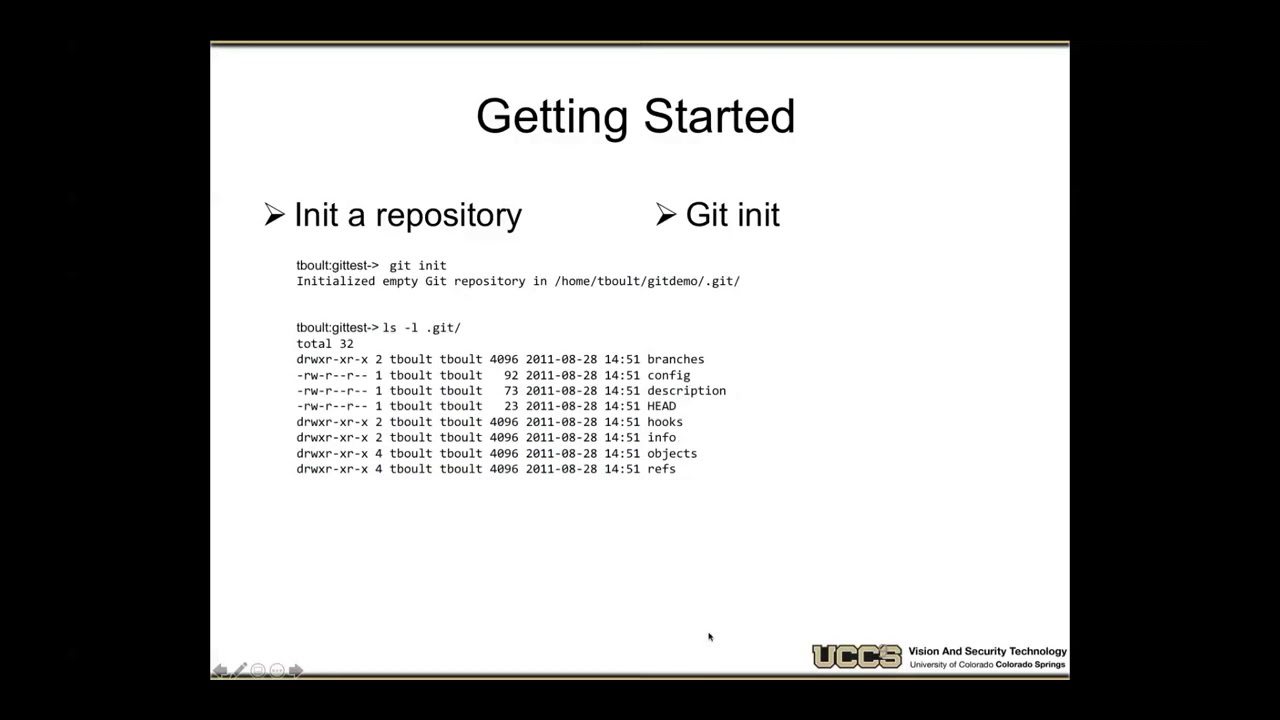
j.u um that'll redirect you to the invite link um and I guess I can uh I guess I can also put the invite link right here in chat so that uh you have a handy way to get it quickly um there are a bunch of other channels too that are only available to people uh who sponsor me so that brings me to the second thing uh or the third I guess um which is I now have a GitHub sponsors um there is no requirement to sponsor me you don't get anything particularly fancy except access to like a couple of these Discord channels um the main thing is if you find that you've gotten something valuable out of the streams that I've done and the other content that I've produced uh over the years then I would appre appreciate if you could sponsor me and sort of help me do more of this um but I'm also in a stable job so this is not a thing that sort of sustains my living uh it is more of a way to sort of go the extra mile um okay and then the last bit is uh I will be at rust Nation at the end of March um Hing who I now work for is uh sponsoring a hackathon at rust Nation so I'm going to be there running a hackathon with like remote control drones and cards I think it's going to be pretty cool if you happen to be there stop by and say hi uh and that I think is all the housekeeping I wanted to do and so now we can get started uh I have not at looked at this challenge at all before starting so this is sort of my my normal style of how to do these videos right is that I don't want to go in already knowing what I'm going to build because if I already know what I'm going to build it's going to be much less educational for you uh and it's also fun to watch me get stuck so uh we're going to start this challenge sort of blind uh and hopefully this will go well uh we'll see how far we get through the challenges my guess is based on the difficulties here my guess is we'll get to the last one we might not get through the last one uh sort of depends on how long I'm willing to stream today as well uh I'm guessing we'll stream for four to five hours um but we'll see okay are there any questions before we start before I click the the start building button here um the saw is very authentic good just like at home uh the Discord is uh for anyone like you don't need to be a sponsor to join the Discord it's just that the only channels that are on the Discord if you're not a sponsor are sort of the announcement channels like there's no actual chat Channel um and then depending on the tier you sponsor at you get access to sort of a community chat channel one where I post interesting tidbits that I come across um and then this sort of goes a little bit up from there so there's a there's a more frequent Q&A tier um and there's also a tier where you can sort of suggest additional streams I should do and such um that are further up um will you implement rebase uh probably not um I think you know that rebase to me would come after clone a repository here like I think it's worth pointing out that you know I've worked a lot with Git uh so so it's not like I don't know what git is and in fact I know a decent amount about the data model for git too because sometimes that's how you have to debug why git doesn't do what you want uh I just haven't like actually looked at this challenge before um prerequisite for this um so this is going to assume that you know rust like I'm not going to teach you rust in this stream um but if you don't know rust and like hopefully you should be able to follow along it might just be some parts of it where you're like oh I don't know what that piece of code does with this syntax does uh but you should still generally be able to follow along but the goal of this is someone who generally knows rust and then wants to uh sort of see someone with experience building this and hopefully over the course of that you'll get exposed to some techniques some libraries some um uh ways to use the stand a library uh and just techniques for programming in Rust more broadly and potentially also debugging techniques um so I'm hoping sort of teach some intermediate rust Concepts as we go through this as well um if you want an intro to rust uh one thing that I can recommend is um so a couple of years ago I ran this class or like a mini class at MIT with with um two other uh labmates of mine called The Missing semester of your CS education it's missing. cell. mit.edu I'll put the link in chat nope that's not the link uh this is the link um and uh it has a lecture on git um it's not given by me it it's given given by um Anish who's also a great lecturer um and if you go in there it has like both the a bunch of written notes uh throughout this and it also has the entire lecture video at least in theory if I can get that to load um and so this one is a I think a really good walk through of sort of the mental model of git but also the data storage model of git we'll get into a lot of the details of this as we go through the stream but if you're completely new to git uh I would recommend uh checking that out all right so let's then get started I don't think there are any other burning questions so let's go for it start building uh I would like to do it in Rust please language proficiency I'm going to go with Advanced uh next question uh how often do you intend to practice um once a month accountability I'll pass I don't want accountability for this uh all right step one clone the repository uh that's fine we can do that get clone okay uh and then they want an empty commit I can do that right so one of the things that sort of code CRA Crafters has set up and I remember this from when we did the bitor challenge is that there's sort of a push hook so whenever you do a get push it it runs all of the sort of test Suite over your thing you see here it built the the rust app it ran the thing um and it's telling me that like basically test one failed um which is totally fine that's sort of expected I guess we can go here woohoo okay great they receed the get push so that means we're we're now set up um okay uh that's fine your next stage implement the get init command uh okay okay okay so the idea here is that we will have uh they'll run our binary basically as the git binary and the git binary has an init command um it initializes by creating a git directory with some files and directories inside of it okay oh yeah uh what's in the git directory bunch of text files yeah that's fine I'm guessing this is the same thing that's described below all right so we got to we got to look at what we have in here um let me get another couple of terminals in here um let's see what we have Source main all right I like uh clap so we're going to go ahead and add in clap here um and then I can never remember the setup for this it is like this oops um great like so and the arguments we want here is actually we want sub commands right so in clap uh derive reference um sub command there is the example for sub commands yeah here okay so what I actually want here is I want subc commands right um for things like init um and command here is one of these guys uh and I don't actually have any Global arguments as of yet um I do want to include here subc command which I want to derive uh and actually let's use the the tutorial instead which has sub command without all the bits so I don't need this don't need this can get rid of this in it uh and initially in it is going to take no arguments uh we do want to derive debug for it um and then down here um instead of doing the the sort of r ARS that they're using here uh what we will instead do is match on args do command uh and assuming that is you know the only valid command initially is in it um and then we're going to have you know this and then we don't actually need an else Branch here that they have for for unknown command because clap will take care of just crashing for us uh and give giving a a useful error message if um uh if the appropriate if if a subc commmand was given that's not the thing we support um and then okay what do we do here we create a directory dogit we create a directory.
git objects. refs we write to head refs head Main and we print initialize git directory all right just to see what that does uh that's fine that's all fine first exercise get push um let's go look at what it says here so we get an explanation as well um okay yeah so we have this directory structure we have a head file the objects directory contains git objects the references contain git references uh and head contains a reference to the currently checked out Branch so in this case it says that the main branch is checked out okay so let me give you a brief overview of git here um rather than sort of diving into so this is linking into the the git book which is is a good read but just in the interest of time here rather than try to read through it I'll give you a very rough sort of headline overview here so in get everything is stored as a uh roughly roughly speaking a Content addressed blob so that means if you have a file for example the the file is really stored as all of its bytes and then the uh keyed by the hash of those bytes um and so this is an object similarly a commit is also an object so a commit is an object that has a um uh well actually there are a bunch of things in between here so a file is sort of the a blob is the lowest level thing that is an object whose key is the the hash of the file of the blob's contents whose contents are the contents of that file um a uh tree object is something that holds something like a directory and what it really holds is a list of name and OB um and object key uh for the contents of that file at that time so you could imagine that a um the tree for well I don't really want to use the same thing but but let's say I do here a make their Fu and I touch Fu or I Echo hello into Fu bar um then the way this this will actually be stored is there'll be a uh this sort of thing will be stored somewhere uh and that is the tree entry that we would have for um for Fu /ar so for the repository here that's rooted at foo um we would store the hash of the contents of Foo bar um a and the name Foo bar in a tree object uh and we would also separately in the object store store this hash and the contents of Foo bar uh like this and then where would this you know this actual string right here where would that be stored well that would be stored in a tree object and the tree object is keyed by the hash of this literal string um and where it's that hash object where is that hash stored that that hash that object key is stored in the commit object so when you create a commit the commit points to a tree and particularly it points to the object uh key the hash of the root tree object uh as well as it includes you know information about the metadata like who authored it and such and then the commit is stored as all of the bytes that make that up and keyed by the hash of that content uh and that hash is what we know as a commit hash so if I do um uh rev parse head so this hash right here is the hash of the commit object uh that is that head points to and similarly you know if I do Master here for example it's the same hash because master and head currently point to the same thing um if I did something like head hat which means the previous Commit This is the hash of the commit object before head um and I can even do uh cat uh no uh what is the name of that command um maybe it is just cat file uh yeah so cat file lets you print out what is contained within an object so for example here uh we can do uh cat file commit head and this sorry about the chainsaw um this is the entirety of the contents of the commit at head and if I did a REV uh parse of head and then I did a CAT file of this commit it prints the same thing right because ultimately the the commit is keyed by its hash just like everything in git is so so the core of git in a sense is this Object Store and the object store just stores maps from hashes to the body of the thing that contains that hash so whether it's a commit or a tree or a blob whatever it is it's all stored in the same object store that has the same rules which is it's a Content hashed storage and so you see when we look at the cat file here of this commit um you see the contents of it is uh the tree for this commit so basically the contents of all the files recursively all the way down um is this hash um the parent commit has this hash and the information about the author the committer and the the commit message and then we can keep walking down right so we can do up here uh we can cat file tree this tree and this might not immediately you know look very reasonable but this is basically a serialized representation of the tree and in particular the things you'll see here here is you'll notice that there's a the mode of the file so this like is this readable is it writable the name of the file uh and then these bits in between are basically a binary representation of you guessed it the object key for the contents of those files in this particular Tree in this particular commit and one of the reasons why you have this structure is because for instance if you create a new commit where you change nothing right so we did a commit earlier that was like allow empty then it can use the same tree so you don't need to store the entire tree twice once for each commit you can have two commit objects that have the same tree reference embedded in them and similarly if you have two trees that differ only in like the contents of one file then the tree objects are going to be different but they're going to reuse the same object key for the Blobs of most of the files um except for the one file that's changed right um and so that's sort of the the setup here um and you'll see here like you see here is a source and then Source just points at its own tree right so um if I there not really a nice way to turn this back into the hash that we need um but but there is then a tree object for uh the the sort of um hash equivalent of this binary string and if we cat file that we would see a similar tree object that would list all of the things that are under source which is Main um okay so that's what we're creating here so we're creating object which is the sort of root store for this uh content hashable um or content addressable um store and then refs is really just a um a mapping between human readable names like the name of a branch for example um and which commit hash uh that reference is two so if we in fact look inside our the G that we have for this um and we look inside of refs you can see here that the refs are in heads you can see master and if we cat Master you'll see that that is the same uh get rev pars the same hash as we get back on head when we parse out the kit so that's just where those are stored if you had multiple branches there would be different heads under here at the moment we only have the one um but under refs we also have remotes uh so remotes is um where is the the same kind of refs except for references that are stored remotely such as Branch pointers on GitHub for instance from the last time you did a git pull so if I do a cat of origin head here for example um you see that it doesn't have a commit hash instead it says head is the same as that's what this ref here means the same as ref's remote's origin master so that means head is pointing to master and if we cat Master you see it's the same thing as here because we did a push if I do a git commit um allow empty like this test two then now if I cat uh if I rev pars head you see this commit hash is now different similarly if I now cat uh Master that's the same because that's the local one but if I cat the master in the remote origin I still get the old commit because that's where that points and so now you're sort of starting to see how this comes together that when you do a commit you have your local refs when you push what you really do is you're telling the remote hey update your refs Master to have this commit instead just commit hash rather um the other things that are in refs is uh tags which you know obviously every tag has some name and has to point to the hash of uh the commit object that that tag is is pointing to uh and if we look at objects you see this is just a this is almost entirely just um a list of files by hash and in fact we could even find here so head was that so get objects 6f H you'll see here that the first two characters are used as a directory name and then the rest are flat files the reason for that is just because Linux doesn't like it if you have a bajillion files all in the same directory so splitting by the first two characters of the hex um just allows the the the file system representation of this to be a little bit more efficient um but you see here uh 6f c85 6f c85 so this is the same object and indeed if we now cat this um it's a it's you know a binary file but really the contents of that is uh commit um is the same as this it's just a compressed version of it okay uh if you stump that we see the same hash for tree um so you want to hex dump this file I don't think that's going to help you too much no it this is not just like the binary representation of that because it's asky would be the same uh it's like I believe these are uh compressed I forget exactly I'm guessing we're going to get to that in in one of the first exercises okay uh so that hopefully now you have a sense of what are in each each of these two directories so there's objects which is the object store refs which we just talked about and head which is just a a special kind of ref it is specifically which commit is currently checked out that's what head means um and initially that's just going to be the main branch that's fine uh so we did this first thing where we now you know we create we just create the correct directories and then we also create the the head file right so if you look at here we created G we created G objects G refs and we created this GI head file the points domain that's all we did um git actually creates more files and directories right so if you go look in git there's a bunch of other things here like logs and and branches and stuff we're just going to ignore those for now these are all we need to get started uh there's zib compressed yeah that sounds about right uh Gad as a new line at the end that's fine okay view next stage uh read a blob object so this is the cat file command that we actually just used um and so I'm guessing here the goal is going to be that you can cat file some blob and it just prints what the contents of this is so I'm guessing here we're going to get to the point of doing a um a decompress right which is exactly what we expect um we'll deal with three git objects blobs trees and commits right so we've talked about all these so far blobs are sort of the lowest level thing which is just the contents of a file um uh yep Only Store the content of the file not names or permissions and this is so that for example if you have two copies of the exact same file in your directory tree it's only stored once because the the tree just stores the same hash twice uh under different names uh yes it's a sha one hash known as the object hash this is an example git object storage they're stored in git objects we looked at that uh we looked at how the path would be structured um each git object has its own format for storage right so blobs trees and commits have a different on disk binary representation from each other um and this is presumably because you want to optimize for you know both how they're used and how they compress the best I'm guessing we'll see that in a second um so for blob storage they are zib compressed yeah so the whoever was in chat was uh was totally on board with this um format of a blob object looks like this uh blob space size a null bite and then the contents um okay so we can we can sort of verify this if we want right so the um uh what is the easiest way for me to do this actually I just want to see if I can find like um if we look under dogit slob objects and we look at I don't know F9 what what is in you that doesn't look like a blob UH 60 that doesn't look like a blob but look notice how it starts with the same kind of thing so I'm guessing these are then probably uh either commits or trees um 9f so that starts with XK so that's a different type of file um 6f uh that we know is a commit uh because we looked at that one earlier um 73 okay yeah so these are all compressed I don't think we're going to get something useful out of uh just looking at them so let's Instead try to just implement this first bit um so we're going to have to I see cuz there they're written like this and then zib compressed so we're all we're seeing is the binary output of the zib compression and so we need to zib decompress and then we'll see um this bit okay so uh let's then add here a um cat file uh and we should be able to here now do uh command cat file uh and obviously cat file is uh actually takes some arguments right in particular it takes which thing that you actually want to print out so it takes uh what's the- P here for um let's go look at cat file so cat file takes A- p and I'm guessing P pretty print based on its type okay so let's go up here and say that cat file is going to take a pretty print pretty print I can't type um which is going to be a clap short like this um so it's going to take that but it also is going to take a positional argument right which is the um the object hash which is going to be a we can choose how we want to structure this right so we could say a string um alternatively we could say something like a um I I actually wonder whether yeah it yeah I was afraid of that I was hoping the clap might be smart enough to realize that this is something that can be passed in as a string to to validate that it's exactly 40 characters I think instead what we'll do is um is just take a string here uh and then if they give a a hash that doesn't have the right length then we'll just you know error out um there is actually the point here that I I believe uh cat file is a little bit smarter in that it allows you to D duplicate so um you only need to give the longest or the shortest prefix that is unique uh so here because there are no other hashes than the one for this one that starts with this it actually lets you get away with specifying fewer so that's even more of a reason here to to specify string um so this is also going to have the object hash uh and then in cat file we go down here here uh yes we'll have to read The Blob object decompress uh extract the content and print the contents to standard out okay shouldn't be too bad um cat file must not contain a new line that's fine uh you can use flate to okay so here's what we're going to do we have to uh open the file in fact we don't so there are two ways we could do this we could either read the entire entire file into memory uh and then decompress it in memory uh and then do what we want the output or uh we can open an IO reader here which is realistically the the nicer thing to do um file uh open and we're going to try to open um I'm going to leave a to-do here uh support uh shortest unique object hashes right because what we're do going to do here for now at least is to just open a file that is at exactly where the path should be um according to the object hash but realistically we basically want to use something like glob here to um uh put a star at the end and find the number of unique files or the number of files that match that prefix and if there are more than one then we error saying you need to you need to choose if there's only one then we um give that file but for now let's do the the whole thing so what we want to open here is dogit slobs FL and then the the first two characters uh and then the rest uh where format um so what that is going to be is object hash two and object hash 2 like so uh so that is going to open the uh the file and then we're going to use the flate 2 crate uh the flate 2 crate is uh basically provides different kinds of uh compression and decompression things uh in our case what we want is a uh reader and in particular I want to decompress um do they have a copy paste example I can just use because that would be nice this is for compress ression don't need multimember I guess I'll do read uh zib decoder aha amazing so oh and I don't really need EnV here that one can go away um and so down here I'm then going to create a new zib decoder uh and the zip decoder new here takes anything that implements read and files Implement read so we can just pass that in right here uh we get a ZB decoder back um and uh and then it implements read for zbl decoder right so the idea here is that it's sort of a streaming decoder so it reads from the file decompresses and produces a thing that you can then read from uh in our case the question then becomes okay what do we want to read out here well really what we're reading out is just a a string but it is a string with a little bit of structure to it right so it has this structure right here so what we can do is um we can either write uh write a custom um re uh implementation over read here or in fact here's what I think I want to do what is size here is the size of content in bytes yeah but how many bits though I see it's just an okay it's variable length uh decimal encoded so this is really just a null terminated string okay so in that case uh what we can do is uh use Z dot in fact I think what I want here is z is uh buff reader new of Z so buff reader oh right uh I guess we'll return here a uh anyhow result we'll do a cargo add anyhow uh so that at the end here we can do this um and we can do context just to make it a little bit nicer than just wrapping everywhere um uh open in git objects uh so this um the buff reader here so buff reader is a type from the standard library that allows you to uh B basically keeps both the read thing that you pass in and a buffer that it's reading into um and then it'll because it keeps that buffer and doesn't just take whatever comes out of read each time um it can do a little bit smarter things like this growable buffer you can do things like read until you hit this character and what we'll do is keep filling into the buffer until it hits something that matches that which is exactly what we want here right we can do um z. read until uh we want to read until we get a zero byte um and the buffer we're going to give it is uh buff is V new so we're going to read until that into this buffer uh like this read from get objects or read um header from git objects is really what we want to do and these still need to be mute um okay so if we look at the docs for read until it says until the delimiter bite or end of file is reached um all bytes up to and including the delimiter will be appended to buff okay so in theory at least this means that uh after doing this reading the the stuff that's in here is technically a valid uh seaster so in the standard Library nope uh seaster there's a type called seaster in ffi that represents a borrowed C string right which is really what we have here C string being null terminated array of bytes right that's exactly what this string is um it can construct safely from a u8 slice which is exactly what we want here um so we can do let me I wish this was the default view um so what I want is uh let header is um cter what's the name of it it's like from bytes with null yep um this one is safe but it does scan the string ones to make sure there aren't any null bites within the thing you gave and that there is one at the end I think that's okay um technically you know we could have a smarter implementation here that was like we already know that there is no null inside so we could could use the unsafe Constructor here um but in reality you know I don't think it actually costs that much uh and it means we don't have to use unsafe so let's just stick with it um so we can do this and say uh this one we can actually do expect um because we can say no there is exactly one uh null and it's at the end right so this isn't an error we expect that that should ever be possible at runtime uh and so then we use expect uh and I'll grab in Seer here um and at this point you know back here we were told uh the structure of this is blob space and then the size uh so we should now be able to do um you know uh header dot uh in fact header.
toer in fact I'm going to do this uh context uh get objects uh file header isn't valid uh utf8 uh and remember here that really it's asky right but ask all asky is valid utf8 um and so at this point we should now be able to do uh let some um size is header. strip prefix um we want to strip out the blob space that we know is at the beginning and if there isn't a uh a blob space at the beginning then something is terribly wrong right and we can we can bail uh and say uh git objects file header did not start with uh blob uh and then we can even give the the string that was actually produced right which we can do here uh and then we want to say say uh let size is size. parse and we want to parse this as a u size right it should not be a signed number the negative wouldn't make sense here um and here too we can give the context um of uh git objects file header uh has invalid size and we'll print that out as well so now we have the size now we know that the um now we know how long the content should be and so we should now be able to say um uh buff dot Reserve exact in fact we can we can truncate it to zero uh which is really just a clear right and then we can do uh Reserve exact uh and we want to reserve exact size right so this is saying clear all the stuff that was in the in the buffer that we read into previously right which is is this this header bit um and then we want to reserve space for exactly this much which is how the how long get claims that the file should be um and at this point we can now do z. uh read uh to end um in fact is there a read there's a read exact that's what I want see okay so there are two ways to go about this the the question really is what do we want to happen if this is wrong right like like if the the size here doesn't match how much is actually in the file so so we have two options here we can either do read until end and what read to end will do is if I pass in the buffer here uh it will read until it hits end of file and it will grow buff if necessary so if the real file is way larger than what the size header said then this will just just keep growing buff potentially until it produce a giant file um that's not and then we could check afterwards that it matches the size but but still um the other alternative is to use read exact right read exact takes a a slice so you have to take the VC and produce a slice of that size um and then uh it will only it will read exactly that many bytes if it hits Endo file before that it returns an error which kind of is what we want here right unexpected end of file uh if you read something shorter and then we would after doing the read exact we would check that the next read returns end of file uh that's sort of the the nicer way to do this right so I think we're going to go that way for now um so in that case what we actually want is we want to slice into buff of the right size um so if we go now to uh back I forget exactly what this method is called called right because what we really want here is a um method that returns yeah so uh yeah sure it let's do this properly um so here's what we're going to do next um I'm going to do it the slow way first and then tell you why it's slow and then how we could fix it um so let's do so where do I want to start with this um z.
read exact at mute something so this has to be a slice if I just give buff here right like I can do this uh uh get objects file had unex uh uh contents did not match match expectation it's a little bit of weird error um the problem here is that if you this slice will be of length zero because we cleared the buffer and then we reserved this many bytes but the the length of the vector is still zero right like we we made the capacity be large or whatever the size dictates we did did not actually set the length to anything and the the answer to that is of course or the reason we did that of course is like if here if the length was set to size what would the value of buff zero be or or worse yet like size minus one it doesn't have a defined value because we haven't set it to anything and if there's one thing Russ dislikes it is UN like memory with undefined values right um so there are a couple of ways we can go about this one of them is resize uh so with resize I can set size and I can say that every value should be given the value of zero right so instead of Reserve exact here I do resize to size of zero uh uh the zero here basically means every element should be given the value of zero so allocate to size and then set everything to zero this works the problem is we're writing a bunch of zeros that we're then immediately going to overwrite so that feels kind of stupid right like it's it's an unnecessary performance penalty what we really want to say is I just want it to be the size and then they're all going to be overwritten anyway um there is a way to do this which is to use the maybe uninit type um and what you would do is you would have a instead having a v of u8 you have a v of maybe U an in it of u8 and then you can um resize it you can basically uh set its length to be uh you can here you would do maybe uninit UN in it right so you you would set the length to just have uninitialized bites the entire way and then you would cast it into the u8 buff that's needed here uh through an unsafe call uh and then afterwards you would assert that the vector now holds an initialized bites we're not actually going to do that here because it's a little bit of a wonky code and I think it distracts too much from what we actually want to do here but it's just a worthwhile thing to point out uh one of the reasons I don't want to do it is because one of the methods I know I'm going to want here is a um way to turn a a slice of maybe uninit uats into a slice of u8s um there's a nightly like an unstable function to do this but it's not stabilized yet and so I don't want to also need to opt into nightly here um this will uh this will turn into an optimized mem set I believe but even so you're still telling the computer write all these zeros um so we're going to stick with this for now um and what read exact returns you'll see it's an IO result with unit right because it doesn't need to tell you how many bytes it read because you told it read exactly this many bytes uh and so now uh if we now do a uh read um and and I'm going to pass it a empty I'm going to pass it a one byte long thing here um yeah uh n is this uh I guess read this is really read contents of read R true contents of git objects file uh and this is uh validate F end of file in git object file uh and here we should assert that n is uh zero right so there should be no bytes after the size that the header required that we do and here we can use I think it's ensure right n equals 0 um or uh get object file had n trailing bytes okay so in theory now we're we're reading out this whole thing we write it into the buffer um and at the end of all of this the question now becomes what do we actually print out so the thing that comes after here the content here is like it's just a bunch of bites there's no guarantee that this is actually a St it could be an image right any file that you can put into git will have this structure and so when it says cat file it's worth pointing out that this that the stuff we end up with is just a binary blob uh and so uh and so we don't actually want to print it using like print Lin because print line will require the thing you gave it as a string so instead what we're going to do is take stood out uh which is going to be IO uh standard out so this gives us a handle to standard out um and then we can also even do uh if we want to sort of Max maximize performance here uh we could lock standard out so that no one else writes to it and so that we don't get any garbled output there is no concurrency here so it doesn't really matter um but if you so you can write directly into this but what that means is every time you write a new chunk it takes the lock again and again uh here we're just going to lock it and then do all our wrs at once uh and so now we can do right uh to stood out um and we want to write uh in fact I don't want to do that I want to stood out dot uh write all of uh buff and then this will be uh write object contents to St up and then uh this needs to be mute okay uh let's try to Cargo run uh cat file the the P doesn't do anything at the moment um let's see what that does oh right so it tells me well I couldn't do that because you didn't tell me about an object hash so let's give it an object hash cat file this uh G object file header did not start with blob it started with commit right so we've only told it to print blobs we we haven't put in handling for things like printing a commit yet that makes sense um so instead I guess up here where we're currently looking for the blob header what we actually want to do is say uh kind and uh size is header do split ones on a space uh and we do expect that that should always be the case uh otherwise uh did not start with a known type um and then we're going to match on the uh and then the size can keep going here um I'm guessing they all have the same structure for this header um but down here what we want to do is um match on the kind uh if it's blob then we do this um if it is anything else then we do uh write to standard out um uh do uh ah so now I know what the P flag is doing is almost certainly that if um I'm going to guess that if the P flag is not given then it prints out just the the raw decompress so if I did um here if I do git cat file this I see you need to give the type and if you give- P okay never mind then uh so if we get anything that's not uh then uh not blob then we say uh uh we do not yet know how to print a uh kind and this needs to be a comma and I've done something else wrong what else have I done wrong uh ah there we go uh buff is borrowed as mutable ah so this is because uh we're still borrowing kind here uh so let's go up here and do uh enum kind is blob uh and blob is the only one we have here and so down here we can say let kind is match kind and we'll make this a little bit nicer uh so blob is going to do kind blob anything else we do not know how to do so we'll do uh e uh in fact we'll do uh anyhow bail like this and then down here this is now going to be kind blob and we can get rid of this guy so now if I do this it'll say we do not yet know how to print a commit fantastic do we have something that is a blob is the question ah yes we probably do we can do uh we can print out this tree uh like so oops uh I meant to use the Git Version here ah tree can I like pretty print it that probably just does the same aha pretty print okay great that's what I wanted uh so let's try to do I don't know uh get ignore is probably a nice short file um and so now if I run our version and do cat file of this Aha and look we indeed printed out what does indeed look like you get to ignore a file amazing um okay so that's really nice um amazing so now we have a thing that actually does print out what we wanted we can get rid of this uh uh logs from your program will happen here let's make that go to ePrint line um and I think actually uh up here we're going to do anyhow uh ensure pretty print uh because uh that's what the real git command does right when I tried get cat file of this it just gives me the help thing it says you you need to give both a type and an object or you need to give- P um and so this is uh mode must be given without - p and we don't support mode uh great um someone asked in chat is it possible to redirect the read of the payload directly into stat out without the VEC allocation it is um so the proposal here right is actually let me push this first and then show you that change uh great yep commit uh second exercise get push let's see what it does I don't know why we have Tokyo in here probably get rid of Tokyo here and then get significantly faster build a whole lot of steps let's see what they have in cargot tumml why do we need htdp requests interesting I don't none of oh we're going to need it for cloning a repository at the end right then you need to actually read things from from the remote um I'm going to just comment those out right now because we don't need it for this um I'm also fine to use anyhow instead of this error so we'll do this just to all test pass great woo it's happy with us great so we indeed did the the right thing so now the question is can we make this a little bit better um so instead of uh instead of doing this with sort of reading into a buffer the moment we've read the header we don't really need to do anything else we can just stream the rest of the decoder directly to standard out and that is indeed doable so here's what we'll do in order to accomplish that we'll do um we'll do a match on kind uh because that might only be possible for blobs for example right uh but if what we get is a blob then we should be able to stream it directly out and then what we'll actually do is IO copy which takes a reader in this case the reader is going to be uh z uh and the writer which is going to be standard out down here uh mute to standard out uh and then n is going to be that uh and we'll do here uh write file into uh two standard out and then at the end here after printing it all out we'll we'll do this assert now the the downside of doing it this way uh I think I can now get rid of most of this um the downside of doing this way is we might actually end up copying a lot more like imagine that the file is actually way longer than what the size dictates then the copy here is still going to copy until the the decompressor runs out of stuff and this is how you get to things like Zip bombs right where you just keep reading as long as the decompressor is giving you stuff even if there's a header that says how much there should be there um and so this is just going to write everything out um there is a way to get uh I forgot the one bite read uh you don't need the white one bite read here the the thing to to check that we hit end ofile because copy is going to run until it hits end of file anyway and then it's going to tell you how many bytes it actually copied over um and so I guess this should be size uh has uh end trailing bytes where that's really going to be uh file was not the expected size uh expected is going to be size actual is going to be n um like this yeah so so we don't really want to do a sort of um unguarded read here there are a couple of ways around this so for example it could be we'll see whether that's the case here um this one does not have it decompression settings let's see here this one doesn't Okay so there are some of these uh libraries that actually provide you with a way to set a limiter um given that we don't have that what we can do is actually create a limit reader um and it is going to hold a uh and there are crates that provide this as well uh but we can write it pretty easily ourselves so we might as well uh the reader is going to be an R uh limit is going to be a u size uh and then we're going to implement read for limit reader uh where R is read and we'll grab in here uh Implement numers and in fact we're also going to implement the default ones uh specifically because we want uh we want to forward as many of these as we can uh well all right well we'll not do that right now we'll leave that to other crates to do um the my thinking here was that we really want like if if the underlying reader here is an optimized like vectored read for example we would really like to make use of that um but in the interest of time I won't do that here there are crates that provide exactly this type for this reason um but what we'll do is we'll have a um when you do a read you'll do uh let N is self. reader. read uh into buff um and then if n uh is more than limit in fact we're going to shorten this even more we're going to say um if buff. Len is greater than self.
limit uh then buff is equal to so this is going to be mutable then buff is going to be equal to m Ro of buff to self limit uh so that we never read more than what we're allowed to uh we're then going to do the read into buff uh and then we know now that this will never be more than n but then we'll do self limit minus equal n and then we'll do okay of n so the idea here is uh uh there's one bit that's going to be missing here which is we really want to error if there's more [Music] um uh I think what we'll actually do here is we'll do um+ one uh and if n is greater than self.
limit uh then we will do a return IO uh error uh new IO error kind uh I guess we'll do other um too many bytes and so now what we'll do here is we'll actually say that uh mute Z is in fact we can do that out here Z is a limit reader over the original Z with the limit of size and so now we can guarantee that will never read more than this size out of the reader ever right if if we do then we're going to get if the the reader produces more bytes then we'll hit this error right here right um and so now this copy is is going to read through the limit reader which means it'll be limited uh it might still produce a value that's lower than size in which case we want an error uh but if it produces something that's more then it'll hit uh this 2 many bytes error um and so in theory now cat file should still work uh and it's going to complain about this bit because uh the limit here needs to be a u64 almost certainly uh this then should also be u64 um as u64 is fine here uh H I guess the limit here should be U size uh and then this should be as uze that's fine so it still now works but if you were to get a an object file where the size header didn't match uh you would get an error regardless of whether it was um too long or Too Short uh could you use reader take here oo you might be right uh take an adapter which will read at most limit bytes from it yes indeed uh although so the difference here is that this will return end of file it won't error um I guess that's okay it's kind of nice to get the error but but in the interest of shorter code which is easier to reason about uh we can do Z is z. take size has the same effect good call um note uh this won't error if the file is if the decompressed file is too long uh but will at least not uh spam stood out and be vulnerable to a zip bomb and just see this still works it does and then we can now get rid of the io thing uh let's do add cargo lock and cargo toml first uh comment out big deps for now and down here uh mitigate zip bomb get push I've educated chat so they're they've surpassed me now chat now is telling me about all the things I didn't know about rust yeah so see how much faster the build was here because we got rid of all those extra dependencies nice we might have to add them back but at least we don't have to wait for them for each stage until that last one um okay let's go see what the next exercise is I guess we're supposed to be doing exercises uh create a blob object you'll Implement support for creating a blob using the git hash object command used to compute the shaw hash of a git object when used to the w-w flag it also writes the object of the get objects um oh I see so this produces the hash that this file uh would have created if it were added to git and then with DW will'll also write it into get objects nice okay that should be pretty easy uh yeah yeah that's fine we just it it thinks we're at the next exercise so it goes that failed but you see stage two uh succeeded okay okay so we have uh what's it called uh hash object um write uh and then this is going to be a file uh which is going to be a path buff so down here now uh command hash object right and file let's see what we get into so uh what are we going to do well we need to we need to compress it and then we need to add the sort of um size field to it uh no the other way around we need to add the size header and then we need to compress it and then we need to Hash it right so the inverse of what we did for for print here uh so the header is going to be um ah see here's the awkward part um we don't know the size until we've read the bytes which means we can't start writing we can't start creating the hash until we've read the bytes uh because the hash is going to include the size and it comes before the contents so this is why often these formats tend to have the size at the end rather than the beginning because that way you can do it in a streaming way but if you have it at the end instead of the beginning then when you read you can't pre-allocate the storage so like you have to choose either writing is annoying or reading is annoying and in this case uh writing is annoying which is fine um or rather when I say annoying what I mean is uh a little bit less efficient right because you need to read all the contents into the memory in order to produce the hash you're eventually going to print you can't just stream it through um but you can stream reads and so given that you read more often than you write that's probably a worthwhile tradeoff uh yeah we can stat the file to get the the size ahead of time um but that doesn't work for example if file here were uh standard in so my guess for example is that uh hash object um also allows you to pass things from standard in O does it not oh it doesn't well okay then ignore me me uh then what we will do is start the file uh so we'll do uh metad data of uh file context uh uh stat file um and we can actually here be a little bit more helpful right so we can do with context format um and then actually print the uh path to the file um and then the we'll do a hasher is going to be uh so I think we have the Sha one crate here already that was already in Cargo in the cargo toml yep so we're going to create one of these guys uh and we We'll add in this uh and I think we already have the hex crate although I think actually looking at the cargo toml I think it's using hex and I've seem to remember something about because there hex and there hex literal hex literal I think is maintained by the Russ crypto Community which like crypto as in cryptography Community uh who are the same ones who maintain like things like shaan and so that's why they're using that here I don't think it matters too much either way uh we'll we'll use hex that's fine uh given that that's already in the um in our cargo toml uh so we can just leave that so we go down here the hasher is going to be that uh then we're going to be dot uh sorry hasher do update um we're going to write blob space uh and then hasher do update um the size which is going to be a uh format of uh stat dot oh it's rust analyzer doesn't like me now uh stat. uh Len and then we update it with uh a size and then we update it with a literal zero I wonder whether does update allow that uh as ref u8 no so I'll do this then like this uh and then we want to stream in the actual contents of the file uh into no this is not even true because we need to compress it first so ignore me for a second while I grab the Z encoder uh oh there's a s in s in flag for reading from standard in okay uh we want the zib encoder we'll grab the same things here um and we want one of these guys so ah so this is where it's going to be yeah okay uh so we create a z encoder uh and we're going to write all blob space compress is going to come at the end hasher is also going to come at the end uh we're going to write all that uh we're going to e do write uh in fact I think E I think e here just implements right so we can just do this instead it's a little bit nicer uh and that way we don't need the format we can just write e uh stat.
Len uh and that also means we can then write and I think we can just do this like so uh and this is going to have a question mark that's fine um so the compressed thing here is a evacuate right so here you give it what you wanted to write the output into and so here really what we we do is construct the file that we're going to Output into to but we also want to sort of keep a running hash of the thing that we're writing so that we get the hash at the end right so what we actually want here and here I am going to claim that we need our own uh our own implementation of WR uh so we'll do a hash writer I mean unless the the shaan crate has one but I'd be very surprised uh yeah it does not okay uh so we're going to Hash writer which takes a w it has a writer uh and it has a hasher uh which is going to be a sha one uh and then we're going to implement right for uh uh WR for hashw writer W where W implements right Implement using members and again here you know there are a bunch of other methods you might want to pipe through we're just going to skip them for now because the efficiency isn't that important to us um so here what we want to do is self doer. update buff and then self. writer. write um buff and actually this is not quite right because um we actually need to do this uh buff n because it could be that the writer does not write all of the byes that it's given uh and we would only want to update the hasher with the btes that were written because they're going to be given in again the next time around uh so this is actually a I'm guessing someone has been tripped up by this in the past uh and so then we're going to return okay n uh and flush is just going to be self. writer. flush we don't need anything special for that uh and so now our uh writer is going to be uh and a this is going to be annoying isn't it yeah the generics here are going to come bite us which is a little frustrating uh so we'll have a we'll have a function for this um I'll I'll show you what I mean so what I really want up here right is writer is uh if write else uh if write then we want uh oh actually the thing we're going to have to do here is uh file create temporary I'll talk about why we need temporary in a second um and otherwise is going to be a V new in fact it's not even going to be that it's going to be unit because we don't actually care about the bytes that are written we only care about the hash um and then what I want here is given writer the problem as the compiler helpfully points out is that the if and the else have different types here uh and so writer doesn't have a well defined type it has one of two uh which means ZB encoder has one of two because it's generic over the writer um and you know that we could put all of this code inside each branch but instead what we'll do is just have a an FN um in fact we can Define that up in here um uh write blob going to take a w um and the bits that it is given is the size and the file size here being a u64 file here being um a reference to a path uh in fact file size and writer uh and it's going to return an anyhow result like so um and then up here we're going to go up and grab this put that in here uh and so now if write then we're going to do write blob of uh file and uh stat. Len stat. Len uh and this uh write uh blob object to dis and really this is two temporary file and again I I know I've promised to explain why we have that so I'll do that in a second um and otherwise we're going to do this like so uh and then down here this is going to return okay nothing so inside of here we're going to take the writer uh where W is right uh and we'll grab in path here I was pretty sure unit implements right does it not why it should right really there's a sync type instead of it just being for unit all right fine stood iio sync then so this is a writer which will move data into the void I.E it does no actual system calls generally called by calling sync okay fine fine fine fine like this uh so inside here uh we're going to open a ZB encoder over the writer that we're given we're going to write out blob space and then the size um and in fact that means this bit can also move in here cuz no real reason for it not to uh at which point we don't need to take the size anymore and these don't need to pass it in oops one too many uh stat.
Len uh and at the end here we're going to call e.
finished uh compressed gives us back the writer after we finish the encoding uh and the hash now is compressed do um so it's the let writer is actually going to be one of our hash writers here so hash writer of writer and uh hasher where the hasher is a sha one new uh like this and so now the hash at the end is compressed doher dot uh what is it finish for Shan do finalize uh and then this I guess we will do um do contexts here because these write blobs return an error uh which is going to be uh write out uh um write out blob object and this is really construct temporary file for blob um right and at the end here I guess we get the hash and so we could really just return the hash here instead uh what is the type of hash it is something o not what I meant to do um so in are uh in our sha one sha one here sha One Core is there an easy way I can name the output here is what I want to know fixed output core output size user o I just want something that I can name as the output type here that's fine I can have it be a hex instead I suppose uh so this will output then uh hex and code of hash that's ultimately what we get out here um and so this then is going to be let hash is this uh and this actually I'm going to have to explain this now I think um um so here in the uh in the right case the hash we get out like we wrote to a temporary object because we don't know the hash until we've run through the entire input file and so we don't know where we want to write the output to until we've done reading the input and so we have two options either we do it all in memory and then write out to the final file or we write to a temporary file and then we move the temporary file to where it's supposed to be um and so in this case I'm going to do the writer the latter I mean um we're going to do Creator all um oops yep uh dogit objects uh this where that is going to be hash uh do do2 right so the first two characters uh create uh subar of git objects um and then we're going to do stood FS rename of uh in this let's for now just say it's called temporary realistically here you would use a um you would use an actual like thing that generates random temporary file names uh for now I'm just going to pretend that we have one of those um and then we're going to move it to the final location which is going to be this and hash to onwards uh write out uh or um move blob file into git objects and in fact I think we want to get the hash out of here right so this is going to this is going to do this this is going to do that um and then here regardless of which path we took we do want to print out uh and it looks like hash object prints with a new line uh so we'll print out the hash regardless of which path we took okay so now let's let's just see if this does the the right thing so if we run hash object cargo lock what does it do um well it printed a hash but it's not the same hash so that seems problematic uh as the list of implemented commands is growing why not split the command processing of each into individual dedicated function functions we'll probably do that um like there's no real reason to have them all be directly in line here I agree and it's going to get unwieldy as we grow same thing is there are probably some things we can reuse like for example this way to construct paths there's no real reason you want to repeat it quite to the contrary you probably want to share it um I think for now this is okay but the moment we go to the next exercise I'm going to split them um okay so we did something but it's not quite right like we end up with a different thing than git does um which I think suggests that what we actually want to do here is a um I want to do a-w um and then I want to do a cargo run DW uh and then I want to diff um dogit objects 31e which is what git actually produced uh and get objects 2 a70 which is what we produced so we did actually write to the file that's good okay binary files differ yeah that's fine uh so let's do XX uh hex stump of each of them uh uh hex stump of the guy oh I want to uh decompress them which is uh zcat I think zcat can do this can't isn't there um oh I don't remember there's a command equivalent to zcat but for um zib and it is called anyone remember I don't have xxd really neovim doesn't ship with x6d that's really annoying um yeah I could write it out myself but I also want the the ditto one I I I there is a command for this I'm just blanking on the name um in fact I actually wonder whether I can just have themm open the file no I did not want to do that ah no Hexum I don't think hexom has um uncompress ZB data uh wow that's awful that's that's so awful I mean I guess that works but that's just that's just terrible wow wow okay that's that's so stupid um okay so that's what it gives for our file and then what was the other one 2 A1 2 a wasn't it 2A uh too hard to scroll uh 2 a 2 a70 is ours interesting well that's certainly different so notice that the the one from git has the actual file contents and ours just the does not um interesting uh why do we not oh that's cuz we don't actually write we don't we don't actually write the bites at all we we write that header and then we don't write anything else we need to stood IO copy of um that's that's so stupid okay stood FS file open of file uh we we'll grab this same one here uh so of course they're different because we didn't we didn't do it uh so we're going to read from file into e uh context uh I guess uh stream file into blob uh this needs to be a mute okay let's uh try that one more time how about now okay so it's different it's still wrong but it is different uh okay let's now see what we get this time uh so thir uh no 51a is now ours okay that's better um and what is the one that git produces git produces this one uh okay so our sizes are the same right blob 11792 blob 11792 this file is automatically generated by cargo interesting so how are these different um let's do Hex stump of this and then do I only need like I think I only need like the first three what I'm apparently bad at files uh 30 and then I want the [Music] five 51 so that's gits and this is ours that all looks the same to me a B diff AB they are the same ah is the Sha one of the uncompressed because that would certainly make a difference if it is the hash of the um yeah the notes at the bottom sha needs to be computed over the uncompressed contents of the file not the compressed version okay um that actually makes this slightly more annoying just because it means that what we really want want is a a hash reader rather than a hash writer it's not the end of the world right so we just switch this around uh we Implement reader of R um let's keep this because we're going to need almost the same thing uh why not wrap the ZB encoder with your hash writer no because the whole point is that we want a uh we we want the hash of the input not the hash of the output in fact and it doesn't include the header either either I don't think in fact that's going to be kind of weird if the hash is in fact we we can find this out right so um uh what is the Sha one sum of cargo.
loock okay what is the what is the Sha one sum of uh this file like the decompressed okay so it's with the header uh but is uncompressed right so so you see this this hash here in the file name matches this hash here so it is a hash of everything including the header um and so therefore we could just have the hasher operate uh we could have the hasher operate on the yeah all we we can still still do it on right we just need to do it before the compress rather than after the compress um so we want here uh this so this is going to be yeah so so you need to invert this in your head right because when we do a copy here the writer that's hit first so the thing that gets to see the initial input is the last writer we sort of add to the stack here so the this is the encoding writer that that zip encodes and then we wrap that in our hash writer uh and our hash writer is then going to see the uncompressed bytes and then forward to the ZB encoder which is going to produce the um uh the encoded byes so here we do writer writer writer writer uh hash is then writer doer.
finalize and this is writer. writer.
finish and uh we don't actually need the writer back and this this needs to be mutable and this does not okay let's try that again ha that's the right hash amazing all right so now we have the same hash as what git does uh and just to sort of I mean there's no there's nothing to diff here right um because the hashes are the same and we would overwrite the same file okay great so now we have hash object working um and at least in theory if I do this uh it prints it but hopefully did not do anything to get objects 31e uh so that was last modified in fact I can just stat that file uh and then I'll run our thing without DW and then St it again uh and the modification time is not changed uh and if I do DW and then stat it then the modification file has changed okay so so now we have a a hash object that seems to be doing the right thing amazing and we can remove amb and our here is Implement hash object kid push see what it does ha all test pass this this ring of here Dumpty yikes dump Dumpty Dunkey Dooby Dunkey what a string uh okay fireworks amazing next stage read a tree object you'll Implement LS tree command which is used to inspect a tree object okay so before we do that let's let's do a little bit of splitting here um so let's in fact make modules um uh create that and then I want uh cat file and I want uh hash object uh and inside of here inside of here I want to grab all of cat file that's going to go in here and that's going to be something like I guess uh invoke um and that needs to take prettyprint and here we could introduce like an object with uh with options that we could then forward onto clap but I don't think we're quite at the point where we need that yet uh object hash here is going to be um only really needs to be a string reference uh and this returns an anyhow result of nothing type to fast uh and then this goes in here this goes away this goes away these go away these go away uh these go away um and then kind also is in here it's the only place it's used so cat file here is now going to do command cat file invoke of pretty print and object hash uh commands uh yeah that can borrow uh and then if we also look at command hash object we'll do the same thing uh which we'll take this bit uh and we'll do FN invoke returns anyhow result of nothing uh and it takes the arguments write and file so write is a bu and file is a path and this is now going to call commands hash object invoke of write and file uh right and I guess we'll do here a pub crate I also can't type apparently today uh hash object is going to get these uh same thing with the writer that we have at the bottom that's also going to go in here uh and if we go into commands these are both going to be Pub crate and Cat file is going to be Pub crate oops Pub crate and hash object is going to be pup crate and it's yelling at me for something thing uh I've messed up my syntax here this should be a colon here we go path buff goes away this goes away this goes away these go away if we now go back to main uh file takes a reference amazing and just to check that that still hasn't broken anything it has because cat file needs an okay at the bottom uh and Main now doesn't need most of its Imports which is nice like so uh split commands into Mods uh when not streaming for day-to-day coding do you use co-pilot no I do not um I've just never really found a use for it maybe it's just cuz I haven't integrated it with my editor but I like my bottleneck is not usually actually writing the code it is thinking about what I want to write uh and how to do it well um okay so now we have this split into Mods uh so now we want to add the next command which is LS Tre uh LS3 uh do take any arguments I wonder oh yeah we we'll look at the three object later um no arguments except maybe name only uh okay so clap long uh name only is a bull uh so we're going to have here LS tree name only that's going to be LS tree inv voke name only uh we're going to go here we'll do this create that module uh and we'll go grab the start of this from here and this is where we're probably going to start to see some reuse between cat file and LS3 right because LS3 also needs to read out something that is stored uh in the object tree um or in the object store rather uh right so the output of Ls tree would be tree Shaw yeah so this is the thing we looked at earlier right so if you have a a nested reposit directory structure like this um uh the the actual tree object Only Store the listings for one level deep uh so that means if you do LS3 of the tree of your repo you would get file one dur one and dur two and nothing else for the for the things that have sub trees um like any for for anything that is a directory the hash that's listed for that entry in the tree blob or the tree object is a tree hat that you can then recurse down into whereas anything that's a file is a blob hash um so uh right so so the the caller that wants to print out something like this would actually need to walk the the tree um objects going all the way down the up is alphabetically sorted the how G stores entries that's fine uh with the name only flag okay so we are going to here name only uh we're going to anyhow andure name only only name only is supported for now and uh eventually we'll return one of these um right so we're going to get a tree Shaw and we're just going to print the names and nothing else so that we don't recurse down uh we recommend implementing the full L3 output too since that'll re your parse all data in a tree objects not file names okay so this it's optional whether to also print the hashes but we are allowed to great um let's look at what a tree object looks like trees are used to store directory structures multiple entries yep we know that the name the mode for directories Val use this interesting so they are they actually stored in asy aha we have a we have a command to check this now uh so if I now do a git uh rev pars head no get uh cat file NOP commit of this uh so this has this tree so let's now print out uh 6046 interesting oh that's because that uh that commit uh didn't actually commit anything so do rev pars of head uh let's do this guy cat file this commit tree here so if I now print out the tree at uh 67 90 oh that's because I'm passing it to Sham uh okay interesting so there is something binary in here right like this is the the contents they're talking about but what I'm trying to figure out is whether that's actually what's stored in the file um but it sounds like what's actually stored in the blob is this thing right so we see the the object prefix the object header here and then this is what's actually stored but this is binary this is not asky so it's not actually asky that's stored in the file tree object storage here we go tree objects stored in the git objects directory that's fine looks like this after zib decompression tree size zero okay great mode space name null BTE and then a 20 by Sha I see and the 20 by Sha is stored as an actual uh like is not stored hex encoded great yeah exactly not hexadecimal okay uh amazing so in that case I think this shouldn't be too bad I think what we actually want here now is uh if we go back to main here we'll add a um objects uh and then we'll go to cat file um and we'll pull out some of this so um trying to figure out what we actually want to pull out so we want something like um uh read object uh and it'll take a hash and it'll return an anyhow result of something um and in fact it'll return a Tuple of kind and kind and an imple read I think or buff read maybe I think is actually what we want so when we get down here yeah let let's have it also return the size actually uh which means we we'll probably want to struct here uh and we we'll say this is an R um so it returns a kind it returns expected size which is u64 and returns a reader which has the the remaining bytes uh of Type R and what this will actually return here is an object um and I'm using imple here because I don't necessarily want to commit to exactly the order of operations in here and which which wrapper types we use for example um and so now I think we can then return here here okay of object where the reader is z uh the kind we have the size we have expected size is this and this no longer needs to be mute uh this is Pub crate this is Pub crate and this is Pub crate and now in cat file uh we can use um create objects uh we only really need read object here and I guess actually let's do a um let's have that be an imple on object actually it's going to be a little bit weird as an impul on object actually I guess I can do this um right because otherwise the r on the outside doesn't actually matter here um so we'll do this uh and that way this can be object and we'll also take in kind um and then we can do here now um that object is object read of um the object hash do context uh pars out object file and we can go down here and we can match on the object.
kind uh and if it's anything I guess here here we could now have cat file understand how to print trees um but we'll for anything else we'll we'll do a um uh we'll do an anyhow and anyhow bail uh don't yet know how to print uh to print trees print these object are kind and then we'll do we'll add a couple of things to this so this can derive debug it can derive uh partial eek and eek uh and uh we can also just do impol um display for kind because why not uh we'll bring instead here we'll implement this and this is just a match on self there are crates that give you this but it's not it's not too bad to just to yourself here like so and so now you can PL print an object. kind here uh and we're going to go ahead and let this be Pub crate all the fields and so now this is going to be object.
reader this is going to be object.
expected size like so uh and that means I need the object to be mutable because I need to consume the reader uh nice that makes this a whole lot nicer uh and this says unreachable pattern because we don't have a tree yet we'll have a tree now tree is never constructed that's totally fine uh this is tree how to parse or to process a kind we might as well add um commit here too actually while we're at it because we know it's G to we know it's going to come right uh so commit is also going to presumably have at least the same uh structure for the the header and the compression uh so this is more of a what even is a uh great so now we have a sort of generic object reader uh the pretty printer in cat file uh just knows about blobs and the thing in LS tree uh is a to-do for now just to see that this still works yep uh so we'll do a commit um pull out uh Object Store Reading okay uh do we need this to be generic or would it be simpler to just box the reader yeah so up here in objects instead of doring an R we could just have a box D reader here didn't read I don't really want to do that because well it's fine for this to be generic and only ever be instantiated with one type and that way uh you don't get the indirection Via box so it's more efficient but you also get the code to be able to take like you get monomorph isation right and it doesn't really feel like this is particularly painful right sometimes generics get really painful and boxing it just makes the pain go away there's not really any pain here at least the way I see it at the moment the other nice thing here about using the monomorph isation is we can we get the stuff from buff Reed uh which is going to be pretty nice um and you also well I guess you could get the the buff read stuff through Dynamic dispatch as well I think that trait is object safe but but I don't think there's really any win here from switching this to Dynamic dispatch at least at the moment we could always switch it later um okay so now let's go and see if we can do LS3 so uh LS tree huh what does it what do you give it you give it a tree Shaw ah so in main uh this also needs to take a uh bum a tree hash uh and similarly then you know this needs a tree hash this needs a tree hash uh LS tree needs a tree hash this needs a tree hash this is now a tree uh the only thing we're going to be willing to grab in here is a kind tree uh how to LS different kind um and then you know this bit in here it is TBD um uh I'd also be tempted to call that type read object so you can have a write object later yeah it's not a bad idea um it is the the the object that we have here is very much a it's more like an object ref really [Music] um yeah the cool thing actually here with this being generic in this way is you could also have the reader here be a vector um so you can have an object entirely in memory which would actually also work for write um in fact this doesn't even need to be a reader uh this could be a file that you write into it's a little weird but it could be I'm going to leave it as object for now well we'll see how we adjust it over time um okay so let's now go back to this uh this bit here um so the representation is uh this bit which is the header which we already read out um the actual file doesn't contain new lines okay good to know um so these are going to be all right all right and how's the mode encoded is the mode coded in um decimal okay great uh so here's what we have to do we have to this sort of alternates right between mode name and 20 by Chaz um and the I think the easiest way to split this is probably to uh read until a null um yeah I I think this is actually just a this is a pretty simple Loop uh so we do a loop where the first thing we do is uh mode and name uh and we we can have a a buffer here which is the thing we're going to need read into so mode and name is going to be object. uh reader um and we want to read until uh we want to read until we hit a zero really uh and in fact yeah give me buff read um so this is going to read into the buff and in fact we're going to buff.
clear at the start of each of these loops um we're going to read until we get a zero uh and this is going to be n um if n is equal to zero then we break because that means we' we've hit the end of file uh what provide the argument context oh uh mute what what is it oh here uh read next tree uh object entry so here the we know that what's now in buff is going to be the mode on the line um and so what we'll do is in fact we could have two different buffers here we could have one which is going to be um mode and line and we can have one which is sha one hat so this first thing is going to be read uh read until and justes read until allow me to write into a string there is a version of this that does um but it's not going to be nice is it because it's a C string instead all right fine uh we won't do that take that back um so we're going to read until this then we're going to say um mode and line is cter um new with what was the name of it uh from byes with null from byes with null uh of buff and then we can do here invalid uh tree entry um and here's actually an interesting question right so one thing that's interesting about C strings is that they're not guaranteed to be valid utf8 so you can imagine running this command on Windows for example where file names are not encoded as utf8 um or or in fact on a Linux system where where it's configured in the same way and so the the the bite string that we get out of here is not necessarily uh compatible with a string room or a stir reference it truly is a C string whereas just a sequence of bytes that that don't contain a null and so the the question here becomes how do we want to print these um I think what we're going to do here is just print them out raw maybe um so we do know that um mode and this should be mode and name mode and name is going to be mode and name dot a isn't there a I thought uh two bytes and then I want to I want a split ones why is there not a split ones uh I think the mode lines are actually guaranteed to all be the same length that's an interesting question actually uh mode mode mode like I think they are always six characters realistically they really should be just we should just look by space I suppose um so there is uh split first no I'm fairly sure there's a rust slice that's not what I wanted it to do at all uh give me the splits do I really need to do a find and then a split come on well split does what I want and I guess I could do a split end but I want to split once yeah split once oh it's nightly only fine fine we'll do a split n for now uh two and uh this is going to be B is equal to to space which I think technically is like is asky white space but I think it's specifically we want it to be a space here uh let me let me go ahead and do this and do to-do replace with split once so bits is going to be this let mode is bits. next. expect uh split always yields once uh let name is bits.
next uh. okay or else uh anyhow anyhow um this is like a tree entry has no file name great and this should be a this one this can be this one okay so we have the mode and the name um and the next thing now is the hash now the awkward part is that if we read more into the buffer it inval validates our borrow of the buffer um which is where mode and name here live in theory we could sort of read into the tail end of the buffer but we're not guaranteed that that won't reallocate and thus invalidate the references um so I think what we'll do here I guess we could just print out the name before we have the hash I suppose that's okay well what's the expected output format here it's like uh we're supposed to print mode space Oh I guess for now it's name only so let's let's do the name only uh so that means this will just uh we'll we'll do uh stood out. write all name right tree entry name and notice here we don't actually require utf8 right we just write the bytes directly out to standard out and if they happen to not contain utf8 that's up to the terminal to deal with um and then we'll also do a uh right line to standard out of nothing right new line a little sad we can't combine these but uh uh and then we just don't do anything about the mode because we would only print that if we did the um uh if if we didn't have name only um and then this can go away right we're not going to do that anymore um and then now we're going to buff.
clear uh and then we're going to actually we don't need to do that we can do the following um we can just read them all into the buffer first that's what we that's what I want to do uh so here we do a read until if we hit end of file then that's fine uh we break and then we do n is object. reader do uh read read why isn't isn't there a read exact because what I really want to do here right is I want to take the buffer uh and I want to [Music] um I I I want to take the object reader and I want to read another uh exact uh and I want to read sort of from n to n + 20 right there is a way to do this I'm just uh getting the compiler to help me here for a sec I oh I didn't that's why okay so read um read exact and in fact I guess I can actually just use a different buff here uh so I'll do um hash buff is a uh 020 and I want to read into hash buff uh read uh read tree entry hash tree entry object hash and that is all that's stored in there right yeah okay great um and here too if n is uh less than it is 20 bytes right or is it 40 20 by cha uh is less than uh hash buff.
Len then break expected because this is unit ah the read exact will error anyway be if the uh number of bytes available is not enough to fill hash buff so that is fine um and so now we actually do have access to this at all times so we're good okay so this writes the new line uh and then we Loop are we allowed to print a trailing new line here in the output of Ls Tre uh Alpha alphabetically sorted just because that's how it's already stored anyway are there any notes uh yeah okay I think that's all right we have the hash here we just choose not to print it in fact we could um uh say that the uh hash you know is hex and code of uh hash buff so down here we could say no I do need that to be here and then we could say uh if so now we don't need to enforce name only so if uh name only then this one's easy we just do this uh else and we can have the new line printing at the end anyway uh else we encode we decode the hash uh and we print out so for the long output of the this it's supposed to be uh mode space the kind which we don't know yet uh and that's presumably why this one is semi optional right um so we're going to write all of the mode and then we're going to write all of the name uh and then I guess actually in the middle here we're going to write uh space in fact we could just write out buff here right because that's already how buff is structured uh so we can just do buff here instead uh tree entry to stood out but the interesting next bit is then we want oh no we can't do that because we have actually want to write the mode and then the hash and then the um and then the file name so we don't actually want to Sprite buff we want to keep what this was uh so we're going to write the mode then we're going to write the hash so we're going to write um space tree or blob we don't know yet right so let uh kind is let's just say that that's tree for now so the kind is going to go there uh and then a SP space and then the hash uh and then uh I guess this is probably some like spacing to make them all be aligned U but let's do a single space for now uh and then it'll be the actual name so this is uh right uh tree entry hash just it out like so all right let's do a cargo run of uh let's do a get LS tree of do we have a tree here this is a tree right yeah this is a tree okay moment of truth I suppose cargo run tree that looks right to me right and if I do name only prints only the names um the the hash isn't printed Raw it's stored raw in the file uh we do need yeah so there are two bits we need to fix here one of them is uh aligning the mode so that should be zero padded to uh six characters uh luckily that's kind of easy so we actually know that the mode is utf8 so here we can do let okay mode is uh mode.
toer mode uh stir from utf8 in fact isn't there a mode.
asky that's fine stood stir from utf8 of uh mode and that we can we can error here too actually um we don't need to do that uh we can say here that the uh mode is always valid utf8 um and now we can do this mode colon 06 colon left no I think it's just colon is fine Tre andry meta am I just being silly here there we go just needed to get the characters in the right order uh so now you see this entry here is Right aligned with uh zeros padded on the left uh which is indeed what we want it and the second one is that they're all LED as trees which is obviously wrong um the way for us to fix that part is uh we will need to read out each object to figure out what type it is um and so the way to do that is going to be very slightly painful uh but it's going to be object is object read of the hash which conveniently we have right here um and so this is uh read object for tree entry uh and here we can be a little helpful so we can give the object hash uh hash and now this is the object kind and notice that we don't do the rest of the reader so we don't actually stream in the entire file contents we just read the header and now these are all blobs and this one is a tree and so in fact we should be able to Now sort of recurse right by calling LS3 on this and now works further down amazing it does the right thing okay makes me happy we now have LS3 uh Implement LS tree get push let's see what it thinks all test passed oh back to the browser boom view next stage write a tree object ah so this is the first time we're going to well I guess technically we created a blob object with our right object earlier um so right tree H we need to implement do we actually need to implement the staging area yeah exactly we won't implement the staging area we'll just assume all the files in the working directory are staged uh create a file with some contents get add Get Right tree the output of get right tree is the 40 character sha hash of the tree object that was written to get objects we'll have to walk the files in the working directory create blobs for every file uh for directories recurse into them create tree objects record their hash uh and walk all the way up okay uh so let's see it's one okay so we're at the two and a half hour mark wow time flies when you're having fun uh that means I'm going to go make some tea uh and then I'm going to be back in a second and then we'll take a tree object okay I'll see you all shortly I have returned I have tea now um uh is the volume really low I hope not my audio gear says that it's good uh does rust not have an organized Imports equivalent like go does um so rust analyzer does there like you see it it sort of when I automatically when I use the code action to add an import it will sort of reorder them and stuff um it doesn't automatically remove unused Imports but if I have something like a know hash here um then there is a code action to remove unused Imports there's one for merging Imports as well um so it does have them I just don't use them very well um okay so now we're writing tree objects huh so that's back to our hash object thing that we had earlier right so we'll want something very similar except that we want to be able to write things that are um not NE necessarily just a blob um the interesting thing here with trees and this gets the thing we originally had with files right with with blobs is that you don't know how long the input is until you've assembled all the input and in the file case we could sort of cheat because we could stat the file um but even this like is is kind of technically dodgy right because there there's technically a race condition here which is imagine that the file changed between when you stat it and when you actually stream it through the encoder if that happens then what we'll end up doing is write the wrong size in there so like you know we're we're we're sort of cheating here um let's see here my T alarm went off uh so I'll write a technically there's a race here if the file changes between stat and right uh would wrri in the contents of the file first and then going back to aend a header work it it might although prepending to files is uh kind of annoying like a pending is pretty easy prepending is usually expensive um the the way I would probably do this instead is um you uh there are cheats you can do right so you can because this is encoded as an integer uh you can always prefix zeros to an integer so you just write out a bunch of zeros and then you just replace those bytes after the fact but that's really not very nice uh another alternative is you write the raw bytes to a file and then you read that file out which you know is not going to be modified but even and then it's kind of dodgy or you write it all to memory and that way you're you're guaranteed but it is a little weird um so so it's all like it's a little painful regardless um I think what we'll actually do here is um I I think it just has to be in memory and the way this is probably going to work in practice is um I'm going to change our object thing here and I'm going to give it a I'm going to give it a right and uh I think I know some people are going to hate this um and WR is going to take a it's going to take a kind it's going to take a size and it's going to take a writer so object here is like kind of a kind of a lie right because we we don't really have methods on object we just have Constructors to it that we essentially namespacing uh and then is this what I want I'm not sure if this is what I want I don't think it's going to give you back an object actually I think it's going to just do this which is kind of stupid but but what's interesting is that this can actually be a method on object where where we basically say that this R is any IO so it can be a reader or a writer you get it back as a reader if you call read but you can construct one with a writer and then you can call right it's pretty gross though but like here let me show you what I mean uh uh so it'll take a it'll take a self and it'll return the object ID and the way it'll do that is here and so that we'll we'll steal the hash writer from over here uh right import that import this and then this is going to write now uh self. kind self. expected size uh self Dot and I'm going to rename the reader field I'm not going to let reader be a writer uh we're going to import digest um and then this is going to be from self.
reader no the the thing inside object needs to be the I'm basically trying to decide whether the thing inside of object is the object we want to write or the writer that we want to write to maybe it actually is a reader maybe write takes maybe maybe it actually is pretty reasonable here so maybe this is a read um and then right takes a w that implements right and it writes into that W uh and so this does actually write into the writer and then this is the self reader and then we return okay of the hash uh and uh this has to be in2 and this has to be a mute self right and when I say right I mean WR as in r g HT not w t uh yeah we we could use uh we could use Simple right here that's fine too um and so now this let's see if we can actually rewrite this one in terms of the other one now um we should now be able to do uh all uh object kind is uh kind blob expected size is stat.
Len and reader is file and now I should be able to dot write that uh into writer like this and then the hash should be the outcome of that right uh this goes away this goes away that that's not too bad and the reason why this is kind of nice is because here the reader is a file but because vectors Implement read we can also just write as we will for trees for example we could take a string and we can provide that as the reader uh which will then have that be the thing that gets written in so I think this will actually turn out pretty nicely um and then this REM it remains true that this is a reader um and so now what is the type it wants us to implement it wants us to implement uh right tree okay so let's go back to main here WR tree uh and WR tree takes no arguments at least for now um right tree uh and that's going to look a lot like hash object so let's start from there but what it will do is [Music] um oh actually here's another thing we could do so let me let me make this uh comment this out for now [Music] um this thing that actually goes through a file might be a handy convenience thing on uh object which is we could actually have um oh no uh we could have from uh blob from file which takes a azref path and returns this that actually does this bit for us just because we might end up uh using the same thing in the tree writer um let file is file.
asre uh this is this is uh groovebox dark hard is the color theme um and so this is actually going to return a ah buff fre is fine doesn't really matter um now the weird thing here is that oh yeah no okay so the reader here is always one without the header the the reader here is always a raw reader so that's fine um uh this this only guarantees that it implements read um which is kind of interesting actually because we we may want to do a buffered reader here to boost the the runtime performance but I think we can ignore that from now so so that means this is always going to return a kind blob so now this should be blob from file of file uh and these now go away this goes away uh this now becomes uh open blob input file that's pretty nice because now we can have that exact same code be in our right tree um how do you set up line wraps in your neim config is it on save or do you have a hotkey for that uh it's it's on Save I run uh my rust analyzer is set to do Rust format on Save uh okay so if we now go back to right tree so our task here is going to be to walk the current directory and I guess we actually want to walk it yeah I think we we need to do this recursively right because anytime you hit a subdirectory you need to construct a tree object for the subdirectory uh return the hash and that's the thing that goes into the parent uh so here we're going to need a sort of WR tree 4 uh which is going to take a path and return an anyhow result of a uh UA 20 uh and so this is this is where we're going to write our our recursive thing um there are crates that help you write this like there's one called um uh Walker Walker is really nice for this um there's also one on top of this called ignore um this is what rip grip uses for example and it knows about things like get ignore files which might actually be really handy for us here um and I believe that you can tell the walk Builder to have a yeah a max depth of one um so we could use this one and that way we get things like get ignor for free um for now let's do it the the straightforward way uh and we'll see if it comes back to bite us so dur is going to be um FS uh reader of path um context red directory and I guess we can do this so that it's uh we could even do open uh directory this and say path.
display uh and then we'll do while let uh sum entry is d next and I think actually this is going to be an option because um it is technically possible that you have a directory for example with no files in them uh and git will just not represent empty trees they will just be completely skipped from the thing that you create so I think we want this to be an option um so while entry is this oops um then let entry is entry Dot and then when you walk over things in uh reader then every individual entry might also error uh bad directory entry in what am I doing with context that goes there this goes here uh fo path.
display like so and I got to write this correctly um so what we want to do when we create a tree is we want to create that same uh representation that we've been talking about right so we want a string um in fact we want a VC uh so the tree object is going to be a V new um and for each entry the thing we want to write to the tree object is uh the mode the name a literal null character right mode space name literal n character and then the hash right that's ultimately what we want to produce um and because the hash is uh not a string and not hex encoded we're actually going to have to do tree object do uh push well I guess do extend uh hash so we need to compute the mode and the name uh the mode is going to be uh match on entry.
metadata.
context uh metadata for um directory entry meta is this uh and I guess we'll also grab the path out because we're definitely going to need the path um like so isn't there also entry dot a there's F we only really need the file name we don't actually need the path uh file name is entry do file name and then I think we want to match on meta dot uh permissions well I guess mute mode is uh if entry.
uh where's the file type that's really what I want oh type is equal to this uh file type for directory entry I guess technically that might be in the meta yeah it is okay great uh so the mode the sort of initial state of the mode is if uh meta do is dur uh then this is going to be zero uh zero no just four they write it without leading characters uh otherwise um it is going to match on meta do permissions or what's the the the was some set of rules here somewhere uh recap mode mode mode that's not helpful it was in the previous exercise I think a description can I go back yeah tree object uh tree objects for files the valid values are these the and these okay so this is going to be else if meta do is Sim link then it is this string else if um meta dot permissions dot right uh that is a thing that's only available on Unix no why does my oh have I somehow changed my search engine that's not what I want uh I want rust um that's why my things aren't working anymore what what is it called permission permissions yeah permissions X which is UNIX only um so yeah because I think there isn't actually a way to check for executable on Windows is it like there might not be a flag like that uh it would be under FS file X no uh file time metadata x file attributes yeah okay so there might be a way to pull it out through this I think what we'll do here is we we'll go the Unix only path for right now um which is to grab this guy uh which then gives us meta permissions dot uh mode and we want to see whether that ended with and what is the bit for [Music] per how do you even determine whether it is executable I suppose we could just take the most mod right but it seems like G is a little bit more restrictive about which modes it actually allows in there I think what I'll actually do here is just say um so this is octal 111 not equal to zero has at least one executable bit set I think that's right because the way you go for the May the way you construct executable bits is you go from I think one in any given octal position is the executable bit because uh read and write is 6 644 for example is uh read and write for uh for the owner and read only only for group and other so that means the four is the read bit uh two is the right bit and one is the executable so this is if we end it with all the one bits and it's not equal to zero that means that at least one at least one of the executable bits are Set uh and so therefore I think this is what we roughly want you could imagine that we only do this if uh if like the owner bit is set or something but I think this is fine great else if that is some link uh we don't need the mute uh the file name here is an an OS string right so we can't necessarily write that out like this either so we need to do this uh and then we need to do tree object do uh extend file name and then we do tree object. push of a null BTE and at this point like y even why even use right right uh what no an OS string is definitely valid as just bytes right like G give me OS string where is OS string an OS string better be valid as just a bunch of bites really oh as encoded bytes okay fine as encoded byes uh right and we don't have the hash yet so the hash is going to be uh hash is if meta do iser then and this is where we get into the recursion uh then it is WR tree 4 um entry.
path um if it's not then it is uh the thing we made for right object which is this from file entry.
path I guess that means I might as well just pull it out out here uh and this needs to write to so this is also the question of where that goes uh and this is where this extra business is needed do we want to put that somewhere no I'll I'm going to replicate this for now now it's annoying but it is what it is um so that's going to do this uh and that means we actually also need to hex and code the hash in order to use here in the path that we generate uh and then uh if and this is actually let Su uh hash is equal to this and this is where we end up skipping uh so this is empty directory so don't include in parent and then that's going to be the hash amazing I think that does it right so this then the main bit we have left is we need to decide here what to so this this extends the tree object to include all the lines and then I guess it's if um if tree object dot is empty then we return okay of none so that means there were no entries otherwise we return and this is where the hash is going to come in uh we do this um object oh we're going to have to do the same like temporary dance here aren't we yeah we are that makes me think that we probably need to make that be more standardized so this is going to be object to sort of fill in the bits here first uh kind is going to be kind of tree expected size is going to be tree object. Len and reader is just going to be the tree object because Vector implements read uh unsatisfied trait bounds what doesn't oh we might need a cursor wrapper I guess it does not uh uh let's see look at read maybe maybe it says there uh it does not okay so then I think it is cursor um yep cursor VI so we'll want here a cursor new cursor now I want a cursor now uh this one so this is then going to be okay of hash okay of sum of hash file for tree stream file into tree stream uh a tree object into tree object file uh create subur of git objects move tree file into git objects so clearly this code we we now have repeated a bunch of times so that's not super nice [Music] um and that means we'll go over here and we'll probably make our right thing have to be a little bit smarter we probably still want WR as a sort of convenience method for testing for example um but let's do a right to uh objects and that's going to have all of this logic here uh which is going to do this and now of course again we we will fix this at some point uh it just doesn't matter at the moment so now this can all become a lot easier because we can say write to objects uh write to objects does not need to take a writer at all uh it doesn't need to take mute self it just takes the object uh and then this is just WR tree object and then this becomes okay of sum of that and similarly now we can also simplify hash object which now just becomes uh now just becomes uh this one's now a little bit more annoying but I think actually this one's okay now because we don't even need this anymore uh we can just do like this method is this helper is now so small that it can go away uh so this goes away and becomes this uh and this uh becomes uh write to objects into git objects into blob object and this is I guess really object file uh and then this all goes away and in fact we can still keep this one right That Remains the Same so this is now just where do we write the object uh and the hexen code we have to do regardless uh so we can say here that this is going to be hex and code of hash so that makes this a little nicer by going here and this make sounds nicer that's pretty short and sweet wouldn't you say and so now we have right to objects there it still uses this single thing called temporary but that I think is okay uh this is now just right to objects uh outputs the hash uh recurses does all of that stuff uh and so in theory now we should be able to do hash is write tree4 path new of dot construct root tree object and that's just going to make the hash and then we print the hash right right I think I think that's oh I guess let's some hash uh and so this would be like uh anyhow anyhow uh no anyhow Bale um asked to uh asked to make tree object for empty [Applause] tree and then I suppose uh we may want to at least hardcode that it shouldn't commit the git directory um and so what we'll do up here is if file name is equal togit then continue otherwise this will potentially recurse forever which is not what we want um I I guess the question becomes uh right I guess I need to get add Dot and then I want to see if I do a g what's the comparison they give you here uh they say no write a tree object right tree I could run this in a different directory but where's the fun in that uh if I do right tree what does it give me okay and if I run cargo run WR tree I was about to say yay it gives the same hash but it's just the first character that's the same so that doesn't really work uh oops CER well it did something is there something else that we end up including that they don't oh I wonder if it's the alphabetical ordering because we walk these in um we walk these in random order whatever order uh Reed deer here gives but I think that should be actually we can find this out right so we can do um uh LS3 of the object we just constructed it's a valid tree at least git thinks it is and in fact all the entes no something's not the same yeah it's the ordering see in in our tree we print out cargo lock then read me then codec Crafters they print out cargol lock cargo toml read me then Cod Crafters so I think it really truly is just the ordering that's pretty promising so that means we're actually going to have to sort all of these first um that's not the end of the world although sorting is interesting because do they sort I guess they have to sort by bite value right because otherwise you get a different ordering on for example Windows verus Linux or do they actually like understand which which encoding you're using the file names I don't think you I don't think that's reasonable I think they probably just do like asky sort of the file names like what does sorted mean right do they tell us down here uh that's fine that's fine F ignore the G directory yeah that's fine but what does ordered mean I don't think there's a sorted reader yeah so I think the way we're going to do this is uh entries is a I guess we could do a b tree here given we're sorting them anyway um it's a b map and then we'll do entry and then we'll do uh entries.
insert entry. file name no I think I want this to be a vector yeah I'm just going to have this be a vector uh and then I'm going to do entries. push entry and then I'm going to do entries. sort unstable by uh key entry entry. file name and then this is just going to be for entry in entries still not the same so that's ours and that's theirs uh they are now in the same order and the hashes are all the hash for the nested directory is not the same the hash for source for us is whatever this is and the hash for them is whatever this is uh they order ordering here is different so they order shorter strings first no we we order shorter strings first they order shorter strings last why okay interesting so they consider commands.
RS right let me double check that I'm not lying here so get right Tre is the one that's 401 401 is the one that has 446 446 is the one that has commands. RS first so they order commands. RS before commands whereas we order commands before commands.
RS no they don't have directories first this is the output from git and the output from git does not have the tree first it has a blob first so they they specifically order differently here they they order with if if two things share a um if if one thing is strictly longer than the other the longer thing gets ordered first which is not how string comparison Works in Rust um well that's interesting uh so in that case we're going to have to do no it's not files versus directories this is entirely based on the name again they order the whole line entry no they don't order the whole line entry then um uh BD would have come before 99 or rather 99 would have come before this it it is just the name um but that means that our sort by up here actually needs to be uh A and B and I think so there there are two ways we could do this oh it's probably because they sort including the terminating null bite yeah same thing someone's getting out in chat so um if you sort with the terminating null bite then null comes before other all other characters and so the null would come first which is what they do no that's the thing like they don't sort that way we sort that way right this first one is ours and this one has a sort of null at the end here right and that one comes before the one that doesn't have a null there which to me seems reasonable but in the git one it's the other way around so I think it really is um we may actually need to it may even need to be the stupid so if um afn do oh really this is an OS string right to uh as encoded bytes as encoded bytes um in fact that's an interesting question so if I go to um OS string what is their implementation of ordering I would sort of assume that their implementation of ordering is just uh by the bytes yeah yeah it is okay great [Music] um yeah you can think of null as having a really high weight for them as opposed to a low weight um and then I think what we want to do is if afn do starts with BFN then return the if afn starts with BFN that means a afn is longer so then we want to return afn um right if uh if BFN starts with afn then we want to run return BFN otherwise we want to return uh a compare B and this needs to be ordering so this means that uh this means a comes before this means B comes before I may have confused myself here oh file name returns to an OS string can I have it just give me the thing without without allocating cuz that's what I want really uh entry where's my dear entry wow they all need to allocate all right that's that's fine then I guess uh that means this has to be this and then let afn is afn do uh into as encoded bytes BFN is this uh I guess because they're owned we can pull this trick instead so because they're owned we can do the following um into encoded byes this is at least assuming that's the method okay great so then I can do um afn do push and BFN do push and then I can return compare afn to BFN uh git considers shorter strings to come after longer strings which effectively means the terminating character uh is valued High not low get add Get Right tree that's the same hash yeah nice uh push will probably need to reallocate you think so here do you think the do you think this actually allocates like a file name OS string it's really annoying that they don't expose this method I guess since we're on Unix right there might actually be a Unix version of this um so if we go here that that gives me access to the raw bites uh dur entry x no that's not helpful okay that's fine um yeah you might be right because the file name here is going to get back the OS stir and then I'm going to call Os string which calls the two owned which calls the two VC so what does tuve in do uh un into ve you're probably right that it won't over allocate the allocation is sad here this probably allocates which is s if your directory contains a DOT get sorts normally shortest before what really if your directory contains a DOT okay let's do uh make their Fu dot uh touch food dot uh no not food dot uh make deer Source commands dot touch that slash something git add Dot get right tree get LS tree this thing what what the is this ordering get what is this what this makes that makes no sense okay okay get go home you're drunk it's got to have to do with uh I agree with you I think it has to to do with extensions somehow like it's everything maybe it's everything with extensions before anything that doesn't have an extension but like what about if there are multiple extensions like like what does that get ordered [Applause] as does dot come before dot does come before the letters so that that's not necessarily wrong uh RS dot nope only applies one level deep look what what this this is just ridiculous what what is this ordering it's not plain files I I guess we can test if it's plain files right like if I do uh make source source Fu food.
bar and then I touch fuar s and f.s and I guess I'll do a this as well and I do get add Dot and then get right tree and then get LS tree this uh and uh food. bar Dot and this I I'm just now I'm just trying all the things get I just want to [Applause] understand Fu dobar Dot maybe you are right maybe it is files first but it's like in a weird way cuz like if you compare here these two so here the non the one without a DOT at the end comes first but if you compare food. bar Dot and food. bar that's the same pattern but they're the one where the dot at the beginning comes first so I think you're right I think the I think the type does affect the ordering here but like what's the rule because it's it's not as though if you have two if you have a file and a tree with the same name then the file comes first because they cannot have the same name so I think I think it's like ignoring what comes I think okay here's what I think it does I think it removes the extension and then it orders them by name then type I think that's what's going on I think it removes the extension orders by name with extension removed then orders by type and I guess then by the extension I think that's what's going on but but how many extensions do they remove Mo like to into uh there's a path buff from of this I believe it Compares conflicting directory file entries as equal but these aren't conflicting uh it Compares conflicting directory file entries as equal okay but they're not conflicting here they're different names note that while a directory name Compares as equal I'm just reading someone who's looked up the the git source code I guess let me let me pull this up so uh get source code GitHub uh git sure uh go ahead and give me something like probably tree tree tree tree tree tree tree Tre tree tree D name compare is identical to Bas name compare except it Compares conflicting directory file entries as equal note that while a directory name Compares as equal to a regular file they then individually compare differently to a file name that has a DOT after the base name right but we don't have conflicting entries I think I'm going insane there's got to be something where where they do something about this trailing dot what do they do for is D oops nope no is there that's but that's comparing the mode and in fact this first thing just straight up compares the names so this is only if they are name one yeah and the the problem here is the names aren't the same right so so we should be taking this first branch and all of this logic shouldn't matter ah they take the shorter of the lengths and they compare up to the shorter of the lengths okay this is very cursed no uh okay oops so here's what it does uh it doesn't look at the extension but it does look at the mode so it takes uh uh let common Len is comp Min of uh afn Len and BFN Dolen so that's step one uh into encoded byes uh and then it then we do uh then we do match uh afn to Common Len compare BFN to Common Len and if the ordering is equal then we continue otherwise we return o right uh if afn Len is equal to BFN Dolen then we return ordering equal uh and then name at Len name and then this bit so this is if Len here is the shared length so this is just checking whether we've hit the end of uh oh it adds a slash at the end if the thing is a directory for the purposes of comparison uh base name compare as opposed to D if name compare okay yeah that's that's fine we can we can use this one instead because uh because we're not handling um potential conflicts so that might make this a little easier um but it still does the same thing it Compares them up to the shortest then it looks at uh what the character should be and the way it does that is it says uh uh C1 I guess that is actually a a UA C1 is uh afn doget at common Len C2 is BFN doget at common Len that's the equivalent of what they're doing there um and then it is unwrap or else that that's what this thing is here uh except it's not an unwrapper else it is a we can do it as an unwrapper or else no we we'll do this as um if let some C else if this is like like a is dur then that's going to be a slash else it's going to be none right and this is really then if a do metadata which means we actually have to extract this In the comparison which is awful so I think we're actually going to extract the file name and the metad data when we do this uh so we're going to say uh file name is entry do file name and we're also going to pull out the metadata which we can grab down here and then we're going to push entry and name and meta in here uh and so this is then going to be uh a do one uh this is going to be b.1 as as encoded bytes as encoded bytes um and then this is going to be a do 2 so that's the metadata do is dur do copied okay and then C2 is going to be the same but for B and then what do they do then they do this okay uh okay um and so now they do C1 compare I think this is just a C1 compare C2 right if C1 is less than C2 return minus one if C2 is if C1 is greater than C2 to return one otherwise return zero which is what C1 compared C2 does uh and then now this can be entry tree file name and meta cuz we already extracted them okay right tree cargo run right tree we still get the same hash wait we get the same hash so that means we succeeded including all the weird test cases we just added okay so we we did it right yay git has very specific rules for how to compare names that's fine as long as the thing we got was correct celebration uh I guess source Fu and also Source commands.
rs. get add dot get Source commands with the dot Implement right tree push all all tests pass congrats okay I guess we can get get the fireworks weird Okay so WR a tree object we actually got there pretty quickly and then we spent like two or three times as long as doing the WR or tree object on directory entry ordering but hey we still did it okay get commit tree command the commit all right um let's go to Main and add a commit tree takes a message and a hash uh okay so commit treat takes a uh treash which is a string uh and it also takes a message which is a string and here you know you could Implement things like if- M isn't passed then we spawn an editor and everything but we'll we'll leave that for for never um okay okay commands commit tree commit tree invoke message and tree hash commit tree all right um so now if we go to this let's suppose actually read um the commit a commit object contains information like the committer author name and email Tim stamp the tree Shaw and the parent commit Shaw if any uh okay commit Tre ah Dash p for parent I see so the idea is that you can create a commit that doesn't have a parent which would just be the initial commit um or you can commit one that does have a parent so that means in our main we actually need a treeh and there's also a um parent which is actually optional so that here would be parent and let me go ahead and generate this function um and we're probably going to need most of this um the interesting thing here is I think we can actually just uh reuse pretty much all of this right so we can just make this be Pub crate um and then what do we have to do in commit tree well oh no the tree is already given to us so we don't even need to reuse this the expectation is that we're we're just given a tree hash okay so in that case uh this is then pretty similar to just the the bit where we actually construct the the bit at the end so we should be able here to do object kind commit um and we don't actually know what the commit is going to look like but it is probably going to be formattable actually um and this will be then commit. Len and commit right that hashes this uh and then just like down here we'll just print the hash and be done uh this is going to be an anyhow result of nothing and the question just becomes what do we put in the commit uh and I think the bit we put in the commit is pretty easy because it's just a um what's a head it's just this kind of thing right but is that actually the encoding of it aha format uh so we have one of the people working on COD Crafters in the chat uh and he was like well someone in chat pointed out oh the ordering cases here that we've talked about like the the name reorder can't possibly be part of those test cases right and this the code craf this person's like it wasn't so far but now it's going to be nice um okay UHA the output is okay content I think it actually just is uh asky encoded all right well if it's just an asky string then this is Trivial right uh we can just do tree is the tree hash uh actually I I don't want to do this with format because the parent is option but we're going to do string new um and then we're going to do WR to commit because you can write into Strings it's really nice um we're going to write tree uh right line actually uh tree tree hash so that's the tree for the commit uh and then if let some parent hash is parent hash then we will write par parent and parent hash uh and then we'll write author and we'll just hard code this one uh we'll set committer as well uh and then we have to write uh we have to write an empty line it's seems to me at least right so an empty line in between here and then we write line into the commit the message uh it's unclear whether there's a new line at the end0 a it does look like there's a new line at the end okay uh oh and then it wants wants me to uh use right ordering can go away FS can go away these two can go away uh this is just the message all right isn't there a I thought there was a way to use right line without it returning result uh for Strings and that is by using uh really I was so sure where's the macro yeah ah fine I thought there I was so sure there was one where you didn't have to do the unwrap but okay um these I guess we can write here uh all the here uh right we'll never trigger as we're writing into a string uh but we'll add them anyway so that the compiler is Happy um that all did we really make it that easy for ourselves oh hang on 40 40 character sha yeah 40 characters so 20 bytes that's fine so it's the same same kind of hashes right if I'm not mistaken like this is the same length as this is yes okay great um I I think that's all right we just construct the string we make the object and we write that out into the object store uh get right commit uh uh let's do a REV parse head right commit um dasp this something uh what lies oh it's called commit tree is that what I named it I did I just am blind commit tree must give exactly one tree uh yes I do indeed have to do that which is fine because that's going to be get right tree so that's going to be at the end here okay and now Moment of Truth yet again okay we produced a different hash oh I mean we're hard coding a bunch of things in here like the time stamp of the commit and stuff but but that's actually to our benefit here because it means the hashes should be the same uh oh but uh right but git will introduce a time stamp here uh interesting well here's something fun we can try though um let's do a um let's do a cat file- P of this first that seems right to me what if I do a LS tree of that commit okay um so so here's one thing we can try um remember what I just did is basically create a commit of the current directory so if I now do a commit uh um Implement commit tree then then now um so there's now a commit at the head right imagine that I now for example try to uh what's the way I want to do this um I'm going to create a branch uh called Fu uh I'm going to check out Fu and then I'm going to log I'm going to reset Fu to orig origin master so this now doesn't have Commit tree and then I'm going to uh uh get right tree and then I'm going to Cargo run commit tree uh yeah now get right tree um I'm now going to get uh no cargo run commit tree of this tree and no uh I need the current commit as well so cargo cargo run this uh this tree that I just wrote up here and then this commit that is the head of Fu here oh I I don't have Commit here fine fine fine fine fine uh get reset hard Master uh I just want to create like an empty I guess I can just do this on Master there there's no I just wanted it on Fu so that if I happen to have done something completely wrong I don't mess up my my tree too much in such a way that it's annoying to get back to the place where we just fit commit Tre um but we can do this just fine so uh right tree uh rev pars head um cargo run I'm going to commit this tree with this parent and now I'm going to try to reset the foo Branch to that commit and then do a get log aha so master was there Foo is the commit that we just created called something and it has the correct parent it has the correct Master if I do a get diff master to where we are there's no difference if I do a show P of head then that is an empty commit okay so now let's try to touch or Echo uh hello to World get add hello uh uh world uh right tree but notice that I haven't committ I haven't committed that tree this is going to be important so now uh the parent is going to be this the message is going to be commit uh world the tree is going to be this which is the one with uh the world file added so that gives me this and if I now reset hard uh in fact I could I could um RM World add dot so now there's there's no diff here and there's no world file and then I can reset hard the food Branch to the commit that I created with commit tree uh and if I now look at git log I have two commits on Foo since Master something and commit world uh if I do a diff from Master onwards and now I have a world filed with hello and a show P of head gives me that commit okay so we have this is definitely a working commit tree amazing um that's really cool okay so now if I go back to master and I push this all test pass amazing look at us [Music] go okay oh it's kind of tempting actually to do a to just like Implement get commit as well because we have like now we have all the bits right you just call uh you just call right tree as as I just showed maybe we do that just like kind of for fun um so if we go to Main and we do uh commit maybe we don't even do the parent or the triage yeah okay okay uh commit just takes a message uh and um and if I go to commit tree uh let's extract some of this out so that it's actually just um uh right commit which returns you the hash of the commit and nothing else right right and then this now becomes uh hash is um right commit of message tree hash and parent hash create commit uh and by having this one be Pub crate and then we do the same thing in right tree we take this guy and do this and now we go back to main and now we say okay uh treeh is going to be commands right tree right tree 4 path new DOT right tree so you can see now maybe why these commands like right tree for example are called Plumbing commands in get because they do one thing really well and then things I commit is just straining together the plumbing commands um and so now we get tree hash the parent hash is going to be um git head uh so the here we're going to need a little bit of smarts so we're going to do uh FS read to string of dogit [Applause] slad uh read head and I guess technically here um we kind of want this to work even if gith head doesn't exist like if you haven't if you haven't created any commits yet for example um but let's just ignore that for right now let's assume that there's something in there um now it is possible for get head to contain a hash so if uh parent has. Len is equal to 40 uh no let's not do that let's do uh if let some re uh G ref is um parent strip prefix ref colon right that's what's in there then uh it's just in git refs and I think it's just uh that same path right heads master so we're just going to cap that uh then um let then uh parent hash is anyhow ensure parent tash. Len uh is equal to 40 and then we can say unknown type of uh head ref parach uh so here uh resolved is going to be FS read to string of format. git slash and then just what the ref is for right so so if it's uh if it is for example ref's heads Master we should be able to just do dogit slash and then that path and cap that file which is what I did here to get the hash and so then uh this becomes here uh uh head reference Target uh and I guess what we can do here with context CU that seems like it might be relevant I guess actually that's going to be G refu um and then we should be able to just return resolved here I believe right and we can do that before we start to do the whole constructing of the tree so now we have the tree hash uh and now we should be able to do the commit hash should now be commands uh commit tree right commit of the message which we've given the tree hash and some of the parent hash that we just computed create commit um and WR tree four remember can return um can return none so we're going to do this um bail actually this isn't even a bail it's just a return okay right uh which is really uh not committing empty tree um ah this is going to be a hex dcode um bad tree has bad tree has uh and I guess will give the context here as well of bad tree uh oh I'm silly it's a hex en code of the treeh has um so that gives us the commit Tash and then if we want to re be really bold here now is right the next thing right which is uh which thing do we update um and that's going to be that's actually going to be the thing that head points to is the thing we're going to update right so so we could print the commit here but then that wouldn't move us forward what we really want to do is make head point at the newest thing uh at the new commit that we made um and so and that you don't actually want to update head itself because head might be a ref and if head isn't a ref then it's a little unclear with what to update because it's poting had a specific commit so trying to commit over that like you can't change that commit so I I think what we do here is actually I think we're going to require that it is this so we're actually going to do here uh bail um refusing to commit onto uh detached head which is what git calls them so this is if you if you check out a particular commit and not just a um a branch or or some some named head because you can't update a commit um head is a symbolic ref in the original G it was a symic Oh interesting um so so that means uh that here we're going to do head ref is what we're going to call that one um and then we're actually going to do else this so that we actually get that out uh and then this now can be headr uh this no longer needs to be a IFL this can be this this can now be a parent hash is that because crucially now we can do write to string down here and this is where it's going to be really interesting to see whether we got this right or not because this might just completely corrupt my entire git uh it's recoverable though [Music] um so we want to write uh the commit hash into that file um any reason why you use with context instead of context format yeah so um if you do this then that means that even if the even if there's no error you're still going to allocate a string and then immediately throw it away uh if you do the with context then this string will only be allocated if there is is actually an error that's why I do that differently um okay I forget whether git commit prints uh where's the last place where I ran git commit I ran it up here somewhere right before I did the last push aha uh oh it just prints this I'm not going to try to print that summary that seems complicated um so let's just print line the hash shall we head is now at maybe commit maybe uh ah good catch the commit hash needs to be hex encoded So in theory this will let me commit what's here how do I want to do this I'm going to commit this first Implement commit and then I'm going to do something like uh cargo run commit DM empty commit no such file or directory error read head reference Target ref's head Master uh why ah it's because there is a new line par uh head ref is head.
trim and I guess write commit here can just be a stir and this can be a stir and this can be a stir uh so this can be message this can be this uh all right let's let's try that again okay get show empty commit log empty commit show- P empty commit we have a commit we made we our commit Works what if I like touch what if I Echo hello to world and then I get add world because we don't have get ad and then I cargo run added world so it claims uh 079 get log that is 079 added World get show added world and there's now a world and if I reset hard to head then there's no more World get commit nice uh just missing author and Tim stamp sure why not uh commit tree so this one's annoying because you need to parse get config and such uh but I think uh email name and and uh timestamp here's what we'll do uh if let some name some email is equal to um en and we'll grab that from St EnV VAR uh what am I doing Voss of email uh I guess I'll do it this way it's not perfect but at least it'll do something kind of interesting right uh then name. into string context uh git doesn't technically require uh um in fact maybe the thing to do here is a map uh of uh we could map name through like uh into string if we really wanted to so we would map I don't really want to write that code um then uh name and email and then the right line here becomes name email and and I think you know the real git allows you to do things like pass in what name and email to use for author but the committer will Al always be set to your um to your credentials oh it Returns the OS string that's fine anyhow anyhow oops email email email and uh we can just ignore this and ignore this and this needs the bracket I guess this is really map error um okay and then the time is this is just a Unix time I think at least that's certainly what it looks like um system time so we're going to do time is um time system time now uh minus time system time Unix epic and this is probably the Epic uh yeah so this is going to be [Music] UTC right so we'll do here what oh uh isn't there there is a trick to do in this uh oh I can just do dot duration sense uh nope I need to do that here that's what I want so that's time uh but actually that has to be time.
S6 I think and duration SS returns a result because uh current system time is before Unix epic I think that's going to be okay I don't think we're going to run into that problem um and then I guess here it's a good question what does this return is like will this actually give me UTC uh if I go here I'm going to guess that there's this is basically just yeah it's duration since but it doesn't actually tell me what the current time zone is that's fine realistically we'd use something fancier here that actually handled uh time zones uh for now I'm going to have I'm going to pretend that this should be UTC um o is it encoded as UTC or plus 0000 or Z let's find out oh this might end up being just like a this is going to be interesting so if I now do cargo run added world show dasp January 1st 1970 okay I'm going to go with that didn't work or at least that didn't do the right thing um so let's do plus plus z uh it just does plus zero all right get add cargo run get show 1401 plus 0 that's correct because I'm at plus one okay great so now we have something that gives uh it uses my name and email so now if I tried to do uh reset head and then did um EnV name is uh to tie this all together Inspector Gadget and email is uh inspectorgadget do Biz then it is committed by Inspector Gadget nice and then what I really want is like uh oh I see so this is now this now ended up a little bit weird so we'll we'll go back to uh so now we're at a good place and then we can make this be um git ad Das uh git ad uh and then we can run I still want with the the Inspector Gadget uh added support for setting name email actual time uh set name email actual time and it makes me happy that the commit that lets us set that is written by Inspector Gadget amazing get push I don't I mean this will fail at the end because we haven't implemented good clone okay so clone a repository given that this is supposed to be the hardest exercise and way harder than the things we've done so far I'm going to not attempt it 4 and a half hours into the stream um so this might be a thing that we do in a follow-up or it's a good exercise for you to do um as a sort of followup to this what I will do actually is um let me see if I can't uh new repository uh no I'll push this out so that it's available public that's fine create repository copy git remote add GitHub git push uh GitHub Master now it'll be here amazing I'll put that in chat as well I'll put it at the video description as well so it's easy to find okay I think that's actually then where we're going to end it um I don't want to start get ad because setting up the staging area as its own different thing because the the staging area is like an in-memory representation of your file system that is different from what's on the actual file system that you then need to construct your your trees from and so doing that as its own whole ordeal fun ordeal just not one that I want to do right now uh look it got it own own little indicator that's funny um uh uh what do I want to leave this with so I think I think trying to implement get ad would be super interesting I don't think it's something I'm going to do right now um but it's a fun follow-up exercise same thing with like actually going through and implementing um git clone we might do it in another video or if I don't end up doing that then this is a a good chance for you to do it yourselves um as I mentioned so there is is here I'll send the link and again this is in the video description um there's a referral link where if you sign up through the link you get access to uh all of the challenges for like seven days and so you could in theory like clone my repo and then start just clone a repository and see if you can do it in a week um or otherwise you know you could also actually pay for this um that would certainly make me happy through the referral but like whatever whatever suit floats your boat um and then as I also mentioned there is a code Crafters uh here and I'll put the link in chat again and um it's also in the video description which has all of the exercises here um in the uh uh in like their the raw form so it doesn't have all the infrastructure for running the tests and getting the frame the fireworks and stuff uh but it does have at least the raw bits of the exercise so you can go through it yourself um if you can't pay for it and it goes beyond the the seven days uh their commits to it recently one hour ago I think I think someone is watching the stream and is making changes as we go I want to see what these are now this is the best kind of meta stream uh aha this is the note that we ran into of uh the Sha to be over the uncompressed version and the Sha is over what includes the header nice uh that's funny uh what else do we have ignore the git directory yeah that one's uh important when creating the entries nice it's the stream talking to itself from the past I know right amazing how can I clone the reaper if I have an implemented clone it's true it's an infinitely deep problem uh I guess you might have to resort to that that old git command and then one day you can uh you can do it yourself okay I think it's time for me to go eat some food uh thank you all for watching I hope that was interesting uh if you found it super cool then maybe we'll do more of these um if you were like okay I'm done with challenges now then I I'll find something else to do I have I have plenty of stream ideas um as I mentioned if you um you can join the Discord to get announcements for new streams and stuff sort of a bit ahead of time if you if you're not on Twitter or Mastadon or LinkedIn which are the other places I post this um so it's discord.
j.u um and that gets you to the the Discord invite link uh and there's an announcement Channel there where new videos are announced um and if you sponsor me on uh patreon or YouTube or ideally uh GitHub sponsors because they take the lowest fees uh you also get access to a couple other channels there like uh potentially being able to suggest ideas for new streams or even just have a general sort of community chat okay thank you and uh I'll see you later
Up Next
Mastering Git's Index: Cache and Staging Area Explained
@ACCUConf
1.3K views•2017-05-08

Introduction to Secure Multiparty Computation with Yehuda Lindell
@fhe_org
7.7K views•2021-02-04

Rust Programming Q&A: Intermediate Concepts, FFI, and Job Market Insights
@jonhoo
12.2K views•2020-08-19

Enigma Machine Mechanics: WWII Encryption Explained
@JaredOwen
13.2M views•2021-12-11
Related Study Plans & Knowledge Roadmaps
Structured learning paths in Computer Science