























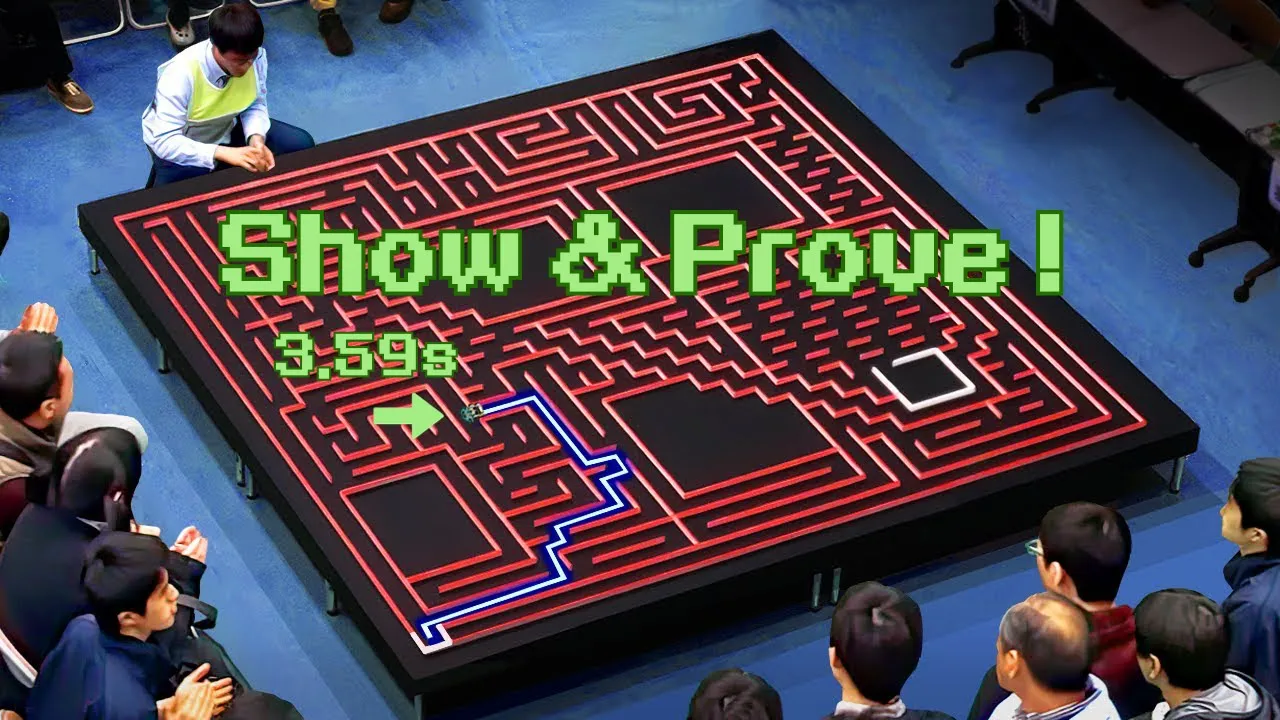
A micromouse robot's software operates through three distinct phases: (1) exploration to build a map of walls and determine the goal location, (2) flood-filling to calculate optimal routes using a cost function, and (3) executing the fastest possible run; the key principles include starting by backing against a wall for reliable sensor calibration, maintaining consistent reference points throughout movement, and ensuring fast flood algorithms to minimize positional drift during decision-making.
Micromouse Software Structure: Maze-Solving Robot Tutorial
Added:Basic embedded systems programming (typically C/C++) and microcontroller architecture, including GPIO, timers, and interrupts.
Fundamental graph theory and search algorithms, specifically Breadth-First Search (BFS) and queue-based traversal which underpin flood-fill.
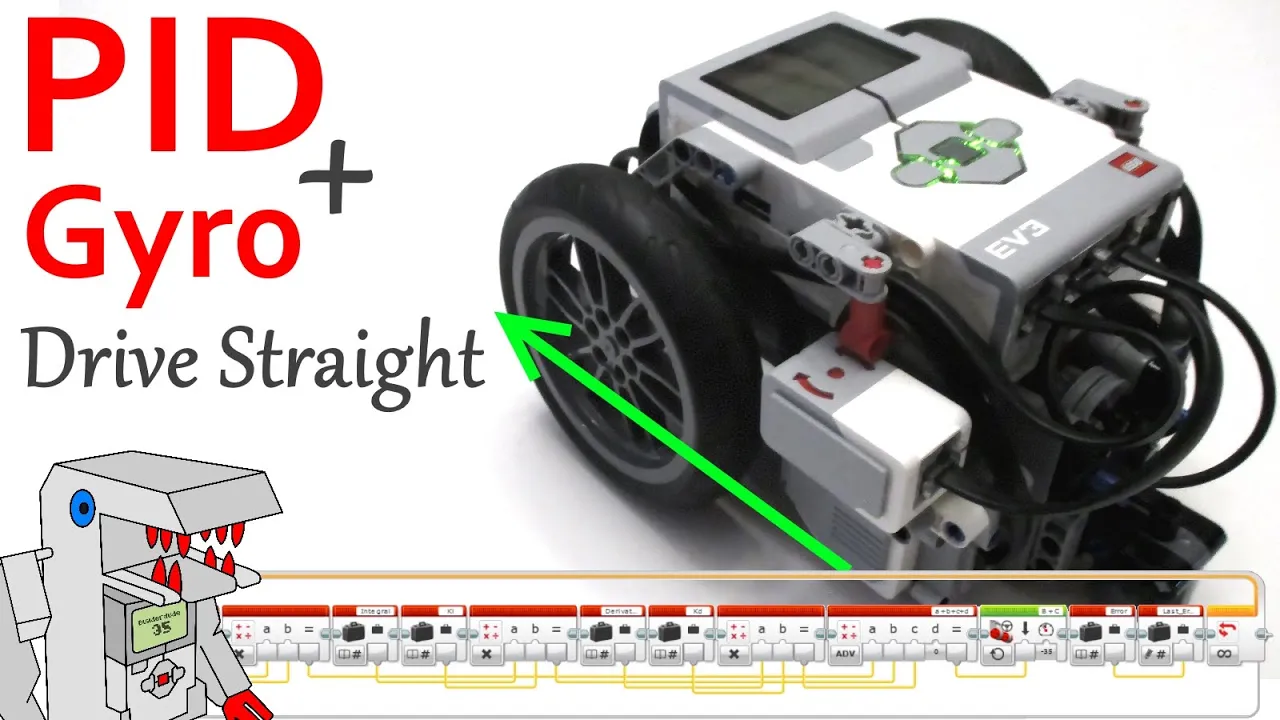
Basic control theory concepts, particularly Proportional-Integral-Derivative (PID) feedback loops for wall-following and straight-line driving.
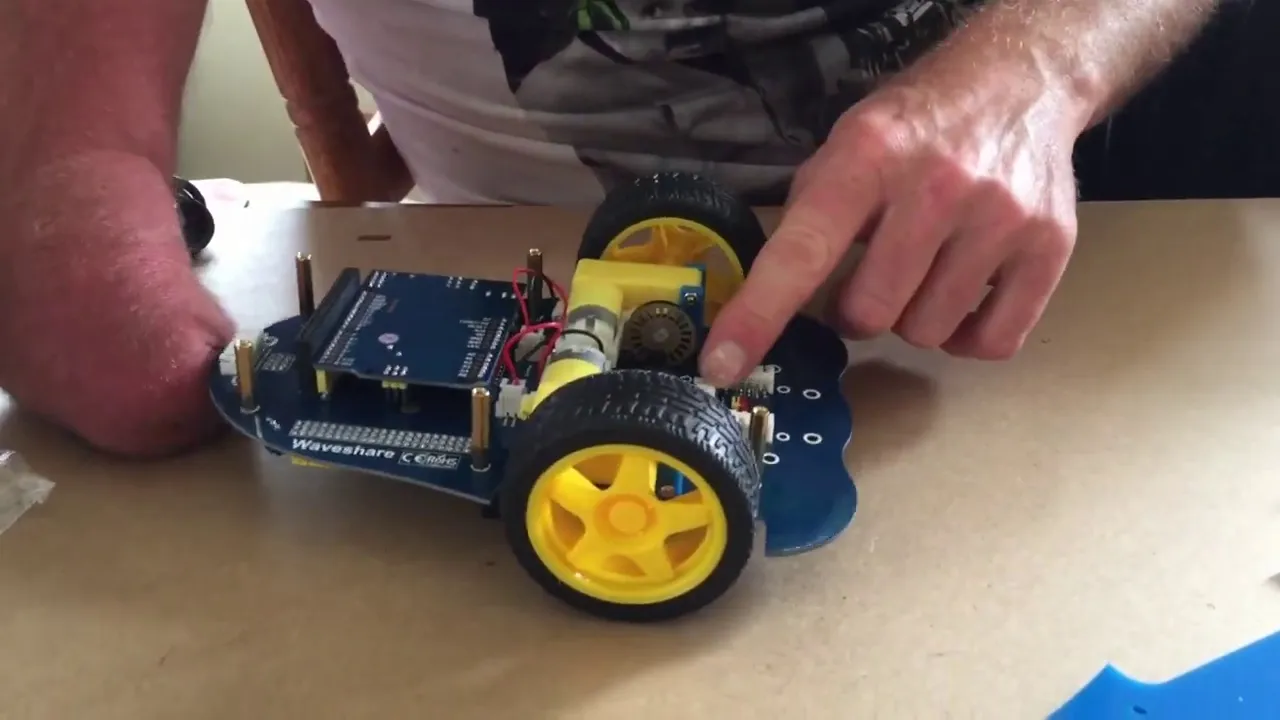
The operational principles of common robotic sensors, such as infrared (IR) distance sensors and rotary wheel encoders.
Advanced path planning and smoothing techniques, such as diagonal run generation and cubic spline interpolation for high-speed runs.
Implementation of Sensor Fusion (e.g., complementary or Kalman filters) combining IMU and encoder data for high-precision localization.
Integration of a Real-Time Operating System (RTOS) to manage concurrent tasks like sensor polling, PID control, and maze solving with deterministic timing.
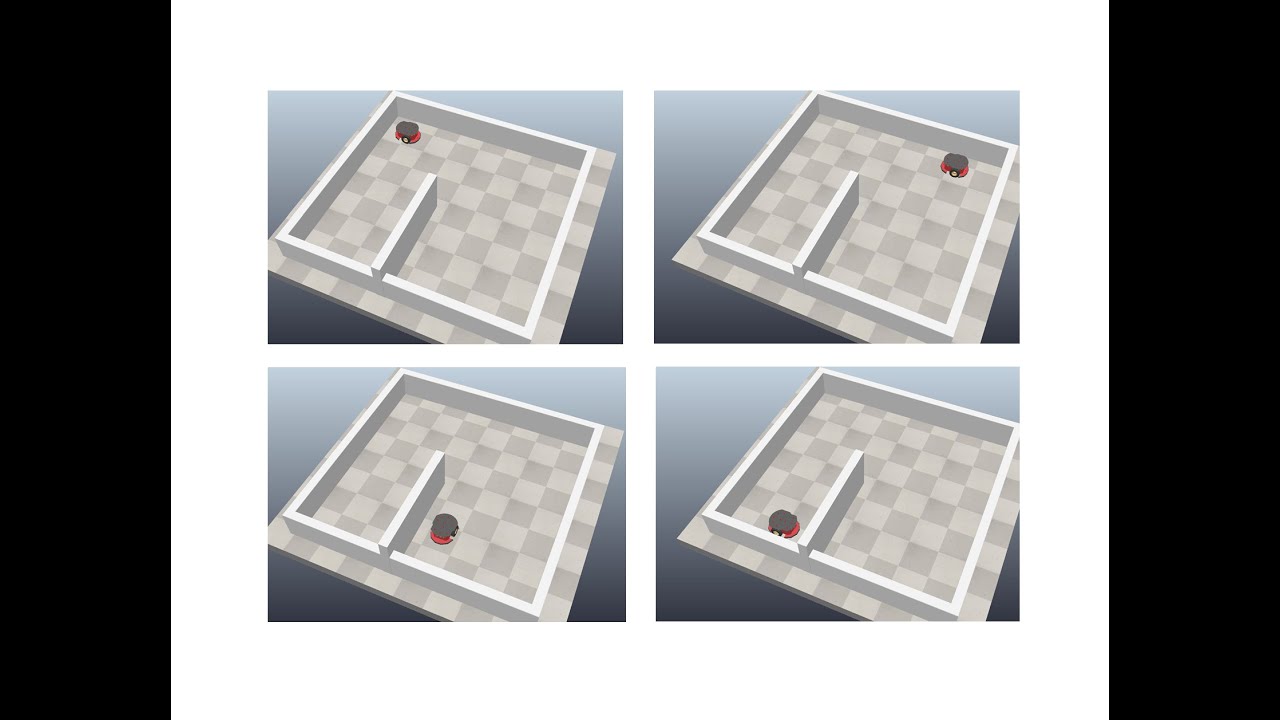
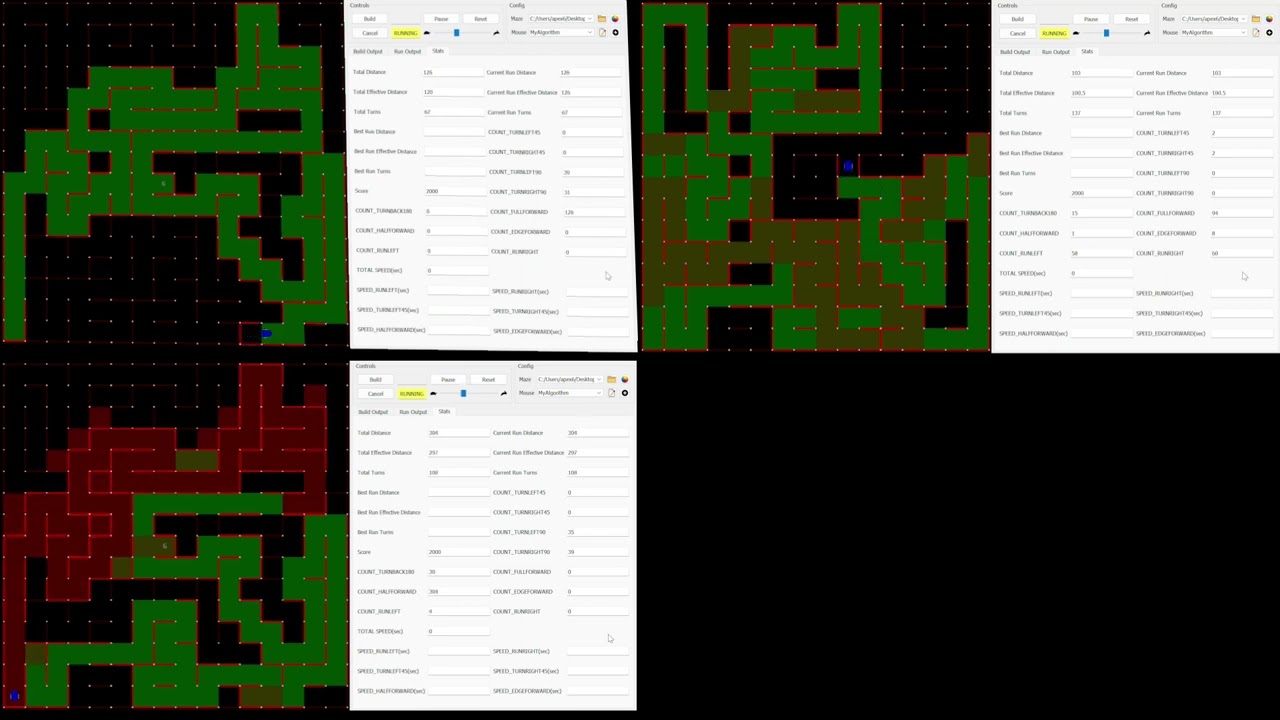
Simulating robot kinematics and maze algorithms using simulation environments like Webots, Gazebo, or custom 2D Micromouse simulators.
15.1K views365likes52:03Original Release: 2023-05-13
our first session is about micromous software this is something which um I was supposed to do last year and have said that I would do a few times and never really managed to get around to and the idea really is to try to describe the functional blocks that you need um to build a maze solving software suite and if you've done this and you know this maybe what I have to say is different or maybe it's new to you I don't know either way it should be instructive and if at any point you disagree say so okay and we can talk about what might be best so this is how I do it it's how the vast majority of bits of code that I've looked at do it um that doesn't make it right any more than any other group activity that people do without thinking about okay it's just what it is so let's just can remind ourselves of what the the challenge is the talk is here so that people looking at it in future um may not have your experience um so there's some Basics to start with and classic micromouse 16 by 16 grid all of the principles apply equally well to half size micromouse at 32 by 32 um and the idea is to find the goal one thing that you should start bearing in mind if you're not already is that the goal is not necessarily the center four squares okay so if you're writing or adapting your software now build that in because the half size contest can have the goal anywhere and you might just as well cross that little Bridge early on rather than try and Patch it into some hardwired stuff later once we found the goal we have to optimize the route and then we have to run it as fast as we can and these are they're very distinct separate phases involved finding the goal optimizing your route or path and then running it fast and today I'm not really looking at running it fast because that's something you'll be able to do once you've done the other two right that's that's kind of your problem that's where the contest is in many respects so a standard micro Mouse goal would look something like this uh this was um uh this was the Apec maze from a few weeks back uh in the states in Orlando sure I think no it wasn't yes it is yeah this side is turned yeah round person if you from where you normally look at it we know New York sorry who's the author in the Maze um probably um I've forgotten um it's the same guy not Tony cargaro oh yeah they're up maze there's still be some long straights and there'll be at least two paths to the roots uh this particular one just as a matter of interest is a bit awkward because um you end up most of most mice end up exploring the long way round I'm not convinced this is it you know no there's something not quite right no this is the top left it's it's different yeah not very different though no it's not is it I might have made a mistake with it anyway it doesn't matter you're you've seen mazes um and when we start all we know generally speaking is where we begin and where the goal is so what you're aiming for is to take that Maze and generate some kind of map which says where all the walls are and some kind of cost function which will guide you on your way to the goal right this is what you want to end up with before you're ready to do a speed run ideally in this particular case the cost function is just the Manhattan distance to the goal area right but if you different mice use different methods so you may have a weighted thing that says it's all very well to have one step between here and here but if you want to go from up up these you might say well there's a turn here okay and that's going to have an extra cost so you might wait that at two but a straight away as one or something like that so that's just that's there are ways to do that um and different kinds of turns might have different weights so up here this can be done in a single turn which is cheaper than 290 degree turns for example and here because you're looking at a diagonal you might one technique that people use is to actually go from wall Center to wall Center so this might be a cost of seven whereas this is a cost of 10 which reflects the euclidean distance right so there's lots of ways to do it and I'm not looking at that today either right just pointing out that when you come to do the flood which a lot of people incorrectly describe as solving the maze you haven't just just flooded it right it's not a solution um there are different ways to do that so our Mouse starts off in the start cell and quite often people just fling it down um and press the button or whatever they do and set it off and I would put it to you that this is not a good idea all right for several reasons one is well positioned sensors that is sensors that around about that kind of angle may not be able to reliably see walls either side um so you don't get any clue sometimes people um use those initial rules for calibration it's fine risky but you know it's fine and um you don't really know I have found over the years maybe it's me I think to be surprisingly difficult to get this properly positioned accurately positioned and if everything depends upon that initial positioning then everything else is going to be wrong so my preference generally speaking is to back the mouse up against the wall here okay always start off with it backed up that doesn't help you with the lateral position but you always know where this is and by the way if you're designing a mouse if you make sure that the rear end of the mouse can always locate it perpendicular to this wall so it shouldn't have a curved back it shouldn't have lumps or protrusions maybe to either side so you can always make sure that it's flat against this wall that would help your sensors will now definitely be able to see the walls so if you want to be able to calibrate from them you can and as you're moving forward if you're making use of this Edge okay then you'll always see it and that's an important consideration that we'll we'll come back to later because where you see this Edge will tell you where you are in this direction which by the way to remember for later that's X however wherever the mouse is going X is in the same direction and Y is this way so that's your initial position and you start your mouse how do you start it well if you can avoid it don't use a button because very few people are able to press that button without nudging their mouths off in One Direction or another so I and lots of other people use a sensor start where this is always going to be empty you can just put your hand in front of the sensor okay see that that's occluded take it away and then you're off that's by far the most reliable way to start it and if you're testing of course you should have two of these sensors so you can do different things depending on which one you pick this is questionable under the rules okay in terms of choosing a strategy but whilst I Was preparing this I went back and looked at a whole bunch of other Mouse Runnings and it's very common quietly you just don't notice it happening all right so one thing you could do nobody can stop you nobody can detect it I don't I don't know that there's any answer it's a rule that should probably be amended in the sense that rules that can't be enforced shouldn't be there right so uh but what I've seen what I've noticed people doing I don't do this what I've noticed people doing is starting on this side for example might mean do a search and starting on this side might mean do a run um it's not an unreasonable thing to do uh but when you're testing if you're if you're testing you know left and right turns test the right turn test the left turn you get two for the price of one at a good startup so anyway this is straying from the point here's your initial position you start the mouse what does it do well it has to start moving and the first and it starts moving with whatever your standard acceleration is and it moves up for this distance which is a parameter which should be somewhere in your code because you know always what it is okay you always you should know how far it is to get from the back wall to the center so you can make an initial move that says go forward at 35 millimeters or whatever and end up if you if you can at your search speed okay and then when you finish that you are moving in the center of the cell ready to begin your search so it's just a little phase at the beginning then what uh oh by the way um this Center position here is is going to be your reference I try and set my mice up so that it just sees the edge just somewhere just after that all right so the sensors are aligned so that as I go through the center I should be close to seeing an edge because that's it's a handy reference point um so the next thing then is to carry on moving until you get to some sensing point now for me normally that's 5 10 15 millimeters ahead of the cell boundary at this point which you know is saying you know 80 millimeters or 70 millimeters or whatever from that reference point at this point your sensors can definitely see any walls at the sides these sensors will be able to see a wall ahead and that's another critical parameter okay that's where you measure your wall detection for your front sensors when the mouse is here not here or here but here and you must be able to reliably 100 every time know that there is or is not a war and in case I forget to say it later once you have marked a wall in never change it because well why would you for a start okay if you didn't see it before and now you do what does that mean if you did see it before and now you don't what does that mean get your wall detection accurate in the first place and don't change your mind and that means you also must have a way of marking in your map that a wall has been seen or not seen all right so that's a software requirement that goes with it do anybody uh any of my detect more than one sold yeah several people have done various things to do it for other reasons um one uh common reason or one common thing is to put some kind of long-range sensor here so that you can go faster because as we'll see in a minute a constraint on how fast you can search is what happens next right but some people have long range senses for that purpose in the days when mice frequently looked over the top it wasn't at all uncommon for people as they went past here um to have a look into neighboring cells and see if there's a wall there okay just to save time so if you have a look at the the video of the Apec contest um Dave's Mouse which yeah yeah it's got these big sensors out the front that's exactly what they do they look at the wall over the edge you know getting mapped them in as they go go down even even if there's a wall on the right you can put them in it does say that you really just turned out not to be that useful but that is what it does it's another one of those things that has to work absolutely or just don't even bother because if you can't be certain you don't want to know if you so you've sampled in the case is the left and right wall yeah you know definitely the same for them either there or not yeah so here it is Adam you can have a map that marked when you sense that again yes if you revisit it and the safest difference you're in trouble I hadn't noticed I mean you know I've looked at several chunks of mouse code um but it's not a question I've ever asked anybody running to walls they do that for all kinds of reasons I have seen mice that definitely do do that and they tend to slow down very slowly but really you want to fix you you want to get it right once it's right the next time you go past there hopefully you'll be going at a ridiculous speed yeah you don't want to be checking the walls at that point because you might not be in the middle or you know so but it's it's a good question and one that I hadn't really put in here much and that is about um how how does your mouse software know that something has gone wrong yeah right when what kind of Crash detection do you have and what do you do about it there's one uh Japanese robot in particular which is intriguing because if he crashes physically crashes during the search we'll know that generally that's that's game over because you've no idea what's going on and your only option is to reset the map what he does um is the mouse orientates itself back in the Cell by various maneuvers and so it's back in the center then I believe he clears he doesn't really know where he is even right so he's he does a procedure where he wanders around and Compares what he sees with the map until he thinks he knows where he is right and then he can work back that little track of re-exploration zap it all and carry on that's really clever that's another technique right if if you make your map update a kind of command pattern thing with a cue of or a list of update instructions you could conceivably just go back five six eight ten steps or whatever okay but if you don't actually know what cell you're in you're not it's not worth it I mean this is the problem is that is it really worth doing the same way do you need a loads of spare time if you don't want to have a course the first the first really really useful piece of info of advice or advice it was a comment somebody made on the way back to the pub um at a very early minus he he said as far as I can see he was a new company never been to any of these things before he said as far as I can see the most important thing is to get all of your open loop stuff right and then work on closing the loop and it's the same for this right don't go wrong in the first place yeah that's that's the only absolute truth of the matter is um do everything you can to avoid an error in the first place and then you don't have to worry about how to fix it yeah easy to say but that's what this is about right so you're here now you're still moving you're at exploration speed whatever that might be for your robot and at this point you've got the map has been changed probably it may not but it's probably been changed and so now you need to flood the maze people refer to this as solving it's a misnamer this is where you work out what costs there is between here and the goal and then decide what to do next now deciding what to do next usually an algorithmic choice you could just say I will always look for the least cost neighboring square and go there or you could say I will always turn in whatever Direction points me most nearly at the goal or you might say I will always go straight ahead until I get past you know row eight or whatever and then I'll start to turn right or you might say I'm always going to try and go in a layer I don't care whatever your algorithm is for deciding what to do next that's up to you that's part of the fun of it all but you have to flood the Maze and you have to gather enough information to make that decision and depending on how you flood the maze that takes time and all of that time your mouse is still moving all right so if you're exploring at 500 millimeters a second which is a reasonable speed and it takes you a tenth of a second to solve to to flood the maze you are suddenly in big trouble because you're up way out here so this is why over the years I have stressed to people the value of a very fast flood and you can flood amazing tens of milliseconds even on you know a lowly Arduino and if you're doing it in tens of milliseconds you might only have moved two three four five millimeters and that's why I do this before this cell boundary in the hope that I wouldn't have gone any more than five or ten millimeters past it by the time I've done whatever decision making I need to do yeah so then you have to decide what you're going to do and right didn't do that and now I don't it just doesn't right it can be I mean can I put forward an alternative View to that which is that you make the decision with the flood that you already had and it's 99.99 of the time that will be correct and if it turns energy off the wrong way while you're searching it doesn't matter because you just go into a different one with one caveat if you discover this things like Mouse yes but then you can you can see that you can see it's a dead end so you just turn around you don't you don't need to do any flooding to tell you to do that but male sex will um do that and then it will do the flooding as it's going through the next move which is forever so you your your algorithm can take you know it's got to be done what by moving forward one but that's true that's forever in into micropriate control terms and that's exactly what most of uh my mice do they make the decision to turn using old the data as it was in the last square and yeah very rarely do you see something that looks a bit odd something I have seen it and I can put it down but in the end it doesn't make any difference so these are choices yeah okay um I my choice was to get a faster than a flood that I always know but if you want to do a preemptive choice and correct afterwards that's fine too um but either way you're going to be passing this Threshold at explore speed and you have to do something it might be carry on maybe turn right or turn left or it might be come to a halt and turn back or it may be that you've reached your target cell right and then you have to do something else so let's suppose that um we've come to here and we have to turn right so if you have a pivot to turn clearly you need to move to the center come to a halt at the center and know that you're at the center as opposed to just hoping for the best um spin right on off you go I'm not going to worry about that too much I'm going to assume that you want to show off and do nice smooth integrated searching turns um and for that you need to design a smooth turn and the requirements of that smooth turn are that it must take place entirely within a cell and if you design it as I've seen people do to go from this boundary to this boundary you're in trouble because you may overshoot right and then you'll end up too far over on the way out so I I make my my search turns on all my mice have a radius an effective radius that is of maybe 70 or 80 millimeters all right so I moved to a point 10 or 20 millimeters inside this cell execute the turn and if it all goes well I come out of it 10 or 20 millimeters away from the boundary which by the way is exactly the sensing position that I had before right and I know how far this is because I've kept track from my reference point here I was at let's say 80 millimeters I know that my turn takes place 10 millimeters after there so I carry on until I've got to 110 millimeters do my turn by pre-calculation I have decided that when I finish it assuming I've not gone wrong I will be at a a position of 80 millimeters again from this reference plane right when you come to execute this turn you can rely just on dead reckoning or if there's a wall ahead you can use these front sensors as a trigger okay so another value that you would want to measure as a parameter in your mouse is when this when the robot is at the turn point what value should these sensors see right and you can use that as an alternative because you may be too far away you may be not far enough for one reason or another and you can decide on a priority I'm not going to look at that today as to which one you trust but do bear in mind that the illumination from the Sunday wall will affect this so on UK Mars bot whatever this reading is it's plus six if there's a war on one side just because of the extra kind of splashback from the yeah that's only if you're in the middle as well if you're well you're not incentive if you're unassuming that everything's going well right obviously you could be off to one side and I'm not going to do that today we're gonna do it open loop correctly and then close the loop so after you've turned I've just assumed uh this is a pivot turn here because um well actually I didn't I just I forgot what the slide was going to look like if we do a pivot turn we should be ideally back at our reference point stationery and we do exactly what we did exactly what we did when we got to this point here right we take off with a Target speed of whatever our search speed is until we get to there if we had done a smooth turn we would be there that may fall short of your sensing point if your flood is particularly fast or if you're preempting you can afford to make the boundary your sensing point it's up to you you pick these numbers okay but but what you should already be seeing is we've got a loop of activity we're always moving to the sensing point doing the sensing flooding the maze deciding upon what to do next and then doing whatever it takes to get to the next sensing point down again and again in essence that's all there is to it there are some tricky bits though if while you're doing this you really want to be steering cracking the walls staying in the middle it turns out that most tracking algorithms don't work well if you're not moving right they rely upon some kind of forward motion for all sorts of reasons uh it turns out that you don't have very long to do any steering yeah for example you've got 20 millimeters of movement you might ask yourself if it's worthwhile it turns out that there's interaction between the sensors and the walls people deal with this in different ways one one approach is um to always turn the steering on when you're going straight and then make sure that your steering Works another approach is to only turn your steering on if you're doing a full cell for example okay again this is kind of up to you I don't care UK marsbot software as soon as it's doing this even this straight it just turns the steering on it'll turn it off almost immediately so little harm comes to the robot as a rule yeah I did um that's that's because of this triggering business here right as soon as you as soon as you've got a slight forward error it gets worse every time and that's why I mentioned using the wall ahead okay and if you get that right you can remove all of those cumulative errors except that the wall reflectivity may change by 10 percent okay so you'll be a little bit short sometimes a little bit long other times it should even out in the end one of the things that you can do to find a good value for that threshold by the way is if you write a little bit of code or adjust your search so that it just makes a random turn right again and again never reaches the goal and then log when you start the turn log the sense of value every time you start the turn take an average of that after 50 or 100 turns and use that as your reference point that's what I do Duncan you said compensate the front sensory readings for cyborgs and I'm slightly confused on my eyes only is potentially only one LED is going to be on at the time for one side yep so I don't understand why there is a compensation on for most of the depends on your sense of geometry and it depends upon your sensor device uh UK Mars what fires them off in pairs because it hasn't got enough pins to do them individually um but most importantly the sensors of I've got a much wider beam than is implied by that and so there is some illumination of this wall included in the reflected light all right so if that Wall's not there you'll get a slightly lower reading than if it is there even if you just fired off this one sensor so we take a sensor Beyond it's the difference that matters yes as long as this led over here illuminates the front wall but it doesn't I use 40 green ones sure I mean in general it doesn't right if you've got really tight beam sensors and their face very much to the front then you'll probably be fine right but in general that's not what happens and I would assume that you're going to have to look for and make that correction right so just build it in all I'm saying is it can happen build it in yeah right because um if you don't and it does happen to you you won't think to look for it you also get Reflection from the front like reflecting off the front wall onto the side at the back and that it does the closer you get to the wall it it changes things um but it also I don't know where your sensors um uh point but if you look at that the front sensors are not pointing forward and there's a reason for that when you're doing diagonals or also when you're doing um long bits of um you know comb type things that can allow you to just stop crashing from that so so that they're slightly put out which makes all of this work it also um offsets the possibility of specular reflection right never Point your senses straight forward because you'll get a shiny Peak which changes too quickly by the way when you're in this position here and and you suspect you may have problems steering you've got these two right just bear in mind that the sense will be reversed right so if you turn left that will get brighter but that will get dimmer right so you have to reverse the sign but you can steer once you've got them set up you can steer off these and that's another thing that I do as I approach a wall I switch from using the side sensors to the front sensors for steering so suppose now we we come to here and we decide we have to turn around and go back because the algorithm says so remember here the only certain thing was if you were backed up against the wall well I would suggest that it's a good idea if you turn around here if you have to do a 180 is why having done that is to back up against the wall again do this gently and slowly so you're not knocking everything all over the place and that can be a problem in a in a loose maze uh it can be a serious problem so check that you're not going to wreck the maze doing it if you go swinging backwards at great speed it's all over anyway you made depending on how grippy your wheels are and the speeds and accelerations you use you may find it backs up but doesn't turn if you're using a gyro for steering the gyro May prevent it from turning because it's trying to maintain the attitude right and you don't know where you are the reason for doing this is because you don't know where you are so don't just back up by the amount of that set distance back up by you know 70 or 80 millimeters until you're certain you're there then you're back in this loop again starting from the very first position capable of spinning the wheels yes but it would be an impressive mouse that couldn't you might stall them right so you need to worry about that but yeah foreign I did that there because as I entered I had previously checked knowing I was going to have to do a 180 I had previously checked if there was a wall ahead that meant that it was safe to back up against it I can't just turn around and back up against it because if there isn't one there I mean all the way over here right so instead you when you come into that position you can look into the cell and you can say I need to turn around but there's no wall here what do I do do I Rely entirely upon where I was or what um one thing that people do I don't do this but one thing I've seen people do is if there's no wall they just back up some fixed long distance you can back up you know by 150 160 millimeters probably quite quite safely but I would suggest not backing up so far these no longer see these walls if you're turning around there's a good chance there is a war so you might want to back up let's say 100 120 millimeters and then you know you have to go forward that same amount to get you back to this Center position and you have two things going for you one is you've got a relatively long steering distance available to help get you back in line if you if you've messed up and the other is hopefully there will be a gap here and again you can use these side sensors to reference that to know that when when you've met when you've reached the middle okay so there's I'm really that's the loop that's the exploration Loop these are the things that you do again and again and again and I have a small number of exceptions turning around in place being the major one of those hopefully one day you'll reach the goal preferably in the same session so what do you do then well it depends on whether you you might have been looking for a group of cells or you may have been targeting an individual cell okay but either way you've reached the goal what should you do different people do different things um there's no guarantee there's only one entrance to the gold area so some people circumnavigate it okay looking for other exits because it might very well be that you've picked the worst one um some people knowing how big the gold area is do stuff like so if you've if you've come in um you don't really want to come in and stop there when you do your speed run so they might examine the goal area and make and change the target cell to one away from that right we can talk about why in a bit but it's it's advantageous to not have to stop as soon as you get straight into the goal um if you're in the half-sized contest where the goal area is arbitrarily large what I have seen people do in their code is they they create virtual walls inside it because there's nothing in there there's no posts nothing right and if you stray into that area all of your references have gone and you're doomed so if you if you pre-populate you know where the gold area is Right you've set it up in your in your in your mouth before you start the contest you can pre-populate it with virtual walls um and make sure you never try and go in that area and that'll help keep you out of trouble so they tell if it's a big Square they tell you that whole screen yeah well they tell you the two corners right and it's a rectangular region yeah it's in the rules yeah it can be it can be any size it's defined as a rectangle defined by two opposite Corners um and in if you look at the Japanese contests you'll see there's quite often large void areas and they're there to permit people to lean in and recover a mouse because you can't you can't put a full hand in those time yourselves right so that's that's one reason why those big open areas exist is to allow access to the middle of the knife um so what happened you now have an important thing to realize is that you may not have an optimum route but you do now definitely have a way to get from start to goal you know that for certain and so depending on the rule set you're using and your own rationale you may choose to just go straight back and then do a fast run right and then optimize the whole thing later whilst you've got a good solid map with a known good root in it you might want to just make use of it this is also a good point if you have the capability in your in your code in your processor to save a copy of the maze so if the worst comes to the worst what you see now should be correct right and you can always get back to it and save yourself a whole bunch of exploration it's all too common to see people myself included go wrong and then have to zap the whole damn thing and it's stupid really if you have any way of saving the state of the maze at that point that's when to do it well as you go along by the way necessarily although there's nothing wrong with that but this is a known good maze that you can run so that's worth remembering oh dear so now your next job then is to optimize uh the path you're going to take and how you do that is is kind of up to you the simplest thing to do is to search out repeat the exact same process with the start sellers the goal as the Target and search your way back if you run simulations with lots of Mazes and I have the chances of you significantly improving the route maybe 50 50 after that you may not get much better route having done one Search out One search back but if the rules are appropriate as ours and Japanese rules are now as long as you don't run out of time you might just wander around until you've gone absolutely optimal route according to whatever your standards may be with one caveat which is the more time you spend searching the more chances are for you to crash right so it's probably not a bad idea once you get back to the start again to make a speed run at least get one under your belt right and then optimize again and lots of people do that too they just Speed Run optimize Speed Run optimize and so on um another thing is if you do your search if you're optimizing and you do your search by coming back to the start if you enter the start cell next time you leave it that's another run you've only got five to do so you may want to think carefully about setting your goal to be the cell just outside the start Azure optimize right so you get back close to it which which amuses people no end by the way um when I've done that it does all this stuff and it comes back and it gets one cell away from the start and turns around and they go and they're all convinced that you've messed up and you'll want to sell out but really you're just trying to save runs um that wouldn't be a good thing to do um depends on your on your rules another thing that you can do is because you have been carefully marking known good walls then you can go and you can create a possible path and and if it tries to go through any of these unknown walls you can go and visit that cell so you actually use set and I would suggest you that in time actually a better option but it's more complicated you would really make a list of cells that you want to visit and you set them as targets one after the other until you've seen all of those and that list will change but that's yeah that's not an advanced thing but it's not a first step thing right just do the search out search back first and it'll get you most of the job done if you can do that then you can do the other stuff right it's all about stepwise refinement um so I said earlier never change a wall that you've seen Mark which walls you have seen as seen and that gives your walls four states unknown known absent known present and because you've used two bits however you've done it you've got a four state which you might as well call a virtual War which is presumed to be present regardless of whether you have seen and you can use that in the goal area um choose a speed for all your smooth turns and if you want to make life easy for yourself refine that turn at whatever speed you can manage 400 500 600 millimeters a second then set that as your search speed for everywhere else so you never have to worry about speeding up the slowing down you just do everything at the same speed right and if you can only turn slowly you search slowly worry about improving that after there's ways to do it easy ways hard ways but at first just search at your turn speed don't make life more complicated it's difficult enough already um whilst your mouse is wandering around you need to record stuff you need to keep track of it you obviously need to know which way you're heading you obviously need to know which cell you're in and you need to know your position in a cell this is to that reference so what I do for example is if I if I call that reference point 90 millimeters you can call it it could be zero it could be 19 whatever you like as I'm moving forward if I have to move forward a full cell right I allow that distance counter to carry on but as I'm going into the next one I just subtract 180 from that I don't try and set it to be zero or whatever I just subtract 180 from it and that will automatically make this a number relative to your reference point all the time that makes sense no okay um another thing you can do is um I should have mentioned earlier your algorithm May when choosing where to go it may just choose to to try and visit unexplored cells if you're keeping track of which ones you haven't seen the walls in you might just want to try and visit those if you've got no other better option go go somewhere new try something different um and if you can log everything if you've got Bluetooth just blast it all out over a Bluetooth connection to your PC 115 can abort is quite fast enough even on the UK masterbot you can send out um 60 character lines almost continuously at that speed it's a convenience speed to use um right speed running which I need to do because I'm already beginning to overrun now um we've talked about this once before uh not that everybody was here then but um you can if you want to do your your first attempt at a faster run when you have flooded the maze you can look ahead and say I'm going to be going forward now and then you can say what will I do in the next cell if that's forward as well I could do two cells all right or three or four or five and then there are a couple of approaches you can either adjust the speed depending on how many cells there are ahead these are known cells right so you can go fast you're not mapping you don't care or you can take Derek's approach which is teleport yourself uh into these cells uh to use his words which means if I have to if I can go four cells at 720 millimeters well I don't have to do anything right as long as I can go 720 millimeters and keep track of which cell I'm supposed to be in I can do that at whatever speed I like and then when I get to the other end I have effectively teleported uh I'm now in this cell at this position and I carry on all right so these are ways that you can speed it up hmm how do you know if you've got an Optimum solution well remember you've kept track of whether you have seen the walls or not seen them if you assume all unseen walls are blocked are there right so the exit's blocked and you try and calculate a pass or flood the maze you'll get a cost and start selling yeah if you then assume that all of the Unseen walls are not there and flood it again you'll get a cost yeah and in general they might be different if they are the same you don't really care whether you've seen walls or not seen walls because your partner no longer has to go through unseen walls all right so do it with these two different assumptions and if they're the same you have a solution that's why I distinguish flooding from getting a solution then you have a password it's not going to get improved there's no point in exploring anymore go back get your speed runs in um to do that there are a couple of different ways some people store the Wall bits in the lower four bits um are the bite one per cell and then use the upper four bits to to store presence information okay A little bit of bit masking and shifting and shenanigans will let you distinguish known good and no not good walls uh and if you know all of the walls in a Cell then you can just write ones into all of these so you all that byte with F0 and that's as I've seen all those walls off I go or you can keep them separate and use bit fields and that semantically is easier to read that's all um flooding should be fast we've already said that um don't care about that now technically speaking um that's it uh and I've used up my time I have I can run through a version of the code but I've overrun badly so if anybody wants to do that later we can or otherwise I'll pass on to whoever is next question yeah um they slide um yes it it's um it depends on how you're tracking the walls really so if you've got these two bits right then you you use a bit mask or by whatever technique to only examine known by the way stop thinking about looking for walls you don't really care about the walls this is this is a a little bit of an epiphany I had recently after years and years of doing this just to show that you never stop learning stuff stop thinking about looking for the walls all you care about is the accidents right this is this might strike you as a splitting hairs but in the code it's easier to think of if you only ever say is there an exit Rosman is there a wall because it's only if there's an exit can you go through it right and and an ex using the two bit scheme that we had uh back here right an exit a known exit is always zero where and all the other cases are not zero so rather than checking for three different cases you're only actually checking for one now is it a zero is it really an exit can I run through it it's just a perspective thing okay thank you um yeah one thing I've noticed on is that when I get to a gap where there isn't a war sometimes that could not just that's that's for this afternoon this afternoon we'll be talking about wall and line tracking all right well look at that because it's a real problem right but yeah we'll be looking at that
Up Next
64:17
Building Reliable AI Agents in Python with Pydantic and PydanticAI
@PyConUS
11.2K views•2025-05-20

87:26
Introduction to Secure Multiparty Computation with Yehuda Lindell
@fhe_org
7.7K views•2021-02-04

4:55
HTTP Requests Explained: GET, POST, PUT, DELETE
@codecademy
103.1K views•2021-10-07

19:25
Enigma Machine Mechanics: WWII Encryption Explained
@JaredOwen
13.2M views•2021-12-11
Related Study Plans & Knowledge Roadmaps
Structured learning paths in Computer Science
computer-science
Container Runtimes: Namespaces, Cgroups & Go
01Linux Systems & Go Programming Foundations
02The Core of Isolation: Chroot and Filesystems
03Linux Namespaces: Process Isolation
+ 3 more learning modules
32h6 modules
Explore Roadmap
computer-science
Building a CHIP-8 Emulator: Rust & CPU Basics
01Computer Architecture Foundations (Bits & Bytes)
02Rust Programming for Systems Development
03CHIP-8 Virtual Hardware Specifications
+ 2 more learning modules
32h5 modules
Explore Roadmap
computer-science
Building BitTorrent: Go, P2P & Concurrency
01Go Fundamentals & Concurrency
02Networking Foundations & P2P Architecture
03Bencode Parsing & Torrent Metadata
+ 3 more learning modules
26h6 modules
Explore Roadmap
computer-science
Actor Models (C++ Concurrency & Lock-Free)
01C++ Multi-Threading Foundations
02Thread Pools and Task Scheduling
03Atomics and Lock-Free Queue Design
+ 3 more learning modules
45h6 modules
Explore Roadmap