This video provides a detailed roadmap for learning four in-demand software engineering niches: Full Stack Development (HTML/CSS, JavaScript, Express, MongoDB, React, Tailwind), DevOps (terminal commands, VMs, cloud infrastructure, Docker, Kubernetes, CI/CD, monitoring), AI (transformer architecture, attention mechanisms, fine-tuning, agent frameworks), and Web3 (blockchain fundamentals, Solana, smart contracts, DeFi). The roadmap emphasizes starting with full stack for beginners, then progressing to specialized areas based on interest and career goals, with practical project recommendations and resources for each path.
Top Tech Skills for 2025-26: Fullstack, DevOps, AI Guide
Added:Deep Dive
Basic proficiency in at least one general-purpose programming language, preferably Python or JavaScript.
Which programming language should you learn first?
345
Python is recommended as a general-purpose programming language for beginners learning programming basics. It provides a solid foundation without the complexity and 'weirdness' associated with languages like JavaScript. Python offers a more measured and structured approach to learning programming concepts, making it an ideal introduction for newcomers who don't yet know what specific field they want to pursue.
Click to watch →

Melhores linguagens de programação para iniciantes
21.4K
For beginners learning to program, Python and JavaScript are the two most recommended languages: Python is popular, fast to start, and very simple to learn, while JavaScript is widely used everywhere and allows beginners to see their code running immediately in a web browser.
Click to watch →
Interview Questions and Answers for Civil Engineer Freshers going for Software Jobs
412
When asked about programming languages, differentiate between proficiency and familiarity: (1) Proficient means in-depth knowledge and ability to solve problems in that language, (2) Familiar means basic knowledge or exposure. State clearly which languages you are proficient in (e.g., Python, Java, C++), and separately mention languages you are familiar with (e.g., PHP, JavaScript) along with frameworks and libraries (e.g., AngularJS, ReactJS, Node.js). Be prepared to answer questions about the language you claim proficiency in.
Click to watch →

Rodzaje języków programowania | Jaki język programowania wybrać?
462
JavaScript and Python are the best languages for beginners. They are the most popular languages in the world, offer the highest salaries, provide the fastest job placement, and have an enormous amount of free learning materials available online including forums, groups, videos, and courses. These languages are high-level and beginner-friendly.
Click to watch →

What is Program & Programming Language? Basics of Programming | Computer Science
128
For beginners, it is recommended to start with Python and then learn JavaScript.
Click to watch →
Deep Dive
Fundamental understanding of the internet's infrastructure, including the client-server architecture and HTTP/HTTPS protocols.

43. Клієнт-серверна архітектура. HTTP, HTTPS
41.6K
Client-server architecture is a fundamental web development model where clients (like browsers) send requests to servers (powerful machines that process data and store information), with HTTP (HyperText Transfer Protocol) enabling data transmission and HTTPS adding encryption for secure communication. This architecture can be implemented in two-level (client-server), three-level (client-server-database), or multi-level configurations, with thick clients performing most processing locally while thin clients rely on servers for computation.
Click to watch →

Free 30 Week Software Engineering Bootcamp - Class 01 - Learn The Basics Of HTML! #100Devs
225K
DNS (Domain Name System) is like a fancy phone book that translates human-readable addresses (like facebook.com) into IP addresses (like 137.86.2.144.321). URLs are like addresses that are easy to remember. After DNS gives you the IP address, your request can travel through routers, modems, fiber cables, and potentially across oceans to find the server. HTTP (Hypertext Transfer Protocol) is the protocol that makes web requests and responses possible. It sits on top of TCP/IP (Transmission Control Protocol/Internet Protocol), which are the underlying technologies that make the internet work. HTTPS (Hypertext Transfer Protocol Secure) is the secure version of HTTP. The 'S' means the data is encrypted and decrypted, so people can't see what you're sending back and forth. Before HTTPS, anyone on the network could see your data (like usernames and cookies). Incognito mode only hides your browsing history from other people on your device - it doesn't provide real privacy. VPNs (Virtual Private Networks) are useful for hiding your browsing from your ISP, but you have to trust the VPN provider. PrivacyTools.io is a resource that lists major VPN providers and tells you what VPNs are actually useful for. Tor (The Onion Router) is a different network protocol that provides privacy by routing your request through multiple layers (like an onion). Each layer peels off and passes the request to another person, making it hard to track where the request originally came from.
Click to watch →
🔥 MASTER CLASS de SPRING BOOT (Introductoria)
128K
The web operates on a client-server architecture where clients (browsers) consume services from servers. Communication occurs via HTTP/HTTPS protocols, with URLs structured as protocol://subdomain.domain.extension/path. HTTP requests contain methods (GET, POST, PUT, DELETE, PATCH), URLs, headers, and bodies. Responses include status codes (200 OK, 404 Not Found, 500 Error) and bodies. HTTPS provides encryption through SSL/TLS certificates for secure communication. APIs enable different software systems to communicate regardless of programming language differences, using universal formats like JSON. REST (Representational State Transfer) is the standard implementation approach utilizing HTTP methods for stateless communication.
Click to watch →

What is HTTP? How the Internet Works! #1
266.4K
This comprehensive section covers the foundational infrastructure enabling internet connectivity. Networks connect computers through routers managing data traffic, scaling from local home connections to global World Wide Web systems spanning continents. Physical infrastructure includes submarine cables linking continents across ocean floors and fiber optic cables transmitting data at light speed through glass fibers. HTTP (Hypertext Transfer Protocol) governs client-server communication using a request-response cycle. The client initiates requests while the server evaluates and responds. HTTP status codes (three-digit numbers) communicate outcomes: 100-series informational, 200-series success (200 OK), 300-series redirection, 400-series client errors (404 Not Found), and 500-series server problems. HTTP messages include structured headers with start lines containing methods (GET/POST), targets, and versions, plus metadata like user agents. This foundational knowledge prepares learners for understanding web design and development principles.
Click to watch →

ЧТО ДОЛЖЕН ЗНАТЬ PYTHON BACKEND ДЖУН/СТАЖЁР
46.5K
Candidates should understand HTTP and HTTPS protocols, including common HTTP methods (GET, POST, PUT, DELETE) and what constitutes a web request. Understanding client-server architecture is essential, including how browsers communicate with servers to retrieve and display web content.
Click to watch →
Deep Dive
Familiarity with basic version control concepts using Git and platform hosting like GitHub.

Vibe Coding Fundamentals In 33 minutes
754.2K
Always have checkpoints and version control in vibe coding. Things will inevitably break, and without version control, you risk losing all your work. Git is the version control software itself, while GitHub is a website for storing repositories in the cloud. The basic workflow: (1) Install Git via website or terminal; (2) Initialize a new project with 'git init'; (3) Track files with 'git add' or 'git add .'; (4) Save changes with 'git commit -m "message"'; (5) View history with 'git log'; (6) Roll back commits with 'git reset'; (7) Link to GitHub with 'git remote add origin URL'; (8) Rename branch to main with 'git branch -m main'; (9) Push to GitHub with 'git push origin main'. Even if you don't remember exact commands, knowing this structure allows you to direct the AI using natural language like 'use git to commit these changes and push to GitHub'.
Click to watch →

Git и GitHub Курс Для Новичков
1.2M
Git is a distributed version control system that enables multiple developers to collaborate on projects by tracking changes, managing conflicts, and maintaining version history through a series of commits; the basic workflow involves initializing a repository with 'git init', adding files to the staging area with 'git add', committing changes with 'git commit -m', and pushing to a remote repository like GitHub using 'git push'; additional essential concepts include using .gitignore to exclude unwanted files, creating and switching branches with 'git branch' and 'git checkout', and merging branches with 'git merge' to combine different development lines.
Click to watch →
![Git & GitHub Crash Course for Beginners [2026]](https://i.ytimg.com/vi_webp/mAFoROnOfHs/maxresdefault.webp)
Git & GitHub Crash Course for Beginners [2026]
139.1K
Git is a powerful version control system that tracks every change to your files, allowing you to save multiple versions and roll back to any previous state, while GitHub serves as a remote collaborative platform where developers can share and synchronize their code with others; the core Git workflow involves three stages: the working directory (where you create and modify files), the staging area (where you prepare changes for commitment), and the local repository (where changes are permanently saved), with additional commands for branching, merging, and collaborating with remote repositories.
Click to watch →
Git & GitHub in 45 mins 🟠| كورس أساسيات جيت وجيتهاب في 45 دقيقة للمبتدئين
60.7K
Git is a version control system that tracks changes in files by creating snapshots called commits, allowing multiple developers to work on the same project simultaneously without conflicts. The basic workflow involves: initializing a repository with 'git init', staging changes with 'git add', committing with 'git commit -m "message"', and pushing to a remote repository like GitHub. Branches allow developers to work on features independently without affecting the main codebase, and merging combines changes back to the main branch. GitHub provides cloud-based remote repositories for collaboration, backup, and code sharing among team members.
Click to watch →
GitHub for Noobs (2/4) – Common Workflows
120.6K
Git is a version control system that uses repositories (repos) to store project files, commits to create snapshots of the entire project at specific points in time, and branches to allow developers to explore new ideas without affecting the main codebase; GitHub is a web-based platform that hosts repositories, enabling centralized code distribution, collaboration through pull requests, and open-source development via forking, which creates independent copies of repositories for contributors to modify and potentially merge back to the original project.
Click to watch →
Deep Dive
A conceptual understanding of what software development entails versus system administration (IT operations).

Distributed Systems, UNIT 2 Message Ordering and Snapshots, Quick Revision, Anna University - 2017R
14.3K
Software development involves designing, coding, testing, and maintaining software applications, while system administration focuses on managing computing infrastructure, user accounts, security, and system performance. Together, these disciplines form the foundation of IT operations and software engineering practice.
Click to watch →

esc@pe 2023 | Platform for dummies with Rudolph Esterhuysen
102
Software development fundamentals remain consistent across educational paths—variables, parameters, loops, functions, objects, and methods form the core foundation. However, traditional institutions rarely teach operations skills, leaving developers to learn system management through trial and error. As software systems grew more complex, the gap between development and operations widened. Microservices forced operators to manage hundreds of services instead of just a few servers. Operations teams bear responsibility for server configuration, firewall settings, TLS versions, cipher suites, and zero-day vulnerabilities—responsibilities developers typically ignore. This disconnect drove the creation of DevOps and the broader platform movement. The evolution from small teams handling everything manually to specialized operations roles represents a fundamental shift in how software systems are built and maintained.
Click to watch →

Entry level IT job tips | Pluralsight
9.1K
IT operations is distinct from IT development, though both are essential. While developers create software applications, operations ensures these applications have a functional environment to run in, including servers, networks, and other infrastructure components. Operations is equally important as the software side despite receiving less media attention.
Click to watch →

DevOps vs SysAdmin | Which One You Should Pick?
875
DevOps focuses on automating the deployment and scaling of software applications from development to production, requiring coding skills to manage infrastructure dynamically based on user load, while System Administrators focus on maintaining existing software infrastructure, operating systems, and ensuring services run reliably without needing to write code; individuals interested in coding and infrastructure automation should consider DevOps, whereas those preferring operational maintenance and reliability should choose System Administration, with the latter serving as a good foundation for transitioning into DevOps later in one's career.
Click to watch →
ICT Web development and database administration Holistic Theory COC exam
1.4K
This section covers software development lifecycle phases, project management and compliance requirements, formula syntax and operators for calculations, application programming interfaces (APIs) for software integration, software versioning and update processes, abstraction principles in programming, code debugging and troubleshooting methodologies, cloud computing services delivery models, database normalization principles for reducing redundancy, SQL aggregate functions for data summarization, file operations in programming, file management systems organization, and relational database concepts including tables, keys, and relationships.
Click to watch →
Prerequisite Knowledge
- Concept 01Basic proficiency in at least one general-purpose programming language, preferably Python or JavaScript.
- Concept 02Fundamental understanding of the internet's infrastructure, including the client-server architecture and HTTP/HTTPS protocols.
- Concept 03Familiarity with basic version control concepts using Git and platform hosting like GitHub.
- Concept 04A conceptual understanding of what software development entails versus system administration (IT operations).
Subsequent Learning
- Step 01Deep-dive specialization into a chosen pathway, such as mastering React and Node.js for Fullstack or PyTorch for AI.
- Step 02Practical implementation of Containerization and Orchestration using Docker and Kubernetes in cloud environments like AWS, Azure, or GCP.
- Step 03Building and deploying decentralized applications (dApps) utilizing smart contracts and Web3 libraries like Ethers.js.
- Step 04Designing and executing continuous integration and continuous deployment (CI/CD) pipelines to automate software delivery.
CS Roadmap Intro
Fullstack Core
Fullstack Advanced
DevOps Syllabus
DevOps Tools
DevOps Projects
AI Foundations
Applied AI
AI Projects
Web3 Basics
CS Roadmap Intro
0:00Playing Section
- 1
Outlines four career niches: Fullstack, DevOps, AI, Web3.
- 2
Fullstack recommended for beginners due to job accessibility.
- 3
Suggests allocating 6-8 months to achieve proficiency.
Foundational Deep Specialization over Hype-Cycle Generalism
While roadmaps pushing 'Fullstack, DevOps, AI, and Web3' are popular, critics argue that trying to master all these fast-moving domains leads to 'hype-driven learning' and superficial knowledge. In a competitive job market, trying to be a generalist in everything can make junior candidates less competitive than those with deep, specialized expertise. This alternative perspective advocates for a 'Back to Basics' approach, prioritizing core Computer Science fundamentals—such as systems programming, data structures, compilers, and networking—over transient frameworks. Proponents argue that specific tools and hype cycles (like Web3 or basic AI wrappers) quickly become obsolete, whereas strong foundational skills allow engineers to easily adapt to any future tech stack. Furthermore, deep specialization in a single, stable domain often yields higher long-term career resilience than chasing broad, trendy roadmaps.
Deep Dive
Deep-dive specialization into a chosen pathway, such as mastering React and Node.js for Fullstack or PyTorch for AI.
PyTorch Crash Course: Building Neural Networks in Python
188.1K
This PyTorch crash course teaches the fundamentals of deep learning using PyTorch, covering tensor operations, autograd for automatic differentiation, building neural networks with model, loss, and optimizer components, implementing training loops, and creating convolutional neural networks with GPU support, data loading, and model saving/loading capabilities.
Click to watch →
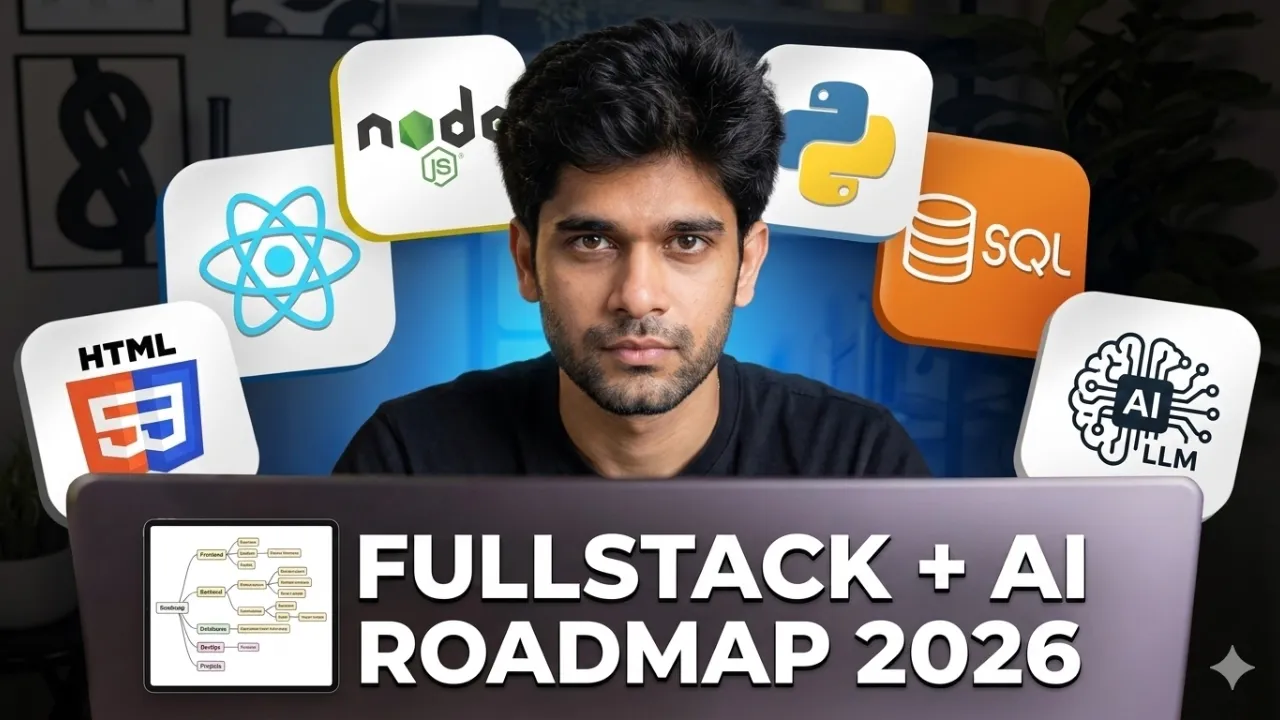
Fullstack + AI Web Development Roadmap 2026 (No BS Guide)
3.2K
This video presents a comprehensive roadmap for becoming a fullstack plus AI web developer in 2026, covering six key areas: accessible UIs, API design, data management, deployment, security/performance, and AI integration. The learning path progresses through phases: Phase Zero (mindset and tooling including avoiding framework copying and tutorial traps), Phase One (web foundations with HTTP, HTML, CSS, and JavaScript fundamentals), Phase Two (front-end with React, hooks, state management, and Next.js), Phase Three (backend with Node.js/Express, authentication, and error handling), Phase Four (databases with PostgreSQL and MongoDB), Phase Five (deployment with DevOps, CI/CD, Docker, and cloud basics), and Phase Six (AI skills in JavaScript/TypeScript ecosystem including LLM fundamentals, prompt engineering, and vector stores). The roadmap emphasizes applying concepts through practical projects rather than theoretical learning, with realistic timelines ranging from 18-24 months for part-time learners to 3-6 months for intensive bootcamp-style learning.
Click to watch →

STOP Taking Random AI Courses - Read These Books Instead
547.9K
This advanced pathway covers deep learning frameworks (PyTorch dominance with 77% of research papers), transformer architectures through Karpathy's course and Jay Alammar's textbook, and AI engineering for deployment. Modern AI workforce focuses on deploying existing models rather than building them from scratch. Key deployment skills include MLOps and AI engineering principles taught through specialized books. Effective learning methodology emphasizes iterative project-based learning, self-teaching through summarization, and personal progress tracking over external comparisons.
Click to watch →
Full Stack у 2026: Єдиний шанс для Джуна, Еволюція для Сеньйора
16.9K
The definition of fullstack has evolved significantly. Previously, fullstack meant any combination of frontend frameworks with any backend language. However, the modern standard is specifically React + Node.js. This became the default because it uses a single programming language (JavaScript) and similar tools, making it the fastest path to fullstack qualification for juniors. Learning Java plus Angular takes at least 1.5 years due to Java's complexity, while React and Node.js provide a more accessible entry point.
Click to watch →
React + NodeJS + SQL Simple Full Stack Application 2019
281.5K
This tutorial demonstrates how to build a full-stack web application by connecting a Node.js/Express backend server to a MySQL database using the mysql driver, creating API endpoints for CRUD operations (GET /products and POST /products/add), and building a React frontend that fetches and displays product data from the server, illustrating the complete data flow from database to user interface.
Click to watch →
Deep Dive
Practical implementation of Containerization and Orchestration using Docker and Kubernetes in cloud environments like AWS, Azure, or GCP.

Docker kubernetes course is now on Udemy
316.7K
This course provides comprehensive training on Docker containerization and Kubernetes orchestration, covering theoretical concepts and practical implementation across all three major cloud providers (AWS EKS, GCP GKE, and Azure AKS), designed to help developers and DevOps professionals master containerization fundamentals and cloud infrastructure management.
Click to watch →

Zero To Hero | DevSecOps & Cloud DevOps RoadMap 2025
24.1K
Docker solves environment consistency problems by packaging applications with dependencies. Understanding what problem Docker solves is essential. Architecture includes Daemon, CLI, Images, Containers, and Registries. Dockerfiles define how to build images with proper keywords (FROM, RUN, CMD, ENTRYPOINT). Multi-stage Dockerfiles reduce image size. Commands include build, run, stop, start, push, volume, and network management. Docker Compose enables multi-container applications. Network types (bridge, host, overlay) and volume types (named volumes, bind mounts) are important. Kubernetes orchestrates containerized applications across multiple hosts. Understanding what problem Kubernetes solves (automating deployment, scaling, and management) is important. Architecture includes Master Nodes (API Server, Scheduler, Controller Manager, etcd) and Worker Nodes (Kubelet, Kube-proxy). Pod creation workflow involves API Server, Scheduler, and Controller Manager. Resources include Pods, Deployments, Services, ConfigMaps, PersistentVolumes, and StorageClasses. YAML configuration is essential for defining resources. Service types (ClusterIP, NodePort, LoadBalancer) and networking concepts are important. RBAC manages user permissions. Rolling back and auto-scaling (horizontal and vertical) maintain availability. Persistent storage ensures data persistence. Helm charts package applications with configurations.
Click to watch →
Azure Course | Microsoft Azure for Beginners | Microsoft Azure Course | Intellipaat
553.9K
Containerization (using Docker) enables applications to run in isolated environments sharing underlying infrastructure. Kubernetes orchestrates containerized applications, automatically handling scaling, self-healing, and load balancing. Azure Container Services provides a managed Kubernetes environment, eliminating manual infrastructure management. Benefits include: automatic failure detection and restart, automatic scaling based on demand, and simplified deployment workflows. Organizations can leverage containerization benefits without operational complexity of managing orchestration platforms manually.
Click to watch →

I Asked 10 DevOps Experts About Their Roadmap to Success Here's What They Said
155
Containerization with Docker packages applications with their runtime, libraries, and OS dependencies into lightweight containers, ensuring compatibility across different environments (Windows, Mac, Linux). Container registries like Docker Hub, ECR (AWS), ACR (Azure), and Google Container Registry store container images. Kubernetes is a container orchestration tool that manages containers like a ship captain controls a ship, handling deployment, scaling, load balancing, and self-healing (replacing failed containers).
Click to watch →

Building Containerized Microservices in Golang | Dockerize and Deploy to Kubernetes using Helm
28K
Containerization with Docker enables portable application deployment. Create .dockerignore files to exclude unnecessary files like compiled binaries and test directories. Multi-stage builds reduce container image size by separating build and runtime stages. Stage 1 (builder) uses a full Go image to compile the application. Stage 2 (runtime) uses a minimal image (like gcr.io/distroless/static) and copies only the compiled binary. This reduces image size from ~948MB to ~26MB. Use COPY --from=builder to transfer artifacts between stages. Docker Compose simplifies multi-container application orchestration. Define services in docker-compose.yml with build context, image name, ports mapping, restart policies, and networks. Use docker compose build to build images, docker compose up to start containers, and docker compose down to stop them. Kubernetes Deployment objects manage containerized application replicas. Define replicas, container image, ports, and labels. Service objects provide network access to pods using selectors matching deployment labels. Apply manifests using kubectl apply -f folder/. Verify deployment with kubectl get pods and services. Services enable load balancing across pod instances. Helm charts package Kubernetes resources for easy deployment. Create charts using helm create <name>. Customize templates (deployment.yaml, service.yaml) and values.yaml for configuration. Use helm template to preview manifests, helm install to deploy, and helm get values to view configuration. Charts enable versioned, templated deployments with configurable parameters like replicas and image tags.
Click to watch →
Deep Dive
Building and deploying decentralized applications (dApps) utilizing smart contracts and Web3 libraries like Ethers.js.

Create a Dapp using Hardhat and Ether.js | In 30 minutes | Code Eater - Blockchain | Hindi
13.5K
This tutorial demonstrates how to create a decentralized application (DApp) by integrating Hardhat (a development environment for Ethereum) with Ethers.js (a JavaScript library for interacting with the Ethereum blockchain). The process involves setting up a React frontend, deploying a smart contract using Hardhat, creating a contract instance using Ethers.js, and enabling users to read and write data to the blockchain through the web interface.
Click to watch →

Simple Fullstack Dapp "TipMe" | Solidity Hardhat ReactJs Ethers.js | Georli Testnet | Netlify
4.7K
A fullstack DApp integrates smart contracts (Solidity) with a frontend (React) using libraries like ethers.js, deployed on testnets like Georli and hosted on platforms like Netlify. The development workflow involves writing smart contracts with functions for data storage and fund transfers, deploying them using Hardhat with proper environment configuration, and connecting the frontend to interact with the deployed contract through wallet integration.
Click to watch →
Full-Stack Dapp using Solidity, Ether.js, Hardhat, and React JS | Code Eater - Blockchain | English
50.8K
A decentralized application (DApp) consists of two main components: a smart contract written in Solidity that handles business logic on the blockchain, and a front-end built with React.js that interacts with the smart contract using ethers.js library. The smart contract stores transaction data (like user names, messages, and timestamps) in a dynamic array structure, while the React front-end manages user interface, connects to Metamask wallet for authentication, and calls smart contract functions to perform transactions. The complete DApp is deployed on a test network (like Goerli) using Hardhat for smart contract deployment and Netlify for hosting the React application.
Click to watch →
Ethers.js for Blockchain: Comprehensive Guide to Web3 Development
126.1K
Ethers.js is a JavaScript library that serves as a bridge between client-side applications and the Ethereum blockchain, enabling developers to connect to blockchain nodes, read account balances, interact with smart contracts, create transactions, and inspect blocks—all essential skills for building decentralized applications (dApps) in Web 3.0.
Click to watch →

LearnWeb3 DAO - Build your first dApp!
29.3K
This tutorial teaches developers how to build their first decentralized application (dApp) by connecting a simple HTML frontend to a Solidity smart contract using ethers.js, demonstrating the complete workflow from creating a mood diary contract to deploying it on the Ropsten testnet and interacting with it through a web interface.
Click to watch →
Deep Dive
Designing and executing continuous integration and continuous deployment (CI/CD) pipelines to automate software delivery.

O básico de Pipelines CI/CD com Jenkins
44.3K
CI/CD pipelines automate software delivery through two main phases. Continuous Integration (CI) incorporates new code into existing projects through commit, build, test, and artifact generation. Continuous Deployment (CD) delivers artifacts to environments through build, test, and deploy stages. Pipelines handle failures by notifying developers who must correct issues before re-triggering. Each environment (development, staging, production) has different policies based on organizational maturity.
Click to watch →
Day-18 | What is CICD ? | Introduction to CICD | How CICD works ? | #devops #abhishekveeramalla
373.4K
CI/CD (Continuous Integration and Continuous Delivery) automates the software delivery pipeline to accelerate application delivery from months to days. Continuous Integration involves integrating tools and processes before customer delivery, while Continuous Delivery focuses on deploying applications to customer platforms. The standard pipeline includes unit testing (testing individual code blocks), static code analysis (checking formatting and syntax), code quality/vulnerability testing (identifying security risks), end-to-end testing (verifying complete application functionality), reporting (documenting test results), and deployment (making applications accessible). Version Control Systems like GitHub, Bitbucket, and GitLab serve as triggers for automated pipelines, enabling developers to commit changes that automatically trigger testing and deployment workflows.
Click to watch →
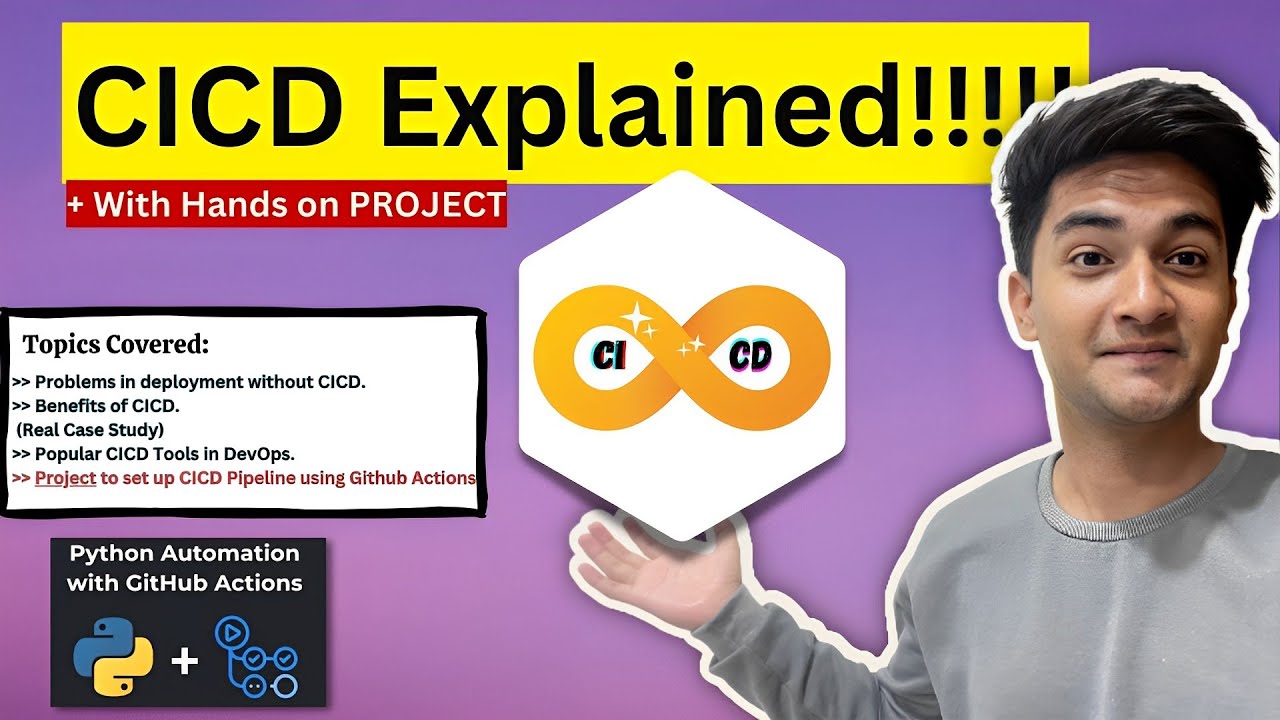
What is CICD Pipeline? CICD process explained with Hands On Project
264.7K
CI/CD (Continuous Integration, Continuous Delivery, and Continuous Deployment) is a DevOps practice that automates the software delivery process through a pipeline consisting of four stages: Source (code integration), Build (creating deployable artifacts), Test (automated verification), and Deploy (automatic deployment). This automation significantly reduces manual intervention, accelerates time-to-market, improves software quality through early bug detection, and enables frequent, smaller updates with reduced deployment risks. Popular CI/CD tools include Jenkins, GitLab CI, GitHub Actions, Travis CI, AWS CodePipeline, and Azure DevOps.
Click to watch →

Пишем реальный CI/CD пайплайн | GITLAB CI/CD на практике
175.8K
CI/CD (Continuous Integration/Continuous Deployment) automates the software development process by automatically building, testing, and deploying code changes through a pipeline system. In GitLab CI/CD, pipelines are defined in a .gitlab-ci.yml file and consist of stages (such as Build, Test, Deploy) containing jobs that execute specific commands. To implement CI/CD, developers set up a GitLab Runner on a server, which executes the pipeline commands when code is committed to the repository. This automation ensures that code changes are tested and deployed consistently without manual intervention, preventing errors from reaching production environments.
Click to watch →
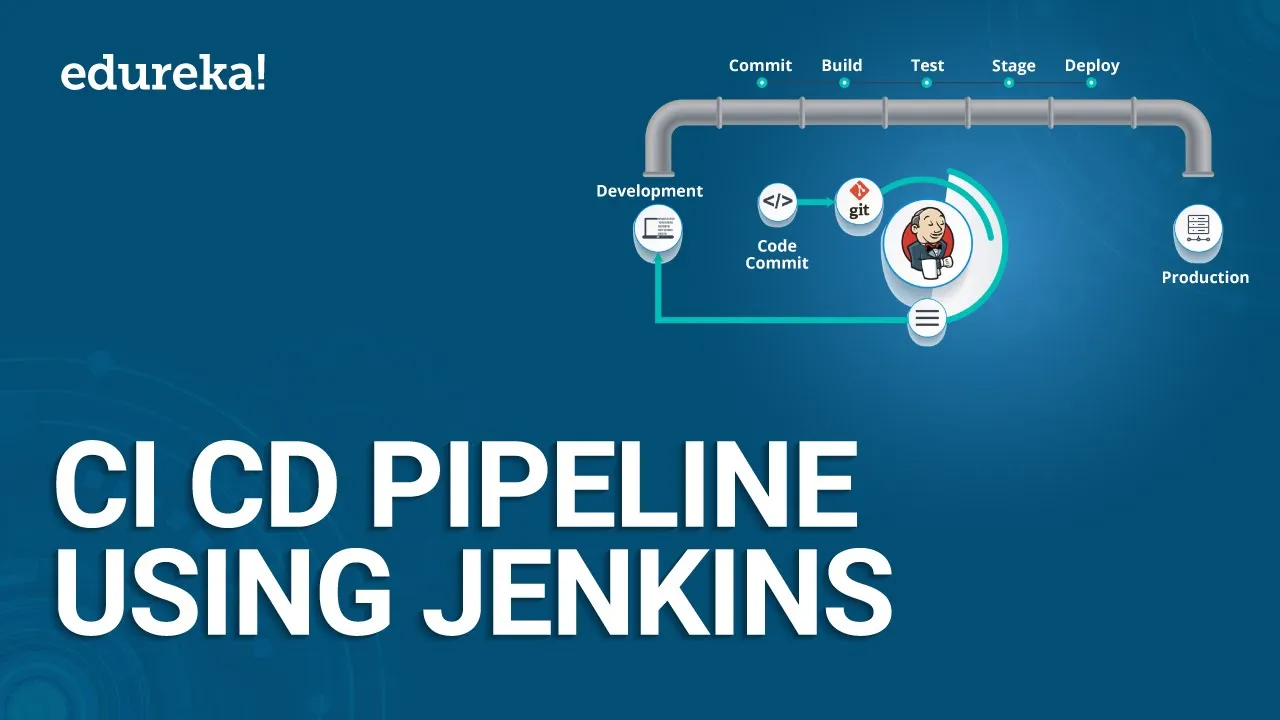
CI CD Pipeline Using Jenkins | Continuous Integration and Deployment | DevOps Tutorial | Edureka
795.1K
Jenkins is an open-source automation tool written in Java with plugins for continuous integration. It automates the entire SDLC from code commit to production deployment: pulling code from version control, performing builds, compiling code, validating and reviewing code, performing unit and integration testing, and packaging applications into executable files like WAR or JAR files. Docker is a virtualization environment that creates entire servers in seconds by creating images similar to virtual machines and running them as containers that replicate production environments. This ensures applications behave consistently regardless of deployment location. Together, Jenkins handles the automation workflow while Docker provides consistent deployment environments.
Click to watch →
CS Roadmap Intro
Fullstack Core
Fullstack Advanced
DevOps Syllabus
DevOps Tools
DevOps Projects
AI Foundations
Applied AI
AI Projects
Web3 Basics
CS Roadmap Intro
0:00- 1
Outlines four career niches: Fullstack, DevOps, AI, Web3.
- 2
Fullstack recommended for beginners due to job accessibility.
- 3
Suggests allocating 6-8 months to achieve proficiency.
Foundational Deep Specialization over Hype-Cycle Generalism
While roadmaps pushing 'Fullstack, DevOps, AI, and Web3' are popular, critics argue that trying to master all these fast-moving domains leads to 'hype-driven learning' and superficial knowledge. In a competitive job market, trying to be a generalist in everything can make junior candidates less competitive than those with deep, specialized expertise. This alternative perspective advocates for a 'Back to Basics' approach, prioritizing core Computer Science fundamentals—such as systems programming, data structures, compilers, and networking—over transient frameworks. Proponents argue that specific tools and hype cycles (like Web3 or basic AI wrappers) quickly become obsolete, whereas strong foundational skills allow engineers to easily adapt to any future tech stack. Furthermore, deep specialization in a single, stable domain often yields higher long-term career resilience than chasing broad, trendy roadmaps.
Basic proficiency in at least one general-purpose programming language, preferably Python or JavaScript.
Fundamental understanding of the internet's infrastructure, including the client-server architecture and HTTP/HTTPS protocols.
Familiarity with basic version control concepts using Git and platform hosting like GitHub.
A conceptual understanding of what software development entails versus system administration (IT operations).
Deep-dive specialization into a chosen pathway, such as mastering React and Node.js for Fullstack or PyTorch for AI.
Practical implementation of Containerization and Orchestration using Docker and Kubernetes in cloud environments like AWS, Azure, or GCP.
Building and deploying decentralized applications (dApps) utilizing smart contracts and Web3 libraries like Ethers.js.
Designing and executing continuous integration and continuous deployment (CI/CD) pipelines to automate software delivery.
125.4K views4.4Klikes1:07:24@harkirat1Original Release: 2025-12-08
Up Next

64:46
Build an Agentic AI Chatbot with LangGraph: Step-by-Step Tutorial
@krishnaik06
55.9K views•2025-04-15

87:26
Introduction to Secure Multiparty Computation with Yehuda Lindell
@fhe_org
7.7K views•2021-02-04

4:55
HTTP Requests Explained: GET, POST, PUT, DELETE
@codecademy
103.1K views•2021-10-07

19:25
Enigma Machine Mechanics: WWII Encryption Explained
@JaredOwen
13.2M views•2021-12-11
Related Study Plans & Knowledge Roadmaps
Structured learning paths in Computer Science
computer-science
Container Runtimes: Namespaces, Cgroups & Go
01Linux Systems & Go Programming Foundations
02The Core of Isolation: Chroot and Filesystems
03Linux Namespaces: Process Isolation
+ 3 more learning modules
32h6 modules
Explore Roadmap
computer-science
Building a CHIP-8 Emulator: Rust & CPU Basics
01Computer Architecture Foundations (Bits & Bytes)
02Rust Programming for Systems Development
03CHIP-8 Virtual Hardware Specifications
+ 2 more learning modules
32h5 modules
Explore Roadmap
computer-science
Building BitTorrent: Go, P2P & Concurrency
01Go Fundamentals & Concurrency
02Networking Foundations & P2P Architecture
03Bencode Parsing & Torrent Metadata
+ 3 more learning modules
26h6 modules
Explore Roadmap
computer-science
Actor Models (C++ Concurrency & Lock-Free)
01C++ Multi-Threading Foundations
02Thread Pools and Task Scheduling
03Atomics and Lock-Free Queue Design
+ 3 more learning modules
45h6 modules
Explore Roadmap