















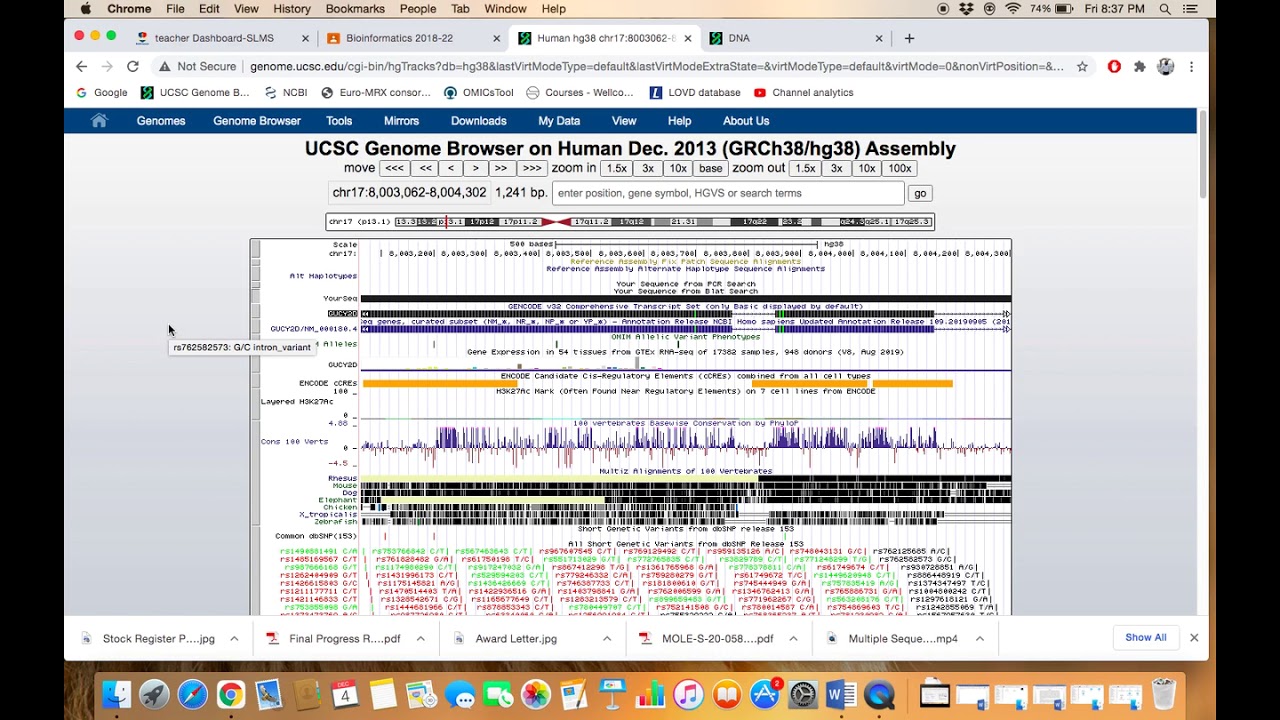


The UCSC Genome Browser allows users to navigate genomic locations using various identifiers including gene names, amino-acid/codon numbers (using P.notation), RefSeq NM identifiers, OMIM identifiers, genomic coordinates, cytobands, and single-nucleotide positions; users can also configure tracks to display only canonical isoforms and adjust zoom levels to view different levels of detail from single nucleotides to entire chromosomes.
UCSC Genome Browser Basics: Navigation & Identifiers
Added:Understanding of basic molecular biology concepts, including chromosomes, genes, exons, introns, and DNA sequence structure.
Familiarity with biological identifiers such as HGNC gene symbols, RefSeq accession numbers (e.g., NM_ prefixes), and dbSNP rsIDs.
Basic comprehension of genomic coordinates and how positions on a chromosome are mapped (e.g., chromosome number, start, and end bases).
Awareness of genome assemblies and builds (e.g., hg19 vs. hg38) and why genomic coordinates can vary between reference versions.
Configuring and displaying custom data tracks using standard bioinformatics file formats such as BED, BAM, BigWig, and VCF.
Utilizing the UCSC Table Browser to query, filter, and extract specific genomic data or sequences in bulk.
Using comparative genomics tools within the browser, such as evolutionary conservation tracks and BLAT (Blast-Like Alignment Tool).
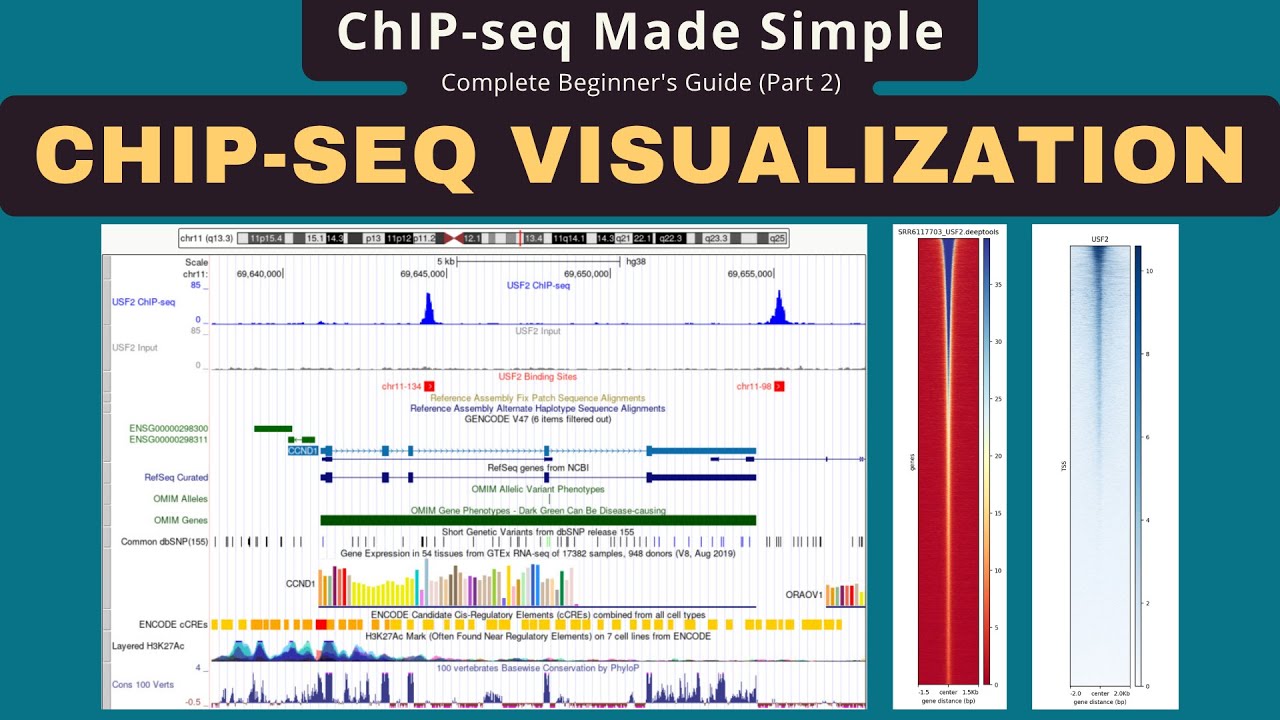
Integrating UCSC Genome Browser data into downstream bioinformatic workflows, such as variant annotation, RNA-Seq analysis, or ChIP-Seq visualization.
58.8K views396likes15:56Original Release: 2020-04-09
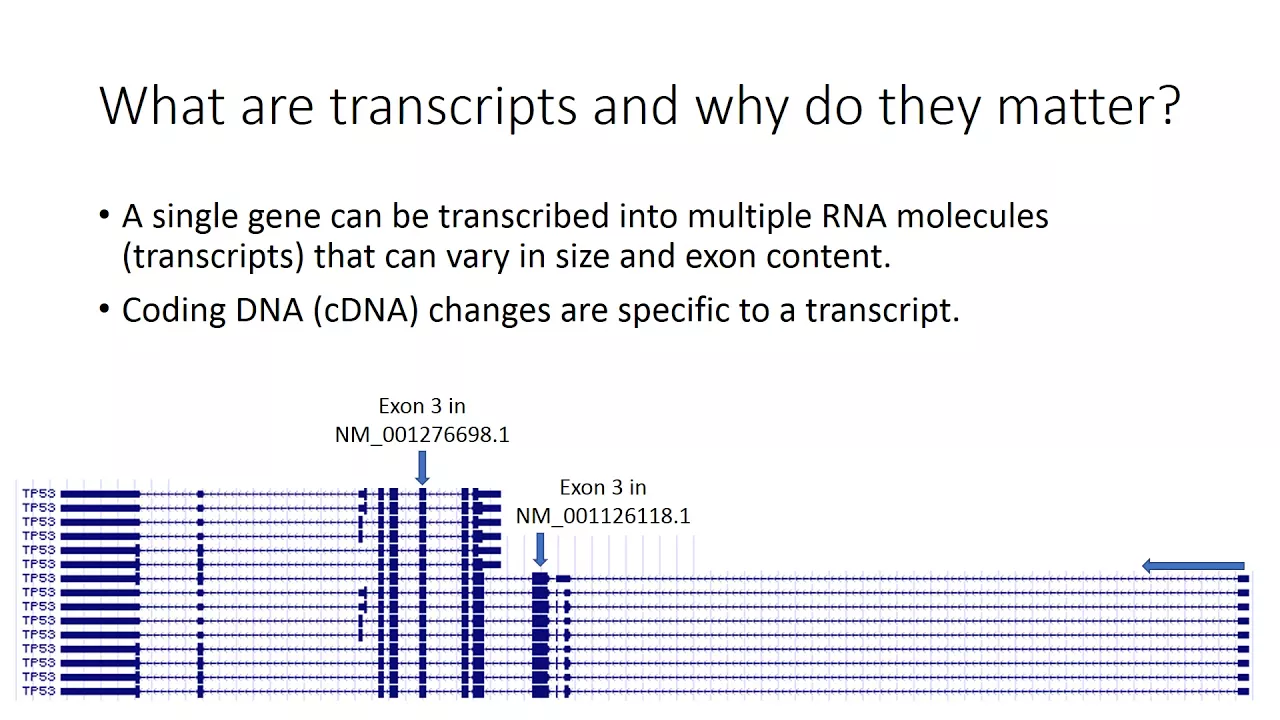
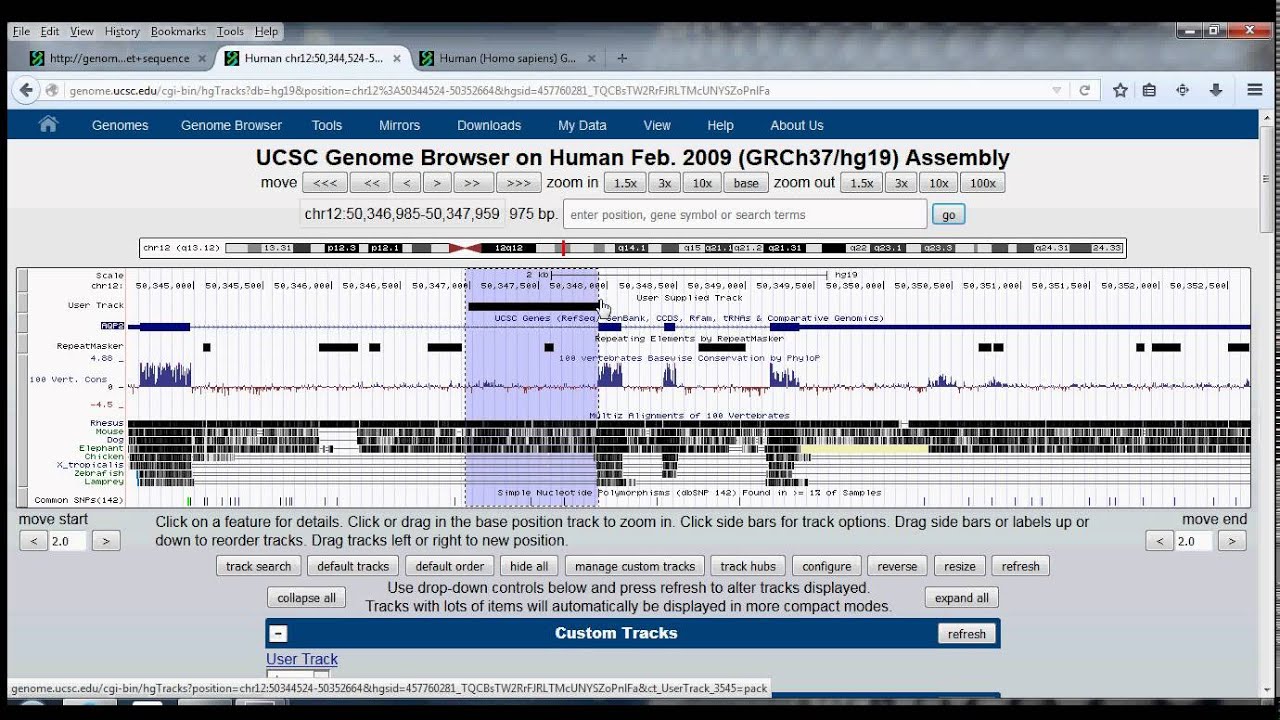
welcome to part 1 of the basic browser video series we will focus primarily on the use of accession names the many ways that identifiers of various kinds can be used to locate genomic locations and annotations we will also show a few configuration options for setting up the browser in the next installment we will focus on more ways that the browser image can be configured to show the data the way you want in part 3 we will show you many more configuration options and also how you can use DNA sequences to navigate in this part we will deal mostly with navigation and how to get around in the browser to start with let's set our genome browser to the default settings reset all user settings and then from the Gateway page we will choose the human HT 19 genome that genome assembly is still the most popular genome among the human genome assemblies hit the Go button to get into the genome browser we have a large number of data tracks turned on by default in the browser graphic we defined track as a set of data with at least one database table underlying it typically all data in such a table will be of a similar type such as gene predictions mrna mappings or a transcription factor binding sites let's simply turn them all off we'll hide all the browser tracks using the hide all button to find a place to start with let's simply type in a gene name in the position box let's go with EGFR and we notice that it comes down in the drop down menu as one of the options we can select that and hit go and the browser will navigate to the EGFR gene and turn on the appropriate gene track in this case the UCSC genes track there are other ways to navigate within the browser to get to particular locations for example in the position box you can type in the name of the gene and the number of a particular codon if you wish to navigate to that codon for example fgfr2 followed by a space and a P with or without a dot and 33 will take you to the 33rd amino acid of the fgfr2 gene you'll notice that a second gene said has come on in this case the ncbi refseq genes the nomenclature we use for the p dot syntax is keyed to the ncbi refseq gene set and so whenever you use that type of navigation it turns on the refseq gene set it is presented on the screen in the center with five bases on either side and you can see that sometimes the numbering is different if there's been an upstream splicing you may get different number for some of the isoforms for example leucine 33 here at the center of the screen is also annotated as leucine 52 you may notice that this particular gene is transcribed and translated on the opposite strand so the numbering goes from right to left you can switch the orientation of the DNA at the top of the screen by clicking the little arrow at the upper left corner which reverses it so that the t/ta codon that you see in the window reading from right to left matches what you would see in the codon tables I'll switch it back now to have it in the normal genomic order from left to right a number of other things can be typed into position box such as the reference snip identifier of a particular nucleotide variant out of DB snip for example rs.10000 if you type that and it go you will get a number of different hits on this page indicating that the particular variant is found in a number of different releases of DB snip the higher the number the more recent the version of DB snip so we'll just turn it on in the all short genetic variance from DB snip 153 track and you can see that we are going to go to chromosome 7 the snip track comes up with a variant you've chosen highlighted in faint yellow coloring in the background the label of the individual variant this written in Reverse video where it is white against the colored background in this case it's a green background because the variant is a synonymous variant it does not change the amino acid so let's continue to look at ways to get around in the browser using various accession numbers names and identifiers and to do that let's turn off using the right mouse button the all snips track and we'll also turn off the ncbi refseq track and leave just the UCSC genes track turned on another type of identifier that you can use is a refseq identifier for example n m underscore zero one four eight seven seven point four and you'll notice once again that the refseq track comes back on and we're navigated to the helz gene and it is highlighted if there are multiple isoforms the various isoforms will have different NM numbers and the one that you typed in is the one that is highlighted the browser also supports ohm M identifiers online mendelian inheritance and man for example one one 5500 and hit go it's the only type of identifier the browser recognizes that has just integers and it looks it up in the omen table and you can see that it is highlighted here the omen gene track comes on and we have navigated to the catalase gene typically when any browser track comes on and you click into the browser item the item in the track takes you to a details page in this case you can click through to the gene at the omen website or to the phenotype record you can see here the one one five five zero zero matches the identifier we put in but there is also a phenotype identifier six one four zero nine seven and if you click into that it takes you to the omen page for a catalase emia we'll just close that window and navigate back to the genome browser there are a number of other ways to navigate in the browser for example you can use genomic coordinates if you'd like click on these coordinates on the left to get them into the Edit box you can simply tweak the end coordinates by adding 100 on one side and subtract 100 on the left side and you would go from a 33,000 127 total window size to a 33,000 327 and you've put a little bit of white space on either end of the gene you can also add a little white space on the end of the gene by nudging the edges here if you click to the left on the move start it moves over a little bit if you click on the right you can do the same thing and move it over a little bit and if you want you can change the number next to the arrows and it'll change the magnitude of the nudge the number represents the number of light blue lines that you will move so let's look at the coordinates again we'll click over here in the box and put the coordinates into the Edit box and go in and just remove the commas and hyphens and the colon so that you get the coordinates in a format that you might have seen in another application or you copy pasted it from another application in fact it is now possible to remove the chr at the beginning of the chromosome name and simply enter the cord and it's here and so if you click go with those coordinates in the window you see it goes to the same location as it was previously it's also possible to put in just a single coordinate to go to a single nucleotide for example you can type in chromosome 11 : 3 4 4 7 7 7 0 0 and hit go that'll go to that single nucleotide and that's the only nucleotide on the screen what does not work is putting in just the bear chromosome number without the CHR in this format when you type in a single coordinate the CHR and the colon are required but the commas in a number or not you'll notice that when you zoomed into an exon far enough there's room enough on the screen to show you the amino acids and the amino acid number then by default the number gets turned on and a number of our gene tracks you may also have noticed when we put the mouse over the exon that you get an exon number here for each one of the isoforms you might get a different exon number for different isoforms at the same location and it tells you how many exons there are in the gene and which exon your mouse is at there's also a double-headed arrow at the end that takes you to the end of the exon or the start of the exon on either end of the screen if you'll click that it'll go all the way to the end of the current exon so here we are at the leftmost nucleotide of this exon you'll notice that if we zoom out by a factor of three to get a little more on the screen we pick up the next nucleotide in each direction and you can see that the intron right next to the exon is shown the intron is shown as a thin line with arrowheads showing the direction of transcription and translation let's go back to the position we were at before on chromosome 11 three four four seven seven seven zero zero and then zoom out a few times if we zoom out by a factor of ten we're at a ten base window and then another factor of 10 were at a 100 base window you'll notice that the methionine Xin the browser are always colored green some of them are our start codon some of them are not but they're always green at this resolution there's no room to write the amino acid numbers but the amino acid names are still there in single letter code and then zooming out again by another factor of 10 there is now no longer room to put the amino acid symbols in there either and so it's just an alternating light and dark color indicating the codons that saves you the trouble of having to subtract two numbers from the scale bar and then divide by 3 to estimate how many amino acids you might have in your window yet another way to navigate in the browser is to use the cytological band nomenclature for example up here you can see we're on chromosome 11 and you can see that here's band p1 5.1 before I use that 11 p1 5.1 I'm going to turn off at least one of the gene tracks because we're going to get a lot of genes in the window and then I'll hit go and you'll see that we are highlighting in red in the chromosome ideogram the region of that cytological band Saito band nomenclature is useful when navigating the human mouse and Drosophila genomes all of which have well-established psychology you'll notice that the chromosome band track came on and so 11 P 15.1 is shown here if I put my mouse in the window and drag it over to the left then the next band over here will also show up in that track and you can see 11 P 14.3 so that's the next band closer to the centromere it's worth mentioning that the P arm is always on the left you'll notice when you zoom out that you get a lot of genes with a lot of isoforms in them and it tends to clutter up the screen so it's useful to be able to turn those off if you're looking at this large scale resolution for any one of our data tracks over here on the left it's a little gray bar that turns to blue when you put the mouse over it note that the background of the track is light green each track has a label in the middle of the image even if there is no data in the window being displayed if you wait long enough the mouse over on this bar tells you that you can click it to get to the configuration page and one of the configuration options for the UCSC genes track is you can turn off the splice variants on HT 38 it's on the Genco genes track when you do that and hit submit it cleans up your screen a little bit showing only the canonical transcript for each gene the button on the left side of the track that we used to access the track configuration option is not the only way to get to that page if the track is not turned on then it is convenient to use the configuration option available by clicking the link above the pull down menu for any one of the tracks if we click once again into the UCSC genes track you can see that it's the same page and it has the splice variants option at the bottom of the page on any one of our tracks you can see a description it tells you why the data are useful how they were developed and a bunch of other information such as color options and a list of references at the bottom of the page if I go now back to the genome browser I can show you yet a third way to access those configuration options for any items in the track if you use the right mouse button you have the option to configure the track in a context-sensitive menu except that in this case you do not get the track description but you do get all of the configuration options and splice variants and so forth that we saw before that concludes part one of the basic browser video series which has primarily focused on the many ways Accession name from a variety of data sets and data types can be used to find your way around the genome there are other accession names that work as well the best advice is to just give it a try in the position box we will start part two at the same genomic location to make it easy to find that location again we will save the configuration for easy access the saved sessions feature is the subject of a separate video in the UCSC browser video collection so it will not be repeated here please note that we conduct full-day and two-day on-site trainings at your institutions prices are reasonable visit you know UCSC got edu slash training slash thanks for watching and thanks for being a UCSC genome browser user you
Up Next
21:41
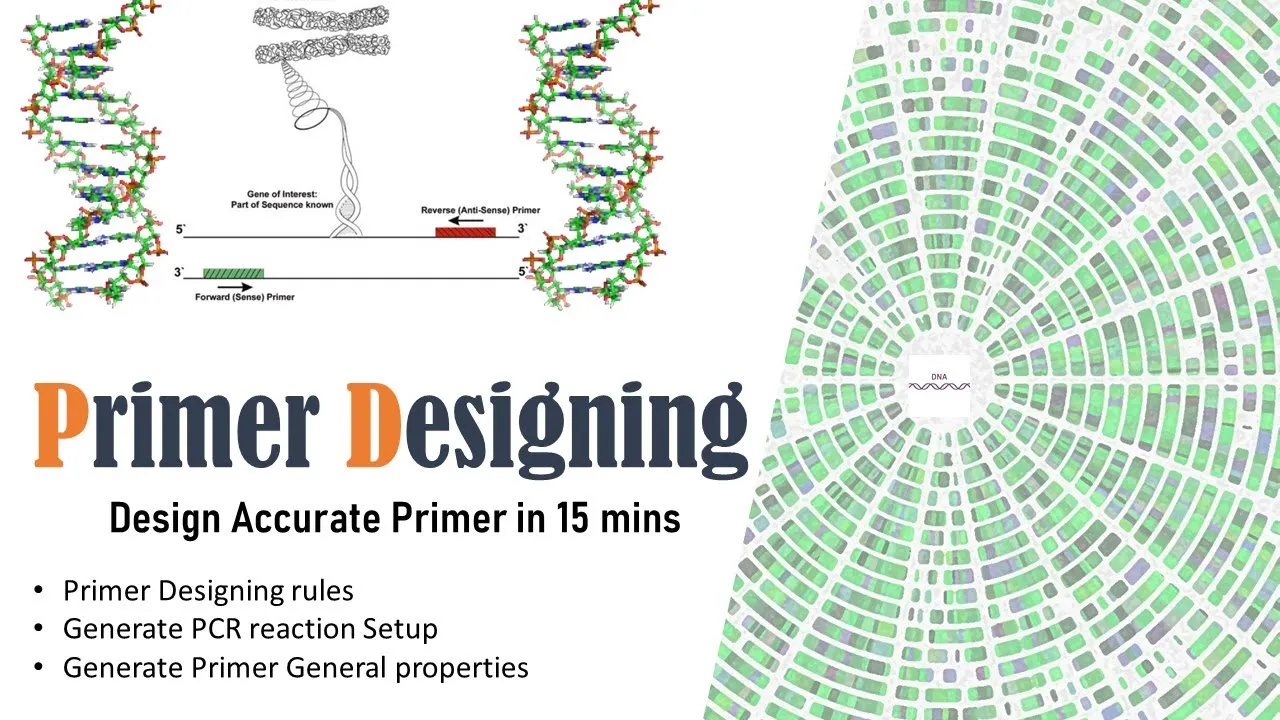
PCR Primer Design Using NCBI Primer BLAST: In Silico Guide
@Bioinformaticswithbb
82.4K views•2020-08-05

12:54
Triumph of Orthodoxy Icon: Byzantine Art & History Explained
@BenCallan
2.1K views•2024-08-06

9:49
FastAPI vs Flask vs Django: Choosing the Right Python Web Framework
@TechWithTim
302.5K views•2024-05-26

1:42
Game of Thrones Opening Credits: A Cinematic Analysis
@gameofthrones
46.3M views•2011-04-18
Related Study Plans & Knowledge Roadmaps
Structured learning paths in General & Interdisciplinary Studies
general-studies
Elevator Engineering: History, Physics & Cities
01From Hoists to Safety Brakes: The Dawn of Vertical Lift
02Hydraulic vs. Traction: The Engineering Physics of Elevators
03Modern Speed, Safety, and Algorithms
+ 2 more learning modules
12h5 modules
Explore Roadmap
general-studies
Rubber: Material Science, History & Geopolitics
01Origins of Natural Rubber & Mesoamerican History
02The Chemistry of Natural Rubber & Vulcanization
03The Geopolitics of the Rubber Boom & Colonization
+ 2 more learning modules
12h5 modules
Explore Roadmap
general-studies
Containerization: Evolution, Logistics & Trade
01Ancient Trade & Bulk Cargo: Amphorae to Barrels
02The Industrial Revolution & Cardboard Packaging
03The Containerization Revolution: Malcom McLean
+ 2 more learning modules
12h5 modules
Explore Roadmap
general-studies
Textile Tech: Evolution, Labor & Global Impact
01Pre-Industrial Textiles: Handloom & Cottage Industry
02Mechanization: The Spinning Jenny to the Power Loom
03The Factory System & Global Labor Transformation
+ 2 more learning modules
10h5 modules
Explore Roadmap