



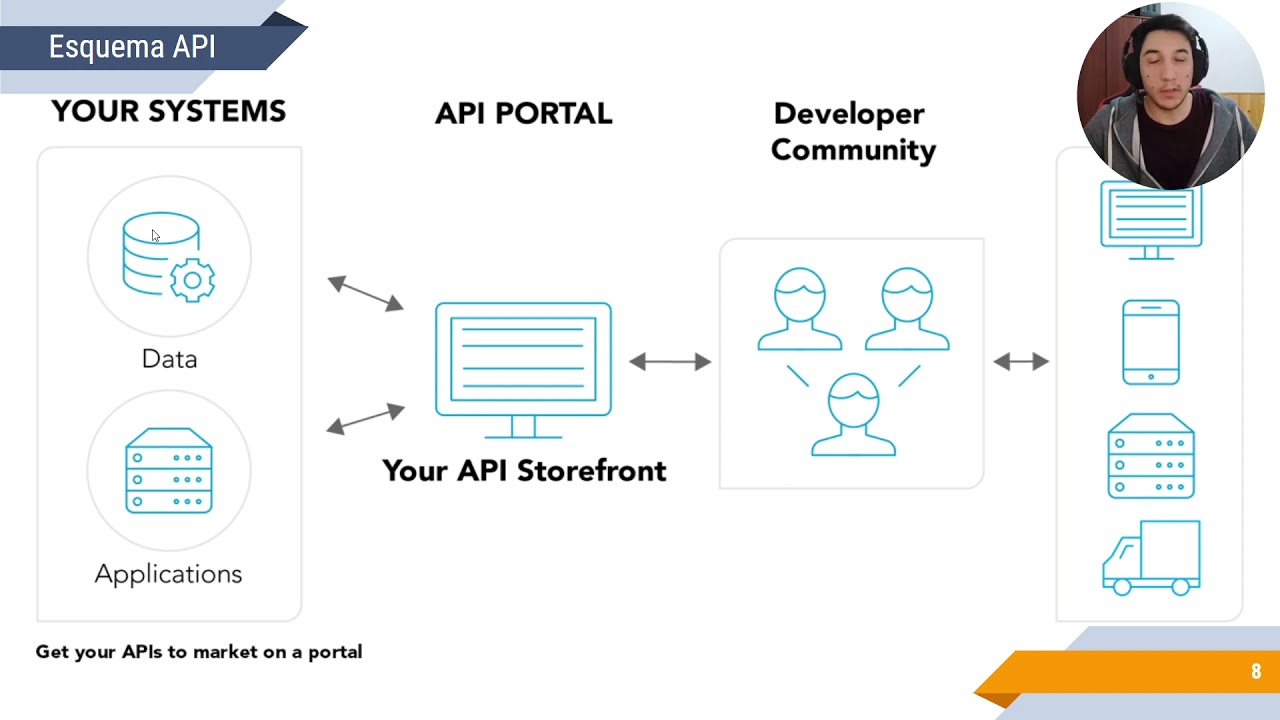

















An API (Application Programming Interface) is a program that allows one computer program to use the logic written in another program by sending requests in a specific format and receiving responses in a defined format. To build your first API, you can use FastAPI, a Python framework that requires minimal code: install FastAPI, create a function with a decorator (like @app.get('/predict')), write your logic, and run it using uvicorn. APIs have endpoints where you send questions, and you can consume them using methods like GET (passing parameters in the URL) or POST/PUT (passing data in the request body for better security). For APIs to work, they must be running as a service, and API keys can be used to protect against unwanted requests.
FastAPI Tutorial: Build a REST API From Scratch in Python
Added:Proficiency in Python programming, specifically understanding decorators, type hinting, and asynchronous programming (async/await).
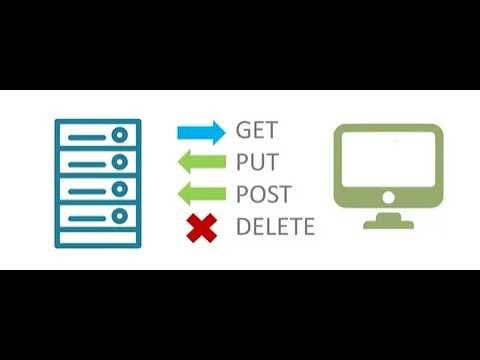
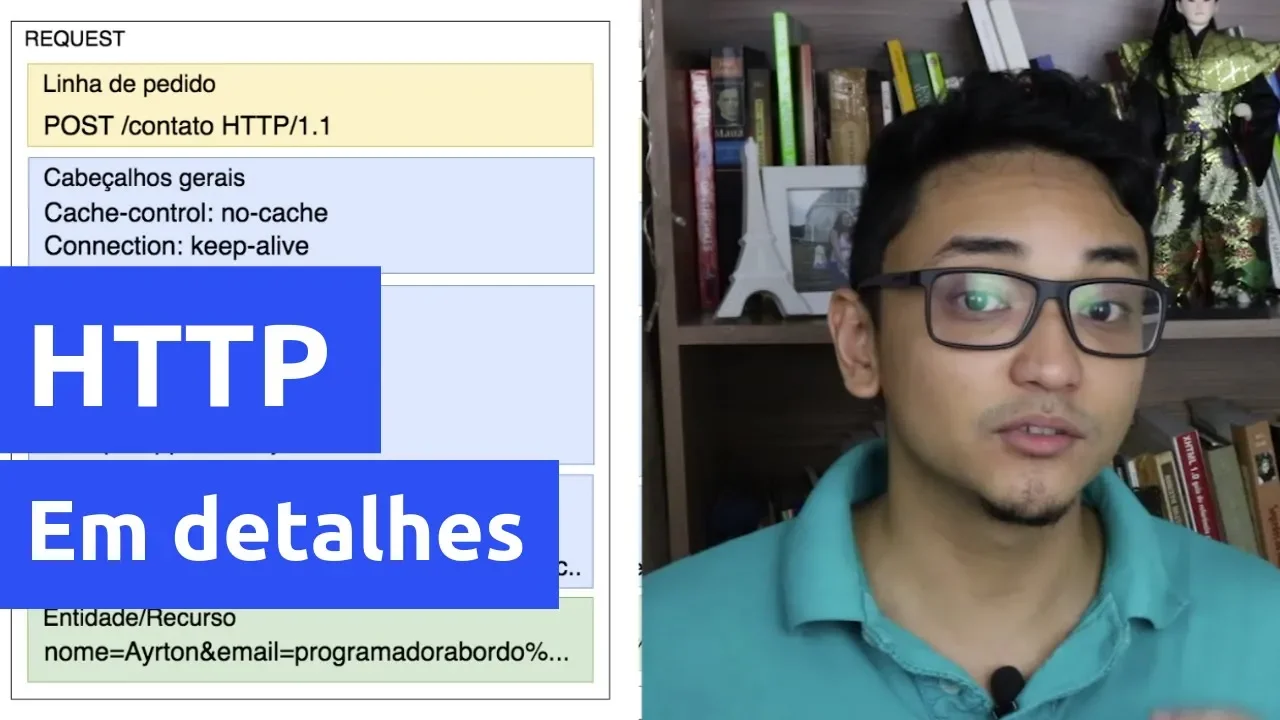
Fundamental concepts of the HTTP protocol, including methods (GET, POST, PUT, DELETE), headers, and status codes.
Basic knowledge of machine learning workflows, particularly how trained models make predictions (inference) and handle input/output data.
Understanding of JSON data structures, as it is the primary format for API data exchange.
Containerizing the FastAPI application using Docker to ensure consistent environments across development and production.
Integrating databases with ORMs like SQLAlchemy or SQLModel to store and retrieve data persistently.
Implementing advanced security protocols, such as OAuth2 authentication, JSON Web Tokens (JWT), and CORS configuration.
Deploying the ML API to cloud platforms (e.g., AWS, GCP, or Azure) and setting up CI/CD pipelines for automated testing and deployment.
317.4K views4.4Klikes12:13Original Release: 2023-01-03
In the next 10 minutes, I'm going to show you how you can build your own API by writing very few lines of code and host in your machine. Let's see that guys. Before moving on, please go ahead and subscribe to the channel if you have not done yet and also press the bell icon so that you receive all the notification. So guys what all we are going to learn is first of all definition of API and I am saying relearn definition because you have to forget everything you know about API and relearn it. Okay then we will understand basics. I'm going to show you one API and what is uh endpoint and API key. API request and response types I'm going to explain you with fast API demo. Pretty important concept here. and API test through GUI I'm going to show you and some homework for you. Okay. So going to be very informative video guys. Please ensure you watch till end. First of all let's relearn the definition of APIs.
Okay. So if you go to Wikipedia, if you go to another place, the definition is very complex. Let me make it simple for you. Suppose this is a computer program on the left hand side. On the right hand side is another computer program. This is program one and this is program two.
Okay. The name of the program one is let's say ammon. py okay ammon py in ammon py I want to add two numbers what I want to do I want to add two numbers okay add two numbers it's a very simple task I want to do in my program but for some reason I don't want to use python sum function or I don't want to write the logic I'm lazy to do that okay so there is a provision through which I can ask this computer program two. So what I can do, I can ask this computer program two, hey can you add two numbers for me and the program will say me okay give me those two numbers at the moment I give those two numbers this second program will return me the response which means two numbers added it will give me as output okay so what has just happened is I'm using the logic written in program two in program one okay and this entire concept concept is known as concept of APIs. In this case, this is your root program, main program and right hand side program, you can think of it as an API. So what is an API? An API is a place or is a program that you use in your program if you are lazy to write code or if you don't want to write code that has been written by somebody else.
So you ask question in a particular format and you get response in a particular format. Now here I am saying adding two numbers. So you cannot ask add three numbers or you cannot ask multiply two numbers. You just have to ask hey give me the addition of these two numbers. So format is fixed. What you can ask and what you can get in return. That format is fixed. Okay. Let me show you one simple example of how an API looks like. So come here. I am in a website visualcrossing.com.
Okay, let me enter one more time. Here I will click this link weather API. So I'm clicking this weather API. So this particular page is called endpoint of an API. So what is an endpoint of an API for asking your question? You have to go to the end point of an API. A point where API receives questions. Okay. So in this case API is receiving question here. So here I will enter Bangaluru. So Bangaluru is the city for which I want to know the weather updates and I will say create query. At the moment I say create query the query has gone to the API and response also I receive within minutes within seconds. So here you can see I can get the response in JSON, CSV, Excel etc. And if I click on this chart right so I have data of Bangalore. So what is the temperature? What may be the forecast etc. Okay, all these things I have. So what has happened just now? I went to the API endpoint. I asked my question and I got my response. But remember there is a format fixed. I cannot ask any random question or I cannot give any random input. Okay. What is an API endpoint? API endpoint is a place where you go and ask your question. Okay. Now let's try to understand how we can build our own API in Python in few lines of code. just few lines of code. Okay. So I'm going to my Visual Studio guys and I'm having a file here app py. Fine. I'm installing a package fast API. You can install this package as well. Very simple to install.
And I'm assuming my machine learning model is a very very simple model. So line number 8 to 11 what I'm what I'm highlighting now is my machine learning model. So what my machine learning model does it takes two parameters age of the person and sex of the person and it is it suppose statenic data set. So based on the age and sex it will say whether the person survived or did not survive.
Okay. So this is a simple rule-based machine learning model. I'm saying below is a demo rule-based model. Assume a complex model here. Fine. But I will host this in the API form. Okay. So what what I'm trying to do is I will try to give a age and I will try to give a sex and try to find information based on whatever logic I have written here through this API. So for that there is a decorator I have written / predict then definition of the of the uh function that runs inside predict. So very simple logic here just you have to initialize fast API create a decorator and write your logic. Okay. So this is my code in my desktop. There is a file called fast API folder is there and this file is there. Okay. And let me go to my command prompt and I'm inside desktop and fast API folder. Okay. In Windows machine I will just go here and say python 3m uvicon. U is the server on which it will run app. App is the name of your file here. App.py is the name. colon app and then reload. Okay. You can run this command as well. You say enter. At the moment you say enter, it will say say you uon running on 127.0.0.18,000.
That is your local host. Let me go to my browser and try to open that that address. So local host 8,0008,000. So if I do like this, you will see details not found. Why? Because we are not asking any question. API is running here but we are not asking any question. Okay. So just to showcase you, just to demonstrate you. It is not not how we do in the real world but we do in the development process. Okay. So if you go to the docs right then you will see a UI like this. Fine. In this UI if you click on this get right and you click on this try it out. So here you can enter your age for example 21 and I will say F. So it will run based on our FL logic whatever we have write written here. So any anywhere where sex is F it will be a a survived case. Okay. So let me go to my here and execute it. So I should get a response. You can see here response body survived is one. Okay. So that is what we expect. So this API is working fine. And as you can see here if I go ahead and make the this as male then it will be survived zero because that is the logic we have written in else loop.
Okay. So this is how you develop an API using fast API. But there are things to learn here. So as you can see here guys, request URL goes like this. So this is my request URL. In the URL, your age and sex are going as input. In the URL, your age, whatever age you give, whatever sex you give, that goes in your input and then you get survive. For example, if I make this as F, it will say me F.
Actually let me make it f then it will say me survived one because female is surviving based on our reference logic.
But whatever we did now that is for development purpose testing purpose. If our API is working fine suppose I gave you the example of two Python programs right? Suppose I want to call that API in a Python program then how can I do that? Let me show you that as well.
Consume API. py is another file I have here. Here I'm importing requests. Then I'm saying my age is this, sex is this.
Go ahead and call this URL. So as you can see this URL is very similar to the URL I showed you now in the browser.
Just that we are passing age and sex as the variables here. Okay. At the moment I run this, you will see that I will get a response survived one or zero based on whatever the logic. Okay. So here survived one is the response. Fine. So whatever way we are doing this particular uh development guys this is known as the gateway. Okay. So there are two ways in which you can you can build your API or call your API. One way is called get way other way is called post way. In the sorry put way put way not post way put way. Okay. And here what you can say is uh we are passing the URL. In URL we are passing the variable but this is not a very good practice.
Okay. So there is an another way in which we can do that and that is by not passing in the URL the data. So for example we can write a code like this.
There is a package called padantic I'm using here. But there are other ways of doing it. Okay. So from pedantic piantic you call it pyantic. Okay. From piantic you got a base model. In this base model you can give your inputs and same way you can write your logic. The difference between this method and previous method is just the way you are passing your input to the API. Okay. So this is supposed to be more protected. Why?
Because if I want to consume this API then I will create a payload like this.
Okay. So you are saying consume put. You are seeing this payload and I will pass data is equal to payload. In this way my API will be protected and my data will not be passed in the URL like it is getting passed in the previous method.
Okay.
So few important things to remember in the concept of API is for using an API, it should always be running. For example, this API is running here.
Suppose I stop it. I press Ctrl C. So API is stopped. Now I can't go and ask any question to that API because that service is stopped. Okay. So if I if I click this right then it will say it cannot reach that because I have stopped that. So to to you know ask any question to the next program your API should be running and there are two main ways of doing that I showed you you should not pass your queries or parameters in the URL that is not safe so you will want to use the second way and in practical more sophisticated ways as well okay so what all we learned let's revise it quickly guys and I will give you a simple homework we learned the definition we understood basics keys and endpoints okay keys I did not tell you key is basically a way to protect unwanted requests. Suppose I went to this weather data and I gave Bangaluru and I got the output right. So somebody can misuse it. Somebody can do it multiple times or misuse it or sometimes some people want to charge their APIs with some money. For those purposes you know key concept is there API key. Okay request and response type I explained you demo and then we learn how to do using GUI homework for you guys. I built a simple model here if model. Please go ahead and try to host a machine learning model in the API and try to access it through the browser so that you get a good understanding of how the API is working. Okay. So I hope you understood all these concepts guys. See you all in the next video wherever you are. Stay safe and take care.
Up Next

10:03
Building Reproducible ML Pipelines with DVC | Hands-On Tutorial
@dvcorg8370
24.6K views•2020-11-24

12:54
Triumph of Orthodoxy Icon: Byzantine Art & History Explained
@BenCallan
2.1K views•2024-08-06

9:49
FastAPI vs Flask vs Django: Choosing the Right Python Web Framework
@TechWithTim
302.5K views•2024-05-26

1:42
Game of Thrones Opening Credits: A Cinematic Analysis
@gameofthrones
46.3M views•2011-04-18
Related Study Plans & Knowledge Roadmaps
Structured learning paths in General & Interdisciplinary Studies
general-studies
Elevator Engineering: History, Physics & Cities
01From Hoists to Safety Brakes: The Dawn of Vertical Lift
02Hydraulic vs. Traction: The Engineering Physics of Elevators
03Modern Speed, Safety, and Algorithms
+ 2 more learning modules
12h5 modules
Explore Roadmap
general-studies
Rubber: Material Science, History & Geopolitics
01Origins of Natural Rubber & Mesoamerican History
02The Chemistry of Natural Rubber & Vulcanization
03The Geopolitics of the Rubber Boom & Colonization
+ 2 more learning modules
12h5 modules
Explore Roadmap
general-studies
Containerization: Evolution, Logistics & Trade
01Ancient Trade & Bulk Cargo: Amphorae to Barrels
02The Industrial Revolution & Cardboard Packaging
03The Containerization Revolution: Malcom McLean
+ 2 more learning modules
12h5 modules
Explore Roadmap
general-studies
Textile Tech: Evolution, Labor & Global Impact
01Pre-Industrial Textiles: Handloom & Cottage Industry
02Mechanization: The Spinning Jenny to the Power Loom
03The Factory System & Global Labor Transformation
+ 2 more learning modules
10h5 modules
Explore Roadmap