












![GraphQL With React & Apollo [2] - React & Apollo Setup](https://i.ytimg.com/vi_webp/-XwkFm5a9lw/maxresdefault.webp)




This tutorial demonstrates how to deploy a subgraph to Subgraph Studio, a hosted staging environment provided by The Graph protocol, which indexes blockchain data (using Ethereum and Uniswap token as an example) and converts smart contract events into GraphQL-queriable entities; the process involves setting up Subgraph Studio, installing the Graph CLI, initializing the subgraph with a contract's ABI and start block, scaffolding the code structure, authenticating the CLI, generating types with codegen, building the subgraph, and deploying it to the staging environment where it begins indexing data immediately.
How to Deploy a Subgraph to Subgraph Studio: A Step-by-Step Guide for Blockchain Developers
Added:Fundamental understanding of Ethereum, smart contracts, and how event logs are emitted by Solidity contracts.
Basic knowledge of GraphQL, specifically schemas, queries, and data types, as subgraphs use GraphQL for data querying.
Familiarity with command-line interfaces (CLI) and Node.js runtime environments, including package managers like npm or yarn.
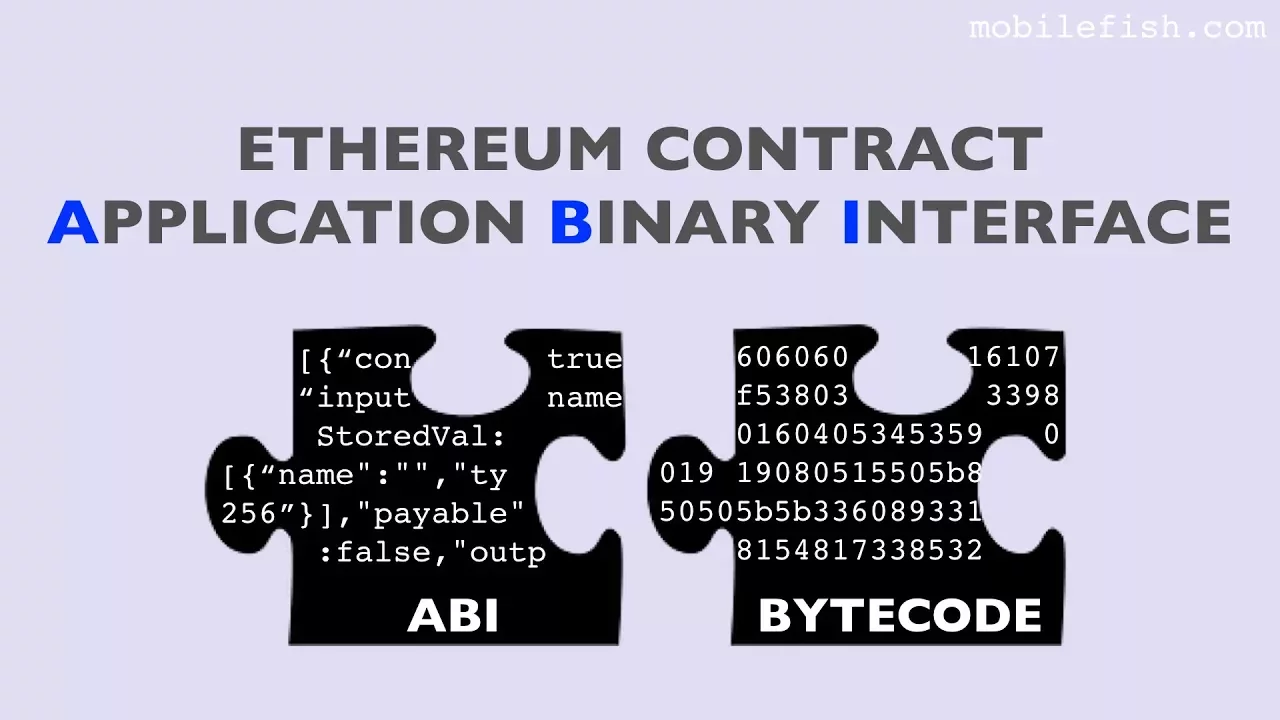
Understanding of Smart Contract ABIs (Application Binary Interfaces) and their role in facilitating external interactions with contract bytecode.
Advanced mapping techniques using AssemblyScript to write custom handlers for complex data mutations and aggregations.
Integrating deployed subgraphs into the frontend of decentralized applications (dApps) using React and Apollo Client.
Strategies for subgraph performance optimization, such as parallel indexing, handling reorgs, and efficient schema design.
Migrating and publishing subgraphs from the development sandbox (Subgraph Studio) to the decentralized Graph Network for production-grade curation.
7.5K views96likes12:22Original Release: 2023-05-19
[Music] hey everyone this is Marcus and I'm working on the graph this is a zero to one deploy of a subgraph to sub graph studio so if you want to go ahead and do that with me follow along let's get to it first things first what you're going to do is go to the graph.com and click on products subgraph Studio and from there connect your wallet I use metamask okay and we are going to create a sub graph okay at this point it's helpful to stop and think for a quick second what should your subgraph name be for the sake of this tutorial I'm just going to call this a uniswap token sub graph or something like that because I'm going to be indexing the unit swap token in this subgraph for the tutorial so let's call it the uni SG token tutorial and let's go ahead and see which indexed blockchain I'd like to choose I'm going to choose ethereum and through subgraph Studio which is the pathway to the decentralized network on the graph you have all of these chains available and all of these chains you're able to publish to the decentralized network if you would eventually like to we're just going to be going through deploy here we're not going to publish today you can see there's also a good amount of test Nets in studio and if you keep on scrolling you'll see hosted service this is an entirely different location in our products and so you can go to the products and click on hosted service if these are any of the chains that you would like to be working on today these chains a lot of these chains are going to be migrating and are in the process of migrating over into the supported subgraph studio location so just want to provide a little bit of context about that this video is being recorded in April of 2023. let's continue on so ethereum create subgraph and this is a good place to put some things if you would like about your sub graph the subgraph description the source code URL that'll be the GitHub and then website URL of which the subgraph is populating data into and that is awesome so let's continue on quickly so we can get building so the next thing you're going to want to do is npm install or yarn install and to do this I'm going to get a little split screen action going here so you can see this kind of copy paste that I'm going to be doing so we're going to do yarn Global add and I'll just copy paste that into my terminal and as this is installing it's helpful for you to know to please check the npmjs.com graph CLI location and you can see if you have the most recent version this is 48.0 as of this recording April 2023 but just stay on this because there are new updates coming all the time so yeah best practice with that next we will go ahead and initialize the subgraph so we'll scroll down here and we'll copy and paste and we're going to be on ethereum and the subgraph slug is coming in from the CLI directory it creates a directory automatically and we know we want mainnet so that's great and then now I know I'm getting the uniswap token let's go ahead and get that I'm going to go to etherscan and I'll type in unit swap either sub token and you can see there's the token contract okay so I'll copy that and I'll put that in and it's got the ABI which is awesome now just so you know sometimes the ABI is not able to be populated because it is not a verified smart contract let's go through how you might go ahead and solve that really quickly let's go ahead and make this a little bit bigger for you all right this was we want to go to CD I believe it was in the desktop and then tutorial repos and this was the Eunice swap token sub graph all right so now that we're in there I'm going to create a file in this location that is going to be the ABI if you should need to import this ABI and it is a unverified smart contract so I'm going to put just cancel here and I'm going to put in unverified API dot Json Network's just fine just unverified ABI cool cool and we'll just keep on going in so now we have this you'll click on contract if they if you need to get this API and you'll scroll down and you'll copy and now you have the contract API and then from there you can go to your API and save it as that and now you have the Json right there and then this CLI will say hey could you provide the path guess what you can you'll just right click on this you'll click on copy path and then paste it right in there and you'll be able to continue on so you'll see also now that we've solved that the next line uh failed to fetch start block that's okay we can find the start block no big deal let's go back to our contract address and in this location you want to go to transactions and you see there's two million transactions click on that you can see the start blocks were all excuse me the blocks where all these transactions are occurring so if you scroll down and we can go to the very beginning of where the smart contract was deployed and that was on this start block so it's best practices to do your very best to gather most accurate data for your subgraph and I think for this subgraph I would like to get from the very first art block that has this smart contract deployed to all of up until today so that's why I'm choosing this your use case might be unique to your subgraph so the contract name it is best practices to name the smart contract the same name as the contract name here so if you go ahead and go to the contract you can go ahead and check out the contract and see it's named uni so we're going to name it uni awesome so now that we've got through that populating of data now we want to index contract events as entities this is really where the magic occurs with subgraph building that is now scaffolding out our repo so it is preparing to gather all of the events that are emitted from the smart contract from the uniswap token smart contract and then convert those into entities so you are able to query them using graphql so it's doing this all for you we're not deploying it just yet we're just scaffolding out the code so do we want to add another contract nope and you can see next steps run graph off CD and then run yarn deploy you could totally do that right through here but I like to just copy paste so if I make this a little bit more legible authenticate in CLI you can copy that right there and bring that into your CLI and paste this has the authentication token right here so just be cautious to not let anyone see that I'm going to blur this out in the video so I'm going to press enter and then I'll just press clear and so it's authenticated which is awesome and then now I need a CD into the location and then from there it's graph Cogen and graph build graphcogen provides type safety to your subgraph and graph build compiles your subgraph anytime you make any alterations to your code it's a good idea to just check those run those and then you will see if your subgraph is able to have tape safety and is able to compile from there really quickly what I want to do is take a look at the code that we have built thus far and I just want to look at the schema because this is really what your front end is going to be able to query it's looking at these entities that uh our representations of the events that have come from the blockchain and so we've got the transfer entity and we've got the mentor change entity and delegates votes changed all of these are automatically created when your subgraph spins up and are going to have different data points attached to them when the events are emitted from the smart contract so we'll take a look at this transfer entity here because I want to pay attention to that when we deploy our sub graph to subgraph Studio let's continue on the next step is we are going to deploy the subgraph so if I copy this and I paste we are now deploying we'll use V 0.0.1 and we are deploying to sub graph Studio which is awesome so you can see uploading build completed deploying to sub graph Studio bam it was updated 0.01 0.01 it is right now in subgraph studio which is really really cool it was that quick and it's going to be indexing right now very nice already 94 done you are free to of course at this time use the subgraph this is in a staging environment that is a subgraph studio I'm going to make this full screen now this location of indexing is in the staging environment that is subgraph Studio which means this staging environment is being indexed by a centralized service provided by the graph for the purpose of iterating testing and getting your dap up to functional capacity before you publish okay so we're not going to go into publishing today we'll talk about that in another video if you're interested in that go ahead and keep the lookout for that links in the description of course and here at this staging and environment you can go to the playground and check out what your entities look like so remember that transfer entity that I looked at a little while ago let's look at the transfers right now let's look at the first 10 and let's get the from the 2 and the amount let's see how that's looking and boom we've got live data from the uniswap token that is on the ethereum blockchain so awesome congratulations on making it this far as you're iterating you could check on the logs you could add more details and then you can go back and go to your code and make some alterations to the schema and then once again go ahead and deploy again right there you can see graph deploy studio and it automatically populates and then let's say you've made these changes and you're saying hey let's go to V 0.0.5 or 7 or 10 or whatever as you're continuously getting your sub graph really really nice and the goal is to have it be a powerful incredible sub graph because at that point you have see already 0.05 you have created an incredible piece of technology that your dap is able to to use and have live blockchain data coming through so I'm really stoked about subgraphs I think they're an incredible representation of the power of the decentralization of the web3 space and then also having this be permissionless anyone can build this up and then you can build your dap on top of that now once again I want to highlight that this is a hosted staging environment in subgraph studio when you eventually would like to publish stay tuned for a video on that in the future this is publishing to a decentralized network of indexers that are around the world so I want to make that very clear that right now feel free to use this this is subgraph Studio but it is the pathway to the decentralized network of speed and security that is the graph indexers so I'm Marcus I hope you enjoyed the zero to one quick deploy walkthrough of a subgraph to subgraph studio if you have any questions or concerns please go ahead and check the links down in the descriptions hopefully that can help you out with your journey in developing subgraphs so take care I'll see you guys around [Music]
Up Next
7:05
Subgraph Testing with Matchstick: Unit Test Guide for The Graph
@GraphProtocol
1.6K views•2021-12-22

12:54
Triumph of Orthodoxy Icon: Byzantine Art & History Explained
@BenCallan
2.1K views•2024-08-06

9:49
FastAPI vs Flask vs Django: Choosing the Right Python Web Framework
@TechWithTim
302.5K views•2024-05-26

1:42
Game of Thrones Opening Credits: A Cinematic Analysis
@gameofthrones
46.3M views•2011-04-18
Related Study Plans & Knowledge Roadmaps
Structured learning paths in General & Interdisciplinary Studies
general-studies
Elevator Engineering: History, Physics & Cities
01From Hoists to Safety Brakes: The Dawn of Vertical Lift
02Hydraulic vs. Traction: The Engineering Physics of Elevators
03Modern Speed, Safety, and Algorithms
+ 2 more learning modules
12h5 modules
Explore Roadmap
general-studies
Rubber: Material Science, History & Geopolitics
01Origins of Natural Rubber & Mesoamerican History
02The Chemistry of Natural Rubber & Vulcanization
03The Geopolitics of the Rubber Boom & Colonization
+ 2 more learning modules
12h5 modules
Explore Roadmap
general-studies
Containerization: Evolution, Logistics & Trade
01Ancient Trade & Bulk Cargo: Amphorae to Barrels
02The Industrial Revolution & Cardboard Packaging
03The Containerization Revolution: Malcom McLean
+ 2 more learning modules
12h5 modules
Explore Roadmap
general-studies
Textile Tech: Evolution, Labor & Global Impact
01Pre-Industrial Textiles: Handloom & Cottage Industry
02Mechanization: The Spinning Jenny to the Power Loom
03The Factory System & Global Labor Transformation
+ 2 more learning modules
10h5 modules
Explore Roadmap