





![System Design Fundamentals [5/15]: B-Trees vs LSM-Trees Explained](https://i.ytimg.com/vi/RAuIWs3ne9g/sddefault.jpg)










A storage hierarchy organizes computer memory into layers (registers, L1/L2/L3 caches, main memory, SSD/HDD) where each layer offers different trade-offs between speed, capacity, and cost; the database buffer manages data transfer between main memory and persistent storage by implementing methods like get(), fix(), unfix(), and choose_page() to optimize data access patterns, leveraging temporal and spatial locality principles to minimize expensive disk I/O operations.
Database Storage Hierarchy & Buffer Management Explained
Added:Basic computer architecture concepts, particularly the physical distinction between primary memory (RAM) and secondary storage (SSD/HDD).
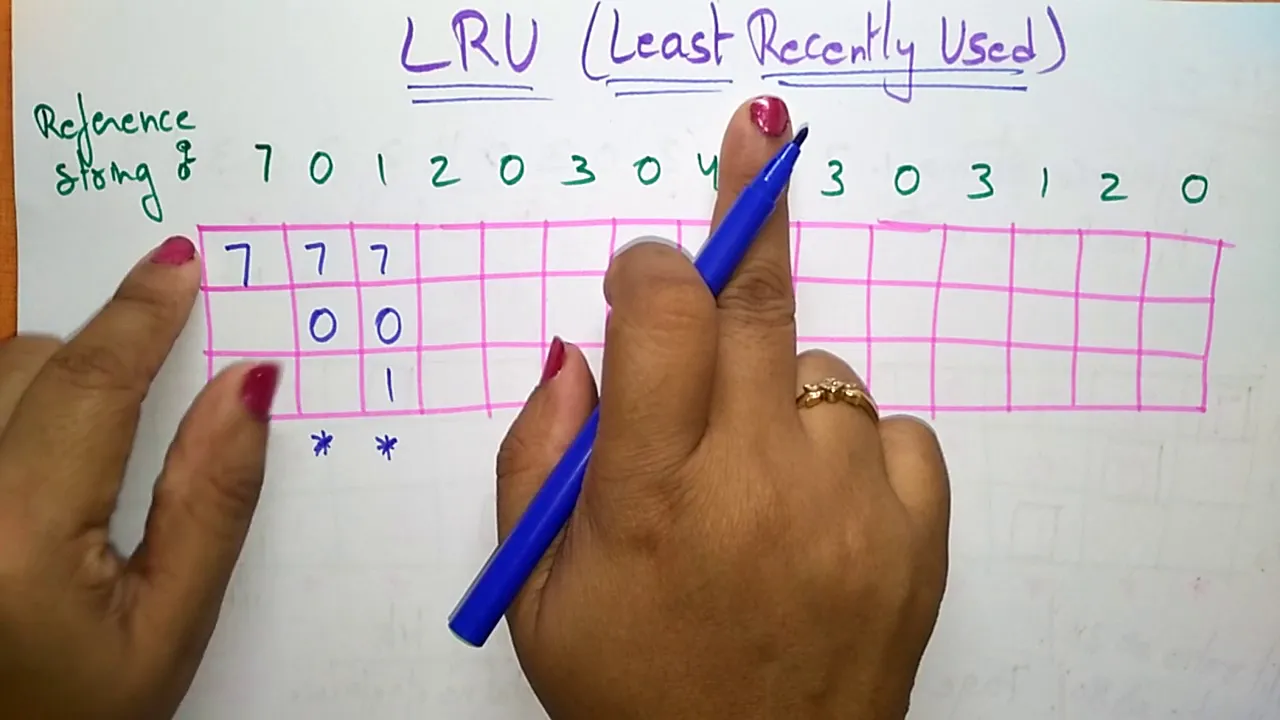
Fundamental Operating System concepts, including page replacement policies (like LRU) and file system I/O operations.
The basic logical structure of a Database Management System (DBMS), including tables, records, and the concept of disk pages.
Database Recovery Mechanisms, such as Write-Ahead Logging (WAL) and the ARIES recovery algorithm, which rely heavily on buffer state management.
Advanced Physical Database Design, including indexing techniques (B+ Trees, LSM-Trees) and how they interact with the storage engine.
Database Performance Tuning and Query Optimization, analyzing how buffer pool size and RAID configurations affect query execution times.
Distributed Storage Systems and Replication, scaling storage architecture and consistency protocols across multiple physical machines.
6.4K views135likes1:51:32Original Release: 2020-11-11
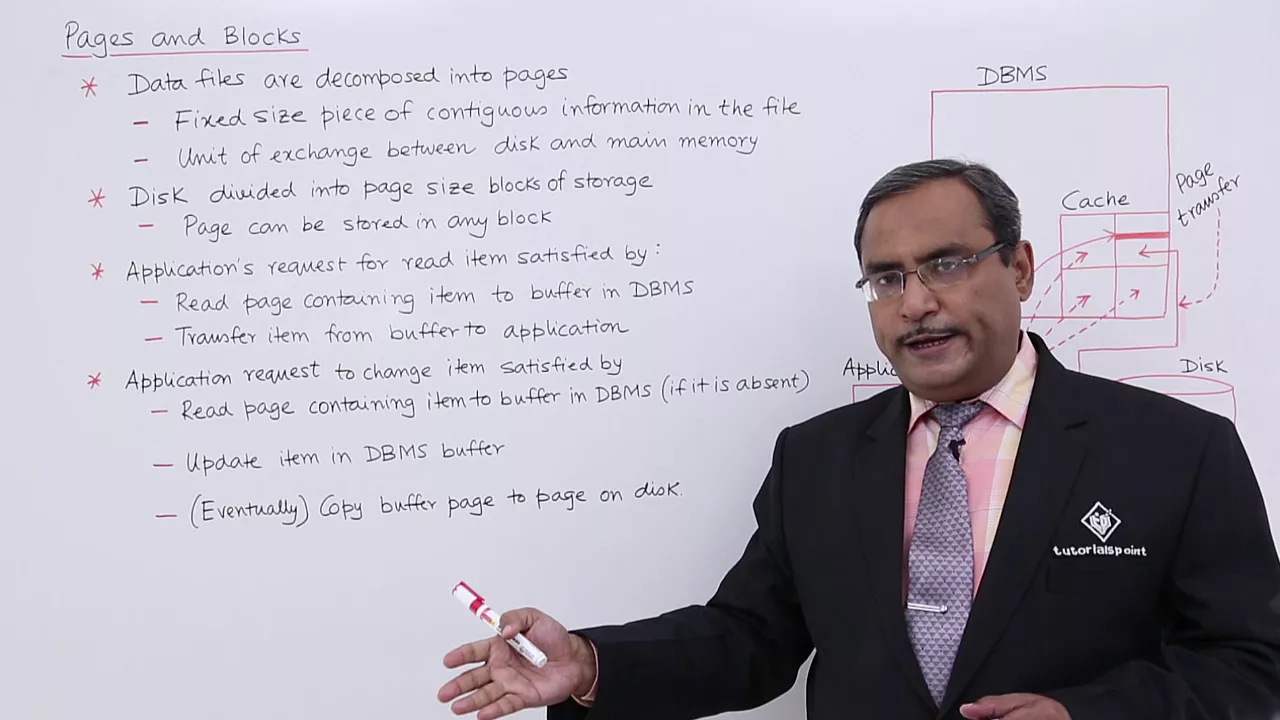
so welcome everybody to today's lecture my name is jens citric and today we will be talking about storage as i showed to you last time already those are the planned questions and techniques we will be covering in this core lecture database systems and today's topic will be how to move big or small or whatever data through a computer system so we will have the for we have the following learning objectives so we basically look at storage the storage hierarchy including specific hardware that is available in the storage hierarchy i'll talk a little bit about replication caching buffering and read and write strategies that are available for questions again let me remind you we have this fragist tool available so maybe you scan it with your smartphone there's a moderated chat and my tutor and chief christian is sitting in the background um and he will be pushing those questions to me and then every now and then i will be answering those questions okay with that let's start so what is storage all about and the storage hierarchy so this is the dream you have basically yeah that's how a storage should look like basically you have a little card here basically it doesn't take any space you have whatever 42 euro bytes that's 10 to the power of 24 bytes you have a read performance of 800 zettabytes maybe like like nothing whatever you read all your data is just like bam bam bam there's no delay whatsoever for reading data and the same holds for writing the data and then that should be like for free like zero euros well that that's a dream of course reality is more something like that well you can get like a terabyte on these um sd cards read performance if it's a very good one maybe around one gigabyte right performance also for a very good one maybe around 500 megabytes and the price maybe 200 euros that depends a lot on the performance characteristics not only the size yeah so many of those um sd cards vary in price because for instance the right performance differs a lot but that's basically what you have here so there's memory is not unlimited and the performance of memory is not unlimited and that's a major observation when looking at memory so basically here's again in text what we would like to have so that's the properties unlimited capacity instant random access so no no matter where so which address on that device i'm addressing it should be instant without any delay unlimited bandwidth for sequential access so i can stream as much data per second as i want it should be for free and it should be persistent yeah so it shouldn't decay it shouldn't break at any point in time if i keep it in a draw for like 10 years all data should still be accessible well and as all of this doesn't work as there is no such thing as perfect memory well the idea is to make a compromise and that's a storage hierarchy and i hope some of you have seen that already in some undergrad lecture but the basic idea is something like that so basically here you have the computing course with with registers so in order to do any computation in a modern computer system you have to load the data into the registers and only if it's in the registers you can do the actual computation and basically we can observe the following trade-offs here or maybe let's first concentrate on the middle here and what you see here is you have different layers memory layers that have different properties so here you see l1 l2 l3 those are three different types of caches you can observe in many computer systems so some systems also have an a4 cache then you have what we call main memory that's typically dram and then you have some persistent device it could be a hard disk or an ssd a flash drive we will go into that in more detail but the basic trade-off the basic idea here is that you have much smaller faster memories closer to the actual computing core to the to the cpu so actually those memories are very expensive per byte and you try to have only small memories of that and you place them very close to the cpu and the further you go out the cheaper the memory becomes and the bigger the memory becomes so you have a fast and expensive l1 cache close to the cpu this l2 is a little slower a bit a little bigger bigger bigger bigger the further you go the bigger it gets the slower it gets and that's a compromise that's which is called the storage hierarchy but that compromise um it turns out to be very very successful and very very it's a sweet spot when you look at the price and the performance at the same time and you have to look at price and performance at the same time because you can't get the perfect performance that would be infeasible in terms of money it's not possible yeah and here's some typical access times i depicted that those change every year there are some new numbers you could put in but the basic um basic distances or timings are still preserved and what you see is basically when when fetching data from a register that it's like one cycle in the cpu but the further the data is away the longer it takes to get the data into the registers so in the following we will look at different scenarios basically it's always like okay we have to do something with the data where does the data reside in the memory hierarchy in the storage hierarchy memory hierarchy storage hierarchy is a pseudonym so it's the same thing so when that storage hierarchy is a data how long does it take to load this stuff into the the actual registers into the into the machine to do some meaningful computation and you see here what we see here are the access times or the waiting times so here it's just one cycle to fetch stuff from the registers it's four cycles to fetch it from l1 10 cycles from l2 60 cycles from f3 this may vary a little bit maybe a little more or less depending on your concrete machine but that's a ballpark but then it gets tough when you go when the data is not available in any of those caches and you have to really go to main memory then you have to wait 60 nanoseconds you may think oh 60 nanoseconds well that's beyond human perception uh anyway it's pretty fast but that's just for one axis and if you have millions and billions of accesses in a machine in the computer program those latencies those access times may assemble pretty quickly it may slow down your machine and it gets really pretty pretty pretty wild and and a problem when the data is only available on hard disk on an ssd drive if it's a hard disk you're in the area of five milliseconds for flash drive and maybe 0.1 milliseconds we will get into that but that's a long time that's a very long time from the point of view of a cpu if it has to do if it has to wait all that time to get the data to do some meaningful work so that is something we have to keep in mind and i tried to um try to provide an analogy here uh what that really means so because if you look at this this this graphic has many many problems so it's a schematic graphic trying to illustrate the trade-off and you see that in many textbooks but it's very very misleading and the following i spent a few minutes on explaining why that is misleading and one is the distances among the different layers so when you look at the the graphics you see okay that looks like it's the same distance right visually it's the same distance but here you already see the huge gap right here we're switching from nanoseconds to microseconds nanoseconds well then the next would be microseconds millionth of a second and then we are at milliseconds thousandths of a second yeah so many many orders of magnitude we jump over but but here it still visually is the same distance and that's the problem of this textbook visual visualization so to make it a bit clearer to you what does it really means and and how the distances look like in the computer system um let's look at the following analogy i basically just multiplied all of these distances by a constant to make it more tangible for us humans so if you assume that at one cache yeah if data is in your one cache that that's a corresponds to grabbing a piece of paper from your desk yeah if i pick up anything from my desk that's about two seconds and then i have that information in my hands l2 cache already is picking up a book from a nearby shelf that's five seconds so like here i have to go down around the shelf right and i hopefully pick a book and many things fall down of course if you do that right and then i see oh here's the book that's five like five seconds yeah okay what about l3 cash that's already a little bit further that's picking up a book from the next room i'm not going to do that now don't worry so but that's like 30 seconds i have to walk out of the room pick up the ball go back 30 seconds what about dram dram is walking is taking a walk down the hall to buy a twix bar yeah down the hall down the entire aisle 90 seconds and then back that's the real distance if i translate that and then the interesting thing happens if you think about okay how long does it take okay if it's not in dram i have to fetch it from as is from hard disk in this example it's a hard disk how long does that take how long is the walk and if you think about that and if you didn't uh peep already at my slides just think about for yourself how long do you expect it yes if i have to fetch in this analogy sticking to this analogy how long does it take to fetch stuff from a hard disk a disk with spinning platters mechanical hard disk how long does it take in this analogy well the interesting thing is you can do the mars and you end up that's like walking from xalan to hawaii yeah it's 7.5 million seconds of walking or 86.8 days that is the energy and that that illustrates that um in this graph here it looks this is also like yeah you always at the same equidistance uh next is all you all have the same step size in between the layers it's not true there's a huge cliff a huge distance in particular between those caches and main memory and main memory and hard disk or even an ssd we will get to that i hope this analogy helps to illustrate a little bit and a different problem the second problem with the visualization the textbook visualization is that the typical sizes you have here depicted them here that's for one concrete machine and of course things get bigger every year more memory gets added because prices go down so for instance main memory is 60 gigabytes it's more like standard you can make machines arbitrarily big you have servers with terabytes of my memory of course and hard disks can be pretty big like a dozen dozen terabytes there's no problem but but the ratios are more or less the same and that's another trick of another pitfall of this visualization if you if you in your mind think okay the area kind of corresponds to the size of the layer if you do that then you fell into the next trap because actually if you try to visualize the different errors it areas it more looks like this so you see so here i have the area corresponds to the size and if l1 is this size l2 is this size l3 is this size and dram is actually also the disk but you don't see it you only see the horizon and we have to zoom out a little bit to actually see the effect yeah that's basically the size of dram in this world that is um that will be a visualization that preserves relative sizes um so um when thinking about storage hierarchy please think about these relative sizes and distances uh it's not this what what you see in textbooks okay yeah with that we get to the tasks of each layer let me briefly check for guests there's a question about the last class or that's really if you don't mind can consistency let me briefly do this one question about the last class if you don't mind can consistency in asset properties be understood as accuracy of data transactions no no consistently has a pretty clear definition we have that in our anger undergrad all look it up in the textbooks that's i don't think it's relevant to what we do here sorry okay so let's go back to the storage layer we have these different layers and another phenomenon you will see is often they're treated pretty independently even though from a 10 000 feet perspective or even a 1000 feet perspective if you wish they all have kind of the same tasks the same things they have to do so basically when the request comes in from from the cpu any storage layer has to be able to localize the data object yeah you have a request hey give me data object 42 do you have it and then the layer has to be able to respond yeah i have it here here it is or it has to say no i don't have it sorry ask the next layer underneath myself right that's the same task on each and every layer then there's caching of course going on so maybe if we uh go back to this this if you have any data item that is sitting on hard disk and then you load it into one of the other layers assuming you load some data item from main memory from from artist to main memory you basically create a copy on the storage layer yeah when you load it you typically don't delete it from this you load it into main memory whenever you do a load of file you do that right if you load a file into main memory now you have a copy of that file in my memory and that doesn't mean that you delete it from this typically you can do that of course yeah but typically that's not done and this property is called inclusion in that sense whatever you have in this layer is completely available in that layer as well yes if you go from top to bottom l1 whatever you have an l1 is completely contained in l2 is completely contained in l3 and so forth so that's called the inclusion property and you can break that if you wish but often you can observe that property then the other is data replacement strategies as the layers have only a certain capacity a certain size and it may happen that if you want to load a new data item into that layer you first have to make room for that new data item we will go into that but it basically means okay some stuff has to go out you have to throw it out of the layer what are you going to throw out of that layer then another task here is writing of modified data which basically means okay now once we can also go back to the visual to explain that a little easier so assume you changed something in the register you change the data item whatever you increase the number of students from 42 to 43 well you changed it here fine but you didn't change it in any of the copies down here yeah so assume the inclusion property is fully capped which means if you assume you have an integer value reflecting the number of students and that is 42. so assume that sits on disk so before being able to work on that item you first load it through all of the storage layers basically you create copies and all of the storage layers eventually it's in the register you modify it increase it to 43 43 and then well you have to push it back you have to push it down the storage hierarchy and the question is when do you do that now there are many many strategies you can do and the worst is definitely to push it down completely when writing because then you have to wait um for the hard disk to to write it to disk you wouldn't want to do that so those are the four strategies localization finding stuff caching of stuff replacing stuff if no room is available for new items and writing modified data how to write out data not not to write it only write it later write it immediately things like that and in the previous iteration of this course i tried to really write that as a pattern inspired by the gang of four design patterns book in software engineering it's an awesome book if you don't know it read it design patterns by gamma at all it's fantastic you understand understand software architectures and we have similar patterns and database technology and here what you can observe in the storage hierarchy is something like the all layers are similar all these storage layers are somehow similar in how the tasks they have how they behave and eventually you will see also in the algorithms and techniques they use to accomplish those tasks and that's very important to keep that in mind you shouldn't have the mindset to say well it's dram that's so completely different from what a hard disk does or it's a flash disk it's completely different from what uh l3 does yeah on the detailed level but on a high level it's all the same things and many algorithms that well developed for say hard discs can easily be adapted to ssds or any other new storage medium that comes in if you understand this commonality if you understand it's more or less the same tasks you can easily adjust existing algorithms to make them work with new storage media so whatever medium will come up in the future the first thing you should do if you want when you integrate it into into your architecture and the first thing you should do is think about how can i adapt the existing algorithms because in most cases it's it's relatively easy there's no need to invent new algorithms yeah with that let's look at read and write strategies and caching so what is reading in that word i already mentioned the example reading a file yeah you read a file let's look at those two layers you read a file which means you create a copy in main memory yeah and then whatever portion is touched by your computer program by the cpu parts of that main memory copy will be loaded into a 302 l1 or in some of the registers and that's that's what happens writing so reading is from bottom to top and then towards the cpu writing is from the cpu from the course from the cpu course away yeah basically in direction to hard disk and no one forces you to write completely through to hardness you can only write it to l2 l3 by memory blah blah blah blah whatsoever and that's um all kinds of things are possible but the principle is this reading is yeah loading it towards the cpu and writing is pushing it down again pushing the changed values down again towards um yeah the the the slow storage layers and of course if you read something and you didn't modify it there's no need to write it back again that's clear because it's only a copy if you read this 42 value you don't touch it in your cpu there's no need to write it back to any other layer because those layers following the inclusion property already have a copy now you can basically throw it away just writing is something you should think about um there's a question in the mighty course and it might happen that the copyright yeah we will look at that i will postpone that as a question about multi-core technologies i will um look at that later on there's a question about l1 and l2 what l1 and l2 l1 and l2 are the caches of the cpu so i assume here that you attended some undergrad bachelor course on hardware so the basic architecture of a computer machines of computers so we have two different courses here at zarland university basically i think it's handled partially in programming too but also in system architecture that's what is handled so basically it's a small cache if you have never seen that consider it a small piece of memory that sits on the same device that's basically inside the cpu it's a small piece of fast memory and they have different layers inside the cpu yeah so other than the registers which are directly which are super close to the cpu to the computing core you have l1 l2 and l3 caches that can keep some memory of certain sizes those are caches inside the cpu and then if you go further out there are other my memories so maybe if you have never seen that google it and you find quickly that information about that okay here we go all right so yeah so back to writing and reading data so a couple of important things here to note so this looks uniform kind of that there are important differences because all this area here from main memory to the cpu you don't have to worry about that's all managed by by the machine by the operating system you don't have to worry about that yeah whether stuff gets loaded into l3 l2 and one or whatever you don't have to do that actively in the cpu architecture the gpu architectural graphics card that's a bit different there you have also that's possibility to load data actively into some of the caches so here that's not in the cpu you typically don't do that so here's a boundary you can identify for main memory up to core everything is handled transparently and automatically by your hardware but then there's a gap so when you load stuff into my memory you typically do that actively yeah like loading a file and in the database system um how loading actually works is through a software software component that's called the database buffer so the database buffer will load certain pieces of data from flash and hard disk and put put that data into main memory yeah and certain actions have to be performed if we go into detail but basically that's a software component handling data operating systems can do similar things but here we're talking about database systems okay and what the database system does is it has a couple of methods and maybe before going into that in the following i will always assume that the data we handle on on a hard disk or on an ssd on this medium is paginated which means it's broken into chunks of a certain size that has historic reasons but um it's also still the unit of access you have on certain devices for instance on a hard disk you can't just read a single byte you always read a multiple of a so-called hard disk page or sector typically 512 bytes or something larger so typically we will be talking about pages in this course and the page is something like four kilobytes of data or eight kilobytes of data you can define that in many systems but it's not just a single byte it's basically a page of information historically the page of information was because it was inspired by like pages text pages yeah the text page page has a certain capacity for characters for for bites if you wish and that was set to a certain amount and that's the unit of trans transfer we will be talking about in this course so the database buffer the database buffer's job is to load and unload pages of data in between my memory and task hard disk and then from my memory again everything is transparent so basically once the system understands that some data is missing it will eventually asks the database buffer and the database buffers are responsible for loading stuff okay so let's look at that so this database buffer has a couple of methods that are important to understand so basically by px i mean a reference to a particular page so if you develop a system you will have unique page ids that each page has an id a unique address that you can use to refer to that page that's meant here when i say get px so basically that could be like get page 42 and then the database system must be able to retrieve that page from the underlying storage layer so basically this returns a reference on other words a pointer in your software to that page to the data that resides on that page fix means that the page may not be evicted anymore eviction means you remove it from the database buffer so if you call get and then fix on a on page 42 no other operation is allowed to remove that page from the database buffer again it sits here so that you will load the page you will fix the page and then it sits there and once it sits there the database system and the programs that run the data system can operate on that page but for that you have to fix the page and once you're done working on that page you will unfix it which signals to the database buffer oh yeah yeah now you are allowed to remove that page if you want you don't have to but i there's i don't need it anymore so you can remove it if you want um yeah this is a predicate telling you whether a specific page is already available on the buffer so you can basically check for page 42 if it's already there and then the important thing and we will get to that in a moment is the choose page method that chooses a page to evict and returns a reference to the page so again assume the situation the database buffer is full it needs to load a new page because someone said get page seven but there's no room available here everything is already loaded with stuff in that situation you have to get rid of one of the pages to make room for the new page seven to load and well how does that work let's look at that that's the pseudo code that explains that um so basically what the get method in the database buffer does is the following assume you want to have page 42 and well you can check first well if it's already there i'm already done right so everything is fine so you check whether that's in the buffer already if if that is the case you're done and you just return a reference to that page but if not if it's not in the buffer well then you have to do something so the first is you check is there a space to load a page so if that is the case then there's if there's space available we're in this branch right then you say okay i get a free slot you pick you have a list you keep a list of the three um slots you have in your database buffer yeah and then basically you you get a handle to that slot and then you basically load the page from disk into that slot and afterwards the page is available in the buffer yeah but that's the easy case there's the room available for the page you simply loaded here in line seven everything is fine it gets more complex if there's if the buffer is full and that is what we see here so basically here is the point in time where you have to choose a page to evict evicting meaning that page has to leave the database buffer that page is going to be removed from main memory to make room for the new page to load and that is what happens here so a choose page algorithm could be something you could you you also should have seen in an undergrad call call course like uh least recently used lau or fifo first in first out so these buffer replacement strategies you know from hardware the same things can be used here again indication that on the different layers similar techniques can be used successfully so basically this algorithm gives you a victim page a page to kick out and then again you must not simply kick out the page but you have to be you have to first check whether that page was modified so it may have happened that the page was changed but not written back to the layer underneath so if that is the case you first have to write that page pi back to external memory the changed version the new version has to be written to external memory and only when you did that you can load the new page over that old page yeah that's very important so if it wasn't modified yeah if it was only red it's fine you just overwrite it if it's a new page px but if it was modified well you better be careful to not lose stuff right okay um yeah that's the um get implementation the get implementation of the database buffer and similar algorithms sit in between all these layers yeah basically in between all these layers there's a task that okay if the stuff is not here but you need it due to due to the inclusion property you first have to load it from the layer underneath and there's something like a buffering mechanism in between what i'm saying here is simply okay if in this course if we talk about buffering in between main memory and this flash or hard disk underneath there's a software component doing that and that's called the database buffer and that has some impact on performance in particular when you think about okay how which page do i remove which page do i evict to make room for new pages that has quite some impact okay so let's briefly go through the questions what do we have here what's the textbooks that we must study for the course well the problem with databases is the textbooks are relatively old so i once wrote a textbook for my course for the older iteration of this course the pdf is available uh for free for download i will put a link into cms that also has links to videos that explain some of the material i think that's a good starting point most of the material i will we will be covering in this course will be explained in that book and in that older videos as well and again the video i'm presenting here is available anyway afterwards the lecture other than that there are many old books that's the problem a little bit and old books means say they're focusing a lot on this based systems which is not exactly state of the art anymore so there are books here and there i would recommend but they're a bit outdated that's unfortunate there's no really up-to-date database book um yeah about textbooks for memory database do we need a db buffer not really that's a good question so um people get into that multiple times so basically modern systems what they do is let's go back to this one say main memories are often so big that you can load all the memory in that they can load all the data in memory anyway at no point in time you need to load stuff from disk to main memory because main memory is so big you can basically when starting up your database you load everything from disk and then whatever comes in it's already in my memory yeah yeah but then you have writes so think about that what happens if you write data if you modify data it sits in my memory and you have a power failure boom all modifications all rights are gone so even the main memory system you must at some point write data to a persistent medium otherwise you are really in trouble if anything goes wrong that can be a power failure it can be flooding in your data center it can be whatever destruction of hardware software you're really in trouble if anything goes wrong so even in a main memory system it's kind of a misleading term those systems have to write out at least a protocol a log as we call it of the changes and we will go to that later on it's an important question and it's often overlooked so if you modify data you have to also write something here that's very important good question is the default page state fixed or unfixed in the database buffer well there are different ways to implement that but but here basically what i do it i make it part of the implementation i say it's fixed anyway if i do get on the page also fix the fix it and then whatever is returned by the get method it's already fixed but you can implement that in either way and then you have to be careful with transactional properties because you you return a handle that's not fixed meanwhile the page gets evicted again by a concurrent query because it wasn't fixed here so the better implementation is obviously to to when loading you fix it already to make sure it doesn't get unfixed and evicted by a concurrent process that's very important now the process can load and change the data anymore fix means um no it's not exactly the same as a lock so a lock would mean locks are typically used as you recall from our undergrad discussions about concurs concurrency control that locks are used to avoid concurrent writes concurrent reads are not a problem and even if you fix a page in the database buffer you may still allow multiple queries to read this stuff at the same time so you don't have to get a lock um at least you don't have to get an exclusive lock here so you could i mean you could implement it through read locks yeah and then as long as there's any lock available you don't depict that yeah yeah in that sense it's true you can map it to the same process yeah that is true why do we when we get it it seems like i could construct scenarios when the if not page and buffer is always set if i was leading to i think that i could construct scenarios where the it's always send yeah of course you can create all kinds of scenarios where you ruin performance and we will get into that in particular the different choose page algorithms strategies i mentioned liu yeah they they're easy scenarios where you can completely ruin performance with those strategies so but the bottom line is of this approach is if you want to make a database system that is generic and works for all kinds of queries and data you have to come up with a generic solution and the generic solution is typically one of these page eviction strategies and a generic algorithm we will i guess in the exercise if we look at one example at least where we see how to how to ruin such a algorithm can we make sure choose page select pages that are known not to have been modified hmm yeah that's true that's one thing you could do again what happens if all pages were already modified it came over you can't load the page anymore so typically how to fix that what you do is in the database buffer that's an additional optim optimization you can do here is if you have pages that were modified you have a background thread that writes out those pages yeah and then recall if the page is written out by background thread well the changes are reflected on disk and and now you don't run into this branch anymore that would avoid that scenario so you could actually following your suggestion you could do that you could say okay i modify my choose page do you only write out to only pick pages that were not modified and i can do that as long as i have a background thread running that writes out the modified pages regularly to make room to to make opportunity a lot of opportunities for editing pages and that you could do that's true good point uh what's your take on how does this torture uh yeah and we maybe we can go into that later so that's another interesting storage layer popping up it's important depends on your scenario for the moment let me focus on ssd and hard disk but of course there are all kinds of new media like persistent ram style and media many many things that can be done i simplified the presentation a little bit to not make it too confusion confusing how large is performance increase when using ssd we will go into that that that's a huge increase we will go into that today um multi-core scenario might happen the copy yeah yeah we will look at mighty core in a moment don't worry okay so that's the database buffer and there are two important terms that that occur here so basically what you see is uh one is temporal locality and um the other is spatial locality and temporal locality basically means you have a small distance in time for the same address so basically how you could view with database buffers it gets requests from the system hey give me page 42 page 7 page 8 page 9 page 42 and so forth and temporal locality means that the same address is requested um after a short period in time that's not that i have 42 today and tomorrow it's 42 in a millisecond later it's 42 and uh another millisecond is 42 again so there's a small distance in between between requesting the same page and of course for those pages it's a good idea to keep them in mem in the database buffer because i mean if i unload it in between a million a second later i would have to load it again into the page so i mean that's something i could avoid so temporal locality is a good indication of something should be kept in the database buffer and the similar concept or generalization of temporal locality actually is spatial locality so again the point of view from of the database buffer is you have a sequence of address references sequence uh give me page 42789 whatever and basically here what we have is we have a small distance in time for similar addresses so it doesn't have to be the same address but it can actually be a similar address and why similarity important here well often you observe on those storage layers that data that resides close physically close on the same storage medium often that depends on the storage medium but but often it's the case that it can be quicker access than it can be accessed when it's further away we'll also go into that when we talk about hardness later on so basically that's a generalization small distance in time for a similar address not only the same address yeah i think i will skip all those examples i explained them already yeah and so now we look at the general properties of a storage hierarchy and let's look at some important pieces of hardware that we can observe there and one is hardness i'm for sure some of you may have never seen this stuff but that's a storage medium that was still popular until i don't know 10 years ago even inside desktop pcs inside cpus inside servers was pretty popular these days it's mostly used for backup external hard drives for very large drives that would be too exp expensive if you bought them as an ssds but but that's how people store data beginning from the 70s and 80s and the basic idea of this device is yet you have let's go to a schematic view you have these rotating metal discs yeah they're called the platters yeah they sit on the spindle and that rotates pretty fast a couple of thousand rotations per minute and then basically you have disc hats that can magnetize or demagnetize a certain position so basically um if the um this cat here so here they have disc hat this cats for each and every platter for for the the top uh for from above and below so for each platter you have two disc heads you can write from this side and from from underneath to the platter so this means in this scenario where we have five platters we have ten different surfaces to write two two so we have ten different disc i'm sorry okay and how this device works basically go back to this image is these platters rotate and then you can position this this array of disk heads on a certain position and that position is called the cylinder or so for one platter you would call it a track yeah basically the circle that is defined by the um by the stuff that's directly under this disc um the head so here basically this has a that is a disc arm and those are the heads the heads are used for magnetizing and demagnetizing a certain position and if it's in a certain position in a certain angle of course it defines this circular um track a virtual track that's not a real track in the sense it's a virtual track defined by the angle of the arm and at all times you can only write to write or read from or to one of the heads you can't write to all of the ten surfaces concurrently you can't write two to multiple you only can write to one of those surfaces and that's basically how it works so whenever you want to read some data what happens is if you have a random address a random piece of information you want to read from that disk you first have to position this disc arm first has to do this movement to the right track yeah then you have to actually um enable the right disc head that also takes a fraction of a time then you have to do fine tuning because for some of the tracks there may be a little bit of left and to the right there's a lot of machinery going on but only then well you would think so you would be available but then think about the rotation yes the rotation means well maybe now you're in the right position you're on the right virtual track but it's on the opposite side of the disc assume you positioned it to the to this position here and you want to so you're now in the right angle the right position but the stuff you want to read is here right then you still have to wait till that position is available under the disk head this phenomenon is called rotational delay so you have to wait this moment till the platters rotate under your diskette and only then you're available to read or write data whatever you want to do yeah and of course i mean this is a physical device you may imagine that may take a while position positioning such an arm to a random position reading random stuff from such a medium that's a problem that used to be the problem in systems using this because we're talking about the order of five milliseconds and five milliseconds is already pretty fast so a cheap like backup hard disk you will buy these days it's more in the order of 10 milliseconds or even slower and that's just an average number so the it depends on how far you move the arm if it's just an adjacent track here it's much quicker it's one millisecond but if you do the full round from the innermost um track to the outermost track that may take forever right um but that's the principle of hard disks that's what you need about hardness and why would we care about that well the industry is kind of slow moving so it's still used in many legacy systems major database products are still this based many of the systems were developed for this based access that was the idea so for instance postgres or major flagship products and database markets still many of those systems are in use and they're super cheap yeah you can still buy the stuff if you have large amounts of data to store well you could do it on an ssd of course but if it's really large and you're running out of money maybe you you take a hard disk maybe that's fine right so in particular for very large data sets that's still something you may consider yeah and the important ratio we need to be looking at and i explained it already in the graphic is um that is this positioning time that's the arm arm movement that's also called the seek time seek to a specific position and that's a time to position your arm the rotational delay yeah the time it takes to till the right position gets becomes available and then the actual transfer time so really the to read the stuff from that rotating platter that's the cost of a random access and if you look at the cost of a sequential axis what you do here is well you first also have to go to the right position then you wait for the rotational delay you do the um you have to transfer the stuff that's fine but then what um may happen is um i mean assume you're exhausted reading an entire track here you read the entire track so what's next yeah so assume a large file you want to read or write from disk and how it happens is typically so you read the entire track from one surface from one discard from one surface of one platter then you switch to the next next disc head on the same cylinder so you don't move the disc arm you just switch heads and then you read the next track and so forth you basically you first switch through all heads and once you're done with that you can hopefully seek to an adjacent track to an adjacent cylinder so that's a layout that's used for large disks for large files on such a device that you basically first switch through all heads without moving the disk arm then you try to position the disk arm to the next track that's a minimal movement that doesn't take five milliseconds but typically one millisecond and like that you can relatively quickly reach la uh read a lot read or write large files it's basically the idea of reading large files okay with that um yeah that's uh maybe um that's a little optimization you could do um basically when switching heads you could uh you still have the problem of rotational delay and one optimization you could do in that scenario is laying out your data on the disk such that while you're moving the arm to the adjacent track of course the platter keeps rotating right yes you maybe you have a certain angle that is um um where the platter has moved let's assume that's this whatever 20 20 degrees yeah and now if all of your tracks start at the same angle yeah and now you spend some time moving the disc arm to the next adjacent track well then you're in trouble because you have to wait till the right position comes into place again so what you do in this scenario is you synchronize the the placement of data on disk with rotational delay and that's called track skewing so basically you position data in a way such that once you positioned your disc um to the next adjacent track um the right position com is immediately available because you positioned it such that the um the dilational retention rotational delay is compensated for that's a little nice optimization that can be played here the important thing and that's what i'm trying to show you with this graph and the following experiment we will be doing after the break is there there are huge differences in performance evolution over the years and this is 50 years of evolution so even in 1970 there are that super big hardness and um it was the same physical principle that was used things get small got smaller the the data could be packed dense more densely that's all fine but the principle parameters we will be looking at in this lecture is always those two the average access time to read stuff randomly or write stuff randomly and the sequential bandwidth so how much data can i read scratch from disk maximum or average but how much can i read sequentially um in best words in average case yeah but i reduce it to one number here and if you look at that so basically the average access time back then 50 years ago was was about 30 milliseconds so what was pretty okay for the time for the performance um you had in different devices there sequential performance was like 800 kilobytes 0.8 megabytes well and then in 2020 and of course it depends a lot on what you pick here this is a more high-end disk drive we are showing here and that goes down to even 2.9 milliseconds this is awesome for physical um for a hard disk and it's an awesome access time it's fantastic and sequential um bandwidth here is 253 megabytes well now if you look at the ratio at the improvement factor how these things got improved over time you see well here we have a 10-fold improvement in average access time over 50 years with respect to random access however in sequential bandwidth we have 316 times the performance so this sequential performance improved so much more compared to the random access performance and that's a thing that will probably continue over the next years as well for those devices that's a physical barrier that's very hard to overcome that well you have this disk armor needs to be positioned then it takes a couple of milliseconds it's a physical thing you're moving and that takes some time and that's the reason why this didn't improve too much but the bandwidths due to higher rotation speeds higher densities stuff like that improved dramatically yeah with that i would say before i explain the following experiment we will go into the break i will be available on discord we will continue at 1 20.
at 120 i will continue with the lecture see you then okay let's continue on so so we looked at the different properties of the devices over like 50 years and we've seen that random access doesn't get too much bigger and so too much better but the sequential access gets so much better and with that you can do a little experiment assume the following experiment where you want to read a thousand blocks of eight kilobytes each from different devices so basically the costs for that you can measure it but you could also calculate it basically now as we have cost formulas if you know hey you have an average access time to get to one specific block and then you have the time you needed to read that block from disk times 1 000. so it's really a worst case scenario we assume it's obviously average to access time this can be faster in particular if it's on the same cylinder if it's adjacent cylinders but but that's basically a simple math back of the envelope calculation you could do in contrast to that the sequential read of a thousand blocks and the situation that those blocks are luckily positioned one after another so basically you just have the initial average access time to position your disk arm and then it's just about reading the stuff at full bandwidth that's the time well we can do that calculation for the two devices and then basically we end up with these numbers so here you see that um well yeah if you do that experiment on this device it takes about 40 seconds if read randomly here it takes about three seconds yeah so it improved by a factor 13.8 whereas you did the sequential read here it was about 10 seconds so this is 10 000 milliseconds and now it's 34 milliseconds because the sequential bandwidth is enormous on this device so basically an improvement of factor 302. so this improved um so here and that's the interesting number here the the ratio of improvement when switching from random reads to sequential reads on this old device was was a factor of four yeah you improved um by a factor four whereas if you do it here you improve by a factor 327 so much uh so the the newer the device the earlier it will pay off to do sequential reads rather than random ecstasies yeah so many of those devices and many of the of the algorithms try to avoid random reads at all costs try to group random reads into into bigger blocks and play all kinds of tricks to just don't do random access on a hard disk that's a big part of the game okay so here's a little graphic just to show you i picked it from that url underneath here it's on the slides anyway so if you're interested take a look basically that's the evolution of the two parameters for some enterprise disks and you see we were still like in the tens of megabytes in the 90s and then that went up to something like 200 something megabytes per second little difference with respect to read and write but basically the same performance so and then when you look at the latency so that's the random access time um so many many different terms typically used for the same thing but latency means uh the time this is that latency is typically the entire thing and the positioning of the arm and reading scratching this block from disc um so depending on how you define it but this is a major bottleneck here's anyway positioning the disc arm and then you see that that's the times we had so some devices even go down to one uh millisecond that's insane uh that's that's really really great uh so so there was a long time when we were in this space and some larger devices now some other devices on that space okay so with that uh let's look at some more modern storage medium and all of you have that you have have it on on these sd cards usb drives and all kinds of smartphones they don't have hard disks anymore just assume your smartphone had a little hard disk that would eat up a lot of energy and maybe once you throw your smartphone on the on the floor it's not only that your screen is broken but maybe the hard disk as well so hard disks mechanical parts it's not so robust when you throw it on the floor right that's breaks much easier than a solid status because solid state disk is also persistent medium but it doesn't have moving parts there are different types of technology but the basic properties that are important for us here is that it's non-volatile so non-volatile meaning you switch off the power still everything is there that's the same properties as hard disk non-volatile if you switch off the power everything is still available on those platters in contrast to dram if you switch off if you cut off the power supply of drama everything is gone that's it and that's called non-volatile memory so it's robust it has no moving parts and the important number is this one it's about a hundred times faster with respect to random access yeah again mileage may vary it depends a lot on the concrete devices but for from an architectural point of view from a database architect that's an important number two orders of magnitude better random access that's something that's something that gives you a lot plus what most of these devices allow you to do is parallel access you can have multiple streams of random access concurrently and they still have awesome performance so again depending on the device you may have half a dozen to a dozen parallel streams where you scratch off scratch random data from from different positions randomly and they don't interfere with each other and and if you think about that that's not possible in a hard disk there's at all times you can read from one cylinder from one head this one track says at all times there's only one random access that's being served by the disk that's different on the solid state drive where you can serve multiple of them at the same time as it's another performance advantage you receive here they make it's a huge game changer in those devices well and yeah here's the comparison of the major properties you have to keep in mind so here the random access again can be up down to one two milliseconds for the super expensive devices or 10 15 for the cheap ones but here we are in this ballpark so smaller than 0.1 milliseconds and sequential axis is also a huge uh difference so as uh for for hard disk drives we had about 200 megabytes per second here it can be several gigabytes per second so it's a huge difference we don't have parallel axis as mentioned before we have parallel access and the price again that some average may change and changes quickly gets cheaper like every day almost but there's an order of magnitude difference at least in those prices again performance parameters change the price tag dramatically but that's basically a rule of thumb yeah you can keep in mind yeah there's already a question about rate where i haven't even talked about that come on come on students all right ask stuff about uh things i presented already someone asked me about write zero okay yeah so with that let's look at some other architectures that are around you you find frequently in in particular server architectures so that's what i explained so far so you have one core one one cpu these caches main memory flash and hard disk yeah but of course you can now play all kinds of games with that you could say well what if you have a cpu that has multiple cores that's basically state of the art these days yeah so back in the old days you had one core and the cpu and that's it i'm not sure whether you can even buy it you can still buy this stuff anymore maybe four for um for portable devices but in in any laptop any any desktop pc any server anyway you have a situation like that you have one cpu and that has a couple of cores and then storage hierarchy looks a bit different and it looks something like may look something like that can can can also look differently you have the different cores um they have separate l1 and l2 caches they don't share the l1 and l2 caches and they may have an l3 cache yeah some some architectures also have individual l3 caches and then a shared l4 cache that's another architecture that's possible and then there's main memory and then there's flesh and hard disk and then you see things may become complicated for instance in that scenario assume you have one integer you load it into main memory and then you load it into l2 and l1 for this core for the for this core here let's assume you load a specific value and then all of a sudden the other core also wants to work on that data so now what happens you're in trouble everything may happen here right you have to understand that the data already now lives in this l2 cache it lives on hard disk you have to be sure not to construct race conditions to not kill the change this core did on that data item and so forth and so forth so you can do entire lectures on that i think as part of the systems architecture lecture and at least at our university these things are taught yeah so yeah so you have opportunity for replication um but but basically things get more complicated but you also have a huge opportunity for performance think about a scenario where there are no conflicts where you make sure that the cause that the threats that are running on the different course are orchestrated in a way that they don't read the same data they all read disjoint data all different parts of the data and then you have a yeah you see here four times four times more cores yeah and then you have and though they ship with individual l1 and l2 cache that's where they can do stuff and they don't have to synchronize uh this with with the other cause if there's no conflict well as long as there's no conflict um there's another problem so that's a very um important architecture multiple course but of course we can do it even more complex and that is called a non-uniform memory access architecture so what i'm doing here is if you go back here i had a cpu with four cores now i have two cpus with four cores each that's what an architecture looks like these days and then attached to each of the cpus is main memory so here you see the what what what used to be a single storage layer a single main memory storage layer is now split into two parts and on the board that means that this is attached kind of to the cpu this is attached to this cpu and this cpu so the important difference is that the access time from the point of view of this cpu to this part of my memory is faster than accessing this point here so if this cpu wants to access stuff here that's a little faster than accessing stuff there yeah and vice versa so if this cpu wants to access stuff here it's faster than accessing stuff there that's called non-uniform memory access non-uniform saying yeah it's not the same access time anymore right yeah if i only have one layer as here it's always small as the same access time there's no major difference you can observe but if you do an architecture like that you want to factor this stuff in yeah and that's basically non-uniform memory access architecture also pretty popular in database systems and of course there are other tricks you can play one is based on the idea of rate redundant array of inexpensive disks and what that does to your storage hierarchy is following so again back to the single disk single cpu single core storage hierarchy you can exchange the upper part arbitrarily by the stuff i just showed you but what if we do something here yeah we what if you split this layer into two layers and say well now i don't have a single disk i have multiple disks so you could do that and there's a longer story to that and that's called raid that this proposal by paterson at all from berkeley and has become pretty popular in database systems but in general computer systems many many systems that handle data user stuff and so in the following i will go through different rate levels so what is the rate level the rate level defines how i make use of multiple discs so as shown in the picture before now i have two discs i can do the same game with ssds no difference or whatever storage medium you can even play the game with dram if you want right but here we focus on hard disks visually but the same technique applies to all storage medium so and the idea here is i have blocks of data again recall a block of data in my world is four kilobytes of stuff so i have four kilobytes of data here and i call that block one and so there's block two three four five six seven eight so basically if you have a file consisting of eight blocks of data eight blocks of four kilobytes each then how you make use of those two discs in raid 0 is the following the first block is positioned on this disk the second block on this that disk the third on that so the strategy you may know how it's called it's called round robin yes you basically distribute data around robin over the different disks well and that it has pros and cons so it definitely increases the sequential and random read and write performance now assume you you need to read the entire file yeah the entire file consisting of eight blocks so what can you do you can read from those two disks concurrently you can read those four blocks and those four block concurrently you don't have to first read this and then read that no need for that you can read it concurrently and double the performance and of course this also works for more than two disks you can basically use an arbitrary number you can use 10 disks or 20 or 100 whatever and basically that's a performance advantage you um then observe times the number of this you use for that unless there's another bottleneck that is forbidding to transfer as much data to your cpu but that's a different story so for the moment this is a great way to improve performance and the same happens for for random accesses of course you have if you have a random access here and random x is there no one forces you to first do the random access here then wait for the result and then do the random access there you can send them concurrently well and then you get two random accesses for the price of one right and that's a big advantage of this approach of course so it basically reduces the load that you observe on each of the disks and you can use as many disks as you want so that's a very popular thing rate zero well another extra that's an extreme way of making use of these discs another thing that you can do is rate one rate level one and what you do here is so you don't distribute the data over the different disks but you say all disks have the same data so here you say block one is here block one is there block two two three three three and four if i wanted to store all the eight blocks for my file well then i would should also depict that block five six seven eight because this is only depicting blocks one two four but bottom line is all this have the same data and what you increased by that is i mean now assume you want to read an entire file well you have the same performance as of one disk but if you have multiple requests coming on um coming in yeah different say sql queries yes that need to be computed and touch different parts of the data it could be that one disk is serving that request to the other disk serving that other request so they retrieve different portions of the data that's one thing you could do or what you could do is of course if you um want to read all of the file you can still share the load in in that sense that you say okay the first half the first let's say the first two blocks i read from this disk while concurrently reading the blocks b3 and b4 from that disk so you still have to speed up here in terms of reading speed however you don't have that with respect to writes and that's a huge difference to rate zero if we go back so here if you write any block um so if you if a multiple blocks that need to be written so each block only has to be written to one disk in contrast in raid one if you touch any of the blocks all of the this have to write that block so that can become a bottleneck here if you have 10 disks and you change block 3 you better write it back to all of the 10 discs and that's something that's not so beneficial in this approach yeah and then well that's the performance aspect but the other aspect that's important in when discussing rate levels here is now what happens in these scenarios if you lose one of the disks not in the loose oh where is it oh i lost it somewhere in that draw or the other one no if you have a hardware failure so this may break that happens quickly in the numbers about that you also find numbers on ssds so that's a scenario you have to plan for you have to be able to cope with any modern computer architecture has to factor in that this will break and if you have important data on your disks or ssds you better have a strategy to make sure you to get your data back and well if you look at those different scenarios you will see well in raid 0 if you lose any of those disks it's over you're in trouble the data is gone you better have a good backup but from those disks if you here lose that disk only the odd blocks will be available to you the even blocks are gone and vice versa in contrast in rate one as you have full replication as long as one of the disks is still there so assuming you have ten disks and nine of the disks break which is super unlikely as long as you have won this you still have all the data available yeah and that's a big advantage of rate one so those are two extremes and now we're again seeking a compromise and the compromise looks something like that um so that's the first approach that was done and that was called raid four and the idea is to come to um have something that's very similar to raid zero so we do the striping the round robin distribution over the different discs but we have an additional parity mechanism a security mechanism or no actually a safety mechanism allowing us to um to survive disk failures so the idea here is if you just look at those blocks we had before it's again if you only look at the first three disks then you see that's basically raid 0. that's the same idea you just stripe the blocks distribute them round robin over the different disks block one two three four five six seven eight nine in addition to that you keep an extra disc that's called the parity disk that has a so-called stripe parity for each of those um former blocks and the idea is you compute this tribe parity as block one x or block two x or block three with that you receive the stripe parity and that you store on that disk and these xor mechanism has a nice property now if you lose any of the disks you will be able to recompute the data that was on that disk originally so in any order no matter which of uh which one you lose assume you lose this disk and block two is not available anymore you can reconstruct block two by just reading b1 stripe one parity b3 xor everything and then you're back into then then you have b2 so this also means that for for commercial uh for hard for rate systems that typically done you can do in hardware and software but in hardware systems why the system is running you can just rip off one of the disks no problem the system keeps on running you insert a new disk into the system and the system will realize do all the xoring magic eventually that system will have the right copy of the data and can survive a disk failure so that's a very robust and very stable system for something like that okay with that maybe look a little bit at our questions here does rate zero benefit will this set all in terms of access times um yeah so that's rate zero what we were yeah i explained that at length at least you get um through striping uh at least a sequence i mean both random and sequential i i all get improved yeah that's true this might cause it might happen that the copy knife is different from drama in multi-core scenario what let's go back well not in this visualization because um it depends again on how much you implement the inclusion how much you stick to the inclusion property and how the system architecture organizes the l3 but if it's a if it's inclusion property so whatever is here and the l1 and l2 also has to be there then f3 is the synchronization point if you break up l3 into different layers well then you have synchronization issues again that was that one is number used across data centers it's used in data centers i mean the point is i mean in that sense maybe what you mean is um so this visual pattern yeah that there's i mean we're talking about the same machine the same box that has two cpus and multiple cores yeah but you could play the same game on a much more cost granular level you could say well this is data center one this is data center two and then you have the same kinds of problems so this hierarchical organization of memory also applies if you talk to about data centers i mean later on i will show i illustrate that using the network storage layer we'll go to that in a moment so that is right uh do we have consistency issues across random for instance we have to make sure that each disk has an identical data when we read in person properly or that's right handles when writing yeah that's either software rate or hardware rate basically the different rate levels i'm explaining here you read it like a contract so you have to maintain this stuff you have to maintain these properties either through software or through hardware and if you don't well all things can go wrong all things may happen uh badly and you don't want to do that right so if you violate those the rate contracts in any way anything may happen so if for instance in rate one uh block two differs from block block two on this disk differs from block two and that this yeah sure then well that will make a difference whether the next query reads this block or the other block has that's a consistency issue and that has to be resolved in a it has to be a transactional guarantee if you think about the asset properties again it has to be done in a transaction you can't just if you write a new version of block 2 you just can't write this one and then eventually write the other one no you're in trouble you have to have a mechanism to synchronize that that's a good question yes what is the overhead introduced by rate well again depends i i wrote it down on the slides with the read and write overhead in particular for read one yeah you have to write to all this that's the overhead you have to synchronize these things software rates typically a bit slower than hardware rate then if you do a hardware rate basically to the outside the entire device even though it has multiple hard disks looks like a single disk that's a big advantage so in the storage hierarchy it looks like as if you just installed a very big hard disk so it really depends on the devices depends on the rate levels what the overheads are so one one thing for overhead of course an obvious answer to that is in rate four you see here well there's one extra disk that doesn't have data meaningful data right it's just only three of the four disks have actual data and this is just parity information just correction codes that you use in case that any of the disk breaks down yeah so basically you pay the overheads for for this one disk yeah you pay for this but only three of them are the net data the actual data being used that's definitely overhead okay so do we have consistency rate phones yeah there's a question leading up to right yeah so rate four four for you mean the number wants to combine the benefits of framework but it's with writing on rate four system faster than writing on a raid one system as you always up to the parry yeah that's an issue yeah so that's exactly an issue the issue with rate four so if you have one disk that keeps all the parity so whatever block you touch you always have to touch the parity here on this device that's a problem and now one so this for right operations has a high load on this parity disk and um how to improve that is to use rate five that's a level that's actually used rate four is just a conceptual idea but that shouldn't be used what's used as rate level five and what you do here is the same as in rate four however you also distribute this try parity round robin across all disks so the right load is distributed over the different disks so it's the same pattern as before so the first row is the same if you go back right you say b1 b2 b3 stripe but then you say um the stripe now goes in that direction or the other doesn't matter but it's a distributed round robin and the same mechanisms work so the xoring to reconstruct any disk but there's no special parity disk anymore all of them for all of this for certain blocks may have the role of parity information and that's the stuff you use that's the most widely used rate level that can survive one disk failure there are other rate levels that can even survive more failures so those rate levels are called rate six or so called nested rate levels i have a video on that on youtube if you're interested i'll explain that in more detail for the moment that's rate five um that's in most cases um the best situation yeah and then of course there's another storage layer that's already um so whatever your computer on the internet is what your computer is so in terms of we have some sort of storage hierarchy we have some of the layers of split split hard disk layers split memory pneuma multicore whatever whatever is in that purple box here well there's still more storage layers and those storage layers are servers on the internet so you could also treat them as any other layer in the storage hierarchy record again what i told you in the beginning they have very similar properties so why model them with special models for special algorithms it's kind of the same algorithms the same techniques will apply but in particular when it comes to caching buffering stuff locally on specific devices so the further you go out so assume a situation you have a server on frankfurt the server on iceland and the server in the us and of course uh getting data from the us takes longer than from iceland than it takes from frankfurt when you sit in south booking at least and those are also layers you can model and attach to this storage hierarchy so there's no difference okay so the summary for today what i wanted to show you is the properties of storage hierarchy impacts data efficiency and by data efficiency i mean that as i told you last week already when you talk about database systems the cpu is sometimes really problem but much more often that's getting the data into the cpu too in order to be able to do meaningful stuff that's what i mean by data efficiency i want to be i want to organize my data i want to organize my hardware in ways that data can be loaded very quickly and one part of the story is the storage hierarchy that we looked at this week another part of the story is so-called data layouts excuse me so we looked at the storage hierarchy the hardware properties and i told you that there are very similar tasks across all layers from l1 to servers on the internet it's basically the same stuff so we have read strategies what to read when when should i read stuff from a layer underneath when should i read it into my memory and cache it yeah inclusion property i cache stuff from underneath what is the right caching strategy based on what do i decide what i want to cache what do i keep on my layer and until when yes like an expiry date or do i count accesses is it's like at least recently used is it fifo whatever any of these strategies that may make a huge difference how do i do the caching as hardware software i told you that from the cpu to main memory that's basically you don't have to worry about that hardware is doing all of that for you plus the operating system helps with that but yeah once you try to get data into my memory from this go from ssd well there's some software mechanism and that software mechanism in a database is called the database buffer that has to make decisions then there are right strategies as one of you point out well if it's a main memory database system i don't have to write well you do if you change something in your my memory system and you want to make it persistent even then there's the right strategy and it's important to understand well when do i write yeah if you write every time you change something in your register then you always will pay the price of waiting for the slowest storage layer underneath you don't want to do that yeah you want to have something better something where you only write eventually and don't don't bring down the performance of your right operation so we will look at concrete algorithms in the course of this lecture yeah the most one of the most important things is this random and sequential io trade-off we will look at that multiple times again in this lecture it's really important to have that in mind that there's such a huge difference for for certain devices whether you do random access or whether you do sequential accesses and i showed you these split layers yes so numa is an example for for splitting up a layer the memory main memory dram is split and then you have different access times all of a sudden rate is an idea for splitting this disk layer hard disk or or flash into multiple devices and even on the network of course if you look for and here of course on this level it's not just the server and frankfurt there are all kinds of servers that have the same distance to to myself in this case so there would be a huge graph of servers here that's already a split starch layer yeah with that that's it for today and now let's look at the questions you have in rate one do we need to write multiple times and that would decrease the performance let's go to red one rate one so the question is um do we need to write multiple times and then yeah of course whenever you change anything here if any any data on the blocks i mean because this block should represent the same information right it's just on the on the disk level that you say okay i start multiple times on these different devices but from the user perspective who's reading and writing those blocks it should always be the same information which implies when reading you have the choice you can read it from this disk or the other disk but when writing sorry you have to write it to all of the copies otherwise you may really be in trouble or you have a different mechanism to make sure that eventually these two copies have the same information a longer story but the easy answer is well you have to write it to all of them and then you don't gain anything because you have to write you change block one you have to write it on each of the disks and then basically the right performance is similar to to having it only on one disk there's no advantage with respect to writing there's no performance improvement with respect to reading there is a huge performance improvement yeah marker i'm always confused a little bit what the heck i know i have to go back so will this lecture be in an exam as theoretical questions i'm not really sure what you mean here but um so the exam corresponds basically to what we do in the lab and the assignments that's very close to what we do there so um they give you a good intuitional idea like this many other lectures to it same way so basically we have this assignments we talked about that on friday in the lab and if you are able to solve them independently then you will be able to solve the exam so that's basically my message here what does rate five achieve more than rate four yeah the right load is distributed over the different this that that also means that the amount of writes that happen on the disk are scattered over the different disk and that may also have an effect on the um on the lifetime of such a device yeah the off the more often you write the higher the probability that the disk breaks down and like that you have a distribution over the different disks um it's a random access time the reason for defragmenting this defragmenting is a different story i would like to postpone that because we will look at that week probably or the week afterwards i will say a little bit about that i'd like to postpone that how does storage management differ across different devices like computer that's a short question that has i mean all kinds of differences depending on how the operating system is implemented the type of storage medium that's used database systems do it differently many many differences we just look at the general threats here and the techniques that are known to work well how to protect the forced disk and rate for how to protect the reinforced disk i'm not sure what you mean by protect here again this is more like a theoretical level in a sense don't use it use rate five and um so you you don't wanna so basically again so what you see here is that whenever you change a block it's two discs that have to be touched for writing yeah so whenever you change any of the blocks it's either one of the three here so it's the probability of one over three one third probability that one of the that that one of those discs is touched on the right however it's a probability of one that this is touched yeah for every right you will be touching this disc but for every right only one of the three discs is touched those right load um changes is unevenly distributed over the different disks and that's changed here here you have it distributed evenly across the different disks that's the major idea of raid 5. how to protect the false discriminate form and there's no special protection you do for that yeah you don't use right for you you do rate five um let's delete that one what about file system access on the shown [Music] could you please explain okay let's go to file system first on the pyramid yeah file system access if you access a file system that means that part of the data that resides on disk gets copied into main memory so you have some portion here a couple of pages that sit on your disk or flash drive or hard disk whatever so i mostly use disk when i say disk i may either mean flash or hard disk an alternative could be that you have two different layers i mean there are many arguments for saying okay i depict a flash layer that's one layer of my storage and then there's another disk layer hard disk layer underneath that's another way of doing that i just simplify that into one layer here so if you do a file system access in terms of reading you copy stuff here into main memory yeah you do a copy at least parts of the file have to be copied by memory often all of the files read into main memory copied in the main memory if you change anything like with your word document let's say you change anything then you change it in main memory eventually you save it what what does save mean you push it down again to disk yeah so overwrite the old version with the stuff you have in main memory that's loading and saving data in that regard that was that question any question are you sure yes could you please explain parity so the idea of parity um is simply like this is a block of data now this is four kilobytes so all these block sets say four kilobytes any multiple of um of bytes you can do that with a single byte you have um just if you don't understand uh how xo works just play with that with some extra data and a python script and then you see the magic of how this works so basically what i'm doing is i compute a bit wise x or a bitwise xor so every bit is looked at if you have one x or one is zero yeah one x or zero is one zero x or um one is um one zero x or zero is zero that's the matrix of a logical axon you do that bitwise for every bit you compute that in those blocks so basically then you define that your stripe parity is this bitwise b1 xor b2 xor b3 with that you get a new block this parity and that you store here on this additional disk and now the the the art here is that basically whatever disk you lose if any of those disk fails you can reconstruct reconstruct each and every block that lived on those disks through exo again so if you lose whatever this disk let's say and you want to reconstruct reconstruct block 9 you simply read block seven bitvice x or block eight bitwise x or stripe three parity well and that yields block nine xor magic and that is how you compute parity so these parity if and from there are different types of parity information xor is the easiest you can do um that was that one sort of generation what is the difference between a database and a file oh yeah that's never green database system allows you to store and query find granular data as of the relational model so if you don't know what relational model is what entire relationship modelling is as i said last time that's really crucial to understanding this file system deals with larger blocks of data binary blobs of data that are not not necessarily fine granular typically megabyte size images for instance images you take with your camera yeah you you put them in some byte stream on your file system and basically it's a key value mapping so you have this path on your file system that maps to a certain byte sequence that's all what your file system does and what the database system does go so much more beyond that uh when it comes to querying when it comes to synchronizing when it comes to making sure that concurrent actions on the storage don't bring you in trouble here all the asset properties transactional properties a zillion times beyond what file systems can do yeah they're good users cases for file systems sometimes you don't need a database system but often they're good use cases for database systems yeah so it's important to understand when you need the file system and you need the database system but capability wise database system and the file system is a huge difference in capabilities okay with that let's call it a day that's it from my side for today thanks for your attendance we will continue in the lab on friday that will be held on this court friday i think it's 12 15 where we do this um lab and we basically you will work on the assignments and in small teams we will help you and support you when you have questions so it's much more than a tutorial i think it's paramount to understanding the material you have to play with the material work with the material the next lecture will happen then next wednesday same time slot and then we will be looking at data layouts and what that and what data layouts have to do with data efficiency till then see you bye bye stay safe you
Up Next

173:53
Python Crash Course: Master Variables, Loops, Functions, Classes
@AustinDavisTech
17.2K views•2022-08-28

87:26
Introduction to Secure Multiparty Computation with Yehuda Lindell
@fhe_org
7.7K views•2021-02-04

4:55
HTTP Requests Explained: GET, POST, PUT, DELETE
@codecademy
103.1K views•2021-10-07

19:25
Enigma Machine Mechanics: WWII Encryption Explained
@JaredOwen
13.2M views•2021-12-11
Related Study Plans & Knowledge Roadmaps
Structured learning paths in Computer Science
computer-science
Container Runtimes: Namespaces, Cgroups & Go
01Linux Systems & Go Programming Foundations
02The Core of Isolation: Chroot and Filesystems
03Linux Namespaces: Process Isolation
+ 3 more learning modules
32h6 modules
Explore Roadmap
computer-science
Building a CHIP-8 Emulator: Rust & CPU Basics
01Computer Architecture Foundations (Bits & Bytes)
02Rust Programming for Systems Development
03CHIP-8 Virtual Hardware Specifications
+ 2 more learning modules
32h5 modules
Explore Roadmap
computer-science
Building BitTorrent: Go, P2P & Concurrency
01Go Fundamentals & Concurrency
02Networking Foundations & P2P Architecture
03Bencode Parsing & Torrent Metadata
+ 3 more learning modules
26h6 modules
Explore Roadmap
computer-science
Actor Models (C++ Concurrency & Lock-Free)
01C++ Multi-Threading Foundations
02Thread Pools and Task Scheduling
03Atomics and Lock-Free Queue Design
+ 3 more learning modules
45h6 modules
Explore Roadmap