Building Git in Rust: CAS, DAG & Protocol
Learning Goal: Develop a custom, Git-compatible version control client from scratch in Rust. Through hands-on systems programming, you will deeply understand Content-Addressable Storage (CAS), Directed Acyclic Graphs (DAG) for repository history, zlib compression, binary schema parsing, and git-compatible state tracking.
- Prerequisites: Familiarity with command-line tools and basic computer science data structures (graphs, hashing). Prior exposure to systems languages (C, C++, Go) is helpful but not strictly required.
- Estimated Total Study Time: 35 hours
Module 1: Mental Models: Git Internals & DAGs
This module builds the theoretical foundation of version control systems. Before writing any Rust code, you must understand Git's underlying design philosophies: Content-Addressable Storage (CAS) and Directed Acyclic Graphs (DAGs). Rather than viewing Git through a command interface, you will learn to see it as an immutable database of structured snapshots.
Recommended Videos

Why this video: This video breaks down how Git operates as a content-addressable storage database. It illustrates how objects (blobs, trees, and commits) are generated, stored inside the .git directory, and linked together using unique SHA-1 hashes, demonstrating how simple structures scale to handle millions of repositories.
![[Linux.conf.au 2013] - Git For Ages 4 And Up](https://i.ytimg.com/vi/1ffBJ4sVUb4/hqdefault.jpg?sqp=-oaymwEmCOADEOgC8quKqQMa8AEB-AH-BIAC4AOKAgwIABABGGUgVChOMA8=&rs=AOn4CLB9P-MhNfTP87K8p0GmA_kQ-3lpoA)
Why this video: This legendary, highly visual presentation strips away Git command complexities to expose the elegant internal architecture. It uses physical models to demonstrate how trees reference blobs, how commits point to trees, and how refs are simply text files pointing to commit hashes.
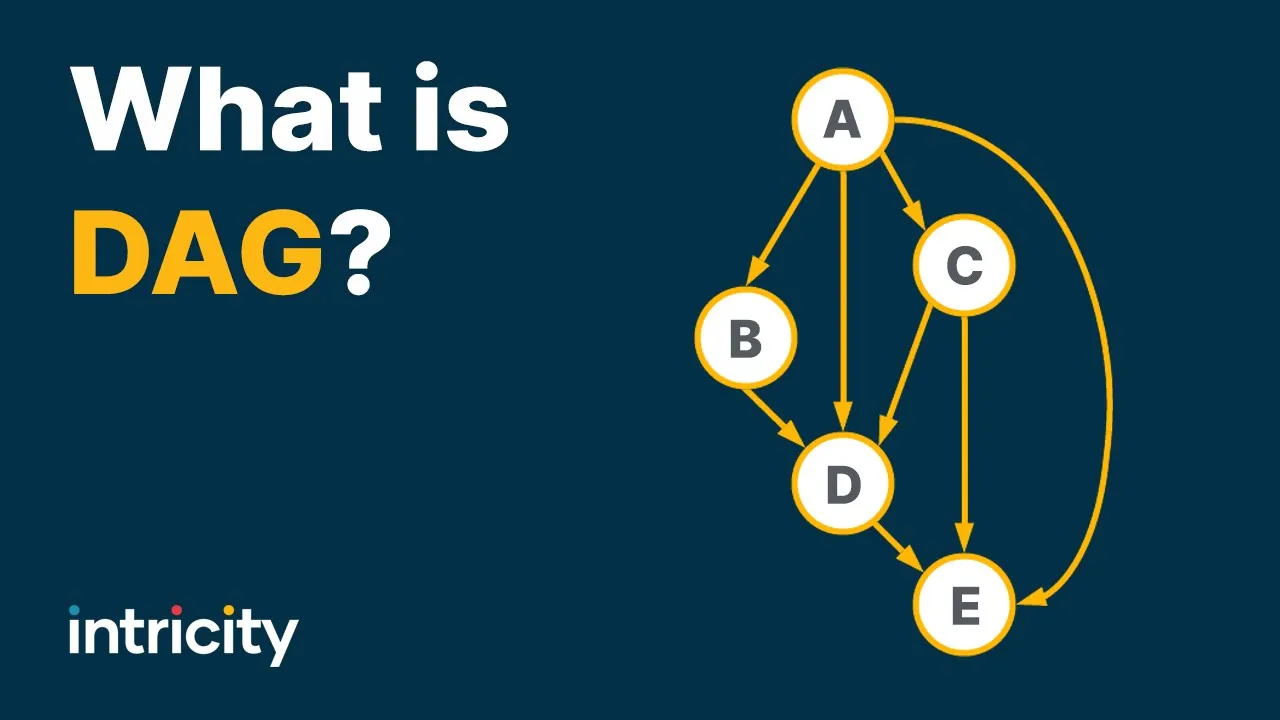
Why this video: Directed Acyclic Graphs (DAGs) form the core of Git's history mapping. This video explains the mathematical properties of a DAG, detailing how nodes connect with explicit direction and zero possibility of looping back on themselves.
Why this video: The late Erlang co-creator Joe Armstrong argues for the necessity of Content-Addressable Storage (CAS) over traditional naming/file path systems. It details how content addressing eliminates issues like content drift, spoofing, and file reference decay.
Knowledge Checkpoint
- Explain why content-addressable storage prevents duplicate files from taking extra storage space in a repository.
- Differentiate between a Git blob (raw file contents), a tree (directory listings and file names), and a commit (snapshot metadata).
- Diagram a simple Git history graph with two branches and explain why it fits the definition of a Directed Acyclic Graph (DAG).
- Describe what happens in the
.git/objectsfolder when you modify a single file and create a new commit.
Module 2: Systems Programming: Rust Fundamentals
To construct a performant and reliable version control system, you must write code close to the operating system. This module introduces Rust, focusing on the core systems-level features you will rely on: ownership, borrow checking, explicit error propagation, and basic filesystem input/output.
Recommended Videos

Why this video: A comprehensive, zero-fluff crash course that introduces the syntax, compiling workflows, primitive types, structures, and project organization patterns in Rust.

Why this video: Ownership and borrowing are Rust's signature memory-safety mechanisms. This visual and deep-dive explanation demonstrates how the compiler traces values, coordinates mutable/immutable references, and ensures safety without a garbage collector.
Why this video: This live coding session explores error propagation (Result<T, E>) and file system I/O in a clean, professional project structure. It shows you how to design clean execution paths and handle errors without resorting to crash-prone .unwrap() statements.
Knowledge Checkpoint
- Explain the difference between moving a variable and borrowing it via an immutable reference (
&T) or a mutable reference (&mut T). - Define the two core borrowing rules enforced by the Rust compiler.
- Use
std::fsto read files as bytes (std::fs::read) and write dynamic byte vectors cleanly onto disk. - Implement custom error handling using Rust's standard library
Resultandmatchpatterns to handle failed file writes or read errors without panicking.
Module 3: The Object Store: Hashing & Compression
With the mental models of Git and the basics of Rust locked down, you will now build your custom Git Object Store. This module focuses on using SHA-1 cryptographic hashing to address content, and zlib deflate/inflate algorithms to compress data on disk.
Recommended Videos

Why this video: Renowned systems engineer Jon Gjengset live-codes a Git clone in Rust. Watching this video shows you how an expert sets up a workspace, handles object serialization, and manages raw content-addressable writes. Note: The exact segment referenced in our pool is a focused extract, but the full stream serves as an incredible execution guide.
Why this video: An intuitive mathematical explanation of Secure Hashing Algorithms. It explains how raw input of any size is transformed into a highly unique, deterministic 160-bit (for SHA-1) hash value, highlighting pre-image resistance.
Why this video: This video focuses on zlib/deflate compression in Rust. It explores how the Lz77 and Huffman coding compression works, preparing you to use compression libraries (like the flate2 crate) to write compressed Git files.
⚠️ Curriculum Gap & Supplementary Research
Note on a minor video pool limitation: While the videos cover SHA-1 and Zlib implementation, they do not show the exact bytes Git uses to format object headers on disk before compression.
Your Task: You must format raw objects with an uncompressed header defined as:
[object_type] [content_size_in_bytes]\0[raw_content_bytes]For example, a blob containing"hello"must be constructed in your code as a byte array beginning withblob 5\0hello. Calculate the SHA-1 hash over this combined header + content slice, and then compress the entire slice using Zlib Deflate to write inside.git/objects/[first-2-hash-chars]/[remaining-38-hash-chars].
Knowledge Checkpoint
- Write a Rust function that takes file content, appends the correct Git binary header (type + size + null byte), and computes its SHA-1 hash.
- Implement compressed object storage: save a zlib-compressed object to a split subfolder schema (
.git/objects/xx/xxxxxxxx...) based on its SHA-1 hash. - Write the reverse decompression utility: read a compressed object from disk, decompress it with
flate2(inflate), parse the header to determine the type, and verify that the content's calculated SHA-1 matches the filename hash.
Module 4: State Tracking: Binary Parsing & The Index
To track workspace changes and construct new commits, Git relies on a specialized binary staging area called the Index (or .git/index). In this module, you will master parsing raw binary schema formats inside Rust and recursively walking filesystems to build staging snapshots.
Recommended Videos
Why this video: An in-depth structural dissection of the Git Index file format. It explains why a flat file layout mapping file paths to blob hashes is ideal for change tracking, and how index entries are organized to prepare the next tree commit.

Why this video: Jon Gjengset describes strategies for parsing custom binary data schemas in Rust. He outlines options including parser combinator crates like nom or carefully mapping binary byte arrays.
Why this video: An introduction to nom, a parser combinator library highly suited for building custom binary parsers. This clip covers reading little/big-endian binary values and repeatedly parsing complex structures.

Why this video: To stage your filesystem files, you need to traverse directory trees. This file forensics video demonstrates using the walkdir crate in Rust to recursively explore directories and read file metadata.
⚠️ Curriculum Gap & Supplementary Research
Note on a minor video pool limitation: While the recommended videos explain index concepts and Nom-based binary parsing, they do not walk through the exact struct layouts of the
.git/indexfile.Your Task: You must design custom parsers to process the index layout:
- 12-Byte Header: A 4-byte signature
DIRC(Directory Cache), a 4-byte version number, and a 4-byte integer representing the total number of index entries.- Index Entries: Sorted flat list of file metadata entries. Each entry contains modification times (mtime), device metadata, file size, a 20-byte SHA-1 blob hash, 16-bit flags (including path name length), and the variable-length file path string (padded with null bytes to multiples of 8 bytes).
Practice parsing binary files using standard byte reading methods in Rust, such as
byteorderor standard library methods (to_be_bytes/from_be_bytes), to process big-endian integers correctly.
Knowledge Checkpoint
- Write a binary parser in Rust that reads
.git/indexand verifies if the first 4 bytes match theDIRCfile signature. - Parse and unpack binary index entries, printing file paths paired with their corresponding SHA-1 blob hashes.
- Implement directory traversal using the
walkdircrate, checking files against the current parsed index to detect new or modified files.
Module 5: Navigating History: Refs & DAG Traversal
Once commits are successfully stored as a graph of objects, you need tools to traverse this history. This module covers branch reference pointers (Refs), parsing the HEAD reference, and executing search and traversal algorithms across the Git commit DAG.
Recommended Videos

Why this video: Git history logs must display commits sequentially even when complex branches exist. This MIT OpenCourseWare lecture explains Depth-First Search (DFS) and Topological Sort, which are the foundations of linearizing commits during graph traversal (such as when running git log).
Why this video: Traversing graphs in Rust presents unique ownership and borrow-checking challenges due to references connecting different nodes. This video discusses managing node life cycles and reference rules during structural traversals.
Why this video: Demonstrates what happens during history manipulation and checkouts. It conceptually explains how git checkout moves references to update the active working directory, setting up the logical framework for your implementation.
⚠️ Curriculum Gap & Supplementary Research
Note on a minor video pool limitation: There are no video code walkthroughs detailing a custom implementation of
git checkoutorgit logwritten in Rust.Your Task: Implement history navigation and working directory restoration in Rust:
- Git Log: Starting at the commit hash stored inside
.git/refs/heads/[active_branch], write a recursive parser that extracts the parent hash from the commit body, prints details, and jumps to the parent commit until no parent hash is found.- Git Checkout: Write a function that takes a target commit hash, retrieves its underlying tree object, clears files tracked in the index from your current working folder, and writes the correct version of those files from their stored raw blobs back onto disk.
Knowledge Checkpoint
- Write a Rust function that reads
.git/HEAD, determines whether it is detached or tracking a branch reference (.git/refs/heads/...), and extracts the current active commit hash. - Implement a recursive Topological Sort algorithm in Rust that traverses the commit DAG starting from a specified commit and outputs an ordered list of commits.
- Write custom workspace restoration logic that recreates files and folders from a historical commit's tree structure onto disk during a checkout.
Course Map
Key People Index
- Joe Armstrong (Late Co-creator of Erlang): A pioneer of concurrent and robust system designs, Armstrong was an early advocate for Content-Addressable Storage (CAS) over hierarchical URI directories, arguing that CAS is fundamental to robust software systems.
- Jon Gjengset (Rust Educator / Principal Systems Architect): Known for building advanced, deep-dive Rust content, his streams walk through building production-grade tools from scratch, helping demystify systems-level Rust programming.
- Folkert de Vries (Rust Systems Programmer): A contributor to compression and data structure optimization in Rust. His efforts showcase how to write clean, secure, and highly optimized zlib implementations in Rust.
- Judea Pearl (Computer Scientist & Philosopher): Proposed Directed Acyclic Graphs (DAGs) as structural representations of causal relationships, a construct that now underpins version control systems and distributed consensus algorithms.
Final Self-Assessment
Perform this comprehensive self-assessment once you have finished building your custom Git tool. If you can confidently check off all of the following steps, you have successfully designed and built a working Git-compatible version control client from scratch!
- Repository Initialization: Can your tool initialize an empty repository with
.git,.git/objects, and.git/refs/headsfolders from scratch using a CLI command? - Content Hashing: Can your tool read any binary file, prepend the standard Git blob header containing its length, and compute the correct 40-character hexadecimal SHA-1 hash matching the official
git hash-objectcommand? - Object Compression: Does your program compress content correctly using zlib Deflate, save files under correct hash-split directory names, and decompress them cleanly back to their original forms?
- Index Parsing: Can your binary reader successfully open and extract standard Git index files (
.git/index), parsing big-endian fields and padded paths without data misalignment? - Workspace Detection: Does your directory walker (
walkdir) correctly find modified or newly created files by comparing filesystem metadata and modification times against index entries? - Commit Tree Generation: Can your engine compile staged index files into hierarchical tree objects and write those nested tree structures to the object store?
- Commit Serialization: Can your tool write a commit object pointing to a root tree, linking back to parent commit hashes, and including standard author/timestamp metadata?
- Ref Resolution: Does your tool resolve symbolic links in the
HEADfile, dereferencing references to locate parent commits? - History Visualization: Can your topological sorter traverse the commit graph and output an ordered history log?
- Workspace Checkout: Can your program switch between commits, clearing tracked workspace files and restoring correct file contents onto disk based on historical tree structures?