



![Piano Tuning Theory - Hertz, Beats and Cents [Part 5] I HOWARD PIANO INDUSTRIES](https://i.ytimg.com/vi/5VySJwmca3k/maxresdefault.jpg)




![Муз.Ликбез - (НЕ)-ТЕМПЕРИРОВАННЫЙ СТРОЙ [Сравнение]](https://i.ytimg.com/vi_webp/aaOZC_PnZ2c/maxresdefault.webp)



![👾VITAL - #10: Modulación Avanzada[Curso Completo] - Tutorial](https://i.ytimg.com/vi_webp/xGGs-NoaYnk/maxresdefault.webp)


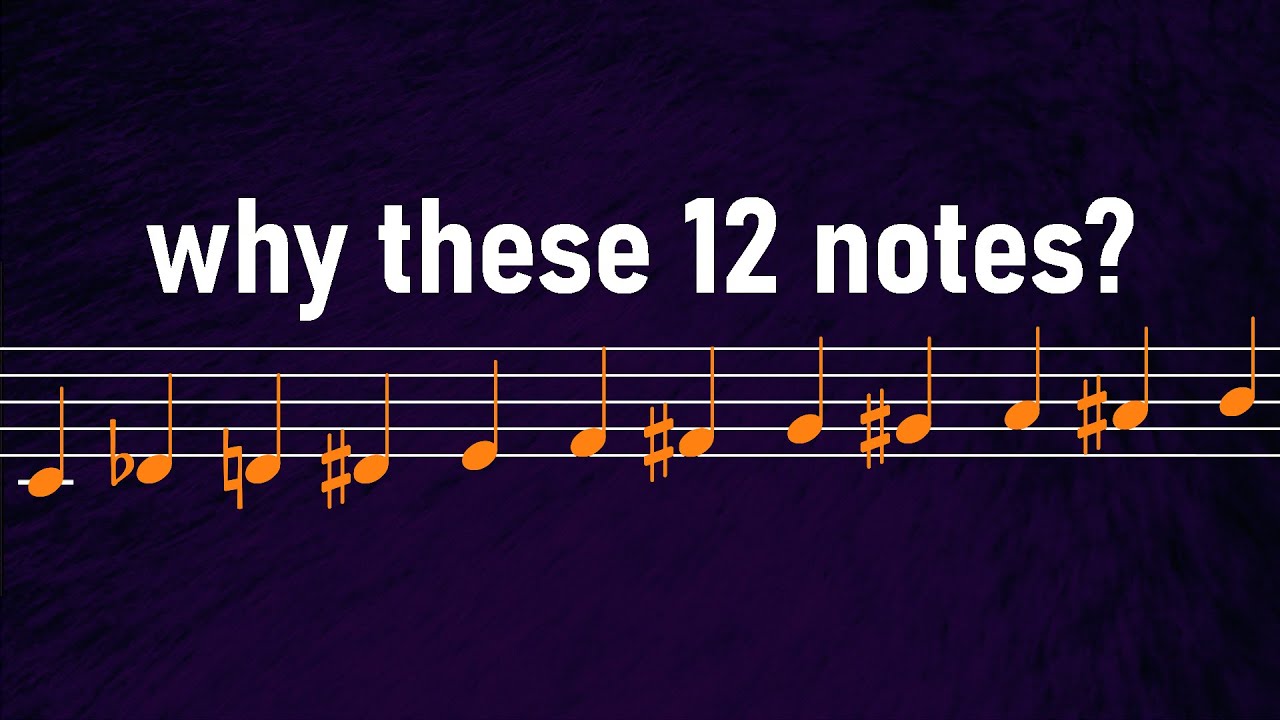
Microtonal music involves tuning systems that divide the octave into intervals smaller than the standard 12 equal divisions used in Western equal temperament, allowing for unique harmonic colors and emotional expressions that conventional tuning cannot achieve; Ableton's Microtuner device enables producers to retune instruments by utilizing pitch bend information, with three main workflows: generating custom micro scales by adjusting random percentages (10-20% recommended for usable results), loading pre-made Scala tuning files, and manually following and tuning notes by ear to create distinctive sonic signatures.
Master Microtonal Music with the M4L Microtuner | Ableton Live Guide
Added:Basic familiarity with the Ableton Live user interface, specifically how to load MIDI tracks, instruments, and Max for Live (M4L) devices.
Understanding of the standard 12-Tone Equal Temperament (12-TET) system and how standard Western scales and intervals are constructed.
An understanding of how pitch is measured, specifically the concept of 'cents' (where 100 cents equal one semitone) and frequency in Hertz.
Fundamental knowledge of synthesizer architecture, particularly how incoming MIDI pitch data translates to oscillator frequency.
Exploring historical and cultural non-equal temperament systems, such as Just Intonation, Pythagorean tuning, and traditional Arabic Maqam scales.
Creating and importing custom tuning files using Scala (.scl) and keyboard mapping (.kbm) formats to use across various software synthesizers.
Applying MIDI Polyphonic Expression (MPE) to achieve independent, per-note microtonal pitch bends and expressive micro-tonal modulation.
Studying the harmonic and compositional theory of microtonality, focusing on how to manage consonance, dissonance, and voice-leading outside traditional 12-TET structures.
44.6K views1.7Klikes17:49Original Release: 2022-04-07
hey friends so Ableton just came out with microtuner a really spicy device that can add just so much flavor to your music if you're a fan of ax twin and I've always wondered how he makes his music sound so wrong but so right it's due to a process in which he took certain notes and retuned them slightly resulting in music that sounds hyper original almost drunk but it conveyed so much more emotion than the conventional tuning that literally every musician in the west uses with microtuner Ableton has now granted you this superpower and this one little device could change your music [Music] forever so ever since music was made and written down humans have always been grappling with the fact that no matter how you slice it or dice it there's no perfect way to divide an octave into exact harmonic notes where each chord has Perfect Harmony this is why there are so many different tunings throughout the world such as the Arab or Indian tuning systems these scales are so different that the instruments used to play the leads don't even have fixed pitches such as like a violin or a satar now I'm not going to get into this here because this subject is so deep and amazing that it deserves a whole series of videos on it alone but I really like and recommend the book called The quadrivium which is an amazing book that links all of human perception together using math and has a really cool chapter on music our Western scale of 12 notes that we've been using since the 18th century is called equal temperament it's very powerful because it allows a lot of different different kinds of instruments with fixed pitches to be played together like the piano and the guitar or like an orchestra but some afficionados of the alternate tuning systems of the East go as far as to say that certain emotions and musical Expressions aren't even possible to convey using the equal temperament scale now regardless of whether or not that's true ableton's microtuner now allows us to retune our instruments to reach new and odd Vibes with our music and really differentiate our sounds microtuner may seem complicated but I'm going to give you a bunch of practical workflow tips that you can use to quickly make new sounds and differentiate your music let's dive in okay so here's microt tuner and I want to show you something really quick before I play it this microtuner is controlling all the other microt tuners in my set so if I look at this microtuner it's following it if I look at this microtuner it's following just this one now I'll show you how to set that up here in just a moment but the first thing I wanted to do is just play for you an example of the difference between playing this song with it's just classic equal temperament tuning which you're used to using and then playing a microtonal scale that sounds a little bit different all right so let's go ahead and listen to it with just the equal temperament tuning which the slider being up here is what that sounds [Music] like right so that's just what it would normally sound like that's what an equal temperament tuning sounds like now check this out I'm going to slide the slider down here to this microtonal scale that I've made and take a listen to the difference [Music] now to me that is just so much more interesting to listen to It's a little strange and it's just got its own character and its own flavor okay so the first thing to understand about microtuner is that it's using pitchbend information okay in order for this to work properly you have to tell microtuner what kind of instrument it's being fed into okay so at the moment I'm feeding microtuner into an MP enabled device Ableton wave table right so what that means is that I can essentially play chords that are microt tuned away from each other right so when I play this wave table with each note that I'm playing it's sending pitchbend information to each one of those notes and retuning them slightly so it sounds like this instead of this [Applause] hear the difference there so what's going on with this is that you have to tell microtuner what the pitchbend range is of each one of your devices now if you look at wave table and you go to the MP tab you can see that the pitch is already set the pitch Bend range is already set to 48 so when you load up a wave table and you load up a microtuner it's already set up and ready to go okay so just so you understand here I am looking at the operator and what I if I'm going to load up a new microtuner and make this work with operator I'm going to drag and drop this microtuner in here right looking over here at the pitch Bend area in order for this to work properly I go into operator and I go to the global tab wherever the pitchbend information is and you can see that the pitch Bend is actually set to plus or minus 24 steps so that's all the higher that operator goes so I need to go over here and say okay pitch Bend 24 okay so now this will work with the pitch Bend okay the range of the pitch band on any instrument you're using has to match the pitch band over here and of course because the operator is not an MP device I need to turn that off now because wave table is a polyphonic device I can send fullon chords to wave table and each one of those notes will be retuned okay because it is an MP device or a polyphonic midi device right now if you want to play chords with microtuner you need to use either wave table or a plugin that can accept MP okay now I've also hooked it up to other devices that are not MP such as operator and analog now I as you can see I've turned the MP off on these right and you can also see that microtuner looks different well why is that that's because they're set to follow mode if I turn follow mode off and go back to default we can see our normal controls here okay so if I go back to follow though they're going to follow any microtuner instance that set to lead right so you can see that this microtuner sitting on the wave table track is set to lead so that's how you set this up and what's cool about this is that you could put this before any of the devices you have in Ableton and retune them all together right and that's what's so fun about it so now let's look at how to actually retune something before we get into the scale files and all that other stuff let's just do a really basic simple way so I'm on generator B right now as you can see my slider is down here and you can you can reveal the slider by turning on this little button and now I'm on this generator so generator B you can look at the different scales or generators just by clicking back and forth between A and B right so now I'm looking at generator B and let's say I want to generate a scale one of the easiest ways to do this is to set the pitches to 12 okay you can just slide this up and down so I'm setting that to 12 and we're just going to leave octave 1 to one right now and what you can do is you can actually turn the random amount up and what this will do is it will randomly choose note values and try to divide them across 12 different pitches okay so I'll go ahead and click generate and now you can see that all those little lines have moved let's go ahead and take a listen to what the result [Music] [Applause] is that actually doesn't sound that bad commonly what will happen is you'll generate a random scale and it'll kind of be pretty crazy especially if you turn random up so let's turn random up to 40 and take a [Music] listen woo pretty wild right a little bit a little bit out so the first thing I'm going to recommend to you is that when you're doing the generating of scales I think this is a great place to start meaning that you take the pitches and you say okay I'm going to have 12 pitches which is what you're used to using inside of an octave you're used to equal temperament scales I'm going to dial this back down and what I'm going to recommend is that you go somewhere between 10% and 20% this will generate a tuning scale that will be still very usable okay and it'll it'll it'll it'll kick your notes out just slightly and it'll give you that sensation of what happens when people sing together okay when you have a choir of people and they're singing together commonly they're slightly out of pitch with each other just slightly and that's actually a very pleasing thing and a very human thing we're very used to hearing that effect so I'm going to put this to 15% and generate another scale and I'll take a [Music] listen okay so you can just keep regenerating different scales until there's something that you like I want to show you something else back in on the a side I have a perfectly equal temperament scale and the way that you do that is you'd set this to 12 you'd set the octave one to one and then you would set the random to zero and if you hit generate it makes a perfectly equal temperament scale take a listen to this right so perfect and then you can blend back and forth between these two scales so this could be a really dynamic IC way of adding duning to your set you could wait for a different chord and then just blend into a stranger chord just over time so maybe what we'll do is we'll go to B and we'll generate a pretty wacky tuning right here so this is definitely out and I'll just go ahead and solo this wave table so we can really hear what that sounds like so you can hear that I'm dynamically changing that tuning let's make it a little bit crazier and of course this is an automatable parameter so if I'm looking at my automation you can see that the blend control is movable so I can go in here real quick and I'll just unarm the track and I'll go ahead and record some of this automation right and that's a way to add some interest to these chords right just by generating different scales all right now let's look at something else if you go up to the help view right and then you look at your packs okay so to view information about all your installed packs uh micr tuner is a pack so if I open this up and I look at microtuner there's something really interesting here if you click on loading and generating scales there's a Scola tuning file folder that they actually link to with 5,000 different files right so if you click on it here it'll bring you to a page where you can download those scales and as you can see the scales have now downloaded on my hard drive so now in my documents folder I made a folder called Scola scales and I've put them on L here so now I can take any of these Scola scales and just drag them and drop them into microtuner now what's cool about the fact that I have all these micr tuners hooked up to each other is that all I have to do is to drag one scale file into here and I can test it on my entire set right or at least all the tonal sounds in my set so let's go ahead and I'll drag just one of these random ones on here and let's see what happens now something has happened here where you can see that there aren't a full 12 notes on here right so when we play this this is going to be pretty wild so I'll drag this down and let's listen to this crazy scale file that we've [Music] made obviously this isn't going to work for our music but there are other schola files in here that actually will that have 12 notes in them for example this Bert five scale is an interesting scale where it's taking almost every note and shifting it up slightly right you can see that everything is getting sharper so this is an interesting thing obviously all the way up this isn't going to make sense take a listen but if I take this and I just slightly move it up a little bit we could get a really interesting effect going let's just take a listen to Just The Wave table and what does that sound like to you to me that sounds like tape wow and flutter but I'm controlling the wow and flutter right I'm controlling the fact that the tape is speeding up and slowing down slightly right I just love this effect now you might be thinking well okay what's the difference between doing this and just taking the pitch and slightly moving the pitch of everything at once all up and down well the thing is that the relationships between these notes is different all the way up as it is all the way down so each one of these notes are not being retuned okay at the same rate so as you can see if you if you Rune this look this note is not moving at all right just these other ones are so this is allowing us to achieve very subtle but very new sounds with Ableton Live right now let's look at something else now I'm going to go back to the generated scale that I made on this BS side okay and the way that you do that is you just click on generator right clicking on generator and what I'm going to do is I'm going to generate a scale that's a little bit more in tune so maybe like I'll do a modest 15% we're going to generate a new scale slide it down here and now we [Music] get I just love the way that sounds now let's talk about something else I'll get this out of the way okay so let's look at a totally different workflow with microtuner I'm just going to go to this track right here and I'm going to grab a new instance of microtuner and what I want to do now is I want to show you a different way of working with microtuner now this is a great way to add some microtune flavor to music that you already have okay so the first thing I'll do is I'll disable these clips by hitting zero and what I want to do is I want to show you a really interesting workflow so if I turn on follow and I leave the microtuner on this five note scale and what will happen is that it's going to retune all the pitches that I play to these five notes right so that's actually a pretty interesting scale right but once I get to I'm playing c c Shar d e flat and e but once I play F I'm now an octave up okay because there's only five notes in a scale so you can forget what you know about the keyboard right when you're only using five notes but here's a really interesting workflow if I turn on follow you'll notice that when I play these notes it actually moves the position by itself so you can actually click on this and move it with your mouse if you want to you can actually type in four and you can go to position four or you can simply hit follow and it will follow the notes that you play now this is really useful for using microtuner over existing music that you already have okay what you can do is you can use your ear and you can tune each one of the notes of this custom scale to sort of work with your music and the way that you do that is I'm going to play this first note and we're going to play this music and I'm going to retune each one of these notes so check this out [Music] okay so that's my first note now I know that's not perfect but that's the point the point is that it's not perfect let's move on to the next [Music] note right now the next [Music] note now if you need finer control you can always hold shift and check it out when I hold shift it's a little bit finer of a of a control over the sense of each [Music] tuning all right next [Music] one so now I [Music] have just one more now I just want to show you something else you also have full control of this you can do you can go the whole circle so maybe I'll I'll pull this one [Music] lower okay so here's my custom scale [Music] now that's really interesting to me I've I've sort of created a new instrument if you want to think of it that way these fixed pitches are very out but they're very in with the song that I'm using so now what I'm going to do is I'm going to I'm going to reenable these clips that I've made of me just kind of playing an ARP of these notes and take a listen to this [Music] [Music] now maybe another thing that we could do is instead of doing it that way I could just play different combinations of these notes as chords let's do that let's goe and record [Music] that and maybe this idea would make more sense if I had more release time [Music] awesome so I realize that microtonal music is not for everybody but for me I really enjoy the creative potential that exists and just slightly out notes again it's so human of us to enjoy slightly detuned notes that's why you see on every synthesizer the ability to turn on the Unison dtune where it sounds as if you have choir of people singing a bunch of notes that are slightly out of each other it just creates a new Vibe right with microtuner on Ableton you're now able to explore this in a totally different way right anyway I hope that you enjoyed this if you like this kind of thing like comment subscribe you know what to do much love everybody I'll see you in the next video
Up Next

34:51
Understanding Classical Sonata Form: Haydn Symphony No. 90
@DavesClassicalGuide
8.5K views•2020-06-28

10:20
Mozart's Musical Dice Game Explained: History, Rules, & Fun
@webpianoacademy
5K views•2023-03-13

47:36
Understanding Diatonic 7th Chords in Major Keys | Music Theory Tutorial
@GracieTerzian
54.7K views•2022-03-02
10:49
Understanding John Coltrane's Giant Steps: A Music Theory Analysis
@Vox
10.4M views•2018-11-12
Related Study Plans & Knowledge Roadmaps
Structured learning paths in Music Theory
music-theory
Composing Galant Music: Partimento & Schemata
01Foundations of Figured Bass and Keyboard Harmony
02The Rule of the Octave (Regola dell'Ottava)
03Galant Schemata: The Building Blocks of Form
+ 2 more learning modules
30h5 modules
Explore Roadmap
music-theory
Decoding Overtone Series: Tuning & Drone Music
01Acoustic Foundations: The Physics of the Overtone Series
02Tuning Systems: Equal Temperament vs. Just Intonation
03Microtonality and Spectralism: Beyond Standard Pitches
+ 2 more learning modules
24h5 modules
Explore Roadmap
music-theory
Impressionist Harmony: Scales, Planing & RPGs
01Foundational Music Theory: Keys, Intervals, and Seventh Chords
02Impressionist Color: Chord Planing and Parallel Harmony
03Whimsical Textures: Pentatonic Cascades and Whole-Tone Scales
+ 1 more learning modules
14h4 modules
Explore Roadmap
music-theory
Negative Harmony: Axis Reflection in Indie Pop
01Music Theory Foundations: Scales, Intervals, and Triads
02Functional Harmony and the Circle of Fifths
03Demystifying the Negative Harmony Axis Reflection
+ 2 more learning modules
16h5 modules
Explore Roadmap