











![Guide to Kerbal Space Program...for Complete Beginners! - Part 4 [Orbit!]](https://i.ytimg.com/vi_webp/OLXzYaREaCw/maxresdefault.webp)




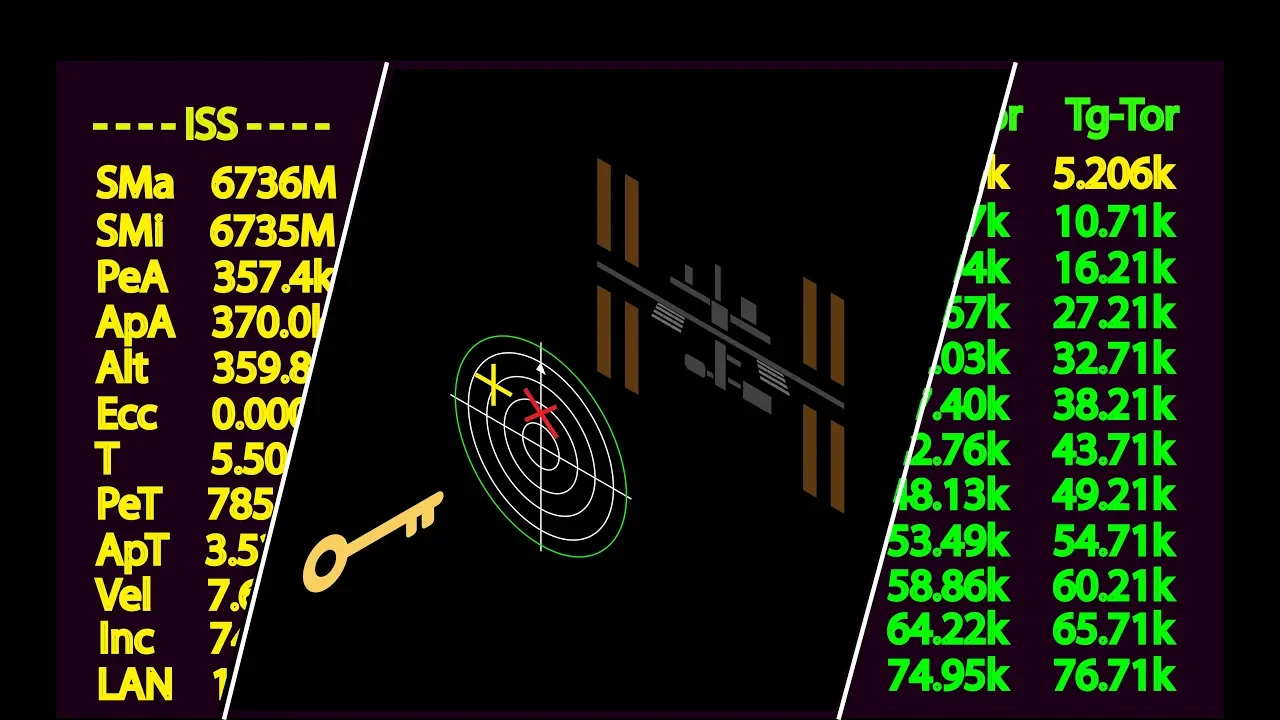





The six orbital elements—semi-major axis (defining orbit size and period), eccentricity (defining orbit shape from 0 for circular to 1+ for escape trajectories), inclination (angle between orbital plane and reference plane), longitude of ascending node (angle from reference direction to ascending node), argument of periapsis (angle from ascending node to periapsis), and time of periapsis passage (locating position in orbit)—completely specify an unperturbed orbit in space, with prograde burns increasing velocity and retrograde burns decreasing it to modify orbital parameters.
Orbital Elements Explained: Orbiter Tutorial for Beginners Part 1
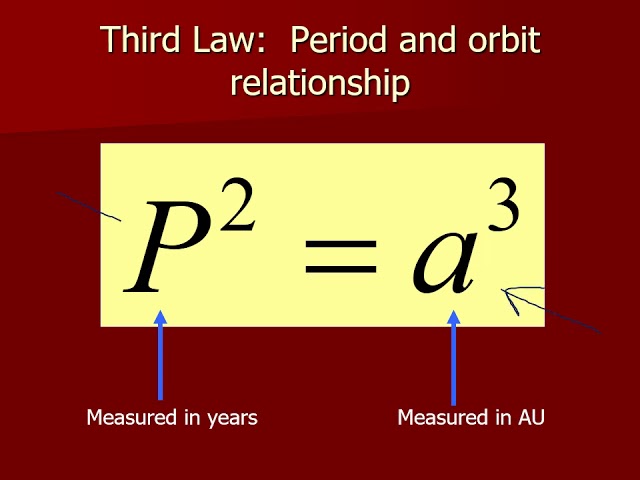
Added:Basic understanding of Kepler's Laws of Planetary Motion, particularly that orbits are elliptical.
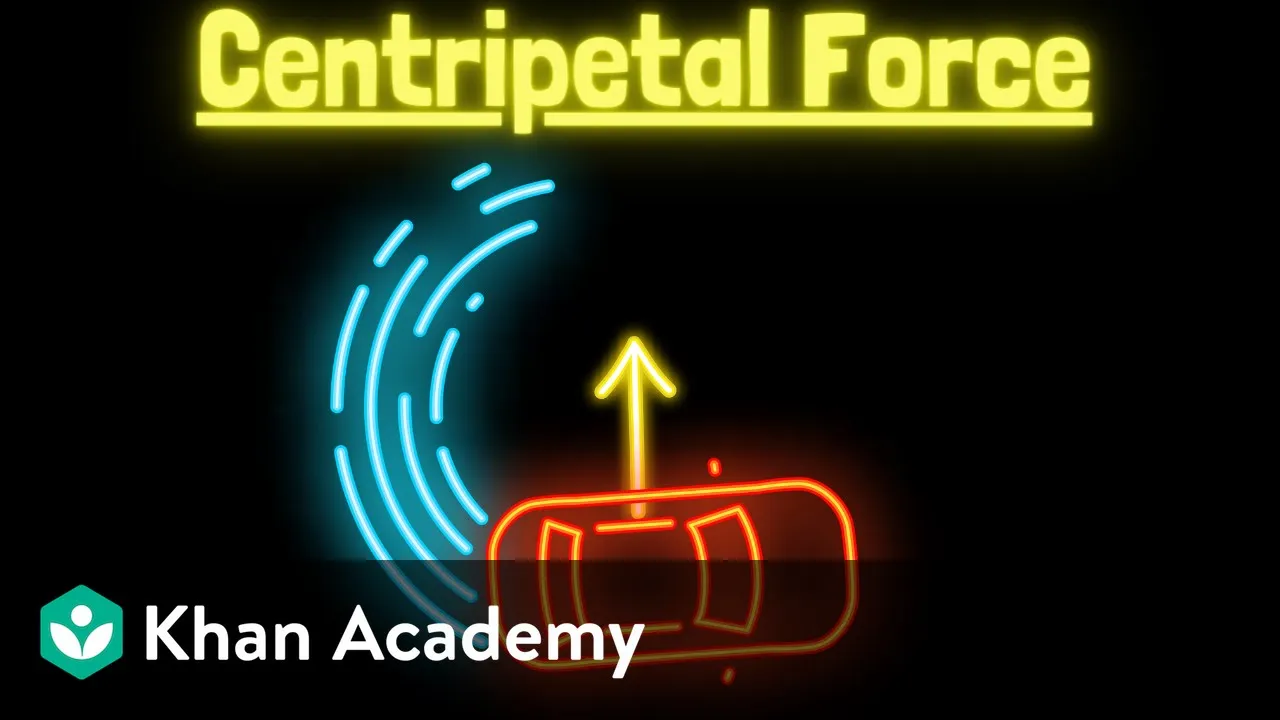
Fundamental Newtonian physics, including gravity, velocity, acceleration, and centripetal force.
Basic 3D geometry and coordinate systems, such as planes, angles, and reference axes (e.g., the equatorial plane).
Familiarity with basic spaceflight terms like periapsis (lowest orbital point), apoapsis (highest orbital point), and orbital velocity.
Orbital maneuvering principles, such as Hohmann transfers and bi-elliptic transfers to change orbit size.
Orbital plane alignment techniques, including inclination changes and matching the Longitude of Ascending Node (LAN).
Orbital rendezvous and docking procedures, applying orbital elements to intercept another spacecraft in orbit.
The study of orbital perturbations, such as atmospheric drag, Earth's J2 oblateness effect, and third-body gravitational influences.
67.5K views694likes11:47Original Release: 2012-06-20
there are six scalar parameters which specify the size shape and orientation of an unperturbed orbit in space as well as the location of the vessel in the orbit these are referred to as the orbital two body or capan Elements which include semi major axis eccentricity inclination longitude of the ascending node argument of periapsis and time of periapsis Passage this is an example of an elliptical orbit the lowest point of the orbit is known as the periapsis and the highest point is known as the apoapsis for Earth orbits they're also referred to as Pary and apy the values for periapsis and apoapsis can be seen on the orbit MFD as peer and AP which lists the distance from the orbit Focus pressing the DST button on the orbit MFD will display them as pea and APA which list the altitude above the planet surface the major axis of an elliptical orbit is the line joining the periapsis and apoapsis the the semi major axis is simply 1/ half of the major axis and is displayed on the orbit MFD as SMA the semi major axis is used to define the size of the orbit from this the orbital period or time that it takes the vessel to complete one orbit is calculated and displayed on the orbit MFD as T circular orbits have no periapsis or apoapsis defined therefore the semi major axis is simp 1/2 the diameter of the orbit Burns along the fly path forward and backward are used to change the size of the orbit forward Burns increase the vessel's velocity and are known as prograde burns the flight path of the vessel will be raised at all points except the burn Point Burns opposite the direction of flight which slow The Vessel down are called retrograde Burns and will lower the orbit at all points except the burn point when a retrograde burn lowers the orbit around the earth below 100 kilm The Vessel will re-enter the Earth's atmosphere activating the prograde autopilot will Orient The Vessel forward while activating the retrograde autopilot will Orient The Vessel backward for the required burn the speed of the vessel changes depending on its distance from the center of the celestial body being orbited speed is greatest at periapsis closest to the celestial body and slowest at apoapsis the farther the vessel is from the celestial body being orbited the longer it will take to complete an orbit the greater the distance it will travel to complete an orbit and the slower its average speed will be the shape of the orbit is defined by eccentricity seen here on the orbit MFD for all ellipses the value of eccentricity lies between 0 and 1 the larger the value the more elliptical the orbit a value of exactly zero becomes a circular orbit where periapsis and apoapsis are not defined a vessel in Earth orbit with an eccentricity equal to or greater than one will escape the Earth's gravitational field as seen here a prograde burn is increasing eccentricity once it reaches one the orbit MFD changes because enough velocity has been reached to escape the Earth's gravitational field the orientation of the orbit in space is defined with respect to a frame of reference for a vessel orbiting Earth this is usually defined by the Earth's equatorial plane and the direction of the vernal equinox at a given time in Orbiter there are two frames of reference for the vessel's orbital plane the first is the ecliptic plane which is the path the Sun appears to trace through the stars or in other words the plane in which the Earth orbits the the sun this plane is therefore useful for interplanetary flights because most planets orbit close to the ecliptic the second is the equatorial plane which is defined by the equator of the celestial body being orbited by default the orbit MFD is set to ecliptic pressing the frame button will cycle between the two the orbital elements refer to the selected frame of reference so they will change when switching between eclip and equatorial inclination is simply the angle between the vessel's orbital plane and the frame of reference for the equatorial frame of reference a vessel orbiting Earth directly over the equator with an Eastward velocity will have an inclination of 0° if that same vessel has an inclination of 0° with relation to the ecliptic frame of reference then it would no longer orbit over the equator but rather the Earth Earth's orbital plane around the Sun both are an example of a prograde orbit which has an inclination between 0 and 90° and orbits in the same direction in which the celestial body turns a vessel which moves due north is in a polar orbit which has an inclination of exactly 90° a vessel orbiting opposite the direction in which the celestial body turns is in a retrograde orbit with an inclination between 90 and 180° the vessel's current inclination can be seen on the orbit MFD with relation to the selected frame of reference nodes are points in the vessel's orbit which pass through the reference plane the ascending node is the point at which the vessel's orbit passes through the reference plane from below seen on the orbit MFD as a solid box the descending node is the point at which the vessel's orbit passes through the reference plane from above seen on the orbit MFD as an empty box the line joining the two nodes is called the line of nodes the preceding explained the orientation of an orbit which is determined by the three orbital element angles longitude of the ascending node is the angle from a reference direction to the direction of the ascending node measured in a reference plane using the Earth equator as the reference plane it is the angle between the vernal equinox and the ascending node of the vessel's orbit argument of periapsis is the angle between the ascending node and point of periapsis it is measured in the orbital plane and in the direction of the vessel's motion finally we already learned that inclination is simply the angle between the vessel's orbital plane and the reference plane the five orbital elements explained thus far describe the size shape shape and orientation of the orbit in space the final element is a time value used to locate the vessel in its orbit if the time at which a vessel passes a particular point is known the time when it will pass any other point can be determined the particular Point chosen is periapsis and the time of periapsis Passage is the last of the orbital elements the time to the vessel's next periapsis and apoapsis passage are displayed in seconds as p and a PT on the orbit MFD finally we'll conclude with a quick overview of the orbit MFD in which we've already seen some specific examples the gray Circle represents the planet's surface and the uh green circle represents the vessel's orbit around the planet the line extending from the planet center out to the vessel's orbit is called the radius vector and where it ends right here at the vessel's orbit is indicating the vessel's current position the current orbit reference can be seen across the top of the MFD and a different Celestial body can be selected as the reference by clicking the reference button the AR button right here can be used to automatically select the reference another vessel in orbit may be selected as a Target by clicking the target button uh the target's orbit will be displayed as a yellow circle and uh its orbital elements will be listed in yellow along Ong the right side of the MFD pressing the NT button will unselect the target the mode button is used to cycle between uh the graphic display mode with the orbital Elements by default to only the orbital elements or only the graphic display the frame button is used to switch between the ecliptic and equatorial frame listed on the top of the MFD up here and again the orbital elements will change specifically inclination depending on if you've chosen the equatorial or ecliptic frame over here the projection mode will change between the um uh graphic display between the selected reference plane the ship or the target if one has been selected uh in this instance we just we don't have a Target selected so there's h two options ship and the ecliptic uh usually ship is uh most useful for this DST will switch between the radius distance from the planet's Center to the vessel's orbit um or from the uh Planet surface to the vessel's orbit giving you basically uh in this current mode by default it's telling us uh radius right here R A from the planet center to the vessel's current position um and uh we have p r is telling us the radius distance from the planet center to our periapsis and APR is telling us the radius distance from the planet center to our apoapsis uh if we hit the uh DST button it will change to paaa and ALT that is telling us the uh distance from the planet surface to um our current position listed as altitude right here uh and again that that would be indicated right here is where we are in the orbit uh paa is the uh distance from the planet surface to our periapsis and APA from the planet surface to our apoapsis uh the HUD button right here can be used to copy data from the orbit MFD to the orbit HUD finally on the very bottom is the GFI contribution which shows how much gravity is contributing at the vessel's current position based on the reference body the G display will turn yellow for contributions less than 0.8 and red if the selected reference body is not the dominant contributor to the gravity field uh as you can see here it has turned red uh We've uh escaped the Earth's gravity um so what we could do at this point is go ahead and hit reference and select the sun because that is now the dominant gravity field and you can see that uh it just turned back to green when we changed the reference to the Sun
Up Next

54:02
Soviet Satellite Inspections in Kerbal Space Program | 1960
@N9GamingOfficial
56.1K views•2021-08-14

12:54
Triumph of Orthodoxy Icon: Byzantine Art & History Explained
@BenCallan
2.1K views•2024-08-06

9:49
FastAPI vs Flask vs Django: Choosing the Right Python Web Framework
@TechWithTim
302.5K views•2024-05-26

1:42
Game of Thrones Opening Credits: A Cinematic Analysis
@gameofthrones
46.3M views•2011-04-18
Related Study Plans & Knowledge Roadmaps
Structured learning paths in General & Interdisciplinary Studies
general-studies
Elevator Engineering: History, Physics & Cities
01From Hoists to Safety Brakes: The Dawn of Vertical Lift
02Hydraulic vs. Traction: The Engineering Physics of Elevators
03Modern Speed, Safety, and Algorithms
+ 2 more learning modules
12h5 modules
Explore Roadmap
general-studies
Rubber: Material Science, History & Geopolitics
01Origins of Natural Rubber & Mesoamerican History
02The Chemistry of Natural Rubber & Vulcanization
03The Geopolitics of the Rubber Boom & Colonization
+ 2 more learning modules
12h5 modules
Explore Roadmap
general-studies
Containerization: Evolution, Logistics & Trade
01Ancient Trade & Bulk Cargo: Amphorae to Barrels
02The Industrial Revolution & Cardboard Packaging
03The Containerization Revolution: Malcom McLean
+ 2 more learning modules
12h5 modules
Explore Roadmap
general-studies
Textile Tech: Evolution, Labor & Global Impact
01Pre-Industrial Textiles: Handloom & Cottage Industry
02Mechanization: The Spinning Jenny to the Power Loom
03The Factory System & Global Labor Transformation
+ 2 more learning modules
10h5 modules
Explore Roadmap