




![Библиотека SDL2. Подключение, создание базового окна [C++, 1й курс]](https://i.ytimg.com/vi/vHUXuZ5Uplo/maxresdefault.jpg)
![[Ep. 1] What is the Simple Directmedia Layer (SDL) and how to get started | Introduction to SDL2](https://i.ytimg.com/vi/QM4WW8hcsPU/sddefault.jpg)
![[AO VIVO] Fundamentos de assembly x86-64 - Aula 1: conceitos básicos](https://i.ytimg.com/vi/Ej6U-qk0bdE/maxresdefault.jpg)









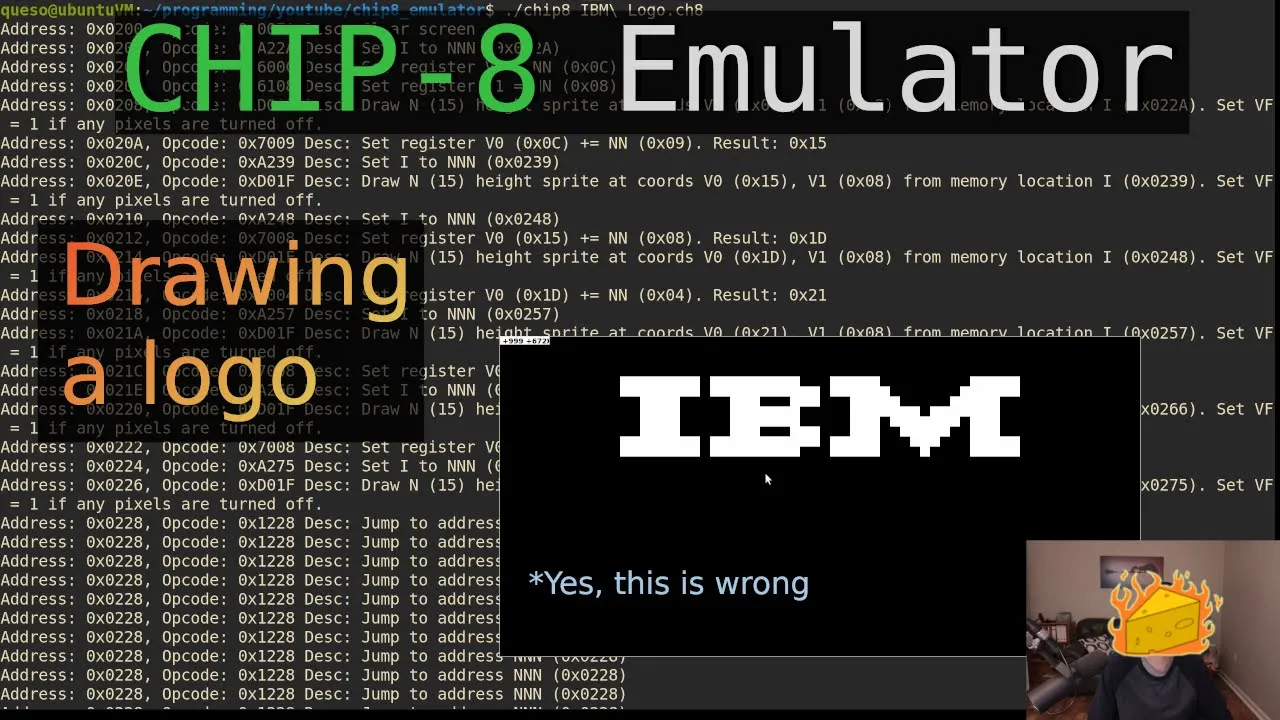

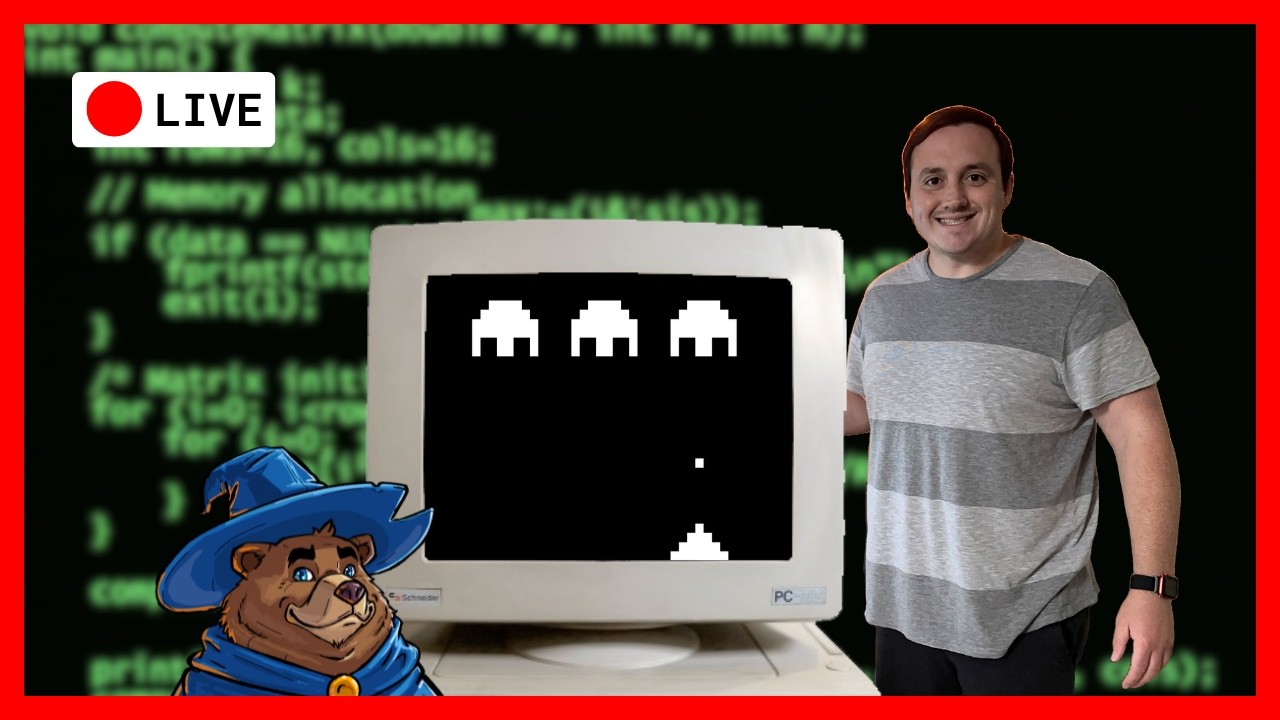


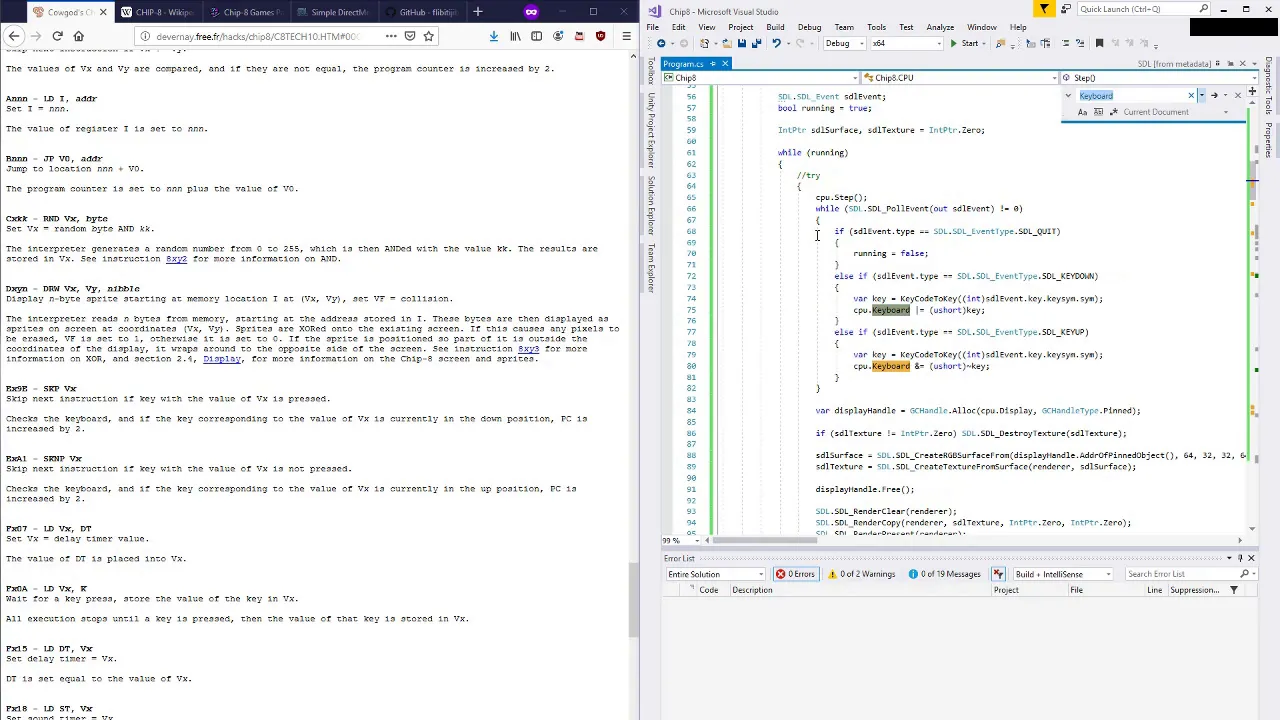
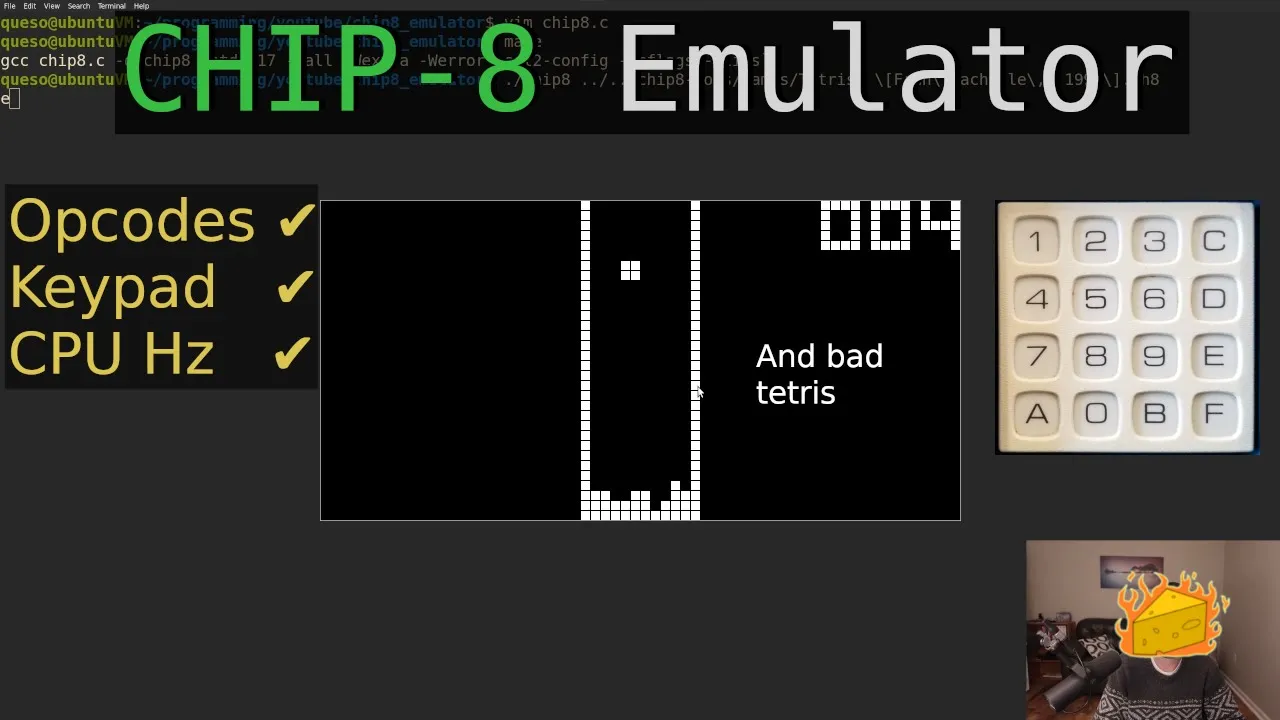


This video introduces the development of a CHIP-8 emulator, covering the installation of GCC, make, and SDL2 development tools on both Linux and Windows platforms, followed by setting up a basic SDL2 window with input handling to create the foundational boilerplate code for an emulator project.
Build a CHIP-8 Emulator in C & SDL2: Setup and Window (Part 1)
Added:Fundamental C programming concepts, including pointers, structs, and memory management.
Basic understanding of the C compilation process and how to link external libraries (such as SDL2).
An introductory concept of system emulation and what components make up a computer architecture (CPU, memory, and I/O).
Familiarity with using command-line compilation tools or a build system like Make or CMake.
Implementing the CHIP-8 CPU instruction cycle, including fetching, decoding, and executing hexadecimal opcodes.
Setting up the virtual memory, registers, stack, and program counter for the emulator's state.
Rendering graphics by mapping the CHIP-8's 64x32 monochrome display buffer to the SDL2 texture and window renderer.
Mapping physical keyboard events to the original CHIP-8's 16-key hexadecimal keypad layout.
Implementing the delay and sound timers using system time-tracking to match the hardware's expected execution speed.
27.9K views537likes1:21:03Original Release: 2022-11-29
okay hello I got something a little bit different for you here today maybe maybe not kind of systems programming language oriented according to the title of this video whatever I called it but we're going to be dealing with the chip eight today so just wanted to sort of shorter series over something a little more gaming oriented but still kind of systems programming and we'll be making an emulator or interpreter for the chip eight sort of Target or VM or interpreted programming language as they call it here on the Wikipedia page this was made in the late 70s for 8-bit micro computers made for the cosmic VIP the telmac 1800 it used in RCA 1802 chip and it kind of just did black and white 8-bit games here like this picture like 70s 1978 playing space intercept kind of like a sort of UFO defense game here he's got I think this is a player he's shooting like missiles that sort of blobs that fly across the screen and had a limited resolution just black and white monochrome on for CRTs you know television displays or what have you back in the day but it's it's a good emulation Target it's pretty easy for like beginners and stuff so I'm gonna get my feet wet with this and then later on hopefully I can move on to a Game Boy or GBA or Atari or something there's something more you know more in depth later for a emulation or interpreter targets but the input for this thing since this was before you know the arrow keys and wasd and everything the input was this sort of 16 character hexadecimal keypad over here you know zero to f so that's a little bit different but some some game consoles in the late 70s kind of had keypads like that like the Atari VCS and other things I think had that maybe in a Magnavox Odyssey I don't remember too much but I haven't looked up those in in a while so it was the chip eight later on in the 90s for this it was ported to it's pretty easy Port Target anyway but it was ported to the HP 48 graphing calculators and they had an extension called s chip or Superchip 8 which added double the resolution and some scrolling functions and other things we're just gonna we're just gonna focus on like the regular Baseline chip eight although if there's interest in making super chip 8 sort of extension to this emulator then I can do that that's no problem or XO chip or some other things if if wanted but this this wiki page sort of has the whole you know the layout of how the machine is it had 4K Ram the uppermost bytes for display refresh and the call stack internal use other variables I'm probably going to keep these separate and not just pointers to Ram although you could do that I'm going to try to make a simple emulator not really a cosmic VIP emulator for the machine I don't have the ROM for it or anything although you can find the listing for the ROM if you find the PDF for the machine which I also have just in case um this includes a listing for the ROM and everything in it but I'm not really going to be going over that but I did look at that for 36 or 37 yeah so it has The Interpreter I guess it doesn't have the ROM it has The Interpreter listing for chip a the original chip 8 interpreter and the memory layout so I was viewing this because you know I was trying to decide do I want to put the registers in memory or outside of memory I don't know but this just shows you know originally the display refresh was at the top of ram followed by the registers and the stack and other things but and The Interpreter in the beginning I'm going to put the font at the start of ram just because that's easy and a lot of people do that I said but okay that's later on when we go and implement it just wanted to give a slight overview for the chip eight it was an 8-bit machine it was made for 8-bit machines rather it was a virtual machine Target interpreted programming language Target and it was made for porting software and games so pretty simple as far as a virtual machines go 35 op codes I guess you could say it's kind of a byte code interpreter since all the op codes are only two bytes maybe sort of there's only about 30 to 35 of these so it's not too bad a couple discrepancies between original chip 8 and Superchip 8 but those don't seem to be too bad if we want to allow for those and our emulator graphics and sound it had 64 by 32 resolution whopping two to one ratio they didn't need 4x3 back then they were too far beyond that no 16 by nine for them two by one that's where it's at and monochrome you don't need more than two colors anyway on or off we had Sprites eight pixels wide 1 to 15 pixels in height that corresponds to the display op code where this end here's the width x and y are X Y on the screen okay and then they are xored so pixels are xored with the display and if they're flipped off then the carry flag is set so you have 16 data registers v0 to VF or hexadecimal and VF is used as a carry flag so you probably don't want to use that for General computation unless you're trying to you know bit pack and save space and stuff but okay so we had addresses we have constants we have register IDs we have a program counter an index register and the data registers so interestingly enough although this has the program counter that is not in the original chibate sort of spec and it's not really in any technical references I've seen but of course the machine the cosmic VIP Telemark 1800 would have had to have a way to you know use a program counter instruction pointer so we'll be using that I just thought that was interesting that they use it here as an abstract concept thing but uh yeah it wasn't in the actual machine no specific program counter but they did use specific registers you know original machine registers have their uses here which is interesting but anyway um I'll provide links to things in the description and I'll try to remember where I got this PDF and provide a link to that as well because it's interesting for historical reasons shows how the fonts is laid out for example they kind of packed them in here so that each letter or character is part of the next one I thought that was interesting and and nice so how are we going to develop this chip a interpreter emulator what have you I'll just call it an emulator because most people call it that and that's fine even if it's not technically the best kind of correct that's all right I'll be developing this in C and sdl2 just because those are things that I've used before and no for the most part um on Linux on Unix that's easy enough to install on Windows you can go and find stuff to install so I'll go over that I'll install some C development tools for me GCC and make is what I will be using of course our make file is going to be really simple a couple lines you could just use a build script but I'm going to use make because I like typing four letters for make instead of you know eight letters for build.sh when I want to build the thing yeah I'll do GCC and make and we'll use sdl2 to have a cross-platform framework and library for displaying a window and sound and everything this did have sound I didn't say that that's part of the reason I'm using sdl2 for cross-platform audio and add a couple timers one of which is the sound timer six down at 60 hertz 60 frames a second if you will when it's non-zero a beeping sound is made so a single a single tone I guess we'll just do like standard a 440 Hertz or something or make that configurable that's fine but okay we need development tools right so Linux and Unix that's easy enough this I'm on Ubuntu I have a sort of programming folder here here that should be the up-to-date version by the time we're recording this and you know you can install GCC and make I already have these installed but if you don't I mean you can install them takes a second for my network to work through the VM usually and for sudo to wake up yeah I already have them installed but on Windows if you want some C development tools I had a friend tell me about this site newwind.net I think they're a little bit older but that's okay the men GW distro that is it's a little bit older out of date I think GCC has a 12.0 version now but that's fine this comes with GCC mengw minimum gnu for Windows a sort of C runtime and environment to run things with well not C canoe runtime for things it has you know C plus plus things it does come with its own version of sdl I'll be taking whatever the newest version is in my distro or on available for for Windows but it does come with an older version if you want to use that as well as make and get in 7-Zip and other good stuff so the reason I got this is because It's relatively simple it's an exe that you download Shady exe from the internet that you download and you extract it extracts into its own folder it's self-contained it's portable and you can make a shortcut and just run it and it opens you know a command prompt window or what have you and you have GCC and make installed so that's why I got it just for those two things and it's pretty nice if you already have git you can get the smaller version or just get that but really it's an exe put somewhere and you extract it on my machine I don't quite remember where I had it I think it's in here yeah and when you extract it it forms a Min GW folder if you can read that this is where I put it on my machine it has these things included by default it has you know 64-bit ngw here and you can make a shortcut to the open distro window.vat which is also in the readme file it tells you which is also on his page here it'll it will tell you just make a shortcut to that and I put that just on my desktop I have a minjiw distro double click and open it now OBS won't capture the UNC prompts and stuff so sorry about that are UAC prompt so I'll have a black screen there but once you do that you know it'll set up the paths and everything you'll have GCC and make installed that's pretty nice and if you're if you're worried about it I mean all the code is in there it's open source ngw what it does you know the scripts that you're going to run they're in here I mean those are other things this is just the bat file it just sets up paths it's really it's it's fine it's legit it's not like a shady thing so I wouldn't recommend something that's gonna like break your PC but anyway it has GCC and make other than that you'll need sdl so I'm going to go to the sdo wiki wiki.libsdl.org and the main page libsdl.org if we want to get STL I'm going to go to installation on the wiki however just because I'm going to go over Linux first and then windows for installing this and there should just be sudo aptkit install sdl2 and sdl2- Dev I don't think those are the names though although I already have it installed but if we look for lib sdl2 we'll see that it's stl2-2.0-0 for this latest version of my Ubuntu here jammy so I'm saying that because if you do you know sudo Advocate install lib stl2 it's not going to work even though their website says that's what you need to do it's unable to locate the package so you actually have to do Dash 2.0 or download like The tarball from their their GitHub releases but I'll just say we're going to work with the one in the repo because it's there I already have it and we'll also get the dev version because that's what the web page said okay we already have that so if we want to do like a test program for this just to make sure it's installed that's fine I'm gonna make something called like chip 8 emulator that we're going to go into make I'll have a make file because I'm going to use make and some sort of C file so make file I'm just going to do we'll say GCC I'll have a source file we'll say chip8.c and we'll have an outfit for chip eights that's fine I do want to do c Flags we'll have a couple of those and we'll just set this up by default here we'll say we'll have a c17 project I'd use c23 or whatever the newest version is but that's not out yet or it's not supported by this version of GCC so the last one that is fully supported 17 and we'll just enable errors and warnings and things so love you all WLW extra and W error okay just so it tells me you know things are bad we need to make them better all right and we'll just have a Hello World here but I will be including sdl.h so we can use sdl stuff stl.h not you know mixer Graphics or anything this is sort of like a catch-all that has a lot of the other sdl headers included so you don't have to include those separately and put this in double in Brackets not double quotes something in double quotes so I can differentiate from just the C standard live headers here but I'll have my normal Mane RGV and we'll just say testing on Linux we'll do that yeah so include sdo error we don't know how to include it well if you know where it is manually on your distro you can you know put it in for dash L lives or Dash I include on your GCC compile line or they also provide an stl2 config utility to sort of evaluate that for you at runtime so I'll be using that pass the Double Dash C flags and Double Dash lives and later when you're bored you can play Double Dash on your GameCube yeah so we'll do that here go on the make file and I'll just put that here back tick stl2 config see flags and lives and there we go now we have errors for you know unused Arc C and RV because we have errors on and stuff like that so we'll just uh we'll Mulligan those we'll Point those off till later we'll say hey they're technically being used even though they aren't main used just cast it and avoid or those errors there there we go and so compilation was all right if we run it we'll get testing on Linux and we're good okay so what does this actually evaluate to on my distro we have user include sdl2 so that's where stuff is included from we have a re-entrant environment variable set so it's re-entrant okay and we're linking it in a steel too all right so that's what you'd have to sort of manually do if you didn't have this Windows doesn't have it so we'll do it a little bit differently on Windows but I'll go ahead and install that so for Windows I'm just going to get the the latest version from their releases page so louisdale.org I'm just going to the current stable version up here this link which is 2.24.1 and I will grab the Min GW zip because I'm using Min GW minimum gnu for Windows and go into wherever I have stuff for programming I'll just have a new stuff set up here YouTube I'll make a project folder and we'll just put it within there so that'll be okay you can go in here or we can go in here yeah it doesn't matter I use my mouse too much but that's what I'm used to for window experience I do have a guide also that I've read up on which I have in the background here I'll link this as well I think because it just goes through sort of pseudo code reasoning and things in case you need some extra help and it was it was very helpful at least as far as like the drawing instruction and stuff and other instructions I was like you know he plays it out for you I don't count that as cheating because if you haven't done it before maybe you don't know but I'll link that because that guy is very helpful as well but okay on Windows okay let me close literally everything out and then go to where I have the stuff installed so that's the L2 here 7-Zip or whatever you can just extract it'll make an sdl two-folder and inside will have 32-bit and 64-bit targets for minimum gnu for Windows run times or however and we'll do similar things to how we did on similar things to how we did on Linux but I'm going to manually include the sort of lives and includes that we would have to that that would be handled automatically by sdl to config or other things and I'll be targeting 64-bit so AMD 64.
but I'll make some uh some things in here I'm going to use my mingiw distro which we'll get another black screen for the UAC prompts but I'll have that and I'll just go to my folder here right so I have that so let's make a couple sort of Zero by files if I want to do command line you know nonsense here we'll just put nulls into make file and ship baits and I do have neovim on this as well so okay I'll do this similarly to how I had it on Linux I'll do this I'll have the C Flags but I'm going to be manually including some lives and includes so I have some extra some extra make variables here the dash capital L Vibes and dash capital I includes K so we'll set up those vars here I'll have the similar things c17 and all extra and errors for warnings and lives will have you know wherever our libraries are I'm going to use relative paths I'll take those out or I'll use those so we'll go into sdl let's go into 64-bit minimum gnu we'll go to live and we'll just grab the live folder here that'll that'll ensure when if we did Dash uh lowercase l sdl or sdl2 it would find this stl2-a or yeah stl2.a here for this Library so it would be linked incorrectly so I'm just going to grab that and I don't remember how to paste this in in Windows if it's Ctrl shift V or middle click or what I don't remember so um is a double quote plus paste not normally that worked that's okay I can just Echo that in here because I got rid of it uh professionals always we'll just Echo that in there that's fine and for the dash I capital I includes from the sdo folder in the 64-bit Target we'll go to the include folder stl2 and this holds all the sdl defined like headers for development so we're I'm using include sdl.h and my code and my examples and that you know has some other things in here message box mutexes sensor shapes threads it has a bunch of things kind of like a catch-all and that's white and blinding so I'll get rid of that but yeah otherwise you can include these things manually for the timer video or other things so we'll just be grabbing this whole folder for include and I'll let go that in as well so we'll just grab the one that ends in live I'll put with live except I want it to be a relative path and since I have this in here in case I want to move it around later I have this make file in the same folders sdl folder I can do that so I'll have this and let's just put this with dots and put that there okay so this won't work um right now I mean I don't have anything in chip 8 do I I don't have any code written yet and I can't type so let's write that example of course I have my Blasphemous uh non-mono space font here but I'm just typing up the same example as I did in Linux I can't increase the font size unfortunately and here as easily so it's hard to read it's the same thing that's in the Linux example except I'll put testing on Windows okay so we can try and make W errors yeah that's right that's not that's right it's not right error not errors so will it compile will it blend that is the question it will not because we have unused parameters because I forgot to void those suckers out or otherwise use them okay control reaches end of non-void function oh so it's a little more secure on Windows gets a little extra error there we can return you know zero or one or what have you make sure that's there and it doesn't work undefined reference to win main so there are a couple of extra things we need to do at least as far as minjiw and sdl so I'll be putting those in now so undefined reference so at the end of I'll put it with the includes or I'll put it with the line I'll put it with the lives I'll have the lowercase L min gw32 so I know that's one thing that I do need we still have undefined references but this time it's from CRT 0. okay so we can use sdl's own version of main a sort of wrapper for Maine that uh our regular win main can be converted into if we want to use the regular int rxc character arcv you know how do you call that function signature so I will link in sdl2 main after after Min GW because if you put minjiw after stl2 when you when you're linking this in you'll still get errors but if we link an stl2 Main and stl2 this will work but I can show the error first if you don't Link in the last one so you have undefined reference to set main ready and you can fix that by linking in sdl2 but yeah so if you do all these three it will work you know it will actually compile there and you'll have your exe that works so that's always good this is error level I think yes that's good but I will show that you do need men GW first in this list because if you have it last unfortunately it you'll still get an undefined reference it won't convert the main correctly unless you link in the Min GW first and I know that's probably obvious to a lot of people or maybe it is maybe it's not but I spent a lot of time looking up that error because I didn't know what was going wrong um and it was men GW specific and I had to link it in before a stl2 main and stl2 but okay assuming you have all those set up correctly then you do get your final output you know and it does work and it runs so that's good so okay that's installing GCC and make and stl2 on either Linux in my case Ubuntu or windows so I'm going to be doing the bulk or probably all of my development on Linux in my in my VM here just because it's going to be similar to both and I've you know my environment setup and everything how I like I don't have wso2 I like to keep things you know separate as much as I can but that's okay okay I'll just be doing my development here on Ubuntu just because I have it how I like it so stl2 using sdl2 I'm going to set up some basic boilerplate or just set up code for a window probably just a single solid color and some input to close the window and that'll probably be it for this sort of intro video that'll sort of be it for this intro video on the next one I'll probably get into actually doing the chief 8 and everything but for this sort of intro one just installation and basic kind of sdo boilerplate setup so okay we have the main here we have our main squeeze that's all right okay so I want to set up something for sdo but how do you actually use sdl well I'm going to look that up in the docs if I can escape my window and the sdo documentation wiki.libsdl.org let's go to the API reference so you can go by name and get a whole giant list if you just want Refreshers on what you're looking for or if you want to see stuff or I'm going to go by category which kind of breaks it down a little bit more as audio and timer support separate mouse keys and key Stick key Stick joystick game controller sensors I'll be doing keyboard handling event handling for that as well as audio later on and display in window probably just 2D accelerated rendering just with the renderer and drawing either single pixels to the screen or just like rectangles and later maybe we can make like a texture and then copy to the texture buffer and then copy that to the window it might be faster might be easier I don't know but I'll probably just do rectangles because it's easy for me to think of a single Pixel as a rectangle and just draw it like that for for me it's conceptually easier to think of that and if it's too slow or not performant then we can switch to doing like a texture and things later on sdl initialization and shutdown we need the sdl init function first and we end with sdo quit and we set up a sort of we initialize the subsystems within sdl that we want to use so in our case I will be doing video and audio I will also be doing a timer I think this has timer but we can look that up in sdo in it and find out yep we have timer audio video joystick controller events events will be handled from events will be initialized with the video subsystem so we don't have to worry about that so I'll in its video audio and timer and some of these Pages have examples which is really nice because a lot of things in Industry don't actually have examples thank you IBM but that's all right at least not usable ones that matter we'll initialize things here and get get the ball rolling so I'm going to do that so we'll need things that are going to be carried around within sdl but we'll say We'll initialize it here um that doesn't say what we're going to need well I know personally later on we're going to need like like a window and a renderer and everything so I'll do that but I want to keep things outside of Main and kind of have it read easy so I'm going to have sort of separate helper functions as we go along for these things so I'll have like a cleanup function at the end that'll have STL quit and maybe any Heath allocation we do all clean up along the way so I have a function for that but let's say we have an init sdl function won't take anything in right now it will later on let's call it final cleanup void and final program cleanup we'll have it final cleanup before we exit we'll have initialize sdl so what are we doing with these well we'll be doing sdl in it within here so I know if sdo in it STL in it video or with sdl in its audio or with sdo in it timer and their example is not equal to zero right yeah so it just returns an INT and zero would be the success condition we can call log I don't remember if log goes to like standard outer error I still get error is nice that's kind of like a string error thing to get an error now um we have quit that we'll call at the end and make an extra page here sdo log where does that go debug output stream I'm just wondering where it goes does it go to standard error does it even say it says where it goes that goes to standard error or the debug output stream okay so we can use STL log it'll go to the standard error it's fine we can keep it all within STL I guess or we can do like an F printf situation doesn't really matter but we'll handle the error here it looks like it's probably a wrapper for f printf going to standard error anyway so if this does not equal zero and we couldn't initialize things then we have an error so it's just called log right yeah I'm gonna put could not initialize sdl subsystems and that's not good we'll have a air condition there which is git error yeah get error okay and we can return one or do other things I'm going to do I'll probably use booleans we'll say this failed we'll call a Boolean I might change you know all these signatures and things later just right now you know I'll iterate as we go we'll say that's more in tune with how real life development goes right this isn't fully worked out beforehand I don't have a script so sorry if it's annoying and some aspects from that I'm going to include standard live because for Final Exit and cleanup and everything I'm going to call exit and we'll do either success or failure which should be defined to be zero or one but in this case we'll do success um just for Final Exit there and if we need to exit early later on we can do that also include Bool and I'll say we can return false here otherwise we would have initialized and we're good so at the end we can return true so we finish that function successfully the reason I'm doing this is so I can have code down here where we call in it sdl and we can say if we could not initialize it then I'm going to exit with exit failure so you see I'm I'm ramping my trains of thought together they're just kind of uh you know separate I have some separate threads having race conditions on my mouth moving so that's not good that didn't make any sense but okay so final cleanup when we call this at the end before we leave the program I don't need testing on Linux anymore and I'll probably pass stuff to that later to clean up Heap allocations like I said but we'll call sdo quit here and this will um this will shut down the sdl subsystems so in it sets them up and quit sort of shuts them down so right now we shouldn't have anything wrong except yeah got the function signature wrong that's capital all of the sdl sort of namespaced items are going to be Capital sdl underscore Capital something how do they call that Pascal case I think functions so those will be easy enough to identify from the other things that will all have sdl underscore prefix to them if you're wondering so we got that okay it's not gonna do anything right now yeah but that works and zero okay so we want something to actually show up like a window so I'm going to go to their documentation for windowing and I didn't read about quit but I don't think it matters too much we just know that you do that they set up add exit and I'm not going to do that I'm gonna go to the video Yeah display in window management we will create a window sure we can create a render at the same time but in case you want to see something in your title bar if you have one we're going to just create a normal window so we need a window pointer to create window given the title X Y within Heights and some flags are zero and here are the flags I will do probably just zero because I'm lazy but you can do a borderless window you can do full screen you can do borderless full screen I'm assuming if you order them or them together stuff like that and they have examples so sdl window pointer window initialize video make a window you don't get anything back and it's all that's bad they have a delay we'll get to that in a minute probably and you destroy the window to close it up when you clean up okay sort of a similar thing to that uh we'll say we'll clean up the window here I'll do this first because I'm not going to remember assuming we have some sort of window so I'm gonna have a overall let's say an sdo object and I'll just have type diffs out here I don't like having globals but I can have type diffs be Global just so these things these functions can understand those types and I won't get errors but let's have a struct and I'm just gonna make like an STL sort of typed struct here sdo window pointer we'll just call it window and I know I have a renderer later well I guess I can leave that off till we do that and make more sense we'll say we have an sdo window and in it sdl let's just say we have stlt sdl zero I'm going to try not to malloc things if I can help it and just have things be you know static and compiled statically initialized just on the stack or wherever so it might take up a little bit of memory but I don't think overall whatever I'm going to be doing in this file is not going to be like using makes a memory or anything so we shouldn't need too much Heap allocation but what we do we can deal with um I'm just gonna have this be sort of like this initialize an empty thing here I'm going to pass it to a knit sto so that I can keep this nice little one-liner for exit condition although it won't clean it up if it does exit it's not going to clean up so maybe I could do an at Exit there but I'll think about that in a bit stlt sdl will pass in and this could probably be a constant STL is not going to be changing but the contents will change maybe not oh well let's set up a window let's do our sdo window will be create window we'll give it a title I don't remember what I was there title X Y with height and flags X Y with height and flags flags can be zero so I'll do that title will just say chip eight emulator X Y I'm gonna do whatever they have for their Flags window position which they don't have yeah here we go window position centered or undefined I'm just gonna have it be in the middle of the window for Simplicity so I'll do sdo window position centered same thing for this and the width and the Heights uh to kind of be dynamic um well not really dynamic or if we do resizable they could be dynamic I'm not going to do resizable just to be simple with it I'll just say our sdl our chip eight emulator is going to be a single size that you can set at runtime when you first call it but I do kind of want these things to be configurable by the user or by the dev that's working on this so for overall I'm going to say emulator configuration stuff I'm going to make another struct that I'm going to make for configuration I'm going to call it a config I have a config type and it'll include things like a window width and height that we want the emulator to use like a how fast our chip 8 VM or CPU or what have you is going to run let's say the colors for this you know stuff like that like the pixel color in the background color so I want to put these things I want to make them changeable maybe through command line Flags or something that are passed in so I'm going to have an object to hold that state that I can pass around and just you know keep it all in one place maybe hopefully it'll be easier to to keep track of that way so let's say we have a window width and height uh window with some things I like to be fixed type just because I don't have to think about if int is 32-bit or 64-bit on whatever platform I'm on SO we could do ants and it wouldn't matter these are going to be small numbers but we'll just say these are going to be 32-bit and we'll have sdo window with and window height must be lowercase okay so these can be that this will be we'll need the config if we pass that in here I don't think I'll be changing the config though so let's say we're Pat we pass in one here I'll just call it config we'll say this will be config window width and we'll have window Heights just put that there for Flags let's say just so I don't forget if we and we can put the air condition here if it did not work we'll log we'll say could not create window CL window and we'll return false that didn't work but assuming it did work we will have a window I guess I'll put new lines for these right yeah okay so I have a config object let's do that as well initialize emulator I'll say options I don't know in the initialize emulator configuration slash options I'll probably have helper functions for most of these things but I'll just lay these out here to say that they're initialized from Main and we'll pass them to other areas let's say we have another function here I'm going to put it here for the config so I want some things to be passed to be configurable either at runtime or passed initially from the command line as Flags like a dash W for window width or something so probably have a function here to get those I'll say setup setup initial emulator configuration from passed in arguments I'll just we'll call it that we'll have it be a Boolean case something goes wrong I'll have it sets set config from orgs maybe that's simple enough to uh to understand and pass in config T config here and we'll need to I'll pass it in the uh the initial Arguments for main as well the I can type in v now I'm not going to change these I will change the config however so let's say if this didn't work if not set config from RX config rxc argv then we'll exit have a graceful failure condition okay so I want to set these up initially so let's say let's set defaults so we'll set defaults and later on we can add in code to uh we can we can add in code to override different options depending on what was passed in from the command line so we'll do that we'll do that later okay but I'll set my defaults here I wonder if I can set I don't know if I can set the yeah this can be an L value right so that would be okay because I want to try to make things like sort of modern like designated initializers and things so I think this will work if I do like window with let's say we have a default window with so the shift 8 was 64 by 32 originally so let's go with that we'll do 64.
I don't know if this is the right way you uh you do designated initializers though so this might be wrong but 64 by 32 is the original resolution should be original X resolution and this was the original y resolution let's just see do I have an error probably a bunch of Errors yeah constant anthracy unused parameter yes um it's an nth right four inch I will just have this less than rxc I plus plus well we'll start at one because Arc c0 would be ARG V 0 would be the name of the program well we can do yeah so if we if I do something like Arc the ARG C minus 1 or something I mean Arc c0 is the program I want to start at one so I'm like how do I start at one I'll probably just make that one and do I here my brain's getting ahead of myself a bit too much okay I'm not even using this right now this is just so that I have the variables used so I don't have an error I'm not even doing that with anything doing anything with that but I'll just do this okay print compiler error from unused variables Arc C arcv okay all right so destroy window yep that's Undeclared so final cleanup let's pass in sdl I'm not going to be changing the state well I might be changing the state we'll do that here let's do this DLT pointer sdl and we'll clean up sdl window although we won't be using this anymore so really we could probably just pass in the objects and get the pointer from it and destroy that that should be okay that should be okay two for you arguments that's true we added the config to that it's an init sdl um I'll need that first then let's do that first because I will need that for initializing sdo okay character pointer pointer incompatible pointer type set config constant character pointer pointer is that not right expected constant but it's just scary okay well you know I won't be doing constants then I wanted to make things better saying hey we're not affecting it explicitly but I guess we are and then that's just a regular sdl so get rid of that compiler errors they're wonderful end of non-void function 50 yes that's here because that's a Boolean is that good okay I just want to make sure my stuff's all right and this is a decent way to do this okay so if we have the initial window width and height for here and other things can be set later just so this look this main function looks okay we're passing that in so we can get rid of that because we're using them here when we initialize sdl and we make the window we will have the config window width and height set okay so that should be all right so we won't we won't have anything happen here right I don't think a window will pop up or anything it'll just end and exit you know so that's okay but we need something to actually show up if we want something to actually show up so I need a renderer for that so I'm going to go to where the renderer was which is sdo render to The Accelerated rendering single Pixel points lines rectangles textures I'm just going to create a renderer here given a window index and flags and X can be negative one we'll just pass it the sdo window that we created and just do a zero for that like their example here or we don't have to do zero we can do Flags we have software accelerated vsync and Target texture I'm gonna I'm just going to be doing render accelerated later if we do a texture we can probably set Target texture for that providing no Flags gives priority to accelerated but I'm just going to put that explicitly so we can do 2D Hardware acceleration as it were and then later we will have to destroy the render as well it will be attached to the window so I guess that's why you call that before destroy when I'm just saying this out loud so that I remember that I need to destroy things as well as create them C plus plus Constructors and destructors it's okay let's say we have to make a renderer here that would mean within here let's do STL renderer pointer renderer I think that is correct so here we make a window and let's make a renderer sdl renderer equals create renderer given a window which will pass in the window that was created and negative one is fine for an index and flags we'll do renderer accelerated okay and again what if not renderer then we had an error and we'll put that there could not create sdl renderer all right but assuming that all goes correct we will have a renderer and a window so we can draw to something now that would be nice but here we will also destroy the renderer before I forget all right we good there we good there okay so how do we make a window and like draw to it well I don't think they have that in their example do they oh they do so we'll use their sort of example except I'm not using any texture but we will clear the renderer which in effect will clear it to a set background color so we have to set a color first which they don't have because they're using any texture but that's okay I'm just going to do a single color window so I'm going to set a color I'm going to clear the window to that color and I will call render present to sort of show or present to that window and any changes that happen to it to the user if you know double buffering render present is sort of displaying swapping the front back buffers and displaying that update to the user that's what that will be doing so let's do um we can do render clear but I know I have to set a color so we'll say what do we have for that get draw color and set draw color so I'm going to set the draw color which takes in a render pointer to render RGB and a values all units eight and we have a couple sort of macros or a constants we can use as well Alpha opaque we can set a draw mode for Alpha blending I'm just going to do solid colors fully opaque just to be simple our example uses a rectangle you can fill or Draw rectangles with the color that was last set so that's good to keep in mind the last color that you set is what things will be drawn as so if you set a color for yellow whatever you draw after that point if you don't change the color is going to be yellow so if you want to draw multiple colors multiple objects on the screen you'll have to set render draw color multiple times just keep that in mind and if you forget what it was well they have render draw color as a git function as well then I know we'll be calling render clear and present but yeah render clear and present so okay we'll do an initial screen clear initial screen clear here and I'll call sdl might be one of the only things I do within a non-helper function but that's okay I'll do render clear given the renderer from the sdo object and I know games for the most part have a sort of main game Loop my emulator is going to be sort of similar we're going to run an emulate a VM that's sort of you know it'll execute instructions and change its internal State and everything I'm going to have a sort of main emulator Loop here to go along with a sort of game Loop analog as it were I probably won't keep this forever but maybe I'll just do a infinite Loop here right now trying to think we could have like a state machine just trying to think if that makes sense doing it now or in like a minute when I do inputs I might do that in a minute right now we can start with a basic forever Loop that's fine so we cleared the screen otherwise normally you'd clear the screen on every frame but I know that chip 8 has instructions for clearing the screen so I will conditionally clear the screen at runtime later and within the chip 8 as it's emulating the instructions so right here I'm just initializing it which we need to set a draw color first actually but I'm just initializing it to have a set background color first but I know I don't need to clear the screen every game frame or every emulator Loop because chip8 has an instruction to do that that's why I'm not going to do it within our Loop so just trying to explain that here but let's set the render draw color so I know we need the renderer and we need some sort of RGB and a values and I got to get those from somewhere I'm going to set those within our config so we have window width and height I'm going to set sort of let's say foreground and background colors let's say foreground color and background color for the chip eight here so I'm going to say foreground color and these are both going to be red green blue 888 sorry red green blue Alpha 888 for bits so I'm just going to put that and we can set those up so if I go to set configuration my defaults foreground color let's say we're going to do the original chip 8 was white and black so I can do that foreground would be the pixel color so we can do all F's for white let's be one two three four one two three four five six seven eight yeah sometimes I get that wrong the number of things to do here black would be zero just to know that it's working and that we have different values for this that aren't just F so we can test that I'm going to make this a different color say we make it yellow which will only be red and green it will not be blue but we will have the alpha so this will test because if it's not yellow I'll know I got the ordering mixed up when I extract the RGB values from this right that's why I'm doing this partly we'll say right now this is going to be yellow and this will be black and they're sort of constant so we'll yell it out here all right so when I go and set the draw color we'll say well set it to the background color um let's just have I might move this out later but right now yeah I'll just have it in Maine that's fine um well chip8 is going to have an instruction to clear the screen right yeah so let me move this out actually I'll move this out um clear screen slash sdo window two background color so let's just put this here I'll avoid clear screen or Clear Window what have you we'll pass in the config to get the color from to clear it to and that's what I'll do here just to keep things a little bit better um put that there so I'm going to do an RGB and a and we'll grab that from the background color so how do we extract our well I know I'm gonna have to mask off the bits somehow so I know we're working with a 32-bit number here for the color rgba R is in the top eight bits because I'm on a little Indian system I'm targeting x86 here well AMD 64 but yeah so to get the top bits um from the number I know these are each eight bits so I'm going to shift over by if the a is in the lowest value by 8 16 24 to leave the top 8 Bits 25 to 32 or well zero based would be what 25 to 31.
24 to 31 I guess yeah so let's let's uh shift over by 24.
and we'll end with just FF just to make sure that we mask off the bottom eight bits so I think we could also just do una T and cast it and not need to mask I think those both should work the same way but I'll just mask it with a FF here although I'm not sure we actually need that because it'll probably be converted to un8 from this being the the L value but anyway I'm getting too far in the weeds and don't know what I'm talking about so that's in to do that for G I know that's going to be the next eight bits and the thing here so we can just subtract eight from that b again is going to be the next eight bits and a we don't have to shift at all but I'll do this just so it lines up and looks similar to these okay but that should give the RGB and a values and we'll clear it to that color okay so it should be yellow but we aren't going to see it I guess within our Loop we can show changes to the user later on the chip 8 according to its specs updates the screen the TV display that it was on the CRT it would update it I'm assuming the the crt's refresh rate and if it was on a TV the standard ntsc rate would be 60 hertz so 60 FPS and that's what I'm going to make my target for this so later on I'm going to have a delay for 60fps right now we can have an infinite really fast loop which isn't great for performance we can put in a sort of the way I guess and um say update update window with changes on every iteration I'll have a delay for 60 hertz 60 FPS we use sdl delay for that I'll get to that but to update the window it changes I will have a function chip 8 has its own drawing function and I'll handle drawing in a different way I think later on but I'll have another helpful helper function for that I can say draw display draw changes or something update display would that make more sense that would probably make more sense update screen if I'm going with the clear screen the screen mnemonics we'll just we'll say that and I know we'll at least need the config to get the colors so let's do that here so called void update screen I'll say update window with any changes update screen right now we'll do this and we'll simply call STL render presents given the renderer which I didn't go through in the docs so that's how you actually show the changes yeah sdo's rendering operates on a back buffer so calling a rendering function does not directly put the line on the screen but updates the back buffer you compose your scene and then present the composed back buffer as a complete picture yes that's all once you do all drawing intended for this current frame you call this function once per frame to present it and you're encouraged to call render clear before starting each new frame okay so I'm thinking that I'll just handle chip are you doing that because it won't necessarily be updating on every frame it'll update when the chip 8 emulation tells it to update the screen because that's how the chip 8 worked so I'm hoping that'll work and I'm not going to clear it every frame to save some performance maybe or something but we can change that later if we need to that's fine but just render present given the renderer so whatever color the render is set to this will show that color so I guess I don't need to set the config right now because that'll just show whatever the render is set to so I do need a render however so I guess I do need something in here I'll say we'll pass in the sdl object to that and other mistakes that I've made a steel t oh set the draw color yeah I need that here I'll pass an sdl as well to clear screen because I need the the renderer for this so we'll do that as well but I guess if that's changing the renderer does this need to be constant well that's a pointer so it shouldn't matter it's going to use the pointer okay that's not changing the struct but it'll affect it through the pointer okay yeah I'm not using delay because I wanted to go over that so let's do that sorry if I'm going a bit uh out of whack here my brain's you know in several places at once and I'm trying to calm it down maybe a little too much coffee today or not enough depending Who You Are it is some tasty bitter Bean Juice though I do like it so what am I looking for delay timer there we go that's the old timer that has a delay which is a unsigned integer for a number of milliseconds we don't have a way to specify floats right for a delay so we won't be exactly 60 hertz we'll be around 60 hertz approximately 16 or 17 milliseconds we'll have a little bit of delay you know from calling and executing this function whatever it does under the hood but I'm going to set it to 16 milliseconds and say We'll fudge it a little bit and say and that's that's 60fps that's 60 hertz so let's say uh approximately approximately this which would normally be 16.6 repeating or 16.67 milliseconds but okay I mean we can give it this and it'll be sort of coerced into an end but that's fine then we'll update the screen and the way I'm doing it like this is so that later I can emulate instructions Above This so we'll say emulate uh chip Eights instructions and then according to how long that takes let's say uh get time some abstract function here that we don't have implemented get time get time elapsed since last good time then we can delay for however much time was actually spent emulating the instructions and this won't be exactly 16 later we'll have like 16 minus actual time elaps so I'm going to do that later so that we have a sort of constant update for the screen and for the chip eight timers which also run at a 60 hertz rate but I'm not doing that right now well let me actually put this in otherwise I'll forget but okay I'm not doing that right now I just want to see if this works and shows a window so let's do that assuming that's correct okay so we should have a yellow window it'll be very small or black window actually I called it black foreground color I made yellow so let me make the background color yellow of course this also shows that we need to change the window to be larger and uh the window is not going to disappear because I'm not taking an input so that's uh that's good but I called this chip eight so I can search for it and kill it with fire so let's just uh burn that sucker to the ground and get rid of it and it's not still out there right okay let's make the window a little bit bigger and make it yellow so let's just make both the colors yellow this one you know what I can make white but for testing drawing purposes we'll make yellow just to make sure that works but okay let's make the window larger as part of the config let's say we have the window size affected by the user they can change it if they want through command line Flags or otherwise I'm going to have what I'm going to call a scale factor that is a factor to scale something by and this something will be the size of a chip 8 pixel so originally at the original resolution 64 by 32 you can think of that as emulating a single Pixel for each one of those 64 by 32 pixels which I think is 2048 two kilobytes but if we want a larger screen you know that's actually visible and playable I want to scale that pixel by a certain amount I'm not going to do fractional scaling because I'm lazy and I just want to deal with integers so we'll do integer scaling here and let's say this is the amount to scale a chip eight pixel by 20x will be a 20x larger window that should be hopefully reasonable enough so I'm going to set the initial scale factor in the config to 20.
so we'll say the default resolution will be 64 by 20 which is 640x2 so 1280 by um 320 times 2 is 640 because that'll at least be a more visible window that we can work with and when we pass that config into the initialize sdl function where we set the width and height I can multiply by the scale factor so let's do that here multiply by that okay so assuming that all compiles it does I can see we should have a larger window and it should be yellow hopefully and it is hey there we go a good color so we still can't close the window I'm gonna do input next because I want to be able to close the window and sort of wrap up this intro video it's that time of the year where I have low circulation because I need to exercise more and move around take breaks but uh my hands get cold so I got my my burglar hands right or whatever you call these fingerless gloves right not burglar hands uh okay I gotta end this again unfortunately stop that which it doesn't stop but I just want to see where it is in p-grip so I can make make this window Halt and Catch Fire and it doesn't like that so we gotta really stick the thermite on there there we go all right let's do input right so that we don't have infinite loops and things and forgetting that we kept the window in the background we don't want that let's set up actual input so I'll do this let's say we do this first handle user input here we'll just call it handle input we'll send in args to it in a second yeah but let's just say we have the handle input function I can do it here that's fine handle inputs so how do we do that Within sdl I know we use events which I remember that from the past just in case you don't know any need to know where to look that is under events input events so we're doing input I will be doing the keyboard events to handle keyboard input okay so I'll just go to the main page here event handling it's events are initialized with video and we did that so we are okay we will be using the event structure so let's look at that and the poll event function this is the sort of list of events that we can use I will be doing keyboard events specifically but that's okay also the quit event so we can just if if you have like a red X you can press that on the window and it'll close it we'll do that as well so we can read and place events on the Queue I'll probably just be reading from the queue so we need an event structure here and we'll call poll event which will remove stuff from the events pass the event as a pointer okay so we have an event queue and when you type on the keyboard remove your mouse or your Gamepad your joystick it'll add events to the queue the input event it'll add it to the queue and when you call pole event it'll say hey do we have anything there yes it'll pop that last event off it's just a I believe it's a lifo stack so it'll pop it off and then as long as you still have events on the Queue you can this will still be called when you have no more vents on the Queue it'll return false and we'll go on right but okay it sort of works as a cue or a stack structure and I think it's I want to say it's last and first it might be first and first out actually to go through the uh the queue I should remember my fundamental data structures unfortunately my brain is tired but that's okay let's go through this we'll just call poll events we'll switch on the type of event I'll be doing the quit and equip and keyboard events I think window event is like if you resize or move the window or something there's other things but yeah Mouse motion other things I'll do that then types and members key down and key Upper for the keyboard event will be messing with those as well for the quit event we can check for sdl quit and these I'm a child so just reading finger motion kind of makes me giggle but anyway I guess that's for a touch screen not anything uh adult related so so we'll go through the event here and pop things off there we'll switch on the type and the type will be key down key up for keyboard events or the type will be STL quit for a quit event so let me go through that as the neighbor's dog is barking hopefully you don't hear that so I have this and we'll have while that's the old pole event event so while there is still an event on the Queue we'll pop that off and we will switch on the type event.type and for the quit event if I just want to exit the window if you have like a red X in the corner you can press or for my window manager I'll just do like a Control Alt X I think we'll exit in cwm so I'll be doing that so we'll do exit window and program and I need a way to tell our infinite Loop that we want to quit so I know I'll have to do that somehow I'll probably have like an enum of sorts or something here let's do it up here I'm gonna have a thing with some different states we'll say we have like a state machine so I'm going to have an enum I'll call it emulator state or if that's too long we can do emu state but that makes me think of the bird so I don't want to do that let's say we have a we have a stated that the emulator is running in for our game loop our emulator Loop later I'll say we have a quit State we have a run-in state and we have a pause state in case you want to pause for debugging for some purposes later so we'll do that let me label these as well not that I need to so I have an STL container object let's have emulator configuration let's have emulator States okay so the reason I'm doing that is because I'm also going to have mainly in the next video but I'll set up a tiny base here we'll have a chip eight machine object or whatever so I'm going to have another type def here and I'm going to put in a state for the chip eight object so that we can pass that to the handle input function and we can say is this particular chip 8 machine maybe you want to do multiple later so if we make an instantiate one and attach some state to it we can say this particular window for this chip 8 can be paused or running and another one could be running a different game or something I don't know why you do multiple windows but maybe you want to this is just how I have this divvied up here um and I'll add more fields to this but right now this is going to be pretty bare let's say we have this we have it as States and we can initialize that I'll just do that here initialize chip a machine so you see I'm doing some sort of patterns here for a reason and I think I said quit as the first one right yeah so I think these start at zero but just to make sure that'll be zero and this should be one and two but we won't have to interrogate those but okay because I'll have a function to init and I'll say if we don't initialize well I don't have to do that actually I can just return a bull from this right yeah so never mind no forget I did that I didn't do that I don't need to set that explicitly I'll say if we don't initialize this it was wrong same as the others we'll have an exit condition and I need to make this function but the reason I'm doing this if this is because I'm gonna pass the chip eight into the input and we'll say um multip state is not quit which is not how I want to do that I want to do while the state is not equal to quit we'll run through handle input may change the state so later on I can do like if state is paused or this will be chip Aid wouldn't it if Chip eight state is paused we can continue and just being like a busy Loop while it's waiting so I can do that later on and right now we won't do that we'll just say we'll handle the input here but that may change the state later so that's why I want to have that uh because we can change the state to quit and it'll leave the loop let's do that in here let's do we'll have a chip a pointer the chip eight let's say we change the states State equals quit we'll exits Main emulator Loop and other than that we want to do keyboard inputs let's do STL key down and later we'll also handle sdl key up and this should give me an error for implicit follow-throughs right do I get errors for that um it doesn't actually because I don't have other things emulator this needs a semicolon I'm just trying to make sure I have follow-through errors because I know those sometimes I forget but that's okay foreign I wrote implicit uh if I do this this isn't something I need to be spending all this time on Maine is normally non-static that's interesting implicit Declaration of in it should be yeah I don't have that do I um that's true let's do that after set config let's do initialize chip 8 machine initialize the new one this way also if I Implement like a reset feature we can just call this function again hopefully and it'll just reset everything up that would be nice so that's also why I'm doing this that would be yeah we can pass the pointer because we got to keep the state we'll just have that here and we'll say we have the chip Eights and the states by default will be running defaults um machine State on running we'll say okay uh 170 so I didn't end some things right I guess did I not oh I didn't in the uh the switch duh I need a default anyway I don't need one but I'll put a default anyway it does work okay so I didn't want this here because that would be an implicit fall through but let's say uh that's not going to be correct right oh well I just wanted to make sure that the the compiler would enforce that I have to do brakes but I think it does I'm just not doing it correctly but anyway we'll have key down to key up events there are chip eight instructions for checking if a key is pressed or not so that's what these will come into play for later and I'll probably have the chip eight keypad be part of the sort of Chip eight object here but that'll be later maybe in the next video or the one after but let's make sure first off because I'm talking too much so that let's make sure that the quit event works right let's see if I quit Out From My Window Manager for me is control alt X it does quit hey that's good to know and it's not there waiting in the background because it doesn't show up there so that's good okay so let's do the keyboard as well I knew that they could have been worked there off the top of my head but let's also do the the keyboard support the keyboard events from sdl event sdl key code scan code so these are key codes we can check for I want sort of just the event page here yeah keyword event so keyboard event are used when it events of type key down or key up is reported and we have those yeah we're handling those cases here for these event types so you access this through the events key field okay we have the event.type we'll also have event timestamp window ID State press to release repeats or key Sim so key Sim normally doesn't show up in the event but if the type is one of these two then key Sim will be in the events key field so we'll have to do event.key dot key Sim dot Sim or dot scan code or mod to check what control shift or other modifiers are there I'm gonna I'm gonna be doing SIM for key codes because sdlk is shorter to type than STL scan code although I think istio scan code Works across keyboard layouts and sdlk does not or maybe it was vice versa I don't remember but I'll be I'll be checking the key code value now I'll just check the key code value and let's say we do um I don't want the uh the Vimeo search because it doesn't work a lot of the time let's do Escape we'll say Escape will escape the program so that will also end the program just as an example here sd-o-k Escape so I need to check for key down or key up later we can switch on the events dot key dot key symbol dot SIM for symbol and we can have a case for sdlk escape so escape this is the Escape key let's say this will exit window and end the program as well so we'll do the same thing we do for the quit events I'll just set these state to quit and we'll return yeah we'll do that and for default we'll do nothing it'll just go on through okay so later we can do you know the wasd or whatever Keys we want to set up for the hexadecimal keypad for input we can do that later but I just want some basic example of the key working here the keyboard input working so I will do that so we have our window we can exit with the red X or the window manager keybinds or what have you whatever's on your machine or I can press escape and it'll escape the window and again just to make sure we ended correctly and we don't have it out there in resonant memory hey we're good okay so we have a window showing up that's just yellow but it's big enough to see and we can input with it at a basic level with the keyboard we can interact with it rather that's English um we don't have sound or anything that'll be later but we have a window pop-up we have basic sto boilerplate we have some struts and stuff that we can work from we have a place to initialize STL any Flags or configuration we want to set say from command line arguments and we can change the values in a chip eight machine that we set up for like the RAM and registers and things later for defaults or maybe on a reset case and we should be clearing up these things all right as well for final cleanup so we don't have leftover memory leaks or what have you you can draw color handle inputs and we have a sort of main Loop that goes at right now 60 hertz approximately handling input and I think we're good right now so this is going to be my basic um sort of intro video to this the next video I'll lay out the chip 8 machine as far as the memory and registers into and displaying things the keypad probably just in the struct up here shift 8 struct I'll add that in here and I'll go ahead and start emulating instructions and we'll get to where we can run or display a basic test ROM to uh to test our instructions or at least to test like some basic ROM without many instructions in it there's an IBM logo that only tests like eight instructions or seven instructions just to display you know a logo so I'll probably use that as the example so we'll probably end up emulating seven or eight instructions on the next one and displaying a logo and that may be it but if it doesn't take too long then I can go on from there and do you know the rest of the instructions for the machine but hopefully you enjoyed this is an intro video so it didn't really get too deep in the chip eight so apologies there if this was clickbait at all hopefully it's not but you know that's all I'm gonna do here I want to thank you for watching and I'll see on the next one yeah cheers [Music]
Up Next

23:05
Making a Game in Rust with Piston: A Beginner's Guide
@RustVideos
58.1K views•2017-05-13

12:54
Triumph of Orthodoxy Icon: Byzantine Art & History Explained
@BenCallan
2.1K views•2024-08-06

9:49
FastAPI vs Flask vs Django: Choosing the Right Python Web Framework
@TechWithTim
302.5K views•2024-05-26

1:42
Game of Thrones Opening Credits: A Cinematic Analysis
@gameofthrones
46.3M views•2011-04-18
Related Study Plans & Knowledge Roadmaps
Structured learning paths in General & Interdisciplinary Studies
general-studies
Elevator Engineering: History, Physics & Cities
01From Hoists to Safety Brakes: The Dawn of Vertical Lift
02Hydraulic vs. Traction: The Engineering Physics of Elevators
03Modern Speed, Safety, and Algorithms
+ 2 more learning modules
12h5 modules
Explore Roadmap
general-studies
Rubber: Material Science, History & Geopolitics
01Origins of Natural Rubber & Mesoamerican History
02The Chemistry of Natural Rubber & Vulcanization
03The Geopolitics of the Rubber Boom & Colonization
+ 2 more learning modules
12h5 modules
Explore Roadmap
general-studies
Containerization: Evolution, Logistics & Trade
01Ancient Trade & Bulk Cargo: Amphorae to Barrels
02The Industrial Revolution & Cardboard Packaging
03The Containerization Revolution: Malcom McLean
+ 2 more learning modules
12h5 modules
Explore Roadmap
general-studies
Textile Tech: Evolution, Labor & Global Impact
01Pre-Industrial Textiles: Handloom & Cottage Industry
02Mechanization: The Spinning Jenny to the Power Loom
03The Factory System & Global Labor Transformation
+ 2 more learning modules
10h5 modules
Explore Roadmap