13-Week Cash Flow: Liquidity & Forecasting
Learning Goal: Construct a dynamic 13-week cash flow forecasting model in Microsoft Excel to manage liquidity, control working capital, and mitigate insolvency risks for seasonal or capital-intensive businesses.
Course Overview
- Prerequisites: Basic knowledge of accounting principles (Assets, Liabilities, Revenue, Expenses) and familiarity with Microsoft Excel (cell referencing, basic arithmetic formulas).
- Estimated Total Study Time: 16 Hours
Course Map
Module 1: Excel & Financial Statement Foundations
This module establishes the bedrock. You will master the fundamentals of the three core financial statements (Income Statement, Balance Sheet, and Cash Flow Statement), understand how they link together dynamically, and learn best-practice modeling architectures in Excel.
Recommended Videos
Video 1: Financial Statements Explained Simply

Why this video
This concise visual primer introduces the core objectives and structures of the Balance Sheet, Income Statement, and Cash Flow Statement, helping you build immediate mental hooks before diving into advanced mechanics.
Knowledge Checkpoint
- Understand the distinct scope of each of the three primary financial statements.
- Identify which statement acts as a "snapshot" vs. which statements measure activity "over a period."
Video 2: Understanding & Reading Financial Statements
Why this video
Presented by the Corporate Finance Institute (CFI), this video details how the statements talk to one another. Specifically, it demonstrates how net income from the Income Statement flows into Retained Earnings on the Balance Sheet and serves as the starting baseline for cash adjustments.
Knowledge Checkpoint
- Articulate the standard equation of the Balance Sheet ().
- Explain how changes in Balance Sheet line items dynamically adjust the cash balance.
Video 3: Building a financial model in 1 hour with Adam West

Why this video
An essential corporate finance lesson on structuring your worksheets cleanly. This video walks you through professional spreadsheet formatting, setting up a distinct "Assumptions" block, and separating hardcoded raw variables from dynamic formulas.
Knowledge Checkpoint
- Set up clean "Inputs" vs. "Calculations" vs. "Outputs" tabs or zones.
- Apply professional cell-formatting standards (e.g., coloring hardcoded assumptions blue and formulas black).
Module 2: Working Capital & Liquidity Dynamics
Operational decisions directly dictate cash health. This module explores how working capital policies, the cash conversion cycle (CCC), and differences between accrual accounting and real-world cash balances affect cash flow.
Recommended Videos
Video 1: Cash Flow vs. Profit - What is the Difference? | Cash Flow Tips from CPA

Why this video
This accounting lesson breaks down the disconnect between profitability and liquidity. You will learn how accrual-basis revenues can make a company look highly profitable on paper, even while its bank account is entirely depleted due to delayed collections.
Knowledge Checkpoint
- Define the crucial difference between revenue recognition and real-world cash receipt.
- Recognize why a highly profitable business can still run out of cash.
Video 2: CFA Level I Working Capital Management Video Lecture by Mr. Arif Irfanullah Part 1

Why this video
A rigorous breakdown of key short-term liquidity metrics. It introduces working capital ratios (Current Ratio, Quick Ratio) and operational ratios that measure how efficiently a company manages its current assets and liabilities.
Knowledge Checkpoint
- Calculate and interpret the Current Ratio and the Quick (Acid-Test) Ratio.
- Explain how inventory levels and accounts receivable directly consume operating cash.
Video 3: Ethiopian Ministry of Education Model Exit Exam Part III

Why this video
Though short, this targeted lecture isolates the exact components of the Cash Conversion Cycle (CCC). It explains how to calculate and optimize the timeline between paying for inventory and collecting receivables.
Knowledge Checkpoint
- Define the three metrics of the Cash Conversion Cycle: Days Inventory Outstanding (DIO), Days Sales Outstanding (DSO), and Days Payable Outstanding (DPO).
- Calculate CCC using the formula: .
- Formulate operational strategies to shorten the CCC and unlock trapped liquidity.
Module 3: The Direct Method of Cash Forecasting
Short-term liquidity planning demands the Direct Method. This module explores why the Direct Method—which tracks granular, actual cash receipts and cash disbursements—is preferred over the Indirect Method for short-term operational forecasting.
Recommended Videos
Video 1: Direct vs Indirect Cash Flow Methods | Know the Top Differences!

Why this video
This comparison clearly contrasts the direct and indirect cash flow methodologies. It explains how the indirect method begins with accrual Net Income and makes adjustments, whereas the direct method presents gross cash receipts and payments directly from operations.
Knowledge Checkpoint
- Contrast the structural mechanics of the Direct and Indirect presentation methods.
- Identify which transactions (e.g., cash collected from customers, cash paid to suppliers) form the foundation of the direct operating cash flow statement.
Video 2: Why So Many Airlines are Going Bankrupt

Why this video
This industry case study explores the high-stakes world of capital-intensive, seasonal business operations. It demonstrates how mismatching seasonal cash receipts and structural fixed cash outflows (such as aircraft leases and payroll) leads directly to operational bankruptcy.
Knowledge Checkpoint
- Define "cash mismatching" in highly seasonal or capital-intensive operations.
- Explain how a company can have strong long-term assets but still default due to short-term timing variances.
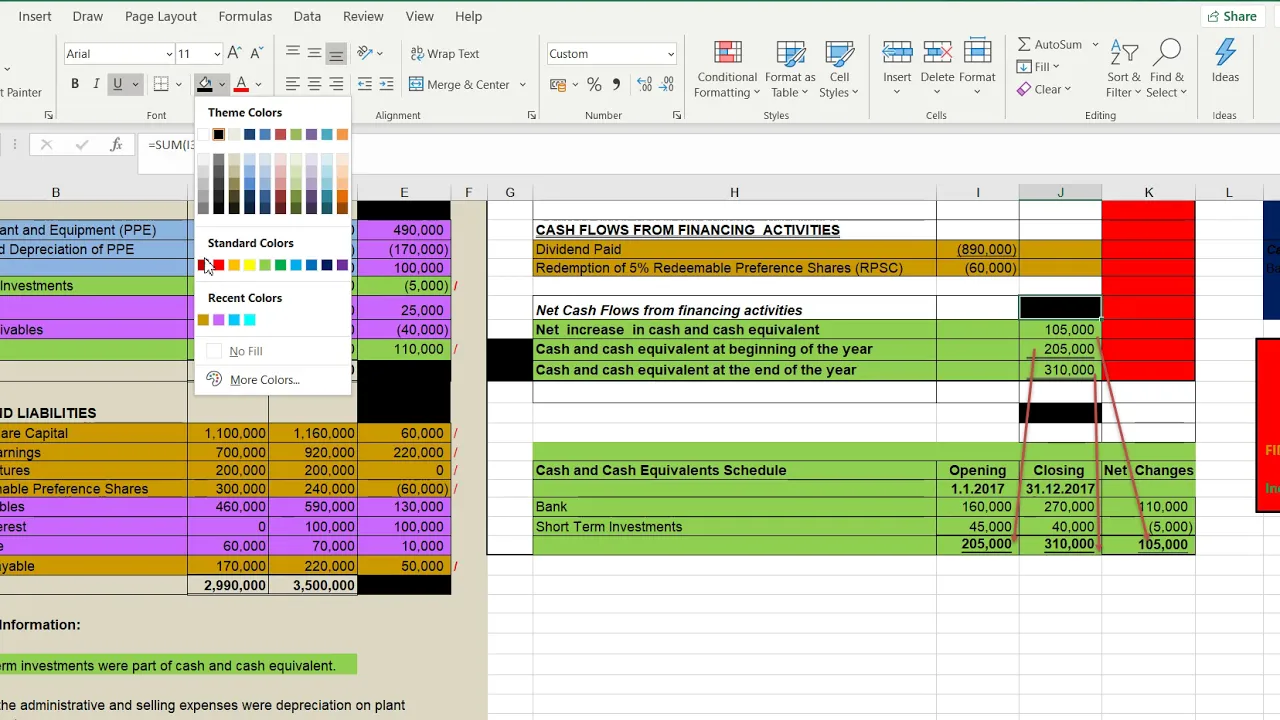
Video 3: 2/2 | CAHAYA | DIRECT METHOD | STATEMENT OF CASH FLOWS - TUTORIAL : STEP BY STEP
Why this video
A step-by-step tutorial demonstrating how to derive actual cash receipts from accounts receivable balances and calculate cash paid to vendors using accounts payable reconciliations.
Knowledge Checkpoint
- Derive actual customer receipts from an Accrual Revenue base using the formula: .
- Formulate vendor disbursements from Accrual Expenses using the formula: .
Module 4: Structuring & Rolling Forecast Mechanics in Excel
A rolling forecast is a living, breathing model. This module covers the core design architecture of a 13-week rolling forecast and details the critical dynamic formulas in Excel that automatically roll date headers forward.
Recommended Videos
Video 1: Cash management and liquidity forecasting

Why this video
Deloitte Treasury specialists explain the strategic value of the 13-week direct forecasting method. They show how it serves as a primary management framework for critical business decisions, including debt-facility draws and working capital coordination.
Knowledge Checkpoint
- Define why a 13-week time horizon (exactly one financial quarter) is the global standard for operational liquidity management.
- Identify key stakeholders (treasurers, lenders, management) who rely on 13-week forecasting models.
Video 2: Autofill Dates in Excel Based on Another Cell | Increment Dates Using Formula - Days, Weeks, Years

Why this video
This deep-dive tutorial solves a common financial modeling challenge: setting up dynamic, formula-driven calendars in Excel. It teaches you how to increment dates automatically to prevent broken formulas when rolling dates forward.
Knowledge Checkpoint
- Use Excel's date addition capabilities to dynamically increment date ranges weekly ().
- Implement the
SEQUENCEandDATEfunctions to construct a rolling, automated weekly header.
Video 3: Building a Rolling Forecast in Excel: AFP DIY Automation Video 1
Why this video
A step-by-step masterclass on creating rolling forecast templates. This video shows how to build automated transitions where actual results shift dynamically into projected forward-looking periods as the weeks roll by.
Knowledge Checkpoint
- Build a model that dynamically incorporates actual historical data alongside future projections.
- Automate rolling headers using Excel functions so the model updates cleanly with new data.
⚠️ Module 4 Coverage Note
The public YouTube pool is somewhat limited regarding highly specific, pre-built 13-week dynamic templates. To build a truly robust model, we recommend executing the following searches to find complementary written templates:
- "13 week cash flow model Excel template tutorial"
- "How to build rolling forecast Excel dynamic dates"
Module 5: Hands-On Excel Build & Stress Testing
In this final module, you will build a dynamic 13-week cash flow model from scratch. You will also learn how to run sensitivity analysis and stress-test assumptions to safeguard your business against seasonal cash crunches.
Recommended Videos
Video 1: Build a Short Term Cashflow Statement (13 Week Excel Model Tutorial)

Why this video
This targeted walk-through shows you how to structure a 13-week cash flow forecast in Excel. You will map out the 13 weekly columns, set up the starting cash inputs, and build sections for operational inflows and outflows.
Knowledge Checkpoint
- Format a 13-column layout where each column represents a specific weekly period.
- Map out the standard layout: .
- Configure the closing cash balance of Week 1 to dynamically link as the opening cash balance of Week 2.
Video 2: Creating a 13 Week Cash Flow Forecast

Why this video
This comprehensive, hour-long training webinar walks through the practical details of short-term liquidity forecasting. It covers managing vendor payments, forecasting collections, and using the 13-week model to navigate financial crises or seasonal dips.
Knowledge Checkpoint
- Map and forecast accounts receivable collections based on historical aging report patterns.
- Plan cash disbursements dynamically for payroll, critical vendor payables, and debt payments.
- Use the finished forecast to identify future cash deficits and plan corrective liquidity measures.
Video 3: Sensitivity Analysis for Financial Modeling
Why this video
This CFI tutorial shows you how to stress-test your forecast assumptions. You will learn to isolate key variables—such as collection delays or revenue drops—to evaluate their impact on your company's cash position.
Knowledge Checkpoint
- Construct Excel "Data Tables" to model how variations in collection times affect your ending cash balance.
- Identify and evaluate critical operational variables that present the greatest risk to short-term liquidity.
Video 4: Financial Modeling Tutorial | Build a Three-Statement Model in 30 Minutes
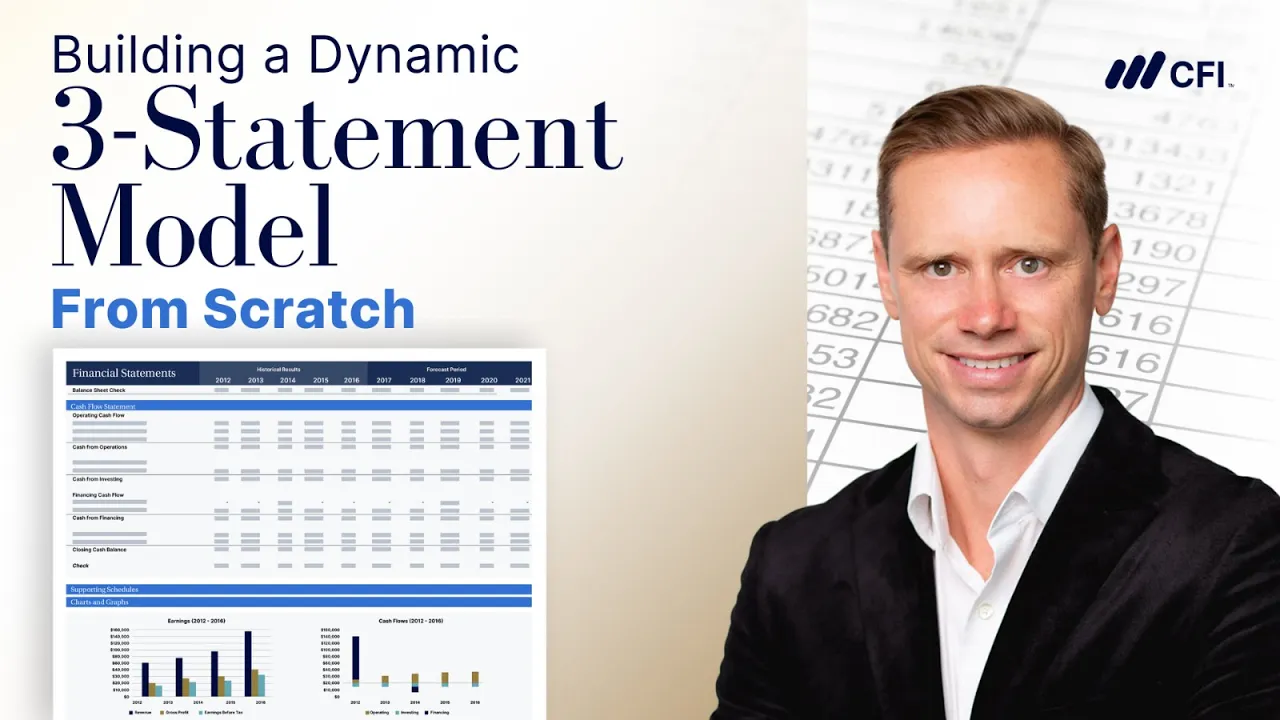
Why this video
This walk-through demonstrates how to stress-test your financial model. It shows how pushing operating expenses and cash collection assumptions to extreme levels reveals where a company's cash reserves might break.
Knowledge Checkpoint
- Perform stress testing by adjusting key driver inputs to extreme or worst-case values.
- Build basic guardrails within Excel (such as conditional formatting alerts) to highlight when projected cash drops below minimum required operating levels.
⚠️ Module 5 Coverage Note
To further expand your skills and find alternative model designs, we suggest searching online for the following specialized topics:
- "Short term cash forecasting Excel model build"
- "Direct method cash flow receipts and disbursements forecasting"
Key People Index
- Tim Vipond (CEO, Corporate Finance Institute - @CFI_Official): A leading voice in financial modeling education. He is known for establishing rigorous, institutional-grade standards for spreadsheet architecture and corporate valuation methods.
- Arif Irfanullah (Founder, Irfanullah Financial Training - @IFT-CFA): A veteran CFA preparer. He is highly regarded for breaking down complex concepts like working capital management, liquidity ratios, and corporate finance into easy-to-understand lessons.
- Chester Tugwell (Excel Educator - @ChesterTugwell): A Microsoft Excel specialist who focuses on dynamic formulas, date formatting, and automation techniques for business modeling.
Final Self-Assessment
Complete this comprehensive checklist to test your mastery of 13-week cash flow modeling:
- Accrual vs. Cash Mastery: I can explain why an accrual-basis profitable company can still face insolvency and run out of money.
- Dynamic Date Integration: I can build dynamic weekly headers in Excel using date arithmetic (e.g.,
=A1+7) or dynamic sequence arrays. - Direct Cash Calculations: I can calculate customer cash receipts using starting receivables, period sales, and ending receivables.
- Cash Conversion Optimization: I can calculate the Cash Conversion Cycle (CCC) and identify operational ways to shorten it.
- Rolling Mechanism Design: I can construct a rolling model that updates automatically when new historical data is added, shifting the projection window forward.
- Structure & Flow: I can link weekly ending cash balances to the starting cash cell of the following week throughout the 13-week sheet.
- Disbursement Planning: I can categorize and forecast cash outflows, separating fixed costs (like rent and payroll) from variable costs (like raw materials).
- Sensitivity Analysis: I can set up an Excel Data Table to test how delayed customer collections affect my projected ending cash balance.
- Stress Testing: I can identify my model's critical assumptions and run worst-case scenarios to spot potential cash shortfalls.
- Liquidity Defense Plan: I can use the completed 13-week forecast to identify cash dips early, allowing enough lead time to draw on credit lines or renegotiate vendor terms.