














Effective language documentation requires optimizing recording environments by minimizing background noise and using soft surfaces to reduce echo, selecting appropriate equipment such as dedicated audio recorders or smartphones with external microphones, and following proper techniques including checking audio levels to avoid clipping, recording room tone for post-processing, and synchronizing audio-video recordings through clapping cues; video recording captures essential non-verbal communication including facial expressions and gestures that audio alone cannot preserve, requiring careful attention to camera positioning, lighting, and framing while maintaining ethical standards of informed consent and community collaboration.
Language Documentation Training: Audio & Video Recording Tips 2023
Added:Basic principles of linguistic fieldwork and the ethical considerations of documenting endangered languages, including informed consent.
Fundamental concepts of acoustics, such as how sound waves travel, room acoustics, and the impact of environmental noise.
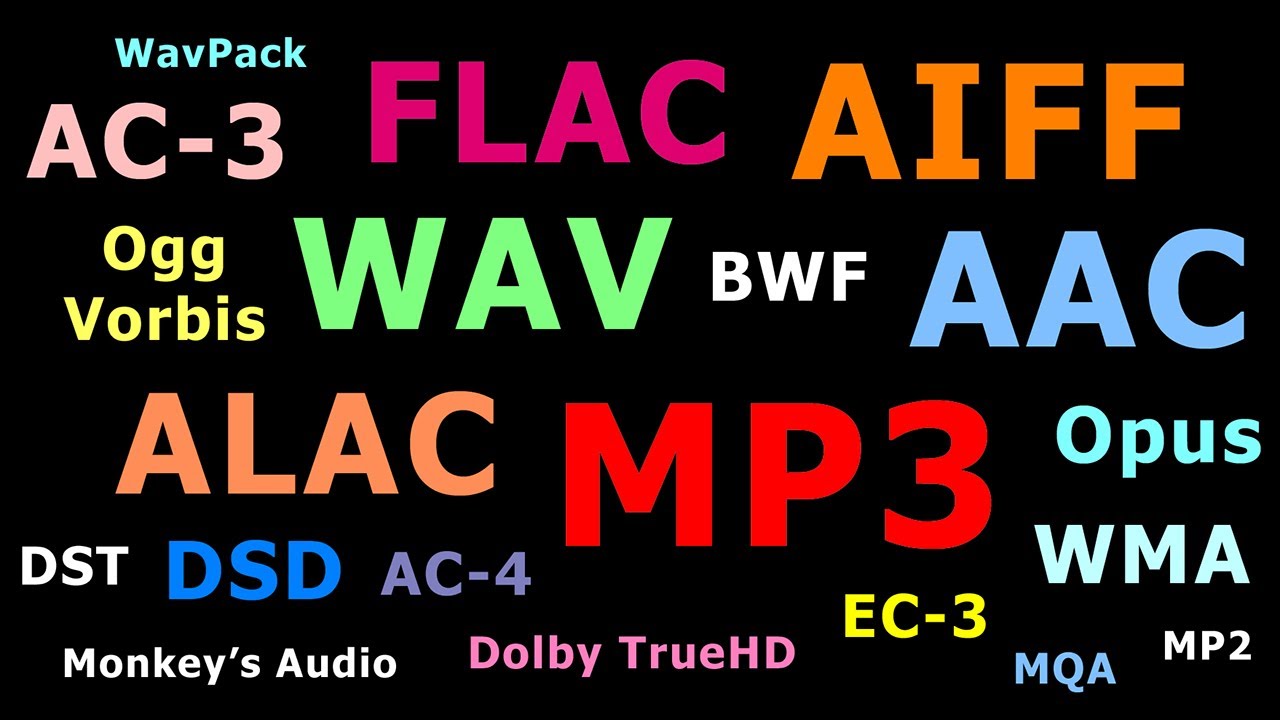
An understanding of digital media specifications, including sample rates, bit depth, and the difference between lossy and lossless formats (e.g., WAV vs. MP3).
The core objectives of language documentation and how it differs from traditional formal linguistic description.
Best practices for digital archiving, including schema standards (like Dublin Core) and depositing files in language repositories.
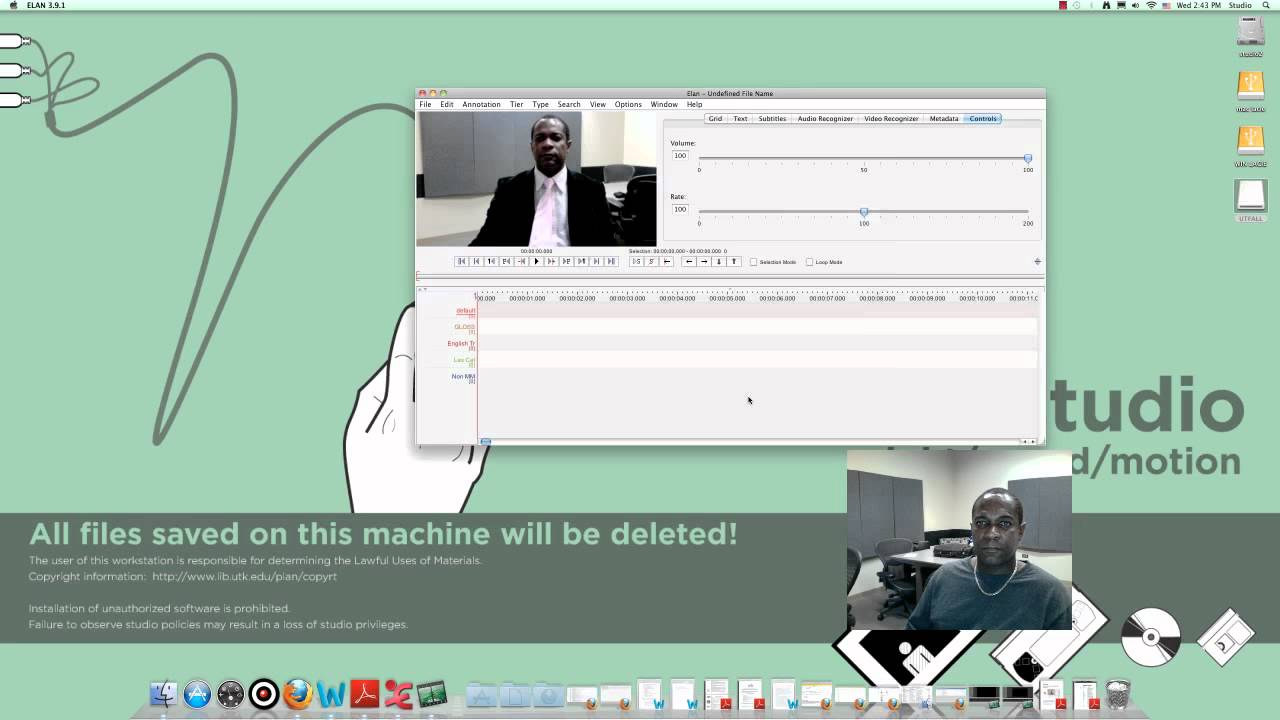
Using annotation software such as ELAN to create time-aligned transcriptions and translations of the recorded audio and video.
Acoustic analysis techniques using software like Praat to extract phonetic data from the recorded speech.
Developing community-centered materials, such as language-learning curricula or multimedia dictionaries, using the recorded documentation.
691 views34likes1:20:29Original Release: 2023-10-13
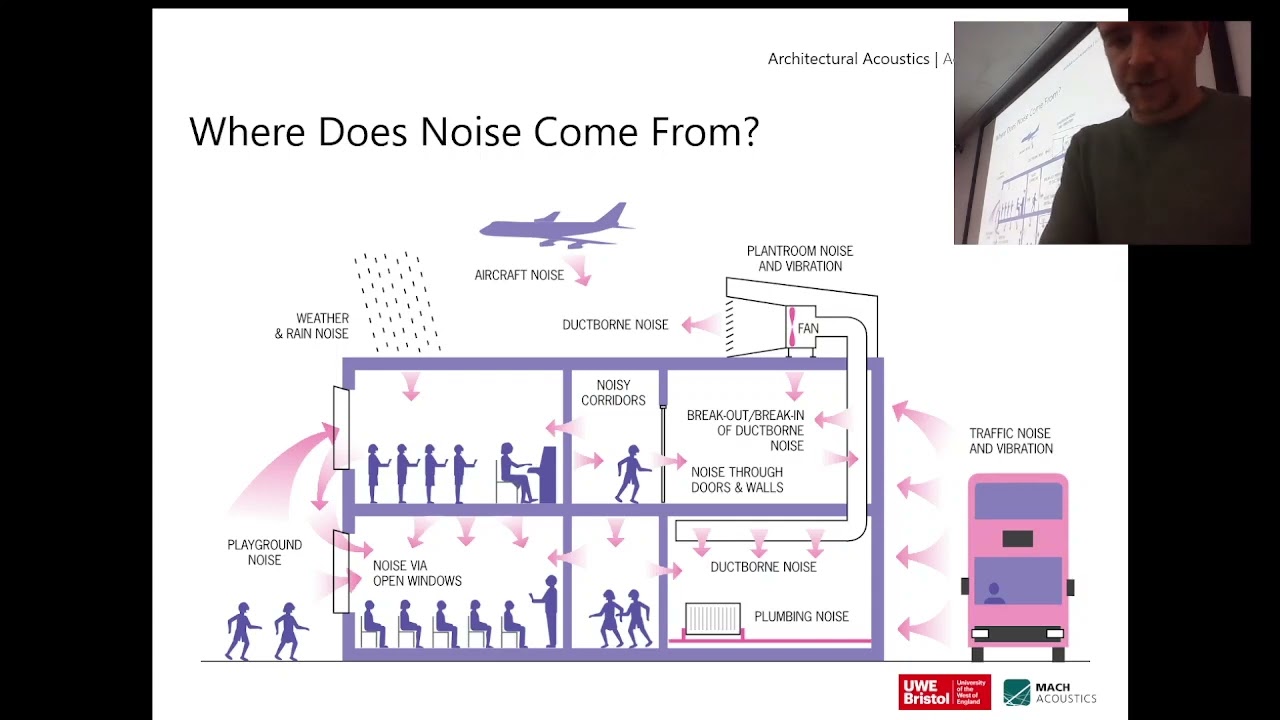
all right folks so I am delighted to introduce Olivia Waring who is a PhD student at the University of Hawaii at Manoa and she's going to be talking to us about recording today so take it away Olivia thank you so much Anna it is great to be here um I'm very very excited to be presenting to you today um let me go ahead and share my screen um and we'll get started in one second share hopefully you can see a periodic table is that is that what you can see amazing um and then we'll go ahead and start the slideshow all good here thumbs up see can see me hear me perfect um welcome everybody it is great to have you here for this uh webinar on audio and video recording specifically for language documentation and revitalization as Anna mentioned I'm Olivia um I am a PhD student at UH Manoa um so this is me and I currently live here in beautiful Hawaii um I also do some research on a language spoken in Alaska the Eyak language which is right over here and the Tiwa language um which is spoken in Assam so those are India and Alaska are uh are my two two uh spots in the world where I do my research um but let's get started with audio recording first um so there are so many reasons that one might create a recording of linguistic data a a theoretical linguist perhaps or a documentary linguist is interested in linguistic analysis finding things out about how the language works of course from a more applied perspective you have teachers that want to create pedagogical resources for a language and preservation being able to look back on recordings of legends, folktales, poems, songs, all that sort of things, so numerous reasons for making a recording. Oops. In terms of choosing a recording environment uh oftentimes you can't control for your environment you do the best that you can um sometimes the circumstances are less than ideal and that's perfectly all right but you want to try optimizing your setting um to to uh optimize the quality of your recording and that includes trying to minimize background noise um and what's funny is oftentimes you might not perceive background noise in your particular environment uh as you're just existing in it but then when you listen back to the recording suddenly you can you can really hear the sound of the fridge for example and that's that's a pretty common one that crops up in recordings. So just to give you a a sort of indication of things that might be more audible than you expect after the fact, fans, kids, animals, background chatter cell phones beeping and and ringing, yeah electrical appliances, fridges tend to have this sort of low rumble that you can often detect in in audio recordings, snacks, sometimes people are prone to tapping the table or you know clicking a pen, that can happen, traffic noises again not all of these are avoidable and that is perfectly fine you just want to be sort of aware of the different factors that play into your recording quality, so in terms of an ideal recording environment, indoors is best and you're ideally going to create for yourself what's known as a soft room. When you're surrounded by a lot of hard surfaces sound waves can sort of bounce back and forth off those hard surfaces leading to echo which is never a good thing in a recording, so you're going to want to dampen those echoes by having a soft surrounding if you've ever been to a recording studio you'll notice they have a lot of foam on their walls, you can recreate this effect in your own home with towels, blankets, even egg cartons, some people like to record in in closets or even in their car that tends to create a nice ambiance for sound um best if the windows are closed. I live here in Hawaii right now I'm in my room and it is is the gorgeous sound of bird song, and we love birds, but they can interfere with your language data, same with fans and appliances. Kids, kids are amazing sometimes a little noisy so you know try to, try to ask them to maybe go play in another area if you can. Just all sorts of things to think about as you're crafting your perfect environment and it's best if possible um to minimize the number of people um that are that are occupying the room with you and the space with you um of course you know not to the uh to the extent that you compromise any of the language data it's wonderful to have a lot of people in a setting talking with one another chatting and conversing and sharing knowledge um but just just something to think about um let's talk a little bit about audio recording equipment so I've shown here three pictures of sort of your typical dedicated audio recorder um we've got a Tascam here that's a that's a common brand Zoom recorder as well is something that you'll encounter quite a bit in the field these tend to run about $200 us um although you can certainly find find some for Less um they run on batteries which is great um they don't uh you know kind of have that electronic rumbling sound and they have built-in microphones um but you can also equip them with external microphones that can allow you to sort of tailor uh the sounds that you're capturing and to that end I want to talk to you about um the different types of microphones um but first let me let me sort of address why you might not wish to record just with your phone or with the um the innate capability of your of your computer for example to uh to make a recording um computers and phones are equipped with uh with inbuilt software to filter certain frequencies they also are designed to remove background noise and I put remove in quotes um because uh while removing background noise is is a great capability um it's better to do that in post production so that you're not inadvertently removing anything that's actually useful um to your recording so you don't want to do that upfront um and computers themselves create background noise um I have an old computer that I'm presenting from right now and you probably can't hear it but it is worring like a jet engine about to take off so that's you know that's never a sound that you want in your recordings per se okay um and so if you are recording with a phone or a computer we'll talk more about that in a little bit um you can get exponentially better audio by um attaching an external microphone so let's talk about what those look like um we've got uh sorry my skipping slides here types of microphones um these are sort of three basic types um you have your shotgun microphone uh which you might recognize from seeing movie sets right this is the kind of microphone that people hold up above the actors um as they're as they're performing a scene your typical handheld mic um which you'll see at at concerts or um or other big events and then a lapel mic or a Laval mic a lav mic um which pins onto your clothing um right around here so that it picks up sound as you speak um this is very tragic so tragically chosen name unfortunately um so oftentimes as you're speaking um the P's and T's and other plosive sounds will will create a popping effect in the recording and you want to minimize that and the way to do that is to use a foam wind screen which has very unfortunately acquired the name dead cat uh in the in the audio recording industry um because I suppose because it's sort of like fluffy and and Limp I'm not sure but very unfortunate for uh for all the cats out there um but that will be very helpful for you in terms of minimizing those those unpleasant popping sounds you can see one of those foam wind screens right here on that shotgun like um microphone directionality is another thing that you're going to want to think about um so microphones come in a in a variety of of different forms and pick up different types of sounds um so a unidirectional microphone is going to pick up sounds in One Direction only so we've got I've got two examples for you here um this darker outline tells you sort of where around the microphone that sound is going to be picked up um so you have your cardioid shape here cardioid because it's kind of a heart shape I guess you could say and if you have your microphone situated right in the middle here that's going to pick up sound from this area right in front of the microphone a super cardioid um uh polar pattern that's another word for this directionality is again going to pick up things right in front of the microphone with with sort of a a narrower angle so if you really want to capture just one person let's say and sort of eliminate all the noise um that's from the surroundings that's a great choice um an omnidirectional microphone as you can see over here has a spherical polar pattern so it picks up noise equally from everywhere around the speaker and that's great if perhaps you have a conversational set setting you place the microphone right in the middle of your interlocutors and everyone is chatting around and all of their voices get picked up equally um and finally a bidirectional microphone picks up sound directly in front of the microphone and directly behind the microphone so this is a great choice if for example you're conducting an interview um and you have two folks that you want to pick up their voices um but ignore some of the surrounding sound from the sides um seems to be skipping for me sorry about that um so we did mention before that recording from a phone is um is a great idea a very viable option um particularly if you're going to attach an external mic things you want to keep in mind while doing this is you want to position either the phone itself or the microphone about four to six inches away from the speaker um best practice is to make a practice recording um and then listen listen to it with your headphones to make sure that everything is sounding as it should that you've positioned the microphone properly that you've minimized background noise um I would not use headphones while you're actually recording because that can have uh some unintended side effects some unintended consequences changing the settings of your recording so use the headphones to test uh a practice recording but otherwise keep them uh keep them away from your phone um the phone should be placed on a a soft and level stable surface you want to avoid the phone rattling around while you're recording um and if possible Elevate the phone so that it is level with the speaker's mouth or the microphone is level with the speaker's mouth and put it in Airplane mode um so that it doesn't you don't get any any surprise calls or texts uh while you're while you're in the midst of your recording it's very important to check your sound levels um when you're conducting audio recordings unfortunately once you finished a recording and you're listening back if it's too quiet or too loud uh both of those can can really be devastating for recording quality certainly not insurmountable there are there are ways you can fix uh fix each of those problems but um better to to nip them in the bud beforehand um so with your traditional audio recorder the Tascam or the zoom that I showed you before um the way you'll do this is you will press the record button once and the record light should start blinking so it hasn't started to record yet but it's kind of the preliminary phase so this is the point at which you're going to want to check your your levels um there will be a knob nearby um and this is going to vary from recording device to recording device so you'll want to want to check your manual but there'll be a little knob that allows you to adjust what we call the game um and so I've pasted in some some images here um you're going to ask your speaker to start saying some test sentences and as that happens these little green bars are going to sort of jump up and down in response to the speaker's voice so when they speak louder those bars are going to uh extend higher uh along along this axis um and when they're softer they're going to they're going to go down a little bit and so your goal is to have the green bars be as high as they can be without what we call clipping so uh if the green bars go off this scale you'll see that they'll start turning yellow and then orange and then red um and that's called clipping that means we've basically exceeded the record's capacity to uh to capture that sound so you want your um your recording levels to be as high and as green as they can possibly be um extending into the yellow is okay um but you want to make sure you're avoiding that orange and that red space uh so have your have your speaker try talking at a lot of different volumes um and adjust that knob to make sure that even at the very loudest you're not expending into the red range um basic recording procedure um so with your recording device whether it be an external um handheld audio recorder or your phone or your computer you're going to want to access your settings um and again consult your manual it'll be different for each individual device um but the best settings for um audio recording are uh 44.1 KZ sampling speed and this is the um the same sampling rate as your typical audio CD so any CD that you play in your car which has great audio quality and is professionally produced um that's the same quality that you'll achieve on your own recording device uh with 44.1 kertz with 16 bits um and you can save your audio in multiple different formats um but a wve file is uh is probably your best option because this is what we call a lossless format um and it's going to be a big file because it's not going to try to compress any of uh of your audio or or try to make the files smaller by you know deleting certain uh certain aspects and portions of your audio so this is really a a high fidelity um file type that that preserves every every aspect of the recording um so you're gonna want to use that as I mentioned before you'll hit that record button once you're going to go ahead and your test your audio levels make sure you're not clipping there's no uh there's no red space up there um you're going to adjust the gain for that Goldilocks level of sound right not too loud not too soft right in the middle there press record to begin again and then you're off to the races it is very good practice um to record 30 seconds of comparative silence um so and again this might capture some background noise some buzzing of your refrigerator or you know some bird song things in the background this is called the room tone so what you're doing here is no one is speaking you're just capturing uh the organic ambient sounds of the room and that can be really helpful later in postprocessing if you want to sort of subtract those sounds out of the final recording um so that's audio recording do we have any questions before we begin our section on video recording any any pressing questions or maybe we'll defer them all to the end uh and I'll just carry on here um with video recording so why why do we bother to make video recordings instead of just relying on audio as I'm sure you you all are linguists here and and language practitioners you know that language is a lot more than just audio a lot more than just spoken speech um languages that are spoken as their modality um make extensive use of facial expressions and gestures for example if um I as a speaker want to refer to something that's close to me I'll say this something that's far I might say that um and all of that is valuable data that can be collected about a language of course sign languages right which I feel often get short shrift when we're talking about language documentation but are so so important um they are it's crucial to to capture video recordings of sign languages um video recordings allow us to see the language used in context see the discourse context uh to see facial expressions um and to see the manner in which speakers interact with one another all of which is useful data and they provide a really Dynamic resource for language communities so for example if you're if you're making a video of someone um uh showing a traditional craft or you know perhaps making a a a showing the weaving of a fishnet you want to be able to actually see that as it's being described and that's just a really valuable cultural artifact um and pedagogical tool of course everything uh you know there's other sides of the coin so video has its downsides it's very expensive to acquire professional video recording equipment um and it does results in much larger file sizes right you're capturing more and more Dynamic data um video recording sometimes is distracting for participants it can be a little a little freaky to have a a video camera trained on you right it's it's hard to um it's hard to ignore that presence when it's just an audio recorder sitting next to you sometimes you can just kind of forget that it's there but a video recorder is a little bit harder to put out of your mind um so this can result in you know speakers being very aware of of where they are what they're saying what they're doing um and after you've you've collected did your video footage it often requires um different expensive softwares to fully utilize and edit and we're going to try to circumvent some of those issues um as we talk today about different possibilities um but first let's just talk about the mechanics of video recording so when you record video you want to position that camera ever so slightly above the speaker or right at their eye level um you certainly don't want it to be coming from below so ideally a little bit above and pointing downwards um and if you are going to attach an external microphone you're going to situate that just above the camera typically what we'll do in a language documentation context is have a video recorder going that video recorder has a built-in microphone which will also be collecting the audio but then you'll also for for you know extra bang for your buck you're going to have an external audio recorder going at the same time so what you'll eventually end up with is one one video file and two audio files one from the video camera and one from the dedicated audio recorder um and it's it's always great to have redundancy in your recordings um and we'll we'll talk a little bit about what it means to align those um in just a bit when you're setting up your uh your shot your video um you are going to want to keep a few principles in mind about framing um make sure that your video camera is quite stably situated and so often that will involve using a tripod uh to make sure that it's it's very level very steady um and wide shots are best you're not going to want to zoom in too close on the speaker's face um you want to include their upper bodies and you you're going to want to test before you start video video recording um that there's sufficient space around the speakers for them to extend their arms in all directions so my framing is not great right now in the zoom screen because you can't see um everything that I'm doing if I if I wave my arms around the reason that you want to have that little bit of extra space around your speakers is you know perhaps they are like me and they gesture very broadly um you want to make sure none of that data is is left uncaptured um at the end of your recording it would really be a shame to get back from your recording session and realize that that you lost certain certain aspects of the conversation you'll use your camera to adjust the focus doesn't need to be fancy oftentimes cameras have a an autofocus feature which is perfectly fine for these circumstances um and again you'll you'll want to avoid um kind of fiddling with the camera during the recording you're probably not going to want to zoom in and out or move the camera around really steady stable simple um is what you're going for with your video recordings um so here's some examples of bad framing so you have your your subject just kind of out of the shot sort of halfway out this framing is coming from a little bit too high up right you're going to want to have it be a little bit more level with the speaker's face um and over here again she's a little bit um too far to the right of the frame um here's some good framing right very level the speaker's face lots of space around uh the speaker for her to gesture um good framing here for a pair of speakers now you'll notice in this case um there's not as much room around the speakers you you kind of have to optimize for um being close enough to capture all of their facial expressions and being far enough away to capture all of the gestures it's a it's a little bit of an art um and and you can make that judgment call as to what seems best but this would be this would be a very good example of framing lighting is another consideration uh you'll want to avoid filming in backlit settings um so right now I'm sitting in front of a window which casts some nice light um right on my face if I were if I were facing away from the window if the window were behind me you would just see my Silhouette so that's something that you're going to want to avoid um oftentimes you know you might be in an indoor space uh with lots of lamps try to avoid uh any lights that cast Shadows so you're going to want to try to assess for um for that before you start recording Shadows tend to uh decrease the quality of your video you will want to make use of any lighting sources that you have to the subject's face on torso that's that's really the target of the video um if you do know in advance that you're going to be shooting in a low light setting uh you can choose your camera accordingly there are cameras out there that are optimized for low light settings um they have they have a a wider lens and they capture at a different frame rate so those uh those can be very useful if that's something you know ahead of time um otherwise it's a great idea to try to record on an overcast day or in the late afternoon those tend to be sort of soft lighting settings uh um and another thing you're going to want to think about is What's called the white balance if you've ever seen a video where the the subjects um coloring seems a little bit strange maybe they appear a little orange-ish there's something that seems to be off that means the camera wasn't properly calibrated in terms of color and the way you can fix this is by holding up a white object you're going to typically want to use a piece of white fabric because you don't want anything too glossy um and just double check that in the video it shows up as a as a pure white color um if it shows up as orange or green or something else you're going to want to go into your color settings and and adjust just to make sure that everything is is is true to life um in your final recording some examples of bad lighting oh that would be a shame uh you have this beautiful video of a speaker doing something wonderful and then you're unable to see their facial expressions you want to avoid that um here's some good lighting right it's it's it's soft Shadows are minimized um the the faces are fully lit um oops all right so one of the things that you're going to have to do after you uh finish recording both your audio and your video is you're going to have to synchronize those two files um so as I mentioned before it's very good practice to have a video camera going which is also recording audio and then have a separate audio recording device that can be your phone or it can be an external audio recorder this is really useful in cases where um the camera is situated a little further back from the speakers in order to capture the whole scene but you want that audio recorder to be closer so that it captures their voice more directly um also video camera uh mics the inbuilt microphones tend to be omnidirectional if you remember talking about those polar patterns so they tend to capture all of the sound and you might want a more focused sound for your audio track so that's another reason to use a dedicated audio recorder and then use the camera audio as backup never bad to have backup um and so in order to synchronize all these different recordings that are going on you're going to get in touch with your inner movie star you're going to do what we call slating your audio um and if you've ever watched an old timey film being made you'll have seen those those little um chalkboards with the with the uh the piece of wood that you hit I'll show you a picture in the next page but what they're doing is they're is they're slating their audio and you can do this too by just clapping three times um two or three times in front of the video camera so you want to make sure that your hands are visible in the shop clapping and that'll also generate this really sharp um Spike of sound and what that lets you do is um in post production it allows you to synchronize those files so here's that that sort of a slating device that you'll see um directors using and as you're syncing your audio files every time you you clap you'll see this really tight narrow Spike of sound in the waveform and it's really nice to see those because that allows you to kind of very beautifully align um the audio files from separate recordings and you can also align that with your video recording because you'll be able to see the moment at which your hands come together and that corresponds to the spike of sound um this just a kind of a quick and uh cheap trick for for aligning your um recordings you can also use software to do this um tends to be a little bit expensive uh a little bit memory intensive so this is a really quick way to do this um oops my apologies here [Music] um okay so let's talk about a recording checklist very quickly um so as you're setting up your recording equipment you're first going to think about the location as we discussed way early on in the presentation is this going to give me good audio is it a soft space without any hard surfaces for the sound to bounce off of is very enough light our external sounds and noises minimized then you're going to set up your dedicated audio recorder and ideally your external microphone and you're going to think about these questions of polarity um are the mics picking up all the voices that I want to he have I chosen a mic that's that focuses on One Voice or that picks up many voices you're going to go ahead and you're going to check those levels right to make sure that even at the loudest possible levels your speaker isn't um isn't clipping the audio isn't going into that Red Zone you're going to then situate your camera on a nice steady tripod you're going to make sure that it's level with the speaker faces pointing slightly downwards everyone's in frame gestures are able to be captured you'll check that white balance to make sure the coloring is true to life um lighting you don't want to be back lit you want speaker space is illuminated check the gain levels and the volume on the cameras in bu audio recorder as well then you're ready so you're going to go ahead and you're going to start that audio recording press the record a second time then you'll go ahead and press record on the camera so this is a neat little trick you're going to want to start your audio before you start your video and then when you're done with your recording you're going to end your video and then finally end your audio um I saw uh someone give this presentation and she had a very cute analogy she she said the the audio recording gives the video recording a hug right so the audio recording is going to be a little longer on either end than your video recording um in terms of video converting and editing so so most of your um of your cameras are going to record in in all sorts of different file types MTS abchd all these kind of fancy terms um the best uh file type to edit in however is MP4 and so often times you'll need to convert whatever file you pull off your video recording device into and there are dedicated softwares that can do this there are three softwares um handbreak is one such program um I can send these slides out later on all of these links are included if you want to go check out these softwares in terms of post production editing there are tons of free options out there and I've named just a few um and included their link there are um some very fancy professional quality paid options um including Adobe Premiere sometimes you'll be able to obtain an Institutional license um through an institution with which you're Affiliated so it's definitely worth checking out um some of these some of these softwares have a rather steep learning curve um but they do allow you to do very professional quality post production all right um I want to very quickly dive into some recording techniques that don't rely on this expensive external equipment right we have incredibly powerful technology at our fingertips we're all using perhaps phones or computers right now to join this webinar and that alone um will suffice to produce some pretty high quality um recordings uh so on Zoom we we live in the era of Zoom recordings and it is possible to actually get a very high quality um audio and vi video recording from Zoom by just toggling a few small settings that you might not even have known were there so high definition recording um which means uh 720 pixels of resolution or higher is possible with zoom um but the resolution is very much going to depend on the quality of your internet connection so you're going to want to make sure you're in a place where you have a very stable um high quality internet connection to maintain uh that that uh high resolution recording if your call involves two people um that's perfectly fine you can go ahead and for free record in high definition if it has more than two people on the call you will need a paid account to access that feature um and I'm just going to show you this delve deep into the settings pages of of Zoom um with you sorry for my for my face on the screen there as I was practicing um if you're on Zoom right now you'll see um a a sort of a menu bar on the bottom of your screen um and there will be audio and video settings that you can access um if you click the little arrow next to video uh and click video settings it'll pull up a screen much like this um and let's check out the video settings first so right now it's using a built-in camera in my computer and that's perfectly fine if I wanted to be um extra sophisticated in my recording techniques I might attach an external video camera and I'd be able to uh to set that preference by just clicking this drop down menu here the really relevant Point uh for our purposes is this HD check box so um by default it is unchecked um so you're going to want to go ahead and check that if you are uh recording um uh high quality um and then there's all these other little features that you can make use of touching up your appearance is just adjusting the colors and the lighting a little bit you can adjust for low light um and I'd be happy to talk to you about some of the other settings that are here and what they mean but it's really nice you know that that these uh these options are natively included in the zoom platform I certainly didn't know about them until I I started exploring there's also an audio settings tab which is extremely useful I've just shown a snapshot of it here there are more um more settings to to play with um but you can use as I mentioned an external microphone and if you do attach an external microphone to your computer you would change that setting in this drop-- down box right here um you can automatically adjust the microphone volume so that um it it changes to accommodate the the speaker's volume level and that's a really nice way to avoid clipping um so the speaker suddenly uh speaks very loudly or laughs loudly the the volume will auto adjust to reflect that um and zoom also provides um inbuilt background noise suppression um and so so the default setting is an auto uh suppression but if you if you like if you have for example a very noisy environment um you might wish to uh to check the High background noise suppression box which um which does uh a very good job of filtering out most background noise but unless you're in a really noisy environment that might be Overkill that might be unnecessary um and finally we've got some recording settings um so you can do all sorts of things um like specify where you want to save that recording um on your own hard drive um record video during screen sharing display names um so these are all just things you can play with uh as you as you explore the possibilities of recording with zoom recording with voice memo on your on your iPhone or other device is another very very useful technique this is just for audio recordings but sometimes um if if you just want to take a very casual recording you're sitting and having a conversation you just put your phone on a table um near you and your friend as you're chatting Um this can be a very low stakes method of recording so you're going to go ahead to your voice memo app on your iPhone and it's it's as easy as just hitting this big red button um and then it will start recording whatever you're speaking whatever whatever uh uh whatever it hears you're going to again want to abide by the guidelin um that I that I laid out earlier in the presentation in terms of microphone placement in terms of the the room uh and and um other sound quality considerations um but in general this is as as easy as can be you'll then click stop to end your recording um and then you'll see your recording here you'll want to go and change the file name if you want to then export that file to let's say a computer for further editing that's very very easy to do um you just hit that little those little three dots on the side of the recording and it'll lead you to a screen that allows you to share that recording um various options will appear um perhaps one of the best options is to email that recording to yourself so you'll just go ahead and click this email icon um and then you can type in your own email address the recording will be included as an attachment and then in your email is a is a lovely voice recording um that you were create created with just your own um your own iPhone or your own recording device um I would again highly highly recommend um if you if you only have a little bit of of a budget to improve the quality of your recordings my recommendation would be to purchase um a cell phone compatible or a smartphone compatible um external microphone you can get them for about $50 and it will radically change the quality of your recording recording um so this is something that plugs directly into your smartphone um and then you can usually clip it onto um the speaker lapel um and for for just that $50 investment it's going to really really improve the quality it's pretty pretty high bang for your buck so if you are only going to buy one piece of specialized equipment that would be my recommendation finally in the last five minutes we have here want to talk to you a little bit about metadata um as you are creating all of these recordings over the course of your fieldwork um you're going to find that very very quickly they add up you're going to you're going to generate quite a lot of recordings and uh you want to make sure that you can keep track of them all because because very quickly um it it starts to become uh a little bit unwieldy with all the files that you'll be having so making sure to keep track of metadata which basically means information about the recordings themselves um has a number of very uh very useful useful feature is it situates the recording in context um of the of the particular uh setting in which in which you've you've made the recording it makes your recording much much easier to find at a later date so if you've perhaps recorded hundreds of files and you say ah I need to find the one that was recorded under the avocado tree on a Tuesday um you'll you'll need some extra information to help you help you tease apart uh all of the recordings that you've created and it provides some really crucial information about the contents of those recordings so some items that you're going to want to include in your in your metadata are the names of the speakers involved the name of the language that you're recording the date of that recording the location um the names of the elicitors so that would be you that would be the the the folks that are um are making the recordings setting up all the equipment asking the questions um the genre of recording whether it's a it's a word list elicitation um or or storytelling or songs um and then just a little bit about the general contents of the recording it's it's usually a great idea to keep all of this in a spreadsheet where you list the file name and then all of the associated metadata um and that way you'll never have trouble identifying the recording that you're that you're interested in file naming conventions are also very important um if you're like me you will have written a paper at some point where you'll you'll name the file uh you know paper final version and then you'll go back and you'll edit it again and then it will become final version for real and then it will become no really I mean at this time the final version um so to kind of Forstall that uh you're going to want to have a really systematic way of naming your files um and making sure that the file names themselves include um useful metadata um so proper naming conventions will give you the who the when and the what um and so I've just given a few examples here my poem. wve doesn't really tell you much about whose poem it is when it was recorded um ST1 again doesn't actually offer that much information some good file names however provide let's say the name or the initials of the speaker they'll also provide the date that the recording was made in some format the format itself doesn't matter um and then a little blurb or a little bit of information that gives you uh gives you some context for what the recording contains and as always consistency is key so once you once you establish a a naming convention you're going to want to stick to that naming convention all throughout um ISO codes you may have encountered these in the course of your language work um they are unique three letter identifiers that uh that identify each of the world's languages um and in some cases various dialects as well um and you can you can look these up at s.org you can find the iso code um for your particular language that can be a really valuable piece of information to add to your file name there's also something called the Glad code which is a which is a similar concept and finally archiving is absolutely crucial you know regardless of how and when and where and using what equipment you collect um your files you're going to want to make sure that they are stored for posterity um and so materials that you collect in the field can be uploaded to a variety of institutional archives um at the University of Hawaii which is my home institution we have an archive called Kon and it has its own metadata conventions And archiving standards and you can sort of read uh read all the instructions for how to upload files to that database any archive that you use will have its own standards and instructions and conventions that you'll want to abide by um but that means that now an institution is um is accountable for holding on to your data and and uh keeping it for posterity you'll also want to do so on your own end as well so make sure that you have multiple copies of all of those files um stored on various hard driv ideally in multiple locations um stored on the cloud as well you can you know you can never account for Hardware failures or um other sort of catastrophes that that cause loss of data so you're going to want to have as much redundancy as possible built into your archiving system so that is it in terms of content from me but I would love to uh to entertain any questions that you may have or any comments um and if you have audio or video recording expertise to share you're so welcome to do so we would love to love to hear from you as well so thank you so much I see some all right folks I have shared your chat questions with Olivia and if you have questions you would like to ask uh on video you can just raise your hand I'm going to go ahead and and address some of these excellent questions in the chat um so one is the the names of the audio recorders that I showed um in that image and I can I can hop back to that page as well um so two of the of the most commonly used audio recorders are called Tascam t c m and zoom audio recorders zo M just like the the the zoom software we're using now um and you can find those at really any audio store on Amazon um they're they're quite quite widely available um so so a quick Google search should uh should point you in the right direction to those to those tools um very interesting question are there cell phone recording programs that show levels so you can check the volume I believe there are um I don't know the names of them off the top of my head but there's a number of different smartphone apps that you can enable on your phone um that are a little more sophisticated than that that simple voice memo app that I showed you um and that's a great idea actually to to be able to check for clipping and and gain levels um uh on your smartphone itself um let's see yeah so there's a really great question that's raised um I'll read it to you the problem with lighting is it is impossible to manage it in a remote area where there's lack of lighting when important cultural practices are being held absolutely and I think you know in all of your recording Endeavors um making sure to to prioritize uh respect for for the community and for you know the the um the cultural observances is absolutely Paramount um at all times and so in that situation what I would suggest is perhaps um prior to uh to going out into the field would be to to invest in a camera that has is optimized for low light conditions I think that could yield some some pretty pretty great dividends in in your work um metadata ah okay metadata softwares yes so there are quite a few um software programs that will help you in collecting and storing and managing all of your metadata as I mentioned um sometimes I go old school and just keep it all in a spreadsheet uh but the software that I have seen used and that is extremely helpful is something called lameta um l m which is a free software um and can be extremely useful uh just for for keeping track of all of those metadata items so that would be my recommendation um great question about ISO versus ISO versus glot codes which are more commonly used um that's I'm not sure about more commonly used I do know that glot codes are um are perhaps more uh are are more commonly updated Anna I don't know if you if you have um thoughts about that I think a lot of codes um tend to account for for dialectical variations and and you know other sort of nuances that perhaps ISO codes don't account for um yeah I'd say at this point ISO codes are more widely used by more organizations and companies and linguists and all that stuff but but I think glotto codes like Olivia said are more comprehensive so some languages may not actually have an ISO code but they do have a glotto code and so glog is a lot more inclusive of different varieties of languages and they do update their standard more often so if it tells you anything uh ELP is currently switching from ISO codes to glotto codes so I don't know which one is still more widely used but we are moving towards glotto codes here at ELP that's that's great feedback thank you Anna um I see a few more oh um here's a really interesting one for achieving more natural speech do you tend to hide recorders in any way it's a really interesting question and I'd again be interested in hearing Anna's thoughts um folks tend to myself included I tend to forget that the record there after a little while you know it can be sitting on the on the table right in front of me and and over time I just become more more comfortable and and uh you know start speaking as as though I'm not being recorded um you you know it is it's not a bad idea to uh to try to keep it in a slightly more discret location um but but you don't want to compromise the quality of your recording um so it is a little bit of a of an optimization problem Anna do you have any thoughts about that yeah no I'm with you Olivia people tend to get used to the recorder after a little while but also just we shouldn't have to say it but don't ever hide the recorder and record someone without their knowledge always make sure that they know that you are recording yes yes absolutely um and receiving informed consent is also an incredibly important part of the of the recording cont uh recording process absolutely thank you for bringing that up Anna um and then another question do you think researchers can depend on AI generated audios regarding accents and spoken language in the face of problems or absence of real life authentic voice data that's an incredibly interesting question and especially you know as we have all this burining AI technology which is Raising ethical questions and and procedural questions um I'd love to hear more more about that question from from whoever asked it if you'd um if you'd like to hop on hi actually um I uh I just psted that question the thing is yeah uh the idea in my mind was that like um like these days a lot of you know AI generated things are coming into our lives in our research and our teaching and learning so uh my question is that is there any possibility or is there any kind of uh way of citing or referencing of these kind of recordings which we can use in our research generated by the EI AI absolutely it's it's you know the the idea of or the the concept of AI in this sort of research is is so interesting and and just getting started um I was recently reading about um uh the use of AI in uh in recordings of sign languages to perform um Auto transcriptions of those sign languages So based on the movements and the gestures um to to be able to translate those into sort a written form um which is absolutely fascinating and uh you know I think um I think the the field is just beginning I think that a lot of these the possibilities that you mentioned are are very much in the pipeline um and it will be really interesting to see you know AI generated speech and to what extent that maps on to um to to authentic speech by speakers I I think we need to tread a little bit carefully in that domain right to make sure that um as as linguists um that we are are are centering our work around around the speakers themselves and their needs and their values um but I you know to the extent that that AI can be a useful tool for for making this process more efficient uh and more beneficial to all I say utilize it to its maximum extent there there may be in this room oh of course thank you for your question there may be folks in the room who are who are more AI savvy than I am so I welcome you to uh to chime in thanks a lot I would just add when using any AI tools for underresourced languages be very cautious um AIS tend to fill in gaps with what they think goes there and it may not have anything to do with how the language actually works so we've seen a lot of Articles and cases recently of AI tools being applied to indigenous or minoritized languages and just coming out with garbage that makes no sense so be very cautious if you're going to use AI tools we're still in a phase where they kind of work enough to trick you but they don't really work that well for a lot of languages so use what you can see how it goes and don't expect it to be 100% accurate at this point in time that's a fantastic Point yeah several grains of salt with with you know all sort of sort of AI generated results and I think um to Anna's Point um a lot of the AI models um are are based on machine learning algorithms that train on languages such as English right so they're they're going to be searching for english-like patterns um that may or may not exist in the languages you're working on so yeah so they can they can they can generate some things that look very authoritative but are are nevertheless totally wrong so you want to be a little bit careful um use it as as a tool but not as a standin for linguistic analysis absolutely thank you so much of course um let's see the synchronization of audio and video um oh and the sound of the video is bad yeah so um the this the sound of the that's recorded by the video camera is probably not going to be going to be very good unless you attach an external mic which is why we recommend using an external recording device and in terms of synchronizing those there are yeah there are tons of free softwares um and I'd be happy to send out links to all of those um after the we inar um be very very happy to send a little list and then we do have a question about is it conventional to uh secretly record people by hiding recorders somewhere Olivia do you have anything to add definitely not no no it's it's extremely important to to ensure that um that all all parties are willingly entering into this into this recording um relationship and um and actually that that brings me back to um to a really interesting question that was posed at the beginning which is sort of um security of of data and you know where are these recordings going to be posted who's going to have access to them um a lot of times there might be very very sensitive information that is conveyed in these recordings and you want to be um you want to be incredibly cognizant of of the privilege that you as the recorder have of of you know being privy to this information um so it's very important that um that the the folks you work with sort of are aware of where those recordings are going to go and who will have access to them and there are some really interesting platforms coming out now that um for sort of um uh a restricted access to information so the one that comes to mind for me is a is a um a site called mukatu mukur Tu and I can send that out um where uh based on your um your how you identify within the community as as an elder your gender whatever it happens to be um you may or may not have access to to different uh different items in that archive and that can all be be stipulated by the community who has access to what um and so access is restricted based on your demographics in accordance with Community wishes so um so there's there are people giving thought to this about you know you've made your recordings you know we we often think that broad dissemination is is the best possible outcome of these recordings but that's not always the case and it's really important to to confirm with your um with your speakers and your subjects um what they're comfortable with in terms of dissemination okay security problems with online recordings oh that's interesting question I have not encountered um to my knowledge any any security issues with recording online Anna is that something you you run into yeah so I think unfortunately A good rule of thumb whenever you are doing any kind of language work is if you are using the internet to do something there is a possibility that someone will be able to access it especially depending on what country you live in uh what the context is like if you know your government wanted to access your Zoom call they probably could unless you have a whole lot of digital security skills so be mindful just you know so most people don't have any interest in the language recordings you are doing but just always assume there is some kind of possibility that what you're doing could be accessed by someone else if you're doing it online and if you're really worried about keeping your recordings secure uh do it in person with uh an audio record order that is not a cell phone but again in most contexts most governments or police or whatever don't have very much interest in your language work so I wouldn't worry about it a lot great point about Network inst stability yeah yeah that's a that's a big one any other questions well I see this one about uh is AI having any effect on the way language documentation is done nowadays oh interesting yeah yeah that's you know that's a it's a great question um I think AI has yet to um to to reach a point at which it's it's really um viable for for lesser spoken or lesser studied languages um uh simply because of the absence of of data um but I think we're I think we're reaching that point um I think uh you know there's a lot of interest in um developing uh developing tools that will take a stream of recorded sound and automatically transcribe that say in IPA right so that you can you can get past what we call the transcription bottleneck in linguistics where it you record all this amazing data but then you have to sit down and transcribe it on IPA and it takes you know an hour to do five minutes uh and so certainly AI can can go a long way in just making our our protocols more efficient I think um and so those are those are things that are certainly in the works we'll have to learn a lot of orthography that's true and AI can also be useful in managing your files right if if you have developed some sort of system for naming your audio files I think there are AI tools that can just look at the file information and then rename all of it like okay I know that this file was recorded on this date at this time and if it's on your phone maybe this location so you can just automatically rename all of your files using that convention using an AI tool it's a tiny tiny bit of help oh but that could save so much time no you're so right yeah really any any process that that you can automate um you know so you can maximize the attention that you're focusing on on on speakers and on working with those those really interesting facets of language yeah use use AI to your advantage oh Anna I might I might give this question to you it's it's such a great question um about uh paying speakers for for recordings and sort of the the mechanics and ethics of of um remuneration yeah i' love to hear what you think yeah thanks for this question Pas I suspect this is a slightly rhetorical question given given your public speaking about this topic in the past but personally it depends on the context that you're working in right there might be times when it's not polite or even disrespectful to offer to pay someone for sharing language with you there are also lots of cases where it's really respectful and really good to compensate people for their time because they're they're taking time out of their day to talk with you to make this recording uh maybe they've traveled to meet with you so I generally prefer to pay people rates comparable to what like I don't know a school teacher makes in the area because that's what folks are doing they're teaching you um if there isn't any funding then it's up to you to have a conversation with the folks you're working with about what they think is fair and respectful and shows reciprocity even if it's not giving them money directly maybe you know you can go help with some project they're doing at their home that weekend in exchange for their time recording with you it doesn't have to be money necessarily but make sure you find ways that people are getting as much out of this relationship as you are right you're getting language data what are they getting in return even if it's not like cash find some way that it can be something that they get out of working with you absolutely I think yeah context and communication are are really the keys there what would you say Pas I'm sure you have advice for people yeah actually you you I think you've said it you've said it in a in a very nice way Anor I just wanted to probably find a way for this point to go through that you know we should recognize that people have you know this is this is a resource that people have the ability to speak a language and we should not just take it for granted so that even if there is no funding as you say one should find ways to show gratitude for for getting all that information from people so I think you've said it the best way one could ever say so thank you so much yeah thank you Pas and I will remind everyone here that if you would like other good advice on your language work Dr pumu is a highly regarded documentary linguist who is able to talk with you for free through the ELP revitalization mentors program so I will put a link in the chat to make a free appointment to talk with pasas thank you Anna thank you yeah I see a question in the chat from Sama and then and then um a couple raised hands as well um there's a there's a question question about um capturing yeah Best Practices when there are you know child's voices and other chaotic situations that you that you can't control for which is perfectly all right and very common and you know and sometimes you know it's important to include um the the context of the recording and you you don't necessarily want to uh to eliminate all of that that background information I guess my suggestion for getting the highest quality audio there would be um to be to be cognizant of of the microphone that you're using and if you're if you're really keen on capturing just a single voice um think about those those directionality patterns right and and try to get a unidirectional microphone or um a microphone that Clips a a so-called lapel microphone that that can capture just that really you know U uh narrow stream of speech uh so just you know giving a little bit of Prior thought to your recording equipment um Can can go a long way so I see um vipin and and vipin first yes hi am I audible yes you are thank you okay hi uh first of all thank you for the session there a lot of like these little things that you know that would not have crossed my mind that I had to make a note of um but I just want to know can you give us like some very like not not I know you probably won't be able to share like real language data but you know you explained us to the as the importance of like how to you know the importance of gain and you know clipping and all that but if you could give us like certain examples where not having these settings in their optimal condition could like you know Miss out certain sounds in the language like maybe like a click or a GLT stop that you know so it just would help us like it it would help for us to understand um why exactly these settings are important right like on paper you can see okay you need to set gain and you need to do all of that but I I guess it would help if if we have like an like a very specific example where it will tell us like you know if you don't do this this is how you'll mess up right if you can tell us something like that thank you so much of course I mean I would be happy to after this webinar send out um a few a few links or a few a few little files um I think there's a Google Drive uh that that show you sort of what can go wrong in audio recordings um with clipping specifically um once you reach that Red Zone what You' basically done is the you have exceeded the microphone's sensitivity um and so any anything else will will be perceived as just kind of this sort of like popping roaring sound um and it will obscure it will obscure the rest of your of that portion of your recording but um Vian I agree with you I think just uh seeing it in action and hearing some of these examples is probably is probably the best way to internalize it and so I can um prepare some examples for you all I think um I think bi's had a hand um my question was about uh I think you have already partially answered that about the uh you know the Sounds in the environment my my question was particularly about like in South Asian countries like India Pakistan and Bangladesh and like in that region the cities are not planned so we have like within residential areas we have like businesses which which create a lot of noise even at the dead of the night so like we we we can hear like uh barking or Machines working or welders working on there so in these settings what has been your experience as you have explained that you have worked in Asam could you please share some of your experiences absolutely um yes so I I totally agree with you that that's been that's been my experience as well and and as I mentioned before you know sometimes it's it's a it's an asset adds to the Ambiance and and you know the understanding of the of the the setting um uh as I mentioned I I tried to use directional microphones to um to uh uh to sort of correct for that I also you know making sure you're in an enclosed space can be really helpful um the filtering out of background noise is is important as as I mentioned I would not do this um uh beforehand by which I mean that sometimes your audio recording itself or your computer will have a built-in background filter setting and I would not use that um and the reason is that you want to record things with as High Fidelity as possible so that you have a really faithful copy and then you can sort of mess with it and change it at the end um but this is where that uh room tone comes into play so that 30 seconds of sort of Silent audio where no one's speaking and you're just collecting sort of the ambient sounds so maybe you'll hear you know rumbling traffic in the background if you can collect that then you sort of have data that shows you ah here's what here's what the the waveform for that rumbling traffic looks like and then in an audio processing software um later on you can actually filter out those exact frequencies from the from the file um so that throughout your entire audio recording you've now removed that traffic noise and so this is good for um for sort of noises that are more sustained I would say um you know for things like kids or or uh or um you know the occasional honk of of traffic you know these are things you can't control for and that's totally all right you know your your your your job here is to is to just make sure that you're Faithfully capturing language data so as long as it's audible um and and parsable um you know the other things are just are just sort of gravy so I wouldn't worry too much thank you so much thank you thanks question I have seen some interesting projects to build cheap easily portable recording booths like a little a little soundproof recording booth you can take with you when you travel I don't think they're available commercially yet I know that there were some people working on this as like a hobby so if those become commercially available or they put out a blueprint for making a cheap little recording booth I will share that as well I have seen people using umbrellas so you know they'll they'll actually open up an umbrella and kind of get under it you create this sort of sort of enclosed space uh to capture those sound waves so there's there's closets cars right there there are various small spaces you can use to try to optimize the sound oh Laura I want to Echo your your statement always keep copies of your original recordings yeah you're G to you're going to end up editing them but you never know when you'll you know you want to go back to that original so um yes highly highly recommended is see a hand froma yeah hello can you hear me yes um I have a question about the management of data afterwards so if you work for example affiliated with the university uh is it the elicitor the recorder who judges the quality of a recording and if it's good to keep it or not or is it someone else from the University or someone else I don't know external who can judge the quality and tell the recorder okay this recording is not really good we have to redo it or we cannot we don't have the chance to redo it so we have to throw it away excellent question get a defer to Anna on that one um because I you know I've only just started uploading my files to various archives yeah that's a great question I think it really depends on your archive and sort of the perspective of the people running it uh at Kone the the University of Hawaii archive it's a very fieldwork oriented archive and so they understand that you're not always going to get perfect audio quality uh sometimes you have a noisy or or sort of muted recording and that's fine they don't generally judge based on audio quality as to whether it goes in the archive I think the only thing that would keep a recording out of the archive is if it were recorded unethically or you know there were some other really big issue with how it was made uh I don't know how it might be at your University I would recommend contacting whoever runs the archive archists are usually very excited to talk about their archival practices so just ask okay thank you interesting question about zooming in and out while recording um I think I think it's contextual you're right um that that there can be circumstances es where where maybe zooming in might be appropriate on perhaps uh something that the the speaker is doing with their hands or or um if you just want to get you know a really closeup shot I think that should be used somewhat sparingly however because um that the process of adjustment can kind of can kind of shift your your settings a little bit make things a little bit unstable um then maybe you're focusing more on getting you know this sort of perfect video footage than than on the the sort of the language that's uh that's that's being elected um and also you you know that sort of wide shot is very deliberately um intended to to capture as much of the speaker and their surroundings as possible while still while still honing in on the important things so um my my advice I think would be to to use that feature sparingly right we we are um I'm sure many of you are are expert videographers but we're not we're not making a documentary so to speak necessarily maybe maybe you are that would be amazing too but if it's just purely for language data you know that that sort of consistency and um and stability is is really important um although Anna Do you have do you have other thoughts about that no I agree I don't know if you also were trained in this but I had a professor who would just tell us you're not making an action movie you're not trying to be flashy here you just want to capture what's happening yes so it depends on your individual goals if you're trying to make something really entertaining that people in your community will watch for fun go for it creative but if you're just trying to record language data that you can use later try and keep it pretty steady this is such a great Point Anthony oh hi Olivia thank you thank you for your talk it's very interesting um just a question a technical question about you're talking about Zoom earlier and um I've noticed the the free part if you don't have a membership or you you don't pay a license you're limited to 40 minutes for recording in is there a way to make that longer or is it just just 40 minutes I you know I've bumped into this um so what I did when I encountered this issue was um I was able to obtain uh uh access through my institution um and so now I have uh I didn't have to pay anything and I have sort of the the uh higher tier of of Zoom access where I can I can record unlimited amounts um you know be beyond that uh you know I just sort of made do with 30 9 minute increments right you just kind of kind of do your best um I yeah I I don't know all that much about Zoom policies Anna is that I'm sorry to keep throwing to you but is do are you aware of other extenuating circumstances I think the unfortunate answer is yeah you you get 40 minutes for free they may have uh if you have a registered nonprofit organization that you're affiliated with I think they do offer nonprofit licenses at a big discount or maybe free so look into that but otherwise like Olivia said just make 35 minute chunks and restart the call yeah yeah you kind of have to have to Cobble together these sorts of things yeah yeah thank you thank you for that thank you for of course Anthony thanks prot H audacity is excellent yeah I can I can send out a link audacity is one of my favorite I should have mentioned it one of my favorite um uh audio editing softwares it's free it has sort of a very intuitive uh feel when you first get started it's also very powerful it has you know uh hidden hidden features that I haven't even begun to explore um but yes I do most of my audio processing in audacity and I will happily send out the link afterwards oh and I just sent it yeah there are lots of great softwares out there for editing your video and audio data some of them can be challenging to get started in but with a little bit of practice once you've done a few edits you'll be amazed at how fast it starts to go and how intuitive it becomes so if there's a lot of interest in audacity training send me an email and I'll see if we can find a volunteer from ELP to lead a little mini audacity tutorial because it's a super useful software oh Gail yeah Gail makes a really good point about um you know recording zooming in on on the mouth and the and the tongue as you're as you're recording so that you can get more uh more concrete sort of phonetic data that's that's a really interesting point I haven't thought of that yeah that's a great Point Gail there there is a good reason to zoom in sometimes if you want to really show what somebody's mouth is doing training for video editing yes that's a great Point um we have had some internal trainings at ELP for video editing let me see if we have a recording of any of those but it would be nice to just have a basic video editing session so uh thanks I will put that on the schedule for sort of extra optional sessions if y'all are interested all right any other questions for Olivia about recording all right Olivia you answered every single possible question good job I'm I'm happy please please feel free to reach out um by by email I'll paste it in the chat um if I can if I can help in any way or answer other questions or just direct you to someone who knows more than I am I do which is most people um here's my email um in the chat was great talking to you all yeah thanks everybody for being here so join us next week we're going to get into some linguistic linguistic stuff we're going to start talking about phology which is a fancy term for the system of sounds in your language and we're going to talk a little bit about orthography or writing systems for writing down all those sounds in your language so we'll see you next week same time same Zoom link and if you have any questions in the meantime please reach out to Olivia or me have a great weekend everybody thanks everyone bye everyone stay safe take care
Up Next
34:57
Location Sound Recording Techniques for Video Production
@cadarnlearningportal
114.1K views•2016-09-14

12:54
Triumph of Orthodoxy Icon: Byzantine Art & History Explained
@BenCallan
2.1K views•2024-08-06

9:49
FastAPI vs Flask vs Django: Choosing the Right Python Web Framework
@TechWithTim
302.5K views•2024-05-26

1:42
Game of Thrones Opening Credits: A Cinematic Analysis
@gameofthrones
46.3M views•2011-04-18
Related Study Plans & Knowledge Roadmaps
Structured learning paths in General & Interdisciplinary Studies
general-studies
Elevator Engineering: History, Physics & Cities
01From Hoists to Safety Brakes: The Dawn of Vertical Lift
02Hydraulic vs. Traction: The Engineering Physics of Elevators
03Modern Speed, Safety, and Algorithms
+ 2 more learning modules
12h5 modules
Explore Roadmap
general-studies
Rubber: Material Science, History & Geopolitics
01Origins of Natural Rubber & Mesoamerican History
02The Chemistry of Natural Rubber & Vulcanization
03The Geopolitics of the Rubber Boom & Colonization
+ 2 more learning modules
12h5 modules
Explore Roadmap
general-studies
Containerization: Evolution, Logistics & Trade
01Ancient Trade & Bulk Cargo: Amphorae to Barrels
02The Industrial Revolution & Cardboard Packaging
03The Containerization Revolution: Malcom McLean
+ 2 more learning modules
12h5 modules
Explore Roadmap
general-studies
Textile Tech: Evolution, Labor & Global Impact
01Pre-Industrial Textiles: Handloom & Cottage Industry
02Mechanization: The Spinning Jenny to the Power Loom
03The Factory System & Global Labor Transformation
+ 2 more learning modules
10h5 modules
Explore Roadmap