Building ROS 2 AMRs: Gazebo, SLAM & Nav2
Learning Goal: Build and program an autonomous mobile robot (AMR) simulation in ROS 2 and Gazebo using LiDAR-based SLAM and Nav2 for obstacle avoidance and path planning.
- Prerequisites: Basic understanding of programming concepts (variables, loops, functions). No prior robotics or Linux experience is required, as the initial module covers these foundational elements.
- Estimated Total Study Time: 50 Hours
Module 1: Linux and Programming Foundations for Robotics
This module establishes the command-line and programming foundations required for modern robotics development. You will master the Ubuntu Linux command line, understand system navigation and permissions, and learn how Object-Oriented Programming (OOP) concepts in Python translate directly to creating robust, reusable robot structures in ROS 2.
Recommended Videos
Why this video is valuable:
Developing in ROS 2 requires working directly in a Linux environment. This video provides an intensive, step-by-step introduction to the essential terminal commands (ls, cd, pwd, mkdir, chmod) and system configuration steps necessary to navigate robot file structures and execute build scripts confidently.
- Knowledge Checkpoint:
- Navigate directories, manage file paths, and create workspace folders using command-line shortcuts.
- Set file execution permissions using
chmodto make Python scripts executable as ROS nodes. - Identify system-level files and run privileged commands using
sudowithout disrupting system libraries.

Why this video is valuable: ROS 2 Python nodes are built almost exclusively using Object-Oriented Programming. This tutorial bridges the gap between basic Python and the clean OOP architecture required for robotics, explaining classes, object instantiation, variables, and inheritance.
- Knowledge Checkpoint:
- Explain how class structures map to modular components in a physical or simulated robot.
- Create Python classes with custom attributes and methods representing sensor states and motion commands.
- Implement class inheritance to extend standard behaviors to specialized robot controller scripts.

Why this video is valuable: This tutorial explicitly connects Python syntax directly to the ROS middleware framework. It details why Python is a first-class choice for rapid prototyping of robot logic and links script structures directly to the publisher/subscriber nodes you will build in later modules.
- Knowledge Checkpoint:
- Identify the main syntax structural differences when executing a standard Python file versus initializing a ROS Python script.
- Import standard developer libraries alongside spatial math utilities inside class structures.
- Handle asynchronous program execution loops to ensure a robot script continuously processes sensor data.
Module 2: ROS 2 Core Architecture and Nodes
This module covers the core concepts of the Robot Operating System 2 (ROS 2). You will learn how to create workspaces, build custom packages with colcon, write publisher and subscriber nodes, write custom interface files (.msg/.srv), and work with Coordinate Transforms (TF) to handle spatial relationships between robot parts.
Recommended Videos
Why this video is valuable: Understanding the big picture of ROS 2's decentralized architecture is vital before writing code. This video breaks down how different programs (nodes) communicate transparently over a Data Distribution Service (DDS) network using topics, services, and actions.
- Knowledge Checkpoint:
- Explain how peer-to-peer DDS discovery replaces the central ROS 1 Master.
- Distinguish when to use continuous, anonymous data streams (Topics) versus request-reply patterns (Services).
- Contrast how ROS 2 manages real-time, deterministic communications compared to traditional operating systems.
Why this video is valuable:
Your code cannot compile or run without a properly configured environment. This short, practical guide demonstrates how to build and organize a ROS 2 workspace using colcon, handle the install folder structure, and source environment variables to prevent command execution errors.
- Knowledge Checkpoint:
- Create a ROS 2 workspace folder structure with a dedicated
srcdirectory. - Compile projects successfully using
colcon buildand identify the roles of thebuild,install, andlogdirectories. - Configure automatic terminal sourcing of your workspace's
local_setup.bashfile in your system user profile.
- Create a ROS 2 workspace folder structure with a dedicated

Why this video is valuable:
This tutorial walks you through writing active Python code for publisher and subscriber nodes from scratch. You will learn to work directly with the ROS 2 Python client library (rclpy), handle callbacks, and structure packages with functional execution scripts.
- Knowledge Checkpoint:
- Initialize a ROS 2 package containing dependencies for Python client interfaces.
- Write a publisher node using a class-inherited structure that regularly pushes messages onto a topic at a specified frequency.
- Create a subscriber node with a callback routine that automatically runs and decodes incoming topic messages.
Why this video is valuable:
Standard ROS 2 message types do not always fit specialized robot telemetry. This video addresses a key curriculum gap by teaching you how to define, configure, and compile custom message (.msg) and service (.srv) interfaces in a dedicated interface package.
- Knowledge Checkpoint:
- Declare custom data fields with specific data types in flat, text-based
.msgfiles. - Configure
CMakeLists.txtandpackage.xmlin an interface package to compile and generate C++ and Python headers. - Import and use custom messages inside external node scripts to transmit application-specific structures.
- Declare custom data fields with specific data types in flat, text-based
![F1tenth (F1/10) Lecture 9] ROS Transformations and Coordinate Frames](https://www.youtube.com/watch?v=XCVtCBbsfGU) [F1tenth (F1/10) Lecture 9] ROS Transformations and Coordinate Frames](https://www.youtube.com/watch?v=XCVtCBbsfGU)
| Channel | Duration | Views |
|---|---|---|
| @madhurbehl | 18:40 | 15855 |
Why this video is valuable:
This video provides a deep dive into ROS transforms (tf and tf2). You will learn how the system keeps track of multiple coordinate frames (such as where the wheel is relative to the chassis, or where the LiDAR scanner is relative to the base), which is a crucial prerequisite for constructing URDFs and starting SLAM.
- Knowledge Checkpoint:
- Explain the coordinate tree relationship and why any link must have only one parent link to prevent loops.
- Create and run static transform publishers to link sensor locations to the robot's physical origin.
- Use transform lookup commands to check translation and rotation values between moving links.
Module 3: URDF Robot Modeling and Gazebo Simulation
In this module, you will design a virtual differential-drive robot from scratch. You will build robot link geometries and kinematics using URDF and Xacro files, integrate physics parameters to ensure stable simulation dynamics, spawn the robot inside Gazebo, configure drive controllers, and mount a virtual 2D LiDAR scanner.
Recommended Videos

Why this video is valuable: This is an end-to-end tutorial covering the creation of a physical robot description using URDF and Xacro. It details how to organize structural definitions using macros, visualize raw frames in RViz2, export physical dimensions to Gazebo, and control motion using keyboard teleoperation.
- Knowledge Checkpoint:
- Construct robot links (chassis, wheels, casters) using XML tags in Xacro format to reduce boilerplate code.
- Configure revolute and continuous joint frames, specifying joint limits and axis direction vectors.
- Launch
robot_state_publisherto publish the robot description transforms directly into the dynamic transform tree.
Why this video is valuable: This video demystifies the integration of Gazebo with ROS 2. You will learn the difference between raw visual URDF geometry and the rigid body dynamics (collisions, inertial parameters, and mass values) needed by physics engines to run stable, non-exploding simulations.
- Knowledge Checkpoint:
- Add collision and inertial tags (
mass,inertia tensor matrix) to every physical link in the Xacro file. - Configure Gazebo-specific tags to specify surface friction coefficients on tires and casters.
- Design and load a simulated 3D world containing physical obstacles, walls, and structures for testing.
- Add collision and inertial tags (
Why this video is valuable:
A robot needs motor and encoder simulation to move. This video explains how to add the gazebo_ros_diff_drive plugin to your URDF, enabling the robot to accept velocity commands (/cmd_vel) and publish wheel odometry data (/odom) back to the ROS network.
- Knowledge Checkpoint:
- Add the differential drive plugin with matching wheel joints and dimensions directly to the URDF model.
- Map the robot base frame coordinates so the driver script publishes accurate odometry transforms.
- Send linear and angular commands using a teleop terminal to drive and steer the simulated robot inside Gazebo.
Why this video is valuable:
To navigate autonomously, your AMR needs perception. This guide explains how to add a simulated 2D LiDAR scanner to your robot mesh, configure sensor properties inside Gazebo (field of view, range, update rate), and output standard /scan topic data.
- Knowledge Checkpoint:
- Mount a dedicated
laser_framelink onto the robot URDF description at a precise physical offset. - Add the Gazebo sensor plugin configure tags to emulate a real-world, 360-degree planar range scanner.
- Verify active scan readings in RViz2 by visualizing point distances from the robot's physical center.
- Mount a dedicated
Module 4: 2D LiDAR Mapping using SLAM
This module focuses on environment mapping. You will learn the mechanics of Simulating Localization and Mapping (SLAM), establish clean coordinate frame hierarchies, configure the dynamic SLAM Toolbox, troubleshoot common coordinate transform errors, and generate high-resolution occupancy grid maps.
Recommended Videos

Why this video is valuable: This tutorial outlines the standard SLAM Toolbox mapping process in ROS 2. It demonstrates how to bring up your simulation, configure input topics, run mapping nodes, and use RViz2 to watch the map grow in real-time as you drive the robot.
- Knowledge Checkpoint:
- Explain how SLAM uses LiDAR scans and wheel odometry to estimate robot pose and build a map.
- Install and run the standard SLAM Toolbox binary packages on your active ROS 2 distribution.
- Monitor real-time mapping processes in RViz2 by configuring an occupancy grid map display.

Why this video is valuable: This deep-dive tutorial focuses on proper setup and parameter configuration of the SLAM Toolbox. It teaches you how to map real-time laser scans to map coordinate variables, handle asynchronous update frequencies, and customize settings to match your specific environment size.
- Knowledge Checkpoint:
- Configure key SLAM parameters, such as sensor scanning distance limits and coordinate update rates.
- Save completed 2D occupancy grid maps using the command-line map saver utility.
- Identify map outputs (
.pgmimage file and.yamlmetadata descriptor) and explain their structures.

Why this video is valuable:
Coordinate transformation (TF) problems are one of the most common reasons SLAM builds fail. While focusing on docking, this tutorial provides a masterclass in debugging transforms. It explains how to check the integrity of your TF tree (map -> odom -> base_link -> laser_frame) using command-line diagnostic utilities.
- Knowledge Checkpoint:
- Run diagnostic checks using
tf2_tools view_framesto generate visual dependency diagrams of active transforms. - Verify that parent-child connections in the coordinate tree contain no broken links or loops before starting SLAM.
- Diagnose and resolve frame mismatch errors, ensuring that sensor timestamps and coordinate headers align.
- Run diagnostic checks using
Why this video is valuable:
This video explains the relationship between robot localization and mapping. It visualizes coordinate frame frames in action, showing how the odom frame handles high-frequency wheel rotations while the map frame corrects for long-term odometry drift.
- Knowledge Checkpoint:
- Explain the roles of the
map,odom, andbase_linkcoordinate frames in autonomous mobile systems. - Correct alignment drift between dynamic odometry outputs and stable map coordinate coordinates.
- Identify how sensor noise impacts mapping consistency and recognize signs of mapping failure.
- Explain the roles of the
Module 5: Autonomous Navigation with Nav2
In this final module, you will configure the ROS 2 Navigation Stack (Nav2) to enable autonomous navigation. You will set up global and local planners, configure costmap layers, define recovery behaviors, implement AMCL localization, and tune path-planning and inflation parameters to avoid obstacles safely.
Recommended Videos
Why this video is valuable: This video is a comprehensive, step-by-step introduction to the Nav2 ecosystem. It explains how the navigation stack processes maps, parses sensor inputs, handles costmaps, manages localization (AMCL), and routes velocity commands to drive autonomously to target goals.
- Knowledge Checkpoint:
- Configure the master Nav2 launch file parameters to match your custom robot model's physical constraints.
- Use the Adaptive Monte Carlo Localization (AMCL) system to estimate a robot's pose on a static map.
- Send navigation goals using RViz2 interactive tools and monitor the robot as it navigates.

Why this video is valuable: An untuned navigation stack can cause robots to hit obstacles or freeze. This tuning tutorial covers a critical curriculum gap: configuring and tuning costmap resolutions, adjusting obstacle inflation buffers, and managing safety thresholds to prevent collisions or navigation lockups.
- Knowledge Checkpoint:
- Tune costmap resolution grids to balance path-planning accuracy against CPU compute limits.
- Adjust the inflation radius and cost decay parameters to define safe clearance envelopes around physical obstacles.
- Configure recovery behaviors (like clearing costmaps or spinning in place) to help the robot escape tight spaces.

Why this video is valuable: This tutorial explains the differences between global and local path planners. It covers how a global planner calculates an optimal path to the target using a static map, while a local controller adjusts that plan in real-time to avoid dynamic, unmapped obstacles.
- Knowledge Checkpoint:
- Distinguish the functional roles and update rates of global path planners versus local feedback controllers.
- Analyze how dynamic obstacles appear on local costmaps and influence immediate velocity corrections.
- Programmatically request a path plan using standard service calls without driving the physical motors.
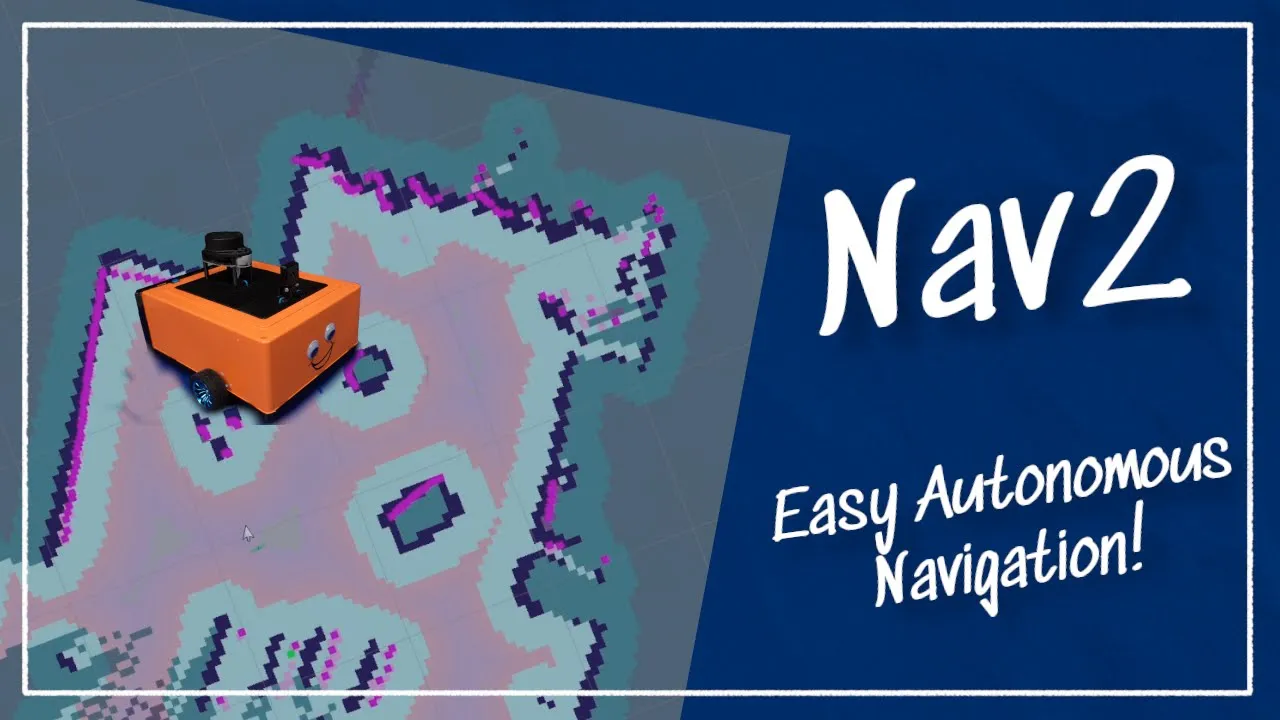
Why this video is valuable:
This video outlines the overall workflow of deploying Nav2, comparing simulated testing with hardware deployments. It details how packages like twist_mux coordinate velocity commands from various inputs (like joysticks, safety scripts, and autonomous planners) to ensure safe physical operation.
- Knowledge Checkpoint:
- Connect simulated velocity control nodes to physical hardware motor drivers using standard interfaces.
- Configure
twist_muxto coordinate and prioritize manual override commands over autonomous navigation. - Deploy Nav2 across a distributed network (e.g., executing SLAM on a remote computer while running hardware drivers locally).
Course Map
Key People Index
- Josh Newans (Articulated Robotics): An outstanding robotics educator specializing in step-by-step tutorials on URDF design, Gazebo integration, spatial coordinate transforms, and real-world ROS 2 hardware deployment.
- Edouard Renard (Robotics Back-End): A software engineering and robotics specialist known for clear tutorials on ROS 2 workspace construction, custom system interfaces, client node libraries, and complete Nav2 configurations.
- Dr. Aleksandar Haber: A university professor and controls engineer who provides detailed, code-centric video tutorials on installing, modeling, and configuring complex systems using modern ROS 2 and Gazebo distributions.
- The Construct Team: A robotics training organization that creates structured, practical video content focused on robot mapping, path planning parameters, and dynamic navigation.
Final Self-Assessment
To pass this course, you must complete each of the following practical benchmarks:
- Linux Terminal & Sourcing: Successfully create, clean, and rebuild a local workspace using
colcon buildwithout sourcing errors. - Custom Interface Creation: Write and compile a custom ROS 2 message interface, verifying its structure using the command-line interface tool.
- ROS 2 Communication: Create functional Python publisher and subscriber nodes that exchange telemetry data over a custom topic.
- Robot Modeling & Physics: Create a valid Xacro URDF model for a differential-drive robot with clean collision meshes and inertia values.
- Transform Tree Integrity: Verify that a complete, unbroken TF tree (
map->odom->base_link->laser_frame) runs with zero frame dropouts. - Simulation Loop: Spawn your custom robot in a Gazebo virtual world, ensuring it drives and steers without physical instability.
- LiDAR Simulation: Output simulated LiDAR range data on the
/scantopic and visualize the points accurately in RViz2. - 2D Mapping (SLAM): Manually drive the simulated robot to map an environment and save the final occupancy grid files.
- AMCL Localization: Load a saved map in Nav2 and use AMCL particle filtering to accurately locate the robot.
- Costmap Configuration: Configure local and global costmaps with appropriate inflation buffers to ensure safety around obstacles.
- Autonomous Navigation: Send goal poses in RViz2, verification that the global planner and local controller navigate the robot smoothly to its target.